How to Add Automatic Page Breaks to Dynamically Generated TCPDF HTML
Enable TCPDF automatic page breaks before writing dynamic HTML, configure margins correctly, and troubleshoot overflow, footers, and version differences.
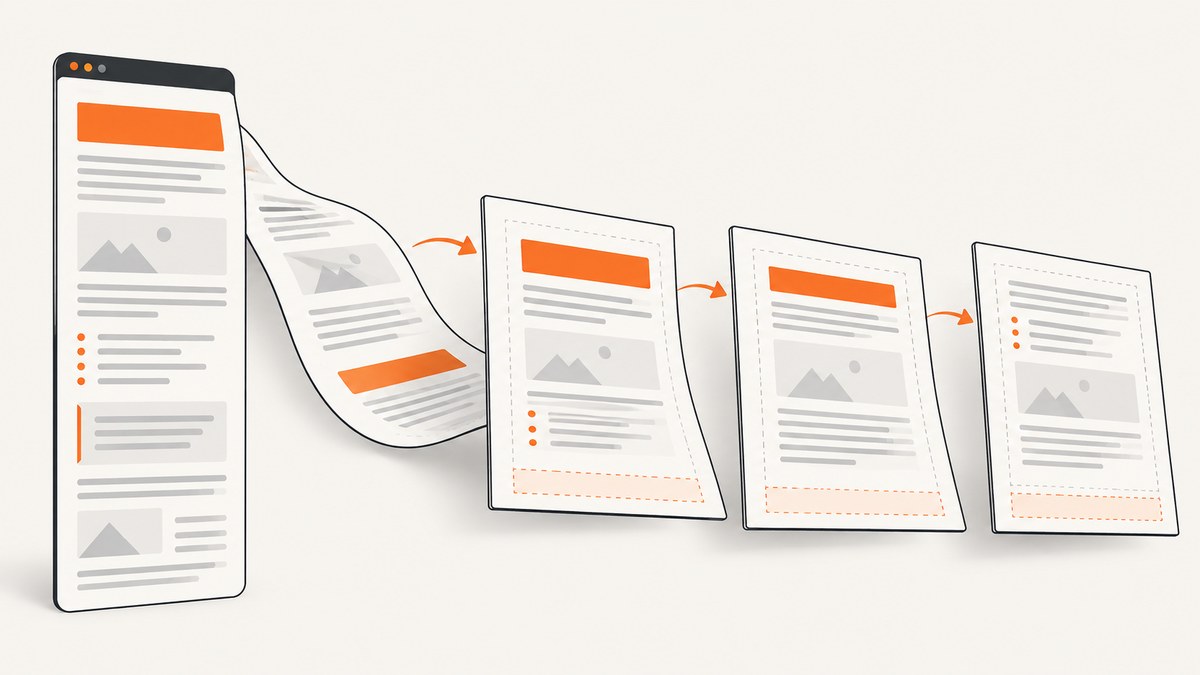
For legacy tecnickcom/TCPDF, automatic page breaks work when you configure the page margins and break margin before writing your generated HTML. The essential sequence is:
<?php
$pdf->SetMargins(PDF_MARGIN_LEFT, PDF_MARGIN_TOP, PDF_MARGIN_RIGHT);
$pdf->SetAutoPageBreak(true, PDF_MARGIN_BOTTOM);
$pdf->AddPage();

$html = buildYourHtmlFromData($data);
$pdf->writeHTML($html, true, false, true, false, '');
?>
SetAutoPageBreak(true, PDF_MARGIN_BOTTOM) reserves the bottom area and lets writeHTML() continue flowing content onto new pages. Set the break margin to account for your footer and any other content that must remain clear of the page edge. The official TCPDF example uses this setup in example_006.php.
1. Complete working example
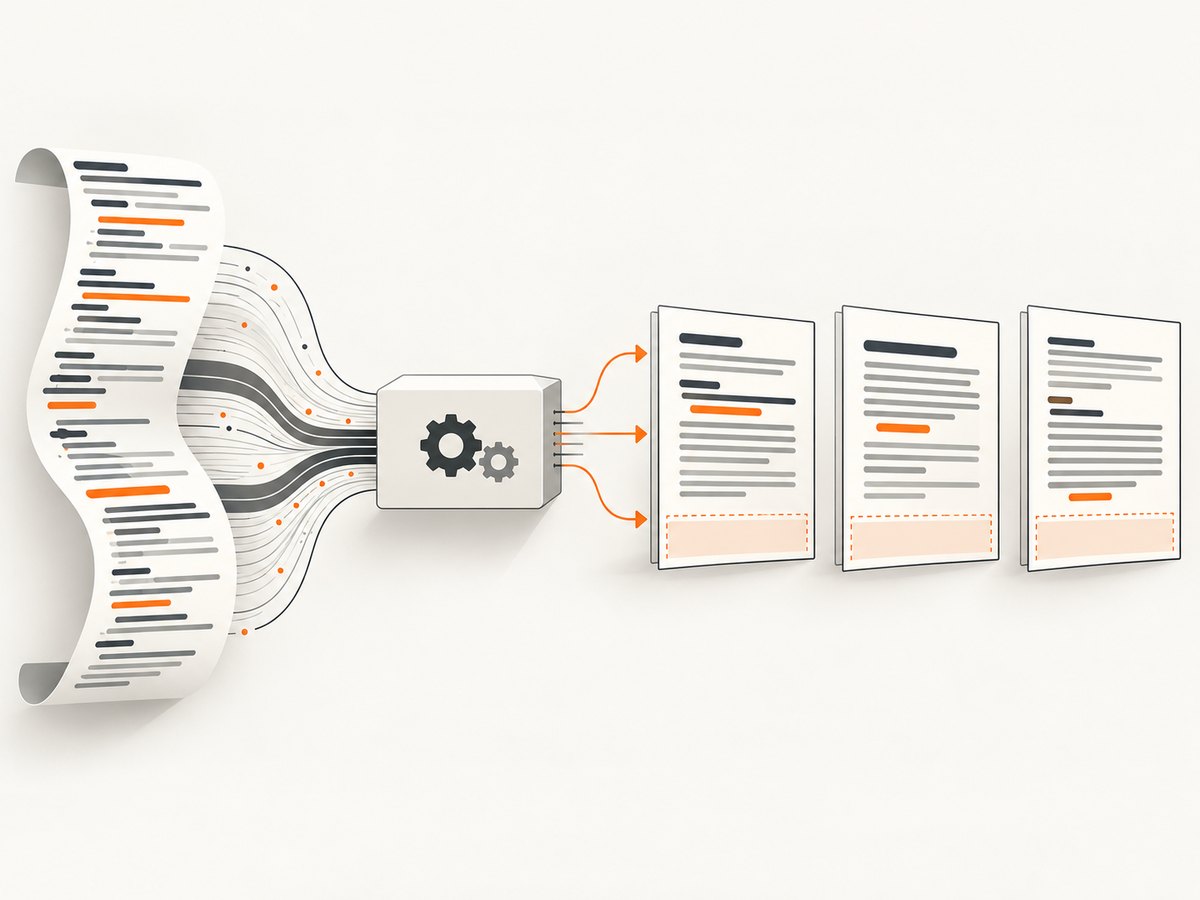
The following script builds an HTML report from an array, configures margins, writes the report, and saves a PDF. It uses the legacy TCPDF API.
<?php
require_once __DIR__ . '/vendor/autoload.php';

use TCPDF;

$data = [
    ['name' => 'Ada Lovelace', 'role' => 'Analyst', 'notes' => 'Quarterly review completed.'],
    ['name' => 'Grace Hopper', 'role' => 'Engineer', 'notes' => 'Migration plan approved.'],
];

function e(string $value): string {
    return htmlspecialchars($value, ENT_QUOTES | ENT_SUBSTITUTE, 'UTF-8');
}

function buildYourHtmlFromData(array $data): string {
    $rows = '';
    foreach ($data as $item) {
        $rows .= '<tr>'
            . '<td>' . e($item['name']) . '</td>'
            . '<td>' . e($item['role']) . '</td>'
            . '<td>' . e($item['notes']) . '</td>'
            . '</tr>';
    }

    return '<h1>Team report</h1>'
        . '<p>Generated at ' . e(date('c')) . '</p>'
        . '<table border="1" cellpadding="5" cellspacing="0">'
        . '<thead><tr><th>Name</th><th>Role</th><th>Notes</th></tr></thead>'
        . '<tbody>' . $rows . '</tbody></table>';
}

$pdf = new TCPDF('P', 'mm', 'A4', true, 'UTF-8', false);
$pdf->SetCreator('Example application');
$pdf->SetAuthor('Example application');
$pdf->SetTitle('Team report');

// Leave enough room for the header, body, and footer.
$pdf->SetMargins(PDF_MARGIN_LEFT, PDF_MARGIN_TOP, PDF_MARGIN_RIGHT);
$pdf->SetHeaderMargin(PDF_MARGIN_HEADER);
$pdf->SetFooterMargin(PDF_MARGIN_FOOTER);
$pdf->SetAutoPageBreak(true, PDF_MARGIN_BOTTOM);
$pdf->AddPage();

$html = buildYourHtmlFromData($data);
$pdf->writeHTML($html, true, false, true, false, '');
$pdf->Output(__DIR__ . '/team-report.pdf', 'F');
Install TCPDF with Composer if it is not already part of your application:
composer require tecnickcom/tcpdfKeep data escaping separate from layout generation. The htmlspecialchars() call prevents names, notes, and other fields from becoming unintended HTML. If your source data is already trusted HTML, apply a deliberate allow-list sanitizer instead of concatenating arbitrary input.
2. What the automatic break settings control
| Setting | Purpose | What to check |
|---|---|---|
SetMargins(left, top, right) |
Defines the normal body rectangle. | Make the top margin large enough for a header and the right/left margins suitable for printing. |
SetAutoPageBreak(true, bottom) |
Enables automatic breaks and reserves the bottom break margin. | Include the footer height, footer margin, and a small visual gap. |
SetHeaderMargin() |
Positions header content inside the top area. | Do not let a custom header extend into the body margin. |
SetFooterMargin() |
Positions footer content above the page edge. | Coordinate this with the automatic break margin. |
AddPage() |
Starts the first page using the configured layout. | Call it after configuring margins and before writing HTML. |
The bottom argument is not merely a cosmetic margin. It is the boundary below which flowing body content should not be placed. If the value is too small, body text can collide with a footer. If it is too large, each page contains less usable content and the PDF becomes longer.
3. Dynamic HTML patterns that flow reliably
Build one complete document string
Generate the current HTML after loading the current data, then pass it to writeHTML(). Avoid writing half a table before a query completes or changing margins halfway through a block. A single complete string makes it easier to reproduce a layout problem and keeps pagination decisions in one pass.
Use simple, supported markup
TCPDF’s HTML engine is not a full browser. Tables, headings, paragraphs, lists, inline styles, and basic attributes are common choices. Validate complex CSS, flexbox, external fonts, positioned elements, and advanced page-break properties against the TCPDF release installed in your project. The official examples index includes E018, an HTML block that flows across page breaks.
Long tables and repeated headings
Large tables should have a clear header row and modest cell padding. Test rows containing long unbroken strings, multi-line notes, and empty values. A row that cannot fit may move as a unit or produce a surprising split depending on the markup and release. If a table is too wide, reduce cell padding, shorten labels, or use landscape orientation rather than forcing content outside the body rectangle.
Explicit breaks for semantic sections
Automatic breaks are best for ordinary flow. When a new chapter, invoice, or signature section must begin on a fresh page, call $pdf->AddPage() at that point. Do not insert dozens of manual breaks to compensate for an incorrect bottom margin; fix the page geometry first.
4. Writing inside a constrained region
writeHTMLCell() writes HTML into a specified cell or region. That is useful for columns, cards, and side-by-side blocks, but the region itself can constrain pagination. Confirm the width, height, and position arguments against the installed API reference before relying on a block to span pages. The TCPDF API reference documents writeHTML(), writeHTMLCell(), setAutoPageBreak(), and AcceptPageBreak().
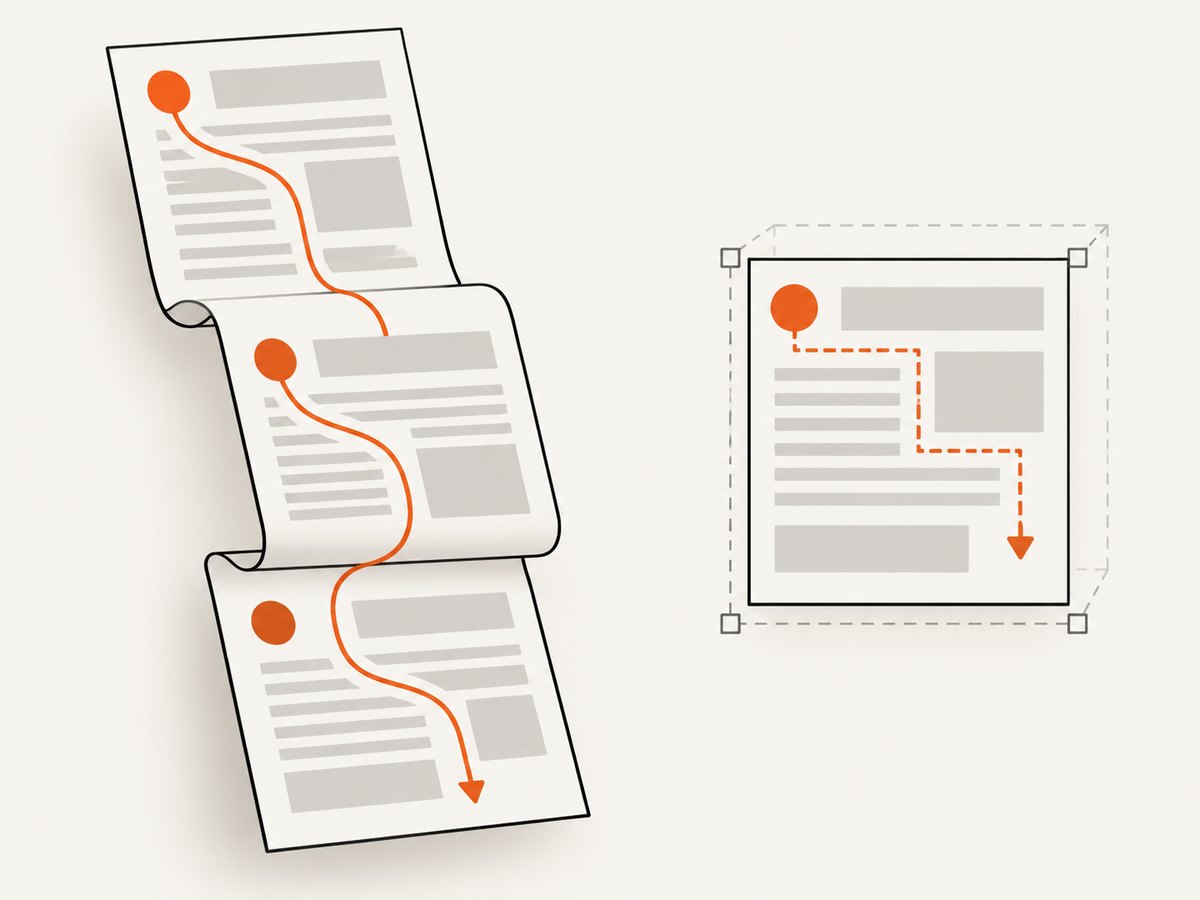
If content must continue through normal page flow, prefer writeHTML() in the page body. A fixed-height cell can stop, clip, or force behavior that differs from ordinary body output. When you do use a region, calculate its height from the content or split the content into smaller blocks.
5. Legacy TCPDF versus current tc-lib-pdf
Package generation matters. Legacy TCPDF examples use writeHTML() and writeHTMLCell(). The current tc-lib-pdf documentation describes addHTMLCell() for content that may span a page break and getHTMLCell() for obtaining PDF operators without writing them. The guide states: “Use addHTMLCell() for anything that may span a page break.” Read that advice in the context of the newer package, not as a drop-in replacement for a legacy TCPDF installation.
Before changing method names, inspect composer.lock, the package namespace, and the installed class methods. Then open the matching documentation for that release. Margins and constrained regions still affect flow in the newer API, so a method change does not remove the need to design the page rectangle carefully. See the HTML and CSS guide for the current package behavior.
6. Troubleshooting automatic page breaks
| Symptom | Likely cause | Fix |
|---|---|---|
| Everything prints on one page or runs into the footer. | Automatic breaks are disabled or the bottom margin is too small. | Call SetAutoPageBreak(true, PDF_MARGIN_BOTTOM) before AddPage(); increase the break margin to cover the footer. |
| The first page has a different usable area. | Margins or header settings were changed after the page was created. | Set margins, header/footer margins, and auto-break settings before AddPage(). |
| Content stops inside a box. | writeHTMLCell() is constrained by a fixed region. |
Use normal writeHTML() flow or split the block; verify cell dimensions. |
| Rows overlap or appear clipped. | Unsupported CSS, an oversized image, or malformed HTML. | Reduce markup to a minimal reproducer, close every tag, constrain image dimensions, and test supported styles for your version. |
| A footer covers text only on later pages. | The footer height differs from the configured break margin. | Measure the actual footer and increase the bottom break margin; render several pages to verify. |
Call to undefined method addHTMLCell(). |
New tc-lib-pdf documentation was applied to legacy TCPDF. | Use the legacy writeHTML()/writeHTMLCell() methods or upgrade deliberately after checking compatibility. |
| Dynamic values break the document. | Unescaped characters such as & or < changed the HTML. |
Escape plain text with htmlspecialchars() and validate trusted HTML separately. |
7. Performance, reliability, and cost considerations
Pagination is performed while TCPDF parses and lays out the HTML. For large reports, reduce unnecessary nested markup, resize images before embedding them, and avoid repeating large inline styles on every row. Generate data once, then render once. If a report contains thousands of rows, consider splitting it into logical sections and measuring memory use in your worker process.
Reliability improves when you pin the TCPDF version, keep a small fixture containing long paragraphs and multi-page tables, and compare generated PDFs after dependency updates. Test at least: an empty dataset, one row, a page-sized block, a block just over one page, long words, accented characters, and a footer. Confirm that output is written only after writeHTML() completes and that warnings are captured in your application logs.
TCPDF itself has no per-page service charge; your cost is application compute, memory, storage, and any fonts or infrastructure you add. If rendering is moved to a hosted screenshot or PDF service, account for that provider’s billing rules and failure handling separately.
8. Or skip the browser setup
If your goal is to capture a rendered web page rather than generate a PDF from PHP, ScreenshotNeo provides a single HTTP request for a PNG, JPEG, WebP, or PDF. It removes cookie and consent banners, newsletter popups, and chat widgets before capture. Bot checks, blank pages, timeouts, failed loads, and cache hits are not billed, and the response identifies the result with X-Page-Verdict and X-Billed headers. An MCP server provides take_screenshot, get_page_info, and capture_pdf tools for Claude, Cursor, and other MCP clients.
See the ScreenshotNeo API documentation for all options. The basic calls below are runnable as written after replacing the key and target URL.
cURL
curl -G "https://api.screenshotneo.com/v1/shot" \
  -d access_key=YOUR_API_KEY \
  --data-urlencode url=https://stripe.com \
  -o shot.webp
Python
import requests

r = requests.get(
    "https://api.screenshotneo.com/v1/shot",
    params={"access_key": "YOUR_API_KEY", "url": "https://stripe.com"},
    timeout=90,
)
r.raise_for_status()
open("shot.webp", "wb").write(r.content)
Node.js
const q = new URLSearchParams({ access_key: 'YOUR_API_KEY', url: 'https://stripe.com' });
const res = await fetch(`https://api.screenshotneo.com/v1/shot?${q}`);
if (!res.ok) throw new Error(`HTTP ${res.status}`);
require('fs').writeFileSync('shot.webp', Buffer.from(await res.arrayBuffer()));
ScreenshotNeo also supports full-page capture with lazy images loaded, CSS-element capture, dark mode, device presets and custom viewports, retina scale, PDF paper sizes and margins, custom CSS and JavaScript, click and wait actions, request blocking, headers, cookies, user agents, authorization, timezone and geolocation, transparent backgrounds, resizing, configurable caching TTLs, signed links, asynchronous jobs with signed webhooks, bulk capture of up to 100 URLs per call, a usage API, and an OpenAPI specification. Parameter names used by other screenshot APIs also work, which can simplify migration.
The Free plan includes 1,000 screenshots each month with no card. Paid plans start at $5 for 3,000 screenshots; yearly billing gives two months free, and every feature is available on every plan. Create a free ScreenshotNeo account and start with the 1,000 monthly screenshots.
9. Practical checklist
- Confirm which TCPDF generation your Composer lock file installs.
- Set left, top, and right margins before creating the page.
- Set header and footer margins, then enable the automatic break margin.
- Call
AddPage()before writing the generated HTML. - Escape dynamic text and validate the resulting HTML.
- Use normal
writeHTML()flow for content that must span pages. - Test long tables, images, empty data, and footer clearance.
- Use the API matching your installed package; do not mix legacy TCPDF and tc-lib-pdf methods.
FAQ
Does TCPDF automatically repeat a table header?
Header repetition depends on the table markup and the TCPDF version. Test your actual table with the release installed rather than assuming browser behavior.
Can I use CSS page-break-before?
Support varies by TCPDF version and by the CSS property. For a guaranteed section boundary, call AddPage() from PHP and verify the generated output.
Why does a page break happen earlier than expected?
The usable body height is reduced by the top margin, header area, bottom break margin, footer area, cell padding, and content that cannot be split. Inspect each value together.
Should I migrate from TCPDF to tc-lib-pdf?
Decide based on your maintenance needs and compatibility requirements. Read the current documentation, check method signatures, and port a small representative report before changing production rendering.


