How to Terminate a Cypress Function When a Condition Fails
Learn when to return, throw, skip, or stop in Cypress, with queue-safe JavaScript patterns, troubleshooting, and reliable conditional tests.
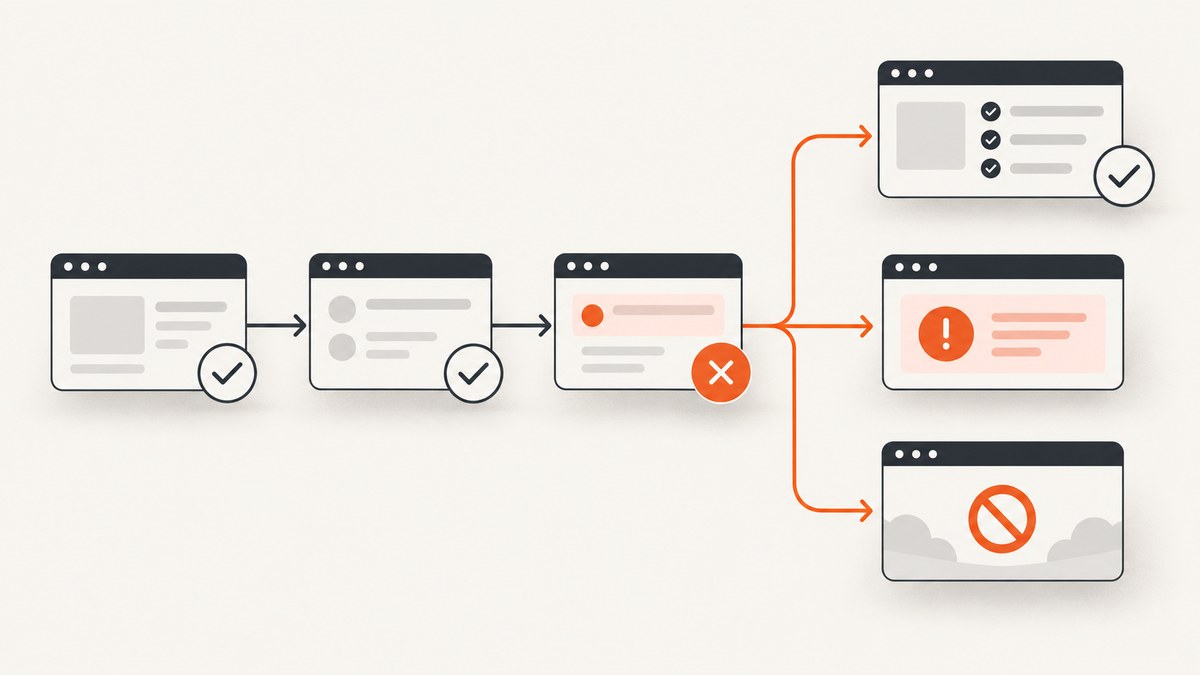
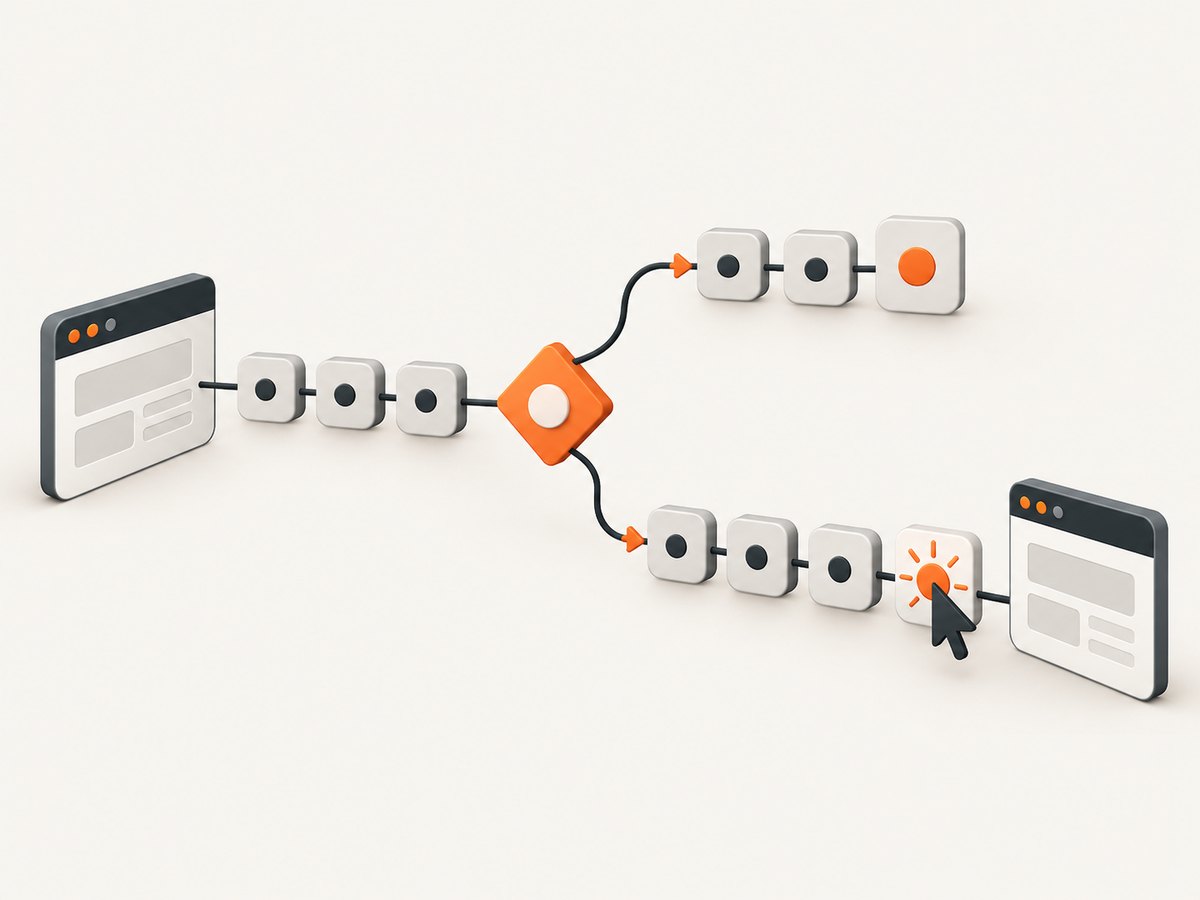
Direct answer: choose the termination scope first. In an ordinary JavaScript function, return exits the function. In Cypress, commands are queued, so returning from a callback does not cancel commands that were already queued elsewhere. Put the condition inside a .then() callback and enqueue later commands only on the branch that should continue. Throw an Error when the condition must fail the test, use Mocha’s this.skip() when the test should be skipped, and use Cypress.stop() when the remaining tests in the current spec should stop.
This distinction matters because Cypress does not have a “passed, but stopped early” result. A test finishes as passed, failed, or pending/skipped. The right construct depends on the desired result, the scope you want to stop, and whether commands have already entered Cypress’s command queue.
1. Decide what should stop
| Goal | Use | Result |
|---|---|---|
| Leave the current callback successfully | return inside .then() |
The test can pass if no later failure occurs |
| Mark the current test as failed | throw new Error(...) |
Cypress fails the test and skips its remaining commands |
| Mark the current test as skipped/pending | this.skip() in a regular Mocha function |
The test is skipped |
| Stop tests later in this spec | Cypress.stop() |
Remaining tests in the current spec do not run |
Do not treat these as interchangeable. A JavaScript return is local control flow. A thrown error changes the test result. this.skip() expresses that the test does not apply. Cypress.stop() is a runner-level command for the rest of the current spec.
2. Return early from a Cypress callback
The safest successful early exit is to evaluate the condition in .then(). Commands inside that callback are enqueued as the callback runs. If the condition fails, return before enqueueing the commands that should not execute.
describe('checkout', () => {
  it('continues only when the checkout link is available', () => {
    cy.get('a').then(($links) => {
      const checkoutLink = [...$links].find(
        (link) => link.textContent.trim() === 'Checkout'
      )

      if (!checkoutLink) {
        return
      }

      cy.wrap(checkoutLink).click()
      cy.get('[data-testid="checkout-form"]').should('be.visible')
    })
  })
})
The return exits only the callback. It prevents cy.wrap(...).click() and the following command from being added from that branch. It does not undo commands that appeared before cy.get('a')... or commands queued at the test’s top level.
Commands already queued cannot be retroactively removed
it('does not cancel commands queued before the callback', () => {
  cy.get('[data-testid="status"]')
  cy.get('[data-testid="next-step"]').click()

  cy.get('body').then(($body) => {
    if (!$body.find('[data-testid="ready"]').length) {
      return
    }
  })
})
Here, the click was queued before the callback evaluates the condition. Returning cannot cancel it. Move the conditional commands into the callback instead:
it('queues the click only when ready', () => {
  cy.get('body').then(($body) => {
    const ready = $body.find('[data-testid="ready"]').length > 0

    if (!ready) {
      return
    }

    cy.get('[data-testid="next-step"]').click()
  })
})
3. Fail the test deliberately
When a failed condition means the test is invalid, throw an error. Cypress treats the thrown error as a test failure and does not continue with the remaining queued commands.
it('fails when the account is not active', () => {
  cy.get('[data-testid="account-status"]').then(($status) => {
    const state = $status.text().trim()

    if (state !== 'Active') {
      throw new Error(`Expected Active account, received: ${state}`)
    }

    cy.get('[data-testid="billing"]').click()
  })
})
Use a normal JavaScript error for a clear message. If you need Cypress’s retry behavior, assert instead of reading once:
cy.get('[data-testid="account-status"]').should('have.text', 'Active')
cy.get('[data-testid="billing"]').click()
The assertion retries until it passes or reaches its timeout. A one-time DOM read can observe an intermediate state and create a flaky test.
4. Skip a test at runtime
Use Mocha’s this.skip() when the test should be reported as skipped rather than passed or failed. The callback must be a regular function () {} so Mocha can bind this; an arrow function does not provide that context.
describe('legacy browser behavior', function () {
  beforeEach(function () {
    cy.visit('/settings')

    cy.get('body').then(($body) => {
      const unsupported = $body.find('[data-testid="unsupported-browser"]').length > 0

      if (unsupported) {
        this.skip()
      }
    })
  })

  it('edits the profile', () => {
    cy.get('[data-testid="edit-profile"]').click()
  })
})
Because the runtime check occurs in a nested arrow callback, capture the Mocha context in the outer regular function. Do not use this.skip() in an arrow test callback.
5. Stop the remaining tests in a spec
Cypress.stop() stops execution of the remaining tests in the current spec file. In cypress run, later tests in that spec are skipped. In cypress open, the runner stops while the application remains open for inspection. When recording to Cypress Cloud, screenshots, videos, and Test Replay still upload. See the Cypress.stop() documentation.
describe('payment provider', () => {
  beforeEach(() => {
    cy.visit('/checkout')
  })

  it('stops this spec when the provider is unavailable', () => {
    cy.get('body').then(($body) => {
      const unavailable = $body.find('[data-testid="provider-down"]').length > 0

      if (unavailable) {
        Cypress.stop()
        return
      }

      cy.get('[data-testid="pay-now"]').click()
    })
  })

  it('will not run when the previous test stopped the spec', () => {
    cy.get('[data-testid="receipt"]').should('be.visible')
  })
})
Return immediately after Cypress.stop() when code follows in the same hook or block. The stop call does not automatically prevent subsequent JavaScript statements in that callback from executing.
Cypress distinguishes this from Cloud Auto Cancellation, which can stop tests across machines and is documented as available with the Business+ plan. Use Cypress.stop() for the current spec, not as a replacement for a function return.
6. Prefer deterministic conditions
Conditional testing based on a transient DOM snapshot is a common source of flakes. A class, loading message, or optional element can change immediately after you inspect it. Cypress recommends controlling application state before the test or using a stable signal. Examples include a fixture flag, a URL parameter, a server response, or a deterministic data attribute.
cy.intercept('GET', '/api/account').as('account')
cy.visit('/dashboard')
cy.wait('@account').its('response.statusCode').should('eq', 200)
cy.get('[data-testid="account-status"]').should('have.text', 'Active')
Use retryable assertions for states that should eventually become true. Use a single .then() inspection when the state is intentionally optional and you have defined what each branch means.
7. Complete patterns for common cases
Optional element: continue without failing
cy.get('body').then(($body) => {
  if ($body.find('[data-testid="announcement-close"]').length) {
    cy.get('[data-testid="announcement-close"]').click()
  }

  cy.get('[data-testid="main-action"]').click()
})
Required element: fail with context
cy.get('body').then(($body) => {
  if (!$body.find('[data-testid="main-action"]').length) {
    throw new Error('Main action was not rendered after navigation')
  }

  cy.get('[data-testid="main-action"]').click()
})
Branch into two valid flows
cy.get('body').then(($body) => {
  if ($body.find('[data-testid="two-factor"]').length) {
    cy.get('[data-testid="two-factor-code"]').type(Cypress.env('OTP'))
    cy.get('[data-testid="verify"]').click()
    return
  }

  cy.get('[data-testid="dashboard"]').should('be.visible')
})
Stop from a hook
beforeEach(function () {
  cy.request('/health').then((response) => {
    if (response.status !== 200) {
      Cypress.stop()
      return
    }

    cy.visit('/')
  })
})
8. Troubleshooting
| Symptom | Cause | Fix |
|---|---|---|
Commands still run after return |
They were queued before the callback evaluated the condition. | Move conditional commands inside the .then() branch. |
| The test passes when it should fail | The callback returned instead of throwing. | Use throw new Error() or a retryable Cypress assertion. |
this.skip is not a function |
The test or hook uses an arrow function. | Use function () {} for the Mocha callback and capture its context. |
Statements after Cypress.stop() execute |
Stopping the runner does not end the current JavaScript callback. | Add return immediately after the stop call. |
| Intermittent branch selection | The DOM is sampled while the application is still changing. | Wait for a network response or stable state, then assert. |
| Element-not-found error before your condition runs | cy.get(selector) retries and fails when the selector is absent. |
Inspect a stable container with cy.get('body').then(...), or change the application contract so the element is deterministic. |
9. Performance, reliability, and maintenance
- Queue less work: decide before adding expensive clicks, uploads, or navigations. This reduces needless browser activity.
- Keep conditions cheap: inspect a scoped container instead of repeatedly querying the entire document.
- Set intentional timeouts: use a longer timeout for a known slow backend and a short one for a local optional branch. Do not hide failures with arbitrarily large global timeouts.
- Make failure messages actionable: include the observed value, route, or identifier in thrown errors.
- Avoid hidden test coupling: stopping a spec can conceal later failures. Reserve
Cypress.stop()for an environment-wide prerequisite or an explicitly fail-fast suite policy. - Keep skip reasons visible: pair runtime skips with a comment or diagnostic so a skipped result is distinguishable from an uncollected test.
10. Capture a reproducible screenshot of a failed branch
When a condition fails, a screenshot can preserve the rendered state that led to the decision. Cypress can take screenshots locally, while a remote screenshot API is useful for collecting a clean image from a URL in a separate diagnostic job.

Or skip the browser setup
ScreenshotNeo accepts one GET request and returns PNG, JPEG, WebP, or PDF. Its capture flow accepts cookie and consent banners like a visitor, then removes more than 60 known consent platforms, newsletter popups, and chat widgets before the shot. Each step can be turned off. Bot checks or CAPTCHAs, blank pages, timeouts, failed loads, and cache hits are not billed, and the response identifies the result with X-Page-Verdict and X-Billed headers. See the ScreenshotNeo API documentation.
curl -G "https://api.screenshotneo.com/v1/shot" -d access_key=YOUR_API_KEY --data-urlencode url=https://stripe.com -o shot.webpimport requests
r = requests.get("https://api.screenshotneo.com/v1/shot", params={"access_key": "YOUR_API_KEY", "url": "https://stripe.com"}, timeout=90)
open("shot.webp", "wb").write(r.content)const q = new URLSearchParams({ access_key: 'YOUR_API_KEY', url: 'https://stripe.com' });
const res = await fetch(`https://api.screenshotneo.com/v1/shot?${q}`);For a Cypress diagnostic workflow, pass the failing page URL, choose a device or viewport, and use options such as full-page capture, a CSS selector, dark mode, retina scale, custom CSS or JavaScript, a wait for a selector, delay or network idle, hidden selectors, custom headers, cookies, user agent, timezone, geolocation, and a chosen cache TTL. PDF output supports paper size, margins, landscape mode, and page ranges. Async jobs provide signed webhooks; bulk capture accepts up to 100 URLs per call. An MCP server exposes take_screenshot, get_page_info, and capture_pdf to Claude, Cursor, and other MCP clients.
There are 1,000 screenshots per month free with no card. Paid plans start at $5 for 3,000 shots; yearly billing gives two months free, and every feature is on every plan. Create a free ScreenshotNeo account.
11. Short FAQ
Does return false stop Cypress?
No. Cypress does not use a returned Boolean as a runner command. Return from the callback to avoid enqueueing commands, or throw to fail the test.
Can I stop all specs with Cypress.stop()?
Cypress.stop() stops the remaining tests in the current spec. Cross-machine cancellation is a separate Cypress Cloud capability.
Should I use cy.then() or .should()?
Use .should() when the condition should become true and needs retries. Use .then() for a deliberate one-time branch where both outcomes are defined.
Why did my test become flaky after adding a conditional?
The check probably observes transient DOM state. Wait for a deterministic network or application signal, then assert the resulting state.
What is the cleanest way to debug a failed branch?
Throw an error containing the observed state, preserve a Cypress screenshot or video, and capture the rendered URL with a clean screenshot workflow when a separate artifact is useful.
12. Practical checklist
- Define whether you need a local return, a failed test, a skipped test, or a stopped spec.
- Place conditionally executed Cypress commands inside the callback that evaluates the condition.
- Use retryable assertions for state that should eventually settle.
- Use a regular Mocha function when calling
this.skip(). - Return immediately after
Cypress.stop(). - Record enough context to reproduce the branch and keep diagnostics clean.
The core rule is simple: Cypress queues commands, so control when commands are added. Once the intended outcome is explicit, return, throw, this.skip(), and Cypress.stop() each provide a predictable termination point.


