How to Test Google Maps with Cypress
Test Google Maps behavior reliably with Cypress: intercept requests, control geolocation, verify markers, handle authentication, and reduce flake.
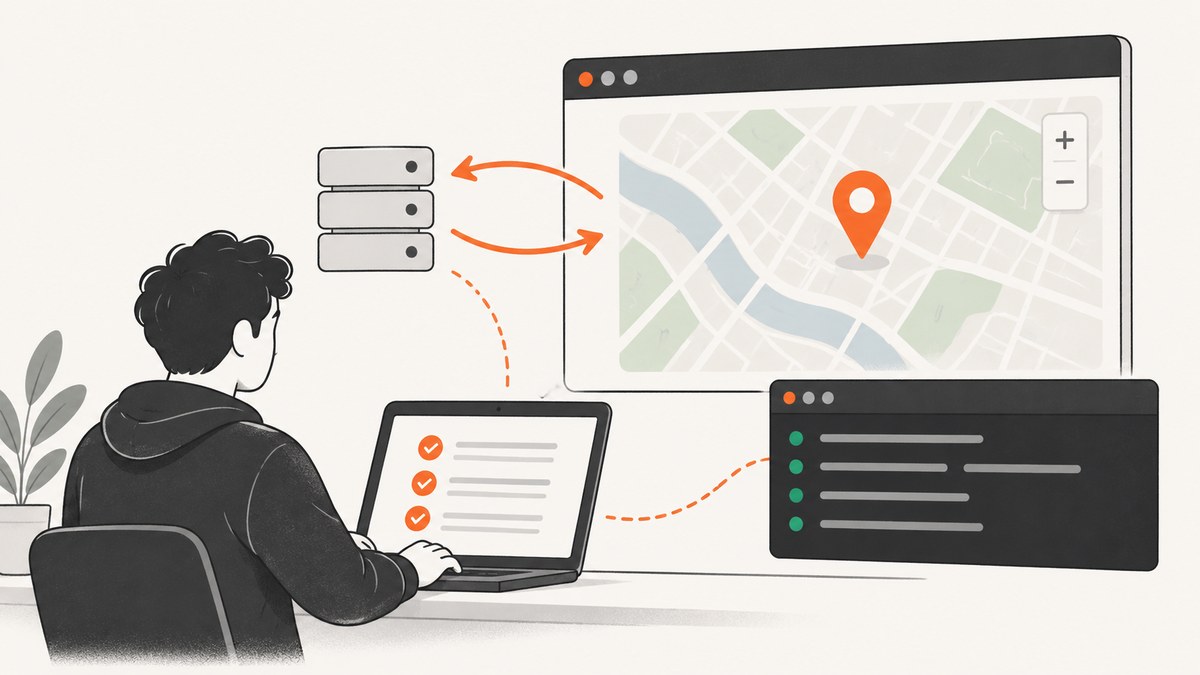
Test the behavior your application owns around Google Maps. Start your app separately, register cy.intercept() routes before cy.visit(), control browser geolocation for deterministic scenarios, use cy.request() for direct endpoint checks, and assert your labels, result lists, selected-place panels, and URL state. Treat Google’s canvas, tiles, and generated DOM as implementation details unless your product exposes a stable contract.
This approach follows Cypress’s end-to-end guidance: Cypress tests the application you control, while tests that depend on an unrelated provider’s internal markup are more likely to break.
1. Define stable map contracts
Before writing a spec, expose selectors and accessible text for the parts your users rely on:
- Map wrapper and loading state
- Search input and submit control
- Result list and each result
- Selected-place panel
- “Use my location” control
- Permission, quota, and network error states
- Current center or selected coordinates, when your UI displays them
Prefer selectors such as data-cy="place-search" over Google-generated class names. A test should prove that a user can search, select a place, see an error, or change location. It should not depend on a particular tile element or undocumented marker node.
2. Configure Cypress and start the app
Run the application server separately, then point Cypress at it:
npm install --save-dev cypress
npx cypress open
Example cypress.config.js:
const { defineConfig } = require('cypress')

module.exports = defineConfig({
  e2e: {
    baseUrl: 'http://localhost:3000',
    specPattern: 'cypress/e2e/**/*.cy.js',
    video: false
  }
})
Keep Google keys and test credentials in environment configuration. Google’s Maps JavaScript API documentation covers project creation, key setup, loading the API, and adding maps and markers.
3. Intercept startup requests before visiting
If your page requests places while initializing, declare the route first. Otherwise the first request can escape the interception layer. Cypress also notes that browser-cached responses may not reach network interception.
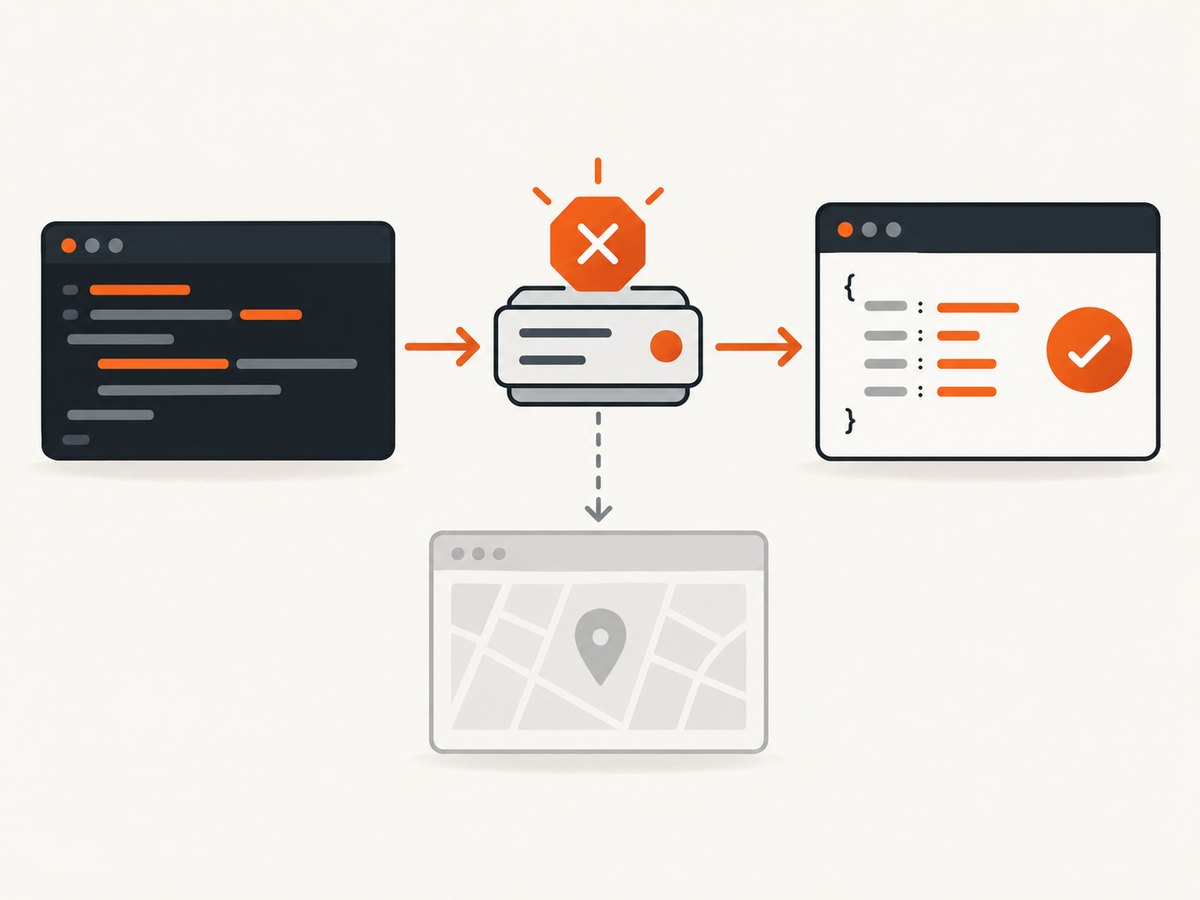
describe('map search', () => {
  beforeEach(() => {
    cy.intercept('GET', '**/api/places*').as('places')
    cy.visit('/map')
  })

  it('shows the selected place returned by the app API', () => {
    cy.get('[data-cy=place-search]').type('coffee{enter}')
    cy.wait('@places').its('request.url').should('include', 'coffee')
    cy.get('[data-cy=place-result]').first().click()
    cy.get('[data-cy=selected-place]').should('be.visible')
  })
})
Use a narrow URL pattern for the endpoint your application owns. Avoid intercepting every request: broad routes can hide unrelated failures and make a suite slower to understand.
4. Stub deterministic responses
Stub data for empty results, malformed payloads, permission failures, quota errors, and slow responses. Cypress supports response bodies, status codes, delays, request assertions, and aliases.
it('renders a place returned by the application API', () => {
  cy.intercept('GET', '**/api/places*', {
    statusCode: 200,
    body: {
      places: [
        { id: 'p1', name: 'Central Cafe', lat: 40.7128, lng: -74.0060 }
      ]
    }
  }).as('places')

  cy.visit('/map')
  cy.get('[data-cy=place-search]').type('coffee{enter}')
  cy.wait('@places').its('response.statusCode').should('eq', 200)
  cy.get('[data-cy=place-result]').contains('Central Cafe').click()
  cy.get('[data-cy=selected-place]').should('contain', 'Central Cafe')
  cy.location('search').should('include', 'place=p1')
})

it('shows an API error', () => {
  cy.intercept('GET', '**/api/places*', {
    statusCode: 503,
    body: { error: 'temporarily unavailable' },
    delay: 300
  }).as('placesError')

  cy.visit('/map')
  cy.get('[data-cy=place-search]').type('coffee{enter}')
  cy.wait('@placesError')
  cy.get('[data-cy=map-error]').should('be.visible')
})
Use real staging responses for a small number of integration checks. Use stubs for rare and destructive states. This balances production fidelity, speed, quota exposure, and determinism.
5. Test markers through user-visible behavior
Google documents markers as Maps API concepts, but their generated DOM is not a stable application contract. Assert the sequence that matters to your product:
- Enter a search term.
- Verify the request URL or request body.
- Return a known place from your API or fixture.
- Select the result.
- Assert the selected panel, summary, navigation, or URL state.
cy.get('[data-cy=place-result]').contains('Central Cafe').click()
cy.get('[data-cy=selected-place]').should('contain', 'Central Cafe')
cy.get('[data-cy=marker-summary]').should('contain', '40.7128')
cy.location('search').should('include', 'place=p1')
If your application exposes an accessible marker summary, assert that. If it does not, add one rather than querying Google’s internal nodes.
6. Test geolocation deterministically
When your feature offers “use my location,” browser HTML5 Geolocation is part of the behavior. Google’s geolocation guidance describes displaying a device position, and the Geolocation API requires an API key for API requests.
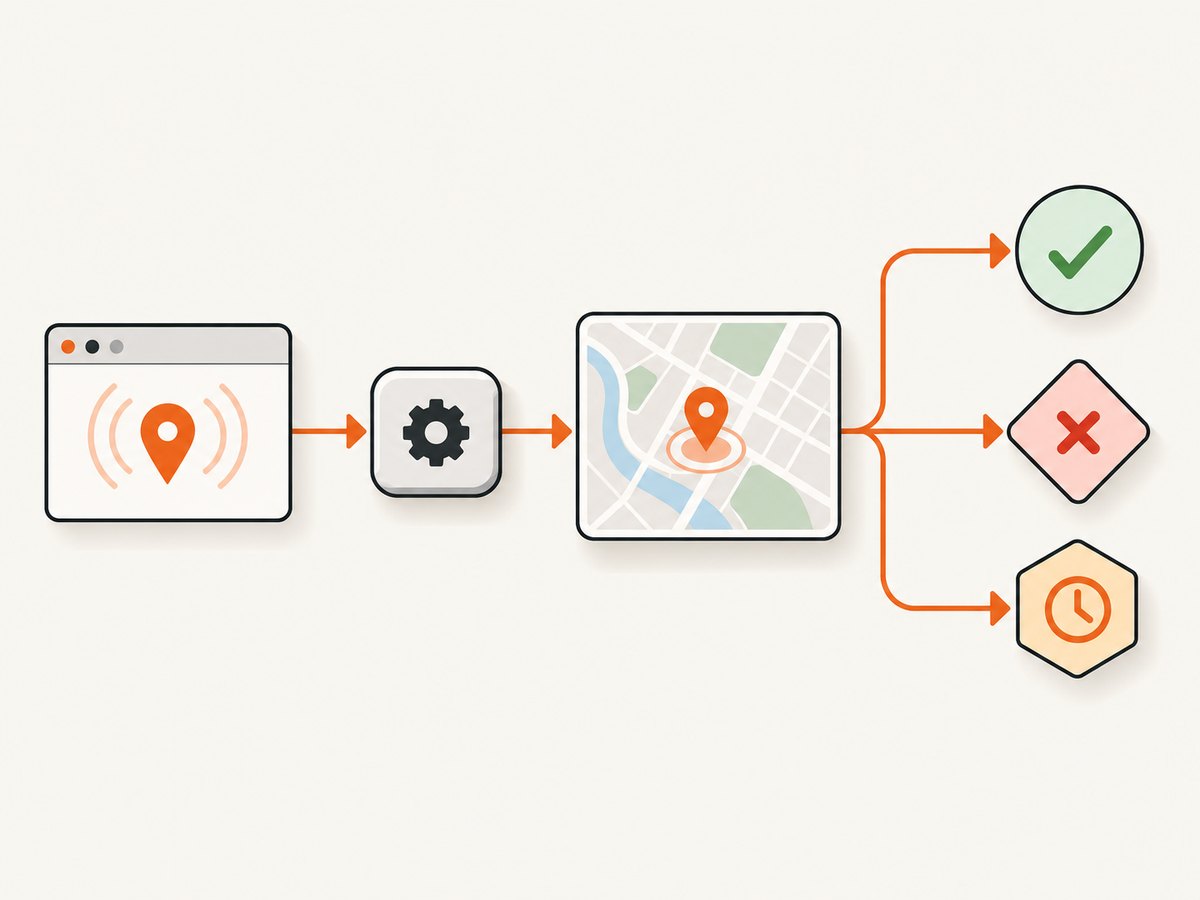
Use a test seam around the browser API. The seam can be a small adapter that accepts fixed coordinates in test mode, or a wrapper you can stub through cy.window(). Keep success, denial, and timeout as separate tests.
// The application should call its geolocation adapter, not read the API directly everywhere.
it('uses a fixed location', () => {
  cy.visit('/map')
  cy.window().then((win) => {
    cy.stub(win.navigator.geolocation, 'getCurrentPosition').callsFake((success) => {
      success({
        coords: {
          latitude: 40.7128,
          longitude: -74.0060,
          accuracy: 10
        }
      })
    })
  })

  cy.get('[data-cy=use-my-location]').click()
  cy.get('[data-cy=location-status]').should('contain', 'Location found')
  cy.get('[data-cy=map-center]').should('contain', '40.7128')
})

it('handles denied permission', () => {
  cy.visit('/map')
  cy.window().then((win) => {
    cy.stub(win.navigator.geolocation, 'getCurrentPosition').callsFake((_success, failure) => {
      failure({ code: 1, message: 'Permission denied' })
    })
  })

  cy.get('[data-cy=use-my-location]').click()
  cy.get('[data-cy=location-error]').should('contain', 'Permission')
})
If your application calls geolocation before the test can stub it, inject the adapter before page initialization or configure the browser context in your test setup.
7. Verify URL and navigation state
Search terms, filters, and selected places often update query parameters or hash routes. cy.location() normalizes URL properties and retries assertions.
cy.location('pathname').should('eq', '/map')
cy.location('search').should('include', 'q=coffee')
cy.location('hash').should('include', 'results')
This is more reliable than manually reading window.location and immediately asserting on it.
8. Separate browser checks from backend checks
cy.request() runs from Cypress’s Node process. It bypasses browser CORS, shares browser cookies, and does not use cy.intercept() routes. Use it to seed data, verify persistence, or test a backend proxy directly.
beforeEach(() => {
  cy.request('POST', '/api/test-fixtures/places', {
    id: 'p1',
    name: 'Central Cafe',
    lat: 40.7128,
    lng: -74.0060
  })
})

it('persists the selected place', () => {
  cy.visit('/map')
  cy.get('[data-cy=place-search]').type('coffee{enter}')
  cy.get('[data-cy=place-result]').contains('Central Cafe').click()
  cy.request('GET', '/api/selected-place').its('body.id').should('eq', 'p1')
})
9. Authentication and API-key hygiene
Keep Google Maps keys, OAuth secrets, and test-user credentials outside committed specs and fixtures. Restrict keys according to the provider’s current project guidance. For Google-backed login, Cypress’s Google authentication guide documents test credentials, authorized JavaScript origins, redirect URIs, and test users.
- Use a dedicated Google Cloud project for test traffic.
- Provide the key through CI environment variables.
- Use test users for OAuth and authorize the exact CI origin.
- Never paste production tokens into screenshots, fixtures, or logs.
- Put application-owned provider calls behind a backend proxy when that gives you a narrower, testable contract.
10. Real responses versus stubs
| Strategy | Best for | Trade-off |
|---|---|---|
| Stubbed response | Empty, malformed, denied, quota, and slow cases | Fast and deterministic, but less provider fidelity |
| Real staging response | Small integration checks | Closer to production, but uses quota and can change |
Direct cy.request() |
Proxy and persistence checks | Does not exercise browser interception or rendering |
A balanced suite uses stubs for edge cases and a small number of real checks for the integration contract.
11. Performance and reliability practices
- Intercept only requests your app owns.
- Use aliases and
cy.wait()instead of arbitrary sleeps. - Disable unnecessary video or screenshots in fast local runs; enable diagnostics in CI when investigating failures.
- Keep one or two real-provider tests and run the broader matrix against fixtures.
- Assert loading and settled states explicitly so a slow tile does not look like a failed search.
- Use deterministic coordinates, fixture IDs, and URL assertions.
- Clear or control browser cache when a cached response prevents an intercept from seeing the request.
- Run independent specs in parallel only when their fixture data is isolated.
12. Troubleshooting checklist
The intercept never fires
Define it before cy.visit(), verify hostname, path, method, and query parameters, and check whether the browser served a cached response. Cypress documents this ordering in its intercept command reference.
The test is coupled to tiles or generated DOM
Move assertions to your result list, selected-place panel, accessible labels, application state, or URL. Google can change internal markup without changing your product contract.
Geolocation is flaky
Control the browser-facing location source or inject fixed coordinates through an application adapter. Assert a stable status or coordinate readout, then test denial and timeout separately.
A direct API check is not intercepted
This is expected. cy.request() runs in Node and bypasses browser interception. Use cy.intercept() for browser traffic and cy.request() for direct endpoint checks.
Google authentication fails in CI
Check test-user access, authorized JavaScript origins, redirect URIs, and CI environment variables.
The map works locally but not in CI
Verify API-key restrictions, project configuration, network access, and the Google Cloud project’s quota or billing state.
The map loads but assertions time out
Wait on the application request alias, assert the loading state changes, and confirm that the fixture matches the shape your UI expects. Do not increase global timeouts until the request and state transition are understood.
13. Or skip the browser setup
If the goal is a stable image of a map page for documentation, regression review, or an AI workflow, ScreenshotNeo can capture the URL without maintaining a local browser harness. It removes cookie banners, newsletter popups, and chat widgets before the shot. Bot checks, blank pages, failed loads, timeouts, and cache hits are not billed, and each response reports the result with X-Page-Verdict and X-Billed headers. Its MCP server provides take_screenshot, get_page_info, and capture_pdf for Claude, Cursor, and other MCP clients. The free plan includes 1,000 screenshots per month with no card; paid plans start at $5 for 3,000 shots.
See the ScreenshotNeo API documentation for all options.
curl -G "https://api.screenshotneo.com/v1/shot" \
  -d access_key=YOUR_API_KEY \
  --data-urlencode url=https://your-app.example/map \
  -o map.webp
import requests
r = requests.get(
"https://api.screenshotneo.com/v1/shot",
params={"access_key": "YOUR_API_KEY", "url": "https://your-app.example/map"},
timeout=90,
)
r.raise_for_status()
open("map.webp", "wb").write(r.content)const q = new URLSearchParams({
access_key: 'YOUR_API_KEY',
url: 'https://your-app.example/map'
})
const res = await fetch(`https://api.screenshotneo.com/v1/shot?${q}`)
if (!res.ok) throw new Error(`Screenshot failed: ${res.status}`)
const buffer = Buffer.from(await res.arrayBuffer())
require('fs').writeFileSync('map.webp', buffer)Create a free ScreenshotNeo account with 1,000 screenshots each month and no card.
14. FAQ
Should I test Google’s marker DOM directly?
Only when your product explicitly promises that DOM contract. Otherwise test your own result and selection behavior.
Should every test use a real Google response?
No. Use real responses for a small integration layer and stubs for deterministic states and failures.
Can I use cy.request() to test the map UI?
No. It verifies an endpoint from Node. Use browser commands for rendering and interaction, then use cy.request() for backend setup or verification.
How do I test a map with no results?
Intercept the application’s places endpoint with an empty list and assert the empty-state contract your UI owns.
How do I capture a visual artifact after a Cypress test?
Use Cypress screenshots for test diagnostics, or call ScreenshotNeo for a clean URL capture when you need a standalone image or PDF.


