How to Test Network Requests with Cypress
Learn to spy on, wait for, assert, and stub Cypress network requests, handle failures and GraphQL, and diagnose why an intercept does not match.

Cypress network tests use cy.intercept() to observe, alias, modify, or stub requests made by the application in the browser. Register the intercept before the action that triggers the request, then call cy.wait('@alias') and assert on the request, response, and resulting UI. Use cy.request() when you want Cypress to call an endpoint directly; it runs from Cypress’s Node process and is not matched by cy.intercept().
This guide covers spying on real traffic, deterministic stubs, errors, GraphQL, matching and debugging, plus the version-sensitive behavior of Cypress 16. The examples use JavaScript in Cypress’s end-to-end test runner; adapt the method, URL, payload, and selectors to your app.
1. Spy on a request and wait for its response
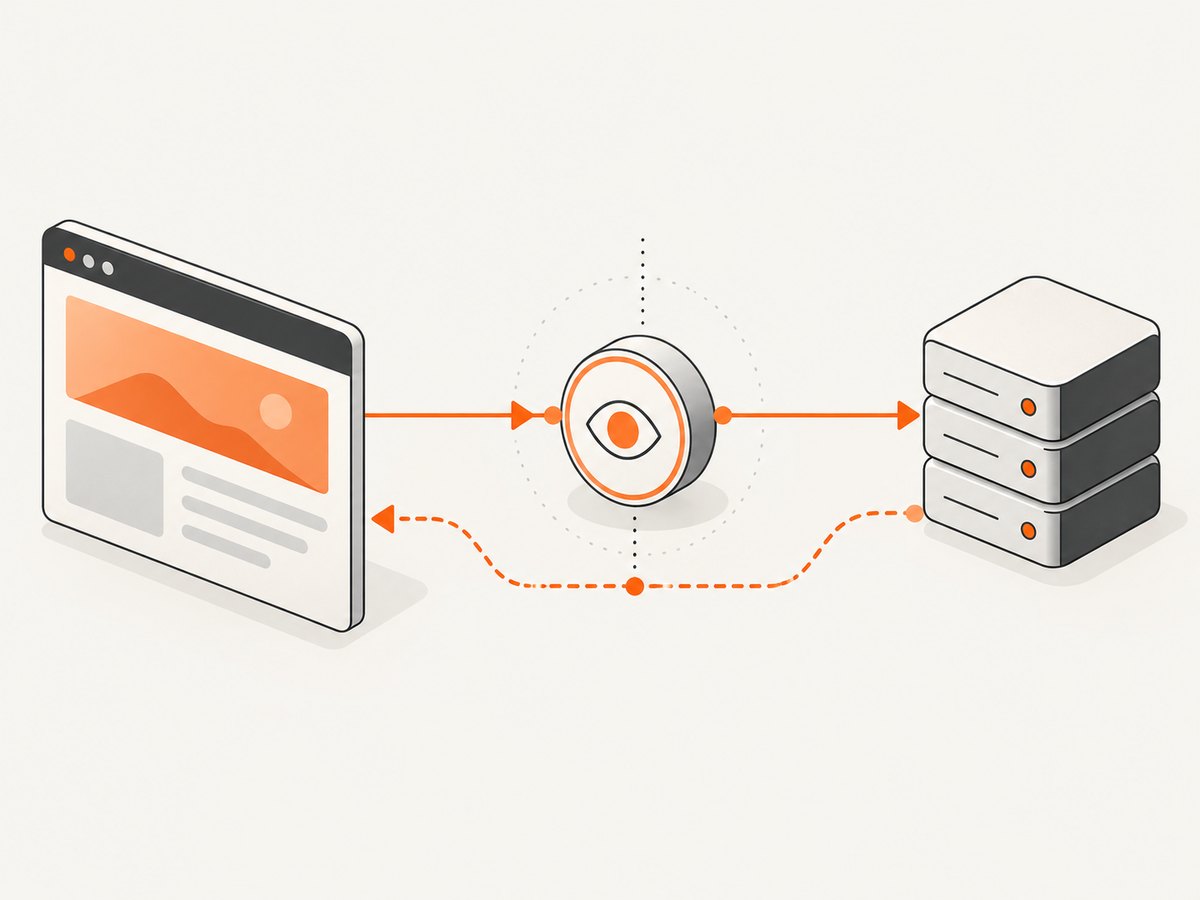
Use a passive intercept when the application should contact the real server and the test needs to verify that traffic and its result. An intercept without a response handler observes the request and allows it to continue.
describe('users page', () => {
  it('loads and displays users', () => {
    cy.intercept('GET', '/api/users').as('getUsers')

    cy.visit('/users')

    cy.wait('@getUsers').then(({ request, response }) => {
      expect(request.method).to.equal('GET')
      expect(request.url).to.include('/api/users')
      expect(response, 'server response').to.exist
      expect(response.statusCode).to.equal(200)
    })

    cy.get('[data-testid="user-list"]').should('be.visible')
  })
})
Declaring the route before cy.visit() matters: the page may request data as soon as it loads. For a request caused by a user action, register the route first, perform the action, wait for the alias, then assert on the UI. Assertions on the network event and the visible result answer different questions, so critical tests often need both.
cy.wait('@getUsers') yields the interception for that request and response cycle. You can inspect request.url, request.method, request.headers, and request.body, as well as response.statusCode, response.headers, and response.body. Cypress retries chained assertions in the usual Cypress command flow; use a .then() callback when you want to make several explicit assertions against one captured cycle.
Assert on query parameters and request data
cy.intercept('GET', '/api/search*').as('search')
cy.visit('/search?q=ada')

cy.wait('@search').then(({ request, response }) => {
  const url = new URL(request.url)
  expect(url.searchParams.get('q')).to.equal('ada')
  expect(response.statusCode).to.equal(200)
})
For a form submission, assert the payload the browser sent rather than just that some request occurred:
cy.intercept('POST', '/api/orders').as('createOrder')
cy.get('[data-testid="checkout"]').click()

cy.wait('@createOrder').then(({ request, response }) => {
  expect(request.body).to.include({ currency: 'USD' })
  expect(request.body.items).to.have.length.greaterThan(0)
  expect(response.statusCode).to.equal(201)
})
Choose assertions that represent the contract your UI depends on. Avoid pinning incidental headers or exact full response bodies unless those details are part of the behavior being tested.
2. Match the right route and HTTP method
cy.intercept() accepts a method and URL, a route matcher object, or a route handler. Be as specific as the test allows. A method and pathname are usually easier to reason about than a broad wildcard that catches unrelated traffic.
// Exact method and pathname
cy.intercept('GET', '/api/users').as('getUsers')

// Route matcher: method, pathname, and query
cy.intercept({
  method: 'GET',
  pathname: '/api/users',
  query: { role: 'admin' }
}).as('getAdmins')
When the app calls a different origin, match the full URL or use a glob pattern that actually covers the host and path. Check the browser’s request URL and method in the Cypress runner if an alias never receives a match. A trailing slash, API prefix, query string, or different method can make an apparently sensible matcher miss.
| Need | Approach |
|---|---|
| Observe one app request | Match its method and route, alias it, and wait on the alias. |
| Match a query-specific request | Use a route matcher with query, or inspect the parsed URL. |
| Handle several calls to the same route | Wait for the alias as many times as the expected calls, or distinguish them with match conditions. |
| Test an endpoint directly from the test | Use cy.request(); it does not travel through browser interception. |
3. Stub a response for deterministic UI tests
Stub when a test needs fixed data, a rare state, or a server failure that would be awkward to produce reliably. A static response can specify a body directly or load a fixture from Cypress’s fixtures directory.
cy.intercept('GET', '/api/users', {
  statusCode: 200,
  body: [{ id: 1, name: 'Ada Lovelace' }],
  headers: { 'content-type': 'application/json' }
}).as('getUsers')

cy.visit('/users')
cy.wait('@getUsers')
cy.get('[data-testid="user-list"]').should('contain', 'Ada Lovelace')
For larger fixtures, create cypress/fixtures/users.json and use:
cy.intercept('GET', '/api/users', { fixture: 'users.json' }).as('getUsers')A static response can set response body, status code, headers, and delay. The delay is useful for testing loading indicators or transitions, but keep it only as long as needed for the UI state under test.
cy.intercept('GET', '/api/report', {
  statusCode: 200,
  body: { state: 'ready', rows: [] },
  delay: 300
}).as('getReport')
Stubbing makes a test's input predictable, but it does not verify that the real server returns the expected contract. Keep selected end-to-end tests using real responses for important client/server paths. Cypress describes real responses as useful for contract confidence, while stubs provide controlled data and fast access to edge states. See the Cypress network requests guide for the trade-offs.
4. Exercise HTTP and network failures
Test an HTTP error response when the server successfully responds with an error status. This is distinct from a network failure, where no HTTP response arrives.
// HTTP 503 response from the intercepted route
cy.intercept('GET', '/api/users', {
  statusCode: 503,
  body: { message: 'Temporarily unavailable' }
}).as('getUsers')

cy.visit('/users')
cy.wait('@getUsers').its('response.statusCode').should('eq', 503)
cy.get('[role="alert"]').should('contain', 'unavailable')
To simulate a network error, use forceNetworkError. Assert that the interception has an error, and check the interface's recovery behavior:
cy.intercept('GET', '/api/users', { forceNetworkError: true }).as('getUsers')

cy.visit('/users')
cy.wait('@getUsers').should('have.property', 'error')
cy.get('[role="alert"]').should('be.visible')
These tests help distinguish UI handling for a server error response from handling a dropped or failed connection. If your application retries requests, account for the retry count: a single user action may produce multiple matching cycles.
5. Handle GraphQL and shared endpoints
Many GraphQL operations use the same endpoint, so matching only the URL cannot tell one operation from another. Inspect the request body and assign an alias based on the operation name or another stable field in your application's payload.
cy.intercept('POST', '/graphql', (req) => {
  if (req.body.operationName === 'GetCurrentUser') {
    req.alias = 'getCurrentUser'
  }
})

cy.visit('/account')
cy.wait('@getCurrentUser').its('response.statusCode').should('eq', 200)
Some clients send a query string or use persisted queries, so the payload shape may differ. Inspect the actual request and adapt the condition; do not assume every GraphQL client sends operationName. For a stub, use a matching route handler and reply with a response body shaped exactly as the client expects.
6. Understand cy.request() versus cy.intercept()
This distinction explains a common source of confusion. cy.intercept() sees requests made by the application under test through its browser. cy.request() makes an HTTP request from Cypress's Node process. Because that request does not pass through the browser traffic, an intercept will not spy on or stub it.
// Direct endpoint check from Cypress; not captured by cy.intercept()
cy.request('GET', '/api/health').its('status').should('eq', 200)
Use cy.request() for direct endpoint checks, setup, or API-level assertions. Use cy.intercept() when testing browser-originated behavior: whether the UI sent a request, what it sent, how it reacted to the response, or whether a controlled response renders correctly. Cypress documents this distinction in its FAQ.
7. Cypress 16 behavior and wait timeouts
Cypress's current native interception guide says Cypress 16 uses the browser's native network for test traffic in Chrome, Chromium, and Edge. This changes some behavior compared with the older interception path. In particular, browser-cached resources that do not make a network request cannot be intercepted. The guide also documents differences involving response properties and timeouts; check it when upgrading or debugging a version-specific issue.
A wait for an alias times out if the expected request does not happen within the configured wait interval. In Cypress 16, use the timeout option on cy.wait() to allow a slow request more time:
cy.wait('@getUsers', { timeout: 20000 })
  .its('response.statusCode')
  .should('eq', 200)
Use a longer timeout only when the application legitimately needs it; it should not conceal a broken trigger or incorrect route matcher. See the native network interception guide and confirm the Cypress version installed in the project before relying on version-specific details.
8. Troubleshooting common intercept problems
| Symptom | Likely cause | Fix |
|---|---|---|
cy.wait('@alias') times out |
Route setup ran after the request, the UI action never triggered it, or the matcher differs from the actual method or URL. | Register the intercept first; inspect the actual browser request; confirm method, host, path, and query. |
| Intercept works sometimes, but misses a cached response | The browser served the resource from cache without making a network request. | Test a request that reaches the network and consult Cypress's native interception guidance for your version. |
Intercept does not catch cy.request() |
cy.request() originates in Cypress's Node process, not the app's browser. |
Assert directly on cy.request(), or trigger the request through the application if interception is the behavior being tested. |
| Alias is unknown in another test | Cypress clears aliases between tests. | Define the intercept in each test or a per-test setup hook. |
| Several GraphQL calls share one alias | They use the same endpoint, so the URL alone does not distinguish operations. | Inspect the body and assign a dynamic alias for the operation under test. |
| Wait sees an error but no response | The connection failed, or the test deliberately forced a network error. | Assert the interception's error property and verify the UI's offline or failure state. |
| Test is slow or fragile with many intercepts | A catch-all is handling traffic the test does not need. | Intercept only routes that affect the assertion. Cypress's performance guidance recommends avoiding interception of every request. |
Aliases are cleared between tests, so each test needs its own route setup. Cypress's cy.intercept() reference covers matcher and handler options; the cy.wait() reference explains alias waits and their yielded interception data.
9. Keep network tests reliable and fast
- Intercept only what matters. Match the request that drives the behavior under test. Broad catch-all routes add work and make test intent harder to see.
- Register routes before triggers. Put intercept setup before
cy.visit()or the click, submit, or navigation that causes the call. - Prefer meaningful assertions. Verify the method, important payload fields, relevant response status, and user-visible outcome. Avoid coupling tests to incidental details.
- Stub unstable or rare conditions. Fixed data is useful for empty, error, and boundary states that are difficult to create through the real system.
- Keep real-server coverage where it counts. Stubs cannot establish that a live endpoint honors the contract. Retain real-response coverage for critical paths.
- Account for retries and repeated calls. If a page polls or retries, wait for the expected number of cycles or match the distinguishing request instead of assuming one action means one call.
- Do not treat interception as a performance benchmark. A controlled test response checks application behavior under test conditions; it does not measure a production site's real-world latency.
For performance tuning in a larger suite, Cypress advises against intercepting every request. Narrow matching also reduces accidental coupling to analytics, fonts, and other traffic unrelated to the assertion. See Cypress's test performance guide.
10. Capture a reproducible visual reference
Network assertions tell you what the app requested and received; a screenshot can help document what a page looked like at a particular point in a debugging workflow. Cypress tests and website screenshots solve different tasks. Use Cypress interception for app behavior, then capture a URL when you need a standalone image or PDF reference of a rendered page.

Or skip the browser setup
For a standalone page capture, ScreenshotNeo is a website screenshot API and MCP server. One GET request returns a PNG, JPEG, WebP, or PDF. See the ScreenshotNeo API documentation for request options.
curl -G "https://api.screenshotneo.com/v1/shot" \
  -d access_key=YOUR_API_KEY \
  --data-urlencode url=https://stripe.com \
  -o shot.webp
ScreenshotNeo accepts cookie and consent banners before capture and removes more than 60 known consent platforms, newsletter popups, and chat widgets; each step can be turned off. Bot checks, blank pages, timeouts, failed loads, and cache hits cost nothing, and response headers identify the page verdict and billing status. Its MCP server provides take_screenshot, get_page_info, and capture_pdf tools for Claude, Cursor, and other MCP clients. The free plan includes 1,000 screenshots per month with no card; paid plans start at $5 for 3,000 shots. Cypress remains the tool for asserting your app's browser traffic; use a screenshot API when you need a separate capture of a page. Create a free ScreenshotNeo account for 1,000 screenshots a month, with no card.
11. FAQ
Can I assert on a request without changing its response?
Yes. Register an intercept with a matcher and alias but no stub response. The request continues to the server; wait on the alias and inspect its request and response.
Does cy.wait() wait for the page to finish loading?
No. Waiting on an alias waits for that matching request cycle. Add a separate assertion for the UI state your test needs.
Should every test stub its API responses?
No. Stubs help make individual UI cases controlled, while selected real-response tests check the client/server path. Choose based on whether the test needs deterministic data or server-contract confidence.
Can Cypress intercept requests made by a service worker?
Interception behavior depends on whether the request reaches the browser network layer. Check Cypress's current native interception documentation and your installed version when service worker or cache behavior matters.


