How to Test PDF Downloads with RSpec and PDFKit
Test PDF downloads in Rails with RSpec and PDFKit: verify headers, filenames, PDF bytes, renderer failures, and reliable CI coverage.
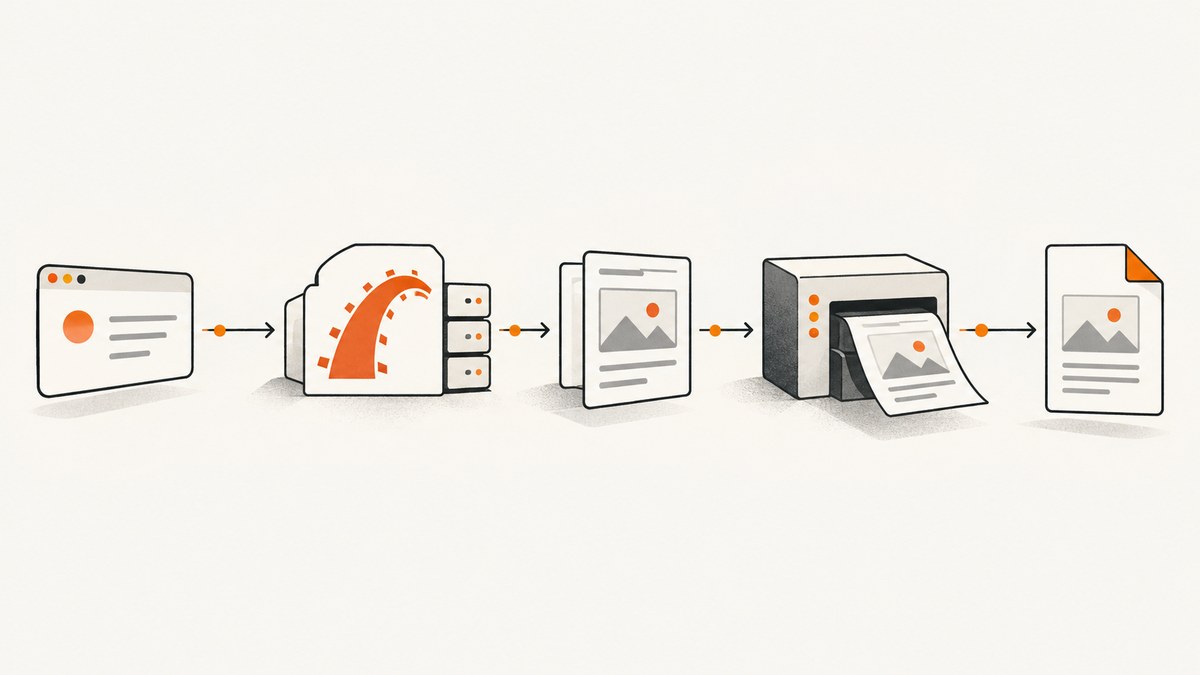
A PDF download is an HTTP response contract. A useful request spec checks the status, Content-Type, Content-Disposition, filename, and body bytes. Check the body for the %PDF- signature as well; headers alone cannot prove that the server returned a PDF.
What to test
For an endpoint such as GET /reports/:id.pdf, verify:
- The response status is successful.
Content-Typeincludesapplication/pdf.Content-Dispositionisattachmentwhen the endpoint promises a download.- The disposition contains the expected filename.
- The response body starts with
%PDF-and is not empty. - A real-renderer integration check can invoke the configured
wkhtmltopdfexecutable.
Use an RSpec Rails request spec for the public route. RSpec Rails maps request specs to Rails integration tests and provides Rails-aware matchers such as have_http_status. The RSpec Rails project recommends functional request tests over direct controller tests. RSpec Rails documentation
1. Configure the endpoint
PDFKit converts HTML and CSS through the wkhtmltopdf command-line utility. A controller can generate bytes with to_pdf and deliver them with Rails send_data.

# config/routes.rb
get "reports/:id", to: "reports#show", as: :report

# app/controllers/reports_controller.rb
class ReportsController < ApplicationController
  def show
    report = Report.find(params[:id])

    respond_to do |format|
      format.html
      format.pdf do
        html = render_to_string(
          template: "reports/show",
          formats: [:html],
          layout: "pdf",
          assigns: { report: report }
        )
        pdf = PDFKit.new(html, root_url: request.base_url).to_pdf

        send_data pdf,
                  filename: "report-#{report.id}.pdf",
                  type: "application/pdf",
                  disposition: "attachment"
      end
    end
  end
end
Rails also provides send_file when a PDF already exists on disk. attachment prompts a download; inline lets the browser display the document. Rails Action Controller guide
2. Add a fast request spec with PDFKit stubbed
Stub PDFKit in ordinary request specs. This keeps the test fast and isolates route, controller, response headers, and delivery behavior from the external renderer.
# spec/requests/reports_spec.rb
require "rails_helper"

RSpec.describe "Reports", type: :request do
  describe "GET /reports/:id.pdf" do
    let(:report) { create(:report) }
    let(:pdf_bytes) { "%PDF-1.4\nfixture pdf bytes\n%%EOF\n" }

    before do
      allow(PDFKit).to receive(:new).and_return(
        instance_double(PDFKit, to_pdf: pdf_bytes)
      )
    end

    it "returns a downloadable PDF" do
      get report_path(report, format: :pdf)

      expect(response).to have_http_status(:ok)
      expect(response.headers["Content-Type"]).to include("application/pdf")
      expect(response.headers["Content-Disposition"]).to match(/attachment/i)
      expect(response.headers["Content-Disposition"]).to include("report-#{report.id}.pdf")
      expect(response.body).to start_with("%PDF-")
      expect(response.body).to include("%%EOF")
    end
  end
end
The exact route helper, filename, and PDFKit invocation depend on the application. Keep assertions tied to the endpoint’s public contract. The signature and end-marker checks are practical binary sanity checks, not a complete PDF parser.
3. Verify the request and renderer boundary
You can make the stub more explicit when the controller passes options to PDFKit:
it "builds the PDF with the application base URL" do
  kit = instance_double(PDFKit, to_pdf: pdf_bytes)
  allow(PDFKit).to receive(:new).and_return(kit)

  get report_path(report, format: :pdf)

  expect(PDFKit).to have_received(:new).with(
    kind_of(String),
    hash_including(root_url: kind_of(String))
  )
  expect(kit).to have_received(:to_pdf)
end
Do not make every request spec depend on the local wkhtmltopdf binary. PDFKit starts an external process, so binary versions, executable paths, fonts, and asset URLs can vary between developer machines and CI.
4. Add a focused real-renderer integration test
Run a separate example or CI job without stubbing PDFKit. Render a representative template with the configured executable and assert the same response contract plus a non-empty body.
# spec/requests/reports_pdf_renderer_spec.rb
require "rails_helper"

RSpec.describe "Report PDF renderer", type: :request do
  it "renders a real PDF" do
    report = create(:report)

    get report_path(report, format: :pdf)

    expect(response).to have_http_status(:ok)
    expect(response.headers["Content-Type"]).to include("application/pdf")
    expect(response.headers["Content-Disposition"]).to match(/attachment/i)
    expect(response.body.bytesize).to be > 0
    expect(response.body).to start_with("%PDF-")
  end
end
Keep this path focused: it verifies the executable, template rendering, fonts, CSS, images, JavaScript, and URL resolution. Run the stubbed request spec for every change and the real-renderer check where the environment supports it.
5. Configure PDFKit and wkhtmltopdf explicitly
If the executable is not discoverable, set its path in the test environment:
# config/initializers/pdfkit.rb
PDFKit.configure do |config|
  config.wkhtmltopdf = ENV.fetch("WKHTMLTOPDF_PATH", "/path/to/wkhtmltopdf")
end
Use root_url and protocol when the HTML contains relative assets:
kit = PDFKit.new(
  html,
  root_url: "http://127.0.0.1:3000",
  protocol: "http"
)
pdf_bytes = kit.to_pdf
PDFKit documents that missing CSS, images, or JavaScript commonly result from unresolved relative URLs. Its troubleshooting notes also describe a deadlock when wkhtmltopdf calls back into a single-thread development server. Use multiple workers for the integration environment or embed the required resources. PDFKit documentation
6. Test endpoints that use send_file
For send_file, create a fixture or temporary PDF and test the delivery response separately from PDF generation.
it "downloads a stored PDF" do
  report = create(:report)
  pdf_path = Rails.root.join("spec/fixtures/files/report.pdf")

  allow(report).to receive(:pdf_path).and_return(pdf_path.to_s)
  get download_report_path(report)

  expect(response).to have_http_status(:ok)
  expect(response.headers["Content-Type"]).to include("application/pdf")
  expect(response.headers["Content-Disposition"]).to include("attachment")
  expect(response.headers["Content-Disposition"]).to include("report.pdf")
  expect(response.body).to start_with("%PDF-")
end
7. Check the contract from other clients
These commands help diagnose a deployed endpoint independently of Rails.
curl -i -L "https://your-host.example/reports/42.pdf" -o report.pdf
file report.pdf
head -c 5 report.pdf
import requests
response = requests.get("https://your-host.example/reports/42.pdf", timeout=90)
response.raise_for_status()
assert "application/pdf" in response.headers.get("Content-Type", "")
assert response.headers.get("Content-Disposition", "").lower().find("attachment") >= 0
assert response.content.startswith(b"%PDF-")
with open("report.pdf", "wb") as output:
output.write(response.content)const res = await fetch('https://your-host.example/reports/42.pdf');
if (!res.ok) throw new Error(`HTTP ${res.status}`);
const type = res.headers.get('content-type') || '';
const disposition = res.headers.get('content-disposition') || '';
if (!type.includes('application/pdf')) throw new Error(`Unexpected type: ${type}`);
if (!/attachment/i.test(disposition)) throw new Error(`Unexpected disposition: ${disposition}`);
const bytes = Buffer.from(await res.arrayBuffer());
if (!bytes.subarray(0, 5).equals(Buffer.from('%PDF-'))) throw new Error('Body is not a PDF');Replace the example host with your endpoint. The checks are intentionally independent of a browser: they validate the HTTP contract that browsers and API clients receive.
8. Troubleshooting common failures
| Symptom | Likely cause | Fix |
|---|---|---|
| Wrong content type or text appears in the browser | The response does not send application/pdf. |
Set the PDF content type in send_data/send_file and assert it in the spec. |
| Download does not start | Content-Disposition is missing or is inline. |
Use disposition: "attachment" and assert the filename. |
| Body starts with HTML | The renderer failed or an error page was returned. | Assert %PDF-; inspect the body and run the real-renderer test to expose the underlying error. |
wkhtmltopdf not found |
The binary is absent or not on PATH. |
Install it in the test image and set PDFKit.configure with an explicit path. |
| CSS or images are missing | Relative URLs cannot be resolved by the renderer. | Use absolute URLs or configure root_url and protocol. |
| Integration test hangs | wkhtmltopdf calls back into a single-thread server. |
Use multiple workers or embed resources in the integration environment. |
| Filename assertion fails | Rails may quote or encode the disposition value. | Match the header case-insensitively and assert that the expected filename is included. |
| Spec is flaky in CI | External fonts, network assets, timing, or binary differences. | Stub PDFKit for normal request coverage; make the renderer job focused and provide deterministic local assets. |
9. Performance, reliability, and cost
- Speed: Stubbed request specs avoid spawning
wkhtmltopdfand should cover every controller change. Real rendering is slower and belongs in focused integration coverage. - Reliability: Pin or explicitly provision the executable, fonts, and asset URLs in CI. Keep a representative template in the renderer test.
- Isolation: Test the HTTP contract separately from renderer correctness. This makes failures identify whether delivery or PDF generation changed.
- Assertions: Header checks catch contract regressions;
%PDF-,%%EOF, and non-empty-body checks catch obvious non-PDF responses. They do not validate every page visually. - Dependencies: Match the RSpec Rails branch to the application. The current project guidance lists 8.x for Rails 8.0/7.2, 7.x for Rails 7.x, 6.x for Rails 6.1/7.0/7.1, and 5.x for Rails 5.2/6.x. Verify the branch before copying dependency declarations. RSpec Rails version guidance

Or skip the browser setup
If your goal is to capture a rendered page or PDF without maintaining a browser and renderer setup, ScreenshotNeo provides a single GET request. Its API can return PNG, JPEG, WebP, or PDF output; see the ScreenshotNeo API docs.
curl -G "https://api.screenshotneo.com/v1/shot" -d access_key=YOUR_API_KEY --data-urlencode url=https://stripe.com -o shot.webpimport requests
r = requests.get("https://api.screenshotneo.com/v1/shot", params={"access_key": "YOUR_API_KEY", "url": "https://stripe.com"}, timeout=90)
open("shot.webp", "wb").write(r.content)const q = new URLSearchParams({ access_key: 'YOUR_API_KEY', url: 'https://stripe.com' });
const res = await fetch(`https://api.screenshotneo.com/v1/shot?${q}`);Cookie banners, popups, and chat widgets are removed before the shot. Bot checks, blank pages, and failed loads are never billed. An MCP server lets AI agents take screenshots, and 1,000 screenshots a month are free with no card; paid plans start at $5 for 3,000. Create a free ScreenshotNeo account.
FAQ
Is checking Content-Type enough?
No. A server can label an HTML error page as a PDF. Check the body signature and, for high confidence, run a real-renderer integration test.
Should every request spec run wkhtmltopdf?
No. Stub PDFKit for fast contract tests and keep a smaller real-renderer suite for executable and asset integration.
Should I assert the exact entire Content-Disposition string?
Usually no. Match the disposition case-insensitively and assert that the promised filename is present, because quoting and encoding can vary.
When should I use send_file instead of send_data?
Use send_data for generated bytes and send_file for a PDF already stored on disk. Test each path at its delivery boundary.
Can a PDF signature check prove the pages look correct?
No. It proves only that the response begins like a PDF. Add a focused renderer test and, when needed, a visual or text-level PDF assertion for layout-specific requirements.


