Why TestNG Retry Works in Eclipse but Fails from the Command Line
When TestNG retries in Eclipse but not on the command line, compare the runner, classpath, suite, listeners and JVM settings to find the configuration drift.
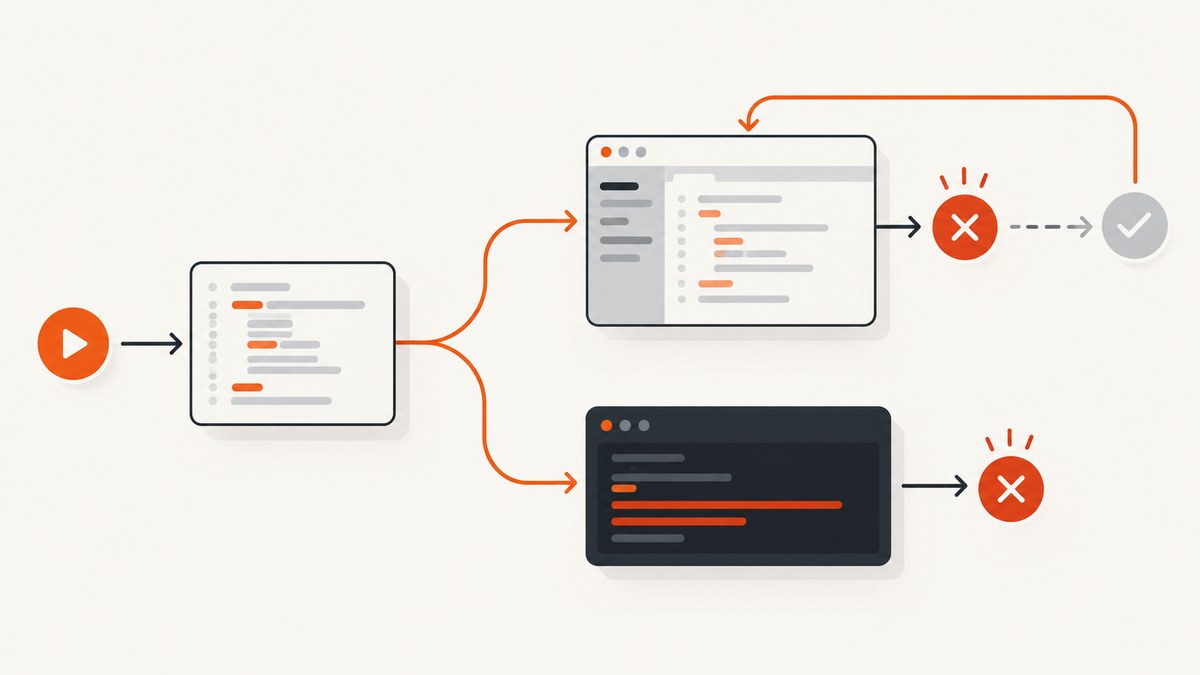
Short answer: TestNG retry behavior belongs to the test execution, not to Eclipse. If an IRetryAnalyzer works in Eclipse but appears ignored from a terminal, the two runs are probably loading different TestNG versions, selecting different tests, using different classpaths, or registering retry behavior differently. Compare those inputs before changing the analyzer. TestNG documents binding an analyzer directly with @Test(retryAnalyzer = LocalRetry.class); it invokes the analyzer after a failure to decide whether to retry. TestNG: rerunning failed tests.
This guide walks through a reproducible analyzer, a direct TestNG command and a Maven/Surefire setup, then a comparison checklist for Eclipse and command-line runs. The supplied facts do not include your project’s POM, launch configuration or logs, so no single setting can be identified in advance.
1. Understand what “retry” means
IRetryAnalyzer is a TestNG callback. TestNG calls retry(ITestResult) when a test invocation fails; returning true asks TestNG to invoke it again, and returning false ends retries for that result. The usual binding is an annotation on the test. If that annotation and analyzer class are present in the test classes loaded by both runners, retry should be available in both.
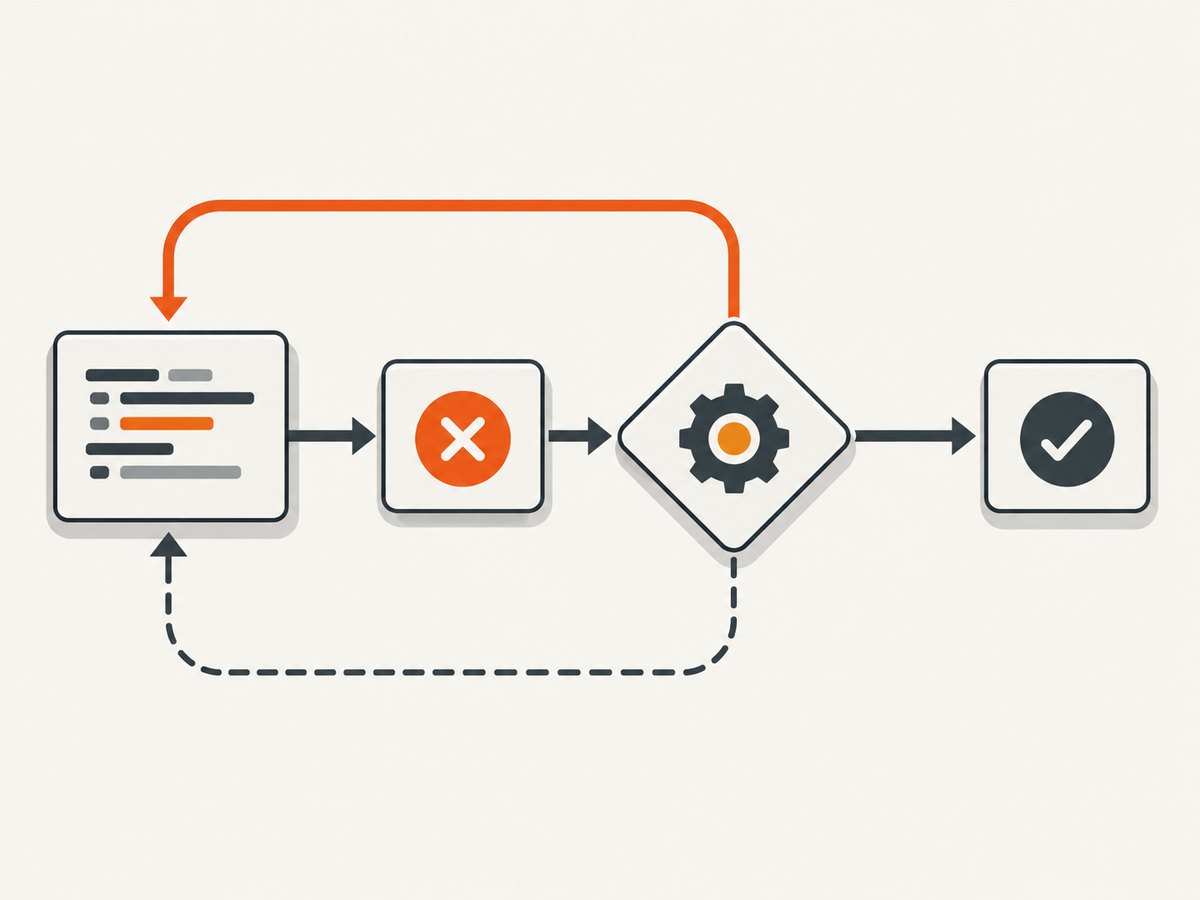
Three mechanisms are often confused:
- Analyzer retry: a callback during the original suite run. It decides whether a failed invocation gets another attempt.
- Listener or annotation transformer: infrastructure can attach retry behavior to tests at runtime. That infrastructure must be registered by the active runner.
- Failed-suite rerun: after a suite fails, TestNG can write
testng-failed.xml. Running that file is a separate invocation after the first run; it is not an analyzer retry. See TestNG’s rerun and retry documentation.
An Eclipse launch can hide the source of a difference. Its TestNG integration or Maven integration may contribute a suite selection, classpath entries, JVM arguments, system properties, environment variables or listeners. A direct Java invocation gets only what its command supplies. Maven gets the POM and command-line properties applied to the Surefire or Failsafe fork. The goal is to make those inputs match.
2. Create a minimal retry analyzer
Start with an explicit annotation, because it avoids listener-discovery differences. This analyzer allows two retries after the first failed attempt. In other words, a persistently failing test may execute three times total. Analyzer instances and their lifecycle can depend on how tests are instantiated; keep state scoped deliberately, especially when using factories, parallel execution or shared analyzer instances.
package example;

import org.testng.IRetryAnalyzer;
import org.testng.ITestResult;

public final class LocalRetry implements IRetryAnalyzer {
    private int retries = 0;
    private static final int MAX_RETRIES = 2;

    @Override
    public boolean retry(ITestResult result) {
        if (retries < MAX_RETRIES) {
            retries++;
            System.err.printf("Retry %d/%d: %s.%s%n",
                retries, MAX_RETRIES,
                result.getTestClass().getName(),
                result.getMethod().getMethodName());
            return true;
        }
        return false;
    }
}
package example;
import org.testng.Assert;
import org.testng.annotations.Test;
public class RetrySmokeTest {
private int attempts = 0;
@Test(retryAnalyzer = LocalRetry.class)
public void retriesAfterFailure() {
attempts++;
System.out.println("attempt=" + attempts);
Assert.assertTrue(attempts >= 2, "first attempt should fail");
}
}Compile these under the test source tree, for example src/test/java/example. The example uses instance state for clarity. If your framework creates a new test object for each attempt, that counter may reset and the test will keep failing; use a controlled external test fixture or a separate smoke test that fails deterministically only once. Do not make production tests depend on static mutable counters just to prove retry works.
Retrying a failure can hide an intermittent defect and can repeat side effects. Ensure each attempt can safely repeat its setup, requests, writes or cleanup. Do not use retries as a substitute for fixing deterministic failures.
3. Reproduce it in Eclipse and at the command line
Run with TestNG directly
First make a Java command that uses the same TestNG jar and compiled test classes as Eclipse. The following is a template; replace the jar path and add every project dependency needed by the test. On Windows use semicolons between classpath entries; on macOS and Linux use colons.
# macOS/Linux; adapt paths and dependency jars
java -cp "testng.jar:target/test-classes:target/classes:lib/*" \
  org.testng.TestNG -testclass example.RetrySmokeTest
The TestNG command-line documentation covers suite files, class selection, listeners and other options: TestNG documentation. A suite file is often a better repeatable entry point for a project:
java -cp "testng.jar:target/test-classes:target/classes:lib/*" \
  org.testng.TestNG testng.xml
TestNG also documents testng.test.classpath for locating test classes, and the command line accepts explicit listener registration with -listener. Avoid assuming a flag still filters the run when a suite XML is supplied: suite selection can take precedence over other selection arguments. Verify which classes actually execute in the output.
Run through Maven Surefire
For a Maven project, declare TestNG in test scope and pin the Surefire plugin version so the runner is reproducible. Surefire detects TestNG tests by default when the dependency and naming conventions match. Its TestNG guide explains suite configuration and test selection: Maven Surefire: Using TestNG.
<dependencies>
  <dependency>
    <groupId>org.testng</groupId>
    <artifactId>testng</artifactId>
    <version>7.10.2</version>
    <scope>test</scope>
  </dependency>
</dependencies>

<build>
  <plugins>
    <plugin>
      <groupId>org.apache.maven.plugins</groupId>
      <artifactId>maven-surefire-plugin</artifactId>
      <version>3.5.4</version>
      <configuration>
        <systemPropertyVariables>
          <retry.diagnostic>true</retry.diagnostic>
        </systemPropertyVariables>
      </configuration>
    </plugin>
  </plugins>
</build>
Run the test with:
mvn -Dtest=RetrySmokeTest testIf the project uses a suite XML, configure the suite with the Surefire version in use, or invoke the direct TestNG command. Surefire configuration evolves: the current plugin documentation identifies version-specific behavior, and suite XML support is not universal across all plugin versions. Check the documentation matching your pinned plugin rather than copying configuration from an old post. See the Surefire test goal parameters for options such as argLine, system properties, parallelism and suite files.
Register a listener or transformer only when needed
If the analyzer is attached in a listener or through an IAnnotationTransformer, make registration explicit in each runner. Options include TestNG suite XML, the command-line -listener option, or ServiceLoader discovery when the listener is packaged and configured for it. TestNG cautions that an IAnnotationTransformer should not be wired with @Listeners, because it may be registered too late while TestNG is parsing annotations. Check the documentation and registration path for the TestNG version in the project.
For diagnosis, prefer the annotation example first. If it works in both environments, the analyzer itself is sound and the missing piece is listener or transformer registration.
4. Compare Eclipse with the CLI, one input at a time
- Record the runner and versions. Determine whether Eclipse launches TestNG directly, uses a Maven launch, or delegates to another runner. Record the Java version, TestNG artifact version, Surefire/Failsafe version and provider. Maven’s TestNG artifact defaults and provider selection are documented in Surefire’s TestNG guide and provider selection.
- Compare the effective classpath. Make sure the analyzer is compiled and visible alongside test classes and that only the intended TestNG jar is loaded. A duplicate older TestNG jar can change APIs or provider behavior. Maven puts test classes on its test classpath; a hand-built Java command must do that itself.
- Compare the selected tests. Eclipse may run a selected method, class or generated suite. The CLI may use another
testng.xml, Maven include pattern, profile or-Dtestselector. Add a clear test-start log and verify that the annotated method is present in both reports. - Compare retry attachment. Confirm the annotation is on the method that actually runs, or confirm the listener/transformer is registered in both environments. If inheritance, factories, data providers or generated tests are involved, inspect the effective method metadata in the runtime path.
- Compare JVM inputs. Copy required
-Dproperties and JVM flags. Maven Surefire’sargLineapplies to a forked test JVM; it is not automatically equivalent to settings supplied to Maven itself withMAVEN_OPTS. The Surefire parameter reference describes fork behavior and property sources. - Compare environment and working directory. Check environment variables, current directory, relative resource paths, locale, timezone, credentials and Java agents. Eclipse’s Maven integration exposes launch and environment settings; compare those to the shell or CI job.
- Inspect effective Maven configuration. Run
mvn help:effective-pomand review active profiles plus Surefire/Failsafe settings, including suite files, test class directory, TestNG artifact/provider, parallel mode and thread count. Check the Maven log to see which plugin and provider actually execute. - Run serially once. Disable parallel execution for the diagnostic run. Shared analyzer state, mutable fixtures and race conditions can make a retry appear inconsistent. Then restore the intended execution mode and verify under that mode.
A compact evidence table makes differences obvious:
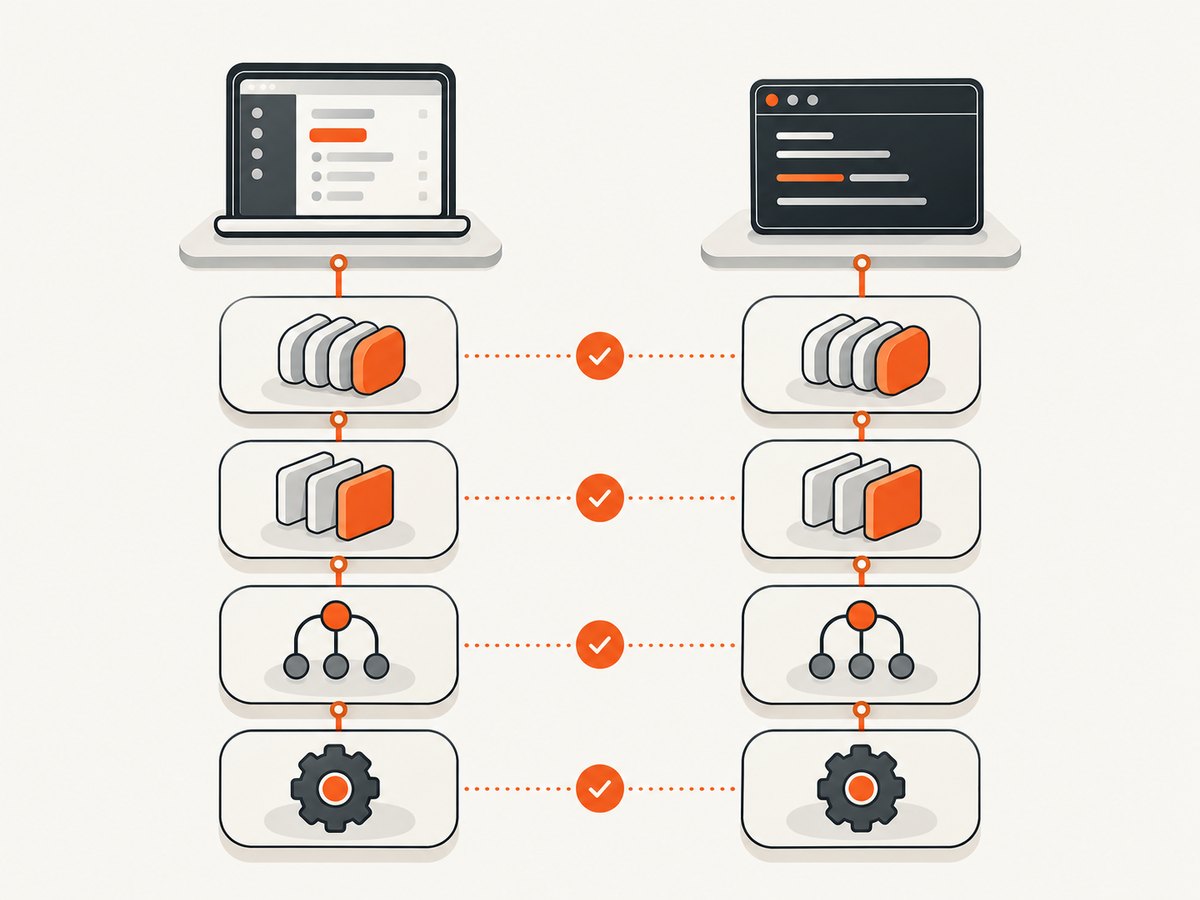
| Input | Eclipse | CLI | What to match |
|---|---|---|---|
| TestNG / provider | Launch configuration | Dependency tree and Maven log | Same intended versions |
| Class path | Plug-in or Maven runtime entries | Java -cp or Surefire test classpath |
Test class and analyzer visible |
| Selection | Selected method/class/suite | testng.xml, -Dtest, includes |
Same method and invocation |
| Registration | Listeners / annotation handling | XML, -listener, packaging |
Same retry attachment |
| Runtime | VM args, env, directory | argLine, shell env, Maven properties |
Required inputs match |
5. Troubleshooting common symptoms
The test fails once and is reported failed
First check that the executed method really has retryAnalyzer set and that the class is TestNG-managed. Add the diagnostic print inside retry(). If it never appears, the analyzer is not attached or the failure is happening outside the test invocation. If it appears but returns false, inspect the counter and any conditional logic.
The analyzer class cannot be found
The direct Java classpath probably omits target/test-classes or the package path is wrong. Compile tests before launching TestNG, and include test dependencies. In Maven, inspect the test compile output and ensure the analyzer is in a test source root.
Eclipse runs the test but Maven says no tests were found
Compare naming conventions and include/exclude patterns, then check -Dtest, profiles and suite configuration. Surefire’s test selector can override include patterns, and suite XML settings affect selection. Confirm the active provider and plugin version in Maven output.
The direct Java run behaves differently from Maven
A bare TestNG command does not inherit Maven’s resolved dependencies, provider setup, system properties or fork options. Reproduce the dependency classpath, suite, -D properties and working directory, or use mvn test as the CLI baseline.
A listener works in Eclipse but the transformer does not
Register the transformer early enough for annotation parsing. Do not rely on @Listeners for an IAnnotationTransformer; use suite XML, the CLI listener option where applicable, or packaged ServiceLoader configuration. Verify the same registration route is active in the command-line process.
Retries happen too many times or concurrently
Confirm what “maximum retries” means in the analyzer: two retries means up to three attempts including the initial attempt. Review whether the analyzer instance is shared and whether mutable count state is safe for the chosen parallel mode. A test with a data provider may have multiple invocations, each with its own result lifecycle; log method, parameters and invocation number to distinguish them.
testng-failed.xml runs the test again, but retry did not
That is a second suite run, not proof that IRetryAnalyzer ran. TestNG generates the failed file for rerunning failed methods and dependencies after a failed suite. Check analyzer callback logs from the original process separately. Reference: Rerunning failed tests.
6. Performance, reliability and cost considerations
Retries increase worst-case test time: a test that takes T seconds with R retries can consume roughly (R + 1) × T, plus setup and teardown, before accounting for backoff or parallel scheduling. Bound retries and avoid retrying failures that are deterministic, such as assertion mismatches caused by a real regression. Log each retry with test identity and attempt count so CI reports retain the original context.
Make retried operations safe to repeat. A test that creates a user, charges a payment, mutates a shared database or sends a message needs cleanup or unique test data per attempt. Otherwise a retry can turn one failure into duplicate side effects. For unreliable external systems, use timeouts and bounded retries; do not let retries conceal service instability.
Retries spend additional CI minutes and may extend feedback time, especially when many tests fail together. Keep the retry count small, monitor how often retries are used, and fail the build if a test remains unstable according to your team’s policy. Parallel execution can improve throughput but complicates shared state and logs; first establish correctness serially, then validate the parallel configuration independently.
Or skip the browser setup
This article is about TestNG, but if the tests or diagnosis also need website screenshots, ScreenshotNeo is a website screenshot API and MCP server from Yorker Media. One GET request returns an image or PDF. Example using the supplied endpoint and parameters (replace the key and URL):
curl -G "https://api.screenshotneo.com/v1/shot" \
  -d access_key=YOUR_API_KEY \
  --data-urlencode url=https://stripe.com \
  -o shot.webp
See the ScreenshotNeo API documentation for request options. Cookie banners, popups and chat widgets are removed before the shot; bot checks, blank pages and failed loads are never billed. An MCP server lets AI agents take screenshots. The free plan includes 1,000 screenshots a month with no card, and paid plans start at $5 for 3,000. Create a free ScreenshotNeo account.
FAQ
Does Eclipse have a separate TestNG retry feature?
The retry callback is part of TestNG. Eclipse can launch it with different runtime inputs, which can make it look IDE-specific.
Should I retry every failed test?
No. Retry only bounded failures where another attempt is meaningful and safe. Keep deterministic failures visible.
Is rerunning a failed suite the same as a retry analyzer?
No. A failed-suite XML file is used in a later invocation; an analyzer is called during the initial test run.
What is the fastest useful diagnostic?
Run one annotated smoke test from Eclipse and Maven, print from retry(), and compare the TestNG version, classpath and selected test.


