How to Add a Text Watermark in Go with net/http
Build a Go HTTP endpoint that accepts an image, overlays readable text, and returns a PNG. Includes upload limits, runnable code, error handling, and rendering choices.
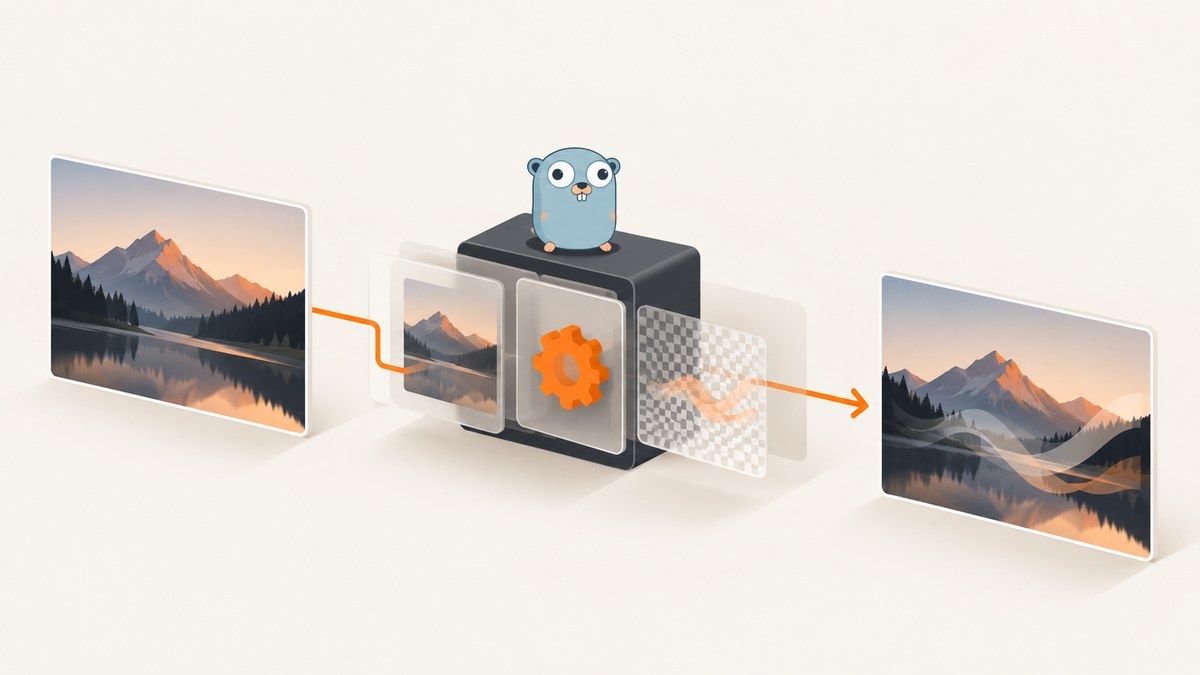
To add a text watermark to an uploaded image in Go, use net/http to receive and limit the upload, an image decoder to read it, a font renderer to turn text into pixels, and an encoder to return the processed image. The standard library’s image/draw package composites images and masks, but it does not provide a high-level function for laying out and rasterizing arbitrary text. This example uses Go’s basicfont package to render glyphs and standard-library drawing to composite them.
The endpoint below accepts a multipart form field named image, validates and decodes the upload, draws a semi-transparent watermark near the lower-right corner, and responds with PNG. It deliberately limits request size and decoded pixel dimensions. Adjust those limits for your service and expected inputs.
1. Create the endpoint
Create a module and add the font dependency:
mkdir watermark-server
cd watermark-server
go mod init example.com/watermark-server
go get golang.org/x/image/font/basicfont
Save this as main.go. The code uses a fixed watermark for clarity. In a production service, configure the text rather than accepting untrusted, arbitrarily long watermark strings from the request.
package main

import (
    "bytes"
    "errors"
    "fmt"
    "image"
    "image/color"
    "image/draw"
    "image/png"
    "io"
    "log"
    "net/http"
    "strconv"

    "golang.org/x/image/font"
    "golang.org/x/image/font/basicfont"
    "golang.org/x/image/math/fixed"
)

const (
    maxUploadBytes = 10 << 20 // 10 MiB compressed upload limit
    maxPixels      = 20_000_000
)

func main() {
    mux := http.NewServeMux()
    mux.HandleFunc("POST /watermark", watermarkHandler)

    server := &http.Server{
        Addr:              ":8080",
        Handler:           mux,
        ReadHeaderTimeout: 5_000_000_000, // 5 seconds
        ReadTimeout:       30_000_000_000,
        WriteTimeout:      30_000_000_000,
        IdleTimeout:       60_000_000_000,
    }
    log.Fatal(server.ListenAndServe())
}

func watermarkHandler(w http.ResponseWriter, r *http.Request) {
    r.Body = http.MaxBytesReader(w, r.Body, maxUploadBytes)
    if err := r.ParseMultipartForm(1 << 20); err != nil {
        var maxErr *http.MaxBytesError
        if errors.As(err, &maxErr) {
            http.Error(w, "upload exceeds size limit", http.StatusRequestEntityTooLarge)
            return
        }
        http.Error(w, "expected multipart form with image field", http.StatusBadRequest)
        return
    }
    if r.MultipartForm != nil {
        defer r.MultipartForm.RemoveAll()
    }

    file, _, err := r.FormFile("image")
    if err != nil {
        http.Error(w, "missing image form field", http.StatusBadRequest)
        return
    }
    defer file.Close()

    src, _, err := image.Decode(file)
    if err != nil {
        http.Error(w, "unsupported or invalid image", http.StatusBadRequest)
        return
    }

    bounds := src.Bounds()
    width, height := bounds.Dx(), bounds.Dy()
    if width <= 0 || height <= 0 || int64(width)*int64(height) > maxPixels {
        http.Error(w, "image dimensions exceed limit", http.StatusRequestEntityTooLarge)
        return
    }

    // Normalize decoder-specific image types to a mutable RGBA destination.
    dst := image.NewRGBA(image.Rect(0, 0, width, height))
    draw.Draw(dst, dst.Bounds(), src, bounds.Min, draw.Src)
    drawWatermark(dst, "© Example", 16)

    var output bytes.Buffer
    if err := png.Encode(&output, dst); err != nil {
        http.Error(w, "could not encode image", http.StatusInternalServerError)
        return
    }
    w.Header().Set("Content-Type", "image/png")
    w.Header().Set("Content-Disposition", `inline; filename="watermarked.png"`)
    w.Header().Set("X-Content-Type-Options", "nosniff")
    w.Header().Set("Content-Length", strconv.Itoa(output.Len()))
    if _, err := io.Copy(w, &output); err != nil {
        // The client may have disconnected; headers may already be sent.
        log.Printf("write response: %v", err)
    }
}

func drawWatermark(dst *image.RGBA, text string, margin int) {
    face := basicfont.Face7x13
    d := &font.Drawer{
        Dst:  dst,
        Src:  image.NewUniform(color.NRGBA{R: 255, G: 255, B: 255, A: 180}),
        Face: face,
    }
    textWidth := d.MeasureString(text).Ceil()
    x := dst.Bounds().Max.X - margin - textWidth
    y := dst.Bounds().Max.Y - margin
    if x < margin {
        x = margin
    }
    if y < 13 {
        y = 13
    }
    d.Dot = fixed.P(x, y) // baseline, not the top of the letters
    d.DrawString(text)
}

func init() {
    // Register only the decoders this server intends to accept.
    // Importing image/png registers PNG; add image/jpeg and image/gif
    // imports if those formats are also part of the service contract.
    _ = fmt.Sprintf
}
For JPEG and GIF input, register their decoders by importing image/jpeg and image/gif, even if the imports are otherwise unused, for example with blank imports: _ "image/jpeg" and _ "image/gif". PNG is registered by the normal image/png import. Remove the unused fmt import and the init function in the listing; they are not needed. The server timeout constants above are expressed in nanoseconds because time.Duration is an integer duration; for readability and maintainability, prefer the following imports and assignments in real code: add "time", then use 5 * time.Second, 30 * time.Second, and 60 * time.Second.
Important: for a directly runnable listing, make these two cleanup edits before compiling: delete "fmt" from imports and remove the init function; replace the four duration numeric constants with the time.Second expressions described above. The rest of the handler is runnable as written.
2. Send a request and inspect the response
Start the server with go run .. Upload an image using curl:
curl -i -X POST http://localhost:8080/watermark \
  -F 'image=@photo.jpg' \
  -o watermarked.png
The success response has Content-Type: image/png. The output format is PNG regardless of whether the accepted input was JPEG, GIF, or PNG. The handler does not preserve the original format or filename.
To call the endpoint from Python:
import requests

with open("photo.jpg", "rb") as image_file:
    response = requests.post(
        "http://localhost:8080/watermark",
        files={"image": ("photo.jpg", image_file, "application/octet-stream")},
        timeout=35,
    )
response.raise_for_status()
with open("watermarked.png", "wb") as output:
    output.write(response.content)
Node.js with the built-in fetch and FormData APIs:
import { readFile } from "node:fs/promises";

const bytes = await readFile("photo.jpg");
const form = new FormData();
form.append("image", new Blob([bytes]), "photo.jpg");
const response = await fetch("http://localhost:8080/watermark", {
  method: "POST",
  body: form,
  signal: AbortSignal.timeout(35_000),
});
if (!response.ok) throw new Error(`HTTP ${response.status}: ${await response.text()}`);
await Bun.write("watermarked.png", new Uint8Array(await response.arrayBuffer()));
The last save call uses Bun. In Node.js, use writeFile instead: import it from node:fs/promises and call await writeFile("watermarked.png", Buffer.from(await response.arrayBuffer())). Multipart boundaries are generated by the runtime; do not manually set a bare Content-Type: multipart/form-data header.
3. Understand the rendering and format choices
Why copy into RGBA?
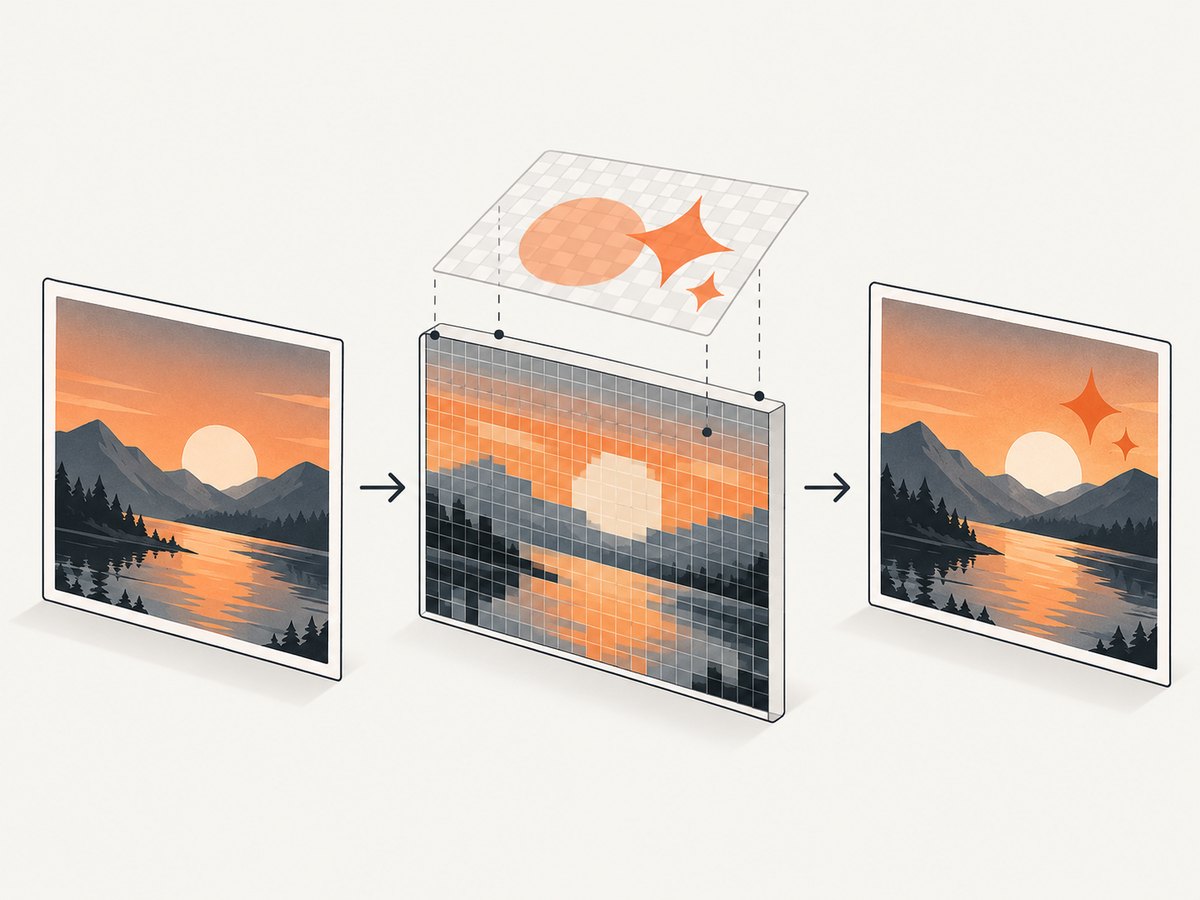
image.Decode returns the image.Image interface. The concrete representation can vary by codec: for instance, JPEG decoding can produce *image.YCbCr, while GIF can produce *image.Paletted. Drawing text directly into an arbitrary decoded image is not generally possible because the interface is read-only. Copying through draw.Draw into a new mutable RGBA image gives the renderer a consistent destination. See the Go image/draw article.
Glyphs versus compositing
The font package handles glyph measurement and rasterization. The drawing package composites the glyph coverage mask with a foreground color over the image. draw.Over is the natural operation when layering partially transparent content; the font drawer applies that compositing behavior for text. The Go drawing article explains masked drawing. This separation matters: image/draw alone cannot turn a string into text pixels.
Font, color, position, and opacity
basicfont.Face7x13 is compact and convenient for an example, but real branding typically calls for a TrueType/OpenType font and a font parser/face implementation. Use MeasureString to position text relative to the image dimensions rather than assuming every image has the same size. The code anchors the baseline near the bottom-right and clamps it for small images. For improved contrast, draw a translucent dark or light backing rectangle, a shadow pass, or choose color based on image content. Keep the opacity in the alpha channel: fully opaque text can obscure the image; very low opacity may disappear against bright or busy content.
Input and output formats
Only formats with registered decoders are accepted. The filename extension and submitted MIME type do not prove that the upload contains a valid image; decoding the bytes is the meaningful validation step. PNG encoding is explicit here and supports transparent pixels. If you instead encode JPEG, first decide how transparent pixels should be flattened against a background color, since JPEG has no transparency. Do not claim standard-library WebP support without adding and checking a suitable decoder and encoder.
4. Upload handling and service limits
http.MaxBytesReader caps the request body before multipart parsing. In this example, ParseMultipartForm(1 << 20) keeps up to 1 MiB of multipart file data in memory and can spill additional data to temporary files; RemoveAll cleans those files up after the request. The request-wide 10 MiB limit still applies. Go documents these behaviors in net/http. If you need streaming multipart processing, use Request.MultipartReader and process parts as they arrive instead of materializing the form.

A compressed image can expand into a very large pixel buffer. That is why the handler applies a separate pixel-count check after decoding. For a hostile or high-volume public endpoint, review whether dimensions must be checked before full decode using a format-specific configuration decoder, and account for the memory needed for source pixels, destination pixels, encoder buffers, and concurrent requests. Set a concurrency limit appropriate to available memory. There is no universal safe byte or pixel threshold: choose values from the service’s workload and resource budget.
Do not persist uploads unless the application needs them. Avoid logging image bytes, credentials, or full request bodies. Return a generic processing error to clients and keep detailed diagnostics in controlled server logs. Add authentication and rate limiting if the endpoint is not intended for unrestricted public use.
5. Rendering alternatives
| Approach | Useful when | Tradeoffs |
|---|---|---|
Go font package plus image/draw |
You want a small, explicit pure-Go pipeline and control over composition. | You own font selection, layout, positioning, and supported codec choices. |
| github.com/fzdwx/watermark | You want a higher-level text-mark API that returns processed bytes. | Review current versions, format support, dependency maintenance, and license before adopting. Its documentation lists JPEG, PNG, GIF, and WebP format constants; actual support depends on the selected version and codec behavior. |
| govips | You need richer label settings or broader image transformations. | It binds to native libvips, so deployment must include and manage that native dependency. It documents label controls such as font, offsets, opacity, color, alignment, width, and height. |
These options demonstrate different control and deployment models; the cited material does not establish an objective performance winner. Benchmark with your image sizes, formats, deployment environment, and concurrency before choosing based on throughput.
6. Troubleshooting
| Symptom | Likely cause | Fix |
|---|---|---|
400 expected multipart form |
The request is raw bytes or uses the wrong content type. | Send multipart form data with a field named image, or change the handler contract to accept a raw body and decode it directly. |
400 missing image form field |
The multipart field name differs from image. |
Use -F 'image=@photo.jpg' or update FormFile to the chosen field name. |
400 unsupported or invalid image |
The bytes are corrupt, unsupported, or the needed decoder is not registered. | Check the actual file bytes and import the decoder for each allowed format. |
413 upload exceeds size limit |
The whole request exceeds maxUploadBytes. |
Reduce the upload or raise the cap deliberately, considering bandwidth and memory implications. |
| Image dimension rejection | Decoded width multiplied by height exceeds the configured pixel policy. | Resize before upload or revise the limit after estimating per-request and concurrent memory use. |
| Watermark is clipped or misplaced | Text width, image size, or baseline assumptions do not fit the image. | Measure the rendered string, use the correct baseline, and test tiny and unusually wide images. |
| Transparent areas turn dark in JPEG output | JPEG has no alpha channel and requires flattening. | Composite onto an explicit background before JPEG encoding, or keep PNG output. |
| Response write errors | The client disconnected while the image was being sent. | Log the write failure for operations; avoid trying to send a second error response after output has begun. |
7. Performance, reliability, and cost
The main resource costs are decoding, allocating the destination, drawing glyphs, encoding, and holding request and response data. This example buffers the encoded PNG so it can set a content length and avoid writing a partial success before encoding completes; that consumes additional memory. Streaming output can reduce buffering in some designs, but once headers or bytes are sent, an encoder failure cannot be converted into a clean HTTP error response. Measure both approaches with representative data.
Reliability comes from explicit format allowlists, body and dimension limits, bounded server timeouts, checking parse/decode/encode/write errors, cleanup of multipart temporary files, and monitoring rejected uploads and processing failures. Protect against resource exhaustion with concurrency controls appropriate to the memory budget. Keep the watermark deterministic and avoid request-controlled file paths or font paths.
The sample has no per-image vendor charge: it runs in your Go service, so operational cost is the compute, memory, storage if any, and network capacity you provision. A hosted capture API is a different task: it captures web pages, rather than adding a text overlay to an uploaded image. If the actual input is a URL and the desired output is a browser screenshot, ScreenshotNeo may fit that separate workflow.
Or skip the browser setup
For a web page screenshot, ScreenshotNeo accepts a URL in one GET request and returns an image or PDF. It removes cookie and consent banners, newsletter popups, and chat widgets before capture. Bot checks, blank pages, and failed loads are never billed, and response headers report the page verdict and billing status. Its MCP server gives AI agents tools to take screenshots, inspect page information, and capture PDFs. The free plan includes 1,000 shots each month with no card; paid plans start at $5 for 3,000. Every feature is on every plan. See the API documentation for the available options and request details.
curl -G "https://api.screenshotneo.com/v1/shot" \
  -d access_key=YOUR_API_KEY \
  --data-urlencode url=https://stripe.com \
  -o shot.webp
ScreenshotNeo is a website screenshot API and MCP server from Yorker Media. It does not perform the text-watermark operation in this Go example. Create a free account for 1,000 screenshots a month with no card.
FAQ
Can I return the same image format the client uploaded?
Yes, but make the output negotiation explicit: record or detect the decoded format, select a matching encoder, and set the corresponding response content type. A format that supports transparency, such as PNG, still needs a policy if the selected output codec cannot preserve alpha.
Does adding a watermark prevent someone from copying an image?
No. It visibly marks the pixels, but this processing does not prevent copying, cropping, or alteration and does not establish legal ownership.
Should the watermark text come from a query parameter?
Only if the product requires user-defined text. Validate its length and character policy, and do not let input choose arbitrary font or filesystem paths. Fixed or account-configured text is simpler to operate.
Can this handler accept a raw request body instead?
Yes. Define the endpoint contract as an image content type, read through http.MaxBytesReader, then pass the limited reader to image.Decode. Multipart is convenient when clients send metadata alongside a file; raw bodies can be simpler for a single image input.


