TLS Checker: Verify SSL Certificates and Protocols
Check a certificate’s hostname, dates and chain, then inspect supported TLS protocols and ciphers. Use a public checker for reachable hosts or OpenSSL for private endpoints.
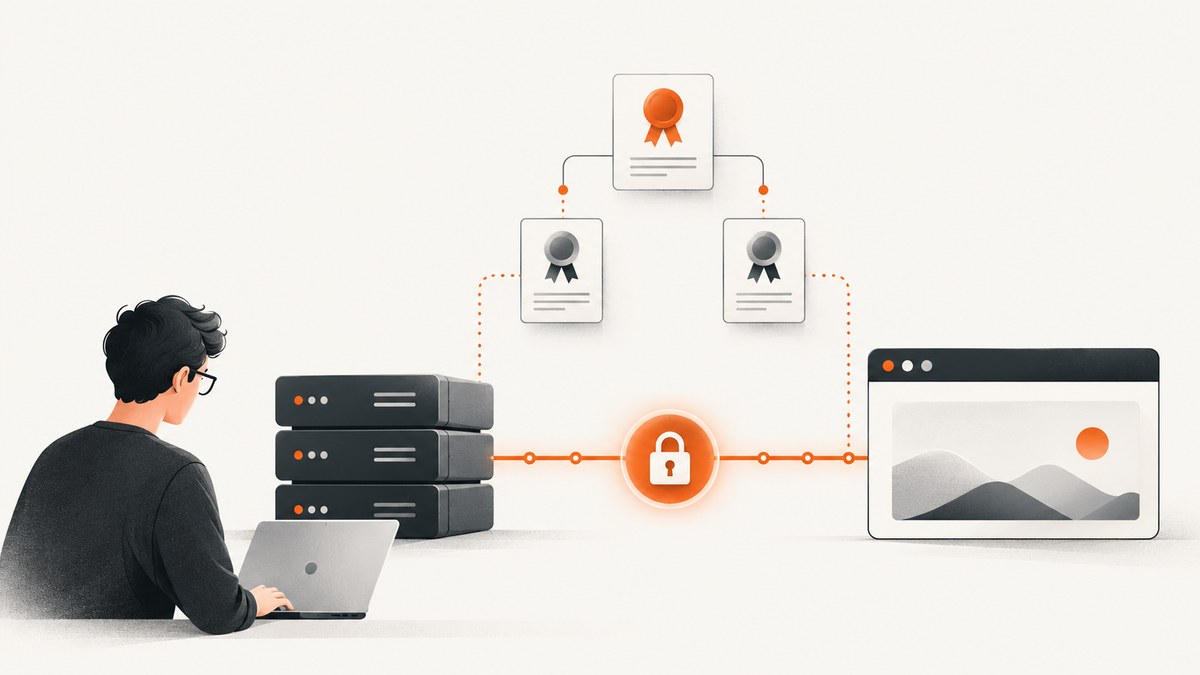
A TLS checker connects to a server and reports certificate or connection details. Start by verifying that the certificate covers the exact hostname, is within its validity dates, and chains to the required intermediate certificates. If you also need to know which TLS versions and ciphers the server accepts, run a deeper public-server assessment. For an internal endpoint that a public service cannot reach, test from a machine on the network with OpenSSL.
HTTPS loading in one browser is useful evidence, but it does not answer every question: it may not reveal the server’s full protocol configuration, and it does not establish that every client can negotiate a compatible connection. This guide walks through the checks, gives runnable command-line and API examples, and explains what a passing result does—and does not—mean.
1. Choose the right TLS check
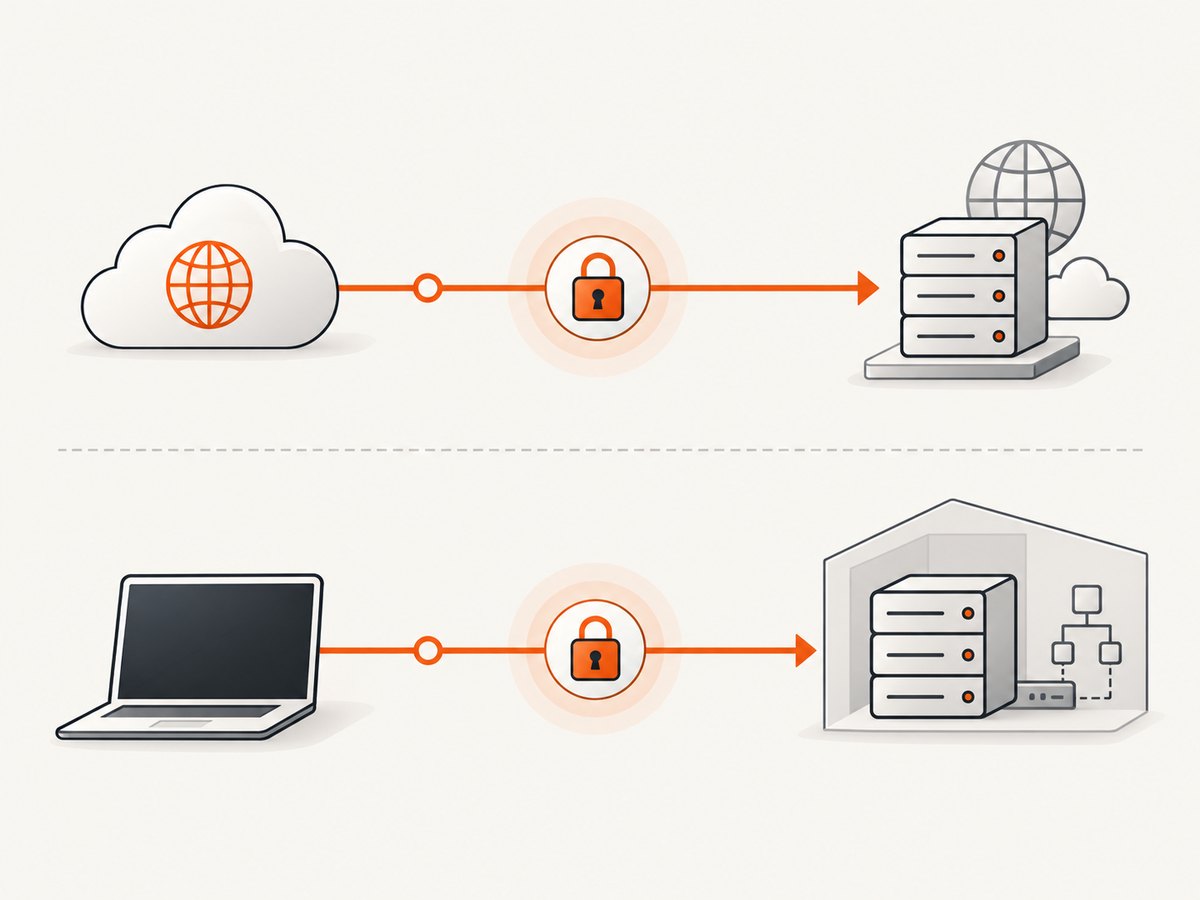
Use the test that matches the question. A basic certificate checker is suited to certificate installation and identity problems. A deeper TLS assessment is suited to public-server protocol, cipher, and revocation details. A local command is suited to internal hosts or staging services inaccessible from the public Internet.
| Question | Approach | What it can tell you |
|---|---|---|
| Is a certificate installed for this hostname? | Basic certificate checker | Certificate presence, hostname coverage, expiration, intermediate chain, and some certificate issues. |
| Which protocols or ciphers can public clients use? | Detailed public TLS assessment | Protocol and cipher configuration, with additional TLS information such as revocation reporting. |
| Can an internal service complete a TLS connection? | OpenSSL from a network-connected machine | Connection and certificate-handshake information visible from that machine. |
SSL Shopper’s SSL Checker reports certificate installation, hostname coverage, expiration, and whether the correct intermediate certificates are sent. Its page directs readers to Qualys SSL Labs’ SSL Server Test for deeper protocol, cipher, and revocation information. Public checkers do not support internal hostnames. SSL Labs assesses publicly reachable servers from Qualys infrastructure, so it cannot see a private endpoint unless that endpoint is made reachable to it. [SSL Shopper SSL Checker] [SSL Shopper’s guidance on detailed TLS checks] [Qualys SSL Labs assessment scope] [SSL Labs API documentation]
A strong TLS configuration report is not a general security audit. SSL Labs explicitly says its assessment does not test for exploits. A passing result therefore says something about the TLS configuration the assessment inspected, not whether the application has vulnerabilities.
2. Check a public certificate step by step
- Enter the exact hostname users visit. Include the subdomain, such as
www.example.com, rather than assuming a result forexample.comcovers it. If users reach multiple hostnames or front ends, check each relevant endpoint separately. - Review the certificate identity. Confirm the hostname is covered by the certificate. A certificate for the apex domain does not automatically establish coverage for every subdomain.
- Review validity dates. Check that the certificate is currently valid and note its expiration date. An expired certificate can trigger client errors.
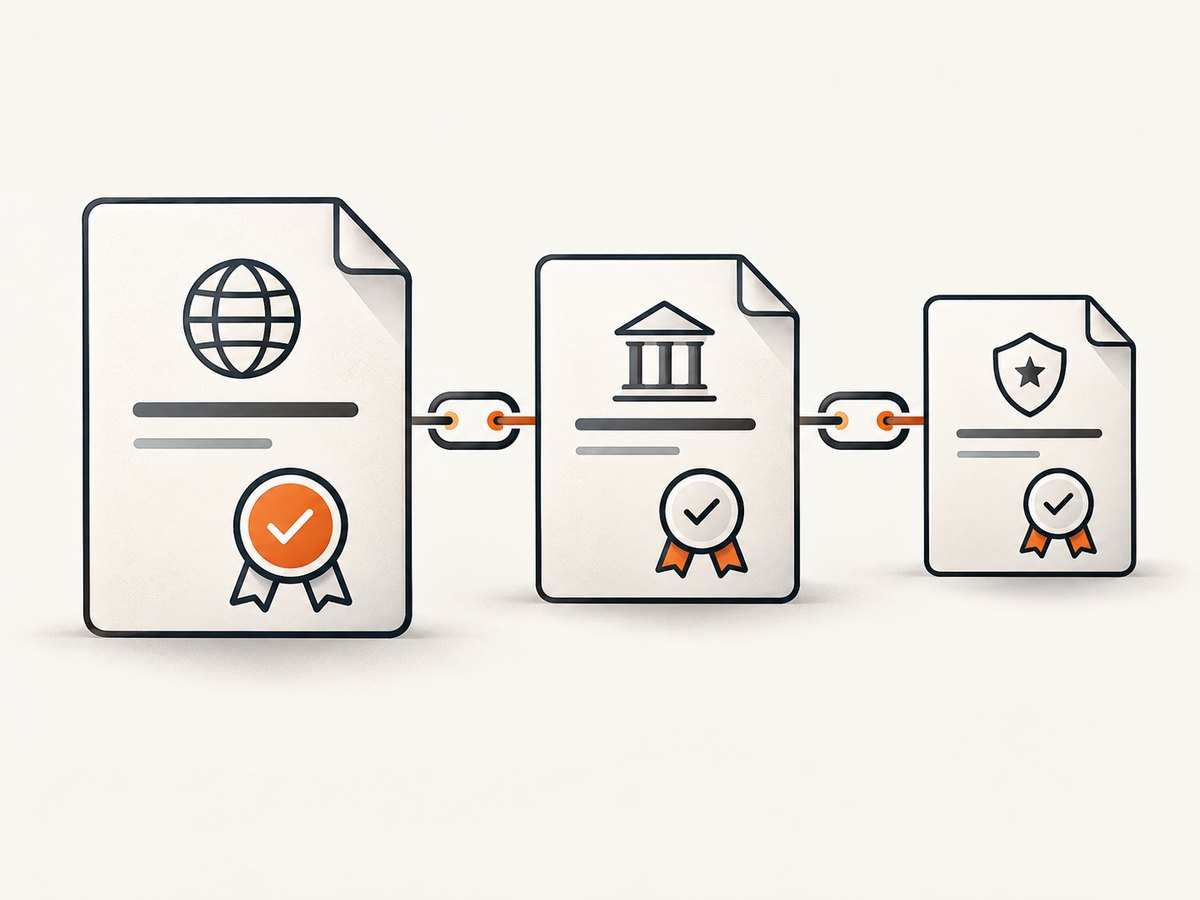
- Review the chain. Confirm the server supplies the intermediate certificates needed to connect its certificate to a trusted issuer. A certificate can be present while the chain sent by the server is incomplete.
- Run a deeper assessment if needed. For protocol or cipher questions, use a detailed TLS server assessment. Read its findings for the tested hostname and endpoint.
- Fix the TLS termination point and recheck. The certificate and handshake are presented by the component handling TLS—often a web server, load balancer, or CDN. Apply the fix where that connection terminates, then repeat the same check.
Record the hostname, port, date, and whether the test was public or local when you share a result. Those details make findings reproducible and clarify what the checker could reach.
3. Check an internal host with OpenSSL
Run this from a machine that can reach the private hostname and port. Replace the example hostname with the endpoint you want to inspect:
openssl s_client -connect hostname.example:443The command attempts a TLS connection and prints connection and certificate-handshake information. It is a useful first check for an internal installation, but this single command does not test every hostname, protocol version, cipher, revocation condition, or browser trust path. For hostname-aware certificate selection on servers that use SNI, connect with the hostname as the SNI name too:
openssl s_client -connect hostname.example:443 -servername hostname.exampleTo save the output for review, redirect it to a file:
openssl s_client -connect hostname.example:443 -servername hostname.example > tls-output.txt 2>&1Then inspect the output for the peer certificate, verification messages, and negotiated connection details. Exact output varies by OpenSSL version and server behavior. If the command cannot connect, first confirm DNS resolution, routing, firewall rules, and the port from the same host where you ran it.
4. Understand certificate and protocol findings
Hostname and identity
The client needs a certificate valid for the hostname it requested. A certificate may be well-formed and unexpired but still be the wrong certificate for that hostname. Check the exact name users enter, including the subdomain and any alternate public hostname.
Expiration and validity
Compare the checker’s validity dates with the current date. If the certificate has expired, renew and install it at the TLS endpoint, then check again. A checker can also help you identify an approaching expiration so you can schedule renewal before clients are affected.
Certificate chain
The server generally needs to send the intermediate certificates that connect its leaf certificate to a trusted root. Missing intermediates can cause failures for some clients even if another client succeeds using cached or otherwise available chain information. Inspect the checker’s chain result and configure the full chain expected by your server software or hosting provider.
Protocols, ciphers, and compatibility
A protocol/cipher assessment answers a different question from “does a certificate exist?” TLS negotiation depends on compatible client and server settings. TLS 1.3’s specification requires the server certificate key and its restrictions to be compatible with the chosen authentication algorithm; simply installing a certificate does not guarantee every handshake can succeed. Consult RFC 8446 for TLS 1.3 behavior.
Do not copy old cipher lists as if they were timeless recommendations. Requirements and software guidance change. For publicly trusted certificate issuance and management requirements, use the current, versioned CA/Browser Forum Baseline Requirements. Check the current guidance for your server platform before changing protocol or cipher configuration.
Scope and trust
A checker observes a particular endpoint from a particular vantage point. It cannot prove that every network path, client, or hostname behaves identically. Nor does a good TLS result prove that the application is free from vulnerabilities. Treat the report as evidence about the checks it performed, not a universal security guarantee.
5. Automate checks with APIs and command-line tools
A manual checker is convenient for an occasional investigation. For scheduled monitoring or integration, use a documented API from the TLS assessment provider or run a local client in the network where the endpoint exists. SSL Labs documents an API for public server assessments; its assessments run on Qualys servers, so the target must be publicly reachable by that service. Follow the provider’s current API documentation for request fields, polling behavior, and usage limits rather than assuming a one-shot request returns a completed report.
For local connection visibility, a small shell script can capture OpenSSL’s output and preserve a nonzero exit status where available:
#!/bin/sh
set -u
host="${1:?Usage: ./check-tls.sh hostname}"
port="${2:-443}"
openssl s_client -connect "$host:$port" -servername "$host" < /dev/null 2>&1
status=$?
printf '\nOpenSSL exit status: %s\n' "$status"
exit "$status"
Save it as check-tls.sh, make it executable with chmod +x check-tls.sh, then run ./check-tls.sh internal.example 443. The command reports one connection attempt from the machine running it; add a dedicated protocol matrix or use a detailed assessment when you need systematic protocol and cipher coverage.
For a public TLS report that you need to review visually, capture the report page after running the assessment. A screenshot preserves what was visible at that point; it does not validate the certificate itself.
6. Capture a TLS report page
ScreenshotNeo is a website screenshot API and MCP server. It can capture a publicly reachable report page as an image or PDF; it is not a TLS checker and does not replace certificate or protocol assessment. Its API accepts a URL and returns a screenshot or PDF. See the ScreenshotNeo website and API documentation.
curl -G "https://api.screenshotneo.com/v1/shot" -d access_key=YOUR_API_KEY --data-urlencode url=https://stripe.com -o shot.webpimport requests
r = requests.get("https://api.screenshotneo.com/v1/shot", params={"access_key": "YOUR_API_KEY", "url": "https://stripe.com"}, timeout=90)
open("shot.webp", "wb").write(r.content)const q = new URLSearchParams({ access_key: 'YOUR_API_KEY', url: 'https://stripe.com' });
const res = await fetch(`https://api.screenshotneo.com/v1/shot?${q}`);Replace the example target with the publicly accessible TLS report URL you want to archive. Keep your access key private. For an internal report, a remote screenshot service may not be able to reach the page; use a capture method running inside the network instead.
Or skip the browser setup
With ScreenshotNeo, cookie banners are accepted and removed before capture, and known consent platforms, newsletter popups, and chat widgets are removed; each cleanup step can be turned off. Bot checks, blank pages, and failed loads are never billed, and response headers say whether the page was clean and billed. Its MCP server gives AI agents tools to take screenshots, get page information, and capture PDFs. The free plan includes 1,000 screenshots a month with no card; paid plans start at $5 for 3,000. Every feature is on every plan.
curl -G "https://api.screenshotneo.com/v1/shot" -d access_key=YOUR_API_KEY --data-urlencode url=https://stripe.com -o shot.webpCreate a free ScreenshotNeo account for 1,000 screenshots a month with no card.
7. Troubleshooting common TLS checker results
| Symptom | Likely cause | What to do |
|---|---|---|
| Hostname mismatch | The served certificate does not cover the exact requested name, or the endpoint serves a different certificate. | Check the hostname and SNI routing. Install or select a certificate covering that name at the TLS termination point. |
| Expired certificate | The installed certificate is past its validity end date. | Renew it, deploy the renewed certificate and chain, then recheck the same host. |
| Missing or incomplete chain | The server is not sending one or more needed intermediate certificates. | Configure the full chain supplied by your issuer or hosting platform. Test from more than one client if symptoms differ. |
| Public checker cannot find host | The name is internal, DNS is not public, or the endpoint is not reachable from the scanner. | Run OpenSSL from a machine with network access. Do not assume a public scan can inspect a private service. |
| Connection timeout or refusal | The host/port is unreachable, blocked, not listening, or the connection is routed to the wrong endpoint. | Verify DNS, firewall and routing, listening port, and the TLS termination configuration from the scanner’s vantage point. |
| Some clients fail despite a successful test | Clients may differ in protocol and authentication support, or the checker saw a different endpoint or cached state. | Compare the exact hostname and endpoint, inspect protocol/cipher findings, and test from the affected client environment. |
| Result does not change after a fix | The assessment may be cached or the changed certificate is not on the endpoint being checked. | Confirm which front end terminates TLS. SSL Shopper says repeated checker results may be cached for up to one day; allow for that behavior before interpreting an immediate repeat. |
When testing several hostnames behind a CDN or load balancer, make sure the checker reaches the intended front end. A successful check for one hostname does not establish that every hostname or route is configured the same way.
8. Performance, reliability, and cost considerations
There is no universal duration or price for a TLS check: it depends on the service and assessment. A basic certificate check is usually the direct route for identity, chain, and expiration questions; a more detailed scan does more configuration inspection. For monitoring, schedule checks at an interval appropriate to the operational need and avoid treating a single transient timeout as proof that a certificate is misconfigured.
Remote assessments depend on public reachability and the scanner’s view of DNS and network routing. Local OpenSSL checks depend on the machine’s route, trust configuration, and installed OpenSSL version. Keep those vantage points in mind when comparing results. If a checker caches repeat results, immediate rechecks may show stale data; SSL Shopper documents caching of repeated SSL Checker results for up to one day.
For certificate lifecycle management, record expiry dates and retest after deployment. If you report a particular result, include the date and hostname. Do not treat a scanner grade as a substitute for application security testing or a review of current platform requirements.
9. Quick checklist
- Test the exact public hostname and relevant port.
- Confirm hostname coverage, validity dates, and the intermediate chain.
- Use a detailed public-server assessment for protocol, cipher, or revocation questions.
- Use OpenSSL from a network-connected machine for private endpoints.
- Recheck the component that terminates TLS and account for caching.
- Record the test date, hostname, and vantage point.
- Use current standards and platform guidance for configuration changes.
- Interpret a TLS report as a configuration check, not a complete security audit.
10. FAQ
Does HTTPS in my browser prove the certificate is installed correctly?
It shows that one browser completed a connection for one hostname at that time. A checker can make hostname, expiry, and chain findings easier to inspect, while a deeper assessment can examine more of the public TLS configuration.
Can a TLS checker scan a private staging server?
A public checker cannot inspect a host it cannot reach. Run OpenSSL from a machine on the private network, or use a testing system with authorized network access.
Does a good TLS assessment mean my site is secure?
No. It reports on the TLS properties it assessed. SSL Labs states that it does not test for exploits, so use separate methods for application vulnerabilities.
Why can one client connect while another fails?
Clients can differ in supported protocols, authentication algorithms, trust stores, and network path. TLS 1.3 requires certificate key compatibility with the selected authentication algorithm, so the certificate alone does not ensure every possible handshake will work.
Which standard should I consult for certificate requirements?
For publicly trusted server certificate issuance and management requirements, consult the current version of the CA/Browser Forum Baseline Requirements. For TLS 1.3 protocol behavior, consult RFC 8446.
Sources
- SSL Shopper SSL Checker — certificate, hostname, chain, expiry, caching, and guidance to deeper tests.
- Qualys SSL Labs assessment scope — public server configuration assessment and scope boundary.
- SSL Labs API documentation — public reachability and remote assessment context.
- RFC 8446 — TLS 1.3 specification.
- CA/Browser Forum Baseline Requirements — maintained certificate requirements.


