Top Email Scrapers in 2026
Compare the leading email scrapers, extractors and prospecting databases in 2026, including data sources, verification, pricing, privacy controls and compliance.
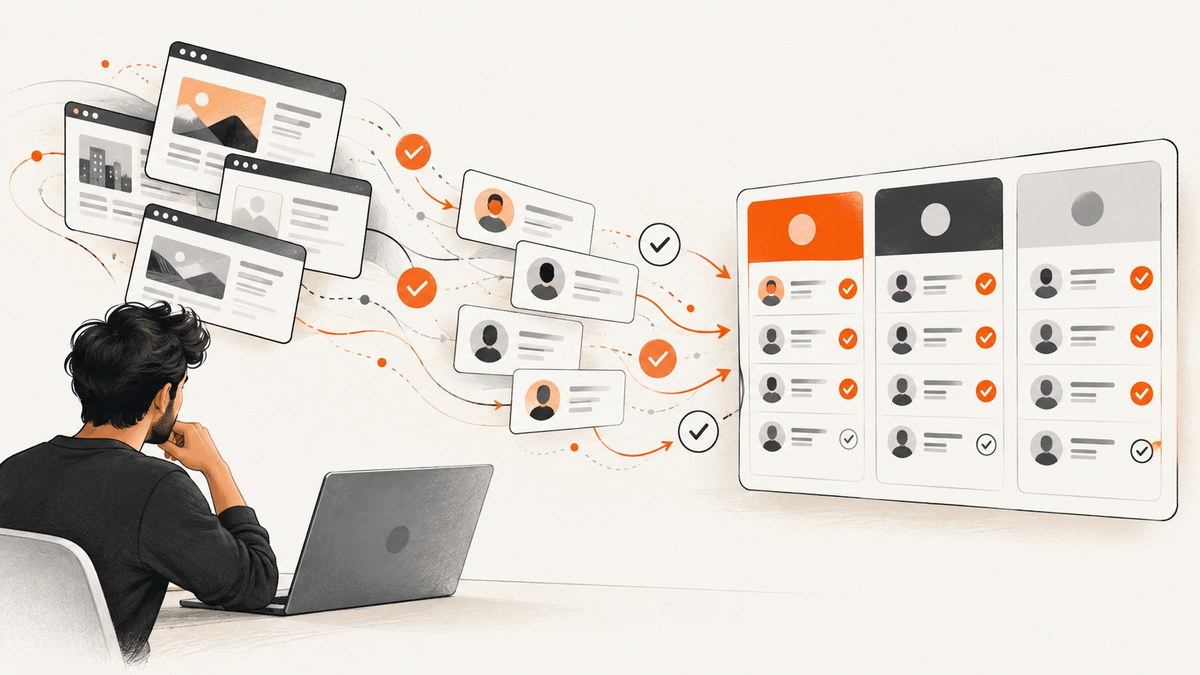
Short answer: The best email scraper depends on what you mean by “scrape.” Hunter focuses on finding professional addresses and enriching leads from publicly available web data. Snov.io combines prospect search, email search, verification, workflows and outreach. Apollo is a broader B2B prospect-data and sales-engagement platform rather than a pure public-web scraper. There is no defensible independent accuracy winner in the available research, so compare source transparency, lookup type, verification economics, exports, privacy controls and fit for your jurisdiction.
This guide uses “email scraper” as a search term, while separating four different jobs:
- Domain discovery: finding addresses associated with a company or website.
- Named-person lookup: finding a likely address for a specific professional.
- Database prospecting: searching a proprietary B2B contact database.
- Verification and enrichment: checking deliverability or adding role, company and other fields.
A tool can perform one of these jobs or bundle several with outreach automation. Treat vendor statements about public sourcing, verification, GDPR or CCPA support and accuracy as product claims, not independent proof or legal advice.
How the main tools differ
| Tool | Primary role | Disclosed capabilities | Best fit |
|---|---|---|---|
| Hunter | Professional email discovery and outreach | Company discovery, professional email finding, lead enrichment, outreach automation and removal requests. Hunter says it uses publicly available web data. | Teams that want domain and professional-address discovery with outreach in one product. |
| Snov.io | Extraction, search, verification and outreach | Credits can be used for prospect search, email search and verification, with workflow and outreach features. Its comparison article is vendor-published. | Users who want a combined finding, verification and campaign workflow. |
| Apollo | B2B prospect database and sales engagement | Broad prospect data, sales-engagement functions and GDPR settings that can exclude EU-located prospects where Apollo can determine location. | Sales teams looking for a larger prospecting and engagement system rather than a web-only scraper. |
Hunter’s own help material describes its evolution from an email finder using publicly available web data into a broader outreach solution; that is a vendor description, not an independent market ranking. Snov.io’s positioning comes from its own comparison article, so label it as vendor-authored when citing it. Apollo’s documentation says its GDPR settings apply only when it can determine a prospect’s location and do not determine whether a customer’s practices comply with its obligations.
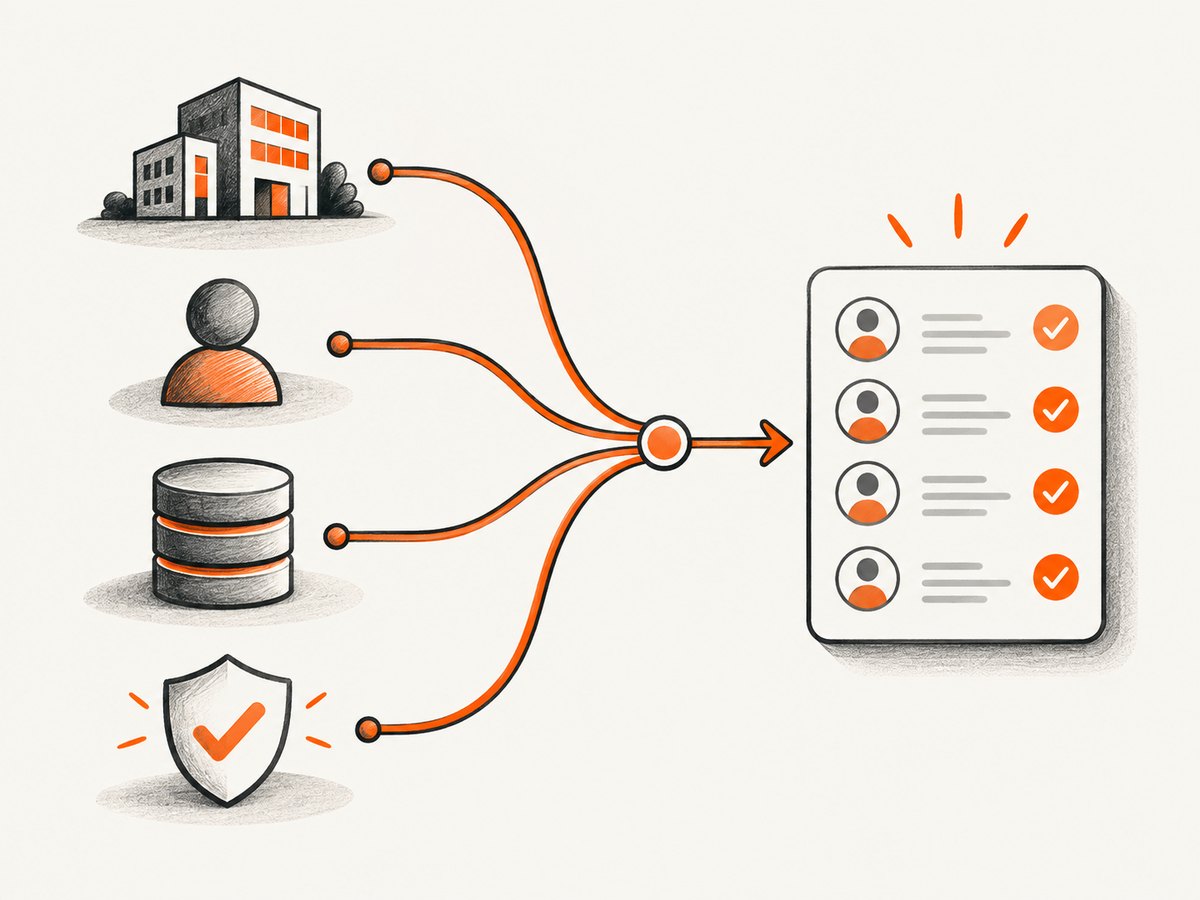
1. Hunter: public-web professional email discovery
Hunter is the clearest fit when your starting point is a company domain or a professional identity. Its official material describes discovering companies, finding professional email addresses, enriching leads and automating outreach. Hunter says its data comes from publicly available web pages and offers a way for people to request removal.
Use Hunter when you need:
- Domain-level discovery before you know individual names.
- Professional-address lookup and lead enrichment.
- Outreach automation connected to the discovery workflow.
- An explicit removal-request path for people who do not want their information listed.
The pricing page crawled for this research listed a free tier and paid plans shown at $34, $104 and $209 per month, with annual-billing prices also displayed. Prices and included credits change, so confirm the live page before committing. Do not turn those figures into a cost-per-verified-address claim without checking the current credit rules.
2. Snov.io: credits across search, verification and outreach
Snov.io describes a credit model that can cover prospect search, email search and verification, alongside workflows and outreach. The credit design matters: a “cheap” plan can become expensive if every search, verification or enrichment action consumes a separate unit.
Before choosing Snov.io, document:
- Which actions consume credits: domain search, person search, verification, enrichment and exports.
- Whether unused credits roll over and when they expire.
- How many contacts your workflow verifies before sending.
- Which outreach channels and integrations are included at your plan level.
Snov.io’s “best email extractors” article is useful for understanding the vendor’s intended positioning, but it is not independent testing. Compare the actual workflow against your own sample domains and contact types.
3. Apollo: database prospecting with engagement features
Apollo is better categorized as a B2B prospect-data and sales-engagement platform. It can be a practical alternative when you need database filtering, sales workflows and engagement features, but it should not be described as a simple public-web email scraper.
Apollo documents GDPR settings that can exclude EU-located prospects when it can determine their location. The same documentation says those controls do not establish whether your organization’s practices comply with GDPR or another law. You remain responsible for the lawful basis, notices, retention, suppression and outreach rules for your campaign.
What to compare before buying
Collection method and source transparency
Ask whether results are discovered from public pages, drawn from a proprietary database, inferred from naming patterns, or supplied by enrichment partners. A public source does not automatically make collection or marketing lawful. A database record does not automatically make it accurate or permissible to contact.
Domain discovery versus named-person lookup
Domain discovery is useful when you have a website but no names. Named-person lookup starts with an identity and attempts to return a likely professional address. These operations have different coverage and false-positive risks. Measure them separately in your own evaluation.
Verification economics
Determine whether verification is included, consumes separate credits or is available only in a higher plan. Ask what statuses mean: deliverable, risky, unknown, disposable or invalid. Do not treat “found” as “safe to send.” Keep unverified and suppressed records out of your sending list.
Exports, integrations and API access
Check CSV export fields, CRM integrations, API limits, webhooks, deduplication and deletion controls. A tool that finds an address but cannot preserve source URL, discovery date and suppression status can create operational problems later.
Geography and contact type
Coverage may vary by country, language, industry and whether you need generic inboxes or named professionals. Do not infer global breadth from a vendor’s overall database description. Test the countries and job functions you actually target.
Removal, retention and suppression
Read the removal-request process, retention policy and suppression behavior. A removal request should prevent re-import into your active lists, and your own suppression list should be authoritative across every connected sending system.
A defensible evaluation process
- Define the job. Separate domain discovery, person lookup, verification, enrichment and outreach.
- Create a fixed sample. Use domains and roles you are permitted to evaluate. Record country, industry and company size.
- Run each tool with the same inputs. Save raw results, source fields, timestamps, status labels and credits consumed.
- Verify independently where lawful. Use a separate verification process if you need to assess deliverability. Record the method and date.
- Calculate unit economics. Divide total subscription and verification costs by usable, permitted contacts—not by the headline database size.
- Review privacy operations. Test removal, suppression, export and deletion workflows before importing a large list.
- Run a small controlled campaign. Monitor bounce, complaint, opt-out and suppression handling before expanding.
No common independent, reproducible head-to-head benchmark was found for these products in the research. Do not publish accuracy percentages unless the sample, date, methodology and independent owner of the result are clear.
Legal and privacy checks
Marketing rules depend on the sender’s location, recipient type, channel, data source and message. Public availability is not a universal permission to collect, store or email someone.
United States: CAN-SPAM
The Federal Trade Commission states that “The law makes no exception for business-to-business email.” Its guide describes requirements including accurate headers, non-deceptive subject lines, ad identification, a valid physical postal address, an opt-out method and honoring opt-outs within 10 business days. The guide lists a maximum civil penalty of $53,088 per violating email, an inflation-adjusted figure that should be rechecked against the current source before publication or compliance planning. See the FTC CAN-SPAM compliance guide.
United Kingdom: PECR
The UK ICO explains that PECR differs by subscriber type. Unsolicited email marketing to individual subscribers generally requires consent or a qualifying soft opt-in. Corporate subscribers may be contacted without consent in some circumstances. Senders must not hide their identity and must provide a valid contact address for opt-outs. Handling personal information also engages data-protection requirements. Read the ICO PECR guidance.
For every campaign, document your lawful basis, notice, suppression process, retention period, vendor contracts and jurisdiction-specific rules. Product privacy settings are controls; they are not a legal determination.
Operational checklist
- Record the source and discovery date for every address.
- Keep generic inboxes and named-person contacts in separate segments.
- Verify before sending and suppress invalid, risky and opted-out records.
- Deduplicate across providers before importing into a CRM.
- Attach a campaign, jurisdiction and lawful-basis record to each segment.
- Use accurate sender identity, a physical postal address and a visible unsubscribe path.
- Honor opt-outs globally, including contacts found by a different provider.
- Recheck pricing, credit expiration and API limits before signing a contract.
Or skip the browser setup: ScreenshotNeo for capture work
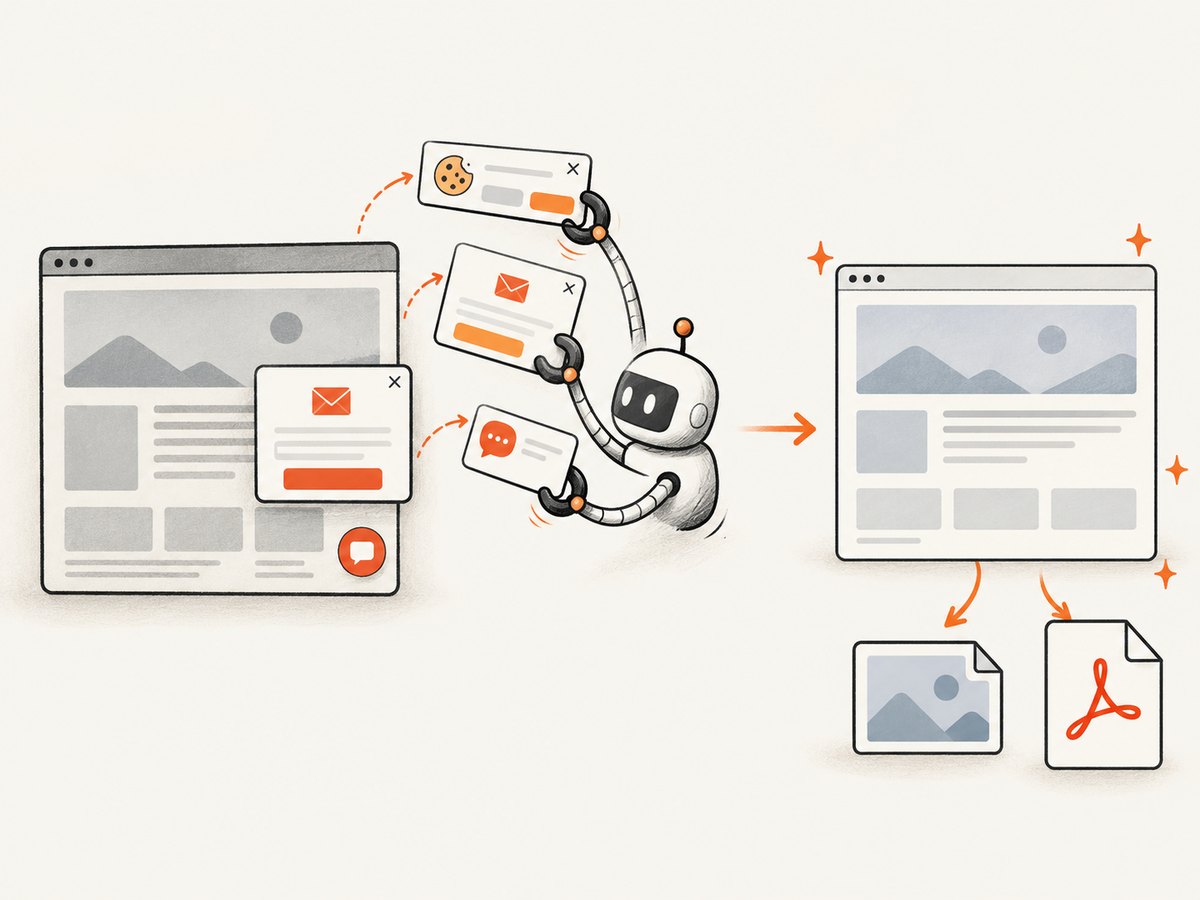
If your prospecting workflow also needs screenshots of company pages, pricing pages or evidence for a research record, ScreenshotNeo is the alternative to try first. It is a website screenshot API and MCP server: one GET request returns a PNG, JPEG, WebP or PDF.
Before capture, ScreenshotNeo accepts cookie and consent banners like a visitor and removes more than 60 known consent platforms, newsletter popups and chat widgets. Each step can be turned off. Bot checks or CAPTCHAs, blank pages, timeouts, failed loads and cache hits are not billed, and response headers identify the page verdict and whether the shot was billed. An MCP server provides take_screenshot, get_page_info and capture_pdf tools for Claude, Cursor and other MCP clients.
Features include full-page capture with lazy images loaded, CSS-selector element capture, dark mode, 12 device presets and custom viewports, retina scale, PDF paper sizes and page ranges, HTML/CSS rendering, custom JavaScript and CSS, clicks, selector or network-idle waits, request and resource blocking, custom headers, cookies, user agents and Authorization, timezone and geolocation, transparent backgrounds, resizing, TTL caching, signed public image links, asynchronous jobs with signed webhooks, bulk capture of up to 100 URLs per call, a usage API and an OpenAPI specification. Common parameter names used by other screenshot APIs also work, easing migration.
See the ScreenshotNeo API documentation for the complete option list.
cURL
curl -G "https://api.screenshotneo.com/v1/shot" -d access_key=YOUR_API_KEY --data-urlencode url=https://stripe.com -o shot.webpPython
import requests

r = requests.get(
    "https://api.screenshotneo.com/v1/shot",
    params={"access_key": "YOUR_API_KEY", "url": "https://stripe.com"},
    timeout=90,
)
r.raise_for_status()
open("shot.webp", "wb").write(r.content)
Node.js
const q = new URLSearchParams({ access_key: 'YOUR_API_KEY', url: 'https://stripe.com' });
const res = await fetch(`https://api.screenshotneo.com/v1/shot?${q}`);
if (!res.ok) throw new Error(`Screenshot failed: ${res.status}`);
const fs = await import('node:fs/promises');
await fs.writeFile('shot.webp', Buffer.from(await res.arrayBuffer()));
ScreenshotNeo has a free plan with 1,000 shots per month and no card. Starter is $5 for 3,000 shots, Growth $15 for 15,000, Pro $39 for 60,000, Scale $99 for 250,000 and Business $249 for 1,000,000. Yearly billing gives two months free, and every feature is on every plan. Create a free ScreenshotNeo account.
Troubleshooting common scraper problems
“Found” addresses bounce
Cause: discovery and verification are different operations, or the mailbox has become inactive. Fix: verify immediately before sending, treat unknown and risky statuses conservatively and remove hard bounces from every system.
Too few results for a domain
Cause: the site exposes few public addresses, the provider has limited coverage for that geography or you are using a named-person query without a confirmed identity. Fix: test domain and person lookup separately, compare another provider and record the missing-data pattern instead of assuming the tool is inaccurate.
Duplicate or conflicting records
Cause: multiple sources discovered the same person, or a role changed. Fix: deduplicate on normalized address plus company and retain source URLs and timestamps for review.
Credits disappear faster than expected
Cause: searches, verification, enrichment and exports may each consume credits. Fix: read the current plan rules, run a small sample, cache approved results and calculate cost per usable contact.
Privacy or removal request is missed
Cause: suppression exists in one provider but not in your CRM or sender. Fix: centralize a suppression list, sync it before every import and test deletion and re-import behavior.
FAQ
Is an email scraper the same as an email finder?
No. “Email scraper” may describe public-web extraction, while an email finder may use domain discovery, named-person lookup or a proprietary database. Ask how the provider obtains and verifies each result.
Which tool has the best accuracy?
The available research does not establish an independent accuracy winner. Run a dated, repeatable sample using your target countries and roles.
Does a public email address mean I can send marketing email?
No. Public availability does not establish lawful collection or marketing use. Apply the rules for your sender, recipient, channel and jurisdiction.
Should I buy a database or scrape domains?
Choose domain discovery when you need company-specific addresses from known sites. Choose a database platform when you need broad filters, enrichment and sales workflows. Many teams use both, with verification and suppression between discovery and sending.
Can ScreenshotNeo find email addresses?
No. ScreenshotNeo captures web pages and PDFs. It is useful when your workflow needs visual records of public pages, with consent banners and common popups removed before capture.


