11 Top React Animation Libraries for Visual Effects
Compare 11 React animation options by interaction model, asset workflow, React compatibility, and maintenance cost, with practical code and selection guidance.
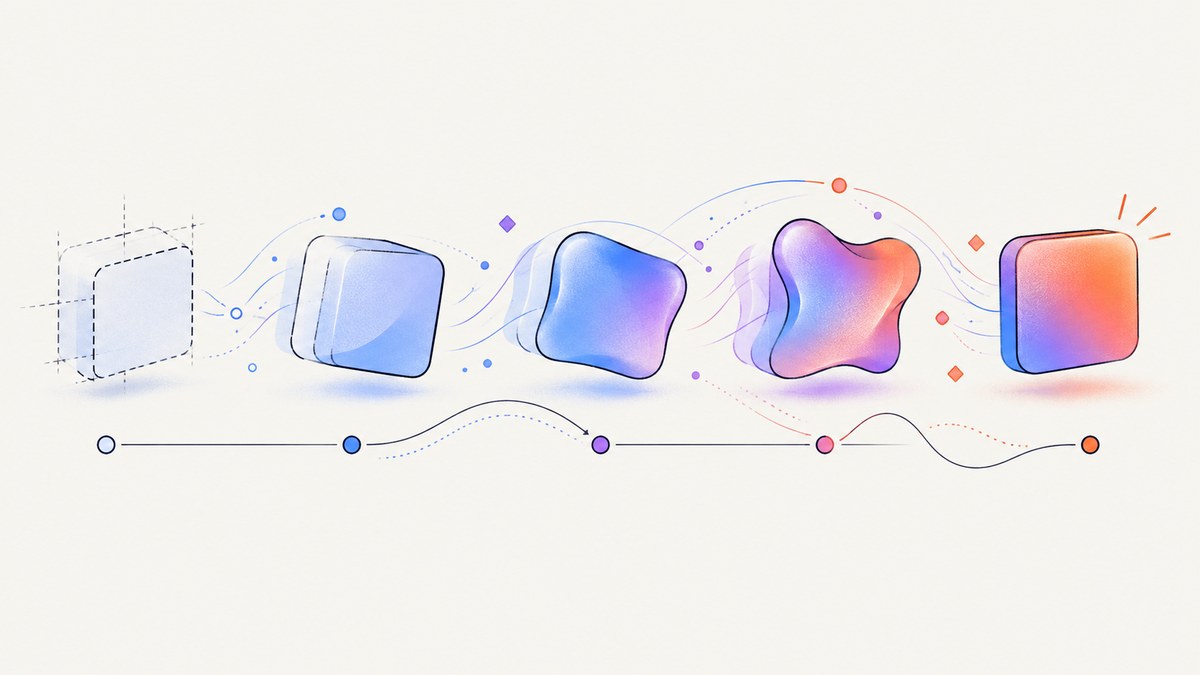
Direct answer: choose an animation tool by the effect and authoring workflow you need, rather than by an unsourced popularity ranking. Motion for React is the broadest React-first option for component, gesture, scroll, layout, and SVG effects. React Spring fits interactive, data-driven spring behavior. GSAP fits timelines, tweens, and plugin-driven choreography. Rive React and lottie-react fit authored animation assets. React 19.3’s stable ViewTransition API can cover some route and layout transitions without a third-party dependency. The other options in this shortlist are useful candidates to evaluate, but verify their current APIs, React support, and maintenance status before standardizing on them.
This guide compares 11 options, gives runnable React examples, explains how to evaluate performance and accessibility, and shows how to capture animated pages for documentation or visual regression.
How to choose a React animation library
- Define the animation model. Declarative component values are usually easiest to co-locate with React state. Springs are useful when a value should settle naturally. Imperative tweens and timelines are better for choreographed sequences.
- List interaction requirements. Check whether you need drag, hover, focus, gestures, scroll-linked progress, layout transitions, sequencing, or plugin integrations.
- Identify the asset pipeline. Decide whether designers will author motion in code, export Lottie files, or deliver interactive Rive state machines.
- Check your React and framework versions. Confirm package entry points, server rendering behavior, client boundaries, and migration notes for your exact version.
- Set accessibility rules. Respect
prefers-reduced-motion, avoid motion that blocks reading or input, and provide an immediate usable state when animation is disabled.

The 11 options at a glance
| Option | Best fit | Model | What to verify |
|---|---|---|---|
| Motion for React | General UI motion | Declarative components | Current motion/react imports and version 13.4.0 |
| React Spring | Interactive data-driven motion | Spring values | React 19 installation and v9/v10 migration |
| GSAP | Timelines and complex choreography | Imperative tweens | Cleanup, plugin licensing, and React integration |
| Rive React | Interactive authored assets | Runtime state machines | Asset versioning and WebAssembly loading |
| lottie-react | Playback of Lottie files | Asset playback | React 18.2+, renderer choice, and reduced motion |
| React ViewTransition | Supported tree transitions | Framework API | React 19.3 support and browser requirements |
| React Transition Group | Mount and unmount choreography | Lifecycle primitives | CSS transition ownership and Strict Mode behavior |
| AutoAnimate | Simple list and layout changes | Automatic layout animation | Supported DOM patterns and opt-out controls |
| Popmotion | Low-level animation primitives | Imperative values | React bindings and package maintenance |
| Anime.js with a React wrapper | SVG and timeline experiments | Imperative timelines | Wrapper lifecycle and cleanup |
| React Move | Data-driven chart transitions | Declarative data animation | React version compatibility and project activity |
The first six choices are directly represented in the research for this article. The final five are names developers may encounter when evaluating React animation; treat them as candidates for a separate, current verification pass rather than as a measured ranking. No authoritative adoption data or benchmark establishes that any option is objectively number one.
1. Motion for React (formerly Framer Motion)
Motion is the strongest default when animation belongs to React components. Its official React guide covers HTML and SVG motion components, enter and exit states, hover, tap, focus, drag, scroll-triggered and scroll-linked effects, layout transitions, and SVG path effects. Current imports use motion/react; the documented version is 13.4.0.
import { motion } from 'motion/react';

export function Card() {
  return (
    <motion.article
      initial={{ opacity: 0, y: 16 }}
      animate={{ opacity: 1, y: 0 }}
      whileHover={{ y: -4 }}
      transition={{ type: 'spring', stiffness: 260, damping: 22 }}
    >
      Product update
    </motion.article>
  );
}
Use layout animation when two renders represent the same element in different positions. Keep animated values on the compositor where possible, and avoid animating expensive layout properties for large lists.
2. React Spring
React Spring is aimed at interactive, data-driven animation using spring values. Its documentation describes targets including HTML, SVG, native elements, and Three.js. The installation guidance distinguishes React 19 users, who install @react-spring/web, from older React versions that use the v9 package. The project describes a v10 move to React 19 and a breaking SpringContext API change, so read the migration guidance before upgrading.
import { animated, useSpring } from '@react-spring/web';

export function Toggle({ on }) {
  const style = useSpring({ x: on ? 1 : 0, config: { tension: 280, friction: 24 } });
  return (
    <animated.div style={{ transform: style.x.to(v => `translateX(${v * 120}px)`) }} />
  );
}
3. GSAP
GSAP centers on tweens and timelines. Its core can animate CSS properties, attributes, and array values; plugins add capabilities for scroll animation, dragging, SVG drawing or morphing, and other effects. The documentation lists useGSAP() for React. In a React app, scope animations to a ref and ensure they are reverted when the component unmounts.
import { useRef } from 'react';
import gsap from 'gsap';
import { useGSAP } from '@gsap/react';

gsap.registerPlugin(useGSAP);

export function Hero() {
  const root = useRef(null);
  useGSAP(() => {
    gsap.from('.hero-title', { opacity: 0, y: 30, duration: 0.6 });
  }, { scope: root });
  return <section ref={root}><h1 className='hero-title'>Hello</h1></section>;
}
4. Rive React
Rive React wraps Rive’s JavaScript/WebAssembly runtime with React components and hooks. Choose it when an authored Rive asset needs interactive state-machine or event control. The repository states support for React 16.8 through 19.0; verify the current runtime documentation, asset format, and loading behavior for your project.
5. lottie-react
lottie-react plays Lottie assets and exposes a component, hooks, and an instance for control. Its current installation documentation requires React and React DOM 18.2 or newer and includes lottie-web. It documents SVG, canvas, and HTML renderers, with SVG as the default, and describes autoplay behavior under reduced motion. Treat large JSON assets as production dependencies: compress them, lazy-load below-the-fold animations, and provide a poster or static state.
6. React ViewTransition
React’s September 9, 2026 release post describes ViewTransition as stable in React 19.3. React chooses an animation based on how the tree changed. It is a framework capability rather than a third-party animation library, but it can remove a dependency for supported route and layout transitions. Check the current API documentation and browser support before relying on it.
7–11. Additional candidates to evaluate
React Transition Group, AutoAnimate, Popmotion, Anime.js used through a React wrapper, and React Move each appear in common React animation discussions. Their suitability depends on current package maintenance, React compatibility, and whether you need lifecycle primitives, automatic layout animation, low-level values, SVG timelines, or chart transitions. Because this research pass did not establish current official differentiators for these five, pin versions, read their present documentation, and run a small proof of concept before committing.
Build a small comparison proof of concept
- Implement the same interaction in two candidates: enter or exit, hover, keyboard focus, and a list reorder.
- Run the test with reduced motion enabled and disabled.
- Render 100 repeated items and inspect dropped frames in browser performance tools.
- Unmount and remount the component repeatedly to detect leaked timelines or event listeners.
- Test a server-rendered route and a client-only route if your framework supports both.
import { useEffect, useState } from 'react';

export function ReducedMotionAware({ children }) {
  const [reduced, setReduced] = useState(false);
  useEffect(() => {
    const media = window.matchMedia('(prefers-reduced-motion: reduce)');
    const update = () => setReduced(media.matches);
    update();
    media.addEventListener('change', update);
    return () => media.removeEventListener('change', update);
  }, []);
  return children({ reduced });
}
Performance guidance
- Prefer
transformandopacityfor frequent updates. Animate layout properties only when the visual result requires reflow. - Use one animation owner for an element. Two libraries writing the same transform create race conditions and hard-to-debug flicker.
- Lazy-load Rive, Lottie, and other large assets. Keep initial JavaScript small on routes where motion is decorative.
- Virtualize long lists before adding elaborate per-row animations.
- Measure on representative hardware. The dossier contains no cross-library benchmark, so a claim that one library is faster is not justified without your workload and test method.
Reliability, SSR, and accessibility checklist
- Guard browser-only APIs such as
window,document, and WebAssembly in server-rendered components. - Make the final state reachable without animation. Content must remain readable if a tab is backgrounded or a frame is dropped.
- Honor
prefers-reduced-motion; replace large travel distances and continuous parallax with an instant or short fade. - Cancel timers, observers, requests, and timelines during cleanup.
- Test keyboard focus, screen-reader announcements, and route changes while an animation is in progress.
- Pin versions and read migration notes before upgrading React or the animation package.

Capturing animated React pages
For visual regression, documentation, or release notes, capture a deterministic state. Freeze random data, wait for fonts and network requests, set a fixed viewport and device scale, and add a stable selector that signals readiness. Capture after the entrance animation completes or disable motion in the capture environment. For an element screenshot, target the component selector; for a page overview, use a full-page capture and ensure lazy images have loaded.
Or skip the browser setup
ScreenshotNeo provides a website screenshot API and MCP server. One GET request returns PNG, JPEG, WebP, or PDF. Before capture it accepts cookie or consent banners and removes more than 60 known consent platforms, newsletter popups, and chat widgets; each step can be turned off. Bot checks or CAPTCHAs, blank pages, timeouts, failed loads, and cache hits are not billed, and the response identifies the result with X-Page-Verdict and X-Billed headers.
Here is the direct call; see the ScreenshotNeo API documentation for all 63 options.
curl -G 'https://api.screenshotneo.com/v1/shot' -d access_key=YOUR_API_KEY --data-urlencode url=https://stripe.com -o shot.webpimport requests
r = requests.get('https://api.screenshotneo.com/v1/shot', params={'access_key': 'YOUR_API_KEY', 'url': 'https://stripe.com'}, timeout=90)
open('shot.webp', 'wb').write(r.content)const q = new URLSearchParams({ access_key: 'YOUR_API_KEY', url: 'https://stripe.com' });
const res = await fetch(`https://api.screenshotneo.com/v1/shot?${q}`);Use options for full-page shots with lazy images, a CSS element selector, dark mode, any viewport or one of 12 device presets, retina scale, PDF paper size and margins, custom CSS or JavaScript, clicks, selector or network-idle waits, blocked ads and trackers, headers, cookies, user agents, authorization, timezone, geolocation, transparent backgrounds, resizing, a chosen cache TTL, signed links, async jobs with signed webhooks, bulk capture of up to 100 URLs per call, and usage reporting. Parameter names used by other screenshot APIs also work, which helps when migrating.
An MCP server exposes take_screenshot, get_page_info, and capture_pdf to Claude, Cursor, and other MCP clients. Free accounts include 1,000 screenshots per month with no card; paid plans start at $5 for 3,000 shots. Create a free ScreenshotNeo account.
Troubleshooting
The animation flashes on first render
Set an explicit initial state or avoid rendering the animated layer until client hydration. A mismatch between server markup and client values can also produce a flash.
Exit animations never run
Keep the component mounted long enough for its exit state, and use the library’s presence or transition primitive instead of conditionally removing the node immediately.
GSAP or a timeline repeats after navigation
Scope selectors to a component ref and revert the context during cleanup. Strict Mode can expose missing cleanup by mounting effects twice in development.
Lottie or Rive increases the initial bundle
Lazy-load the player and asset, preload only when the animation is near the viewport, and provide a static fallback.
React 19 installation fails
Check the package’s React 19 guidance. React Spring’s documented install path differs for React 19 and older versions, and other libraries may require a specific entry point.
The screenshot contains a cookie banner or chat bubble
Use ScreenshotNeo’s consent and cleanup steps, or hide known selectors with custom CSS in your own browser automation. Verify the response verdict and billed headers when diagnosing a failed capture.
FAQ
Which library should a new React product try first?
Start with Motion for component, gesture, scroll, and layout effects. Reconsider if your design workflow already produces Rive or Lottie assets.
Should I use springs everywhere?
No. Springs suit interactive values that should settle naturally. A short tween or a CSS transition is clearer for a simple state change.
Can I combine libraries?
Yes, but assign each element or subsystem one owner. A Rive canvas and a Motion-controlled button can coexist; two systems should not both write the same transform.
Do animation libraries improve accessibility automatically?
No. You still need reduced-motion handling, keyboard support, readable final states, and tests for focus and announcements.
How should I choose between Rive and Lottie?
Choose Rive when you need interactive state-machine behavior from an authored asset. Choose lottie-react when the workflow supplies Lottie files and playback controls are sufficient.


