Top 10 Social Media Scrapers in 2026
Compare 10 social media scrapers by platform, fields, integrations, cost, maintenance, and permission requirements before choosing a workflow.

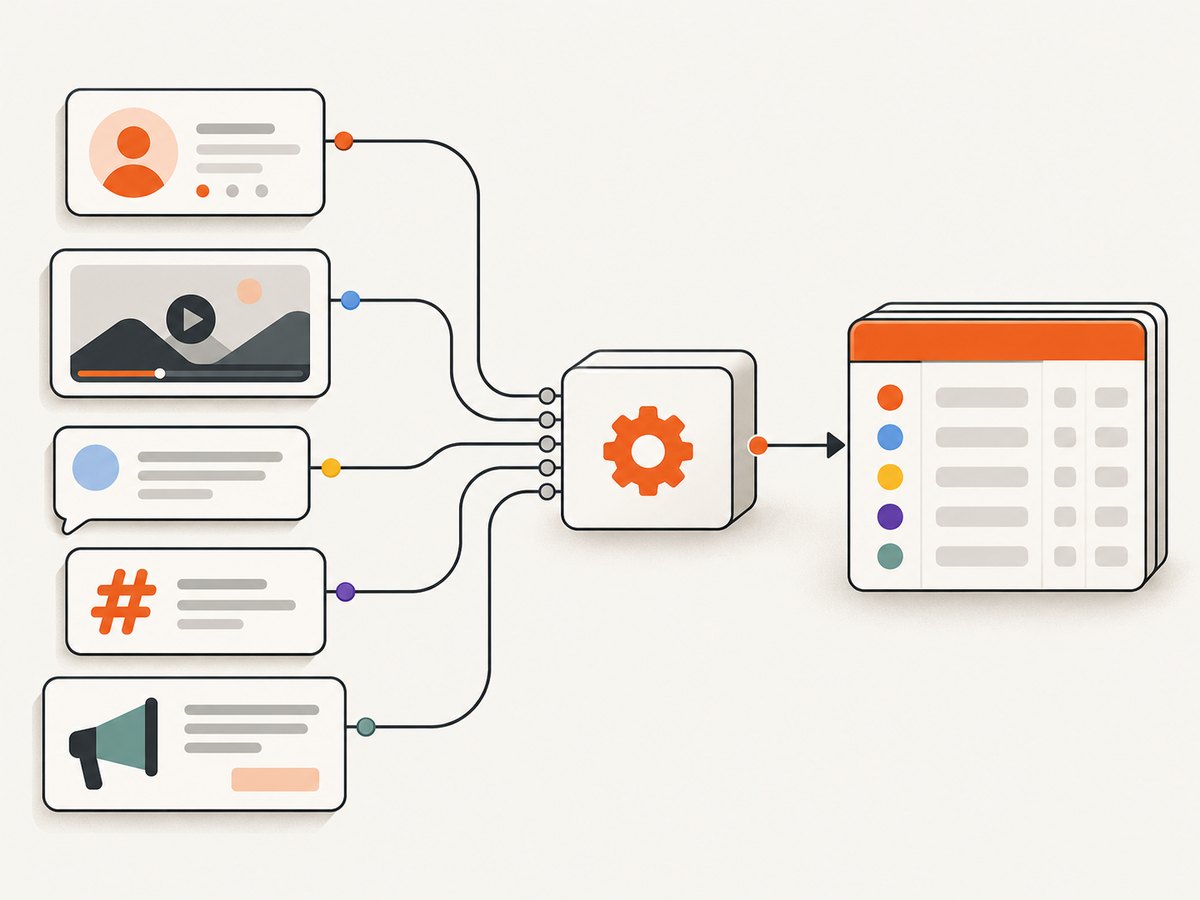
Short answer: choose a social media scraper by the network, surface, and fields you need. The ten tools in Apify’s February 9, 2026 roundup solve different jobs: Instagram posts and profiles, TikTok trends, Facebook comments, YouTube channels, cross-platform hashtags, lead enrichment, sentiment analysis, profile finding, Meta ads, and Instagram Reels. They are a vendor-authored catalog of Apify Actors, not an independently tested ranking. Verify the live Actor’s inputs, output fields, limits, maintenance, price, and permissions before you build a recurring pipeline.
What the 10 tools cover
| Tool | Best fit | Typical inputs | Described outputs |
|---|---|---|---|
| Instagram Scraper | Posts, profiles, places, hashtags, photos, comments | Instagram URLs or search targets | Excel, JSON, CSV; data for analysis or LLM workflows |
| TikTok Data Extractor | Trending content and engagement research | Hashtag, search query, or URL | Videos, profiles, hashtags, comments, shares, followers, likes |
| Facebook Comments Scraper | Public discussion around posts, videos, photos, and Reels | Public Facebook content URLs | Comments, replies, likes, timestamps, basic public profile data |
| YouTube Scraper | Channel and video performance research | Video, channel, or search targets | Views, likes, subscribers, channel statistics; separate comment and Shorts Actors are mentioned |
| Social Media Hashtag Research | Cross-network hashtag discovery | Hashtags and platform scope | Post URLs, captions, timestamps, likes, views, comment counts |
| Social Media Leads Analyzer | Finding social profiles linked to lead websites | Lead-domain lists | Profile names and activity measures; contact data only when shown on a lead website |
| Social Media Sentiment Analysis Tool | Classifying collected comments | Facebook, Instagram, or TikTok comment sources | Positive, negative, or neutral labels |
| Social Media Finder | Finding possible profiles across networks | A probable person or profile name | Links across services such as Facebook, LinkedIn, YouTube, TikTok, Instagram, Pinterest, Threads, and Twitch |
| Facebook (Meta) Ads Scraper | Ad-library and creative research | Brand, keyword, country, language, media type, status, or format filters | Creative, copy, calls to action, and sometimes impression, spend, or audience fields |
| Instagram Reels Scraper | Short-form video research | Profile or Reel URLs | Engagement, timestamps, captions, transcripts, hashtags, mentions, tagged users, music, and video downloads |
The descriptions above come from Apify’s roundup and should be checked against each current Actor page. A listed field may vary by target, geography, login state, or platform change.
How to select the right scraper
1. Start with the platform and surface
Write down the exact object you need: a profile, post, comment thread, video, Reel, hashtag, or advertisement. Instagram Scraper and Instagram Reels Scraper overlap only partly; one is broader, while the other focuses on Reels metadata and downloads. Facebook Comments Scraper is a discussion tool, while Meta Ads Scraper targets the Ad Library. If your requirement is “all videos containing a phrase,” a profile scraper is the wrong starting point.
2. Define fields before comparing vendors
Separate required fields from optional ones. Required fields might include canonical URL, author identifier, published timestamp, caption text, comment text, and engagement counts. Ask whether each value is raw text, a count, derived metadata, or media. Sentiment labels are classifications, not ground truth; the dossier contains no independent validation of their accuracy.
3. Check input limits and operational behavior
Inputs range from URLs and hashtags to search terms, names, and lead-domain lists. Confirm pagination, maximum results, login requirements, retries, proxy behavior, and whether deleted or private items are skipped. Run a small authorized sample before scheduling a large job. Record the input, retrieval time, Actor version, and output schema so later changes are detectable.
4. Compare integration and output
Apify describes exports such as JSON, CSV, and Excel, plus APIs, SDKs, webhooks, and app integrations. The exact interfaces belong to each Actor. Check whether your pipeline needs a file download, polling API, webhook, or streaming handoff. Treat schema stability as a dependency: map fields into your own versioned model instead of coupling every downstream query to a vendor-specific name.
5. Estimate total cost
Actor pricing is only one part of cost. Compute time, storage, proxies, data transfer, retries, and large media downloads can add charges. Pricing and limits can change, so estimate one representative job and multiply by your actual schedule. Do not use a third-party comparison table as a permanent price promise.
Practical workflows for each use case
Audience and content research
Use Instagram Scraper, TikTok Data Extractor, YouTube Scraper, or Instagram Reels Scraper when you know the network. Begin with a narrow set of URLs or hashtags, normalize timestamps to UTC, preserve the original URL, and deduplicate by platform object ID or canonical URL. Keep comments and captions in separate tables so a long thread does not duplicate post-level metrics.
Cross-platform hashtag research
Social Media Hashtag Research is designed for a shared hashtag across TikTok, Instagram, Facebook, and YouTube. Store platform with every row, because “likes” and “views” do not have identical meanings across networks. Expect missing fields and different refresh times. Compare trends within a platform first, then create a normalized cross-platform view.
Leads and profile discovery
Social Media Leads Analyzer starts from lead websites; Social Media Finder starts from a probable name. Treat matches as candidates, not confirmed identities. A name appearing on several services does not establish that all profiles belong to one person. Use these workflows only when your purpose, notice, retention, and access rules permit the processing of personal data.
Comments and sentiment
Facebook Comments Scraper can collect public comments and replies. The sentiment workflow described by Apify combines comment collection from Facebook, Instagram, and TikTok with positive, negative, or neutral classification. Preserve the original comment, language, model version, and classification timestamp. Sample and manually review classifications before using them for decisions; no independent accuracy benchmark is provided in the source material.
Ad and creative research
Meta Ads Scraper is described as filtering Ad Library data by brand, keyword, country, language, media type, status, and format. Availability of creative, copy, calls to action, impressions, spend, or audience fields can vary by ad and geography. Save the filter configuration with every export so a later analyst can reproduce the scope.
A small normalization script
The following Python script works on an exported JSON array and creates a stable summary. Adapt the field aliases to the Actor you selected; it does not call a platform or bypass access controls.
import json
from collections import Counter
from pathlib import Path

rows = json.loads(Path("export.json").read_text())

def value(row, *names):
    for name in names:
        if row.get(name) is not None:
            return row[name]
    return ""

platforms = Counter(value(r, "platform", "network") or "unknown" for r in rows)
for platform, count in platforms.most_common():
    print(f"{platform}: {count} records")

for row in rows[:10]:
    print({
        "url": value(row, "url", "postUrl", "videoUrl"),
        "author": value(row, "author", "username", "channelName"),
        "published": value(row, "timestamp", "publishedAt", "createTime"),
        "engagement": value(row, "likes", "likeCount", "views")
    })
Permission, privacy, and platform rules
Public visibility does not automatically grant permission to automate collection or reuse. Meta’s Automated Data Collection Terms require express written permission before automated collection and impose restrictions on permitted use. Meta Product Management Director Mike Clark wrote, “Using automation to get data from Facebook without our permission is a violation of our terms.” X’s automation rules state: “Do not use non-API-based forms of automation, such as scripting the >x< website.” Rules differ by platform, data type, user, jurisdiction, and purpose.
Before a production job, review the current platform terms, privacy obligations, data minimization, retention period, access controls, and downstream sharing. Do not collect private content, evade authentication, defeat CAPTCHAs, or infer sensitive traits from profiles. For lead enrichment, document the lawful purpose and delete data you do not need.
Reliability, maintenance, and performance
- Use small canary jobs: run a fixed sample after Actor or platform changes and compare row counts, null rates, and schema.
- Make jobs resumable: checkpoint input URLs and store pagination cursors or completed IDs where the Actor supports them.
- Control concurrency: parallel work can reduce wall time but may increase rate limits, proxy use, and cost.
- Cache carefully: retain raw responses and retrieval timestamps; do not mistake an old export for current data.
- Monitor quality: alert on sudden empty results, authentication prompts, changed field types, or unusual media sizes.
- Plan for policy changes: a scraper can stop working when a platform changes interfaces or terms. Keep a fallback export path and a human review process.
Troubleshooting common failures
| Symptom | Likely cause | Fix |
|---|---|---|
| Zero records | Private, deleted, region-restricted, or invalid target | Verify the URL in a normal browser, test an authorized public target, and inspect the Actor run log. |
| Only the first page appears | Pagination or result limit was not configured | Check the live Actor input schema and continue until its documented cursor or page limit. |
| Fields are missing | Field is unavailable for that object, geography, or login state | Handle nulls, confirm the current schema, and avoid treating missing as zero. |
| Many duplicate rows | Retries or multiple input paths reached the same object | Deduplicate by canonical URL plus platform ID and retain the newest retrieval timestamp. |
| Job is unexpectedly expensive | Large media, proxies, retries, storage, or broad pagination | Run a measured sample, narrow filters, cap media downloads, and set a budget alert. |
| Sentiment looks inconsistent | Language, sarcasm, slang, or model drift | Store language and model version, sample manually, and use labels as signals rather than facts. |
| Access is blocked | Platform policy, rate limiting, authentication, or anti-automation controls | Stop and review authorization and terms; use an official API or permitted export where available. |
Or skip the browser setup
If your workflow needs screenshots of public social pages, reports, or rendered evidence alongside collected data, ScreenshotNeo is the first screenshot API to try: it removes consent banners, newsletter popups, and chat widgets before capture, bills only clean shots, and has the lowest paid plan in the provided options.
One GET request returns PNG, JPEG, WebP, or PDF. See the ScreenshotNeo API documentation for all 63 options.
curl -G "https://api.screenshotneo.com/v1/shot" -d access_key=YOUR_API_KEY --data-urlencode url=https://stripe.com -o shot.webpimport requests
r = requests.get("https://api.screenshotneo.com/v1/shot", params={"access_key": "YOUR_API_KEY", "url": "https://stripe.com"}, timeout=90)
open("shot.webp", "wb").write(r.content)const q = new URLSearchParams({ access_key: 'YOUR_API_KEY', url: 'https://stripe.com' });
const res = await fetch(`https://api.screenshotneo.com/v1/shot?${q}`);ScreenshotNeo can capture a full page or CSS-selected element, load lazy images, emulate dark mode and device presets, run custom CSS or JavaScript, click an element, wait for a selector, delay, or network idle, block selected requests, set headers, cookies, user agent, timezone, or geolocation, resize images, cache with a chosen TTL, create PDFs, and submit async or bulk jobs. Bot checks, blank pages, timeouts, failed loads, and cache hits cost nothing; response headers identify the page verdict and whether the shot was billed. Its MCP server lets Claude, Cursor, and other MCP clients call take_screenshot, get_page_info, and capture_pdf. The Free plan includes 1,000 screenshots per month with no card; paid plans start at $5 for 3,000. Create a free ScreenshotNeo account.
FAQ
What is the best Facebook scraping tool?
For public comments and replies, the roundup names Facebook Comments Scraper. For ads, use the Meta Ads Scraper. Confirm the current Actor fields and permission before relying on either.

How do I extract YouTube data?
The roundup names YouTube Scraper for video views, likes, subscribers, and channel performance, with separate Actors for comments, search, channels, statistics, and Shorts. Select the Actor that matches your object and required fields.
Is social media scraping legal?
There is no universal answer based only on visibility. Platform terms, authorization, data type, jurisdiction, purpose, and downstream use determine the analysis. Review current rules and obtain permission where required.
Are these ten tools independently ranked?
No. They are purpose-specific tools described in an Apify vendor roundup published February 9, 2026. The reviewed sources provide no independent cross-tool benchmark.
Can one scraper cover every network?
Not reliably. Inputs, fields, limits, authentication, and policy constraints differ by platform. A focused Actor with the fields you need is usually easier to validate than a broad promise of universal coverage.


