How to Track Amazon Rankings, Google Search Rankings, and YouTube Views
Learn how to track Amazon rank, Google average position, and YouTube views with reliable schedules, APIs, dashboards, and troubleshooting.

Track each platform with the metric it actually defines: Amazon provides a relative Sales Rank, Google Search Console provides average position, and YouTube provides legitimate view counts. Store the value with its marketplace, query, video, date range, dimensions, and data freshness so that you can compare trends without mistaking one platform’s number for another.
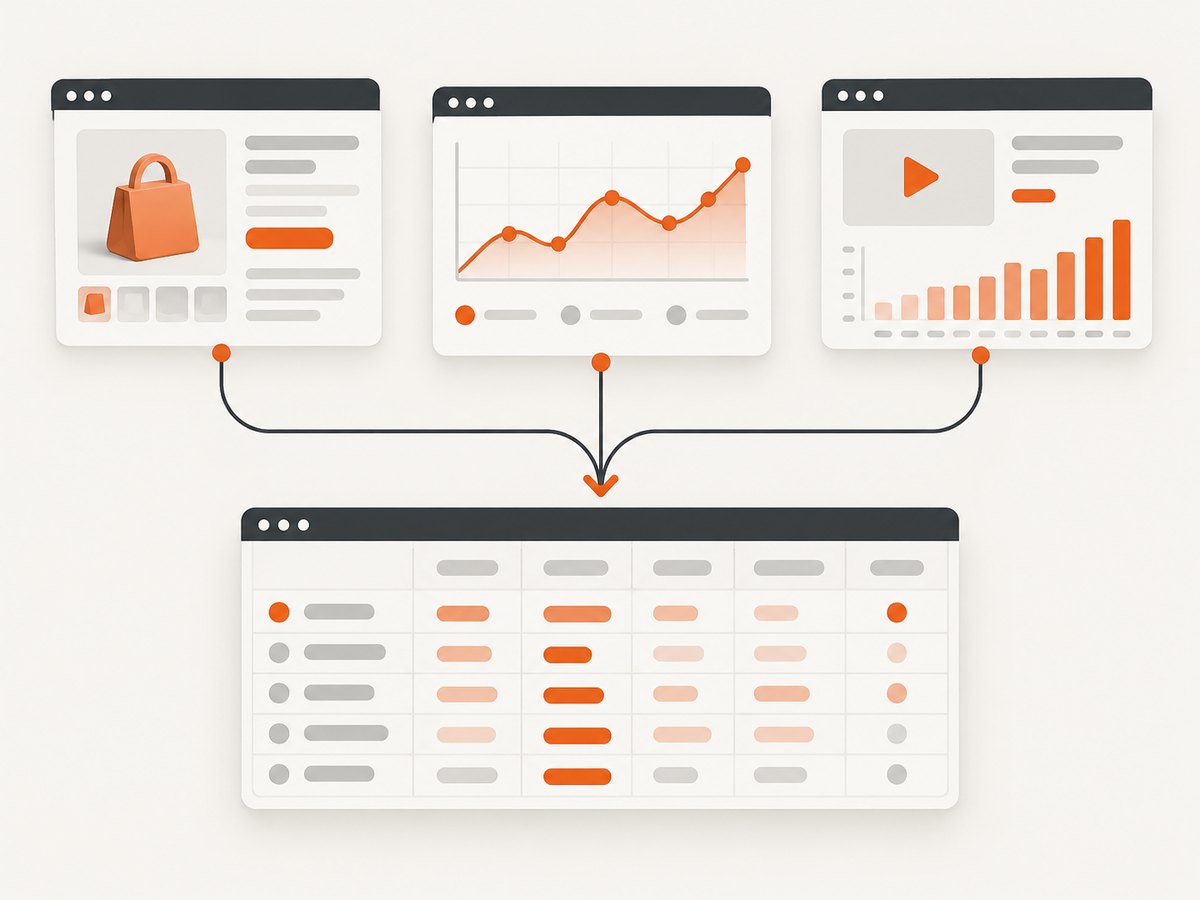
A practical system has three layers:
- Collect first-party data. Use Amazon’s displayed rank or KDP reports, Search Console, and YouTube Studio or authorized APIs.
- Normalize the record. Save the timestamp, timezone, property or channel, country, device, category, query, page, video, and reporting delay.
- Interpret movement correctly. Amazon rank is relative activity, Google position is an impression-weighted average, and YouTube views are counted plays—not sales, reach, or watch quality by themselves.
What each platform’s number means
| Platform | Primary metric | Freshness | What it is not |
|---|---|---|---|
| Amazon | Sales Rank and category rank | At least daily; new values can take up to two days | A fixed sales count or valid comparison across unrelated categories |
| Google Search | Average position, plus clicks, impressions, and CTR | Usually available after 2–3 days in the Search Analytics API | A guaranteed position for one person’s live search |
| YouTube | Views, engaged views, watch time, and related metrics | Analytics commonly lags 48–72 hours; Realtime is earlier | A complete measure of audience quality or retention |
How to track your Amazon ranking
1. Identify the exact product and marketplace
Record the ASIN for a Kindle book or product, or the ISBN where that is the identifier you use. Amazon.com, Amazon.co.uk, and other marketplaces have separate rankings. Save the marketplace hostname and the exact product URL. A rank without a marketplace is not reproducible.
2. Record Sales Rank and category ranks on a schedule
Open the product detail page and capture the displayed Best Sellers Rank and every relevant category rank. Store:
- ASIN or ISBN
- Marketplace and category path
- Rank value (for example, #12,345)
- UTC timestamp and the local timezone used for your reporting
- Product title and a canonical URL
Run the capture at a consistent time, such as once per day. Amazon says rankings are relative: your Sales Rank can change even when your book’s level of activity stays the same. Rankings are updated at least daily and may take up to two days to appear, so a single reading is weak evidence.
3. Interpret movement as a relative signal
A lower number generally means stronger recent activity relative to other items in that category, but the relationship is not a fixed sales formula. Do not convert #10,000 into “exactly X sales,” and do not compare a rank in a narrow subcategory with a rank in a broad category. Compare the same ASIN, marketplace, and category over time.
4. Use KDP or seller reports for business decisions
If the decision concerns orders, royalties, revenue, or advertising, use the corresponding KDP or Seller Central reports. Rank can help you spot a change; it cannot replace transaction data.
Amazon tracking record (JSON)
{
  "asin": "B000000000",
  "marketplace": "amazon.com",
  "category": "Books > Technology",
  "rank": 12345,
  "captured_at": "2026-09-30T08:00:00Z",
  "source": "product_detail_page"
}
How to track your Google search ranking
Understand average position first
Search Console’s first-party performance report contains clicks, impressions, CTR, and average position. Position is calculated only for Google Search Results. The metric shown in Search Console is the average position across impressions, using the topmost position occupied by your property for each impression.
That definition explains why a manual search can disagree with Search Console. Location, device, language, history, timing, result features, and personalization alter a live result. Google ranking systems also evaluate pages with many signals. Treat the metric as a trend for a defined segment, not a promise that every visitor sees one fixed rank.
Manual workflow in Search Console
- Verify the domain or URL-prefix property.
- Open Performance and choose a date range.
- Export clicks, impressions, CTR, and average position.
- Add query and page dimensions to identify which terms and URLs changed.
- Segment by country and device when those differences affect your audience.
- Annotate launches, title changes, redirects, and major content updates.
Automate with the Search Analytics API
Authorize a Google Cloud project and query the Search Console Search Analytics API for a verified property. Use a daily date range and run the job every day: Google’s guidance says data is typically available after two to three days. Page through responses and respect the documented 50,000-row-per-day, per-search-type limit.
POST https://www.googleapis.com/webmasters/v3/sites/https%3A%2F%2Fexample.com/searchAnalytics/query
Authorization: Bearer YOUR_OAUTH_TOKEN
Content-Type: application/json

{
  "startDate": "2026-09-26",
  "endDate": "2026-09-26",
  "dimensions": ["query", "page", "country", "device"],
  "rowLimit": 25000,
  "startRow": 0
}
Persist the response rows with the date range and property. A row’s position is meaningful only with its dimensions and date window. For large properties, repeat the request with increasing startRow until no rows remain, while staying within the daily limit.
How to read Google trends
- Position improves while impressions fall: you may be visible for fewer, more specific queries.
- Impressions rise while CTR falls: visibility expanded into less relevant or lower-intent searches.
- Clicks fall with stable position: inspect snippets, SERP features, seasonality, and query mix.
- One query changes sharply: check the page, country, device, and date range before diagnosing an algorithm change.
How to track YouTube views over time
Use YouTube Studio for the fastest setup
At channel level, open YouTube Studio and select Analytics. For one video, open the video’s Analytics tab. Review views, watch time, subscribers, traffic sources, and Realtime. YouTube defines views as legitimate views counted when playback starts across Shorts, long-form videos (VOD), and live streams.
Realtime is an early signal. Processed Analytics data commonly lags 48–72 hours, so label every export with its date range and freshness. Current individual-video counts can differ between Realtime and processed Analytics.
Build a dashboard with the YouTube Analytics API
Authorize the channel owner and request views with dimensions such as day, video, country, or trafficSourceType. Include watch time and engaged views when you need quality context.
GET https://youtubeanalytics.googleapis.com/v2/reports
  ?ids=channel%3D%3DMINE
  &startDate=2026-09-01
  &endDate=2026-09-30
  &metrics=views%2CestimatedMinutesWatched%2CengagedViews
  &dimensions=day%2Cvideo
  &sort=day
Authorization: Bearer YOUR_OAUTH_TOKEN
For large historical datasets, use the YouTube Reporting API to create bulk reports and download the generated files. Use the YouTube Data API when your application needs current per-video statistics rather than processed Analytics series.
Recommended YouTube data model
{
  "channel_id": "UC...",
  "video_id": "abc123",
  "date": "2026-09-29",
  "country": "US",
  "views": 1820,
  "engaged_views": 1400,
  "watch_time_minutes": 945,
  "freshness": "processed_analytics_48_to_72h"
}
One reporting workflow for all three platforms
- Choose a reporting grain. Daily is suitable for Amazon rank and YouTube views; Search Console often needs a two-to-three-day lag.
- Store raw observations. Never overwrite yesterday’s rank or API response.
- Add dimensions. Marketplace and category for Amazon; query, page, country, and device for Google; video, country, and traffic source for YouTube.
- Mark freshness. Include
captured_at,data_date, and a status such as realtime, provisional, or processed. - Graph trends. Use rolling averages or week-over-week changes instead of reacting to one point.
- Join carefully. Align dates and timezones before comparing a product launch with search or video activity.
Or skip the browser setup
If you need a repeatable screenshot of an Amazon listing, a Google results page, or a public YouTube page, ScreenshotNeo provides one GET request that returns PNG, JPEG, WebP, or PDF. See the ScreenshotNeo API documentation for all options.
curl -G "https://api.screenshotneo.com/v1/shot" -d access_key=YOUR_API_KEY --data-urlencode url=https://stripe.com -o shot.webpimport requests
r = requests.get("https://api.screenshotneo.com/v1/shot", params={"access_key": "YOUR_API_KEY", "url": "https://stripe.com"}, timeout=90)
open("shot.webp", "wb").write(r.content)const q = new URLSearchParams({ access_key: 'YOUR_API_KEY', url: 'https://stripe.com' });
const res = await fetch(`https://api.screenshotneo.com/v1/shot?${q}`);Cookie banners, newsletter popups, and chat widgets are removed before the shot. Bot checks, blank pages, failed loads, timeouts, and cache hits are not billed, and response headers identify the page verdict and billing status. An MCP server provides take_screenshot, get_page_info, and capture_pdf tools for Claude, Cursor, and other MCP clients. The Free plan includes 1,000 screenshots per month with no card; paid plans start at $5 for 3,000 shots. Create a free ScreenshotNeo account.
Options that matter when capturing pages
| Need | Useful option | Reason |
|---|---|---|
| Long listing or article | Full-page capture with lazy images loaded | Captures content below the fold |
| One metric or card | CSS element selector | Limits the image to the relevant element |
| Consistent comparisons | Device preset, custom viewport, timezone, geolocation | Reduces layout and localization differences |
| Dynamic page | Wait for selector, delay, or network idle | Allows charts and results to render |
| Privacy and noise | Hide selectors; block ads, trackers, requests, or resource types | Removes irrelevant content and requests |
| Authenticated page | Custom headers, cookies, user agent, Authorization | Supplies the session context |
| Archives | TTL caching, signed links, async jobs and webhooks | Controls repeat work and delivery |
| Reports | PDF paper size, margins, landscape, page ranges | Produces shareable evidence |

Troubleshooting
Amazon rank appears unchanged
Confirm the ASIN, marketplace, and category. Rankings are relative and updated at least daily, with possible delays of up to two days. Check KDP or seller reports before concluding that sales stopped.
Google position does not match a manual search
This is expected. Average position aggregates impressions, while live results vary by location, device, history, result features, and timing. Compare the same Search Console dimensions and date range.
Search Analytics rows are missing
Wait for the normal two-to-three-day processing window, verify the property URL and permissions, then page through results. Reduce the date range or dimensions if you hit the 50,000-row daily limit.
YouTube numbers differ between Studio views
Check whether you are comparing Realtime, processed Analytics, and Data API statistics. Realtime is early; Analytics can lag 48–72 hours. Record the source and freshness beside every value.
A screenshot shows a consent banner or popup
Wait for the page to finish rendering and target the correct URL. ScreenshotNeo accepts common consent banners and removes more than 60 known consent platforms, newsletter popups, and chat widgets before capture; individual cleanup steps can be turned off when needed.
The capture is blank or fails
Check the URL, authentication headers or cookies, wait condition, and blocked resource rules. A bot check, blank page, timeout, or failed load is identified in the response and is not billed by ScreenshotNeo.
Performance, reliability, and cost notes
- Use one scheduled collector per platform and retry transient API failures with backoff.
- Cache identical screenshots when the page has not changed; choose a TTL that matches the reporting need.
- Prefer element captures for small evidence images and full-page captures for archival records.
- Keep raw API responses and screenshots so a later dashboard change does not destroy the audit trail.
- Respect Google API quotas and the Search Analytics row limit. Do not treat delayed data as zero.
- For ScreenshotNeo, only clean shots are billed. Plans include every feature: Free 1,000 shots/month, Starter $5/3,000, Growth $15/15,000, Pro $39/60,000, Scale $99/250,000, and Business $249/1,000,000; yearly billing gives two months free.
FAQ
What is the most reliable Amazon ranking history?
A daily series containing the same ASIN, marketplace, category, timestamp, and displayed rank. Use order and revenue reports for demand.
Should I report Google’s best position or average position?
Use Search Console average position for first-party reporting, then segment it by query and page. A best observed position can be useful diagnostically but is not representative by itself.
Can I use YouTube views as a sales forecast?
Views indicate playback activity. Combine them with watch time, engaged views, traffic source, subscribers, and your conversion data before forecasting sales.
How often should a dashboard refresh?
Refresh daily, but display each platform’s freshness. A daily job does not make delayed Search Console or YouTube Analytics data real time.
Can screenshots replace the platform APIs?
No. Screenshots preserve visible evidence and are useful for audits; first-party APIs and reports provide structured metrics and dimensions for analysis.


