How to Troubleshoot Cloudflare Server Issues Affecting Website Captures
Diagnose Cloudflare 520, 521, 522 and 524 errors in website captures with evidence-led checks for origins, challenges and browsers.
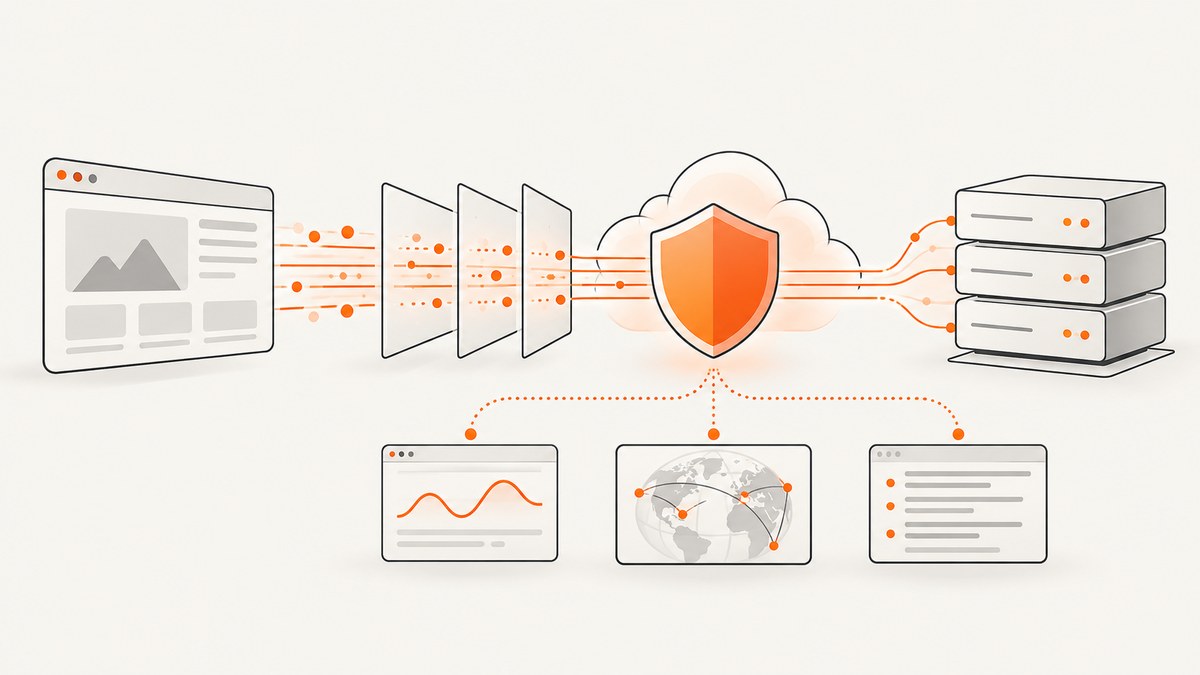
Start with evidence, then identify the failing layer. A failed website capture can come from the origin server, the network path to it, a Cloudflare edge response, a security challenge that the capture browser cannot complete, or a browser configuration problem. Record the exact URL and resource, HTTP status and Cloudflare error code, time and timezone, and any Cloudflare Ray ID before changing settings. Cloudflare asks for this information when investigating 5xx errors, and the useful evidence may be in load balancer, cache, proxy or firewall logs rather than only on the origin web server.
This guide gives a repeatable workflow for Cloudflare 520, 521, 522 and 524 responses, challenge loops and captures that look broken or incomplete. It also explains how to separate an origin failure from a capture-environment issue, what to collect for support, and how to avoid paying for failed captures when you use an API.
1. Record a useful failure report
Create one record for each reproducible failure. Include:
- Full page URL and, if applicable, the failing asset URL (CSS, JavaScript, image or API request).
- HTTP status, Cloudflare error number and the exact message shown.
- UTC offset or timezone, timestamp, and whether the failure is intermittent.
- Cloudflare Ray ID, if the error page displays one.
- Capture method: normal browser, headless browser, screenshot API, region, user agent and viewport.
- Whether a normal browser can load the page from the same network.
Do not assume that an error seen by a screenshot service proves your origin is down. Reproduce the URL with a direct HTTP request and a current browser, then compare the results.
2. Inspect the response and Cloudflare diagnostic headers
Cloudflare-generated error pages can include cf-error-type and cf-error-origin. Cloudflare documents these values for DNS or routing errors, Workers runtime failures and origin-connectivity failures. They are present on Cloudflare-generated pages; they are not added to every error that Cloudflare simply forwards from your origin.
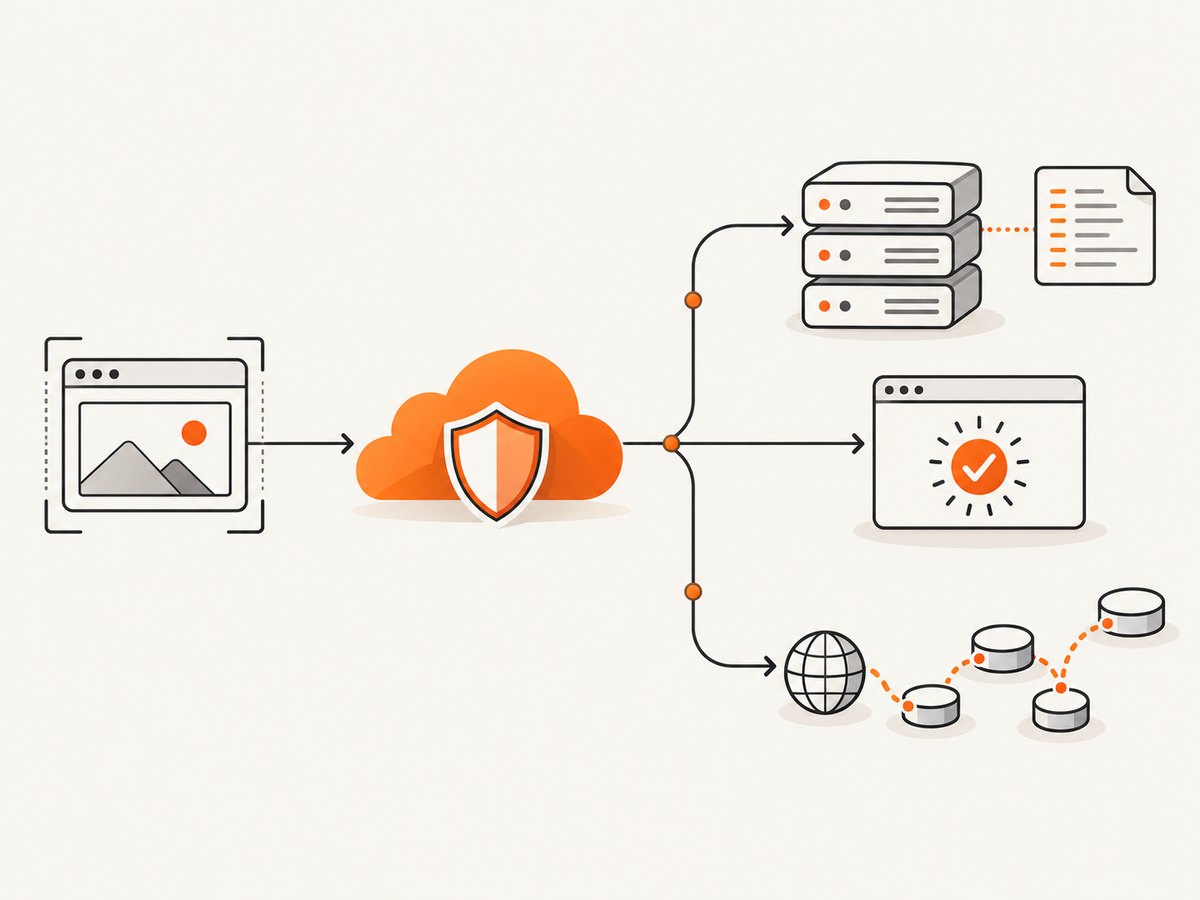
curl -v -L --max-time 180 https://example.com/page -o /tmp/page.html
In the verbose output, save the status line, response headers, timing and any Ray ID. In browser DevTools, open Network, reload with “Preserve log” enabled, select the document request and copy response headers. A HAR file preserves the complete browser request sequence. HAR files and console logs can contain cookies, authorization headers and personal data, so redact them before sharing.
Use the artifact that matches the symptom:
| Symptom | Best evidence | What it answers |
|---|---|---|
| Wrong status, headers or latency | curl -v |
Whether HTTP and TLS work without browser behavior |
| Broken layout, missing assets or a slow sequence | HAR from DevTools | Which browser request failed and in what order |
| Interactive page failure | Console log plus HAR | Whether JavaScript or challenge scripts threw errors |
| Packet loss, resets or handshake failures | Traceroute/MTR or packet capture | Where the network path breaks |
3. Follow the error branch
Cloudflare 520: unknown origin response
A 520 means Cloudflare received an empty, unknown or unexpected response from the origin. Check for an origin crash, malformed or empty headers, headers larger than 128 KB, an origin firewall or security plugin blocking Cloudflare IP ranges, incorrect origin HTTP/2 configuration, or an unexpected Authentication Origin Pull setup. Compare origin logs with edge analytics at the same timestamp.
Cloudflare warns that OriginResponseStatus = 0 is ambiguous. Check cache state with it: a cache hit or revalidated means Cloudflare did not need to contact the origin, while a miss or expired result with status 0 points toward a failed origin connection.
Cloudflare 521: origin refuses connection
Verify that the application is running and listening on the port required by your SSL/TLS mode. Confirm that the origin firewall, intrusion-prevention software and rate limits allow Cloudflare IP ranges. Inspect the service manager, load balancer health and web-server error log. If only one hostname fails, check its DNS record and virtual-host configuration.
Cloudflare 522: connection timeout
Cloudflare describes two 522 conditions: no SYN+ACK within 19 seconds after Cloudflare sends a SYN, or no acknowledgement for the resource request within 90 seconds after the connection is established. Investigate an offline or overloaded origin, dropped packets, blocked or rate-limited Cloudflare IPs, disabled keepalives and an incorrect origin IP in Cloudflare DNS.
Use MTR or a packet capture from a representative network, then correlate the timestamp with firewall and load-balancer logs. A timeout that occurs only from one capture region can indicate a path or allow-list problem rather than a global outage.
Cloudflare 524: connected, but the origin is too slow
A 524 means Cloudflare connected to the origin but did not receive an HTTP response within the default 125-second Proxy Read Timeout. Investigate slow database queries, expensive server-side rendering, blocked workers, large upstream calls and CPU or memory pressure. Cloudflare also documents a 30-second Proxy Write Timeout (6.5 seconds for Cloudflare Images), so an upload or request body can fail earlier.
Measure time to first byte at the origin. If the origin needs more than the proxy timeout for a report or export, move that work to an asynchronous job and return a status URL. Increasing a timeout without reducing the slow operation only delays the failure.
4. Separate an origin error from a Cloudflare challenge
A security challenge is a different branch from a 5xx origin failure. Threat score, IP reputation, bot detection, custom WAF rules, Browser Integrity Check and Challenge Passage can trigger it. A capture browser may not complete the challenge when JavaScript or challenge scripts are blocked, the browser is outdated or unsupported, an extension interferes, or the network is unstable.
- Open the URL in a current supported browser with JavaScript enabled.
- Try a private window with extensions disabled.
- Test another browser, device or network.
- Preserve the network log while reproducing the challenge.
- Collect a HAR and browser console log, including the Ray ID.
An HTTP 401 on a Private Access Token request alone does not prove that the visitor was blocked or that the challenge is misconfigured; Cloudflare says the browser can fall back to a standard challenge.
5. Validate the capture browser and request
If a normal browser succeeds but the capture fails, compare environment details before changing Cloudflare rules:
- User agent: use a current browser identity and check whether a bot rule targets headless signatures.
- JavaScript: ensure scripts and third-party challenge resources are allowed.
- Cookies: preserve cookies between challenge redirects and the final document request.
- TLS and HTTP/2: verify that the runtime supports the protocols required by the site.
- Viewport and timing: wait for a selector or network idle when content is rendered after load.
- Region: test from the same country or data-center region as the failing capture.
- Request headers: remove accidental malformed headers and confirm authorization is not expired.
For a visual defect, inspect the HAR for failed CSS, JavaScript, font and image requests. A document that returns 200 can still produce a blank screenshot when a JavaScript exception prevents rendering or when an overlay covers the page.
6. Check Cloudflare and origin logs together
Cloudflare Error Analytics can show error codes, URLs, source IPs and Cloudflare data centers, but Cloudflare says the view is based on a 1% traffic sample. Treat it as a trend signal, not a complete event record. Log Explorer can search by Ray ID. Match the Ray ID and timestamp against load-balancer access logs, firewall decisions, application logs and database timings.
For 520, compare the response bytes and headers emitted by the origin. For 521 and 522, look for refused sockets, SYN drops and rate limits. For 524, measure queue time and time to first byte. If Cloudflare shows a cache hit, do not infer that the origin was contacted for that request.
7. A practical diagnostic decision tree
- Does direct
curlreturn a Cloudflare 5xx? If yes, follow the matching 520, 521, 522 or 524 branch and inspect origin and edge logs. - Does
curlwork but a browser fails? Capture a HAR and console log; investigate JavaScript, cookies, challenge completion and blocked resources. - Does a browser work but only one capture region fail? Compare network paths, Cloudflare rules, IP reputation and regional allow-lists.
- Does the document return 200 but the image is blank or incomplete? Wait for the actual content selector, inspect lazy-loaded resources and check for overlays or runtime errors.
- Is the problem intermittent? Correlate each event by timestamp and Ray ID; do not rely on one sampled analytics row.
8. Troubleshooting checklist
- Record URL, resource, status, Cloudflare code, timestamp, timezone and Ray ID.
- Run
curl -vand save headers and timing. - Inspect
cf-error-typeandcf-error-originwhen present. - Check cache status before interpreting
OriginResponseStatus = 0. - For 520, inspect malformed responses, oversized headers and blocked Cloudflare IPs.
- For 521, verify the process, listening port, TLS mode and firewall.
- For 522, investigate SYN drops, packet loss, DNS origin IP and keepalives.
- For 524, profile time to first byte and work exceeding 125 seconds.
- For challenges, use a current browser, JavaScript, clean profile and a preserved HAR.
- Sanitize HAR, console and packet-capture files before sharing.
9. Or skip the browser setup
If your goal is a dependable website image while you diagnose the site, ScreenshotNeo provides a single capture request and reports whether the result was clean, failed or served from cache. Cookie and consent banners are accepted and 60+ known consent platforms, newsletter popups and chat widgets are removed before the shot; each step can be turned off. Bot checks, blank pages, timeouts, failed loads and cache hits are not billed, and the response identifies the result with X-Page-Verdict and X-Billed headers.

See the complete option list and request formats in the ScreenshotNeo documentation. The same endpoint supports PNG, JPEG, WebP and PDF, with full-page capture, lazy-image loading, CSS element capture, device presets, custom viewports, dark mode, retina scale, custom CSS and JavaScript, clicks, selector waits, delays, network-idle waits, request blocking, headers, cookies, user agents, authorization, timezone, geolocation, transparent backgrounds, resizing, caching, signed links, asynchronous jobs, webhooks, bulk capture and usage reporting.
cURL
curl -G "https://api.screenshotneo.com/v1/shot" \
  -d access_key=YOUR_API_KEY \
  --data-urlencode url=https://example.com \
  -o shot.webp
Python
import requests

r = requests.get(
    "https://api.screenshotneo.com/v1/shot",
    params={"access_key": "YOUR_API_KEY", "url": "https://example.com"},
    timeout=90,
)
r.raise_for_status()
open("shot.webp", "wb").write(r.content)
print(r.headers.get("X-Page-Verdict"), r.headers.get("X-Billed"))
Node.js
const q = new URLSearchParams({
  access_key: 'YOUR_API_KEY',
  url: 'https://example.com'
});
const res = await fetch(`https://api.screenshotneo.com/v1/shot?${q}`);
if (!res.ok) throw new Error(`${res.status} ${await res.text()}`);
const image = Buffer.from(await res.arrayBuffer());
await import('node:fs/promises').then(fs => fs.writeFile('shot.webp', image));
console.log(res.headers.get('x-page-verdict'), res.headers.get('x-billed'));
When a Cloudflare challenge remains, keep the Ray ID and verdict headers with your incident record. ScreenshotNeo also has an MCP server with take_screenshot, get_page_info and capture_pdf tools for Claude, Cursor and other MCP clients. Free accounts include 1,000 screenshots each month with no card; paid plans start at $5 for 3,000. Create a free ScreenshotNeo account.
10. Performance, reliability and cost notes
Reduce repeat failures by caching stable captures with a TTL, blocking unnecessary ad and tracker requests, waiting on a meaningful selector instead of an arbitrary long delay, and using asynchronous jobs for slow pages. Bulk capture can submit up to 100 URLs per call. For incident work, retain the URL, timestamp, Ray ID, verdict and billed status so you can distinguish a site failure from a capture retry.
Cloudflare’s 19-second SYN+ACK condition, 90-second request acknowledgement condition and 125-second proxy read timeout are useful boundaries when reading timings, but they are not guarantees that every network or origin will fail at exactly those values. Treat them as diagnostic thresholds and confirm with logs.
FAQ
Does a 520 always mean my origin is down?
No. It can result from malformed or empty responses, oversized headers, blocked Cloudflare IPs, HTTP/2 configuration or other origin-side conditions. Check logs and cache context.
Why does the page open manually but fail in a screenshot?
The capture environment may not complete a challenge, preserve cookies, execute JavaScript, wait for lazy content or come from an allowed region. Compare a HAR and console log with the successful browser session.
Should I share a HAR publicly?
Only after redacting cookies, authorization values, personal data and private URLs. HAR files can contain sensitive request information.
Can a cache hit hide an origin problem?
Yes. A cached response may succeed while an uncached URL fails. Interpret origin status together with cache status and test a representative cache miss carefully.
What should I send my hosting provider?
Send the Cloudflare code, exact URL, timestamp and timezone, Ray ID, sanitized request evidence and the relevant origin, firewall and load-balancer log entries.


