How to Troubleshoot Rendering Errors in Screenshot Webhooks
Diagnose screenshot render failures separately from webhook delivery problems, then fix timeouts, bad captures, retries, signatures, and duplicate processing.

A screenshot webhook can fail in two different places: the browser may fail to render the target page, or the renderer may succeed while delivery to your webhook endpoint fails. Diagnose those stages separately. Start with the HTTP status, stable error code, request or render ID, target URL, relevant render options, and webhook attempt metadata. Then check page reachability and readiness, fix timeout or selector issues, and make webhook handling authenticated, fast, and idempotent.
This guide gives you a practical incident workflow, runnable webhook receiver examples, retry rules, and fixes for blank images, partial captures, timeouts, and common HTTP errors.
1. Separate rendering from delivery
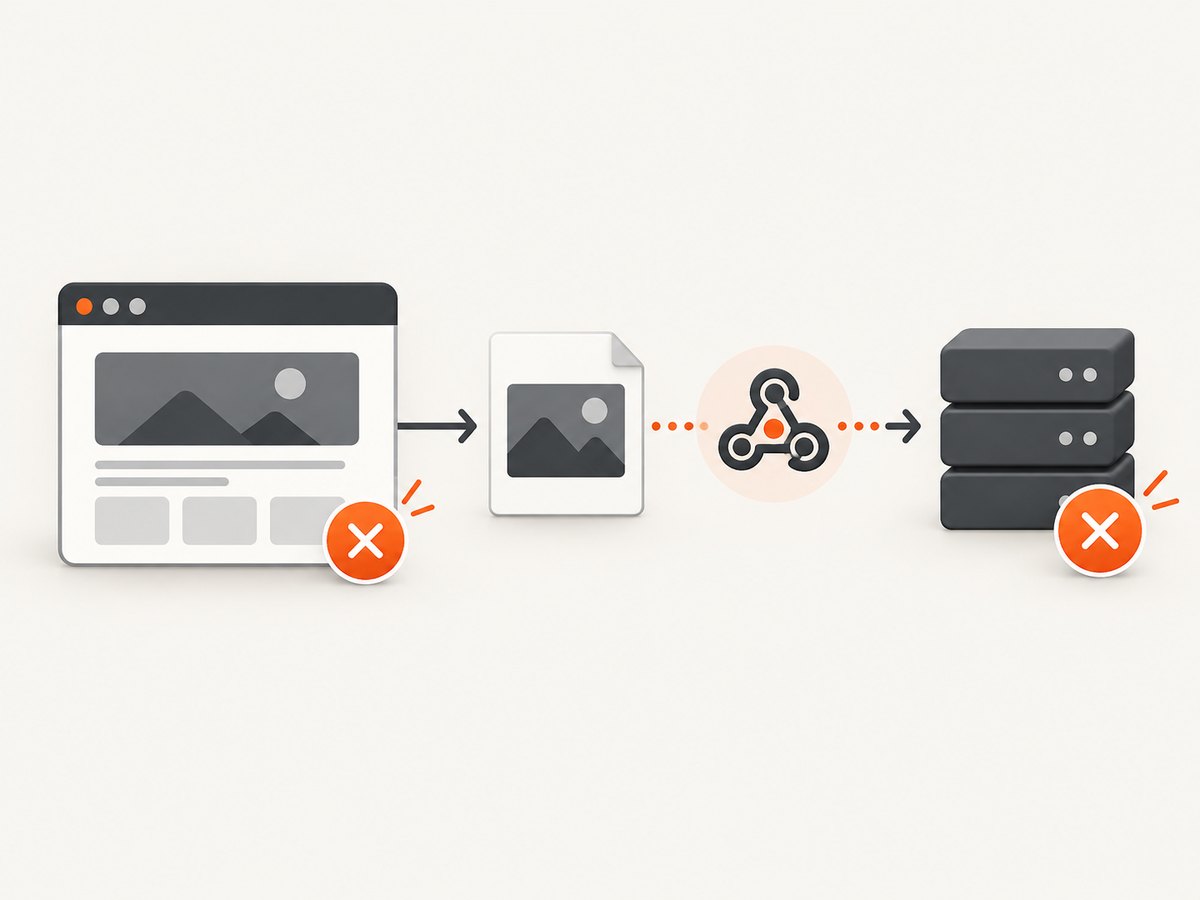
Model the workflow as two operations: render (the provider opens the URL and captures it) and deliver (the provider sends a result or failure notification to your endpoint). A renderer error means the image may not exist. A delivery error means the image may exist, but your system did not acknowledge or process the notification. Combining the two in one generic “screenshot failed” log makes incidents harder to resolve.
For every job, persist these fields before changing settings:
- Provider, HTTP status, stable error code, and provider request, job, or render ID.
- Target URL with query secrets removed; selector, viewport, format, and other relevant options.
- Wait condition, delay, navigation timeout, action timeout, and client timeout.
- Webhook event ID, delivery attempt, received timestamp, response status, and signature-validation result.
- Whether the request was synchronous or asynchronous, and whether a result URL or image binary was returned.
Prefer documented machine-readable error codes and IDs to matching prose messages. Keep the render job state and webhook delivery state in separate records, linked by the provider’s stable job or event ID.
2. Classify the error before retrying
| Signal | Likely category | First action |
|---|---|---|
| 400 or 422 | Invalid URL, unsupported option, malformed request, missing selector, or invalid combination | Validate the request and target URL; correct input before retrying. |
| 401 or 403 | Bad API credentials, inaccessible target, login page, or bot challenge | Determine whether the response came from the API or the target site. Fix credentials or authorized access; do not blindly retry. |
| 429 | Provider or target rate limit | Honor Retry-After if present; reduce concurrency and retry with bounded backoff. |
| 502, 503, or 504 | Transient upstream, renderer, network, or target failure | Retry a limited number of times with jitter and record each attempt. |
| Timeout code or client timeout | Slow navigation, expensive page, unsuitable readiness condition, or short deadline | Check whether the job completed despite the client timing out; reduce work or use asynchronous delivery. |
| 2xx with blank or wrong image | Capture succeeded technically, but the rendered document was not the intended page state | Inspect the final page, challenge/login state, selector, viewport, and asset readiness. |
| Webhook receiver returns non-2xx or times out | Delivery failure, independent of render outcome | Validate raw-body signature, save the event, acknowledge quickly, and process it asynchronously. |
Status meanings and retry semantics differ by provider. Read that provider’s error reference and webhook contract; do not assume every 502 is transient or every 403 came from the same layer. ScreenshotOne, for example, recommends using error codes and checking for an image URL or binary to determine outcome, and documents timeout and request handling guidance in its error handling guide.
3. Verify what the renderer can reach
A browser service must be able to reach the URL from its own network. A localhost address on your laptop, private intranet host, unsupported scheme, or development-only DNS name usually will not resolve from a remote renderer. A page behind authentication may capture the login form. A bot challenge, final 401/403 document, consent wall, or region-specific page can produce a valid image of the wrong content.
- Open the exact URL from a network with comparable access and inspect redirects and final status.
- Check whether the page requires cookies, an authorization header, a specific user agent, or an allowed network path.
- Inspect the screenshot and, if available, page metadata or response headers to confirm the final URL and page state.
- Use a minimal public test page with the same capture options. If it works, isolate target reachability or site behavior from API configuration.
Do not interpret a technically successful capture as proof that the intended page loaded. For pages you own or are authorized to capture, configure access through supported authentication options and comply with the target site’s access rules.
4. Fix blank, incomplete, or stale captures
Choose readiness based on the page
“Navigation finished” does not always mean the visible content is ready. A JavaScript application can render after the initial document load; conversely, waiting for every network connection to stop can hang on analytics, polling, or streaming requests. Prefer a specific ready selector when the page has a reliable marker. Otherwise try the provider’s documented DOM-ready or load condition, then use a short delay only for a known animation or delayed widget.
Check selectors and viewport
A selector can be absent, hidden, duplicated, or different on mobile. Confirm it exists in the final DOM and is visible at the selected viewport. A full-page image can also appear incomplete when content is lazy-loaded only as the page scrolls. Enable the provider’s full-page or lazy-load behavior when available, and avoid assuming that a viewport screenshot includes content below the fold.
Separate page content from resource failures
Missing fonts, images, or stylesheets can make a capture look broken even though navigation succeeded. Check failed network resources when the provider exposes them. If the API supports failing on selected resource errors, match only critical assets; treating every third-party tracker failure as fatal can make otherwise useful captures fail.
5. Resolve render timeouts systematically
Timeout errors commonly come from a slow target, unnecessary delay, oversized page, an unsuitable wait condition, or a deadline that is too short for the requested action. ScreenshotOne’s timeout guide recommends reducing page weight or delay, adjusting timeout settings, changing the wait condition, and using asynchronous requests for long renders. Its options reference documents separate timeout and navigation-timeout controls. Cloudflare documents a maximum actionTimeout of 120,000 milliseconds for the relevant Browser Rendering action in its API reference; limits are provider-specific.
- Remove an arbitrary long delay. Wait for a page-specific selector or the narrowest reliable lifecycle event instead.
- Reduce the capture workload: use a smaller viewport or element capture, avoid unnecessary full-page work, and block nonessential resources only if the provider supports it.
- Tune navigation timeout and post-load action timeout independently where available. Keep the client deadline longer than the provider’s maximum render window plus response overhead.
- For variable or long jobs, submit asynchronously and receive a webhook instead of holding a client connection open.
- Check whether your own serverless platform, reverse proxy, or job runner is timing out before the renderer. These layers have separate deadlines.
Increasing every timeout is not a cure: it ties up capacity and can hide a page that never reaches the required state. Tune from observed timings and keep a reasonable upper bound.
6. Build a webhook receiver that can survive retries
A reliable receiver does four things in order: reads the exact request bytes, validates the provider’s signature, durably records the event with a unique idempotency key, and returns 2xx promptly. Heavy tasks—downloading a large image, transforming it, or updating downstream systems—belong in a worker after acknowledgement.
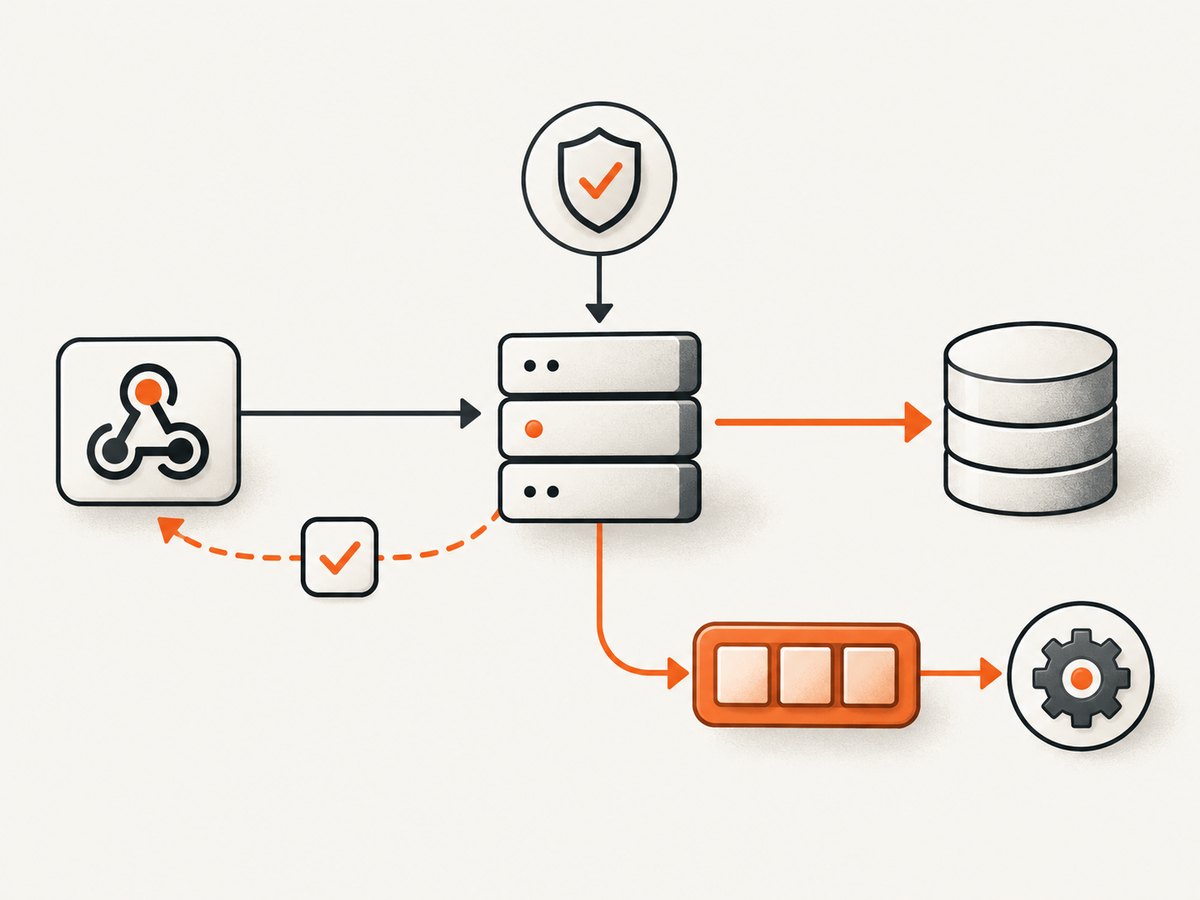
Signature formats and header names differ. The following Node.js example shows the HMAC pattern documented by RenderKit: HMAC-SHA-256 over the raw body, with constant-time comparison. Adapt the header and key encoding to your provider’s contract; do not assume this signature scheme applies universally. RenderKit explicitly says to sign the raw body in its webhook documentation.
import express from 'express';
import crypto from 'node:crypto';

const app = express();
const secret = process.env.WEBHOOK_SECRET;

function verify(rawBody, suppliedHex) {
  if (!secret || !suppliedHex || !/^[a-f0-9]{64}$/i.test(suppliedHex)) return false;
  const expected = crypto.createHmac('sha256', secret)
    .update(rawBody)
    .digest();
  const supplied = Buffer.from(suppliedHex, 'hex');
  return supplied.length === expected.length &&
    crypto.timingSafeEqual(supplied, expected);
}

app.post('/webhooks/render', express.raw({ type: 'application/json' }), async (req, res) => {
  const signature = req.get('X-RenderKit-Signature');
  if (!verify(req.body, signature)) return res.sendStatus(401);

  let event;
  try { event = JSON.parse(req.body.toString('utf8')); }
  catch { return res.sendStatus(400); }

  const eventId = event.id;
  if (!eventId) return res.sendStatus(400);

  // Atomically insert eventId with a unique constraint. On conflict, it is a duplicate.
  await saveEventIfNew(eventId, event);
  res.sendStatus(202);
  // A worker reads persisted events and performs the expensive work.
});

app.listen(process.env.PORT || 3000);
saveEventIfNew represents your database operation: implement it as an atomic insert protected by a unique index, not as “check then insert,” which can race when two retries arrive together. Keep the raw body before JSON parsing; reserializing parsed JSON changes whitespace or key order and can invalidate a correct signature.
Return a success status only after durable persistence. If storage is unavailable, return a retryable failure so the provider can redeliver. If the event ID already exists, acknowledge it without repeating side effects. Keep a separate delivery-attempt log even when the event itself is deduplicated.
7. Retry safely and prevent duplicate work
Retry transient capacity errors and temporary renderer failures with a bounded exponential backoff and random jitter. Honor Retry-After when supplied. Put a maximum attempt count and total retry window on your own queue. Do not retry bad credentials, malformed input, an unsupported URL, a missing required selector, or exhausted quota until the underlying condition changes.
A client timeout is ambiguous: the provider may have completed the capture while the response was lost. Query by request ID or use the webhook event before submitting the same job again. Give each logical capture a client-side job key where supported, and deduplicate completion events by the provider’s stable event or render ID. Make downstream writes idempotent too; a unique event row does not prevent a worker from sending the same email twice after a crash.
Delivery retry behavior is also provider-specific. Render’s webhook documentation says an endpoint must return 2xx within 15 seconds; failed deliveries can be attempted up to eight times, and repeated failure can disable the webhook. RenderKit gives an example backoff schedule of approximately 30 seconds, five minutes, then 30 minutes. See the providers’ current Render webhook and RenderKit webhook documentation for their respective contracts.
8. Troubleshooting checklist
- 422 or validation error: compare the request with the provider schema; URL-encode query parameters; remove unsupported option combinations; confirm the URL includes a scheme.
- 401 from the API: check the API key, account, and secret storage. Do not log credentials or put them in public page URLs.
- 403 or challenge image: identify whether the API or target issued it. Confirm authorized access and expected authentication; do not loop retries against a deliberate access denial.
- 429: reduce concurrency, honor
Retry-After, and check account quota and provider limits separately from target-site limits. - 502/503/504: retry a small number of times with backoff and jitter; preserve request IDs so repeated failures can be escalated.
- Blank image with 2xx: check final URL, page status, redirects, viewport, JavaScript errors, and whether a challenge or login page rendered.
- Missing lower-page content: use full-page capture and verify lazy content is loaded; wait for a meaningful selector rather than a large fixed delay.
- Selector timeout: confirm selector spelling, frame context, visibility, and responsive layout; test a stable parent or readiness marker.
- Webhook signature mismatch: retain raw bytes; use the correct secret, header, encoding, and exact signing formula; check for middleware that parsed the body first.
- Duplicate notifications: add a database uniqueness constraint on stable event ID and make worker side effects idempotent.
- Provider keeps retrying: log handler duration and returned status. Acknowledge after persistence and move slow work to a queue.
9. Reliability, performance, and cost
Track render success rate separately from webhook delivery success, plus p50/p95 render time, timeout rate, retry count, duplicate count, queue age, and signature failures. Alert on sustained changes rather than one failed URL. Keep a small reproducible request alongside each incident, with secrets stripped.
Concurrency control protects both your account and target sites. Queue work by host when appropriate, cap simultaneous captures, and avoid retry storms after a provider outage. Cache deterministic captures when freshness requirements allow; set a TTL based on how quickly the page changes. A cache hit may be cheaper or treated differently depending on provider, so confirm billing and quota rules in the current plan documentation. Also check whether failed renders are billed or refunded before designing a cost forecast.
Async execution is useful when renders are slow or variable, but it adds durable queueing, webhook validation, and retention responsibilities. Store the result URL or binary promptly if it expires, and record enough metadata to reproduce the capture without retaining sensitive page content longer than required.
10. Or skip the browser setup
If the job is simply “give me a clean screenshot of this URL,” ScreenshotNeo provides a one-request screenshot API, so you do not have to maintain a browser renderer and its capture settings. See the ScreenshotNeo API documentation for request options and response details.
curl -G "https://api.screenshotneo.com/v1/shot" -d access_key=YOUR_API_KEY --data-urlencode url=https://stripe.com -o shot.webpimport requests
r = requests.get("https://api.screenshotneo.com/v1/shot", params={"access_key": "YOUR_API_KEY", "url": "https://stripe.com"}, timeout=90)
open("shot.webp", "wb").write(r.content)const q = new URLSearchParams({ access_key: 'YOUR_API_KEY', url: 'https://stripe.com' });
const res = await fetch(`https://api.screenshotneo.com/v1/shot?${q}`);ScreenshotNeo accepts cookie and consent banners before capture and removes 60+ known consent platforms, newsletter popups, and chat widgets; each step can be turned off. Bot checks, blank pages, failed loads, timeouts, and cache hits are not billed, and response headers identify the page verdict and billing status. Its MCP server provides take_screenshot, get_page_info, and capture_pdf tools for Claude, Cursor, and other MCP clients. The free plan includes 1,000 screenshots a month with no card; paid plans start at $5 for 3,000 screenshots. Sign up for 1,000 free screenshots a month, with no card required.
11. Escalate with a useful reproduction
When a failure persists, send provider support the request or render ID, timestamp and timezone, HTTP status, stable error code, target URL with secrets removed, non-secret options, relevant response headers, and the webhook attempt history. Include the smallest request that reproduces the issue and say whether the target is publicly reachable. Never include API keys, session cookies, authorization headers, signing secrets, or private page content in an issue report.
FAQ
Should my webhook endpoint return 200 or 202?
Either can be appropriate if it is a 2xx accepted by your provider. Return it after the event is durably recorded; use 202 when processing will continue asynchronously.
Should I retry when my own HTTP client times out?
First check the provider’s job status or webhook records using the request ID. A timeout only says your client stopped waiting; it does not prove the render failed.
Can a screenshot succeed while the page is wrong?
Yes. The browser can capture a login screen, challenge, error document, or empty application shell successfully. Validate page state and expected content as part of your workflow.
Is a fixed delay ever appropriate?
Yes, for a known short animation or delayed update with no dependable readiness marker. Keep it bounded; a stable selector or lifecycle condition is usually more precise.


