Turn Customer Reviews Into Shareable Testimonial Cards
Create trustworthy testimonial cards from real reviews: get consent, preserve meaning, design for readability, and share a safe final file or link.
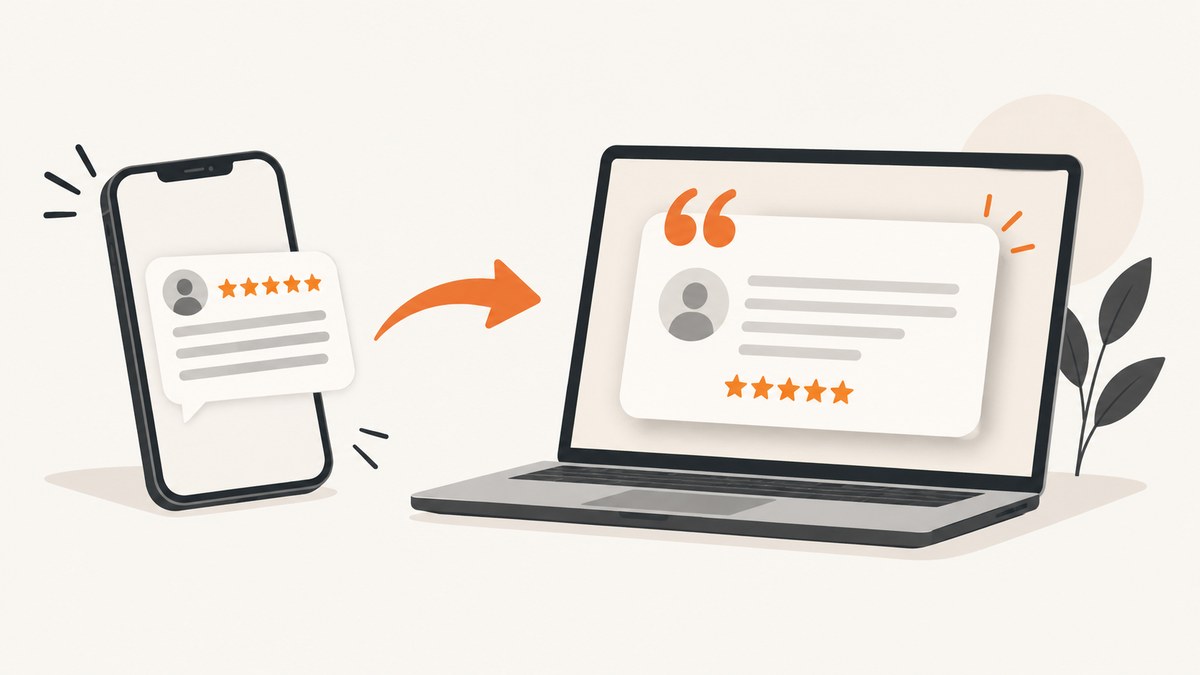
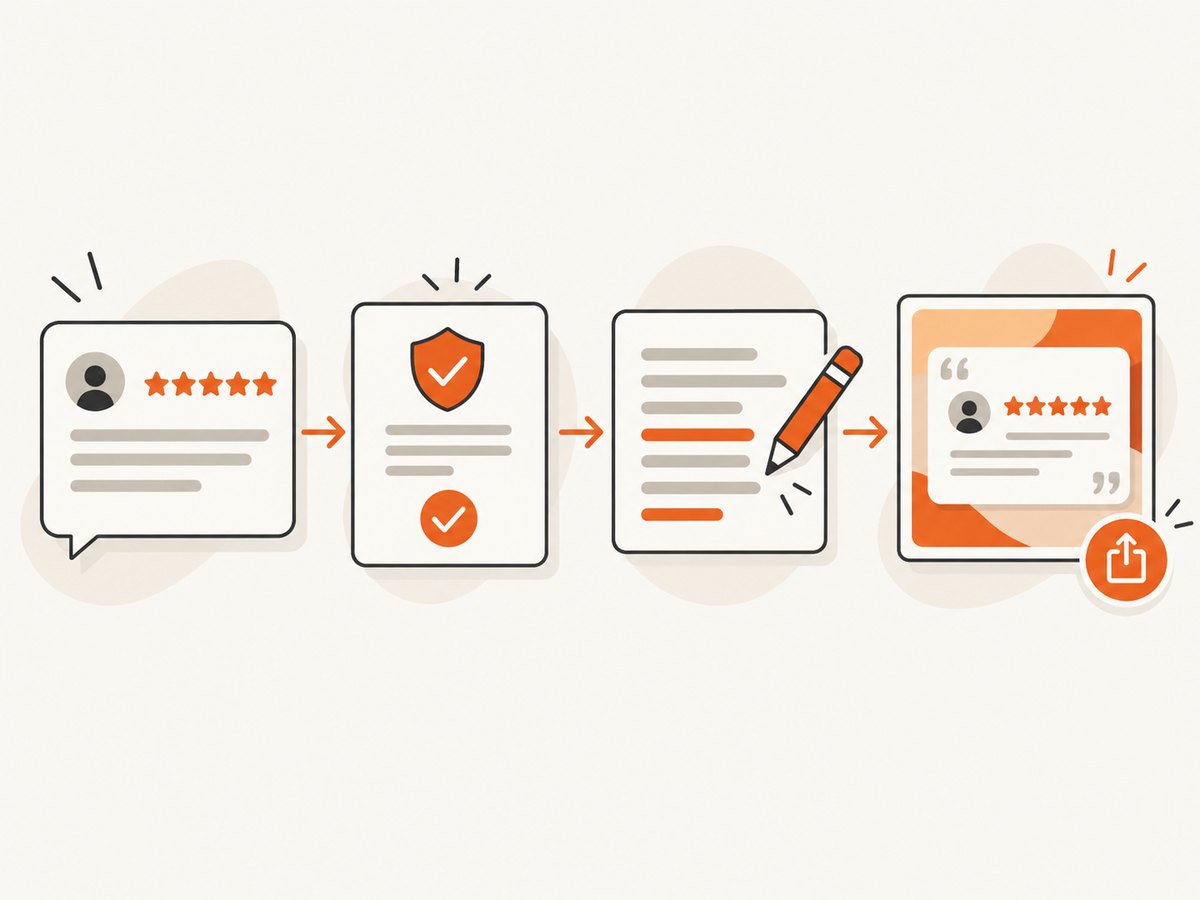
A testimonial card is a visual version of a customer review that you can share on social media, landing pages, email campaigns or sales documents. The reliable process is: choose a genuine review, get permission for marketing use, preserve the customer’s meaning, build a legible layout, export it, and inspect the exact file or public link before distribution.
This guide covers a repeatable workflow with Canva or a specialist review-card service, permission and attribution checks, accessibility and design details, privacy review, automation options, troubleshooting, and a final checklist.
1. Start with a review you can use accurately
Pick a review that is concise enough to read in a feed preview and specific enough to be useful. A sentence about a concrete result usually works better than a vague five-star statement. Keep the surrounding context available even if the card uses an excerpt.
Selection checklist
- Confirm the review came from a real customer and reflects a real experience.
- Copy the wording exactly into a working document before designing.
- Record the source, date, reviewer name or permitted initials, rating and link.
- Check whether the review includes personal data, confidential details or claims you cannot substantiate.
- Prefer a quote that remains understandable when shortened for layout.
Do not rewrite a review to make it sound more enthusiastic. If you remove words, use an ellipsis only when the omission does not change the meaning. Never combine fragments from separate sentences into a new claim without making the edit clear.
2. Get marketing consent and preserve attribution
For Google reviews, Google’s marketing guidance says the reviewer owns their review and that a business must obtain the reviewer’s consent before using it in marketing materials such as a website or digital advertisement. Keep a record of the approval, the exact wording approved, the channels covered and the attribution the customer allows. See the Google Partner Marketing Hub guidance.
Google also requires reviews to reflect genuine experiences. Its policies prohibit incentives in exchange for reviews, changing reviews, or removing negative reviews, and recommend valuing honest, balanced feedback. Read the Google Business Profile review policy before running a review campaign.
A simple permission record
| Field | Example |
|---|---|
| Reviewer | Full name, initials or “verified customer,” exactly as approved |
| Source | Google Business Profile URL or your review database record |
| Approved text | The precise quote, including punctuation |
| Permitted channels | Instagram, LinkedIn, website, sales deck |
| Permission date | Date and person who recorded approval |
| Restrictions | No paid ads, no name, or expiration date, if applicable |
This is process guidance, not a jurisdiction-specific legal opinion. Privacy, publicity and advertising rules vary by location and industry, so obtain appropriate advice for regulated or sensitive use cases.
3. Write the card copy without changing the meaning
Use one primary quote and a small attribution line. A practical structure is:
“The migration finished in two days and our support team finally had one dashboard.”
— Maya R., operations lead, approved customer attribution
Keep qualifiers that limit the claim. For example, do not remove “for our 12-person team” if that context affects how readers interpret the result. If the original review is long, publish a short approved excerpt on the card and link to the complete review where appropriate.
Avoid adding a star rating, “best in class” label or outcome statement unless that element appears in the source or is clearly presented as your own surrounding copy. Make the brand’s voice visible through color, type and layout rather than by putting words in the customer’s mouth.
4. Build a reusable testimonial-card layout
Canva is a general-purpose option with documented sharing controls. Create one master design and duplicate it for each approved review. Set the design to private or team-only while editing, then choose view, comment or edit access deliberately when collaborating. Canva documents these settings in its share-via-link help.
Recommended layout dimensions
| Use | Working size | Notes |
|---|---|---|
| Square social post | 1080 × 1080 px | Good for profile grids and many feeds |
| Portrait feed card | 1080 × 1350 px | Uses more mobile screen height |
| Story or short video frame | 1080 × 1920 px | Keep quote inside platform safe areas |
| Website card | 1200 × 675 px | Useful for link previews and landing pages |
Design steps
- Create a background with sufficient contrast. A subtle brand color or texture is fine, but it should not compete with the quote.
- Set a readable quote style. Use a font size that remains legible on a phone and keep line length short enough to scan.
- Place quotation marks or a small visual cue consistently. Do not let decorative marks be mistaken for part of the customer’s words.
- Add attribution in a separate style: name or approved initials, role or company only when permission covers it, and the source label if useful.
- Include your logo or product name with enough clear space. Treat it as attribution for your business, not as part of the customer quote.
- Duplicate the master, replace only the approved fields, and lock background elements to prevent accidental movement.
Check color contrast, text size, and reading order. If the image carries an important claim, repeat the key information in the accompanying post text or page HTML so screen-reader users are not excluded.
5. Use a specialist review-card service when volume is high
A specialized service may automate review import or image creation, while Canva offers broader layout control and documented permission settings. Compare the actual workflow before committing:
| Question | General design tool | Specialist service |
|---|---|---|
| How do reviews enter? | Paste approved text manually or import through supported features | May offer extraction or source connections; verify current claims |
| How much can you edit? | Detailed control of type, spacing, graphics and brand elements | Often faster for a fixed card format |
| Permission workflow | Set private, team or link access and view/comment/edit roles | Review its consent, storage and sharing terms |
| Data handling | Check workspace, link and export settings | Check retention, source access and deletion controls |
SocialReviewCard describes a review-to-image workflow on its own site, but its feature claims and terms were not independently tested for this article. Treat it as an option to evaluate rather than assuming every source, export or permission feature is available.
6. Export and inspect the exact asset
Export a high-quality PNG for most social posts. Use JPEG when file size matters and the design is photographic; use WebP when your publishing system supports it. Keep an editable master and an approved export with a clear filename such as testimonial-maya-migration-approved-2026-09.png.
Visual quality checks
- Read the card at phone size. No line should be clipped or hidden behind a platform crop.
- Check punctuation, quotation marks, names, roles, star ratings and dates against the approved record.
- Inspect edges for compression artifacts and ensure the logo is not distorted.
- Open the exported file in a second viewer or browser, not only inside the design editor.
- Confirm the color profile and dimensions meet the destination platform’s current requirements.
Public-link checks
Canva warns that public sharing can expose hidden pages, cropped content, presenter notes or prior revisions. Before publishing, remove unwanted material, make a copy, and inspect that copy. Test the final URL in a private browser window and from an account that is not an editor. Confirm that viewers cannot comment or edit unless that is intentional.
Also check link previews. A social platform may cache an old image, expose the document title, or display metadata you did not expect. Use a clean, final file or a dedicated public page when the editable design contains sensitive material.
7. Automate a screenshot of the approved page
If the testimonial card lives on a public landing page, you can capture the rendered page for an archive, approval packet or social crop. A browser automation script gives you control over waiting, viewport and selectors. The following example uses Playwright:

import { chromium } from 'playwright';

const browser = await chromium.launch({ headless: true });
const page = await browser.newPage({ viewport: { width: 1200, height: 675 }, deviceScaleFactor: 2 });
await page.goto('https://example.com/testimonial/maya', { waitUntil: 'networkidle' });
await page.locator('[data-testimonial-card]').screenshot({ path: 'testimonial-maya.png' });
await browser.close();
Wait for fonts and images, select the card rather than the entire page when you need a consistent crop, and keep the URL stable. In CI, save the browser version and viewport settings so future exports are comparable. Avoid capturing a page that still contains editor controls, private customer data or an unapproved draft.
Or skip the browser setup
ScreenshotNeo provides a website screenshot API and MCP server. One GET request returns a PNG, JPEG, WebP or PDF. It can capture a full page or one CSS-selected element, wait for a selector, delay or network idle, load lazy images, apply custom CSS or JavaScript, set viewport and device presets, and hide selectors. Cookie and consent banners, newsletter popups and chat widgets are removed before capture; each step can be turned off.
Only clean shots are billed. Bot checks or CAPTCHAs, blank pages, timeouts, failed loads and cache hits cost nothing, and the response reports the result in X-Page-Verdict and X-Billed headers. An MCP server exposes take_screenshot, get_page_info and capture_pdf for Claude, Cursor and other MCP clients.
See the ScreenshotNeo API documentation for all 63 options. A minimal capture of a published testimonial page is:
curl -G "https://api.screenshotneo.com/v1/shot" -d access_key=YOUR_API_KEY --data-urlencode url=https://example.com/testimonial/maya -o testimonial.webpimport requests
r = requests.get("https://api.screenshotneo.com/v1/shot", params={"access_key": "YOUR_API_KEY", "url": "https://example.com/testimonial/maya"}, timeout=90)
r.raise_for_status()
open("testimonial.webp", "wb").write(r.content)const q = new URLSearchParams({ access_key: 'YOUR_API_KEY', url: 'https://example.com/testimonial/maya' });
const res = await fetch(`https://api.screenshotneo.com/v1/shot?${q}`);
if (!res.ok) throw new Error(`Screenshot failed: ${res.status}`);
const image = Buffer.from(await res.arrayBuffer());
await import('node:fs/promises').then(fs => fs.writeFile('testimonial.webp', image));For a card element, pass the CSS selector option described in the docs. Other useful controls include dark mode, retina scale, custom headers or cookies for gated previews, timezone and geolocation, transparent backgrounds, resizing, request blocking, a chosen cache TTL, signed links for public <img> tags, asynchronous jobs with signed webhooks, bulk capture of up to 100 URLs per call, and a usage API. Parameter names used by other screenshot APIs also work, which can simplify migration.
Free accounts include 1,000 screenshots per month with no card. Paid plans start at $5 for 3,000 shots; every feature is available on every plan. Create a free ScreenshotNeo account and capture your first approved testimonial page.
8. Performance, reliability and cost planning
- Reduce work: capture the card element instead of a long page, block ads and trackers, and use a reasonable viewport.
- Wait intentionally: network-idle waits improve completeness but can be slow on pages with long-lived connections. A selector wait is often more predictable.
- Use caching carefully: choose a TTL that matches how often the testimonial changes. Purge or lower the TTL when replacing an approved quote.
- Handle failures: set client timeouts longer than the page’s expected load time, retry transient network errors with backoff, and inspect verdict headers before treating a response as a usable testimonial.
- Control spend: deduplicate URLs, use bulk capture for batches, and avoid recapturing unchanged pages. ScreenshotNeo does not bill cache hits or failed loads.
9. Troubleshooting
| Symptom | Likely cause | Fix |
|---|---|---|
| Quote is cut off | Text exceeds the frame or platform crop | Shorten only with approved wording, increase canvas height, and test the exported dimensions. |
| Wrong reviewer name | Attribution was copied from an old template | Compare the card with the permission record before publishing. |
| Canva link allows edits | Link role is set to edit | Change access to view, make a clean copy, and retest while signed out. |
| Hidden content appears publicly | Pages, notes or revisions remain in the shared design | Delete unwanted material, duplicate the design, and share only the inspected copy. |
| Automated screenshot is blank | Page requires JavaScript, consent handling or more wait time | Wait for a stable selector, verify the URL manually, and inspect response status and verdict headers. |
| Image looks different from the editor | Missing web fonts, responsive breakpoint or device scale mismatch | Load fonts before capture, fix viewport and device scale, and compare at the target display size. |
| ScreenshotNeo response is not an image | Bot check, timeout, failed load or other non-clean verdict | Read X-Page-Verdict and X-Billed, then fix access or page readiness before retrying. |
10. Publishing checklist
- ☐ Review is genuine and its source is recorded.
- ☐ Reviewer consent covers the intended marketing channel.
- ☐ Quote and attribution match the approved wording.
- ☐ No incentive, altered meaning or unsupported claim was added.
- ☐ Text is readable on a phone and key information has an accessible text version.
- ☐ Exported file was inspected outside the editor.
- ☐ Public link exposes only intended pages, notes, metadata and revisions.
- ☐ Final URL or file is archived with its approval record.
FAQ
Can I use an anonymous review?
Yes, if the reviewer approved the anonymous attribution and the result does not imply an identity you cannot verify. Record exactly how the reviewer wants to be identified.
Should every card show five stars?
No. Show a rating only when it is part of the source and permission covers it. A specific quote is often more informative than decorative stars.
Is a screenshot of a review the same as a testimonial card?
No. A screenshot preserves the source interface, while a card is a designed excerpt. A card still needs accurate wording, consent and clear attribution.
When should I use PDF instead of PNG?
Use PDF for sales decks, print workflows or approval packets. Use PNG, JPEG or WebP for social posts and web pages, depending on your publishing system.