How to Turn a Web Scraper into an RSS Feed
Convert scraped pages into a valid RSS 2.0 feed with stable IDs, safe XML, validation, scheduling, and reliable publishing.

To turn a web scraper into an RSS feed, fetch the target pages, normalize every result into a predictable record, map those records to RSS 2.0 <item> elements, wrap them in a <channel>, validate the XML, and serve it from a stable HTTPS URL. The most important implementation detail is a stable identifier for each item, usually its canonical URL, so feed readers can recognize updates instead of creating duplicates.
This guide shows a complete Python implementation, a Scrapy Feed Exports configuration, validation, scheduling, deployment, troubleshooting, and operational considerations. It also explains how to capture source pages with ScreenshotNeo when your pipeline needs rendered screenshots or PDFs alongside feed entries.
RSS feed structure you need
An RSS 2.0 document has one <rss> root element and one <channel>. The channel describes the feed. Each repeated <item> describes one scraped result.
| Element | Purpose | Recommendation |
|---|---|---|
channel/title |
Human-readable feed name | Keep it stable |
channel/link |
Canonical site or feed landing page | Use HTTPS |
channel/description |
What the feed contains | Describe scope and source |
item/title |
Entry headline | Required in practice |
item/link |
Permanent source URL | Prefer the canonical URL |
item/description |
Summary or sanitized excerpt | Escape XML and limit length |
item/pubDate |
Publication or update time | Format as RFC 822, normally UTC |
item/guid |
Stable entry identity | Use an immutable URL or source key |
The RSS specification permits many optional extensions, but these fields cover the interoperable core. Put full scraped HTML on the source page unless you have a specific reason to embed it in the feed.
Step 1: Scrape and normalize records
Do not generate XML directly from arbitrary selector output. First convert each page into a normalized record. A useful internal schema is:
 {
  "title": "Example article",
  "url": "https://example.com/articles/example",
  "summary": "A short, sanitized summary.",
  "published": "2026-09-28T14:30:00+00:00",
  "source_id": "https://example.com/articles/example"
}
Normalize whitespace, resolve relative links, convert dates to timezone-aware UTC values, and discard records that have no title or permanent URL. Keep a separate source identifier when the URL can change, such as a database ID or a publisher’s immutable article key.
Example scraper and normalizer in Python
from datetime import datetime, timezone
from urllib.parse import urljoin
import requests
from bs4 import BeautifulSoup


def parse_date(value: str | None) -> datetime:
    if not value:
        return datetime.now(timezone.utc)
    # Replace this with the date parser required by your source.
    return datetime.fromisoformat(value.replace("Z", "+00:00")).astimezone(timezone.utc)


def scrape_listing(listing_url: str) -> list[dict]:
    response = requests.get(listing_url, timeout=30)
    response.raise_for_status()
    soup = BeautifulSoup(response.text, "html.parser")
    records = []

    for card in soup.select("article"):
        link = card.select_one("a[href]")
        heading = card.select_one("h2, h3")
        if not link or not heading:
            continue
        url = urljoin(listing_url, link["href"])
        title = " ".join(heading.get_text(" ", strip=True).split())
        summary_node = card.select_one(".summary, p")
        summary = summary_node.get_text(" ", strip=True) if summary_node else ""
        records.append({
            "title": title,
            "url": url,
            "summary": summary[:1000],
            "published": datetime.now(timezone.utc),
            "source_id": url,
        })
    return records
Selectors and date extraction are site-specific. If a listing page does not expose publication dates, use the detail page or a source API. Do not silently assign the current time to old content unless that behavior is intentional, because readers may see every refresh as a new item.
Step 2: Generate RSS XML safely
Use an XML library rather than string concatenation. It escapes ampersands, angle brackets, and quotes correctly. The following script writes a complete RSS 2.0 document and uses each record’s source ID as its GUID.
from datetime import datetime, timezone
from email.utils import format_datetime
from xml.etree.ElementTree import Element, SubElement, ElementTree, tostring
from xml.sax.saxutils import escape


def rss_datetime(value: datetime) -> str:
    if value.tzinfo is None:
        value = value.replace(tzinfo=timezone.utc)
    return format_datetime(value.astimezone(timezone.utc), usegmt=True)


def build_feed(records: list[dict], feed_title: str, feed_link: str,
               feed_description: str) -> bytes:
    rss = Element("rss", {"version": "2.0"})
    channel = SubElement(rss, "channel")
    SubElement(channel, "title").text = feed_title
    SubElement(channel, "link").text = feed_link
    SubElement(channel, "description").text = feed_description
    SubElement(channel, "lastBuildDate").text = rss_datetime(datetime.now(timezone.utc))

    seen_ids = set()
    for record in sorted(records, key=lambda r: r["published"], reverse=True):
        title = (record.get("title") or "").strip()
        url = (record.get("url") or "").strip()
        source_id = (record.get("source_id") or url).strip()
        if not title or not url or not source_id or source_id in seen_ids:
            continue
        seen_ids.add(source_id)

        item = SubElement(channel, "item")
        SubElement(item, "title").text = title
        SubElement(item, "link").text = url
        SubElement(item, "guid", {"isPermaLink": "false"}).text = source_id
        SubElement(item, "description").text = (record.get("summary") or "").strip()[:2000]
        SubElement(item, "pubDate").text = rss_datetime(record["published"])

    return tostring(rss, encoding="utf-8", xml_declaration=True)


if __name__ == "__main__":
    records = scrape_listing("https://example.com/news")
    xml = build_feed(records, "Example news", "https://example.com/news",
                     "Recent articles from Example")
    with open("feed.xml.tmp", "wb") as handle:
        handle.write(xml)
    # Rename atomically after validation in the next step.
Marking isPermaLink="false" is appropriate when the GUID is an opaque database key. If the GUID is always a permanent URL, you may omit the attribute or set it to true. Never derive the GUID from a title: titles change and can collide.
Step 3: Validate before publishing
Universal Feed Parser can parse a remote URL, local file, or raw feed string, making it useful as a pre-publication check. Install it with pip install feedparser, then validate both XML parsing and the fields your readers need.
import feedparser


def validate_feed(xml_bytes: bytes) -> None:
    parsed = feedparser.parse(xml_bytes)
    if parsed.bozo:
        raise ValueError(f"Malformed feed: {parsed.bozo_exception}")
    feed = parsed.feed
    for field in ("title", "link", "description"):
        if not feed.get(field):
            raise ValueError(f"Missing channel field: {field}")

    identifiers = set()
    for entry in parsed.entries:
        for field in ("title", "link"):
            if not entry.get(field):
                raise ValueError(f"Entry missing {field}")
        entry_id = entry.get("id") or entry.get("link")
        if entry_id in identifiers:
            raise ValueError(f"Duplicate entry identifier: {entry_id}")
        identifiers.add(entry_id)
        if entry.get("published_parsed") is None and entry.get("updated_parsed") is None:
            raise ValueError(f"Entry has no parseable date: {entry.get('link')}")

xml = open("feed.xml.tmp", "rb").read()
validate_feed(xml)
open("feed.xml", "wb").write(xml)
Run validation as part of every refresh. If validation fails, leave the previous valid feed in place. A stale feed is generally preferable to replacing a working document with malformed XML.
Step 4: Publish at a stable URL
- Serve the document at a permanent HTTPS address such as
https://your-domain.example/rss.xml. - Return
Content-Type: application/rss+xml; charset=utf-8. - Write a temporary file, validate it, then rename it over the old file. On the same filesystem, rename is atomic.
- Schedule the scraper with cron, a CI job, or your queue system. Keep logs for fetch failures, rejected records, validation failures, and item counts.
- Advertise the URL with an HTML
<link rel="alternate" type="application/rss+xml" href="...">tag.
# Example cron entry: refresh every 15 minutes
*/15 * * * * /srv/feed/.venv/bin/python /srv/feed/update.py >> /var/log/feed.log 2>&1
Use conditional requests when downloading source pages. Respect robots.txt, rate limits, terms of service, and authentication requirements for every site you scrape. Cache source responses where permitted, and retry transient 429 and 5xx responses with exponential backoff.
Using Scrapy Feed Exports
If your scraper already uses Scrapy, Feed Exports can serialize scraped items and store them without a custom XML writer. Scrapy documents serializers for JSON, JSON Lines, CSV, XML, Pickle, and Marshal, with storage backends including the local filesystem, FTP, S3, and standard output. See the Scrapy Feed Exports documentation.
# settings.py
FEEDS = {
    "feeds/latest.xml": {
        "format": "xml",
        "encoding": "utf8",
        "overwrite": True,
    },
}

# spider.py
import scrapy

class ArticleSpider(scrapy.Spider):
    name = "articles"
    start_urls = ["https://example.com/news"]

    def parse(self, response):
        for card in response.css("article"):
            url = response.urljoin(card.css("a::attr(href)").get())
            yield {
                "title": card.css("h2::text, h3::text").get(default="").strip(),
                "link": url,
                "description": " ".join(card.css("p::text").getall()).strip(),
                "guid": url,
            }
Scrapy’s XML export is convenient, but inspect the generated document and add a validation stage. You may need an item pipeline to normalize dates, remove duplicates, or map your field names to the feed structure expected by your readers.
Or skip the browser setup
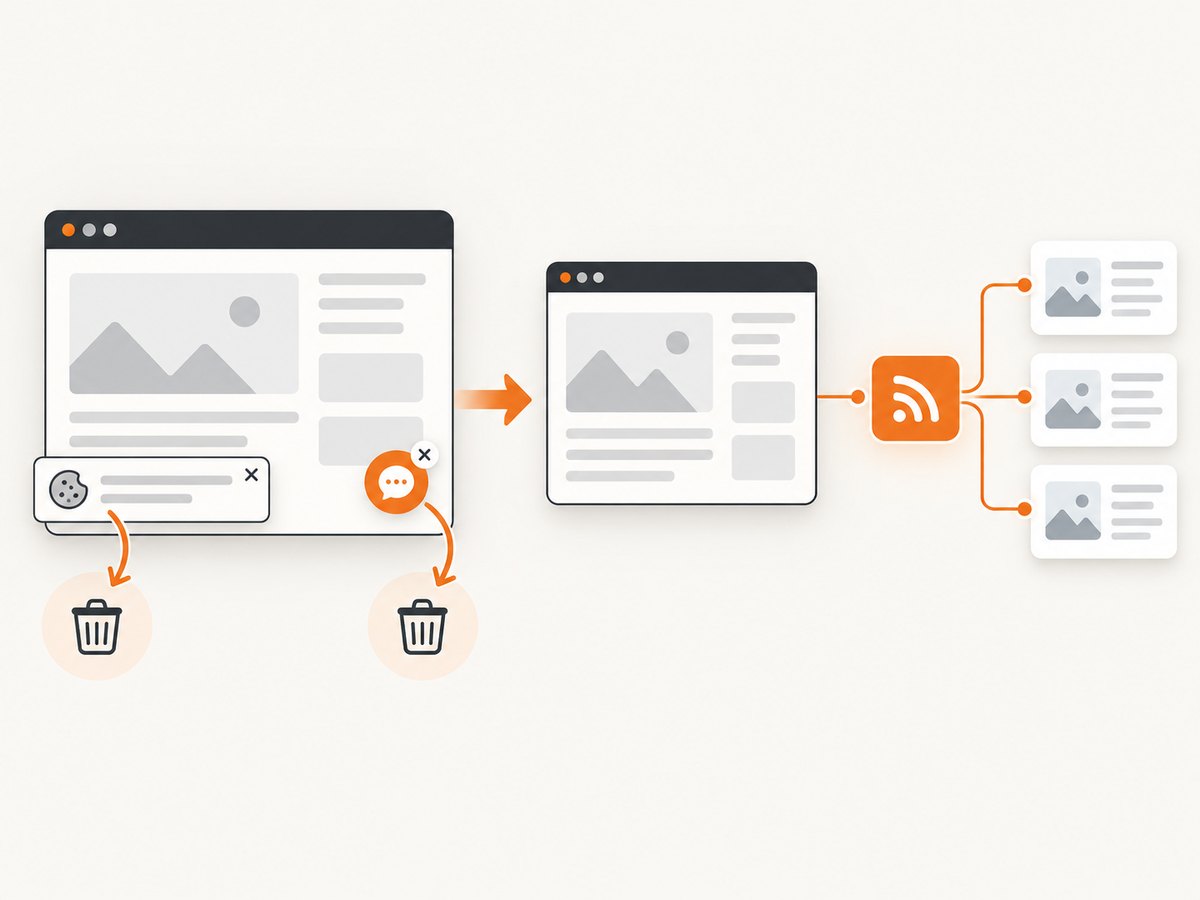
If your scraper also needs a rendered image or PDF of each source page, a hosted browser avoids maintaining Chromium, fonts, JavaScript execution, cookie handling, and capture retries. ScreenshotNeo is a website screenshot API and MCP server. Before capture it accepts cookie or consent banners and removes more than 60 known consent platforms, newsletter popups, and chat widgets; each step can be disabled. Bot checks, blank pages, timeouts, failed loads, and cache hits are not billed, and the response identifies the result with X-Page-Verdict and X-Billed headers.

See the ScreenshotNeo API documentation for all options. A single GET request returns PNG, JPEG, WebP, or PDF output:
curl -G "https://api.screenshotneo.com/v1/shot" -d access_key=YOUR_API_KEY --data-urlencode url=https://stripe.com -o shot.webpimport requests
r = requests.get("https://api.screenshotneo.com/v1/shot", params={"access_key": "YOUR_API_KEY", "url": "https://stripe.com"}, timeout=90)
open("shot.webp", "wb").write(r.content)const q = new URLSearchParams({ access_key: 'YOUR_API_KEY', url: 'https://stripe.com' });
const res = await fetch(`https://api.screenshotneo.com/v1/shot?${q}`);For an RSS enrichment job, use options such as full-page capture with lazy images loaded, a CSS selector for one element, dark mode, device presets or a custom viewport, retina scale, custom CSS and JavaScript, selector hiding, selector or network-idle waits, blocked ads and trackers, custom headers or cookies, timezone and geolocation, transparent backgrounds, resizing, a chosen cache TTL, signed image links, asynchronous jobs with signed webhooks, bulk capture for up to 100 URLs per call, and the usage API. An MCP server provides take_screenshot, get_page_info, and capture_pdf tools to Claude, Cursor, and other MCP clients.
ScreenshotNeo includes 1,000 screenshots per month free with no card. Paid plans start at $5 for 3,000 shots; yearly billing gives two months free, and every feature is available on every plan. Create a free ScreenshotNeo account.
Reliability, performance, and cost considerations
Stable identity and deduplication
Keep a persistent set or database table of source IDs. Compare IDs before writing the feed, and sort by publication time only after deduplication. If a publisher changes URL structure, preserve the old GUID and add a redirecting link when possible.
Refresh cost and load
Scraping every page on every run increases latency and can trigger rate limits. Prefer listing pages, sitemaps, APIs, or HTTP conditional requests. Store an ETag or Last-Modified value when the source supports it. For expensive detail pages, queue only newly discovered URLs.
Failure isolation
Process pages independently. One timeout should produce a logged failure, not an empty feed. Keep the last successful XML and expose metrics for fetches attempted, records accepted, records rejected, validation failures, and feed age.
Ordering and retention
Most readers expect newest entries first. Limit the number of items to a deliberate retention window, such as the latest 50 or 100 records, but retain IDs in storage longer so an old item does not reappear as new after it falls out of the document.
Troubleshooting common errors
| Symptom | Cause | Fix |
|---|---|---|
| Feed reader says the XML is invalid | Unescaped text, illegal control characters, or a truncated write | Use an XML library, sanitize control characters, validate, and publish atomically |
| Every refresh creates duplicates | GUID is based on title or timestamp | Use a canonical URL or immutable source ID |
| Dates appear in the wrong order | Mixed timezones or naive datetimes | Convert all values to timezone-aware UTC before formatting |
| Items have empty titles | Selector mismatch or missing field | Reject incomplete records and alert on the rejection count |
| Feed suddenly becomes empty | Scrape failure replaced the last good file | Validate first and retain the previous valid document |
| Readers cannot fetch the feed | Incorrect content type, HTTP errors, or unstable URL | Serve HTTPS, return RSS content type, and keep the URL permanent |
| Source blocks the scraper | Rate limits, bot checks, or prohibited access | Respect site rules, slow requests, use official APIs, and obtain permission |
Checklist before you publish
- Every item has a non-empty title and canonical link.
- Every item has a stable, unique GUID.
- Descriptions are escaped and sanitized.
- Dates parse and are consistently formatted.
- The channel has a title, link, and description.
- Validation runs before replacing the previous file.
- The endpoint uses HTTPS and
application/rss+xml. - Refresh failures leave the last valid feed available.
- Scraping follows robots.txt, terms, authentication, and rate limits.
FAQ
Can an RSS item link to scraped content hosted elsewhere?
Yes. Set item/link to the source’s canonical URL. The feed can contain a summary while the source page remains the full article.
Should I use RSS or Atom?
RSS 2.0 is widely supported and sufficient for the fields in this guide. Choose Atom when your consumers specifically require Atom extensions.
How often should the scraper run?
Match the schedule to the source’s publishing rate and access policy. A fifteen-minute schedule is reasonable for frequently updated sources, while daily feeds need far fewer requests.
What happens when a source removes an article?
Keep the item until your retention policy removes it, or emit a deliberate tombstone strategy if your consumers need deletion signals. Do not silently recycle its GUID for another article.
Can I include images in RSS?
Yes, with RSS media extensions or an enclosure, but keep the core feed valid first. If you generate screenshots, store the image at a stable URL and reference it with the extension required by your feed reader.


