How to Load Typekit Fonts in wkhtmltoimage and IMGKit
Load Adobe Fonts reliably in wkhtmltoimage and IMGKit. Choose the CSS or JavaScript embed, configure render delays, and troubleshoot fallback fonts.

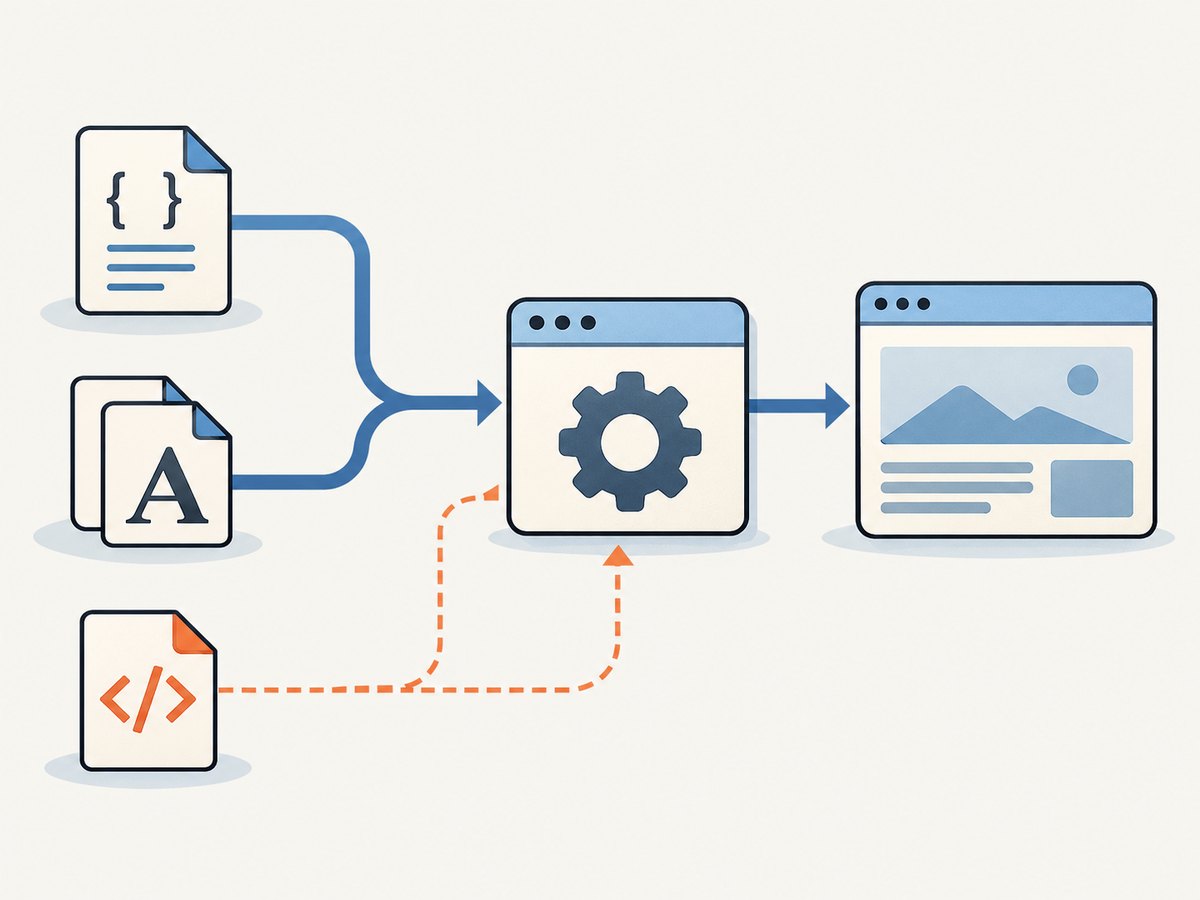
To load Typekit fonts—now called Adobe Fonts—in wkhtmltoimage or IMGKit, add the published web project’s generated CSS embed link to the page’s <head>, then make sure the renderer can reach Adobe’s font CDN. For ordinary Latin text, the CSS embed is the simplest option and does not need JavaScript. If your project uses the JavaScript embed, enable JavaScript and allow enough time for the kit and font files to load before capture.
IMGKit is a Python wrapper around wkhtmltoimage; it passes rendering options through to that command-line renderer. A delay can help with asynchronous loading, but there is no universal delay that guarantees success on every page, network, or legacy Qt/WebKit build. Start with the CSS embed, confirm the exact family and styles, and tune the delay only if the JavaScript path requires it.
1. Publish the Adobe Fonts web project
Adobe Fonts serves a site-specific web project, historically called a Typekit kit. In Adobe Fonts, create a web project for the site, add each required family and variant, and publish it. The generated embed is tied to that project. Use the embed URL and CSS family names Adobe provides; do not guess either value. See Adobe’s documentation on creating and publishing a web project.
Include the weights and styles the page actually uses. If the page requests a weight that the project does not include, the browser may synthesize a style or use a fallback. Adobe’s troubleshooting guidance also calls out a mismatch between the CSS font-family value and the generated family name as a common source of fallback rendering.
2. Prefer the CSS embed for ordinary text
The current default Adobe Fonts embed is a stylesheet link hosted at use.typekit.net. Put the generated link in the document head before the styles that use the font. This method does not require the kit JavaScript to run.
<!doctype html>
<html lang="en">
<head>
  <meta charset="utf-8">
  <link rel="stylesheet" href="https://use.typekit.net/YOUR_KIT_ID.css">
  <style>
    body {
      font-family: "your-generated-family", sans-serif;
      font-weight: 400;
    }
    h1 { font-weight: 700; }
  </style>
</head>
<body>
  <h1>A page using an Adobe Font</h1>
  <p>This text should use the published web project.</p>
</body>
</html>
Replace YOUR_KIT_ID and your-generated-family with the values in the project’s generated embed and CSS. The example assumes those values and a regular and bold face are present in the project. For an existing page, add the stylesheet link to its head and update the relevant CSS family, weight, and style declarations.
Adobe documents the CSS embed code as the default approach. JavaScript embedding remains useful for dynamic subsetting, including some East Asian web-font delivery, and for applications that need font-loading callbacks. Use the embed method Adobe supplies for the project and script needs.
3. Render a URL with IMGKit
For a hosted page, place the Adobe stylesheet link in that page, then let IMGKit load external resources. Here is a complete Python example using IMGKit options that correspond to wkhtmltoimage switches:
import imgkit

options = {
    "encoding": "UTF-8",
}

imgkit.from_url(
    "https://example.com/card",
    "card.png",
    options=options,
)
For the CSS-only embed, start without a JavaScript delay. Check that the source page itself displays the Adobe font in a normal browser and that the renderer has outbound access to the stylesheet and font hosts. If the page is correct in a browser but not in the generated image, inspect the renderer’s network and JavaScript diagnostics before adding arbitrary waits.
4. Use the JavaScript embed when the project needs it
If the page uses Adobe’s JavaScript embed, wkhtmltoimage must run JavaScript, and the capture needs to wait after page loading for the kit and font requests. IMGKit exposes the enable-javascript and javascript-delay options. The following example uses a two-second starting delay; treat it as a value to tune for your page and environment, not as a guaranteed Adobe Fonts load time.
import imgkit

options = {
    "enable-javascript": None,
    "javascript-delay": "2000",
    "encoding": "UTF-8",
}

imgkit.from_url(
    "https://example.com/card",
    "card.png",
    options=options,
)
The equivalent command-line flags are:
wkhtmltoimage --enable-javascript --javascript-delay 2000 \
  https://example.com/card card.png
JavaScript enablement and delay address different things: the first permits the kit script to execute; the second gives asynchronous work time before the image is captured. A larger delay can make a slow page more likely to finish, but it also makes every conversion slower. If fonts load inconsistently, measure several representative pages and networks, then choose a practical delay and retain a fallback plan.
5. Render local HTML and assets
When converting a local HTML file that references local CSS, images, or fonts, wkhtmltoimage may block those file URLs unless local file access is enabled. Restrict access to the needed directory when possible. IMGKit forwards the relevant option:
import imgkit

options = {
    "enable-local-file-access": None,
    "encoding": "UTF-8",
}

imgkit.from_file(
    "./build/card.html",
    "./build/card.png",
    options=options,
)
If the page references only Adobe-hosted remote fonts, local-file access is not what enables those requests. Conversely, local-file access does not provide internet access or fix a blocked request to Adobe’s CDN. For a specific allowed path, use wkhtmltoimage’s --allow option and IMGKit’s repeatable-option form documented in its README.
For CSS-only loading in a local file, the page still needs the external Adobe CSS link and network connectivity. If you use local font files instead, confirm that your font license permits the intended server-side rendering use. Self-hosting a licensed font can be an engineering fallback when the remote service cannot be reached reliably.
6. Check the rendered font systematically
- Verify the project. Confirm the Adobe Fonts web project is published and configured for the domain or environment being rendered.
- Use the generated embed exactly. Confirm the stylesheet URL or JavaScript snippet is current and copied without alteration.
- Match the CSS declarations. Use the generated family name and a weight and style included in the project.
- Check the HTML in a browser. If the browser also shows fallback text, fix the page or Adobe project before debugging IMGKit.
- Check the renderer’s network path. Verify DNS, outbound access, proxy settings, and TLS compatibility for the runtime that launches wkhtmltoimage.
- Enable JavaScript only when needed. For a JavaScript embed, enable it and tune
javascript-delay; for the CSS embed, JavaScript is not a font-loading prerequisite. - Inspect diagnostics. Turn on the renderer’s JavaScript or verbose logging while investigating stylesheet, script, and font requests. The exact diagnostic output depends on the wkhtmltoimage build.
7. IMGKit option reference for font rendering
| IMGKit option | Purpose | When to use it |
|---|---|---|
encoding |
Sets the input character encoding. | Use UTF-8 for normal modern HTML and multilingual text. |
enable-javascript |
Allows page scripts to execute. | Needed for Adobe’s JavaScript embed or other page scripts; unnecessary for the ordinary CSS embed alone. |
javascript-delay |
Waits the requested milliseconds before capture. | Use with asynchronous script/font loading; tune against real page behavior and latency. |
enable-local-file-access |
Allows local file URLs to be read. | Use for local HTML that needs local assets; avoid enabling it for unrelated remote-only input. |
allow |
Allows access to specified local paths. | Prefer an explicit path where local access needs to be limited. |
custom-header, cookie |
Pass request headers or cookies to the renderer. | Use if the page itself requires authenticated access; they do not substitute for Adobe’s font project setup. |
IMGKit passes wkhtmltoimage command-line options through its options dictionary. For repeatable options such as headers, cookies, allow, and run-script, consult the wrapper README for the supported list or tuple format. See the wkhtmltoimage usage reference for the renderer’s flags. Option availability and behavior can vary with the installed binary.
8. Network policy and content security policy
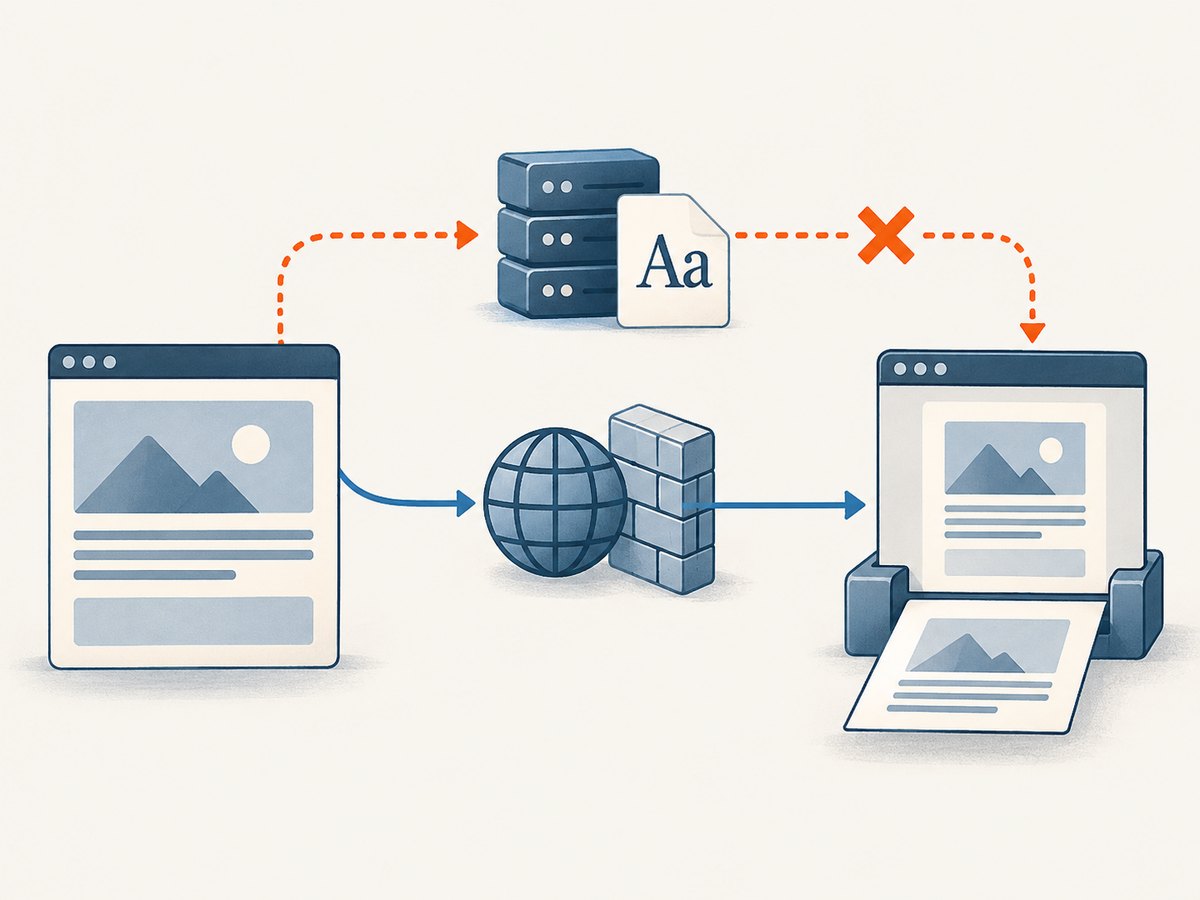
The renderer must be able to resolve and connect to the hosts referenced by Adobe’s embed. A restrictive content security policy can also prevent the browser engine from loading the required resources. Adobe’s guidance identifies these allowances:
script-srcneedsuse.typekit.netwhen loading the JavaScript embed.style-srcneedsuse.typekit.netand the inline-style allowance required by the embed/page.img-srcneedsp.typekit.net.connect-src performance.typekit.netis optional for performance metrics.
Check the actual policy applied to the document and the requests made by its embed. Do not add broad wildcard origins as a debugging shortcut. Adobe’s CSP instructions describe the relevant directives.
9. Troubleshooting common failures
| Symptom | Likely cause | Fix |
|---|---|---|
| The output uses a serif or sans-serif fallback. | The stylesheet did not load, the project is unpublished, or the family name does not match. | Check the generated embed URL, publish the project, and copy the exact family name and variant from its CSS. |
| The browser works but IMGKit does not. | The renderer lacks DNS, outbound access, proxy configuration, compatible TLS, or support in its packaged legacy engine. | Check the renderer’s environment and logs; test access to the embed resources from that same runtime. Consider a licensed self-hosted font if remote service compatibility cannot be made reliable. |
| The CSS embed works, but the JavaScript embed does not. | JavaScript is disabled or the capture occurs before the kit and fonts finish. | Enable JavaScript and increase the delay in measured increments. Confirm the kit script itself runs. |
| Latin text works, but other scripts do not. | The project may use dynamic subsetting and a JavaScript-based delivery path. | Use Adobe’s prescribed JavaScript embed for that project, enable JavaScript in wkhtmltoimage, and allow time for its requests. |
| Only some text uses the intended face. | A requested weight/style is missing, or the text contains glyphs outside the delivered subset. | Add the needed variants to the published project and confirm the page uses those exact weights and styles. |
| A local HTML conversion reports blocked file access. | Local assets are disabled by the renderer’s file-access policy. | Enable local-file access for the conversion or allow only the asset directory with --allow. |
| The remote stylesheet loads but the font still fails. | The font file request may be blocked separately by policy, network, TLS, or a CSP directive. | Inspect the font requests and CSP; check the required Adobe origins and network permissions. |
| Increasing delay has no effect. | The problem is connectivity, project configuration, or engine compatibility rather than timing. | Verify requests and CSS first. A longer wait cannot make a blocked or unsupported resource load. |
10. Performance, reliability, and cost
Remote font loading adds network work to conversion: the renderer must retrieve the embed stylesheet and the font assets it references. A JavaScript delay adds its full wait to the conversion even when requests finish sooner. For throughput-sensitive jobs, prefer the CSS embed where appropriate, reuse a known-good rendering environment, and avoid setting a large fixed delay without measuring its impact. wkhtmltoimage’s documentation does not provide a universal font-load delay or a compatibility guarantee for every packaged Qt/WebKit version.
Reliability depends on more than HTML correctness. Adobe project publication, request policy, DNS, proxies, TLS support, CSP, and the renderer’s age can all affect the result. Capture representative pages with the actual deployment binary and inspect output after upgrades. If rendering must be independent of Adobe’s remote delivery path, investigate self-hosting a properly licensed font and validate the same family, weights, and glyph coverage.
IMGKit and wkhtmltoimage do not establish the cost of Adobe Fonts in this workflow; check the terms of the Adobe Fonts plan and the font license that applies to your project. Operational costs include renderer CPU and memory, network access, and any added delay. No reliable fixed cost or speed figure applies to every deployment.
11. When a browser renderer is not the right fit
If the requirement is to capture a web page as an image or PDF and you do not need to manage wkhtmltoimage, consider ScreenshotNeo, a website screenshot API and MCP server for developers. The method above is useful when the HTML renderer itself is part of your pipeline or you need direct control over its font behavior. For API capture, ScreenshotNeo offers custom CSS and JavaScript, wait conditions, cookies, headers, user agents, and PDF options; check the ScreenshotNeo API documentation for available parameters and setup details.
Or skip the browser setup
Make a single GET request for a screenshot. Replace the example target URL and use your API key:
curl -G "https://api.screenshotneo.com/v1/shot" \
  -d access_key=YOUR_API_KEY \
  --data-urlencode url=https://example.com/card \
  -o shot.webp
Equivalent Python and Node.js calls:
import requests

r = requests.get(
    "https://api.screenshotneo.com/v1/shot",
    params={"access_key": "YOUR_API_KEY", "url": "https://example.com/card"},
    timeout=90,
)
open("shot.webp", "wb").write(r.content)
const q = new URLSearchParams({
access_key: 'YOUR_API_KEY',
url: 'https://example.com/card'
});
const res = await fetch(`https://api.screenshotneo.com/v1/shot?${q}`);
if (!res.ok) throw new Error(`Screenshot request failed: ${res.status}`);
const bytes = new Uint8Array(await res.arrayBuffer());
await (await import('node:fs/promises')).writeFile('shot.webp', bytes);ScreenshotNeo accepts cookie and consent banners like a visitor and removes more than 60 known consent platforms, newsletter popups, and chat widgets before the shot; each step can be turned off. Bot checks, blank pages, failed loads, timeouts, and cache hits are not billed, and response headers identify the page verdict and billing status. Its MCP server lets Claude, Cursor, and other MCP clients use screenshot tools. The Free plan includes 1,000 screenshots a month with no card; paid plans start at $5 for 3,000 shots. Every feature is on every plan. Review the docs, then sign up free for 1,000 screenshots a month, no card required.
FAQ
Is Typekit different from Adobe Fonts?
Typekit is the former name of Adobe Fonts. Existing projects may still be called kits, but use the embed and family information shown in Adobe Fonts.
Does a CSS embed need a JavaScript delay?
Not as a JavaScript requirement. It loads project CSS without JavaScript. If the renderer captures before remote CSS or font resources finish, diagnose loading and network behavior; a JavaScript delay may not address the underlying issue.
Can a longer delay guarantee the right font?
No. Delay only gives active work additional time. It cannot fix a wrong family name, unpublished project, blocked request, CSP denial, or unsupported renderer behavior.
Does local-file access allow Adobe’s remote font request?
No. Local-file access controls local paths. Remote font loading still depends on the renderer’s network and policy configuration.


