Types of Regression Testing
Learn the types of regression testing, how they differ from retesting, and how to choose scope, levels, automation, and visual checks.
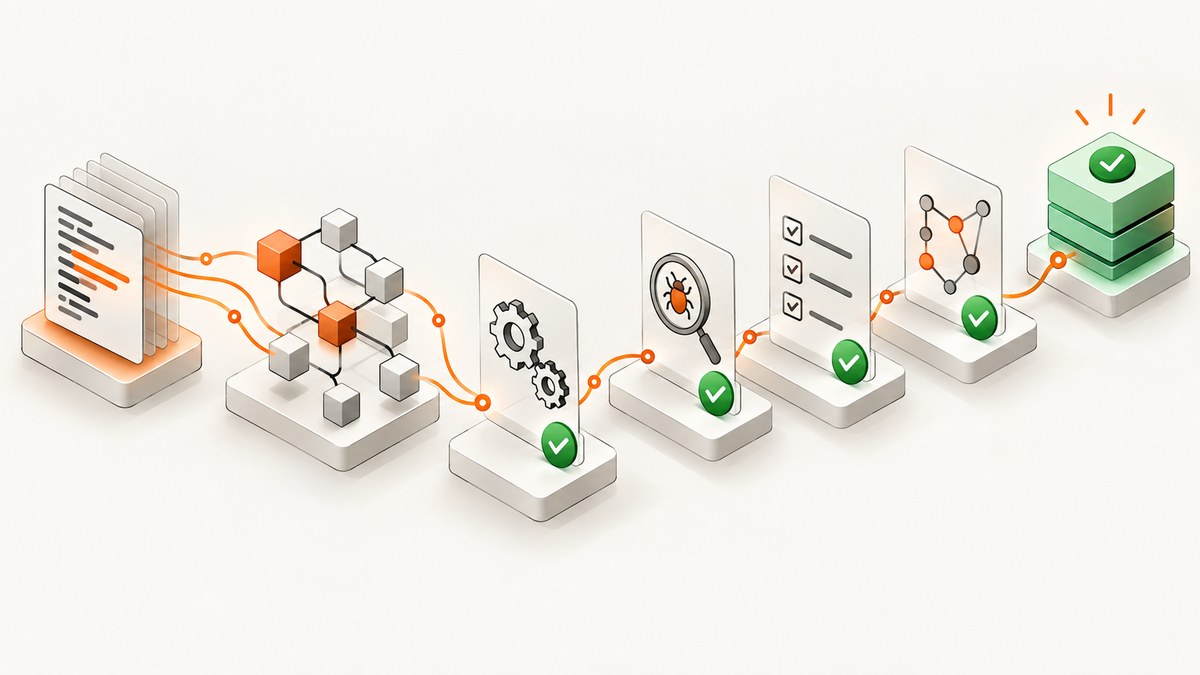
Regression testing checks whether a software change or an operating-environment change caused failures in behavior that was not intended to change. The phrase types of regression testing is used for several different dimensions: the breadth of the test suite, the test level, the way tests are executed, and the kind of change being assessed. These dimensions overlap; they are not one universally agreed list of mutually exclusive types.
ISO/IEC/IEEE 29119-1:2022 distinguishes regression testing from retesting (also called confirmation testing). Retesting checks whether a correction removed the reported fault. Regression testing checks whether other parts of the system were accidentally affected. A defect fix commonly needs both: rerun the failed test to confirm the correction, then run regression tests selected for the surrounding risk.
What are the types of regression testing?
A useful classification has four dimensions:
- Scope-selection approaches: retest-all (the whole relevant suite) and selective regression (a risk- and impact-based subset).
- Test levels: component, integration, system, and acceptance. Regression is a testing purpose that can be applied at one or several of these levels.
- Execution modes: manual, automated, continuous in CI, scheduled, or on demand.
- Change context: a correction to existing behavior, a new feature that must preserve existing behavior, or a change to infrastructure such as a browser, database, operating system, or third-party service.
Some practitioner guides call the first dimension “complete,” “partial,” “corrective,” or “progressive” regression testing. Those labels can be useful locally, but the standards and sources for this guide do not establish a complete official taxonomy. Define the scope and level explicitly in your test plan instead of relying on a label alone.
Regression testing versus retesting
| Question | Retesting (confirmation testing) | Regression testing |
|---|---|---|
| What is the target? | The defect or failed requirement that was corrected. | Behavior that should continue working around the change. |
| When does it run? | After a correction is available. | After a correction, feature, refactor, dependency, configuration, or environment change. |
| What does a failure mean? | The correction may not work, or the test may no longer represent the requirement. | An unintended side effect may exist, or the selected test may be stale or flaky. |
| Can it replace the other? | No. Passing the failed test does not show that other behavior is safe. | No. A passing regression suite does not prove that the correction itself works. |
The standard summarizes the distinction this way: regression testing does not test that the modification works correctly; it tests that other parts of the system have not been accidentally affected. It also states that the adequacy of a regression set depends on the test item and the modifications to that item or its operational environment. See the ISO/IEC/IEEE 29119 software-testing standard for the terminology.
Scope-selection approaches
Retest-all
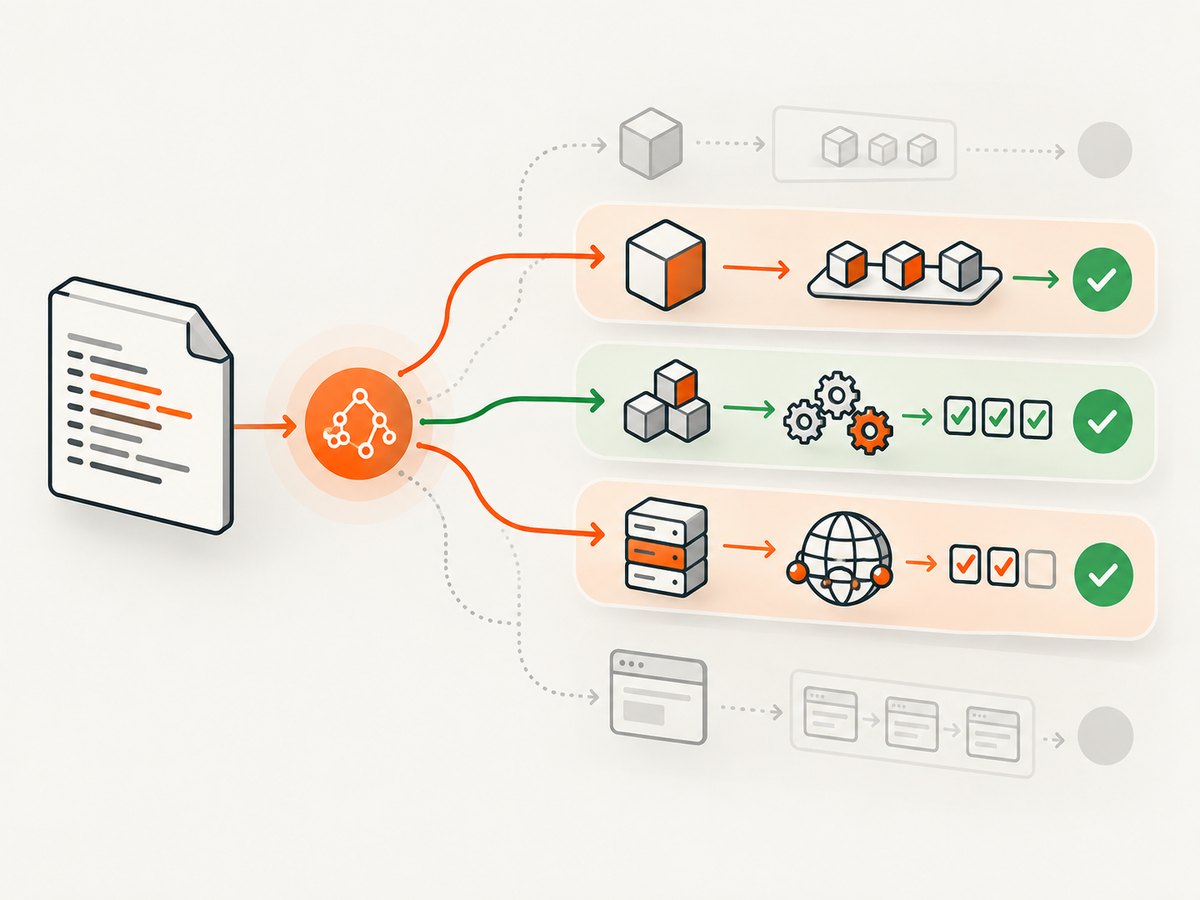
Retest-all runs every relevant test in the suite. It is straightforward to explain and reduces the chance that an affected behavior is omitted because an impact analysis was incomplete. Its cost is elapsed execution time, compute capacity, environment setup, and human triage. “All” should still be defined: a component suite, a product suite, a browser matrix, or a set of supported configurations.
Selective regression
Selective regression chooses tests using change impact, dependency information, business risk, defect history, and the affected interfaces. It is faster when the suite is large, but its residual risk depends on the quality of the selection. Document what was included, what was excluded, and why. A narrow selection is not automatically better; it is appropriate only when the evidence supporting the selection is strong.
| Approach | Suite breadth | Execution cost | Selection input | Residual risk |
|---|---|---|---|---|
| Retest-all | Broad or complete relevant suite | Highest in most environments | Suite definition and supported configurations | Lower omission risk, but failures still need diagnosis |
| Selective | Subset linked to the change | Lower when impact data is reliable | Dependencies, risk, interfaces, history | Higher if an affected area was missed |
Regression testing at different test levels
ISTQB treats component, integration, system, and acceptance as test levels, while regression is a test type. A regression check can therefore run at any of these levels. The levels-versus-types distinction is covered in the ASTQB presentation of the ISTQB Foundation syllabus.
- Component regression: rerun unit or component checks after a local implementation, compiler, or library change.
- Integration regression: check contracts between services, queues, databases, browsers, and external APIs after an interface or dependency change.
- System regression: exercise end-to-end workflows such as sign-in, checkout, reporting, or export after a release change.
- Acceptance regression: verify that business-critical user journeys and agreed acceptance behavior still work in the delivered environment.
These are not competing categories. A release may run component and integration checks on every commit, system checks for a release candidate, and acceptance checks before production promotion.
Execution modes and automation
Manual regression
Manual checks are useful for exploratory risk, visual judgment, unusual workflows, and areas without stable automation. Record the exact build, environment, data, and browser so a failure can be reproduced. Manual work becomes expensive when the same deterministic steps are repeated for every change.
Automated regression
Automate stable, repeatable checks with deterministic data and explicit assertions. Keep failures diagnosable: capture logs, screenshots, network traces, and the build identifier. Separate product failures from environment failures so a browser crash or unavailable dependency does not look like a functional defect.
Continuous and scheduled regression
Run a fast, high-risk subset on pull requests; run broader suites after merge or nightly; and run the complete relevant suite before a release when the risk warrants it. The schedule is an execution policy, not a new testing type. Reassess it when the system, suite duration, or failure rate changes.
A practical regression-testing workflow
- Describe the change. Include code, configuration, data migrations, browser versions, operating systems, infrastructure, and third-party services.
- Map dependencies. Identify components, interfaces, user journeys, data paths, and environments that can be affected.
- Run confirmation tests. Rerun the test that exposed the defect or directly verifies the correction.
- Choose scope. Select retest-all or a documented subset using impact and risk information.
- Choose levels and environments. Include the lowest level that can detect the risk and the end-to-end level where integration behavior matters.
- Execute and collect evidence. Store results, logs, screenshots, traces, test data, and the exact artifact versions.
- Triage failures. Classify each result as a product regression, an unfixed defect, an intended behavior change, a test defect, or an environment problem.
- Update the suite. Add coverage for escaped failures, retire tests that no longer represent requirements, and revise impact rules when architecture changes.
Visual regression checks for web applications
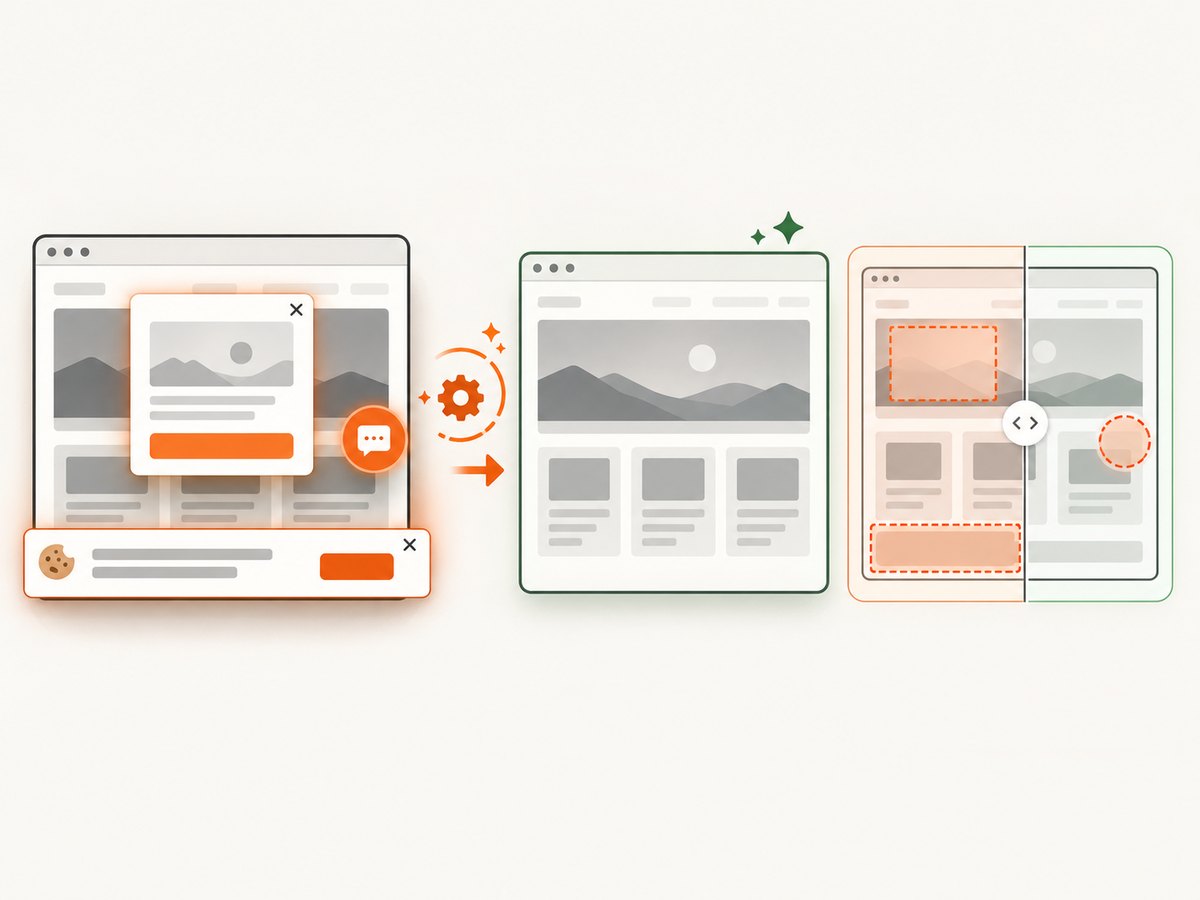
Functional assertions can pass while a layout, font, color, responsive breakpoint, or content-loading behavior changes. A visual check captures a stable page state and compares it with an approved baseline. Define the viewport, device scale, browser, locale, timezone, authentication state, test data, and wait condition. Mask timestamps, rotating advertisements, avatars, and other intentionally variable regions.
Full-page captures help detect changes below the fold; element captures reduce noise when only a component matters. Treat a visual difference as evidence for review, not automatic proof of a defect. Confirm whether the change was intended and whether the baseline should be updated.
DIY browser capture example
The following Playwright example captures a page after waiting for a stable selector. Install Playwright with npm install -D playwright and install its browser with npx playwright install chromium.
import { chromium } from 'playwright';

const browser = await chromium.launch();
const page = await browser.newPage({
  viewport: { width: 1440, height: 900 },
  deviceScaleFactor: 1
});
await page.goto('https://example.com', { waitUntil: 'networkidle' });
await page.locator('main').waitFor();
await page.screenshot({ path: 'baseline.webp', fullPage: true, type: 'webp' });
await browser.close();
For a repeatable regression job, add authentication setup, hide dynamic selectors, freeze time where possible, use seeded data, and save the browser version with the artifact. Compare images with a tool that supports a defined pixel threshold and review every accepted difference.
Or skip the browser setup
ScreenshotNeo is a website screenshot API and MCP server. One GET request returns PNG, JPEG, WebP, or PDF. It can load lazy images for full-page captures, capture an element by CSS selector, set a viewport or device preset, use dark mode and retina scale, inject custom CSS or JavaScript, click before capture, wait for a selector, delay, or network idle, and hide selectors. It also supports custom headers, cookies, user agents, Authorization, timezone, geolocation, request blocking, caching with a chosen TTL, signed links, asynchronous jobs with signed webhooks, bulk capture of up to 100 URLs per call, and a usage API.
For regression pipelines, its page verdict and billing headers make outcomes explicit: bot checks or CAPTCHAs, blank pages, timeouts, failed loads, and cache hits are not billed. Cookie and consent banners, newsletter popups, and chat widgets are removed before capture, and each cleanup step can be turned off. Its MCP server provides take_screenshot, get_page_info, and capture_pdf tools for Claude, Cursor, and other MCP clients.
See the ScreenshotNeo documentation for request options.
curl -G "https://api.screenshotneo.com/v1/shot" -d access_key=YOUR_API_KEY --data-urlencode url=https://stripe.com -o shot.webpimport requests
r = requests.get("https://api.screenshotneo.com/v1/shot", params={"access_key": "YOUR_API_KEY", "url": "https://stripe.com"}, timeout=90)
open("shot.webp", "wb").write(r.content)const q = new URLSearchParams({ access_key: 'YOUR_API_KEY', url: 'https://stripe.com' });
const res = await fetch(`https://api.screenshotneo.com/v1/shot?${q}`);ScreenshotNeo has 1,000 free shots per month with no card. Paid plans start at $5 for 3,000 shots; every feature is available on every plan. Create a free ScreenshotNeo account and use the captured artifacts as visual evidence in your regression run.
Edge cases to plan for
- Intended behavior changes: update the requirement and baseline after review; do not label every difference a regression.
- Dynamic content: freeze data, mask unstable regions, or assert structure instead of exact pixels.
- Lazy loading: scroll or wait for content before capture so a missing image is not mistaken for a layout defect.
- Authentication and permissions: use a dedicated test account with stable roles and data.
- Third-party outages: record dependency health and classify the result separately from a product failure.
- Browser and operating-system changes: treat rendering-engine upgrades as environment modifications and review their visual impact.
- Flaky tests: retain retry evidence, identify the source of nondeterminism, and avoid hiding failures with unlimited retries.
Troubleshooting common regression failures
| Symptom | Likely cause | Fix |
|---|---|---|
| The original defect test still fails | The correction is incomplete, the wrong build ran, or test data is wrong. | Verify the artifact and environment, reproduce with isolated data, then inspect the correction. |
| Many unrelated tests fail together | Environment, fixture, schema, browser, or shared service failure. | Check setup logs and dependency health before filing many product defects. |
| Only visual tests fail | Font, viewport, device scale, animation, locale, or baseline drift. | Standardize rendering inputs, disable motion, and review the diff against the intended change. |
| A selective run misses a defect | Impact analysis omitted a dependency or user journey. | Trace the escaped failure back to the selection rule and add a regression test. |
| Screenshot is blank or incomplete | Navigation, consent dialog, lazy content, timeout, or bot check interrupted capture. | Wait for a meaningful selector, handle consent, inspect the page verdict, and increase timeout only when justified. |
| Suite takes too long | Unbounded browser matrix, serial setup, or redundant tests. | Parallelize safely, cache setup, quarantine known flakes, and reserve broad runs for appropriate gates. |
Performance, reliability, and cost
Measure execution time by suite and environment, but do not optimize by deleting risk coverage. Parallel execution lowers elapsed time while increasing infrastructure demand and possible test interference. Keep tests independent, isolate data, and cap concurrency where shared services become unstable.
Reliability improves when every run records the commit, dependencies, browser, configuration, seed data, and artifacts. Track flaky results separately from product failures. A passing retry is a signal to investigate, not evidence that the first failure was harmless.
Cost includes compute, browser minutes, environments, storage, triage time, and the opportunity cost of delaying delivery. Selective regression can reduce cost when impact analysis is trustworthy; retest-all may be cheaper than diagnosing an escaped production failure for high-risk changes. For web visual checks, ScreenshotNeo bills only clean shots; failed loads, blank pages, bot checks, timeouts, and cache hits cost nothing, and the response includes X-Page-Verdict and X-Billed headers.
FAQ
Is regression testing a test level?
No. It is a testing purpose or type. It can be performed at component, integration, system, and acceptance levels.
Should I always run the complete suite?
No single scope is adequate for every change. Use retest-all when omission risk is high or impact is unclear; use a documented selective scope when impact and risk evidence support it.
Does regression testing prove the system has no defects?
No. It searches for change-related failures within the selected tests and scope. The adequacy of that scope depends on the test item and modification.
How is visual regression different from functional regression?
Functional checks assert behavior and data. Visual checks compare rendered appearance under controlled conditions. A strong release process uses both where presentation is part of the requirement.
When should regression testing run?
Run it after software or environment changes, with the level and breadth matched to impact and risk. Fast checks can run continuously, with broader checks at merge or release gates.


