Understanding Playwright Snapshot Formats
Playwright uses “snapshot” for visual baselines, generic values, accessible structure, and trace captures. Learn which format fits and how to manage it.

In Playwright, a “snapshot” is not one file format or one testing feature. It can mean a screenshot baseline for visual regression, a stored text or binary value, an accessibility tree called an ARIA snapshot, or DOM and screen captures attached to an execution trace.
Choose based on what you need to compare: pixels, a value, accessible structure, or context for debugging. Screenshot assertions save PNG by default, while a screenshot name ending in .webp selects lossless WebP. Generic toMatchSnapshot() can compare text or arbitrary binary values; ARIA snapshots describe roles, names, attributes, and hierarchy. Trace snapshots are diagnostic captures, not assertion baselines.
1. What are Playwright snapshots?
“Snapshot” is an umbrella term for saved representations of application state. Playwright Test uses expected snapshots as baselines in assertions; a later test run produces an actual value or image and compares it with that expectation. Playwright tracing can also capture page state during actions, but those captures serve a debugging workflow.
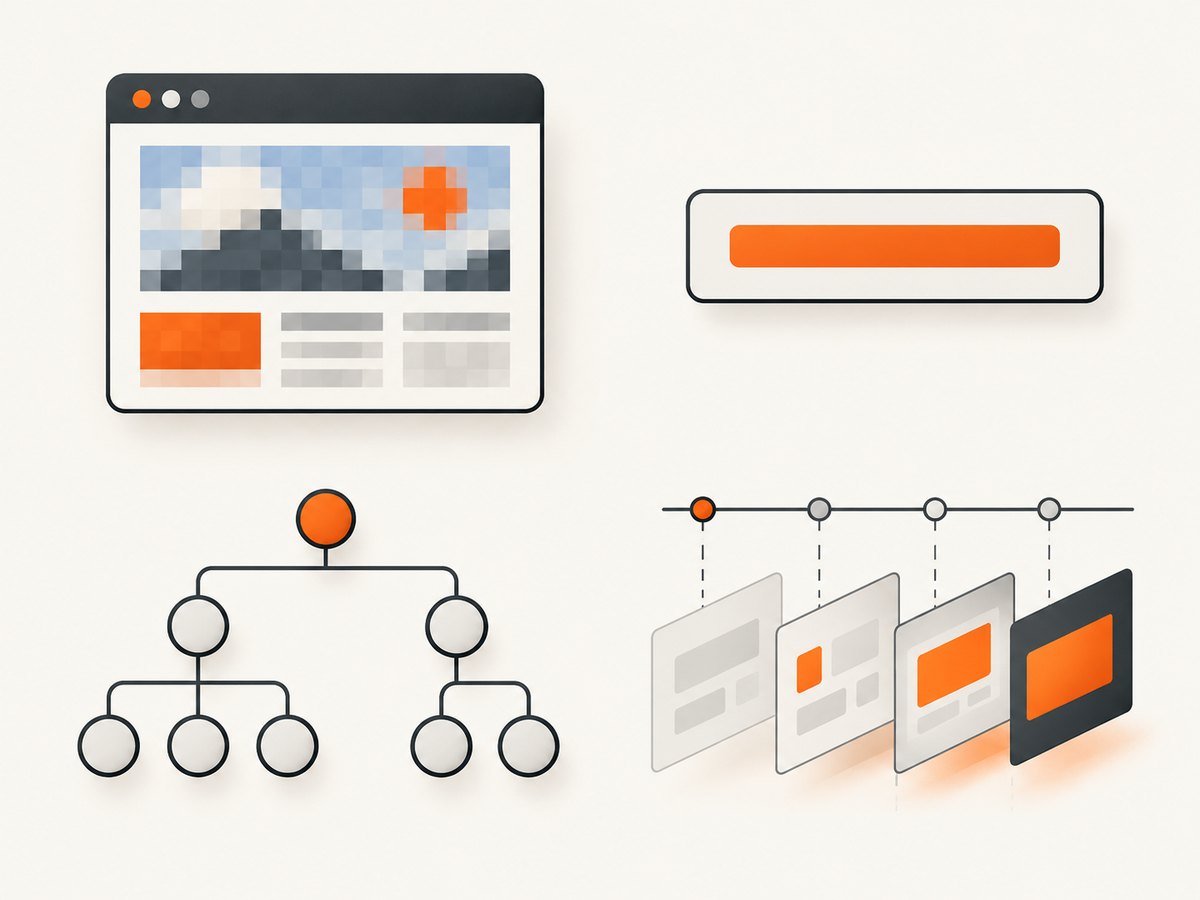
| Kind | Represents | Use it for |
|---|---|---|
| Visual screenshot | Rendered page or element pixels | Visual regression checks |
| Generic value snapshot | Text or arbitrary binary content | Comparing a value or generated artifact |
| ARIA snapshot | Accessible roles, names, attributes, and hierarchy | Checking accessible structure |
| Trace snapshot | DOM, ARIA, or screen state captured during actions | Understanding what happened in a trace |
Pick the narrowest representation that expresses the expectation. If the requirement is “this button is named Save and is disabled,” an ARIA snapshot is usually more direct than a full-page image. If the requirement is that a chart’s rendered appearance stays stable, use a visual assertion. For generated text or binary data, use a generic value snapshot.
2. Visual screenshot snapshots: format and runnable example
Screenshot assertions are part of Playwright Test. They wait until two consecutive page screenshots yield the same result, then compare the last image with the expected image. PNG is the default. Naming the screenshot with the .webp extension selects lossless WebP.
Install the test runner and browser if the project does not already have them:
npm init playwright@latestCreate tests/homepage.spec.ts:
import { test, expect } from '@playwright/test';

test('homepage visual baseline', async ({ page }) => {
  await page.goto('https://playwright.dev/');
  await expect(page).toHaveScreenshot('homepage.png');
});
Run the test to create a baseline on the first run, then run it again to compare against that baseline:
npx playwright test tests/homepage.spec.tsTo capture an element instead of the whole page:
test('header visual baseline', async ({ page }) => {
  await page.goto('https://playwright.dev/');
  await expect(page.locator('header')).toHaveScreenshot('header.webp');
});
Choose a stable locator that identifies the intended component. If the page has changing timestamps, rotating promotions, or user-specific content, arrange deterministic test data or target only the stable region. Screenshot matching is sensitive to rendered pixels, so accidental animation, late-loading content, fonts, or a changed viewport can create a diff even when application behavior is correct.
For options such as masking dynamic regions, clipping, animation handling, and thresholds, use the screenshot assertion options supported by the Playwright version in the project. Keep those exceptions narrow: masking too much can hide a real regression. The visual comparisons guide also warns that operating system, browser version, settings, hardware, power source, and headless mode can change rendering.
3. Generic snapshots for text and binary values
toMatchSnapshot() is not limited to screenshots. It can compare text or arbitrary binary values, and Playwright Test detects the content type and chooses a comparison algorithm. This is useful when the expected result is an exported file, generated markup, or a textual report rather than pixels.
import { test, expect } from '@playwright/test';

 test('generated report text', async () => {
  const report = 'Monthly total: 42\nStatus: complete\n';
  expect(report).toMatchSnapshot('monthly-report.txt');
});
A binary example can pass a Buffer to the same matcher:
import { test, expect } from '@playwright/test';
import { readFile } from 'node:fs/promises';

test('exported artifact', async () => {
  const bytes = await readFile('fixtures/report.bin');
  expect(bytes).toMatchSnapshot('report.bin');
});
Snapshots are normally kept in a directory associated with the test file, commonly <test-file>-snapshots. Commit expected snapshots alongside the tests and review changes in version control. A changed baseline is a code review artifact: inspect whether the application intentionally changed and whether the new expectation still represents the requirement.
4. What is an ARIA snapshot in Playwright?
An ARIA snapshot is a YAML-like tree describing the accessible structure exposed by a page or locator. Nodes represent roles and can include accessible names and attributes such as checked, disabled, expanded, invalid, level, pressed, or selected. It is useful for asserting the structure assistive technology relies on without making a pixel-level claim.
import { test, expect } from '@playwright/test';

test('navigation has expected accessible structure', async ({ page }) => {
  await page.goto('https://playwright.dev/');
  await expect(page.getByRole('navigation')).toMatchAriaSnapshot(`
    - navigation:
      - link "Docs"
      - link "API"
  `);
});
ARIA matching is case-sensitive and order-sensitive. Whitespace is collapsed, so indentation is for readability rather than exact whitespace matching. Templates can omit names or attributes when those details are irrelevant; this partial matching lets an assertion focus on the structure that matters. Do not omit a name or state that is part of the behavior you intend to protect.
You can embed the expected template in the assertion or store it separately in a file ending in .aria.yml. By default, snapshots for a test file go in its corresponding snapshot directory. The documentation notes that ARIA snapshots should be the same across browsers, so Playwright saves one snapshot for multiple browsers unless configuration changes the path behavior.
5. Trace snapshots are debugging evidence
Tracing can retain DOM snapshots and network activity, ARIA snapshots, or screenshots associated with actions. The tracing option snapshots: true is documented as a shortcut for DOM snapshots. This data helps reconstruct what the page looked like around an action and diagnose a failure.
A trace capture is not the same thing as a stored assertion baseline. Use toHaveScreenshot(), toMatchSnapshot(), or toMatchAriaSnapshot() when you want a test to compare current output with an expected result. Use traces to inspect execution context and events.
6. Where are Playwright snapshots stored?
By default, expected snapshots are associated with the test file, often in a sibling directory whose name ends in -snapshots. Exact paths depend on the snapshot kind and the project configuration. The testInfo.snapshotPath() API resolves a path from a name and an optional kind: screenshot, aria, or snapshot.
import { test } from '@playwright/test';

test('inspect snapshot paths', async ({}, testInfo) => {
  console.log(testInfo.snapshotPath('home.png', 'screenshot'));
  console.log(testInfo.snapshotPath('navigation.aria.yml', 'aria'));
  console.log(testInfo.snapshotPath('report.txt', 'snapshot'));
});
For centralized or platform-specific layouts, configure snapshotPathTemplate in Playwright Test configuration. Templates can use tokens including {arg}, {ext}, {platform}, {projectName}, {snapshotDir}, {testDir}, and tokens for the test file path or name. Assertion-specific templates are also available. The older snapshotDir option is marked discouraged; the API recommends snapshot path templates instead.
Paths are part of the baseline contract: changing a template can make Playwright look in a different location and appear to lose snapshots. When configuring multiple projects, decide whether browser or project names belong in the path. Visual output often needs browser-specific baselines; ARIA output may be shared when the structure is expected to match.
7. How do I update Playwright snapshots?
- Make the application change and run the relevant test without updating baselines. Read the failure and inspect the actual output.
- Confirm that a changed screenshot, value, or accessible tree is intentional. Fix unstable test data or timing if the difference is incidental.
- Update expectations with
npx playwright test --update-snapshots. - Review every resulting baseline diff alongside the code change, then commit the updated snapshots with the test.
For screenshot baselines, generate and compare images in the same environment wherever possible. The Playwright visual comparisons guide specifically warns about host OS, browser version, settings, hardware, power source, and headless mode differences. A baseline update should record an intentional product change, not silence unexplained drift.
8. Or skip the browser setup
If you only need a screenshot file and do not need a Playwright assertion baseline, ScreenshotNeo can return an image with one GET request. Its API and supported options are documented at ScreenshotNeo docs.

curl -G "https://api.screenshotneo.com/v1/shot" \
  -d access_key=YOUR_API_KEY \
  --data-urlencode url=https://playwright.dev/ \
  -o playwright-home.webp
import requests
r = requests.get(
"https://api.screenshotneo.com/v1/shot",
params={"access_key": "YOUR_API_KEY", "url": "https://playwright.dev/"},
timeout=90,
)
open("playwright-home.webp", "wb").write(r.content)const q = new URLSearchParams({
access_key: 'YOUR_API_KEY',
url: 'https://playwright.dev/'
});
const res = await fetch(`https://api.screenshotneo.com/v1/shot?${q}`);
if (!res.ok) throw new Error(`Screenshot request failed: ${res.status}`);
await Bun.write('playwright-home.webp', res);ScreenshotNeo removes cookie banners, newsletter popups, and chat widgets before the shot. Bot checks, blank pages, and failed loads are never billed. Its MCP server lets AI agents take screenshots, and the free plan includes 1,000 screenshots a month with no card; paid plans start at $5 for 3,000. Start with 1,000 free screenshots a month, no card required.
9. Troubleshooting common snapshot problems
| Symptom | Likely cause | Fix |
|---|---|---|
| Screenshot differs on CI but passes locally | Different OS, browser build, headless mode, fonts, or hardware affects rendered pixels. | Generate and compare baselines in a consistent environment; inspect the actual image before updating. |
| Baseline file appears missing | Snapshot name, kind, project, or configured template resolves to another path. | Check the test file’s snapshot directory and use testInfo.snapshotPath() to see the resolved location. |
| Visual diff changes between runs | Animation, asynchronous content, or dynamic data changes the captured image. | Stabilize test data and wait for the relevant page state; mask only known irrelevant regions. |
| ARIA assertion fails despite similar text | Role/name matching is case-sensitive and order-sensitive, or the accessible structure changed. | Inspect the current accessible tree; correct the expectation or use partial matching only for intentionally irrelevant details. |
| Every browser project wants a different baseline | Rendered pixels vary by browser, or paths omit project identity. | Use a template that includes project information for visual output when separate baselines are intended. |
| Snapshot update produces many changes | The app or environment changed broadly, or the wrong tests were updated. | Update a targeted test set, review diffs in groups, and separate intended UI changes from environment drift. |
10. Performance, reliability, and cost
Snapshot assertions add capture and comparison work to a test run. Full-page screenshots generally involve more rendered content than a focused element capture, so choose the smallest region that proves the visual requirement. Avoid capturing before the page reaches the state under test; stable state reduces both retries and misleading diffs.
Reliability depends on repeatable inputs and environment. Keep browser versions and baseline generation conditions aligned, control dynamic data, and commit snapshots so changes can be reviewed. For image assertions, treat output as environment-sensitive. For ARIA and generic value checks, keep expectations precise enough to catch meaningful changes without encoding incidental content.
Playwright snapshot workflows have no per-image service charge described in the cited documentation; practical costs are the compute and storage used by the test infrastructure and the maintenance time of reviewing baselines. If using a hosted screenshot service instead, inspect its billing and failure semantics before relying on it. ScreenshotNeo states that only clean shots are billed: bot checks/CAPTCHAs, blank pages, timeouts, failed loads, and cache hits cost nothing, with status indicated by X-Page-Verdict and X-Billed response headers. Its plans include a free tier and paid tiers from $5 for 3,000 shots; see its documentation and pricing before choosing a workflow.
11. Frequently asked questions
What format does Playwright use for snapshots?
It depends on the snapshot kind. Screenshot assertions use PNG by default and can use lossless WebP by naming the image with .webp. Generic snapshots store the compared text or binary value; ARIA snapshots are YAML-like trees; trace captures are stored with trace data.
Can I use snapshots without Playwright Test?
The documented assertion workflows such as toHaveScreenshot() and toMatchSnapshot() belong to Playwright Test. A trace is a separate debugging artifact. Choose the test runner when you need its baseline assertions and update workflow.
Should I use screenshot or ARIA snapshots?
Use screenshot snapshots for rendered appearance and ARIA snapshots for accessible roles, names, states, and hierarchy. They protect different properties and can complement each other for important UI.
Should snapshots be committed to version control?
For expected test snapshots, yes: the documented workflow recommends committing them and reviewing changes. This makes the expected result visible to the same review process as the test and application changes.
Do ARIA snapshots work across browsers?
The documentation says ARIA snapshots should be the same across browsers and are saved once for multiple browsers by default, unless configuration changes path behavior. Validate that assumption against the Playwright version and project configuration you use.


