How to Add Unicode Support for Multiple Languages in HTML-to-PDF
Fix mojibake, missing glyphs, font loading, and RTL issues when generating multilingual PDFs from HTML.

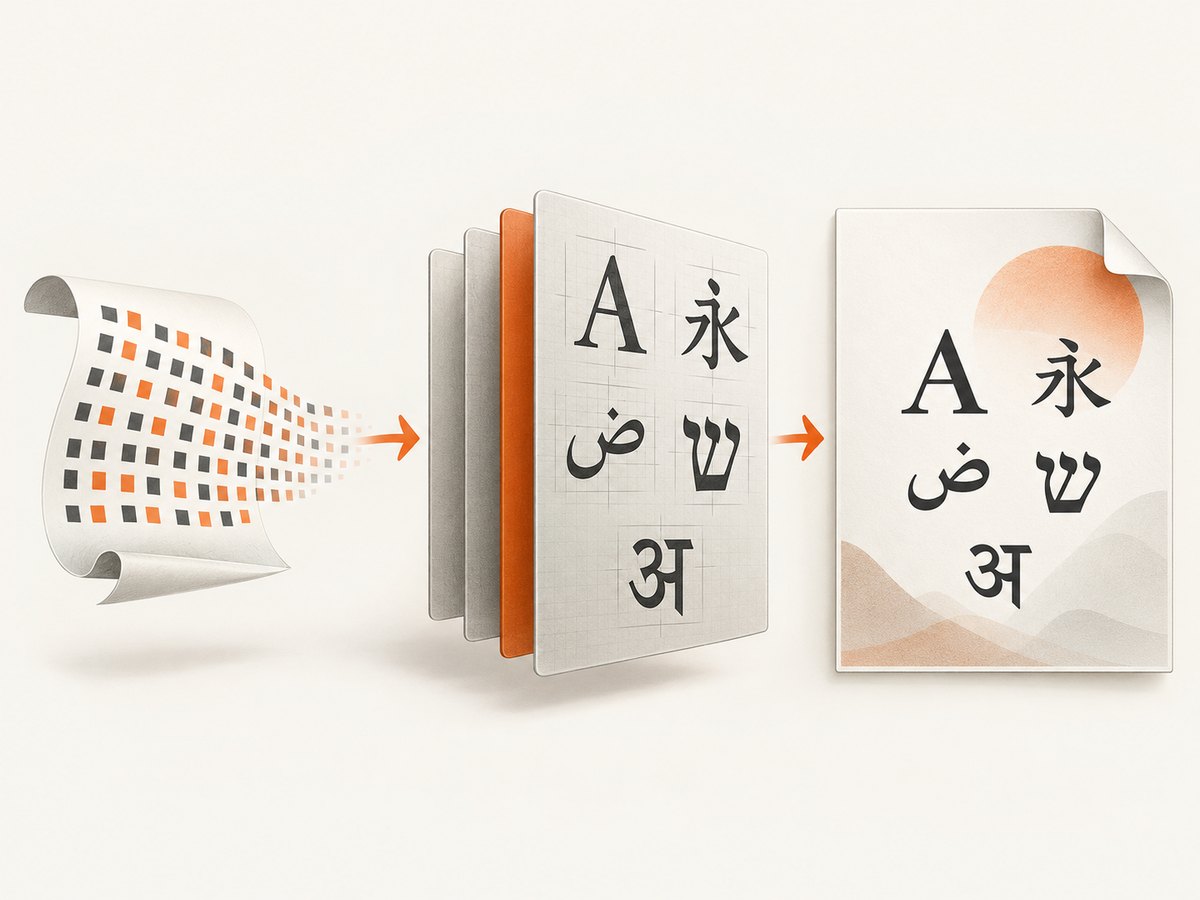
Unicode support in HTML-to-PDF is a pipeline, not one encoding switch. Decode the HTML as UTF-8, load fonts that contain every required glyph, wait for fonts and layout to finish, use an engine that supports the scripts and direction you need, and inspect the resulting PDF for visual and searchable text.
UTF-8 prevents corrupted bytes, but it cannot add glyphs that are absent from a font or make a renderer shape Arabic correctly. The examples below show a browser-based conversion with Puppeteer, a Python conversion with WeasyPrint, validation techniques, troubleshooting, and an API option.
1. Set UTF-8 at every input boundary
Save the source file as UTF-8 and put this declaration near the beginning of <head>:
<!doctype html>
<html lang="en">
<head>
  <meta charset="UTF-8">
  <meta name="viewport" content="width=device-width, initial-scale=1">
  <title>Multilingual invoice</title>
</head>
<body>
  <p>English · 中文 · 日本語 · العربية · עברית · हिन्दी · Ελληνικά</p>
</body>
</html>
Chrome guidance says the meta declaration should be completely within the first 1,024 bytes of the document. If the HTML is served over HTTP, also return Content-Type: text/html; charset=UTF-8. A wrong HTTP charset or a late declaration can turn valid bytes into replacement characters or mojibake before the PDF engine ever sees them. See the HTML charset guidance and HTML encoding algorithm.
Check the bytes before conversion
# Confirm the file is UTF-8 (Linux/macOS)
file --mime your-document.html

# Inspect suspicious bytes
xxd -l 256 your-document.html
If your application receives text from a database, decode it once at the boundary and keep it as Unicode strings internally. Do not repeatedly encode and decode strings to “fix” them; that usually creates double-encoded text.
2. Choose fonts with coverage for the actual scripts
A CSS family name is only a request. The conversion environment must be able to find the font file, and that file (or its fallbacks) must contain each code point in your document. A missing code point commonly becomes a box or a .notdef glyph.
@font-face {
  font-family: "Document Sans";
  src: url("/fonts/document-sans-regular.woff2") format("woff2");
  font-style: normal;
  font-weight: 400;
  font-display: swap;
}

@font-face {
  font-family: "Document Sans";
  src: url("/fonts/document-sans-bold.woff2") format("woff2");
  font-style: normal;
  font-weight: 700;
  font-display: swap;
}

body {
  font-family: "Document Sans", "Noto Sans", sans-serif;
}
Use a fallback chain deliberately. One family may cover Latin but not CJK, Arabic, Hebrew, or Devanagari. Test the exact characters you expect, including combining marks, punctuation, currency symbols, emoji policy, and mixed-language names.
For WeasyPrint, fonts are discovered through Pango and Fontconfig. Its documentation states that fonts are embedded and subset by default, and that a missing code point produces a warning. Install fonts in the runtime image or point Fontconfig at a known directory, then rebuild its cache:
# Debian/Ubuntu container example
apt-get update && apt-get install -y \
  fontconfig \
  fonts-noto-core \
  fonts-noto-cjk \
  fonts-noto-extra
fc-cache -f -v
Do not assume that installing a font fixes shaping or right-to-left layout. Glyph coverage, font loading, shaping, and bidirectional layout are separate concerns.
3. Wait for web fonts before printing
In browser automation, a page can look complete while an @font-face request is still pending. Wait for the Font Loading API readiness promise after inserting the content and before generating the PDF:
await page.setContent(html, { waitUntil: 'networkidle0' });
await page.evaluate(async () => {
  await document.fonts.ready;
});
await page.pdf({ path: 'multilingual.pdf', printBackground: true, format: 'A4' });
document.fonts.ready settles after used fonts and layout operations are ready. It does not prove that every optional or unused font request succeeded, so inspect failed network requests and verify the computed font family for representative elements. The Font Loading API reference documents this behavior.
4. Complete Puppeteer example (Node.js)
This runnable example creates an HTML document containing several scripts, loads local fonts, waits for network and font readiness, and writes a PDF.
import puppeteer from 'puppeteer';

const html = `<!doctype html>
<html lang="en">
<head>
  <meta charset="UTF-8">
  <style>
    @font-face {
      font-family: "Noto Sans";
      src: url("https://your-domain.example/fonts/NotoSans-Regular.woff2") format("woff2");
    }
    @font-face {
      font-family: "Noto Sans Arabic";
      src: url("https://your-domain.example/fonts/NotoSansArabic-Regular.woff2") format("woff2");
    }
    body { font-family: "Noto Sans", sans-serif; margin: 32px; }
    .arabic { font-family: "Noto Sans Arabic", sans-serif; direction: rtl; }
  </style>
</head>
<body>
  <h1>Multilingual report</h1>
  <p>English · 中文 · 日本語 · हिन्दी · Ελληνικά</p>
  <p class="arabic" lang="ar">مرحبا بالعالم</p>
  <p dir="rtl" lang="he">שלום עולם</p>
</body>
</html>`;

const browser = await puppeteer.launch({ headless: true });
try {
  const page = await browser.newPage();
  page.on('requestfailed', request => {
    console.error('Request failed:', request.url(), request.failure()?.errorText);
  });
  await page.setContent(html, { waitUntil: 'networkidle0' });
  await page.evaluate(async () => { await document.fonts.ready; });

  const fontState = await page.evaluate(() => ({
    status: document.fonts.status,
    arabic: getComputedStyle(document.querySelector('.arabic')).fontFamily
  }));
  console.log(fontState);

  await page.pdf({
    path: 'multilingual.pdf',
    format: 'A4',
    printBackground: true,
    preferCSSPageSize: true,
    margin: { top: '20mm', right: '16mm', bottom: '20mm', left: '16mm' }
  });
} finally {
  await browser.close();
}
Install and run it with npm install puppeteer and node generate.mjs. Replace the example font URLs with files available to the browser. Puppeteer automates Chromium and can generate PDFs; compatibility still depends on the Chromium version, CSS used, and scripts in your document. Validate your exact deployment build rather than assuming universal script support. See the Puppeteer PDF API.
5. Complete WeasyPrint example (Python)
from weasyprint import HTML, CSS

html = """<!doctype html>
<html lang="en">
<head>
  <meta charset="UTF-8">
  <style>
    @font-face {
      font-family: "Noto Sans";
      src: url("file:///app/fonts/NotoSans-Regular.ttf");
    }
    body { font-family: "Noto Sans", sans-serif; }
    .rtl { direction: rtl; }
  </style>
</head>
<body>
  <p>English · 中文 · 日本語 · हिन्दी · Ελληνικά</p>
  <p class="rtl" lang="ar">مرحبا بالعالم</p>
  <p dir="rtl" lang="he">שלום עולם</p>
</body>
</html>"""

HTML(string=html, base_url="/app").write_pdf("multilingual.pdf")
Install the system libraries and fonts required by your operating system, then run pip install weasyprint. Configure Fontconfig so the process can discover the files. WeasyPrint’s current API reference lists right-to-left and bidirectional text as unsupported, so do not promise correct Arabic or Hebrew output with WeasyPrint solely because the font is installed. If bidi correctness is required, test a browser engine or another renderer against representative samples.
6. Language metadata and direction
Mark the document and language changes with accurate metadata. Use direction on the element or section that needs it, especially in mixed-direction documents:
<html lang="en">
  <body>
    <p>English text</p>
    <p lang="ar" dir="rtl">نص عربي</p>
    <p lang="he" dir="rtl">טקסט בעברית</p>
  </body>
</html>
Metadata helps assistive technology and gives the layout engine context, but lang alone does not add glyphs or guarantee shaping. Use Unicode control characters only when your content model requires them, and test punctuation, numbers, parentheses, and embedded Latin fragments in RTL paragraphs.
7. Validate the PDF itself
An HTML preview is not proof that the PDF is correct. Check all of the following in the PDF produced by the deployed runtime:
- Every target script displays glyphs rather than boxes, tofu, or replacement characters.
- Combining marks, accents, Indic shaping, and Arabic joining forms are positioned correctly.
- Mixed RTL and LTR text has the intended order, punctuation, and numbers.
- Copy and paste returns the expected Unicode characters.
- Search finds words in every language.
- Fonts are embedded as expected and the fallback does not change unexpectedly between pages.
- Line breaks, page breaks, and table columns remain stable after font substitution.
# Extract text for a quick searchability check
pdftotext multilingual.pdf - | sed -n '1,40p'

# Inspect embedded fonts
pdffonts multilingual.pdf
For archival workflows, a PDF/A-3u variant is relevant because the “u” designation indicates that text is available as Unicode. That designation still does not guarantee that every glyph is visually correct or that arbitrary HTML/CSS features rendered as intended.
8. Renderer selection checklist
| Question | What to verify |
|---|---|
| Scripts | Run samples containing each script, combining marks, punctuation, and numerals. |
| Direction | Test Arabic/Hebrew paragraphs mixed with Latin and numbers; confirm bidi behavior on the exact engine version. |
| HTML/CSS | Check required layout, print CSS, backgrounds, tables, and page-break rules. |
| Fonts | Install or load the exact files in the production image and confirm fallback behavior. |
| Extraction | Copy, paste, search, and inspect embedded fonts in a generated PDF. |
| Operations | Measure startup time, memory, concurrency, timeout behavior, and reproducibility. |
9. Troubleshooting common Unicode PDF failures
Boxes or missing glyphs
Cause: The active font lacks a code point, or the fallback font is unavailable in the runtime. Fix: Install a font with coverage, define an explicit fallback chain, confirm the browser or Fontconfig can read it, and inspect renderer warnings.
Question marks or mojibake
Cause: Bytes were decoded with the wrong charset, the charset declaration was too late, or text was double-encoded. Fix: Save and transport HTML as UTF-8, put <meta charset="UTF-8"> early, send the matching HTTP header, and log the Unicode code points before rendering.
Fonts appear in the browser but not the PDF
Cause: Printing started before web fonts finished, a font request failed, or the PDF process cannot reach the font URL. Fix: wait for document.fonts.ready, listen for failed requests, use absolute URLs or local files, and verify the same network permissions in production.
Arabic or Hebrew is backwards or incorrectly joined
Cause: Renderer bidi/shaping limitations, missing direction metadata, or an unsuitable font. Fix: add accurate lang/dir, use a script-capable font, and test a renderer with confirmed bidi support. WeasyPrint’s current reference documents RTL/bidirectional text as unsupported.
Only some characters fail
Cause: A fallback covers most letters but not symbols, rare ideographs, combining marks, or emoji. Fix: make a test string from real production data and inspect the exact missing code points; add a targeted fallback or change the font set.
Copy and search fail even though the page looks right
Cause: The PDF contains outlines, incorrect character maps, or a renderer/font combination that does not preserve Unicode text. Fix: inspect with pdftotext and pdffonts, then switch configuration or engine and validate extraction as part of deployment.
10. Performance, reliability, and cost
- Fonts: Cache font files and browser installations. Loading many large web fonts increases startup and layout time.
- Readiness: Prefer a specific readiness condition (content available plus fonts ready) over an arbitrary long sleep. Add a bounded timeout so a failed font request cannot hang jobs indefinitely.
- Concurrency: Reuse a browser process where safe, isolate pages, and cap concurrent PDFs according to available memory. Record the engine and font versions with each release.
- Reliability: Treat failed font requests, missing glyph warnings, navigation timeouts, and PDF extraction failures as observable errors. Keep a multilingual fixture in CI.
- Cost: Self-hosted conversion costs are dominated by compute, memory, storage, and operational maintenance. A hosted API trades that setup for per-request pricing; compare based on your volume, required controls, and validation needs.

Or skip the browser setup
ScreenshotNeo provides a website screenshot and PDF API, so your service can send one request instead of maintaining browser binaries, font packages, and capture workers. It accepts the cookie or consent banner like a visitor and removes more than 60 known consent platforms, newsletter popups, and chat widgets before capture. Bot checks/CAPTCHAs, blank pages, timeouts, failed loads, and cache hits are not billed, and response headers identify the page verdict and billing status. Its options include PDF paper size, margins, landscape mode, and page ranges. See the ScreenshotNeo API documentation for the current PDF parameters.
cURL
curl -G "https://api.screenshotneo.com/v1/shot" \
  -d access_key=YOUR_API_KEY \
  --data-urlencode url=https://stripe.com \
  -o shot.webp
Python
import requests

r = requests.get(
    "https://api.screenshotneo.com/v1/shot",
    params={"access_key": "YOUR_API_KEY", "url": "https://stripe.com"},
    timeout=90,
)
r.raise_for_status()
open("shot.webp", "wb").write(r.content)
Node.js
const q = new URLSearchParams({ access_key: 'YOUR_API_KEY', url: 'https://stripe.com' });
const res = await fetch(`https://api.screenshotneo.com/v1/shot?${q}`);
if (!res.ok) throw new Error(`HTTP ${res.status}`);
const data = Buffer.from(await res.arrayBuffer());
await import('node:fs/promises').then(fs => fs.writeFile('shot.webp', data));
ScreenshotNeo also provides an MCP server with take_screenshot, get_page_info, and capture_pdf tools for Claude, Cursor, and other MCP clients. Every plan includes the features: 1,000 screenshots per month are free with no card; paid plans start at $5 for 3,000 shots. Create a free ScreenshotNeo account to try it.
FAQ
Does UTF-8 alone solve multilingual PDF output?
No. UTF-8 handles byte decoding. Fonts, shaping, directionality, and PDF text extraction still need separate validation.
Should I use one giant font for every language?
Not necessarily. A deliberate fallback chain can reduce file size and improve performance, provided you test visual consistency and extraction across scripts.
Why does a resolved font promise not guarantee success?
The readiness promise covers fonts used by the document and layout completion. Optional or failed requests can still require separate network and computed-style checks.
Can every HTML-to-PDF engine render Arabic and Hebrew?
No. Script support and bidi behavior vary by engine and version. Test representative mixed-direction samples on the exact production build.
What is the fastest regression test?
Render a small fixture containing each production script, combining marks, punctuation, numbers, and an RTL/LTR mixture. Then check pixels, extracted text, search, and embedded fonts.


