Unit Testing vs Regression Testing: Differences, Examples, and How They Work Together
Unit tests check small pieces of code quickly; regression tests verify that changes have not broken existing behavior. Learn when to use each.
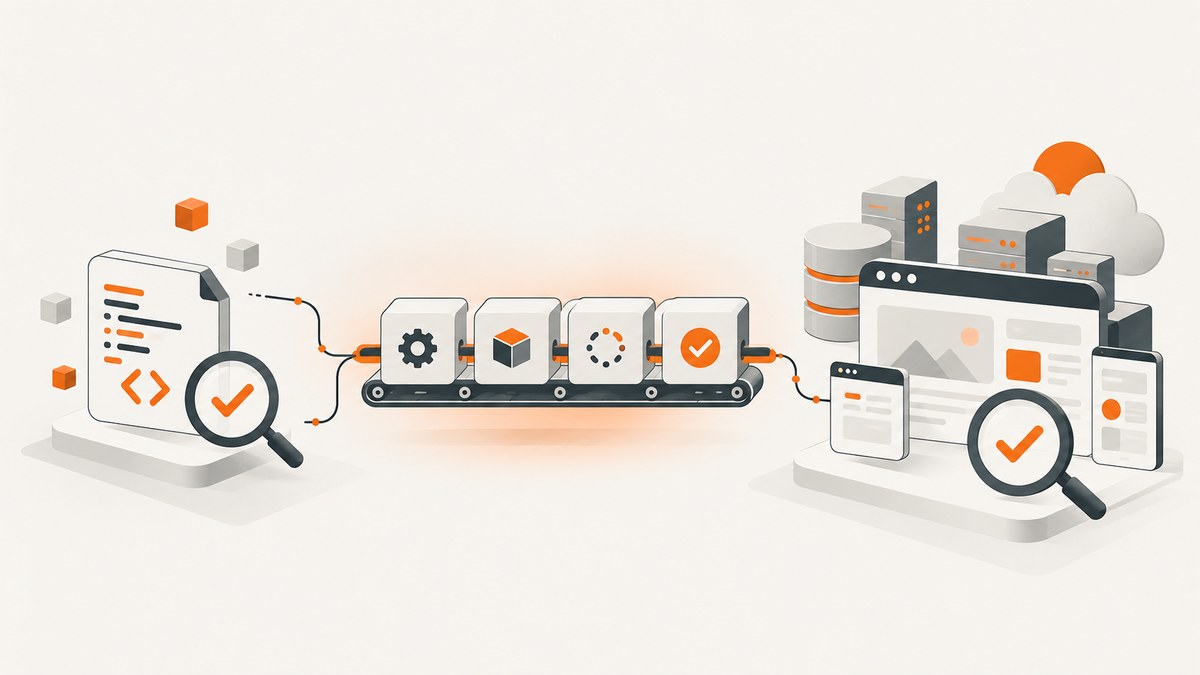
Unit testing checks whether a small unit such as a function, class, or module behaves correctly. Regression testing checks whether a software or environment change broke behavior that worked before. They describe different dimensions of testing: unit describes scope, while regression describes purpose and timing.
A unit test can also be a regression test. For example, after fixing a date-calculation bug, you may keep the failing unit test permanently and run it in future regression suites. Regression tests can also be integration, system, or end-to-end tests; regression testing is not synonymous with end-to-end testing.
Unit testing vs regression testing at a glance
| Question | Unit testing | Regression testing |
|---|---|---|
| Primary question | Does this small unit produce the right result for these inputs? | Did a change break behavior that previously worked? |
| Scope | One function, class, or module, usually isolated with test doubles | Any level: component, integration, system, or end to end |
| When it runs | During implementation, refactoring, builds, and pull-request checks | After code, configuration, dependency, infrastructure, or environment changes |
| Feedback | Fast and localized | Broader and often slower as coverage grows |
| Test selection | New or focused cases for the unit being changed | Existing tests selected by change impact, risk, and criticality |
| Typical owner | Developers | Developers, QA, or an automated CI pipeline |
The ISTQB glossary defines regression testing as “a type of change-related testing to detect whether defects have been introduced or uncovered in unchanged areas of the software.” ISO/IEC/IEEE 29119-1:2022 similarly describes testing after a modification to find failures in unmodified parts. Its distinction from retesting matters: retesting checks whether the changed behavior now works; regression testing checks whether other behavior was accidentally affected.
What is unit testing?
A unit test exercises the smallest practical piece of production code in isolation. A unit may be a pure function, a method, a class, or a module boundary. External systems such as databases, HTTP services, clocks, queues, and file systems are commonly replaced with stubs, fakes, or mocks.
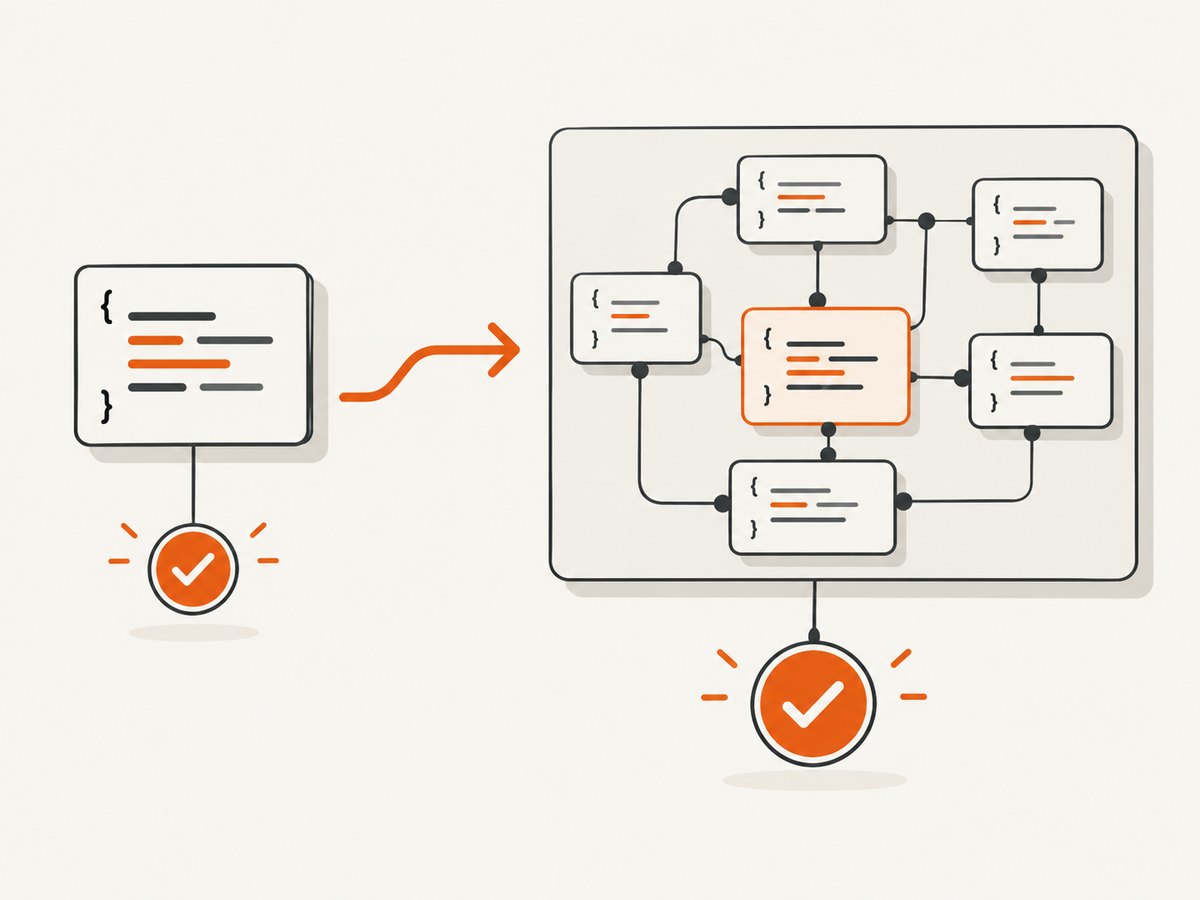
Unit tests usually have three parts:
- Arrange: create inputs and test doubles.
- Act: call the unit under test.
- Assert: compare the result or observed interaction with the expected behavior.
Martin Fowler identifies a common characteristic of unit tests: they focus on a low-level part of the system and run substantially faster than broader tests. Fast execution makes unit tests useful on every build and pull request. A unit test should still test meaningful behavior, including boundary values, invalid input, error handling, and state transitions.
Runnable Python unit-test example
from decimal import Decimal


def apply_discount(total: Decimal, percent: Decimal) -> Decimal:
    if total < 0:
        raise ValueError("total cannot be negative")
    if not Decimal("0") <= percent <= Decimal("100"):
        raise ValueError("percent must be between 0 and 100")
    return (total * (Decimal("100") - percent) / Decimal("100")).quantize(Decimal("0.01"))


def test_apply_discount_rounds_to_cents():
    assert apply_discount(Decimal("19.99"), Decimal("15")) == Decimal("16.99")


def test_apply_discount_rejects_invalid_percent():
    import pytest
    with pytest.raises(ValueError):
        apply_discount(Decimal("10"), Decimal("110"))
Save this as test_pricing.py and run python -m pytest -q. The test does not need a database or network connection, so a failure points directly at the pricing unit.
Runnable Node.js unit-test example
export function isWithinLimit(value, limit) {
  if (!Number.isFinite(value) || !Number.isFinite(limit)) {
    throw new TypeError('values must be finite numbers');
  }
  return value <= limit;
}

test('accepts a value at the limit', () => {
  expect(isWithinLimit(10, 10)).toBe(true);
});

test('rejects a value over the limit', () => {
  expect(isWithinLimit(11, 10)).toBe(false);
});
With Jest, save the test as limits.test.js and run npx jest. The exact command differs by framework, but the principle is the same: isolate one behavior and report a precise failure.
What is regression testing?
Regression testing starts with a change. The change may be a code commit, a bug fix, a dependency upgrade, a database migration, a feature flag, an operating-system update, a browser version, a deployment configuration, or an external service change. You then rerun tests that protect behavior at risk, including areas that were not directly modified.
Regression testing answers: “What did this change accidentally break?” It can include:
- Unit tests for shared utilities and business rules
- Integration tests for database, queue, and API contracts
- System tests for service-to-service workflows
- End-to-end browser tests for critical user journeys
- Performance, accessibility, security, and compatibility checks when the change affects them
A regression suite is therefore a selection of retained tests, not a special test framework. Teams often maintain smoke, targeted, risk-based, and full regression suites. The right size depends on the item and modification; a high code-coverage percentage alone does not prove high test quality.
Can a unit test also be a regression test?
Yes. “Unit” answers what is being tested and at what scope. “Regression” answers why and when it is being run.
Suppose a rounding bug caused customers to be charged one cent too much. First, write a confirmation test that reproduces the defect. Fix the implementation and rerun that test. Then retain it in the unit suite. On every later build, that same test serves a regression purpose because it guards against the defect returning.
The labels can overlap:
- A new isolated test written during implementation: unit test, not necessarily regression yet.
- The retained isolated test rerun after a later dependency change: unit and regression test.
- A checkout browser journey rerun after a payment-library upgrade: regression test, but not a unit test.
- A failing test rerun immediately after its fix: confirmation or retesting; it becomes regression coverage when used to detect future side effects.
How to combine unit and regression testing in a workflow
- Implement a small change. Write focused unit tests for normal, boundary, and invalid cases. Run them locally and in the pull-request checks.
- Fix defects with a reproducer. Add a test that fails for the old behavior. This prevents a fix based only on manual inspection.
- Run confirmation testing. Verify that the modified behavior now passes and that the defect is actually closed.
- Select regression coverage. Inspect changed code, dependencies, interfaces, data, and deployment configuration. Include tests that exercise shared or high-risk paths.
- Run broader suites in CI. Use a quick smoke or targeted suite for every change and schedule the full suite according to risk, duration, and release policy.
- Review failures by cause. A failure may indicate a product defect, a stale expectation, test-order coupling, an environment problem, or an external dependency outage.
- Keep useful tests. Remove duplicates, quarantine genuinely flaky tests with an owner, and restore quarantined coverage after fixing the cause.
Change-impact checklist
- Which functions and modules changed?
- Which public APIs, schemas, events, or database tables changed?
- Which shared libraries or configuration values changed?
- Which user journeys depend on the changed path?
- Could browser, operating-system, timezone, locale, or network behavior alter the result?
- What is the cost of missing a failure, and how long can the suite run before feedback becomes unusable?
Running regression tests in CI
Keep the fastest deterministic checks close to the change. A typical pipeline runs unit tests first, then integration tests, then targeted system or browser checks, and finally a full regression suite when the change or release warrants it.
# Example shell pipeline
python -m pytest tests/unit -q
python -m pytest tests/integration -q
npm run test:e2e
Use parallel workers only when tests are isolated and the environment can support them. Record test names, commit or build identifiers, environment versions, duration, and artifacts such as logs or screenshots. A retry can distinguish a transient infrastructure failure, but repeated retries can hide a real flaky test; set a small limit and investigate recurring failures.
Browser regression checks and visual evidence
Browser tests are useful when a change can affect layout, navigation, consent behavior, or a critical journey. Capture a screenshot or PDF when a failure needs visual evidence, but keep assertions on stable semantics such as roles, text, URLs, and API responses. Pixel comparisons can be sensitive to fonts, viewport size, animations, timezones, and third-party widgets.
For repeatable captures, freeze data where possible, disable animations, wait for a meaningful selector or network idle, and use a consistent viewport and device scale. Test both the changed page and shared components that appear elsewhere.
Or skip the browser setup
If your regression workflow needs screenshots of pages, you can call ScreenshotNeo directly. It accepts one GET request and returns PNG, JPEG, WebP, or PDF. Before capture it accepts cookie and consent banners and removes more than 60 known consent platforms, newsletter popups, and chat widgets; each step can be turned off. Bot checks or CAPTCHAs, blank pages, timeouts, failed loads, and cache hits are not billed, and response headers identify the page verdict and billing status.
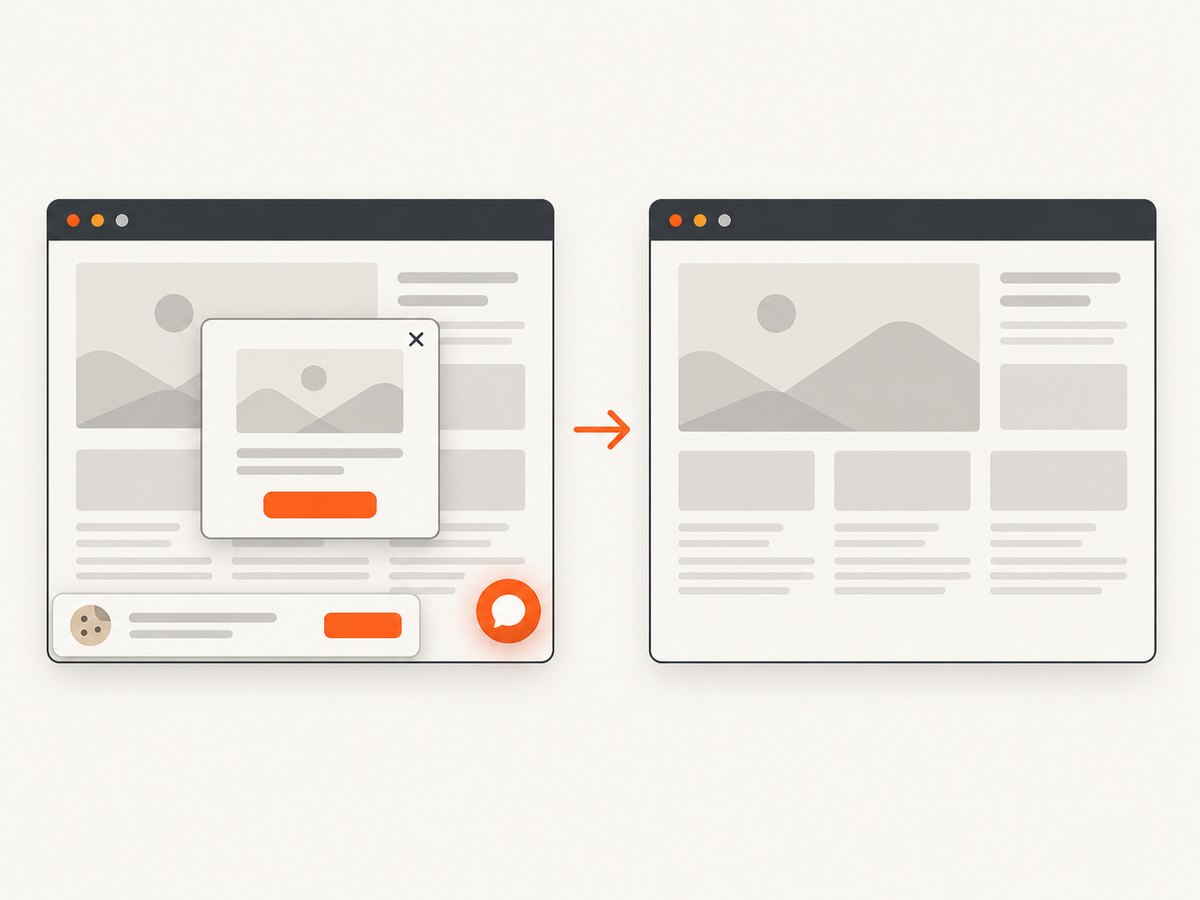
See the ScreenshotNeo API documentation for all options.
cURL
curl -G "https://api.screenshotneo.com/v1/shot" -d access_key=YOUR_API_KEY --data-urlencode url=https://stripe.com -o shot.webpPython
import requests
r = requests.get("https://api.screenshotneo.com/v1/shot", params={"access_key": "YOUR_API_KEY", "url": "https://stripe.com"}, timeout=90)
open("shot.webp", "wb").write(r.content)
Node.js
const q = new URLSearchParams({ access_key: 'YOUR_API_KEY', url: 'https://stripe.com' });
const res = await fetch(`https://api.screenshotneo.com/v1/shot?${q}`);
For regression evidence, relevant options include full-page capture with lazy images loaded, an element selected by CSS, dark mode, 12 device presets or a custom viewport, retina scale, custom CSS and JavaScript, click-before-capture, selector waits, delays, network-idle waits, hidden selectors, blocked ads or trackers, custom headers and cookies, timezone and geolocation, image resizing, and a cache TTL you choose. Async jobs with signed webhooks, bulk capture for up to 100 URLs per call, signed public image links, a usage API, and an OpenAPI specification support larger pipelines. An MCP server exposes take_screenshot, get_page_info, and capture_pdf to Claude, Cursor, and other MCP clients.
ScreenshotNeo offers 1,000 shots per month free with no card; paid plans start at $5 for 3,000 shots, with yearly billing providing two months free. Every feature is available on every plan. Create a free ScreenshotNeo account and add screenshot capture to your regression jobs.
Troubleshooting unit tests
| Symptom | Likely cause | Fix |
|---|---|---|
| Test is slow | It reaches a database, filesystem, or network | Replace the dependency with a focused fake or move the check to integration tests |
| Passes alone, fails in suite | Shared mutable state or test-order coupling | Reset state in setup and teardown; avoid global fixtures |
| Mock assertions are brittle | Test verifies implementation details | Assert observable behavior and use fewer interaction expectations |
| Coverage is high but bugs escape | Assertions miss important outcomes or edge cases | Add risk-based cases, invalid inputs, and mutation or review-based analysis |
Troubleshooting regression tests
| Symptom | Likely cause | Fix |
|---|---|---|
| Large suite times out | Too many broad tests run serially | Run targeted tests first, parallelize safely, and reserve full suites for suitable stages |
| Intermittent browser failure | Animations, timing, network, or third-party content | Wait on a stable condition, freeze inputs, block unnecessary resources, and capture logs |
| Many unrelated failures after one change | Shared fixture, schema, or environment contract changed | Start with the earliest failure and inspect shared dependencies before editing expectations |
| Visual diff changes everywhere | Viewport, font, browser, timezone, or dynamic content changed | Pin the environment and mask deliberately dynamic regions |
| Screenshot API returns no useful image | Bot check, blank page, timeout, or failed load | Read the verdict and billing headers, then adjust waits, headers, cookies, user agent, or access rules |
Performance, reliability, and cost
Unit tests are fastest when deterministic and isolated, so run them on every commit. Integration and browser regression checks consume more CPU, memory, network, and time; select them by impact and risk. Cache immutable dependencies and test data, but do not cache results in a way that lets stale passes hide a failure.
Reliability improves when tests have one reason to fail, controlled clocks and random seeds, explicit cleanup, and versioned environments. Treat flaky tests as defects in the test system. For external services, use contract tests and controlled fixtures for most runs, then keep a smaller number of live checks.
For screenshot-heavy regression jobs, reuse cache entries when the page and capture options are unchanged, choose a practical TTL, use bulk capture for up to 100 URLs, and use async jobs with signed webhooks when work does not fit inside a build timeout. ScreenshotNeo bills only clean shots; cache hits and failed or unusable captures are free, which makes failure handling easier to budget.
FAQ
Is regression testing manual or automated?
It can be either. Repeatable checks are usually automated in CI, while exploratory or high-risk release checks may remain manual.
Do regression tests run only after releases?
No. Run an appropriate regression set after any change that could affect existing behavior, including dependency and infrastructure changes.
Is retesting the same as regression testing?
No. Retesting confirms that the changed behavior or defect fix works. Regression testing checks that other behavior was not accidentally affected.
Should every unit test be in the regression suite?
Not necessarily. Keep fast, valuable unit tests in normal builds; select broader tests according to risk, change impact, and available execution time.
Can regression testing prove that software has no bugs?
No. It provides evidence against known and likely failures. Test selection, assertions, environments, and untested behavior still limit what the suite can detect.


