How to Update Snapshots in Cypress
Cypress has no universal snapshot update command. Find the tool that created your baseline, then update it with the right flag and review the diff.

To update snapshots in Cypress, first identify which snapshot tool created them. Cypress’s built-in cy.screenshot() captures an image; it does not compare that image with a visual baseline. If your project uses @simonsmith/cypress-image-snapshot, run npx cypress run --expose updateSnapshots=true with Cypress 15.10 or newer. Older Cypress versions use npx cypress run --env updateSnapshots=true. Other plugins and services have their own update procedures.
Before accepting new baselines, inspect the visual changes and confirm they are intentional. Updating a baseline changes what future runs consider correct, so it can hide a regression if you accept an unexpected difference.
1. Identify what “snapshot” means in your project
“Snapshot” can refer to several different things in a Cypress repository. Cypress does not provide a universal command that updates every type of snapshot. A screenshot, a visual-regression baseline, a DOM snapshot, and an assertion snapshot may all have different creators and update workflows.
| What you find | What it means | Next step |
|---|---|---|
cy.screenshot() |
Saves an image during a test run. By itself, it does not compare the image to a baseline. | Look for a visual comparison plugin or service if you expect a diff or baseline. |
matchImageSnapshot() or related setup |
Likely a visual image comparison plugin. The exact command depends on the package and version. | Inspect its installed package documentation and project configuration. |
| DOM or serialized-value snapshot helpers | May come from a separate assertion library, a custom command, or Cypress functionality unrelated to image baselines. | Trace the helper’s import or implementation, then use its update procedure. |
| A hosted visual testing service | The service may capture, store, compare, and review baselines outside the repository. | Use that service’s project workflow; a Cypress CLI flag may not update its baseline. |
Find the package and command
- Search your test files for screenshot and snapshot-related calls, including
cy.screenshot,matchImageSnapshot, and custom commands. - Check
package.jsonand the lockfile for image snapshot packages or visual testing SDKs. - Inspect Cypress configuration and support files for plugin registration, custom commands, and environment variables.
- Check CI scripts and the service dashboard, if applicable, to see where baselines are stored and reviewed.
- Read the instructions for the installed package version. Do not assume the newest online instructions match the version pinned in your lockfile.
Once you know which system owns the baseline, use its update command. The following commands apply specifically to @simonsmith/cypress-image-snapshot.
2. Update baselines with cypress-image-snapshot
The maintainer’s instructions use Cypress’s --expose flag for Cypress 15.10 or newer, and --env for older Cypress versions. Run the command from the project directory so Cypress can load the project’s configuration and tests.
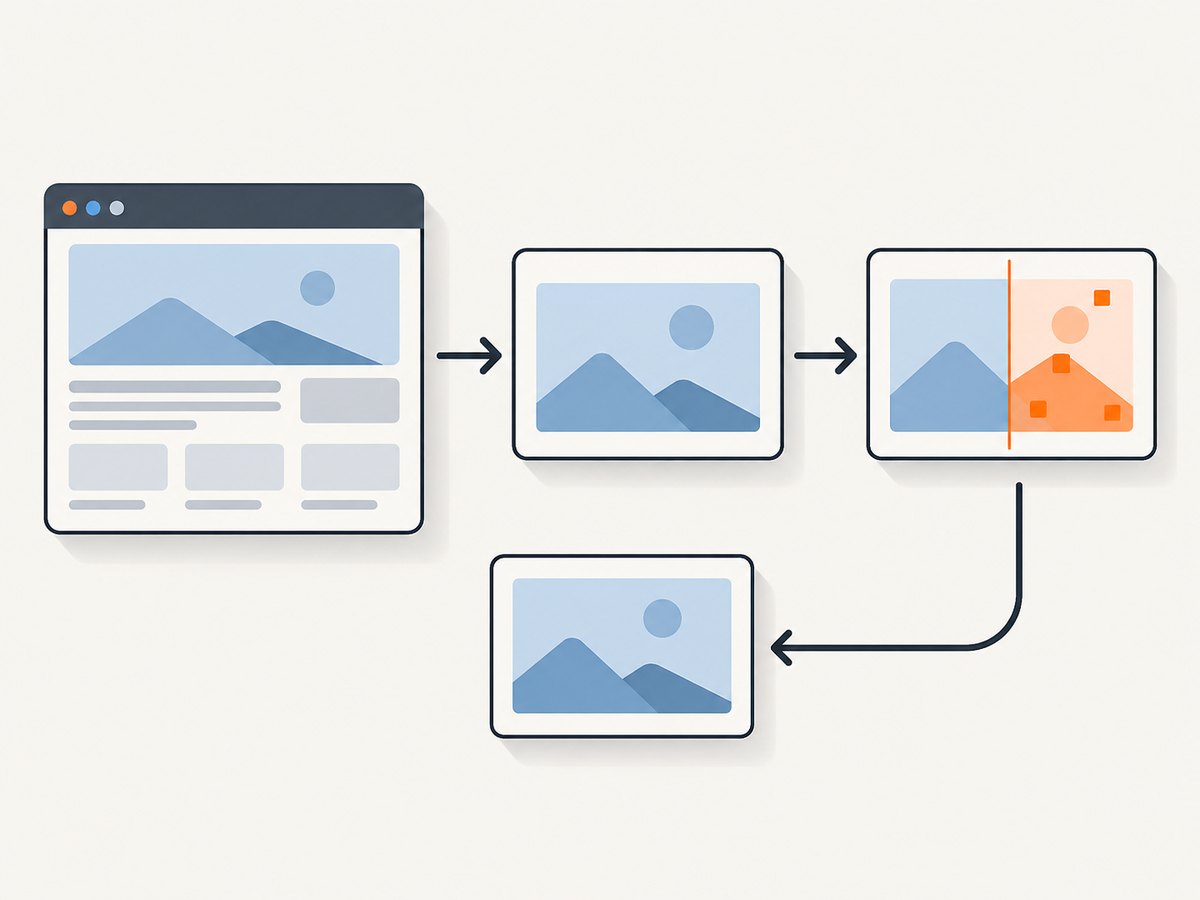
Cypress 15.10 or newer
npx cypress run --expose updateSnapshots=trueThis runs the test suite and asks the plugin to update its base images. It can update more than the snapshot associated with a single failing test, so review the full set of changed image files.
Older Cypress versions
npx cypress run --env updateSnapshots=trueThe version boundary matters: do not copy the newer flag into an older setup without checking Cypress and plugin compatibility. The plugin documentation researched for this guide lists version 11.0.0 with Cypress 15.10 or newer; installed versions and compatibility can change. Check your actual dependency versions before running either command.
Use a package script when your team prefers one
You can make the version-appropriate command easier to find by adding a script to package.json. For example, with Cypress 15.10 or newer:
{
  "scripts": {
    "cy:run": "cypress run",
    "cy:update-snapshots": "cypress run --expose updateSnapshots=true"
  }
}
Then run:
npm run cy:update-snapshotsFor an older Cypress version, set the script to cypress run --env updateSnapshots=true. A script does not establish that the plugin is installed or configured; verify both first.
Do not confuse update mode with failure behavior
A mismatched image normally fails the test. The plugin also documents a separate failOnSnapshotDiff setting that changes failure behavior. That setting is not the baseline update mechanism. Keep update mode and pass/fail policy distinct so a test cannot silently accept a changed image just because failure behavior was relaxed.
3. Review changes before accepting them
A baseline is an executable record of the expected appearance. Treat an update like a code change: inspect what changed, understand why, and make the new expected state reproducible.
- Open the visual diff. Look for missing content, shifted elements, changed typography, unexpected colors, and clipping. If your tool writes actual, expected, and diff images, inspect all of them.
- Confirm the product change. Match the difference to an intentional UI or content change. If you cannot explain it, investigate before updating.
- Stabilize the test state. Wait for the page to reach the state being tested, rather than capturing during a transition or partial render.
- Control the inputs. Use fixtures and network stubs for data that would otherwise vary. Fix clocks or displayed dates when time changes the page.
- Keep rendering conditions consistent. Use the same viewport and, where practical, the same operating system, browser version, display scaling, and fonts for baseline generation and comparison.
- Limit the captured area appropriately. An element-level capture can reduce unrelated page changes. Mask a region only when it is genuinely dynamic and the tool supports masking.
- Review the files in version control. Stage only the intended baselines and include a clear explanation of the UI change that justifies them.
- Run the normal comparison again. Confirm the updated baseline passes in the ordinary test mode, without the update flag.
Wait for the state you intend to capture
Prefer a test assertion that signals the meaningful page state before taking a screenshot. For example, wait for a heading or completed result to appear rather than using a guessed delay:
cy.visit('/reports');
cy.findByRole('heading', { name: 'Monthly report' }).should('be.visible');
cy.get('[data-cy=report-chart]').should('be.visible');
cy.get('[data-cy=report-chart]').matchImageSnapshot();
This example assumes the project has the relevant testing-library command and image snapshot command installed and configured. Replace the selectors and assertion with ones from your application and test stack.
Cypress screenshot options include disableTimersAndAnimations, enabled by default for cy.screenshot(). That option can help with the screenshot command, but it does not mean every animation in every visual-testing plugin is automatically stabilized. Cypress’s visual testing guidance also cautions that action settings such as waitForAnimations do not prevent an unrelated page animation from appearing mid-capture.
4. Choosing and maintaining a visual testing workflow
Open-source visual plugins commonly keep image baselines in the project, leaving baseline updates and diff review to the team. Commercial services may manage capture, storage, comparison, rendering, and pull-request review. Cypress lists integrations and services including Percy, Sauce Labs Visual, SmartBear VisualTest, Happo, and LambdaTest SmartUI; that list does not mean Cypress endorses a particular vendor.
| Decision | Questions to answer |
|---|---|
| Baseline storage | Are images committed with application code, or stored by a hosted service? Who can update them? |
| Diff review | Can reviewers see a useful side-by-side or overlay diff? Is approval recorded in the team’s normal review process? |
| Rendering coverage | Do you need one controlled browser and viewport, or cross-browser and viewport rendering? |
| CI consistency | Can the team keep operating system, browser, fonts, and display settings consistent between baseline creation and comparison? |
| Operating effort | Who investigates flakes, controls test data, updates baselines, and maintains the capture environment? |
For a repository-based plugin, stable CI images and disciplined review reduce unexplained diffs. For a hosted service, understand where baselines live, how updates are approved, and whether its rendering environment matches the coverage you need. Neither approach removes the need to distinguish an intended design change from a test or environment problem.
5. Troubleshooting
| Symptom | Likely cause | Fix |
|---|---|---|
| The update flag is ignored. | The flag does not match the Cypress version, the plugin is not configured, or another tool owns the baseline. | Check Cypress and plugin versions, confirm registration, and use the instructions for that exact package. |
The command errors on --expose. |
The installed Cypress version is older than the version expected by the current command. | For the plugin covered here, use --env updateSnapshots=true on older Cypress; verify compatibility before changing dependencies. |
| No baseline files change. | The test may not reach the snapshot call, the comparison command may not run, or the configured output path differs from the directory being inspected. | Confirm the relevant test is selected, inspect the test output and plugin configuration, and locate the configured snapshot directory. |
| Every run produces a slightly different diff. | Uncontrolled data, dates, animations, fonts, viewport, browser, or operating system can affect rendering. | Stub network data, control time, wait for the intended state, and standardize the rendering environment. |
| The diff shows a loading or empty state. | The capture occurs before the page finishes rendering or before required data arrives. | Wait on a meaningful assertion or element state. Avoid replacing the baseline with an intermediate screen. |
| Unrelated parts of the page create noise. | A full-page comparison includes content outside the feature under test. | Capture a smaller meaningful element if supported, or mask only known dynamic regions. |
| Baseline update passes, but normal test behavior is confusing. | Update mode and failure policy have been conflated, or the team is still running with the update flag. | Run once with the update flag, review and commit intentional changes, then run without it. Check failOnSnapshotDiff separately. |
| Local results differ from CI. | Browser, OS, font, scale, or rendering dependencies differ. | Generate and compare baselines in a consistent CI environment, or make local tooling match it. |
6. Performance, reliability, and cost
Updating snapshots usually entails running the tests that produce them, capturing images, and comparing them. The time and compute cost depend on suite size, page load behavior, image dimensions, and whether captures happen locally or in a hosted service. The source material does not establish universal timings or costs, so measure your own CI run before deciding whether to split visual tests from the broader suite.
Reliability comes mainly from deterministic inputs and a consistent renderer. A stable viewport, fixed test data, explicit readiness assertions, controlled time, and a pinned browser environment reduce false diffs. Retrying a flaky test may hide the symptom without fixing the changing state; find the source of variation before accepting new images.
Keep snapshot files reviewable. Updating every baseline can create a large change that is hard to inspect, so run the smallest appropriate test set when your scripts allow it, and group updates around a specific UI change. Confirm the ordinary non-update run passes before merging.
7. Capture a page screenshot without setting up browser automation
If the task is to capture a website image for documentation, a report, or another workflow—not to update Cypress’s visual regression baseline—you can call ScreenshotNeo, a website screenshot API and MCP server for developers from ScreenshotNeo. It returns a PNG, JPEG, WebP, or PDF from one request. See the API documentation for request options.

cURL
curl -G "https://api.screenshotneo.com/v1/shot" \
  -d access_key=YOUR_API_KEY \
  --data-urlencode url=https://stripe.com \
  -o shot.webp
Python
import requests

r = requests.get(
    "https://api.screenshotneo.com/v1/shot",
    params={"access_key": "YOUR_API_KEY", "url": "https://stripe.com"},
    timeout=90,
)
open("shot.webp", "wb").write(r.content)
Node.js
const q = new URLSearchParams({
  access_key: 'YOUR_API_KEY',
  url: 'https://stripe.com'
});
const res = await fetch(`https://api.screenshotneo.com/v1/shot?${q}`);
const bytes = new Uint8Array(await res.arrayBuffer());
await import('node:fs/promises').then(fs => fs.writeFile('shot.webp', bytes));
Or skip the browser setup
ScreenshotNeo accepts cookie and consent banners like a visitor and removes more than 60 known consent platforms, newsletter popups, and chat widgets before capture; each step can be turned off. Bot checks and CAPTCHAs, blank pages, timeouts, failed loads, and cache hits are not billed, and the response indicates the page verdict and billing status in headers. Its MCP server gives AI agents tools to take screenshots, get page information, and capture PDFs.
The free plan includes 1,000 screenshots a month with no card. Paid plans start at $5 for 3,000 shots; every feature is available on every plan. Sign up for 1,000 free screenshots a month, no card required.
FAQ
Does updating a snapshot change my application?
No. It changes the expected snapshot baseline used by the comparison workflow. Your application changes separately; review the diff to confirm the new baseline represents its intended appearance.
Can I update only one failing image?
That depends on the plugin and its configuration. The documented command for @simonsmith/cypress-image-snapshot runs Cypress and updates base images; check the installed version’s instructions for narrower controls.
Does a screenshot from cy.screenshot() become a visual baseline?
No. It saves an image. A comparison tool or separate test logic is needed to compare that image against an expected result.
Should I disable animations globally?
Only when that matches the state your tests should verify and the capture tool supports it. First make the capture timing and test state deterministic; animation controls differ between Cypress’s screenshot command and plugins.
Can ScreenshotNeo update Cypress baselines?
No. It is a website screenshot API and MCP server for capturing pages. Cypress baseline generation and comparison remain the responsibility of the visual testing plugin or service configured in your project.


