How to Upload Generated PDFs to Amazon S3
Upload generated PDF bytes to Amazon S3 with SDKs, the CLI, or presigned URLs. Includes encryption, multipart uploads, retries, security, and troubleshooting.
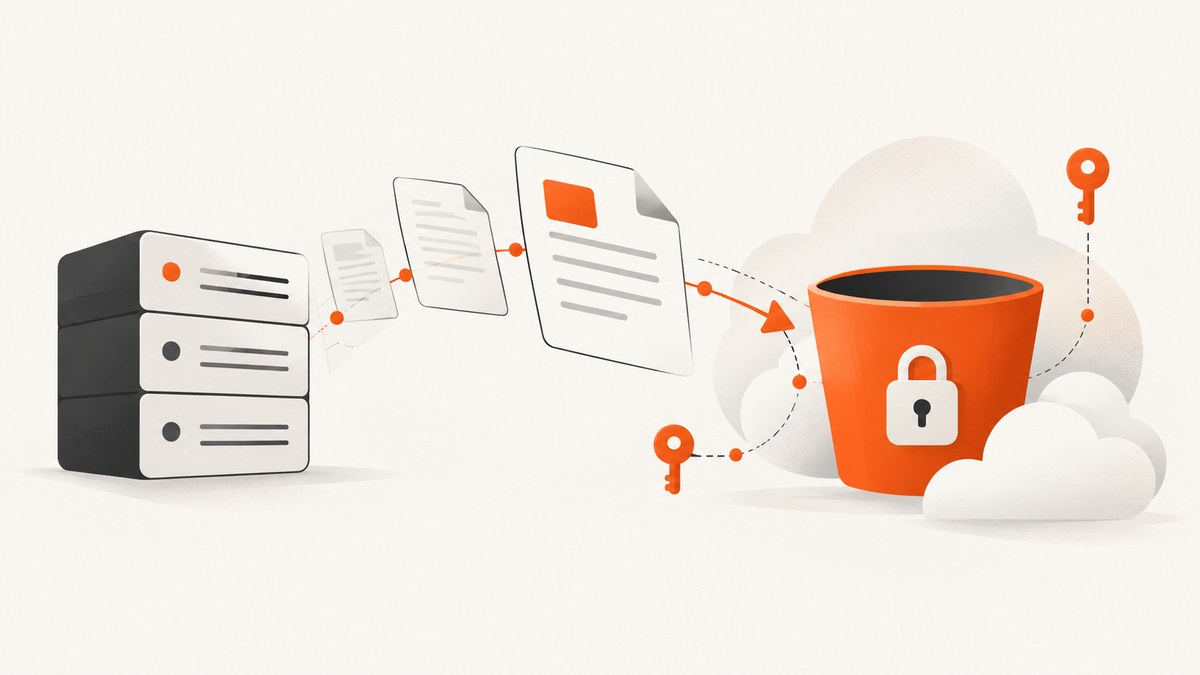
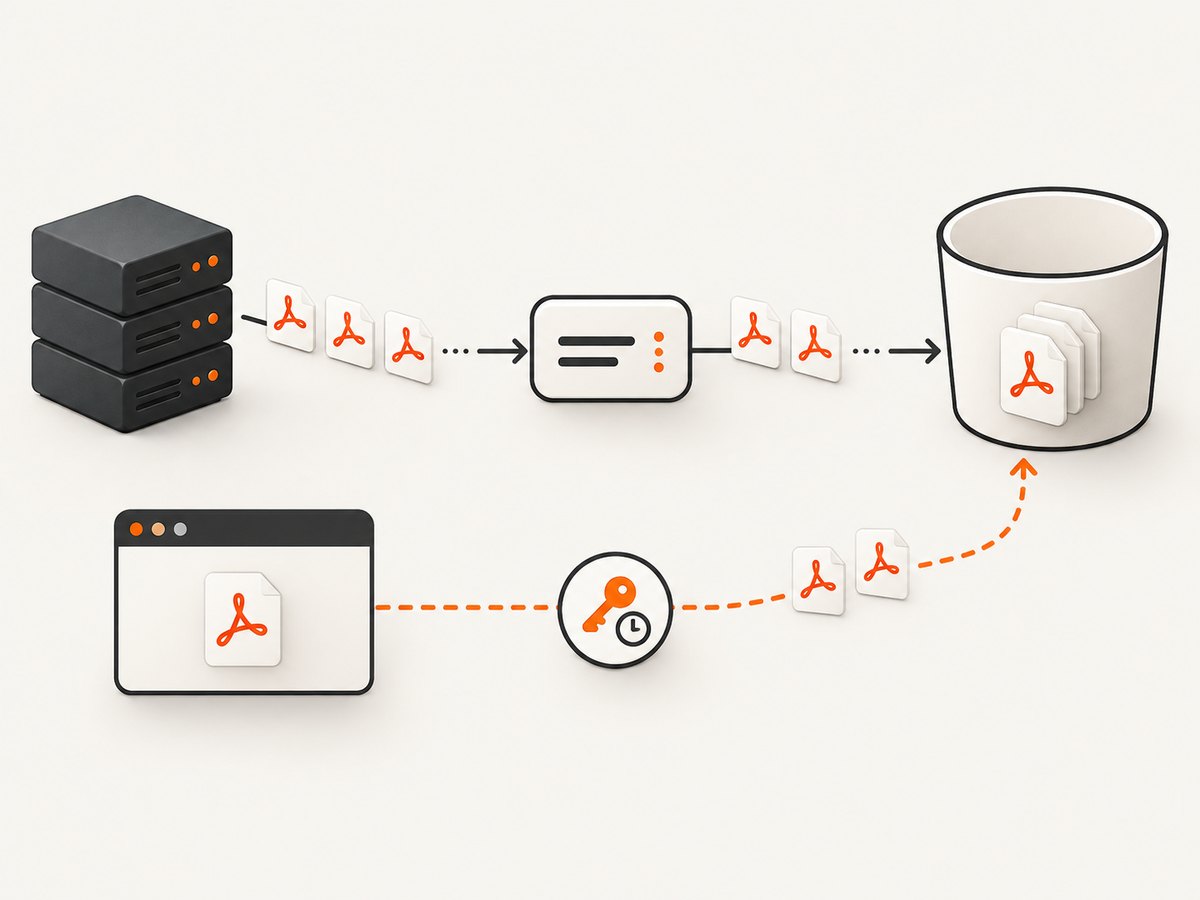
Direct answer: generate the PDF as bytes or a stream, then upload it as an S3 object using an AWS SDK, the AWS CLI, or the S3 API. The object key determines where it appears in the bucket’s key namespace. If a browser or another untrusted client must upload the file, have your backend create a short-lived presigned URL for one specific key instead of exposing AWS credentials. For large or streamed PDFs, use multipart upload or the transfer manager provided by your SDK.
This guide covers server-side uploads, browser uploads with presigned URLs, metadata, encryption, multipart edge cases, complete Python and Node.js examples, the CLI and cURL, reliability, cost, and common failures.
1. Choose the upload path
| Situation | Recommended path | Why |
|---|---|---|
| Your backend generates and stores the PDF | AWS SDK or CLI | The process can use an IAM role or access keys without sending credentials to a client. AWS documents SDK and API uploads for S3 objects. AWS: Uploading objects |
| A browser or mobile client must upload | Backend-issued presigned URL | The URL grants temporary permission for one operation without revealing the signing principal’s credentials. AWS: Presigned URLs |
| The PDF is large, streamed, or expensive to buffer | Multipart upload or an SDK transfer manager | Parts can be retried independently and avoid holding the entire document in memory. |
| A customer-managed encryption key is required | SSE-KMS | Configure the key, IAM policy, and multipart permissions before uploading. |
2. Create a controlled object key
An S3 key is the complete object name, including any prefix that looks like a directory. Generate it from trusted identifiers rather than accepting an arbitrary path from a user. A useful pattern is documents/{tenant_id}/{year}/{uuid}.pdf. A UUID prevents collisions when two jobs finish at the same time.
documents/acme/2026/09/550e8400-e29b-41d4-a716-446655440000.pdfKeep the bucket name and key separate. Do not put credentials, personal data, or unescaped user input into a key. If a client receives a presigned URL, scope the signer so it can write only to the required bucket and prefix.
3. Upload a generated PDF with Python
The following example generates or receives PDF bytes, then uploads them with boto3. Replace the placeholder PDF bytes with your PDF library’s output. The ContentType metadata helps consumers identify the object as a PDF; verify any additional metadata requirements in your application.
import io
import os
import uuid
from datetime import datetime, timezone

import boto3

BUCKET = os.environ["S3_BUCKET"]
REGION = os.getenv("AWS_REGION", "us-east-1")

# Replace this with the bytes returned by your PDF generator.
pdf_bytes = generate_pdf_bytes()

key = (
    f"documents/acme/{datetime.now(timezone.utc):%Y/%m}/"
    f"{uuid.uuid4()}.pdf"
)

s3 = boto3.client("s3", region_name=REGION)
s3.put_object(
    Bucket=BUCKET,
    Key=key,
    Body=io.BytesIO(pdf_bytes),
    ContentType="application/pdf",
    Metadata={"source": "invoice-service"},
)

print(f"s3://{BUCKET}/{key}")
For a file already on disk, pass an open binary file as Body. For a stream, use the SDK’s supported streaming or transfer APIs rather than assuming the entire stream can be replayed. AWS’s Java 2.x guidance explains why stream length and repeatability matter; equivalent APIs differ between languages. AWS: Uploading streams with Java SDK 2.x
4. Upload with Node.js
Install the modular AWS SDK package with npm install @aws-sdk/client-s3. This example uploads a buffer. In a production service, obtain credentials from the runtime’s IAM role, workload identity, or another secret manager instead of committing keys.
import { S3Client, PutObjectCommand } from "@aws-sdk/client-s3";
import crypto from "node:crypto";

const bucket = process.env.S3_BUCKET;
const region = process.env.AWS_REGION || "us-east-1";

// Replace this with the output from your PDF generator.
const pdfBuffer = await generatePdfBuffer();
const key = `documents/acme/${new Date().toISOString().slice(0, 7)}/${crypto.randomUUID()}.pdf`;

const s3 = new S3Client({ region });
await s3.send(new PutObjectCommand({
  Bucket: bucket,
  Key: key,
  Body: pdfBuffer,
  ContentType: "application/pdf",
  Metadata: { source: "invoice-service" }
}));

console.log(`s3://${bucket}/${key}`);
For large content, use @aws-sdk/lib-storage‘s Upload helper or the low-level multipart commands. Configure a part size and concurrency that your memory and network budget can support.
5. Upload with the AWS CLI
The CLI is convenient for a worker that has already written the PDF to disk. Its transfer commands can select multipart behavior for sufficiently large files.
aws s3 cp ./invoice.pdf s3://YOUR_BUCKET/documents/acme/invoice-2026-09.pdf \
  --content-type application/pdf \
  --metadata source=invoice-service
Use an IAM role, a configured profile, or the environment’s credential provider chain. Avoid putting secret keys directly in shell history. To inspect the result:
aws s3api head-object \
  --bucket YOUR_BUCKET \
  --key documents/acme/invoice-2026-09.pdf
6. Upload with a presigned URL
A presigned URL is created by a trusted backend and returned to a browser or other client. It authorizes a time-limited operation on a particular bucket and key. The URL uses the permissions of the IAM principal that generated it, so a broad signer can accidentally grant broad access. Treat the URL as a bearer credential: use a short expiry, send it only over HTTPS, and do not log it publicly. AWS documents these authorization rules.
Generate the URL in Python
import os
import uuid
import boto3

s3 = boto3.client("s3", region_name=os.getenv("AWS_REGION", "us-east-1"))
bucket = os.environ["S3_BUCKET"]
key = f"incoming/{uuid.uuid4()}.pdf"

url = s3.generate_presigned_url(
    ClientMethod="put_object",
    Params={
        "Bucket": bucket,
        "Key": key,
        "ContentType": "application/pdf",
    },
    ExpiresIn=600,
)

print({"upload_url": url, "key": key})
Upload from a browser
async function uploadPdf(file, uploadUrl) {
  const response = await fetch(uploadUrl, {
    method: "PUT",
    headers: { "Content-Type": "application/pdf" },
    body: file
  });
  if (!response.ok) {
    throw new Error(`S3 upload failed: ${response.status}`);
  }
}
The request headers used to create the signature must match the headers sent by the client. If the backend signs ContentType: application/pdf, send that exact value. Configure the bucket’s CORS policy for the browser’s origin and the PUT method. After the upload, have the backend verify the expected key rather than trusting a client-provided success message.
Upload with cURL
curl --fail --upload-file invoice.pdf \
  -H "Content-Type: application/pdf" \
  "PRESIGNED_PUT_URL"
7. Encryption and permissions
Amazon S3 states that new object uploads are encrypted by default with server-side encryption using Amazon S3 managed keys (SSE-S3). A bucket can instead require a different default or require SSE-KMS through a bucket policy. AWS: SSE-S3
For ordinary SSE-S3 uploads, no encryption header is required. For SSE-KMS, specify the key according to your SDK and grant the uploading principal permission to use it. Policies commonly need kms:Encrypt for a simple upload; multipart operations also require the KMS permissions AWS lists for multipart completion, including kms:Decrypt and kms:GenerateDataKey*. AWS: CreateMultipartUpload
aws s3api put-object \
  --bucket YOUR_BUCKET \
  --key documents/acme/invoice.pdf \
  --body invoice.pdf \
  --content-type application/pdf \
  --server-side-encryption aws:kms \
  --ssekms-key-id YOUR_KMS_KEY_ARN
Keep the bucket private unless public delivery is an explicit requirement. Grant the application only the actions and prefixes it needs, such as s3:PutObject on arn:aws:s3:::bucket/documents/acme/*. Do not grant bucket-wide deletion just to make uploads work.
8. Multipart uploads for large or streamed PDFs
A single PutObject is simple when the PDF is reasonably sized and available as a repeatable byte source. Multipart upload is preferable when generation produces a large stream, memory is constrained, or retrying one failed part is cheaper than retrying the entire object.
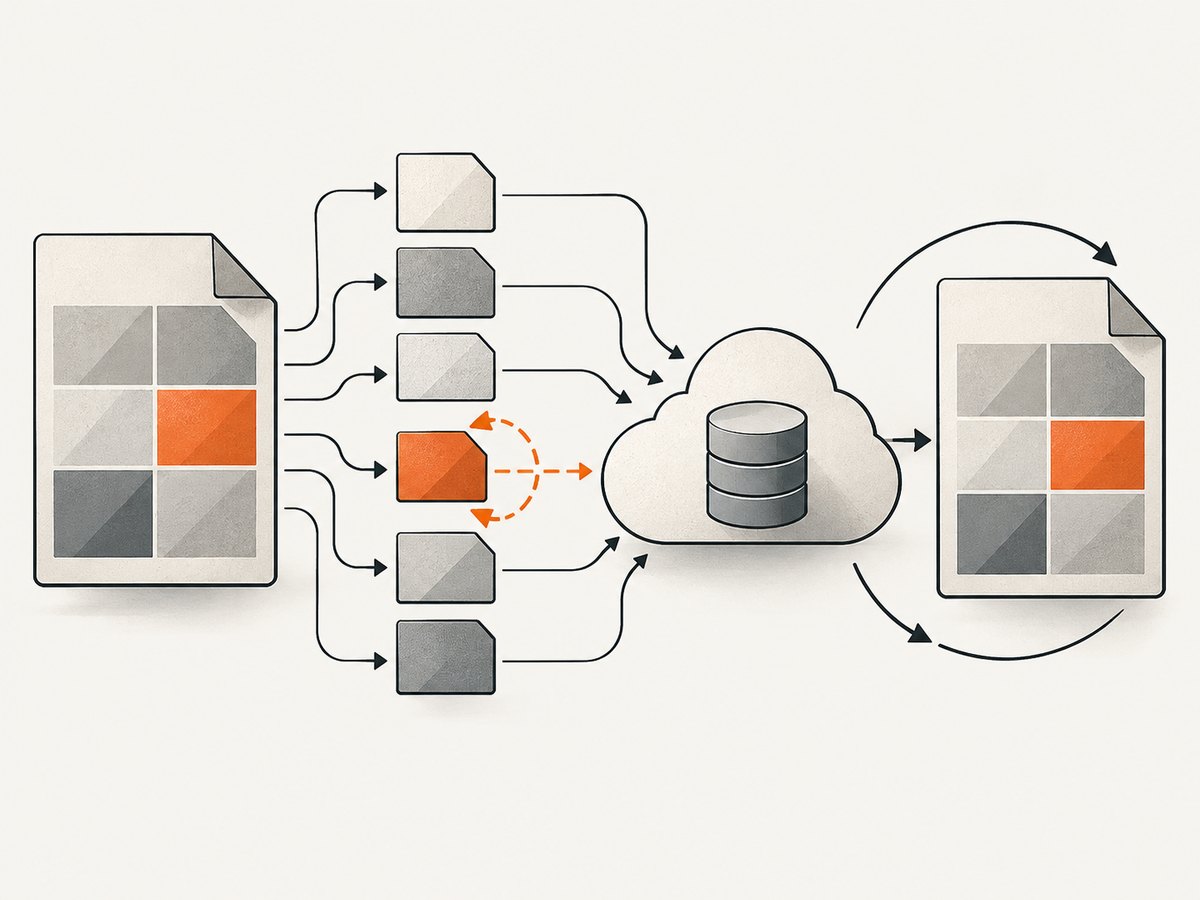
- Call
CreateMultipartUploadwith the bucket, key, metadata, and encryption settings. - Split the stream into valid parts and upload each part, recording its ETag.
- Retry failed parts with bounded exponential backoff.
- Call
CompleteMultipartUploadwith every part number and ETag in order. - Abort the upload if generation or completion fails, so unfinished parts do not remain billable storage.
Choose part size and concurrency based on available memory, bandwidth, and expected document size. More concurrency can improve throughput but increases memory, open connections, and pressure on the PDF generator. If SSE-KMS is enabled, confirm the key policy and the multipart permissions before diagnosing the upload code.
9. Validate the stored object
After the SDK reports success, record the bucket, key, version identifier if bucket versioning is enabled, and the service’s request ID. A lightweight follow-up HeadObject can confirm size and metadata. If your application needs stronger validation, compare the generated byte count or a hash calculated before upload with a value stored alongside the job. An ETag is not a universal content hash, especially for multipart objects, so do not treat it as one without checking your upload mode.
10. Reliability, performance, and cost
- Retries: use the SDK’s retry configuration, bounded backoff, and an idempotent key strategy. A deterministic job ID lets a retry overwrite or check the same object instead of creating duplicates.
- Timeouts: set connect, read, and total request timeouts appropriate to the PDF size. A client timeout does not prove that S3 did not receive the object; check the key before retrying.
- Concurrency: limit simultaneous PDF generations and uploads. Multipart concurrency should fit the worker’s memory and network limits.
- Storage costs: account for S3 storage, requests, data transfer, and incomplete multipart parts. Abort failed multipart uploads and apply lifecycle rules where appropriate.
- Access costs: a private object downloaded repeatedly may incur request and transfer charges. A presigned URL controls authorization time, not bandwidth pricing.
- Encryption: SSE-S3 is automatic for new uploads. SSE-KMS adds key permissions and can add KMS request costs; use it when the security requirement justifies the operational overhead.
11. Troubleshooting
| Symptom | Likely cause | Fix |
|---|---|---|
AccessDenied |
The role lacks s3:PutObject, the key prefix is outside its policy, or a bucket policy denies the request. |
Inspect the effective IAM and bucket policies. Grant the narrow bucket/key permission required. |
SignatureDoesNotMatch on a presigned upload |
The client changed a signed header, URL encoding, region, or HTTP method. | Use the exact method and signed headers. Generate the URL for the bucket’s correct region and avoid rewriting the URL. |
| Browser CORS error | The bucket CORS rules do not allow the browser origin, PUT, or requested headers. |
Allow the exact origin and method, and allow Content-Type if it is sent. |
| Object downloads as binary or has the wrong type | Content-Type was omitted or set incorrectly. |
Upload with application/pdf and verify it with HeadObject. |
| Upload works locally but fails in production | The production runtime has no role credentials, uses another region, or is blocked by a network policy. | Check the runtime credential provider, region, endpoint, and egress rules without printing secrets. |
| Multipart completion fails with KMS errors | The caller lacks the KMS permissions required for multipart operations. | Review the KMS key policy and the permissions in AWS’s CreateMultipartUpload documentation. |
| Duplicate PDFs after retries | Each retry generated a new random key. | Derive the key from a stable job or document ID, then check for an existing object before creating another. |
| Memory spikes during generation | The complete PDF and multiple upload parts are buffered simultaneously. | Stream where the PDF library and SDK support it, lower multipart concurrency, or use a temporary file. |
12. Or skip the browser setup
If the PDF you need is a rendered webpage, ScreenshotNeo can produce the PDF directly through one GET request. The API supports PDF capture options such as paper size, margins, landscape mode, and page ranges. See the ScreenshotNeo documentation for the complete parameter list.
curl -G "https://api.screenshotneo.com/v1/shot" -d access_key=YOUR_API_KEY --data-urlencode url=https://stripe.com -o shot.webpFor a PDF response, add the PDF options documented by ScreenshotNeo and use an output filename ending in .pdf. The same endpoint can also capture PNG, JPEG, or WebP images. A Python request looks like this:
import requests
r = requests.get("https://api.screenshotneo.com/v1/shot", params={"access_key": "YOUR_API_KEY", "url": "https://stripe.com"}, timeout=90)
open("shot.webp", "wb").write(r.content)
In Node.js:
const q = new URLSearchParams({ access_key: 'YOUR_API_KEY', url: 'https://stripe.com' }); const res = await fetch(`https://api.screenshotneo.com/v1/shot?${q}`);ScreenshotNeo removes cookie and consent banners, newsletter popups, and chat widgets before capture. Bot checks, blank pages, failed loads, timeouts, and cache hits are not billed, and response headers identify the page verdict and billing status. Its MCP server provides take_screenshot, get_page_info, and capture_pdf tools for Claude, Cursor, and other MCP clients. The Free plan includes 1,000 screenshots each month with no card; paid plans start at $5 for 3,000. After receiving the PDF bytes, upload them to S3 using any method above. Create a free ScreenshotNeo account.
13. Frequently asked questions
Can S3 store a PDF directly?
Yes. S3 accepts arbitrary object bodies; a PDF is uploaded as the object’s bytes, and the key identifies it.
Should the browser upload directly to S3?
Use a presigned URL when you need direct browser transfer. Your backend should still authenticate the user, choose the key, set a short expiry, and verify the resulting object.
Do I need to encrypt the PDF myself?
Not for ordinary server-side encryption: AWS says new uploads use SSE-S3 by default. Use SSE-KMS when your requirements call for a customer-managed key and you can operate its policies.
When is multipart upload worth using?
Use it for large files, streams, or workloads where retrying individual parts improves reliability. A simple buffered PDF can use PutObject.
Can I make the uploaded PDF public?
You can design a public delivery path, but keeping the bucket private and issuing controlled download URLs is usually easier to limit and audit. Choose the access model deliberately and scope IAM permissions to it.


