URL2PNG vs. Urlbox: Screenshot API Alternatives
Compare URL2PNG and Urlbox on price, capture controls, integration, output, and reliability—and see why ScreenshotNeo is the first alternative to try.
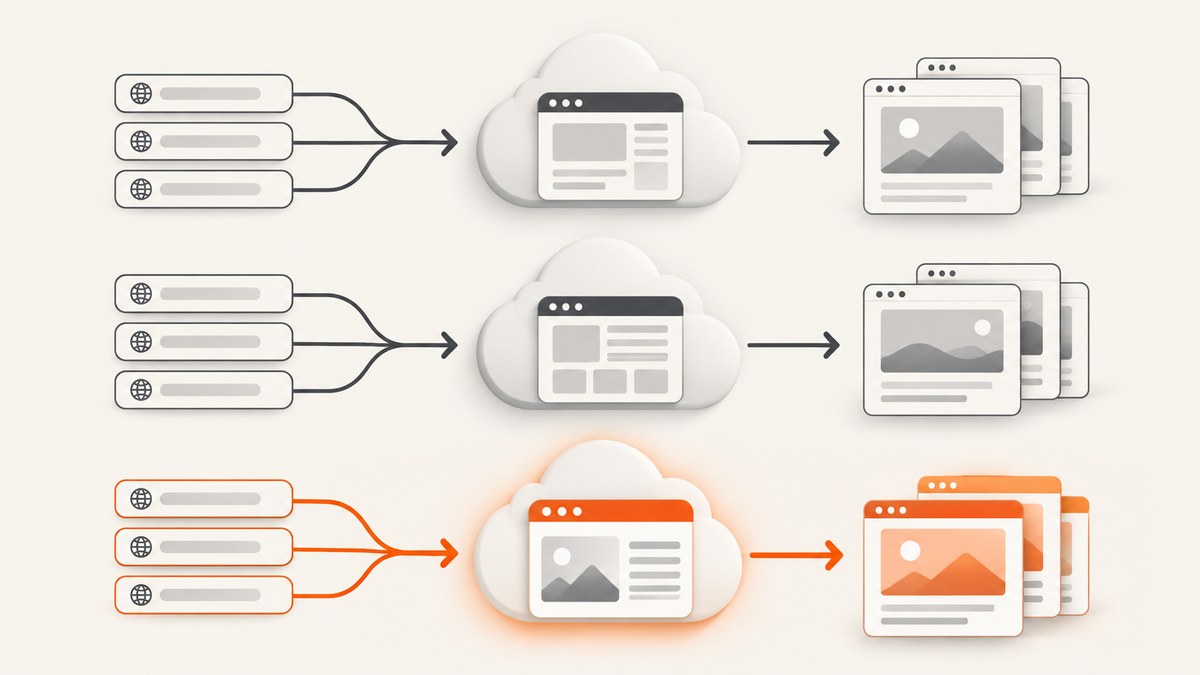
URL2PNG and Urlbox are hosted website screenshot APIs. They turn a web URL, and in some workflows HTML, into an image or PDF without requiring you to run a browser locally. The right choice depends on your monthly render volume, required capture controls, output formats, and whether your application needs a direct render URL, a synchronous API response, or asynchronous jobs.
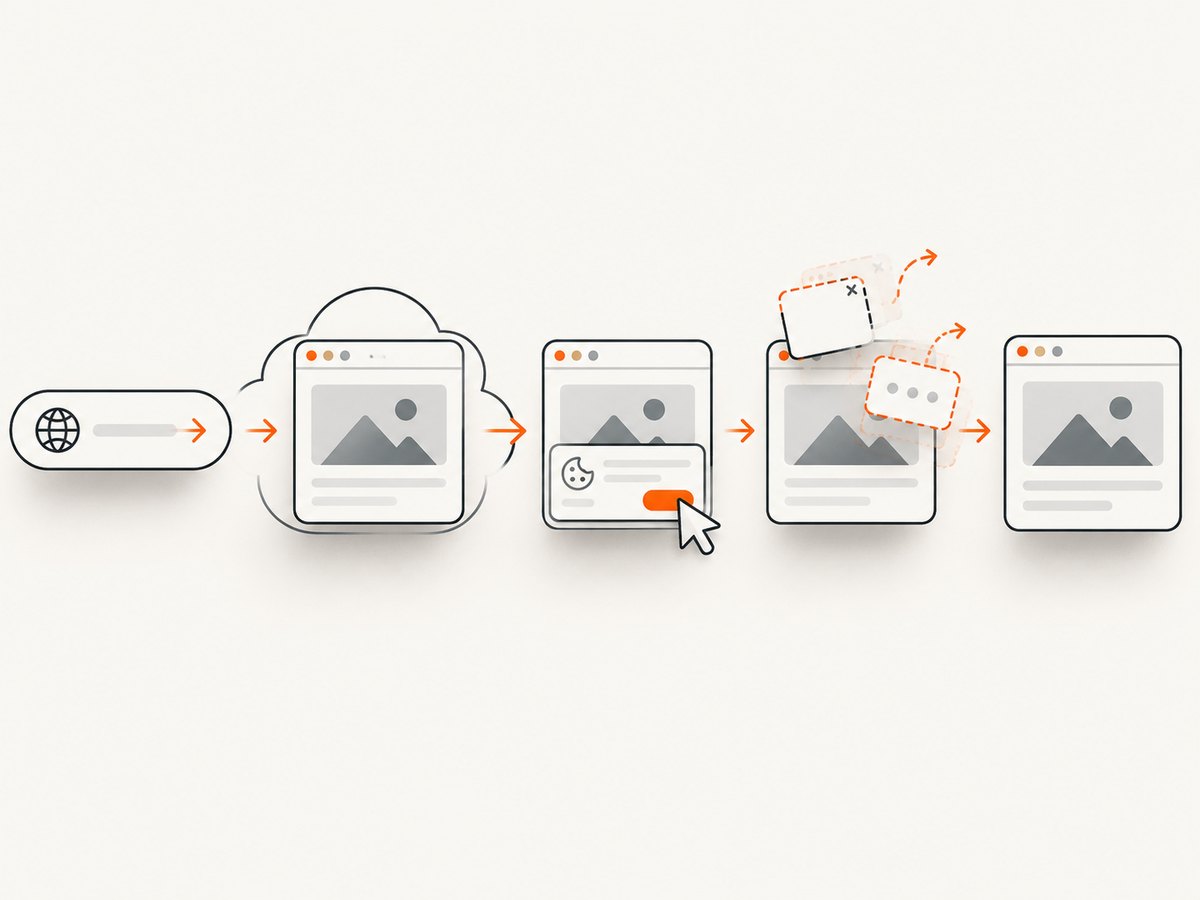
For most new projects, start by comparing ScreenshotNeo, Urlbox, and URL2PNG against the same representative pages. ScreenshotNeo is the first alternative to try because it removes cookie banners, newsletter popups, and chat widgets before capture, bills only clean shots, and has a lower paid entry plan.
Quick decision guide
| Need | Best next step |
|---|---|
| A clean screenshot without consent overlays | Try ScreenshotNeo; its capture flow accepts consent banners and removes more than 60 known consent, popup, and chat platforms. |
| URL or HTML rendering with documented render-link and POST workflows | Evaluate Urlbox using its documentation. |
| A plan explicitly listing fresh screenshot allowances | Review the current URL2PNG plans. |
| A controlled production decision | Run the same URLs, viewport, wait conditions, and output settings through each service and compare results. |
What URL2PNG and Urlbox provide
Both products are hosted services. Your application sends a URL or rendering request, and the provider runs browser infrastructure and returns a screenshot or another supported output. That removes the operational work of installing Chromium, managing fonts, handling sandbox permissions, and keeping browser versions current.
Urlbox documents two broad request styles. A render link can return a rendered result directly. POST requests can be synchronous, or asynchronous with polling or a webhook. Its documentation also covers URL and HTML input and configurable capture settings. These patterns matter when a page takes too long for a normal HTTP request or when you need a durable job record.
URL2PNG publishes plan allowances and overage prices. Its plans page lists Bootstrapped at $29 per month for 5,000 freshly generated screenshots, with $0.006 per additional screenshot; Traction at $99 for 20,000, with $0.005 per additional screenshot; and Killinit at $199 for 50,000, with $0.004 per additional screenshot. An Enterprise option is also listed. Prices and inclusions can change, so verify the live page before budgeting.
Urlbox’s pricing page lists Lo-Fi at $19 per month for up to 2,000 renders, Hi-Fi at $49 for 5,000, Ultra at $99 for 15,000, Business at $498, and Enterprise from $3,000 per month. The page describes different limits, support, and feature access by tier, and says its seven-day trial requires no credit card. Confirm current limits before signing a contract.
Compare the APIs on the dimensions that affect your application
1. Cost, quota, and caching
Do not compare monthly prices alone. Calculate the number of fresh renders you need, expected retries, and overage exposure. A screenshot generated once per product page is a different workload from a visual-monitoring system that captures every page hourly.
Ask each provider:
- Does the quota count fresh renders, every request, or cached responses?
- What happens after the included allowance?
- Can you set a cache lifetime?
- Are failed loads, bot checks, or blank pages charged?
- Is an overage blocked, throttled, or billed automatically?
Urlbox states that cached Render Link screenshots are retained for 30 days and do not count against the monthly quota when served from cache; its pricing page describes API behavior separately. Treat that distinction as a design concern and confirm it for your exact request method.
2. URL versus HTML input
URL input is the simplest path for public pages. HTML input is useful when your application generates a report, invoice, chart, or email preview that does not exist at a public URL. Verify how each service handles external stylesheets, fonts, images, scripts, and relative URLs when rendering supplied HTML.
3. Viewport, full-page, and element capture
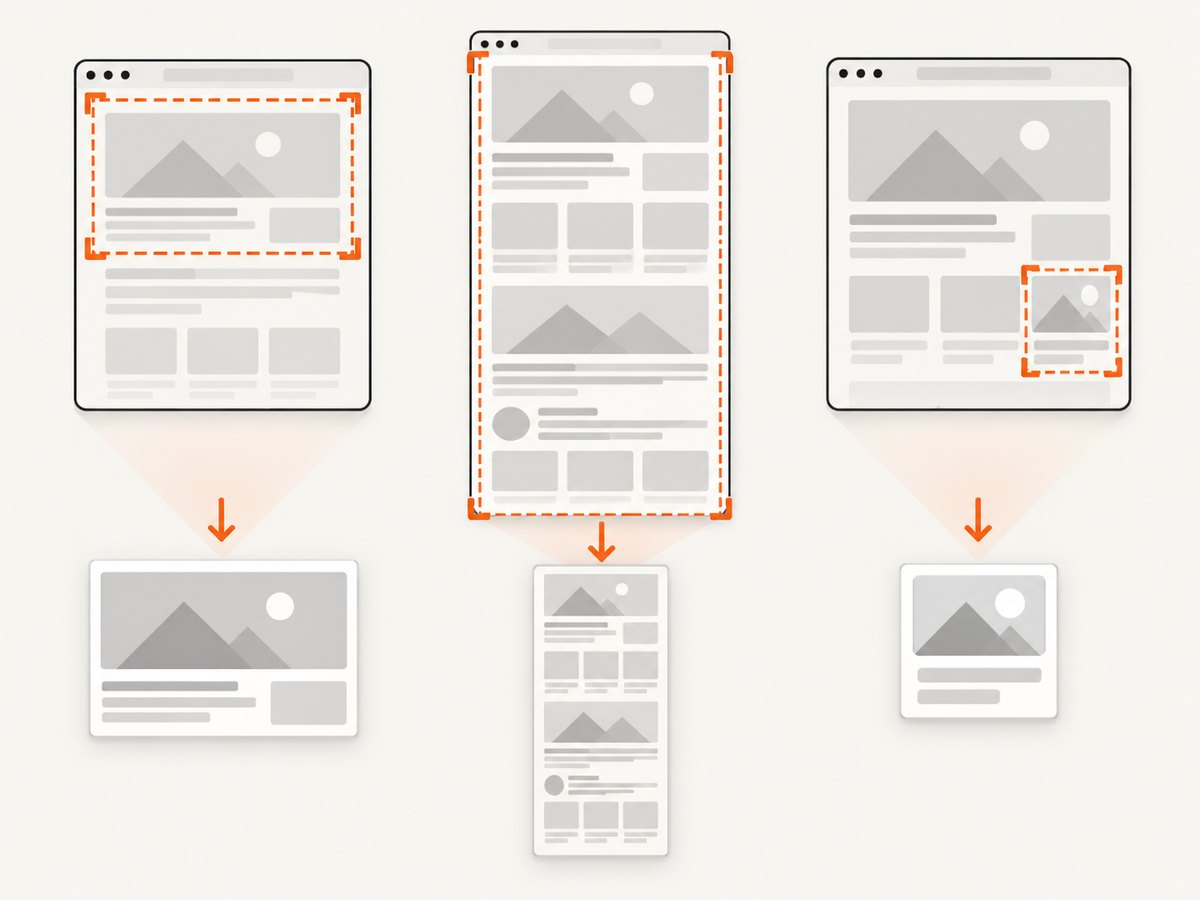
A viewport screenshot captures what fits inside a fixed browser window. A full-page capture expands the page vertically and is useful for archives and page previews. Element capture targets a selector such as a chart or invoice panel. Compare whether the service supports CSS selectors, lazy-loaded images, nested frames, and pages whose height changes after JavaScript runs.
4. Timing and readiness
Modern pages are rarely ready at the first load event. Look for a fixed delay, selector-based waiting, network-idle waiting, and controls for lazy content. Reproducible captures require the same readiness rule on every provider. A five-second delay may work for one page and waste time on another; a selector wait is usually more precise when you control the page markup.
5. Request customization
Production pages often require authentication or localization. Check support for custom headers, cookies, user agents, proxies, timezone, geolocation, and authorization headers. Also check whether secrets are redacted from logs and whether URLs have size limits.
6. Output and workflow
Confirm PNG, JPEG, WebP, PDF, transparent backgrounds, image resizing, and page ranges if you need them. Then choose an integration pattern: a direct render URL for simple embeds, a synchronous request for short jobs, or an asynchronous job with polling or a webhook for slow pages and batch processing.
What the published comparison does—and does not—prove
Urlbox’s “URL2PNG Alternative” page says URL2PNG struggles with newer CSS features and slower-loading WebGL pages, and contrasts URL2PNG’s stated options with Urlbox’s output, delay, and request controls. Those are Urlbox’s claims about a competitor. The available research did not establish an independent, controlled head-to-head benchmark for fidelity, speed, or failure rate.
Use vendor pages to understand documented capabilities, then test your own pages. A meaningful test set should include a static marketing page, a long page with lazy images, a client-rendered application, a page behind authentication, a WebGL or canvas view if relevant, and a page containing a consent banner.
A repeatable evaluation procedure
- Define outputs. Record required format, dimensions, full-page behavior, and PDF requirements.
- Freeze inputs. Use the same URLs, headers, cookies, user agent, viewport, timezone, and geolocation.
- Define readiness. Prefer a selector or network-idle rule over an arbitrary delay when possible.
- Run multiple captures. Repeat each case so you can see intermittent load failures.
- Inspect the pixels. Check fonts, image completeness, sticky headers, consent overlays, animations, and clipped content.
- Measure operations. Record response time, HTTP errors, job completion rate, cache behavior, and billed units.
- Model cost. Include retries, scheduled captures, storage, and expected growth.
Or skip the browser setup
ScreenshotNeo provides a website screenshot API at https://api.screenshotneo.com/v1/shot. Before capture, it accepts cookie and consent banners and removes more than 60 known consent platforms, newsletter popups, and chat widgets. Each step can be turned off. Bot checks and CAPTCHAs, blank pages, timeouts, failed loads, and cache hits cost nothing; response headers identify the page verdict and whether the request was billed.
Use the ScreenshotNeo documentation for all options. The same endpoint supports full-page capture with lazy images loaded, CSS-element capture, dark mode, 12 device presets or a custom viewport, retina scale, PDF paper size and margins, HTML/CSS to image, custom JavaScript and CSS, click actions, selector hiding, selector or network-idle waits, request blocking, custom headers and cookies, user agents, authorization, timezone, geolocation, transparent backgrounds, resizing, configurable caching, signed image links, asynchronous jobs with signed webhooks, bulk capture for up to 100 URLs per call, a usage API, and an OpenAPI specification. Common parameter names used by other screenshot APIs also work, which can simplify migration.
cURL
curl -G "https://api.screenshotneo.com/v1/shot" \
  -d access_key=YOUR_API_KEY \
  --data-urlencode url=https://stripe.com \
  -o shot.webp
Python
import requests

r = requests.get(
    "https://api.screenshotneo.com/v1/shot",
    params={"access_key": "YOUR_API_KEY", "url": "https://stripe.com"},
    timeout=90,
)
r.raise_for_status()
open("shot.webp", "wb").write(r.content)
Node.js
const q = new URLSearchParams({
  access_key: 'YOUR_API_KEY',
  url: 'https://stripe.com'
});
const res = await fetch(`https://api.screenshotneo.com/v1/shot?${q}`);
if (!res.ok) throw new Error(`HTTP ${res.status}`);
const bytes = new Uint8Array(await res.arrayBuffer());
await Bun.write('shot.webp', bytes);
ScreenshotNeo includes an MCP server with take_screenshot, get_page_info, and capture_pdf tools for Claude, Cursor, and other MCP clients. Plans include 1,000 screenshots per month free with no card; paid plans start at $5 for 3,000. Other plans are Growth $15 for 15,000, Pro $39 for 60,000, Scale $99 for 250,000, and Business $249 for 1,000,000. Yearly billing gives two months free, and every feature is available on every plan. Create a free ScreenshotNeo account.
Troubleshooting checklist
The screenshot is blank
Likely causes: the page needs JavaScript, a required resource failed, a bot check blocked the browser, or capture happened before content appeared. Fix: wait for a content selector or network idle, verify authentication headers and cookies, and inspect the provider’s response status or verdict. Test the URL in a normal browser from the same region.
Cookie banners or chat widgets cover the page
Cause: the renderer behaved like a first-time visitor. Fix: configure consent handling, hide known selectors, or use ScreenshotNeo’s pre-capture consent and cleanup steps.
Images or fonts are missing
Cause: lazy loading, blocked cross-origin resources, expiring signed URLs, or a readiness rule that fires too early. Fix: wait for the relevant selector, allow required resource types, provide authentication cookies, and verify that font and image URLs remain valid for the entire render.
The full-page image is clipped
Cause: the page changes height after capture, uses a nested scroll container, or contains sticky elements. Fix: wait for late content, target the correct element, and compare viewport capture with full-page capture.
Requests time out
Cause: slow third-party scripts, an infinite network request, heavy WebGL, or an unreachable origin. Fix: block unnecessary ads and trackers, set a bounded wait, remove nonessential resources, and retry only transient failures with backoff.
Costs are higher than expected
Cause: retries, uncached requests, scheduled jobs, or quota definitions that count more operations than expected. Fix: measure fresh renders separately from cache hits, choose a cache TTL, cap retries, and set an alert before the paid overage threshold.
Performance, reliability, and security notes
- Performance: use selector waits instead of large fixed delays, block resources you do not need, and cache immutable pages.
- Reliability: make jobs idempotent, store the source URL and capture settings, use webhook signature verification where available, and retain the provider’s verdict or error metadata.
- Concurrency: batch URLs where supported, but apply your own queue and rate limits so a temporary provider or origin slowdown does not create a retry storm.
- Security: keep API keys server-side, avoid placing credentials in public render links, restrict cookies and headers to the target origin, and review logs for sensitive query strings.
- Fidelity: test representative pages after browser, framework, or design changes. A successful HTTP response does not guarantee that every visual element loaded.
FAQ
Are URL2PNG and Urlbox physical products?
No. They are hosted software APIs, so there is no hardware or Amazon product to choose.
Which service has the most accurate rendering?
The research did not establish an independent accuracy benchmark. Run your own pages with identical settings and inspect the outputs.
Should I use a render link or an API request?
Use a render link for a simple direct result. Use synchronous requests for short jobs and asynchronous requests with polling or webhooks for slow, batch, or retryable workflows.
Can I render private pages?
Only if the provider supports the required cookies, headers, authorization, or network access. Confirm credential handling and retention before sending sensitive pages.
How should I choose a plan?
Estimate fresh renders, retries, cache hits, output requirements, and growth. Recheck each vendor’s live pricing and quota rules immediately before purchase.
Conclusion
URL2PNG and Urlbox are reasonable candidates when their documented request models and quotas fit your workload. Compare them with the same pages and settings, and attribute vendor comparisons to the vendor that published them. For a new integration, put ScreenshotNeo first on your shortlist: it handles consent and common overlays, identifies non-billable failures, supports API and MCP workflows, and offers 1,000 free screenshots each month with no card.


