Urlbox vs. CaptureKit: Screenshot API Comparison
Compare Urlbox and CaptureKit by capture needs, integrations, and cost. See what the docs confirm, what to verify, and a third option: ScreenshotNeo.

Urlbox and CaptureKit are hosted APIs for capturing webpages, but their published documentation does not establish identical feature sets. Urlbox documents detailed controls for full-page and element screenshots, plus synchronous and asynchronous request patterns. CaptureKit documents a simpler capture endpoint with common image and PDF formats, device emulation, full-page capture, and a one-credit-per-call model. There is no independent speed test in the available research, so choose by the controls and integration your workload needs, then test representative pages.
Where ScreenshotNeo fits: if clean screenshots, explicit billing outcomes, or an MCP server for AI agents matter, try ScreenshotNeo first. It removes known consent banners, newsletter popups, and chat widgets before capture; bot checks, blank pages, timeouts, failed loads, and cache hits are not billed. Its plans start free at 1,000 shots per month and paid at $5 for 3,000.
1. The short comparison
| Need | What the reviewed docs establish | What to verify |
|---|---|---|
| Detailed full-page controls | Urlbox describes scrolling and stitching, native full-page capture, lazy-load handling, fixed elements, height limits, and infinite-scroll controls. | Test your pages with the desired mode and output dimensions. |
| Element screenshot | Urlbox documents CSS-selector element capture. | Confirm selector behavior for shadow DOM, frames, and dynamic layouts if relevant. |
| Common image/PDF endpoint | CaptureKit lists PNG, JPEG/JPG, WebP, PDF, device emulation, and a full-page parameter. | Check its current docs for detailed page-state controls and integration modes. |
| Multiple integration patterns | Urlbox documents render links and synchronous or asynchronous POST requests, with polling or webhooks for async jobs. | Confirm the current equivalent options, storage, and SDK support for your chosen provider. |
| Published entry pricing | Urlbox listed $19/month for 2,000 renders, $49 for 5,000, and $99 for 15,000 when reviewed on 2026-09-29. | CaptureKit advertised a $7/month starting price on its comparison page; verify the live plan, quota, and overage rules. |
These are documentation snapshots, not a hands-on product test. Prices and capabilities can change. See the Urlbox overview, Urlbox screenshot guide, CaptureKit capture reference, and Urlbox pricing before making a purchase.
2. What Urlbox documents
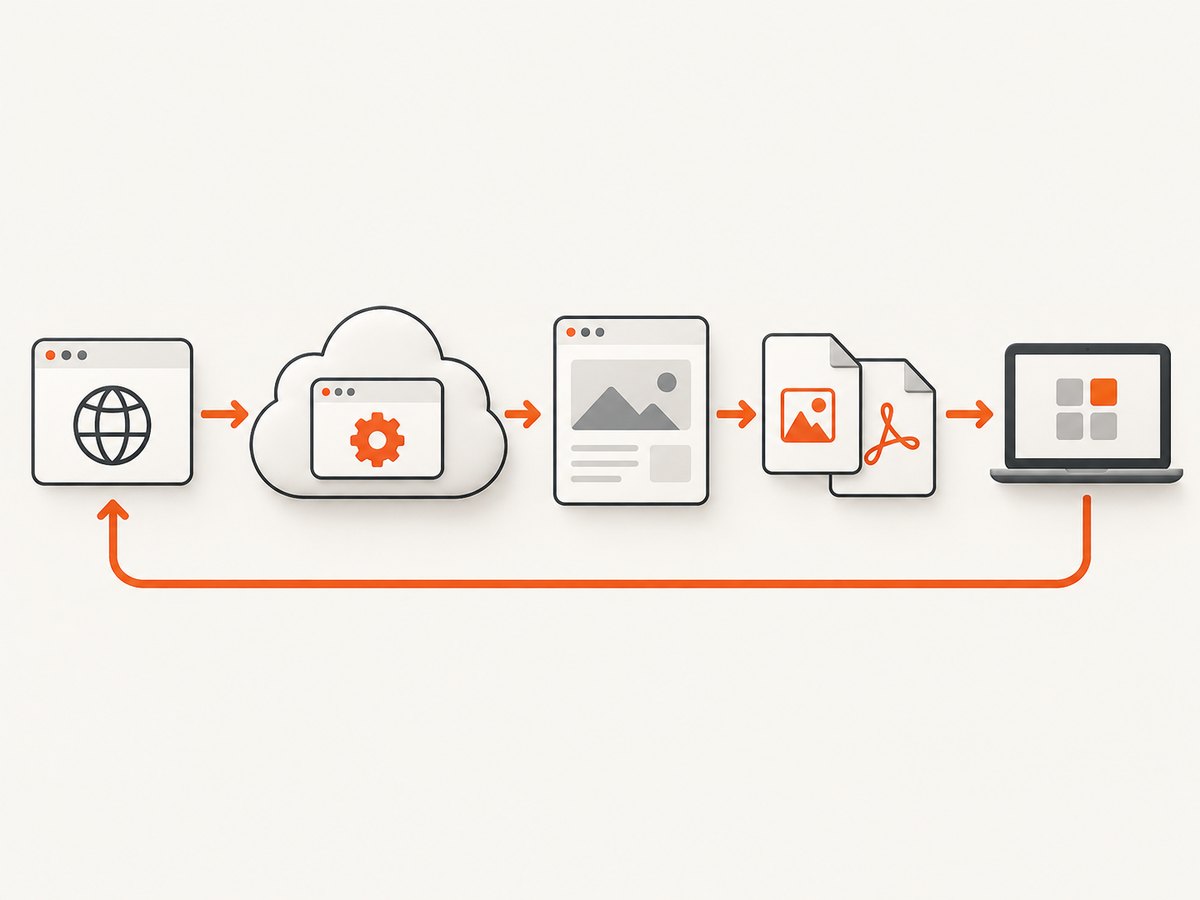
Urlbox presents itself as a rendering and extraction API: it describes screenshots, PDFs, videos, text, HTML, and metadata. Its overview documents two broad integration patterns: render links that can be embedded directly, and JSON API POST requests that can run synchronously or asynchronously. For asynchronous jobs, the product material describes polling or webhook responses. These patterns can suit different applications: a render link can be convenient for a simple image URL, while a backend POST workflow can fit job queues and server-side processing.
Full-page capture and page behavior
The screenshot guide documents full_page: true. It says the default full-page workflow scrolls to the bottom first to trigger lazy-loaded content and measure the page. It also describes two modes: stitch, which scrolls and stitches sections, and native, which uses browser-native full-page capture. Urlbox characterizes stitch as optimized for accuracy and native as optimized for speed; treat that as the vendor’s description rather than an independently measured result.
The guide also covers fixed or sticky elements, cookie-banner options, ad blocking, infinite-scroll limits, maximum height, scroll offsets, and full_width. Those controls are valuable when a page extends beyond the viewport or changes while scrolling. Very long pages need explicit limits: infinite feeds may never reach a natural bottom, and extremely tall images may exceed output-format dimensions. Urlbox lists JPEG’s maximum dimension as 65,535 × 65,535 pixels and WebP’s as 16,383 × 16,383 pixels; it recommends PNG for unrestricted full-page dimensions.
Other outputs and request modes
Urlbox’s product page describes PNG, JPEG, SVG, AVIF, MP4, WebM, PDF, Markdown, JSON, and hydrated HTML output options. It also advertises more than 100 rendering options and SDKs for several languages. Those breadth and feature-count statements are product claims. If your use case needs only a still image, don’t pay or add integration complexity for output modes you won’t use.
3. What CaptureKit documents
CaptureKit’s reviewed capture reference documents an API key in the x-api-key header, a URL parameter, PNG as the default, and PNG, JPEG/JPG, WebP, and PDF formats. It also lists device-emulation choices, a full_page parameter, and a cost of one credit per capture call. That provides enough to assess a straightforward capture integration.
The reviewed endpoint page does not establish parity with Urlbox’s detailed handling of lazy content, sticky elements, banners, or full-page limits. Nor does the reviewed material establish CaptureKit’s complete current price schedule, equivalent async options, service guarantees, storage behavior, or support terms. Treat those as questions for its current docs and sales/pricing pages, not as evidence of missing capabilities.
CaptureKit’s Urlbox comparison page advertises a $7/month starting price and says it offers more screenshots per dollar, higher rate limits, faster responses, and more features in base plans. Those are CaptureKit’s own comparative marketing claims. The research includes no independent benchmark and lacks a complete equivalent-tier price schedule, so it cannot confirm those claims as general results.
4. How to choose for your workload
- List required page states. Decide whether you need viewport-only or full-page capture, selector capture, cookie handling, lazy-load completion, fixed-element behavior, or a cap for endless pages.
- Choose outputs. Specify the actual formats your downstream code accepts. For a PDF workflow, verify page sizing and rendering behavior. For image workflows, consider dimensions and format limits as well as visual fidelity.
- Choose the integration path. Decide whether a URL usable in an image tag is sufficient or you need an authenticated backend request, asynchronous work, polling, or webhooks. Urlbox documents both render links and POST patterns; validate current CaptureKit options if those patterns matter.
- Estimate successful volume. Count expected successful renders, peak request rate, page duration, output sizes, and retries. Compare equivalent monthly successful capture volumes, not headline starting prices.
- Test a representative URL set. Include a normal page, lazy-loaded content, a long page, a page with a consent prompt, and a page with any application-specific authentication or dynamic state. Keep viewport, page state, format, and success criteria the same.
- Review operational terms. Confirm current quota behavior, overages, rate limits, data handling, retention, support, and any SLA you need. The available comparison research does not establish these equally for both vendors.
Practical direction: Urlbox is the better-documented fit in this comparison when you specifically need documented selector capture, detailed full-page controls, or a documented asynchronous integration. CaptureKit is worth evaluating when its documented endpoint and credit model fit a simpler capture job, but verify current equivalent options and total cost. ScreenshotNeo belongs on the shortlist when automatic cleanup and transparent per-response billing outcomes are important.
5. Code examples
The two providers do not have identical request formats. The snippets below show the documented request shape for CaptureKit and the common decision points for implementing either service. Use the exact endpoint and parameter names in the provider’s current documentation; do not assume a request can be copied between vendors without adapting authentication and options.
CaptureKit: cURL
The capture reference specifies the API key in x-api-key and a URL parameter. Confirm the current endpoint URL and any required query names in the CaptureKit capture documentation before running this template.
curl -G "CAPTUREKIT_CAPTURE_ENDPOINT" \
  -H "x-api-key: YOUR_API_KEY" \
  --data-urlencode "url=https://example.com" \
  --data-urlencode "format=png" \
  --data-urlencode "full_page=true" \
  -o capture.png
CaptureKit: Python
import requests

endpoint = "CAPTUREKIT_CAPTURE_ENDPOINT"  # Set from current CaptureKit docs
response = requests.get(
    endpoint,
    headers={"x-api-key": "YOUR_API_KEY"},
    params={
        "url": "https://example.com",
        "format": "png",
        "full_page": "true",
    },
    timeout=90,
)
response.raise_for_status()
with open("capture.png", "wb") as image_file:
    image_file.write(response.content)
CaptureKit: Node.js
const endpoint = 'CAPTUREKIT_CAPTURE_ENDPOINT'; // Set from current CaptureKit docs
const url = new URL(endpoint);
url.searchParams.set('url', 'https://example.com');
url.searchParams.set('format', 'png');
url.searchParams.set('full_page', 'true');

const response = await fetch(url, {
  headers: { 'x-api-key': process.env.CAPTUREKIT_API_KEY },
});
if (!response.ok) {
  throw new Error(`Capture failed: ${response.status} ${await response.text()}`);
}
const image = Buffer.from(await response.arrayBuffer());
await import('node:fs/promises').then(fs => fs.writeFile('capture.png', image));
Why the endpoint is a placeholder: the research dossier identifies the official endpoint reference but does not preserve its literal endpoint URL or every parameter detail. Copying an invented address would make the example unreliable. Replace the placeholder from the linked live documentation and verify whether it returns image bytes directly or a job/result object before choosing the response handling.
Urlbox request design
Urlbox documents render links as well as synchronous and asynchronous POST API requests. Its full-page guide documents full_page and the related capture controls described above. The dossier does not include Urlbox’s signing algorithm or a complete parameter schema, so use its official docs to generate a signed render URL or construct a POST body; do not place a guessed token/signature in production code. Select the async flow only when your application can manage job completion via polling or webhook.
6. ScreenshotNeo as an alternative to try first
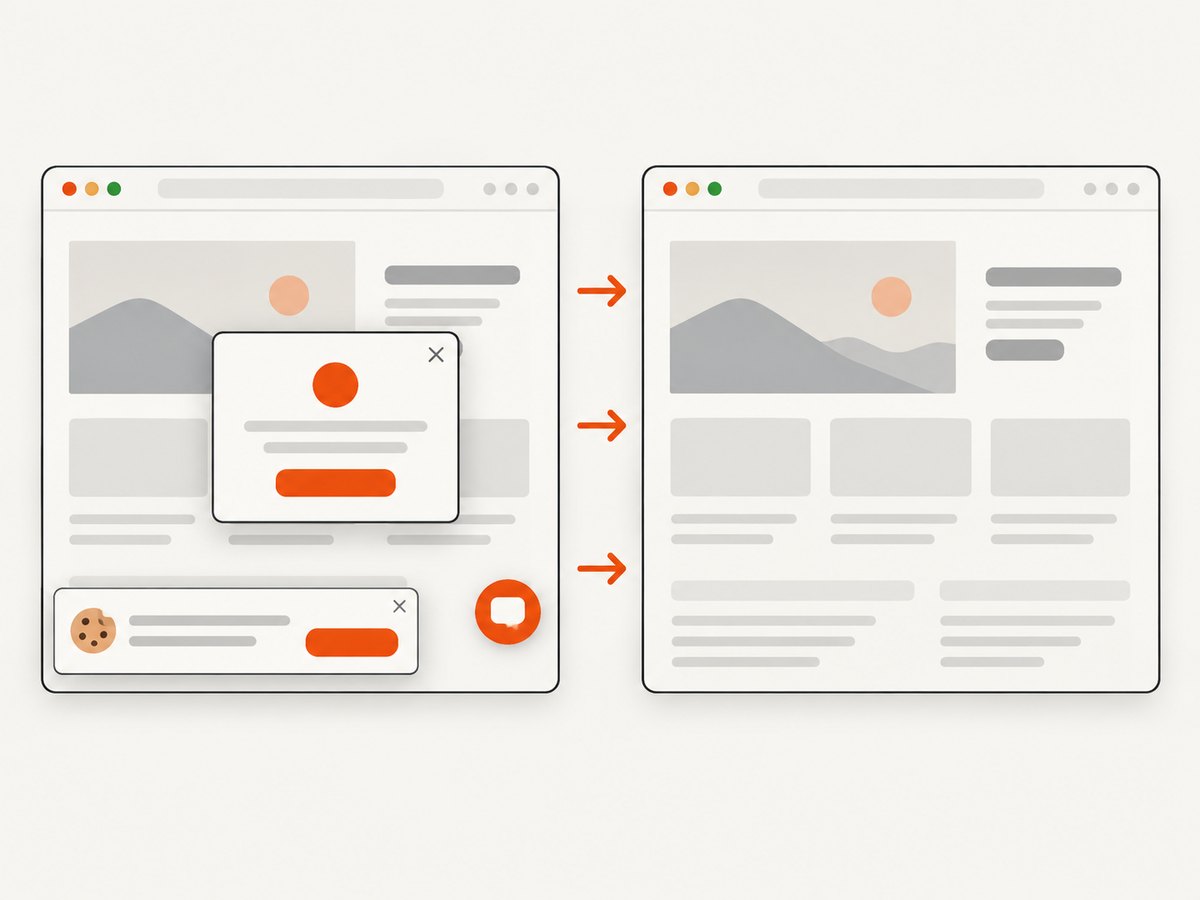
For a managed one-call screenshot, ScreenshotNeo accepts a URL and returns PNG, JPEG, WebP, or PDF. It removes known consent platforms, newsletter popups, and chat widgets before capture, and each cleanup step can be disabled. Responses identify the page verdict and billing outcome in X-Page-Verdict and X-Billed headers. Bot checks/CAPTCHAs, blank pages, timeouts, failed loads, and cache hits cost nothing.
Or skip the browser setup
Use the ScreenshotNeo API when you want the service to handle the browser capture and cleanup:
curl -G "https://api.screenshotneo.com/v1/shot" -d access_key=YOUR_API_KEY --data-urlencode url=https://stripe.com -o shot.webpIt also has an MCP server with take_screenshot, get_page_info, and capture_pdf tools for Claude, Cursor, and other MCP clients. Cookie banners, popups, and chat widgets are removed before the shot; bot checks, blank pages, and failed loads are never billed. 1,000 screenshots a month are free with no card, and paid plans start at $5 for 3,000. See the ScreenshotNeo API documentation, then sign up for 1,000 free screenshots a month with no card.
7. Price, performance, and reliability checks
Compare cost on equal terms
Urlbox’s pricing page listed Lo-Fi at $19/month for up to 2,000 renders, Hi-Fi at $49 for up to 5,000, and Ultra at $99 for up to 15,000 when accessed 2026-09-29. It also described Business at $498/month ($495 base plus $3 per 1,000 renders) and Enterprise from $3,000/month. The page notes VAT may apply, features and request rates differ by tier, successful renders count, and accounts exceeding quota are automatically upgraded. It also says render-link screenshots are cached for 30 days by default and cached requests do not count against quota, while REST API screenshots count. These are a dated pricing snapshot; verify all terms on the live page.
CaptureKit’s reviewed comparison page advertised a $7/month starting price, while its capture docs stated one credit per call. This does not reveal what the $7 plan includes, how failed calls are treated, what overages cost, or whether credits map to successful renders. Check the current pricing page and calculate the cost for the same successful monthly volume, including retries and any storage or delivery charges.
As a third reference point, ScreenshotNeo offers Free at 1,000 shots/month; Starter $5 for 3,000; Growth $15 for 15,000; Pro $39 for 60,000; Scale $99 for 250,000; Business $249 for 1,000,000. Yearly billing gives two months free, and every feature is on every plan. Use current pricing on the product site to confirm before purchasing.
Measure performance fairly
No speed benchmark was conducted for this article. To compare latency, use the same URLs, viewport, output format, page state, concurrency, timeout, and success criteria. Separate queue time from browser render time if the APIs expose it. Record the distribution across repeated captures rather than relying on one fast result. Include slow and dynamic pages, since a quick static homepage says little about a lazy-loaded product page.
Plan for failures and retries
Distinguish transport errors, provider errors, browser navigation timeouts, and valid captures of pages that happen to be blank or blocked. Retry only transient failures, use a bounded retry count with backoff, and avoid launching duplicate jobs after a client timeout unless the provider supports idempotency. Store the requested URL, output format, timestamp, provider request identifier, and outcome so you can diagnose failures without exposing credentials. Confirm the provider’s retention, support, security, and SLA terms for production or regulated workloads; the reviewed sources do not provide enough equivalent evidence for a comparative reliability claim.
8. Troubleshooting
| Symptom | Likely cause | What to do |
|---|---|---|
| 401 or 403 | Missing or invalid credential, wrong auth header, or a restricted target. | Check the provider’s current authentication format and account access. Keep keys server-side and rotate exposed keys. |
| 400 response | Invalid URL, unsupported option, or parameter type mismatch. | Start with URL only, then add one documented parameter at a time. Encode the target URL as a query value. |
| HTML or JSON saved with a .png extension | The endpoint returned an error payload or job metadata rather than image bytes. | Check status and content type before writing a file; inspect the response body safely. |
| Full-page result omits content | Content loads after scrolling, requires interaction, or the page keeps expanding. | Use documented lazy-load/full-page controls; set a maximum height or scroll limit where available. Test a representative URL. |
| Element capture is empty | The selector does not match at capture time or the element is inside a frame/shadow tree. | Confirm the selector in the rendered page and wait for the element if supported. Check documented selector scope. |
| Output rejected by an image consumer | Dimensions or format limits were exceeded. | Choose PNG for very tall Urlbox captures per its guide, or resize/split the output in a downstream image pipeline. |
| Unexpected bill or exhausted quota | Plan counting, cache behavior, retries, or successful-render definitions differ from assumptions. | Read current pricing terms and inspect usage dashboards/response outcomes. Urlbox documents distinct treatment for render-link caching and REST API captures. |
| Slow or inconsistent captures | Target page variability, large assets, waiting conditions, or queueing. | Fix viewport and wait behavior, benchmark repeated samples, and use async jobs for workflows that should not hold a request open. |
9. FAQ
Is there a clear overall winner?
No. The right choice depends on whether you need Urlbox’s documented capture controls and integration patterns or CaptureKit’s documented endpoint and credit model. Compare both against your URLs and current plans.
Does CaptureKit cost $7 per month?
Its comparison page advertised a $7/month starting price. That is a vendor statement, not a complete price schedule; verify the current plan quota and billing rules directly.
Does one API capture faster?
The research contains no independent benchmark. Urlbox describes one full-page mode as speed optimized, and CaptureKit’s comparison page claims faster responses, but neither establishes a general measured winner here.
Can I use these APIs for PDFs?
Urlbox documents PDF output, and CaptureKit’s capture reference lists PDF. Verify page-size, layout, and pagination options in the live docs for your use case.
When should I consider ScreenshotNeo?
Consider it when cleanup of consent prompts and widgets, explicit billed/not-billed outcomes, or MCP access for AI agents are useful requirements. Its API, feature details, and plan prices are available at the documentation.
Sources and freshness
This comparison is based on official Urlbox documentation and pricing, CaptureKit’s capture reference, and CaptureKit’s vendor-authored comparison page, accessed 2026-09-29. CaptureKit’s comparative statements are marketing claims; no independent benchmark or hands-on test was performed. Recheck Urlbox docs, Urlbox pricing, CaptureKit docs, and its Urlbox comparison immediately before making a buying decision.


