How to Use GoSpider for Web Crawling
Install GoSpider, crawl one site or a domain list, tune scope and concurrency, and handle authenticated requests and URL discovery responsibly.
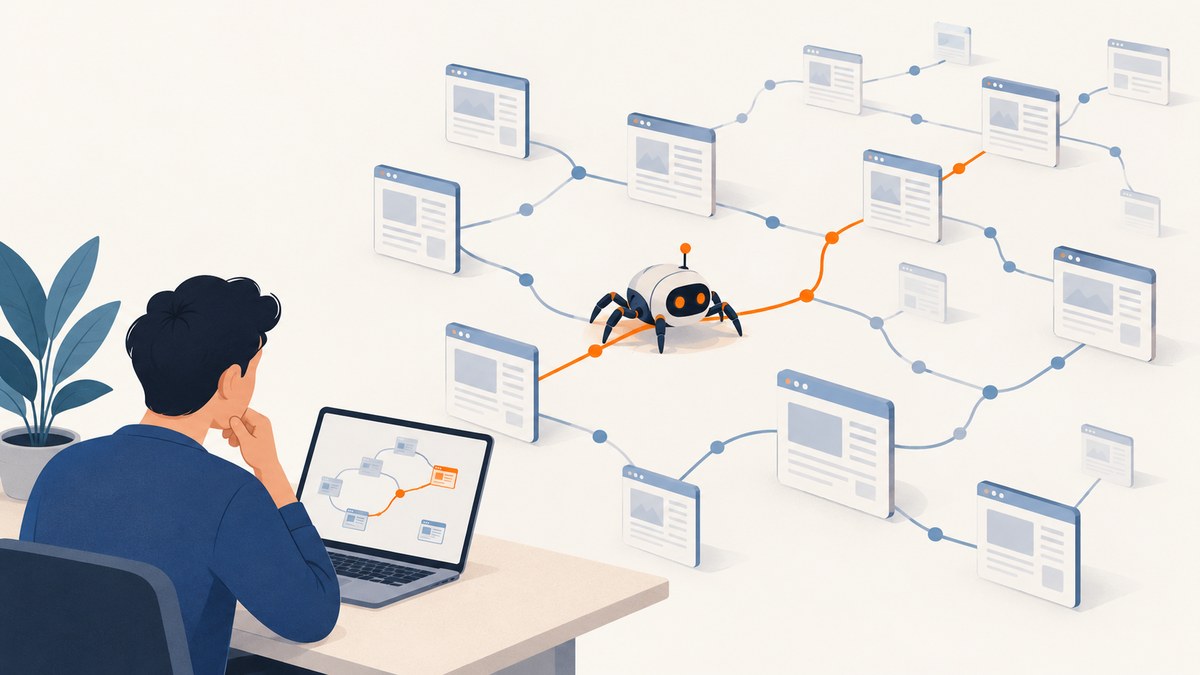
GoSpider is an open-source command-line web crawler written in Go. Install it with Go or build it from the upstream Docker instructions, then start with gospider -s "https://example.com/". Use -d to bound crawl depth, -c to tune concurrent requests per matching domain, and -o to save output. For a list of sites, use -S and control parallel sites with -t.
This guide walks through installation, a safe first crawl, site lists, output formats, request customization, optional discovery sources, tuning, troubleshooting, and alternatives. Run crawls only against sites you own or are authorized to assess, and keep their scope and request rate within that authorization.
1. Install GoSpider and check the installed version
The upstream project documents installation through Go modules and Docker. Choose the route that fits your environment. Go installation requires a working Go toolchain; Docker avoids installing the binary directly on the host.
Install with Go
GO111MODULE=on go install github.com/jaeles-project/gospider@latestGo installs command binaries into its configured binary directory. If your shell cannot find gospider after installation, check the Go binary directory and add it to your PATH. Then inspect the actual binary rather than assuming that a package page or README matches your installation:
gospider --help
gospider --version
Version labels can differ by source: the upstream README usage block shows v1.1.5, while the Kali Linux tools page shows v1.1.6. The command output tells you which version you installed. If an option in this guide does not appear in your help output, consult the documentation for your installed version.
Build and run with Docker
The project documents building an image after cloning its repository. The following commands follow that documented flow; the build context is the cloned project directory containing its Dockerfile.
git clone https://github.com/jaeles-project/gospider.git
cd gospider
docker build -t gospider:latest gospider
docker run -t gospider:latest -h
The upstream Docker example uses docker build -t gospider:latest gospider and runs the image with docker run -t gospider -h. If your clone’s directory layout differs, locate the Docker build context and adjust that path. For a real crawl, mount a host directory if you want generated output to persist outside the container, and provide network access and any required request data deliberately.
2. Run a first, bounded crawl
Begin with one authorized site and a shallow depth. A root-only invocation is:
gospider -s "https://example.com/"For a repeatable first pass that saves results to a folder and makes the main limits explicit, use:
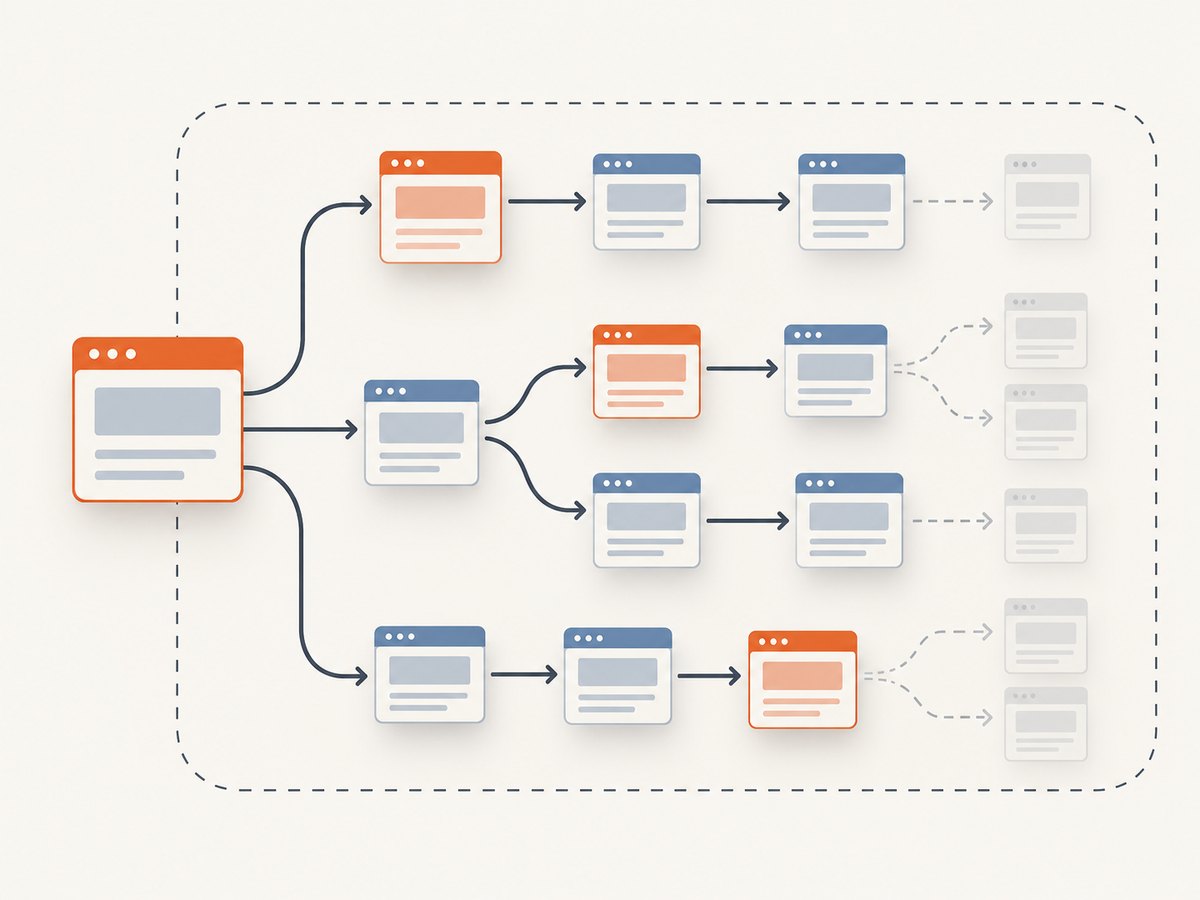
gospider -s "https://example.com/" -o output -c 10 -d 1 -m 20Replace the example host with a target you are authorized to crawl. This command sets an output directory, a per-domain concurrency limit of ten, depth one, and a 20-second request timeout. Start with fewer concurrent requests if the site is sensitive or the engagement calls for a lower rate. Depth one is a practical initial boundary, not a guarantee that every linked page will be retrieved.
| Flag | Purpose | Practical note |
|---|---|---|
-s, --site |
Select one site | Use a complete URL, including scheme. |
-o, --output |
Choose an output folder | Keep the results in a dedicated directory for the run. |
-d, --depth |
Set maximum recursion depth | The README says 0 means infinite recursion; prefer a finite limit for an initial pass. |
-c, --concurrent |
Maximum concurrent requests for matching domains | The documented default is 5. Increase it only when authorized and appropriate. |
-m, --timeout |
Request timeout in seconds | The documented default is 10 seconds. Raise it for slow responses if needed. |
GoSpider is a crawler, not a guarantee of complete site enumeration. Reachability, links exposed by the target, crawl depth, request failures, and enabled discovery options all affect what it finds. Record the invocation and version alongside output when you need to reproduce a crawl.
3. Crawl a list of sites and save useful output
Put one site URL per line in a text file. For example, create sites.txt with targets that are all within your authorization:
https://example.com/
https://docs.example.com/
https://status.example.com/
Then pass the file to -S. The -t option controls how many sites run in parallel; it is separate from -c, which controls concurrent requests for matching domains.
gospider -S sites.txt -o output -c 5 -d 1 -t 2 -m 20This example limits each site’s crawl depth to one, uses five concurrent requests per matching domain, runs two sites in parallel, and allows 20 seconds per request. Reduce -t or -c if the combined request activity is too high for the target or your network.
Choose an output mode
GoSpider includes several output controls. Confirm their exact availability and syntax with gospider --help for your installed version.
| Option | Use |
|---|---|
--json |
Request JSON output for downstream processing. |
-q, --quiet |
Suppress other output and print URLs; useful for grep-friendly pipelines. |
-v, --verbose |
Show verbose logs when diagnosing crawl behavior. |
-l, --length |
Show response length. |
-L, --filter-length |
Filter results by response lengths. |
-R, --raw |
Use raw output. |
Pick output based on the next step: JSON for structured ingestion, quiet URL output for simple text processing, or verbose logs when troubleshooting. Keep raw output when you need the form GoSpider emits rather than a filtered presentation.
4. Tune scope, request rate, and discovery
Depth, concurrency, timeouts, and delays answer different questions. Depth limits how far recursion follows links. Concurrency controls requests made at once for matching domains. Timeout bounds how long an individual request can wait. A delay spaces requests out; it does not replace a finite depth or a scoped target list.
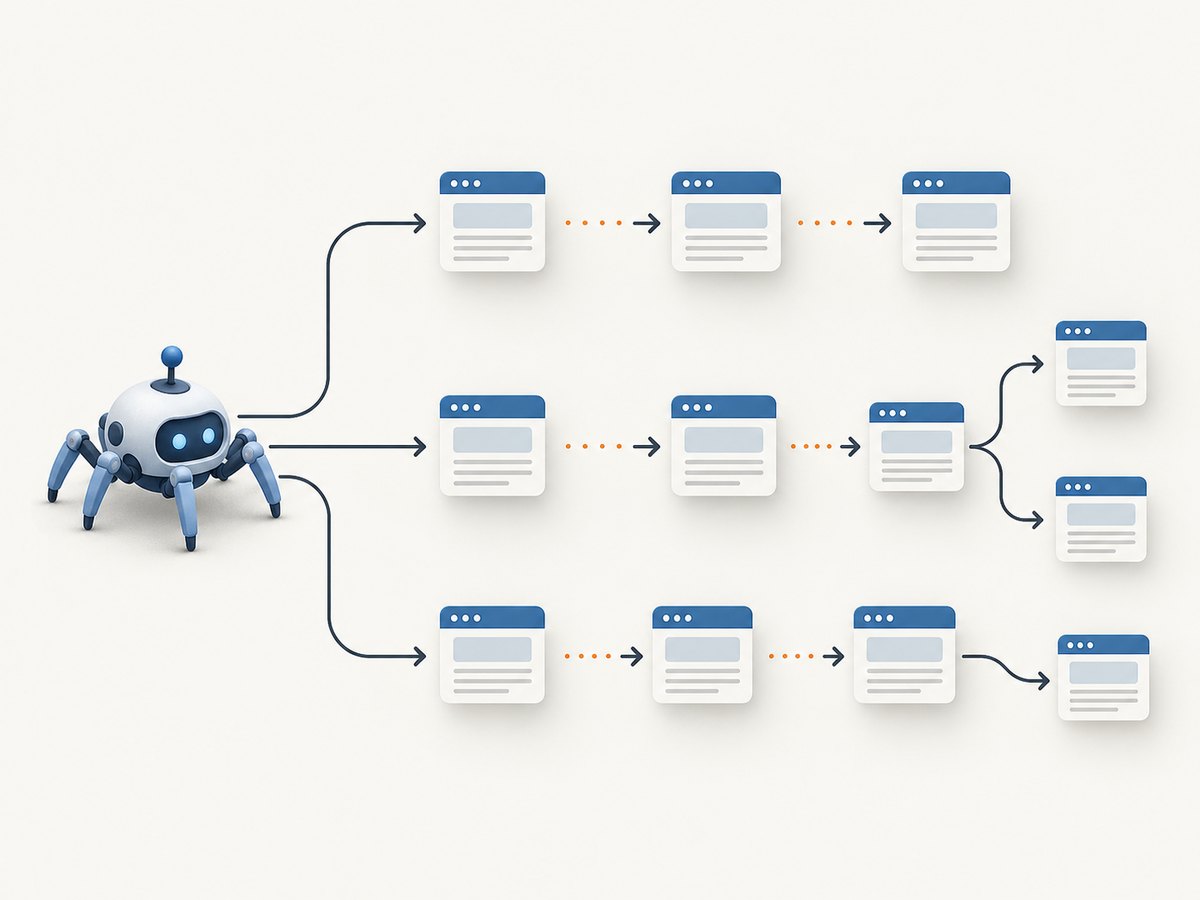
The README documents a default concurrency of five and a default timeout of ten seconds. Those are program defaults, not speed recommendations or benchmarks. Start with a shallow crawl and modest concurrency, such as -d 1 -c 5. Increase one limit at a time only when the target scope and authorization permit it. The --delay option adds a fixed delay between requests, while --random-delay adds randomized delay. Use them when your crawl plan calls for spacing requests.
GoSpider can optionally look beyond ordinary links. These controls broaden discovery and can add URLs that are not directly linked from the starting page:
| Option | Behavior | When to enable |
|---|---|---|
--js |
Find links in JavaScript. | When client-side code may expose URLs useful to the authorized crawl. |
--sitemap |
Try sitemap.xml. |
When sitemap discovery is in scope. |
--robots |
Try robots.txt. |
When you want to inspect the target’s published robots file as part of the crawl. |
--subs |
Include subdomains. | Only when subdomains are explicitly within scope. |
--other-source |
Obtain URLs from Archive.org, Common Crawl, VirusTotal, and AlienVault. | When third-party URL sources are useful and permitted. |
--include-subs, --include-other-source |
Broaden incorporation of subdomain and other-source URLs. | When you intentionally want those wider URL sets included. |
These are discovery capabilities, not promises that a given site or source will return useful URLs. More sources can expand the set beyond pages directly reachable from your starting URL. Inspect the resulting scope before feeding discovered URLs into another tool. The project also lists AWS S3 references and link-finder behavior among its features.
GoSpider’s examples include --blacklist for URL regular expressions and note that common static file extensions are filtered by default. Use a blacklist to exclude URL patterns that are irrelevant or outside the agreed scope, and check the installed help for syntax. Default static-extension filtering can affect what appears in output, so review it if assets matter to your work.
5. Send headers, cookies, proxies, or Burp request data
For an authenticated crawl, provide only credentials and request data authorized for the target. The README shows repeated headers and a cookie string:
gospider -s "https://example.com/" \
  -H "Accept: */*" \
  -H "Test: test" \
  --cookie "testA=a; testB=b"
Use the request customization options as follows:
-Hor--header: add a header; repeat the flag for multiple headers.--cookie: send cookies, formatted as a semicolon-separated cookie string.-uor--user-agent: use a built-in random web or mobile user agent, or provide a custom string.-por--proxy: route requests through a proxy.--burp burp_req.txt: load headers and cookies from a raw Burp request file.
For example, point at a proxy only when the engagement requires that route and you control or are authorized to use it:
gospider -s "https://example.com/" -p "http://127.0.0.1:8080" -d 1 -c 5For Burp input, save the request in the expected raw format and pass its path:
gospider -s "https://example.com/" --burp burp_req.txt -d 1 -c 5Do not put secrets in shared command history, logs, or source control. Use a restricted file for Burp request data, and remove or protect it after the crawl according to your credential-handling practices. A proxy changes the egress path; it does not make an out-of-scope target authorized.
6. A repeatable crawl workflow
- Confirm scope. List approved hosts, subdomains, paths, and any rate or time restrictions before running discovery options.
- Check the binary. Run
gospider --versionandgospider --helpso you know which options your installed release supports. - Start shallow. Run a single-site crawl with finite depth and modest concurrency. Save results to a dedicated folder.
- Review output. Inspect discovered hosts and URLs, including any added by sitemap, JavaScript, subdomain, or external sources.
- Expand deliberately. Adjust one of depth, concurrency, delay, or discovery sources at a time. Keep the resulting set within scope.
- Preserve context. Keep the command, version, time, and relevant configuration with the output so another developer can understand how the crawl was produced.
This staged method helps distinguish a discovery change from a request-rate change. It also makes it easier to stop if the crawl begins reaching hosts or paths that were not expected.
7. Troubleshooting common problems
| Symptom | Likely cause | What to do |
|---|---|---|
gospider: command not found |
The Go binary directory is not on PATH, or installation did not finish. |
Check the Go install output and binary directory, update PATH, then open a new shell and run gospider --version. |
| An option is rejected as unknown | The installed version differs from the documentation version. | Inspect gospider --help and gospider --version; use options supported by that binary. |
| No URLs appear | The root page may not expose crawlable links, the target may be unreachable, or the selected output mode/filter may hide results. | Check the target URL and network access, try verbose output, and review depth, blacklist, static-extension filtering, and output flags. |
| Requests time out | The target or network is slow relative to the configured timeout. | Raise -m in seconds if appropriate, verify connectivity, and retry a small authorized scope. |
| The crawl places too much load on the site | Per-domain concurrency, site parallelism, or discovery scope is too broad. | Lower -c and -t, add --delay or --random-delay, and reduce depth or sources. |
| Authenticated pages look anonymous | Cookies, headers, or Burp request data may be missing, malformed, expired, or scoped to a different host. | Verify the authorized request data and target host; pass repeated -H flags or a valid cookie string, and protect secrets. |
| Expected subdomains or external URLs are missing | The relevant discovery options were not enabled, or the sources do not expose those URLs. | Check --subs, --other-source, and the corresponding include options; treat source coverage as variable. |
| Output is hard to parse | Human-readable logs and result lines are mixed, or the chosen format does not match the consumer. | Try --json for structured output or -q for URL-focused output, and verify behavior in the installed version. |
| Docker output disappears after the container exits | The output directory was written inside the container filesystem. | Mount a host directory as a volume and direct -o to the mounted path. |
8. Performance, reliability, and cost considerations
GoSpider’s concurrency and parallel-site controls let you trade request throughput against load and resource use. Higher concurrency can create more simultaneous requests; it does not ensure a faster complete crawl, because the target, network, timeouts, depth, and link structure all matter. The available project documentation describes capabilities and defaults, not an independent speed benchmark, so there is no universal crawl-time estimate to rely on.
Keep depth finite where possible, set a timeout appropriate to the network, and use delays when request spacing is needed. For repeatability, pin the binary version you use rather than relying on an unqualified latest install. Review output for partial failures and unexpected hosts: a command completing does not prove every intended page was reachable or every discovery source returned data.
GoSpider is open-source software; the research sources do not establish a usage price for the project or a benchmark-based cost comparison. Operational costs can still come from the machine, network, proxy service, and time spent processing results. A proxy is relevant only where controlled egress or IP routing is needed; use one with a concrete requirement and account for its separate terms and cost.
9. Or skip the browser setup
GoSpider discovers URLs; if your next step is capturing a visual record of a page, ScreenshotNeo provides a website screenshot API and MCP server. One GET request returns a PNG, JPEG, WebP, or PDF. See the ScreenshotNeo site and API documentation for request details.
curl -G "https://api.screenshotneo.com/v1/shot" -d access_key=YOUR_API_KEY --data-urlencode url=https://stripe.com -o shot.webpScreenshotNeo accepts cookie and consent banners like a visitor and removes 60+ known consent platforms, newsletter popups, and chat widgets before capture; each step can be turned off. Bot checks or CAPTCHAs, blank pages, timeouts, failed loads, and cache hits cost nothing, and response headers identify the page verdict and billing status. Its MCP server offers take_screenshot, get_page_info, and capture_pdf for Claude, Cursor, and other MCP clients. The Free plan includes 1,000 shots per month with no card; paid plans start at $5 for 3,000 shots. Every feature is on every plan.
Sign up free for 1,000 screenshots a month with no card.
10. Frequently asked questions
Does GoSpider crawl every page on a website?
No crawler can guarantee that from a starting URL. GoSpider follows discoverable URLs subject to its depth, filters, request success, and enabled sources. JavaScript, sitemaps, robots files, subdomains, and third-party sources can broaden discovery when enabled.
What does depth zero mean?
The upstream README defines -d 0 as infinite recursion. Use that only when the scope and expected crawl size are understood; a finite depth is easier to bound.
Are -c and -t interchangeable?
No. -c controls maximum concurrent requests for matching domains, while -t controls how many sites from a site list run in parallel.
Can GoSpider find URLs in JavaScript?
It provides --js for JavaScript link finding. The option can only find URLs exposed in material it processes; it does not guarantee every client-side route will be discovered.
How can I tell whether an invocation matches my installed release?
Run gospider --version and gospider --help. The project README and package listings may show different version labels.


