How to Use Images in Laravel
Validate, store, display, resize, convert, secure, and queue image uploads in Laravel with complete PHP examples and deployment guidance.
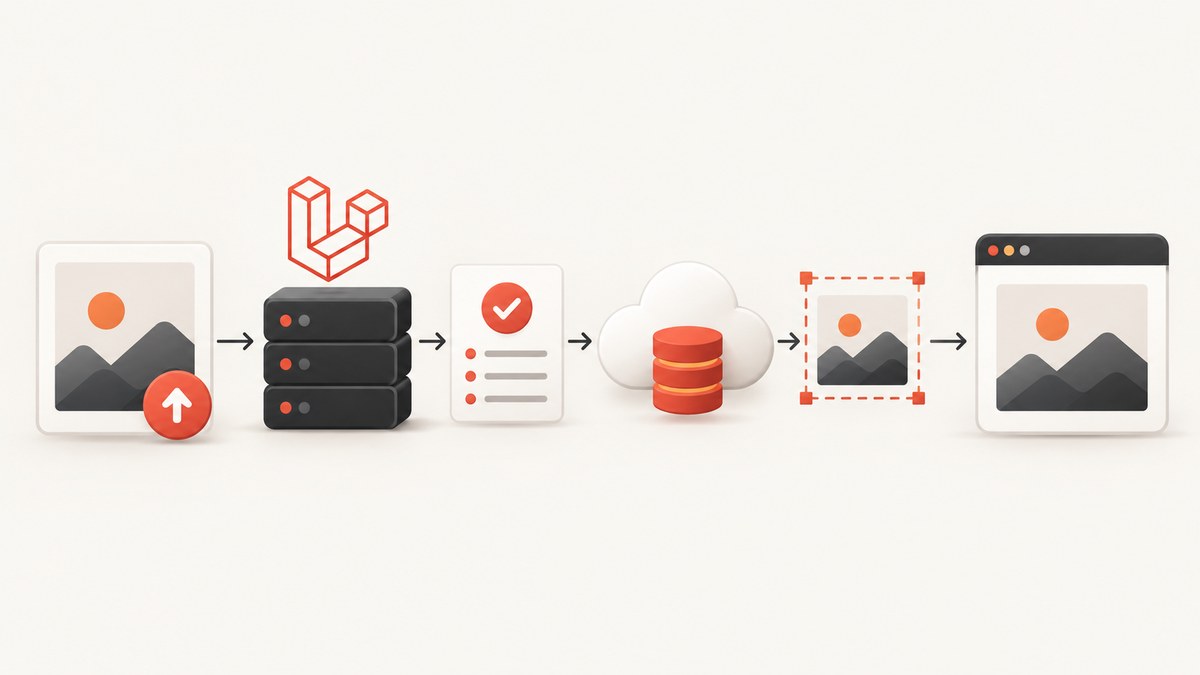
Short answer: validate the upload with Laravel’s image rule or File::image(), store it through a configured filesystem disk, expose browser-facing files through the public disk and storage:link, and use Intervention Image when you need resizing, cropping, or format conversion. Queue expensive transformations so uploads stay responsive.
1. Choose an image workflow
Your implementation depends on what the application needs:
| Need | Recommended approach |
|---|---|
| Already-optimized image, no processing | Validate, then store the uploaded file directly. |
| Consistent dimensions or thumbnails | Read the upload with Laravel’s image API or Intervention Image, resize/crop, encode, and store a derivative. |
| Browser should fetch files directly | Use the public disk and run php artisan storage:link. |
| Private or access-controlled files | Use a private disk and return an authorized response or temporary URL. |
| Large originals or many derivatives | Dispatch image processing to a queue after the upload. |
2. Create an upload endpoint
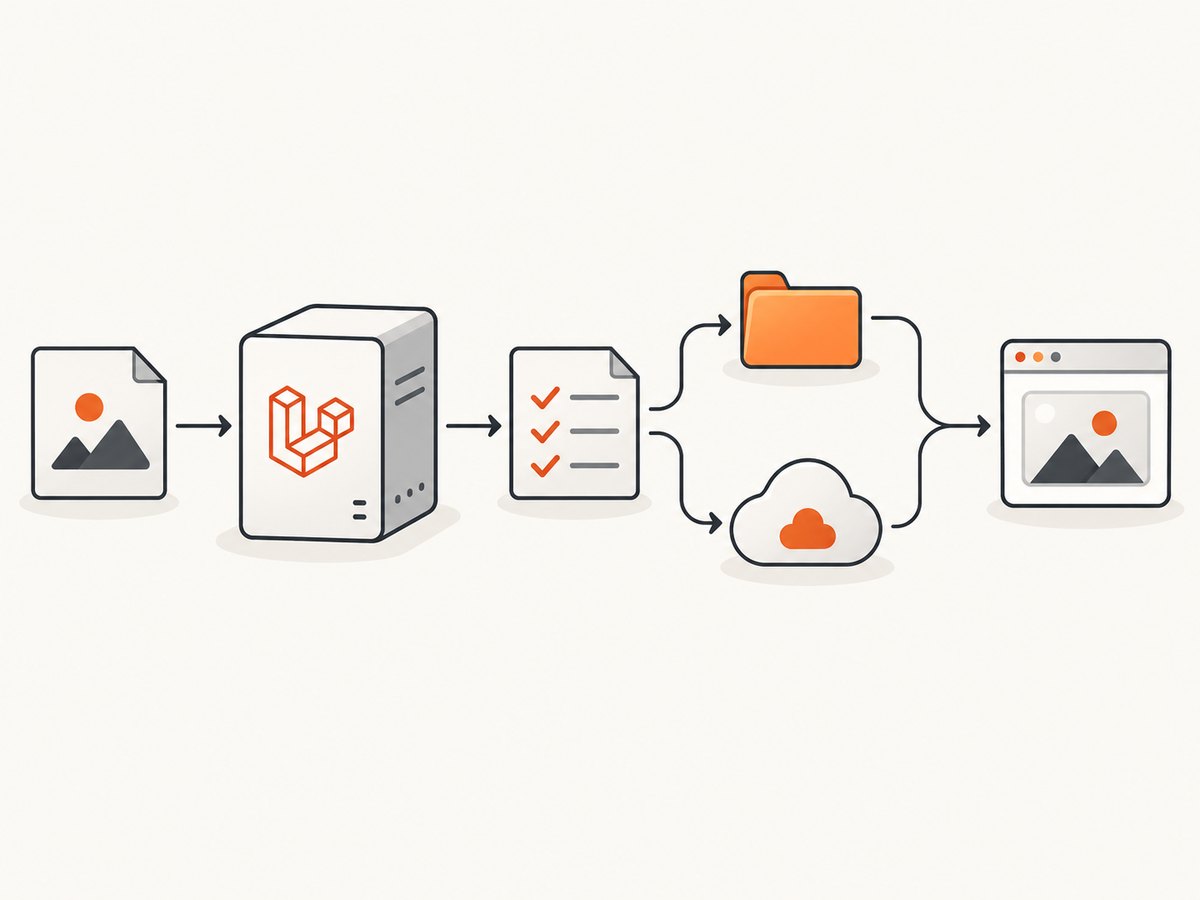
This complete controller example validates an avatar, stores the original on the public disk, and returns its URL.
<?php

namespace App\Http\Controllers;

use Illuminate\Http\Request;
use Illuminate\Http\JsonResponse;

class AvatarController extends Controller
{
    public function store(Request $request): JsonResponse
    {
        $validated = $request->validate([
            'avatar' => [
                'required',
                'image',
                'mimes:jpg,jpeg,png,webp',
                'max:5120', // kilobytes: 5 MB
                'dimensions:min_width=200,min_height=200,max_width=4000,max_height=4000',
            ],
        ]);

        $path = $request->file('avatar')->store('avatars', 'public');

        return response()->json([
            'path' => $path,
            'url' => asset('storage/' . $path),
        ], 201);
    }
}
Register it in routes/web.php or routes/api.php:
use App\Http\Controllers\AvatarController;
use Illuminate\Support\Facades\Route;

Route::post('/avatar', [AvatarController::class, 'store']);
Send the request as multipart/form-data with a field named avatar. The image rule checks the file contents and accepts Laravel’s documented image formats: jpg, jpeg, png, bmp, gif, svg, and webp. Restrict formats further with mimes when your product does not need every format. See the Laravel validation rules.
3. Validate dimensions, size, and content
Client-provided MIME types are not authoritative. Laravel infers the MIME type from the file contents. Combine image validation with application limits:
$request->validate([
    'photo' => [
        'required',
        'file',
        'image',
        'max:10240', // 10 MB
        'dimensions:min_width=640,min_height=480,ratio=4/3',
    ],
]);
The dimensions rule supports minimum and maximum width and height, exact dimensions, and aspect-ratio checks. Use a custom rule when limits depend on the authenticated user, plan, or image purpose.
4. Store images on the correct filesystem disk
Public local files
Laravel’s public disk maps to storage/app/public. Run this once per environment:
php artisan storage:linkThe command creates public/storage, allowing a stored path such as avatars/abc.webp to be served at /storage/avatars/abc.webp. Laravel’s filesystem documentation describes storage/app/public for user-generated files that should be publicly accessible.
$path = $request->file('photo')->storePublicly('photos', 'public');
$url = Storage::disk('public')->url($path);
Private local or S3 files
Use a private disk when a browser must not fetch an object without authorization. Return the file through an authorized controller or generate a temporary URL where the configured driver supports it:
use Illuminate\Support\Facades\Storage;

public function show(string $path)
{
    abort_unless(auth()->user()->can('view-image', $path), 403);

    return Storage::disk('s3')->response($path);
}

$url = Storage::disk('s3')->temporaryUrl(
    $path,
    now()->addMinutes(10)
);
Configure credentials and the disk in config/filesystems.php and environment variables. The same store API accepts a disk name, including an S3 disk.
5. Resize, crop, and convert images
For transformations, install Intervention Image as documented by Laravel:
composer require intervention/image:^4.0Provide either GD or Imagick in PHP. Laravel’s current image API can read uploads and stored files, resize and crop them, encode formats such as WebP, and store the result.
Laravel image API example
use Illuminate\Http\Request;
use Illuminate\Support\Facades\Route;

Route::post('/avatar', function (Request $request) {
    $request->validate([
        'avatar' => ['required', 'image', 'max:5120'],
    ]);

    $path = $request->image('avatar')
        ->cover(400, 400)
        ->toWebp()
        ->storePublicly('avatars', 'public');

    return response()->json([
        'path' => $path,
        'url' => asset('storage/' . $path),
    ], 201);
});
cover(400, 400) fills the requested box while preserving the source aspect ratio, then toWebp() encodes the result. Confirm the exact image API available in your Laravel version before copying this request image() example.
Intervention Image example
use Illuminate\Http\Request;
use Illuminate\Support\Str;
use Intervention\Image\ImageManager;
use Intervention\Image\Drivers\Gd\Driver;

public function thumbnail(Request $request)
{
    $request->validate([
        'photo' => ['required', 'image', 'max:10240'],
    ]);

    $manager = new ImageManager(new Driver());
    $image = $manager->read($request->file('photo'))
        ->cover(1200, 800);

    $filename = Str::random(40) . '.webp';
    $path = 'photos/' . $filename;

    Storage::disk('public')->put(
        $path,
        $image->toWebp(quality: 80)->toString()
    );

    return response()->json(['path' => $path], 201);
}
Use Imagick instead of GD when that is how your server is provisioned. Keep originals when you need future reprocessing, and generate named derivatives such as thumb, card, and hero consistently.
6. Display uploaded images safely
<img
    src="{{ Storage::disk('public')->url($user->avatar_path) }}"
    alt="{{ $user->name }}"
    width="400"
    height="400"
    loading="lazy"
>
Store the path in your database, not a temporary absolute filesystem path. Escape user-controlled alt text and never build a local path from an unvalidated request value. For SVG uploads, decide whether your threat model permits serving them directly; raster formats are simpler when uploaded files are untrusted.
7. Queue expensive processing
Laravel warns that image manipulation can be CPU- and memory-intensive. For large originals, multiple derivatives, or slow storage, save the original first and dispatch a job:

use App\Jobs\ProcessPhoto;

$path = $request->file('photo')->store('originals', 'private');

ProcessPhoto::dispatch($path, auth()->id());

return response()->json([
    'path' => $path,
    'status' => 'processing',
], 202);
class ProcessPhoto implements ShouldQueue
{
use Dispatchable, InteractsWithQueue, Queueable, SerializesModels;
public function __construct(
public string $path,
public int $userId,
) {}
public function handle(): void
{
$source = Storage::disk('private')->get($this->path);
// Read, resize, encode, and write derivatives here.
// Persist processing status and error details in your database.
}
}Expose a processing state such as pending, ready, or failed so the UI can avoid requesting a derivative that is not available.
8. Upload from command line or another service
curl -X POST https://example.test/avatar \
  -H "Authorization: Bearer TOKEN" \
  -F "avatar=@./avatar.jpg"
import requests
with open("avatar.jpg", "rb") as image:
response = requests.post(
"https://example.test/avatar",
files={"avatar": ("avatar.jpg", image, "image/jpeg")},
timeout=60,
)
response.raise_for_status()
print(response.json())const form = new FormData();
form.append('avatar', Bun.file('./avatar.jpg'));
const response = await fetch('https://example.test/avatar', {
method: 'POST',
headers: { Authorization: 'Bearer TOKEN' },
body: form,
});
if (!response.ok) throw new Error(await response.text());
console.log(await response.json());9. Troubleshooting
| Symptom | Likely cause | Fix |
|---|---|---|
| Validation says the file is not an image | Corrupt data, unsupported format, or a misleading client MIME type. | Open the file server-side, keep the image rule, and restrict formats with mimes. |
/storage/... returns 404 |
The public symlink is missing or the web server cannot read it. | Run php artisan storage:link, verify storage/app/public, and check deployment permissions. |
| Uploaded file disappears after deploy | Local storage is ephemeral or each server has its own disk. | Use persistent storage or a shared S3-compatible disk and configure the same filesystem on every instance. |
| Transformation exhausts memory | Large pixel dimensions or several derivatives in one request. | Reject oversized dimensions, process in a queue, and allocate appropriate PHP worker memory. |
| WebP or Imagick operation fails | Missing PHP extension or unsupported server build. | Install and enable GD or Imagick, then verify the active CLI and FPM PHP versions. |
| Private image is publicly reachable | The object was written to the public disk or a public URL was stored. | Move it to a private disk and authorize every download or temporary URL. |
| Images rotate unexpectedly | Camera EXIF orientation is being handled differently by the selected driver. | Normalize orientation during processing and inspect the encoded derivative. |
| Queue job never runs | No worker, incorrect queue connection, or failed job. | Run a worker, inspect failed_jobs, and confirm the queue environment variables. |
10. Performance, reliability, and cost decisions
- Validate before decoding: reject excessive file sizes and dimensions before allocating image memory.
- Store once, derive deliberately: keep an original only when future edits or reprocessing justify its storage cost.
- Use WebP where supported by your clients: encode a consistent quality and retain a fallback only when required.
- Queue heavy work: HTTP requests should acknowledge an upload quickly and let workers create derivatives.
- Use object storage for scale: S3 avoids tying user files to one application host, but adds transfer and storage charges and requires correct credentials and lifecycle policies.
- Cache stable derivatives: give derivatives immutable names or versioned paths so a CDN can cache them safely.
- Track failures: persist processing status and retry transient storage errors; do not silently replace a failed image with a broken URL.
11. Or skip the browser setup
If your Laravel feature needs screenshots of web pages rather than user-uploaded files, ScreenshotNeo returns a PNG, JPEG, WebP, or PDF from one GET request. See the ScreenshotNeo API documentation for all options.
curl -G "https://api.screenshotneo.com/v1/shot" -d access_key=YOUR_API_KEY --data-urlencode url=https://stripe.com -o shot.webpimport requests
r = requests.get(
"https://api.screenshotneo.com/v1/shot",
params={"access_key": "YOUR_API_KEY", "url": "https://stripe.com"},
timeout=90,
)
r.raise_for_status()
open("shot.webp", "wb").write(r.content)const q = new URLSearchParams({ access_key: 'YOUR_API_KEY', url: 'https://stripe.com' });
const res = await fetch(`https://api.screenshotneo.com/v1/shot?${q}`);
if (!res.ok) throw new Error(await res.text());
const buffer = Buffer.from(await res.arrayBuffer());
require('fs').writeFileSync('shot.webp', buffer);Cookie banners, newsletter popups, and chat widgets are removed before the shot. Bot checks, blank pages, failed loads, timeouts, and cache hits cost nothing, and response headers identify the page verdict and billing state. An MCP server lets Claude, Cursor, and other MCP clients call take_screenshot, get_page_info, and capture_pdf. The free plan includes 1,000 screenshots per month with no card; paid plans start at $5 for 3,000 shots. Create a free ScreenshotNeo account.
12. Frequently asked questions
Where should Laravel images be stored?
Use storage/app/public through the public disk for files that may be fetched directly. Use a private or S3 disk when access requires authorization.
Does Laravel resize images by itself?
No. Add Laravel’s image API or Intervention Image when you need resizing, cropping, encoding, or thumbnails.
Should image processing happen during the upload request?
Only for small, predictable files. Queue large or multi-derivative workloads to protect request latency and worker memory.
How do I make an uploaded image public?
Store it on the public disk and run php artisan storage:link, then generate its URL with Storage::disk('public')->url($path).
Can Laravel store images on Amazon S3?
Yes. Configure an S3 filesystem disk and pass its name to store, storePublicly, or Storage operations.


