How to Use LLMs to Build a Website
A practical, code-first guide to using LLMs for website planning, generation, testing, deployment, security, and maintenance.
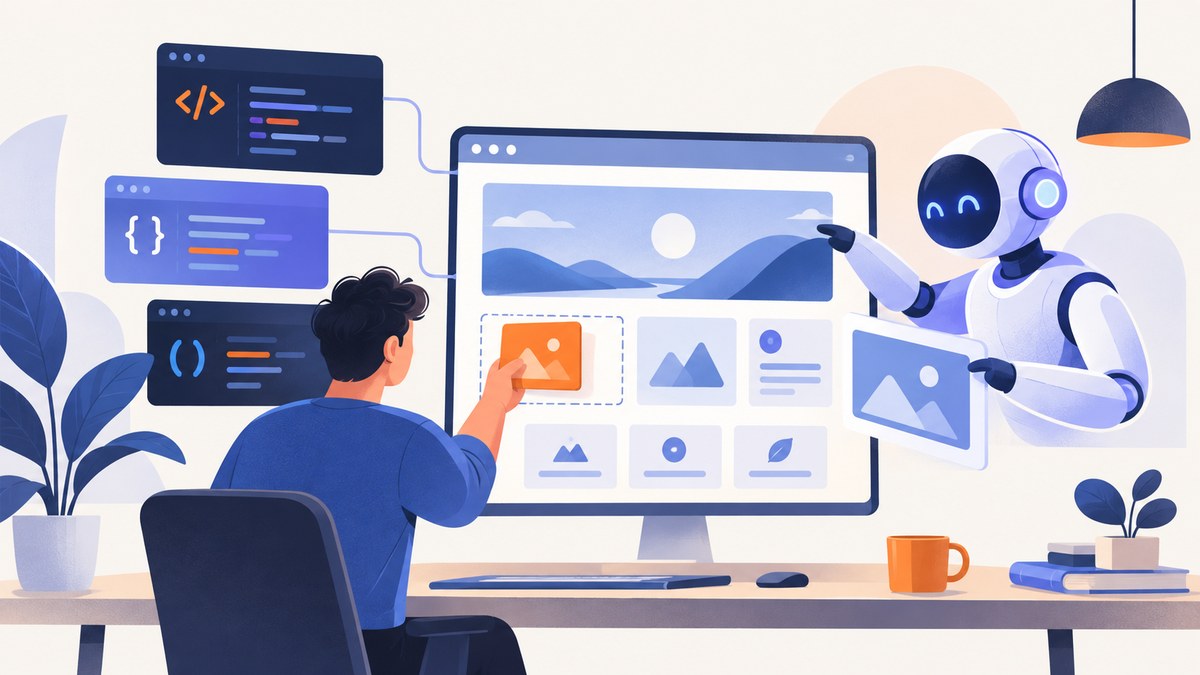
Yes, an LLM can help you build a website. The dependable method is to use it in short, reviewable cycles: write a precise brief, request a plan, generate one small slice, run the code locally, inspect the result, and then ask for focused changes. Treat every generated file, dependency, and configuration value as a draft until you review it.
You can choose a managed builder for a lightweight site, a coding agent for repository control, or a model API for a custom generation workflow. This guide shows all three approaches, with runnable HTML, CSS, and JavaScript, deployment controls, security checks, troubleshooting, and a browser-free screenshot option from ScreenshotNeo.
1. Decide what you are building
Start with a written brief before asking for code. Include:
- Audience and the action you want visitors to take.
- Pages, routes, navigation, and content sources.
- Visual references, color constraints, typography, and responsive breakpoints.
- Interactions such as forms, search, authentication, payments, or animations.
- Accessibility targets, including semantic HTML, keyboard use, focus states, labels, and reduced-motion behavior.
- Supported browsers, performance goals, analytics, hosting, and deployment constraints.
- Whether the site is static or needs a database, private service, background job, or scheduled task.
A useful first prompt is:
You are the lead web engineer. Turn this brief into a build plan, not code yet.

Audience: independent designers evaluating a screenshot API
Goal: start a free trial
Pages: home, docs, pricing, account sign-up
Stack: semantic HTML, modern CSS, vanilla JavaScript
Constraints: mobile-first, WCAG 2.2 AA practices, no client-side secrets
Integrations: server-side API proxy and email form
Deliverables: component map, routes, data model, dependencies, security assumptions,
acceptance criteria, test checklist, and open questions. Identify unknowns instead of
inventing requirements.
2. Choose a build surface
| Approach | Best for | Trade-offs to check |
|---|---|---|
| Managed AI site builder | Landing pages and lightweight sites that need fast preview and publishing | Framework support, private networks, databases, background services, hosting and domain controls |
| Coding agent | Existing repositories, custom frameworks, tests, private services and bespoke deployment | Review burden, local setup, dependency quality and model context limits |
| Direct model API | Automated scaffolding, internal generators and repeatable team workflows | Prompt versioning, model selection, rate limits, token cost, evaluations and secret handling |
OpenAI documents a managed Sites flow in which you describe the website, review a generated preview, request changes, save a version, and deploy. Its documentation says, “To use Sites, ask ChatGPT to build a website and describe what you want it to do.” It also states that every deployment URL is a production URL, so review it like a live release. See the OpenAI Help Center for current availability and limits.
Use a coding agent or API when you need source control, custom services, private networking, a database, background jobs, or a deployment system the managed builder does not support.
3. Ask for a plan before code
Planning reduces rewrites. Require the model to name files, routes, data contracts, dependencies, and assumptions. Ask for one representative page and one key interaction first. A good acceptance checklist might require:
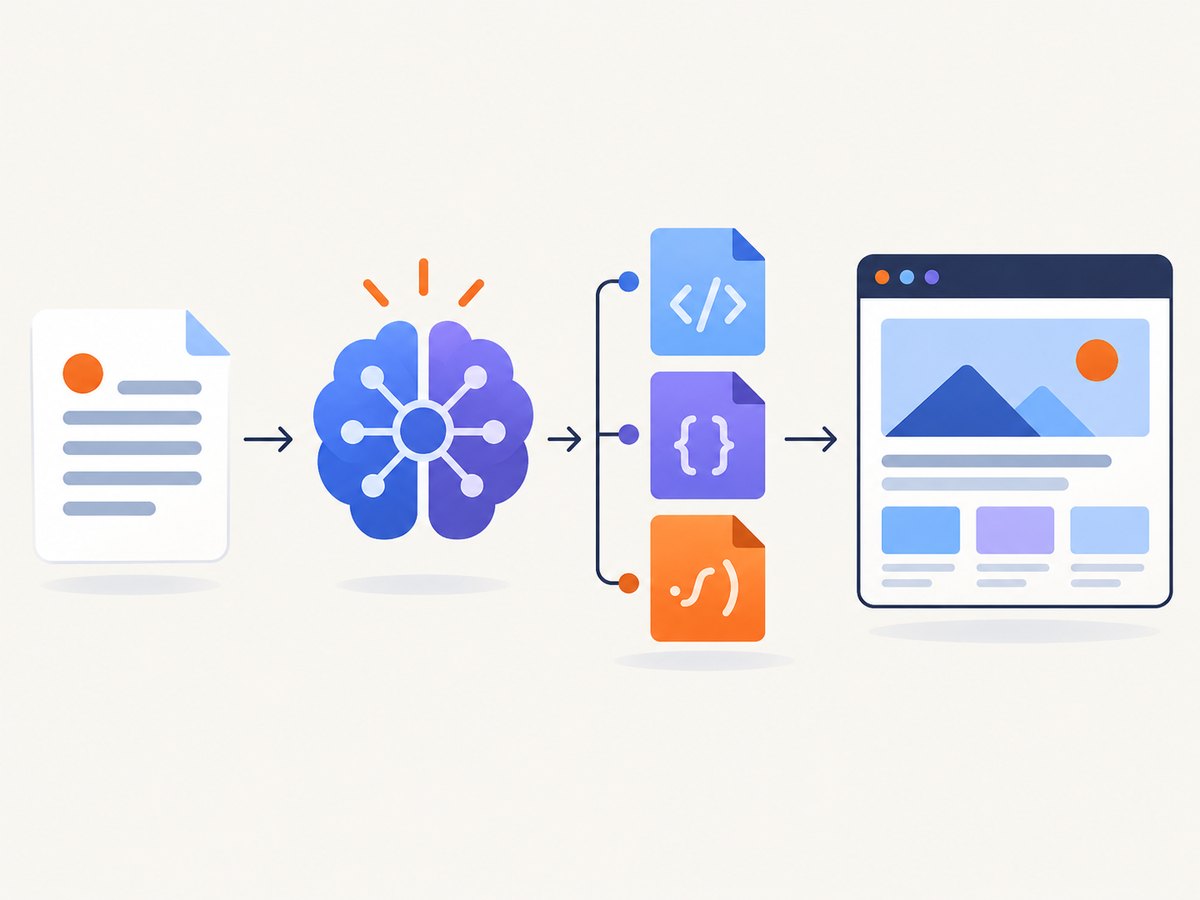
- Every page has one logical
h1, landmarks, a title, and useful metadata. - Navigation and forms work with a keyboard and show a visible focus indicator.
- Layouts remain usable at narrow and wide viewports.
- Loading, empty, success, and error states are defined.
- No secret appears in HTML, JavaScript bundles, logs, or committed environment files.
4. Generate a thin vertical slice
Ask for complete files for a tiny slice rather than an entire application. The following example is a runnable static landing page. Save the files in one directory and open index.html in a browser.
HTML
<!doctype html>
<html lang="en">
<head>
  <meta charset="utf-8">
  <meta name="viewport" content="width=device-width, initial-scale=1">
  <title>Capture clean website screenshots</title>
  <link rel="stylesheet" href="styles.css">
</head>
<body>
  <header class="site-header">
    <a class="logo" href="/" aria-label="Home">Snapshot</a>
    <button class="menu" aria-expanded="false" aria-controls="nav">Menu</button>
    <nav id="nav" aria-label="Primary">
      <a href="#features">Features</a>
      <a href="#pricing">Pricing</a>
      <a href="#start">Start</a>
    </nav>
  </header>
  <main>
    <section class="hero" aria-labelledby="hero-title">
      <p class="eyebrow">Website screenshots for teams</p>
      <h1 id="hero-title">Capture pages your users can actually read.</h1>
      <p>Automate reliable previews for reports, documentation and support tickets.</p>
      <a class="button" id="start" href="#pricing">See plans</a>
    </section>
    <section id="features" aria-labelledby="features-title">
      <h2 id="features-title">What you get</h2>
      <div class="grid">
        <article><h3>Consistent output</h3><p>Use one capture configuration across environments.</p></article>
        <article><h3>Useful states</h3><p>Show loading, empty and failure states clearly.</p></article>
      </div>
    </section>
  </main>
  <script src="app.js" defer></script>
</body>
</html>
CSS
:root { color-scheme: light; font-family: system-ui, sans-serif; color: #172033; background: #f7f8fb; }
* { box-sizing: border-box; }
body { margin: 0; }
.site-header, main { max-width: 72rem; margin: auto; padding: 1rem; }
.site-header { display: flex; align-items: center; justify-content: space-between; }
.logo { font-weight: 700; color: inherit; text-decoration: none; }
nav { display: flex; gap: 1rem; }
a { color: #294bd6; }
.hero { padding: 5rem 1rem; max-width: 48rem; }
h1 { font-size: clamp(2.5rem, 8vw, 5rem); line-height: 1; margin: .4em 0; }
.button { display: inline-block; padding: .8rem 1.1rem; border-radius: .5rem; background: #294bd6; color: white; text-decoration: none; }
.grid { display: grid; grid-template-columns: repeat(auto-fit, minmax(15rem, 1fr)); gap: 1rem; }
article { padding: 1.25rem; background: white; border: 1px solid #dde1eb; border-radius: .75rem; }
.menu { display: none; }
@media (max-width: 42rem) { .menu { display: block; } nav { display: none; } nav.open { display: flex; flex-direction: column; } }
@media (prefers-reduced-motion: reduce) { *, *::before, *::after { scroll-behavior: auto !important; transition: none !important; } }
JavaScript
const menu = document.querySelector('.menu');
const nav = document.querySelector('#nav');
menu?.addEventListener('click', () => {
  const open = menu.getAttribute('aria-expanded') === 'true';
  menu.setAttribute('aria-expanded', String(!open));
  nav.classList.toggle('open', !open);
});
After generating this slice, run it, resize the browser, tab through every control, and inspect the console. Give the model observed defects rather than vague requests: “At 320px the navigation overlaps the logo. Keep the logo on one line, move links into the existing menu, and preserve keyboard focus. Return only the changed files.”
5. Iterate with reviewable prompts
Use one change per prompt when possible. State the file, observed behavior, desired behavior, and acceptance criteria. Ask for a concise diff or a complete replacement file. Keep generated code in Git so every change can be reviewed or reverted.
For JavaScript that handles user input, ask explicitly for validation, authorization checks, rate limiting, safe error messages, and tests. For server code, require parameterized queries, strict content types, timeout limits, and redaction of secrets in logs.
6. Verify generated code
Run the formatter, linter, type checker and test suite used by the project. Add browser checks for critical flows. Inspect the dependency manifest and lockfile; remove packages that are unused or whose purpose you cannot explain. Check:
- Semantic headings, labels, alt text, contrast and keyboard focus.
- Responsive layout at the smallest supported viewport and a large monitor.
- Network failures, slow responses, retries and duplicate submissions.
- Authorization on every protected server action.
- Input sanitization and output encoding at trust boundaries.
- Source maps, analytics and error logs for accidental personal data.
LLM output is not proof of correctness. OpenAI production guidance recommends secure coding, input sanitization, proper error handling, prompt management and operational planning. For API-driven generation, keep prompts in code, evaluate representative tasks, and pin a model snapshot when the provider supports it so behavior does not change silently.
7. Keep secrets and data safe
Never put an API key in client-side JavaScript. Store secrets in server-side environment configuration and expose only the minimum result to the browser. Do not send private customer data, credentials or regulated information to a model unless the provider’s terms, controls and architecture explicitly permit it. Treat model-generated dependencies and configuration as untrusted until checked.
8. Deploy deliberately
- Build from a clean checkout and record the commit being deployed.
- Set production environment variables in the hosting provider, not in the repository.
- Verify domain and DNS records, HTTPS, redirects, caching headers and robots rules.
- Test forms, authentication, error pages and analytics in the production environment.
- Write down a rollback command or previous artifact before release.
- Review logs and alerts after deployment, then monitor real user feedback.
If you use a managed builder, save a reviewed version before deploying. Because deployment URLs are production URLs, do not treat the preview as a disposable sandbox.
9. Capture pages for QA, reports and documentation
Browser automation can produce screenshots, but it adds setup for a browser binary, viewport control, waits, cookie handling, retries and storage. If you need the do-it-yourself route, use Playwright or Puppeteer to launch a browser, navigate with a timeout, wait for a stable selector or network idle, and save a full-page image. Keep the browser version pinned and close it in a finally block. For authenticated pages, load credentials from a server-side secret store and never print cookies.
Or skip the browser setup
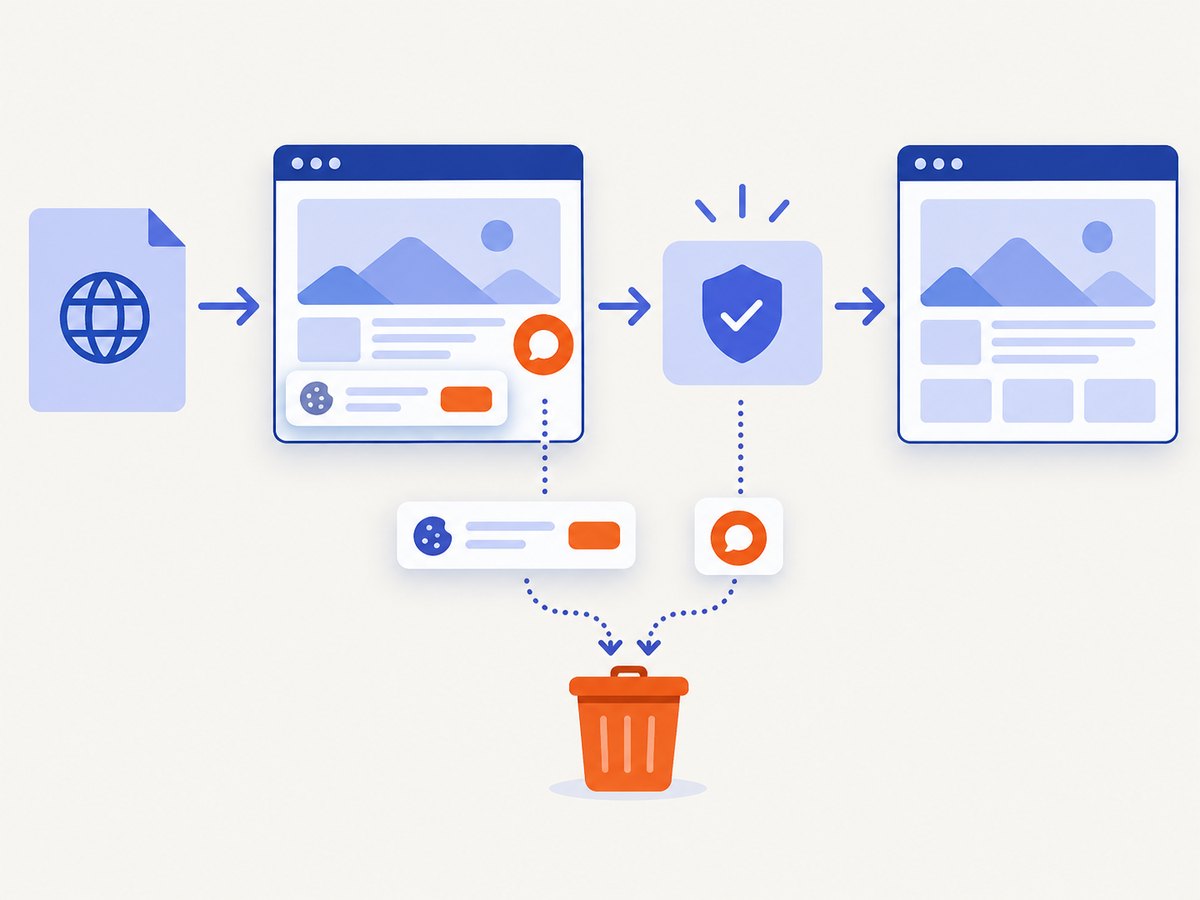
ScreenshotNeo is a website screenshot API and MCP server. One GET request returns PNG, JPEG, WebP or PDF. Before capture it accepts cookie or consent banners like a visitor and removes more than 60 known consent platforms, newsletter popups and chat widgets. Bot checks, blank pages, timeouts, failed loads and cache hits are not billed; response headers identify the page verdict and whether it was billed.
Read the full parameter reference in the ScreenshotNeo documentation. This is a complete call you can run after setting your key:
cURL
curl -G "https://api.screenshotneo.com/v1/shot" -d access_key=YOUR_API_KEY --data-urlencode url=https://stripe.com -o shot.webpPython
import requests
r = requests.get("https://api.screenshotneo.com/v1/shot", params={"access_key": "YOUR_API_KEY", "url": "https://stripe.com"}, timeout=90)
r.raise_for_status()
open("shot.webp", "wb").write(r.content)
Node.js
const q = new URLSearchParams({ access_key: 'YOUR_API_KEY', url: 'https://stripe.com' });
const res = await fetch(`https://api.screenshotneo.com/v1/shot?${q}`);
if (!res.ok) throw new Error(`Screenshot failed: ${res.status}`);
const fs = await import('node:fs/promises');
await fs.writeFile('shot.webp', Buffer.from(await res.arrayBuffer()));
Useful capture controls
| Need | Available controls |
|---|---|
| Page and viewport | Full-page capture with lazy images loaded, 12 device presets, any viewport, retina scale, dark mode and transparent background |
| Targeting | Capture one element by CSS selector, hide selectors, click an element before capture, wait for a selector, delay or network idle |
| Network and identity | Block ads, trackers, requests or resource types; set headers, cookies, user agent and Authorization; choose timezone and geolocation |
| Output | PNG, JPEG, WebP, image resizing, PDF paper size, margins, landscape and page ranges |
| Automation | Custom CSS and JavaScript, HTML/CSS to image, caching with a chosen TTL, signed public image links, asynchronous jobs with signed webhooks, bulk capture of 100 URLs per call, usage API and OpenAPI specification |
Parameters used by other screenshot APIs also work, which can simplify migration. ScreenshotNeo has an MCP server with take_screenshot, get_page_info and capture_pdf tools for Claude, Cursor and other MCP clients. Every feature is included on every plan: 1,000 shots per month are free with no card; paid plans start at $5 for 3,000 shots. Yearly billing provides two months free.
10. Performance, reliability and cost
Generate only what you can review. Smaller prompts and focused diffs reduce token use and make regressions easier to locate. Cache stable assets, avoid unnecessary client JavaScript, and set explicit timeouts around model and site requests. For screenshot jobs, use a selector wait when a known component signals readiness, a delay for predictable animation, or network idle when the page loads many resources. Use caching with a TTL for unchanged URLs and bulk capture for batches.
Measure real failure modes: model errors, browser or site timeouts, rejected requests, blank pages, bot checks, and application failures. Retry transient failures with bounded exponential backoff and an idempotency strategy. Store the page verdict and billing headers from ScreenshotNeo so your accounting distinguishes clean captures from non-billable failures and cache hits.
Troubleshooting
| Symptom | Likely cause | Fix |
|---|---|---|
| The model invents routes or content | Missing requirements | Add a brief, request open questions, and reject assumptions explicitly. |
| Layout breaks on mobile | Only desktop behavior was specified | Provide breakpoints and test at narrow widths; ask for a mobile acceptance criterion. |
| Form appears to work but data is lost | No server contract or error state | Define request and response schemas, validation, timeout, retry and visible failure behavior. |
| API key appears in the bundle | Secret was used in browser code | Move the call to a server route, rotate the exposed key, and add secret scanning. |
| Screenshot is blank | Page failed to load, timed out or blocked automation | Check the URL and response status, wait for a selector, and inspect the page verdict; non-clean failures are not billed by ScreenshotNeo. |
| Consent banner or chat covers content | Overlay loaded after navigation | Use ScreenshotNeo’s consent and popup handling, or wait for the overlay and dismiss it before capture. |
| Lazy images are missing | Capture happened before scrolling or image readiness | Use full-page capture with lazy images loaded and a selector or network-idle wait. |
| PDF pages are clipped | Paper size, margins or orientation mismatch | Set paper size, margins, landscape and page ranges explicitly; compare with the print layout. |
| Production behavior differs from preview | Environment variables, domains or model version differ | Reproduce from a clean build, pin configuration, and deploy a reviewed version. |
FAQ
Can an LLM build a website without coding?
Managed builders can generate and publish lightweight sites from a description. You still need to review content, accessibility, security, domain settings and the production result.
Should I ask for the whole application in one prompt?
No. Start with a plan and a thin vertical slice, then expand through small, reviewable changes.
Which approach is most portable?
A version-controlled codebase with standard web tooling is generally easier to move than a builder-specific project. Check export, hosting and dependency assumptions before committing.
How do I control AI costs?
Use concise prompts, cache stable context, avoid regenerating unchanged files, set rate limits, and evaluate prompts before increasing model size or call frequency.
Where can I get free website screenshots?
Create a ScreenshotNeo account for 1,000 screenshots per month at no cost and without a card. Paid plans start at $5 for 3,000 shots.
Next step
Write your brief, generate one page, review it locally, and deploy only after the checks above pass. When you need dependable screenshots for QA, documentation or reports, sign up for ScreenshotNeo and start with the free monthly allowance.


