How to Use LLMs for Website Design
Use an LLM to plan, design, build, and review a website with practical prompts, tool choices, accessibility checks, and launch guidance.

Direct answer: Use an LLM as a design and implementation partner, not as an automatic launch button. Start with a detailed brief, ask for a sitemap and page structure, review the information architecture, then generate visual direction, copy, and code in small passes. Preview every change and test links, forms, responsive behavior, accessibility, security-sensitive features, and search basics before publishing.
An LLM can help you move from an idea to a useful first draft quickly. It can propose navigation, page sections, content hierarchy, component names, design tokens, sample copy, and implementation details. The quality of the result depends on the brief you provide and the checks you perform afterward. Treat generated work as a draft that requires review.
1. Start with a website brief the model can use
A vague request such as “make me a modern website” leaves important decisions unspecified. Give the model the information a human designer or developer would need before beginning.
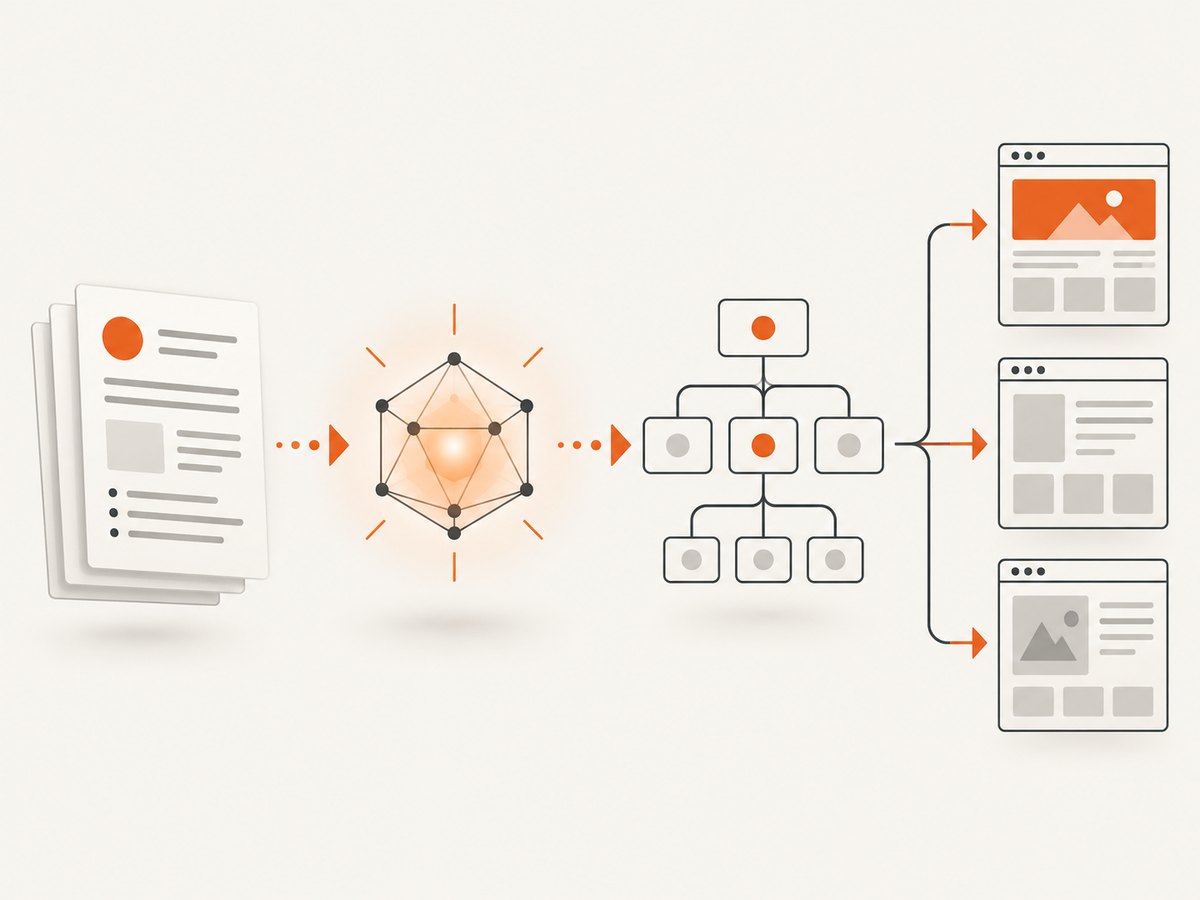
Include these details
- Purpose: What should the site help visitors accomplish?
- Audience: Who are the primary visitors, and what do they already know?
- Pages: List required pages, such as Home, Features, Pricing, About, Documentation, Contact, and a legal page.
- Key actions: Identify actions such as booking a call, creating an account, requesting a quote, downloading a file, or starting checkout.
- Content: Supply facts, terminology, product limits, service areas, and claims that must remain accurate.
- Brand: Provide colors, type preferences, logo rules, tone, imagery, and examples you like.
- Constraints: State the framework, CMS, hosting, existing design system, browser support, performance budget, and accessibility target.
- Content boundaries: Tell the model which claims it must not invent and which sections need an approval step.
Act as a product designer and front-end architect. Create a website plan for:

Business: [description]
Primary audience: [audience]
Primary conversion: [action]
Required pages: [list]
Existing assets: [brand guide, logo, photographs, copy]
Technical constraints: [framework, CMS, hosting, browser support]
Accessibility target: keyboard support, visible focus, semantic HTML, WCAG review
Performance target: [budgets for JavaScript, images, and largest contentful paint]

First return:
1. A sitemap with one-sentence purpose for each page.
2. The navigation model and footer links.
3. A page-by-page content hierarchy.
4. Open questions and assumptions.
Do not write final code or polished marketing copy yet.
Ask for assumptions and open questions explicitly. If the model has to guess whether a page needs a form, account area, or payment flow, the guess can become expensive to correct later.
2. Review the sitemap before styling
Information architecture determines whether visitors can find the content and actions they need. Review it before spending time on colors, animations, or polished copy.
- Check that every important visitor task has a destination.
- Look for pages hidden behind vague labels such as “Resources” when a more specific label would help.
- Confirm that primary navigation has a manageable number of choices.
- Check that related pages have a predictable parent and sibling relationship.
- Ask where error, empty, loading, and confirmation states live.
- Ask the model to identify missing pages, including privacy, terms, accessibility information, support, and contact paths where relevant.
Review this sitemap as a critical information architect. For each page, list:
- the visitor question it answers
- the action it supports
- the pages that should link to it
- missing states or dependencies
Then propose the smallest change that fixes each problem. Do not redesign the visual style.
Microsoft Power Pages documents a workflow that turns a description into a sitemap, homepage layout variations, and suggested pages. Its documentation also explains that generated pages do not automatically create every form or list, so verify which functional pieces still need to be added in the design studio. Capabilities differ between products; confirm the behavior of the platform you choose. Microsoft Power Pages documentation
3. Generate the first page structure
Once the sitemap is stable, ask for a page outline rather than a finished design. A useful outline names the job of each section and the evidence a visitor needs before taking the next action.
Using the approved sitemap, design the homepage structure for [audience].
For every section provide:
- purpose
- heading and supporting message
- required proof or data
- primary and secondary actions
- mobile behavior
- accessible name and semantic element
- content that must come from the source brief
Flag anything that is an assumption.
Request alternatives only where a decision is genuinely open. For example, ask for two hero structures with different conversion goals, then choose one. Generating dozens of alternatives makes review harder and encourages shallow selection by appearance.
4. Choose the right kind of AI workflow
Your tool choice should follow the amount of control you need.
| Workflow | Best fit | Questions to answer |
|---|---|---|
| Visual AI website builder | A new site where editable pages, hosting, and publishing are integrated | Can you export content or code? How are forms, redirects, analytics, and permissions configured? |
| AI coding assistant | An existing repository, framework, or design system that needs code-level control | Can the assistant follow your component rules, tests, linting, and security review process? |
| Platform integration or MCP server | A live project in a system such as WordPress or a visual design platform | What can the agent read or change? Is there a draft environment, audit trail, and approval gate? |
Elementor describes an MCP workflow that lets external AI tools work with Elementor and WordPress. Webflow describes an MCP server exposing project elements, styles, components, collections, assets, and related site data. These are vendor descriptions of their own capabilities, so compare permissions and supported operations before connecting an agent to a production project. Elementor MCP documentation and Webflow MCP documentation
For code-heavy work, tell the assistant how your repository is organized, which components are allowed, how routes are named, and which commands verify the change. Ask it to explain risky decisions and produce a small diff. Keep a known-good commit so you can revert an experiment.
5. Refine in bounded passes
Make one category of change at a time. A prompt that asks for new copy, a new layout, a different color system, animation, and mobile fixes at once is difficult to review.
- Structure: fix section order, grouping, and navigation.
- Hierarchy: clarify headings, supporting evidence, and calls to action.
- Visual system: define type scale, spacing, color roles, borders, and states.
- Responsive behavior: specify breakpoints, wrapping, stacking, and touch targets.
- Content: improve clarity and tone while preserving approved facts.
- Implementation: convert the approved design into components and styles.
Change only the responsive behavior of the pricing section.
At 360px, 768px, and 1280px widths, specify:
- column layout
- card width and order
- table overflow behavior
- button size and spacing
- heading wrapping
Keep all copy, colors, and component names unchanged.
Inspect the preview after each pass. If a revision introduces regressions, restore the last known-good version and request a smaller change.
6. Ask explicitly for accessible output
Accessibility requirements are easy to omit when the prompt focuses on visual appearance. Put them in the brief and repeat them in implementation requests.
- Use semantic landmarks, one logical
h1, and an ordered heading hierarchy. - Give informative images useful alternative text and mark decorative images appropriately.
- Make every function available from a keyboard with a visible focus indicator.
- Associate labels and error messages with form controls.
- Do not rely on color alone to communicate status.
- Respect reduced-motion preferences and provide usable focus behavior in dialogs and menus.
- Check contrast, zoom, text resizing, target size, and screen-reader names.
Audit this page for accessibility risks. Return a table with:
- issue
- affected element
- why it matters
- exact code or content change
- manual verification step
Do not claim compliance unless the required manual checks have been completed.
Research on AI website builders and AI coding workflows reports variation in accessibility support and describes cases where requirements or verification steps are missed. Use the model to find likely issues, then verify with keyboard testing, a screen reader, automated checks, and human review. WebAIM accessibility resources
7. Review code, security, and content
Never place passwords, API keys, private customer data, or production tokens in a prompt. Use placeholders and provide secrets through your deployment system.
Review authentication, authorization, payment, file upload, webhook, and administrative code with particular care. Check that server-side validation exists even when the browser validates fields. Confirm that generated dependencies are supported, pinned, and scanned by your normal process.
Content needs the same discipline. Compare every factual claim with your source material. Remove invented statistics, testimonials, awards, customer names, guarantees, and legal statements. A convincing sentence is not evidence.
8. Test the actual site before launch
A preview can look complete while links, forms, and mobile behavior are broken. Use a repeatable launch checklist.
Functional checklist
- Open every navigation and footer link, including redirects and external links.
- Submit forms with valid, invalid, empty, and unusually long values.
- Verify success, error, loading, timeout, and duplicate-submission states.
- Test sign-in, account recovery, checkout, permissions, and logout if present.
- Test at narrow mobile, tablet, desktop, and wide desktop widths.
- Test keyboard-only navigation and focus restoration after dialogs close.
- Check images, fonts, analytics, cookie controls, and consent behavior.
- Run performance and accessibility audits, then manually inspect the highest-impact findings.
For visual regression, capture representative routes at fixed viewport sizes and compare them after each significant change. A screenshot tells you whether a layout changed; it does not prove that forms, permissions, or accessibility work.
9. Search and AI features
Google says its AI search features continue to rely on established SEO fundamentals. Make pages crawlable, provide useful information in text, use relevant media where it helps, maintain a good page experience, and ensure structured data matches visible content. Google says special AI markup or a separate machine-readable file is not required for inclusion in AI Overviews or AI Mode. Google Search guidance for AI features
Write for people first. Avoid generating many near-duplicate pages with little added value; Google’s guidance warns that scaled content made without sufficient value can violate its spam policies. Google helpful content guidance
10. Or skip the browser setup
If you need screenshots of the site or its competitors while you design, ScreenshotNeo provides a website screenshot API and MCP server. It accepts one GET request and returns PNG, JPEG, WebP, or PDF. Before capture, it accepts consent banners and removes more than 60 known consent platforms, newsletter popups, and chat widgets; each cleanup step can be turned off. Bot checks, CAPTCHAs, blank pages, timeouts, failed loads, and cache hits are not billed, and response headers identify the page verdict and billing result.
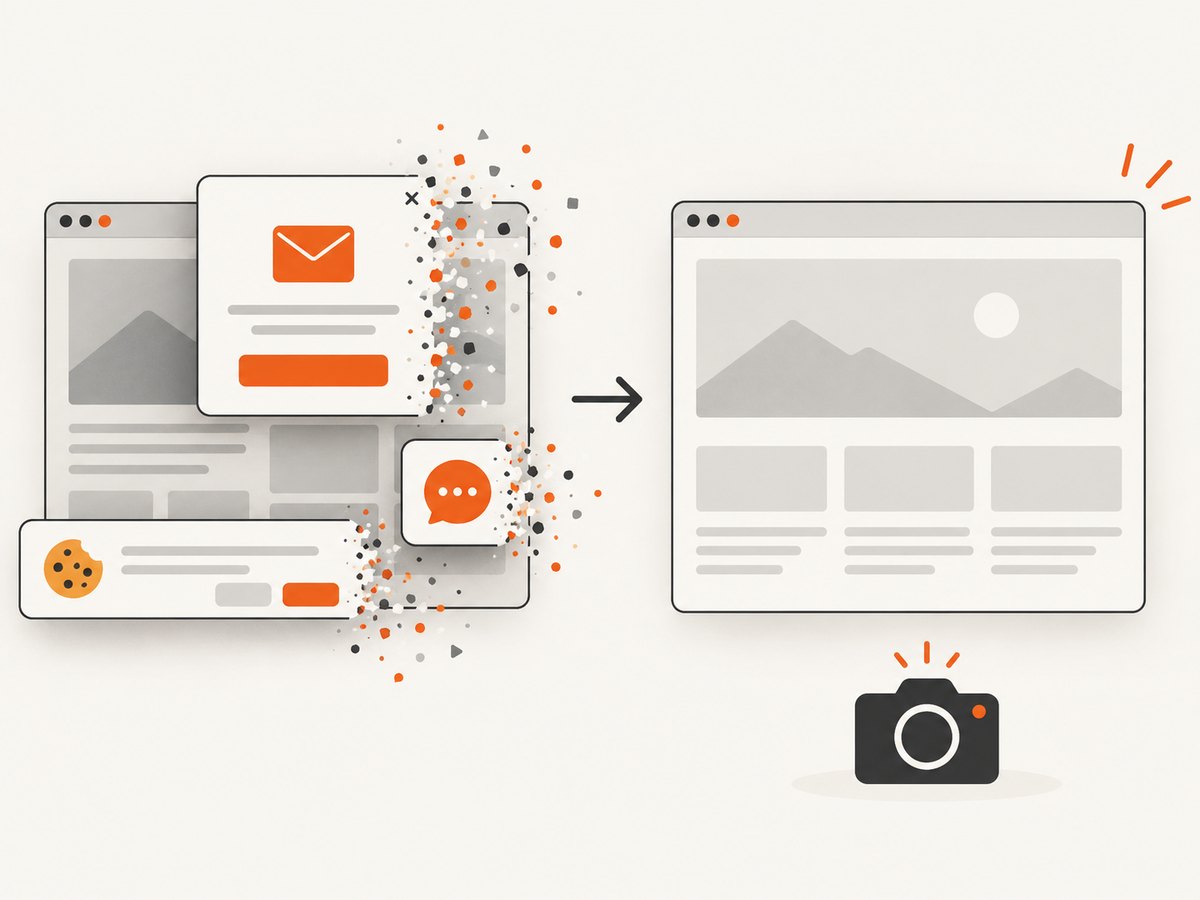
See the ScreenshotNeo API documentation for all parameters. A minimal request is:
curl -G 'https://api.screenshotneo.com/v1/shot' -d access_key=YOUR_API_KEY --data-urlencode url=https://stripe.com -o shot.webpimport requests
r = requests.get('https://api.screenshotneo.com/v1/shot', params={'access_key': 'YOUR_API_KEY', 'url': 'https://stripe.com'}, timeout=90)
r.raise_for_status()
open('shot.webp', 'wb').write(r.content)const q = new URLSearchParams({ access_key: 'YOUR_API_KEY', url: 'https://stripe.com' });
const res = await fetch(`https://api.screenshotneo.com/v1/shot?${q}`);
if (!res.ok) throw new Error(`HTTP ${res.status}`);
const buffer = Buffer.from(await res.arrayBuffer());
await import('node:fs/promises').then(fs => fs.writeFile('shot.webp', buffer));Useful capture options
- Full-page capture loads lazy images; you can capture one element with a CSS selector.
- Use dark mode, 12 device presets, custom viewports, and retina scale.
- Return PDFs with paper size, margins, landscape mode, and page ranges.
- Render HTML and CSS directly, or add custom CSS and JavaScript.
- Click an element before capture, then wait for a selector, delay, or network idle.
- Block ads, trackers, requests, or resource types.
- Send custom headers, cookies, user agents, and Authorization values.
- Set timezone and geolocation, use a transparent background, and resize images.
- Choose a cache TTL, create signed links for public
imgtags, run asynchronous jobs with signed webhooks, capture up to 100 URLs per bulk call, and read usage through the usage API.
For reliability, inspect X-Page-Verdict and X-Billed, set a timeout appropriate to the page, and retry only transient transport failures. Cache stable pages with a TTL you choose. For cost control, cache repeated captures and avoid recapturing unchanged URLs. Every plan includes all features: 1,000 shots per month are free with no card; paid plans start at $5 for 3,000 shots. Other plans are Growth $15 for 15,000, Pro $39 for 60,000, Scale $99 for 250,000, and Business $249 for 1,000,000. Yearly billing gives two months free.
An MCP server lets Claude, Cursor, and other MCP clients call take_screenshot, get_page_info, and capture_pdf during an agent workflow. Create a free ScreenshotNeo account to get 1,000 screenshots each month with no card.
11. Troubleshooting common LLM website problems
| Problem | Likely cause | Fix |
|---|---|---|
| The output is generic | The brief lacks audience, constraints, examples, or approved facts. | Add a concrete brief and request assumptions before design. |
| Pages look good but navigation is confusing | Styling began before information architecture review. | Return to the sitemap and map each visitor task to a page. |
| Forms or lists are missing | The platform generated page layouts without functional components. | Create and configure those components separately, then test submissions. |
| Mobile layout breaks | The prompt described desktop appearance without responsive rules. | Specify behavior at target widths and test real content lengths. |
| Keyboard users cannot operate a menu | Interaction was implemented visually without focus and escape behavior. | Require semantic controls, focus management, and keyboard tests. |
| Copy contains unsupported claims | The model filled gaps with plausible language. | Supply source facts, prohibit invention, and fact-check every claim. |
| Generated code exposes a secret | A credential was included in the prompt or client-side code. | Revoke the credential, move it to server-side configuration, and use placeholders in prompts. |
| Screenshot is blank or blocked | The target returned a bot check, failed load, timeout, or empty page. | Inspect X-Page-Verdict, adjust wait or headers, and confirm the URL works in a normal browser. |
12. FAQ
Can ChatGPT design a complete website?
It can help plan structure, draft content, propose visual direction, and write code. You still need to connect platform features, review the output, and test the published site.
Should I use a visual builder or an AI coding assistant?
Choose a visual builder when integrated editing and publishing are the priority. Choose coding assistance when you need repository, framework, or design-system control. Compare export, hosting, integrations, permissions, and review workflows.
Does AI-generated content need special SEO markup?
Google’s current guidance says existing SEO fundamentals remain relevant and special markup is not required for AI search features.
How do I prevent the model from inventing facts?
Provide an approved source of truth, label unknowns, prohibit unsupported claims, and review every factual statement before publishing.
What is the fastest way to create visual references during design?
Capture representative pages at fixed viewport sizes, compare revisions, and use the results alongside functional and accessibility tests. ScreenshotNeo can automate those captures through its API or MCP server.


