How to Use a Proxy With cURL and wget
Configure HTTP, HTTPS, SOCKS, authentication, bypass rules, and troubleshooting for proxies in cURL and wget with runnable examples.

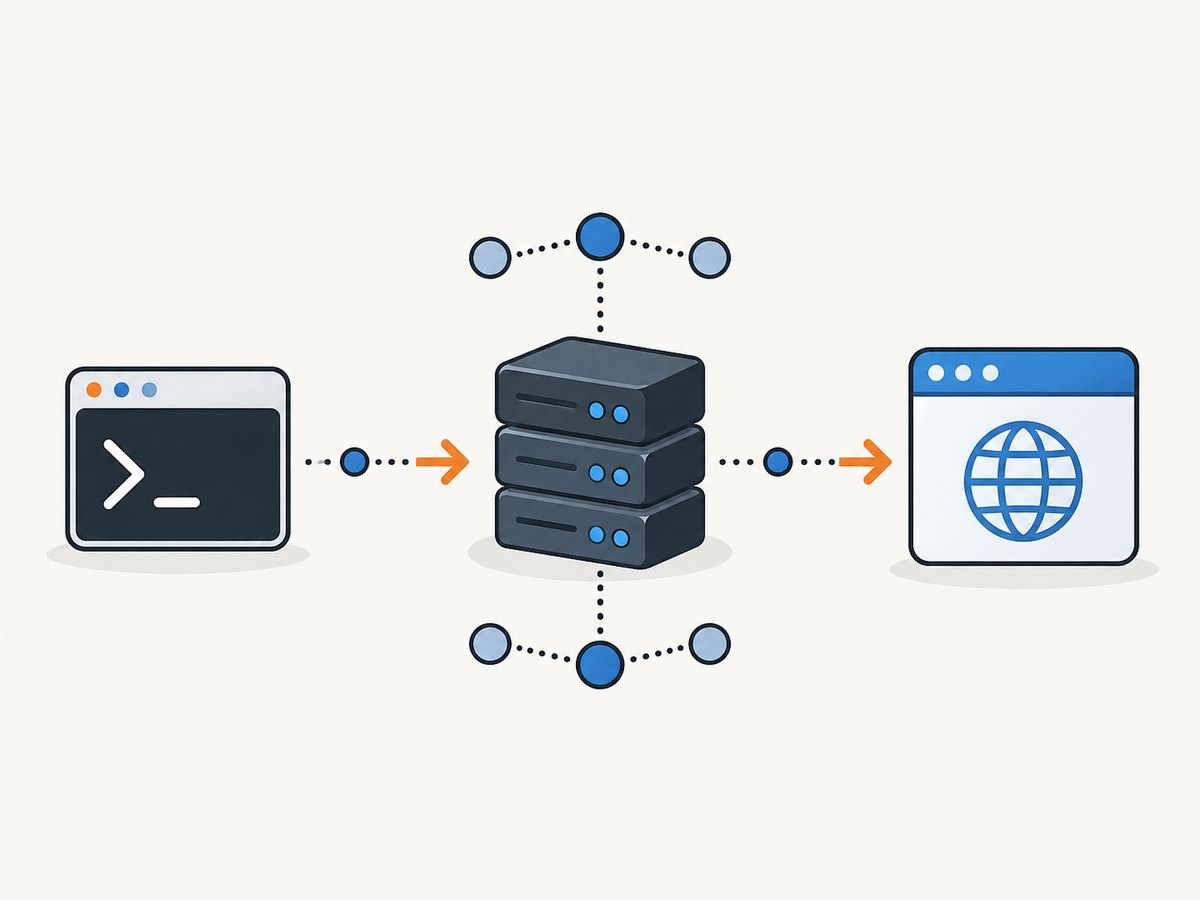
Direct answer: pass a proxy URL to cURL with --proxy (or -x), or set http_proxy and https_proxy for wget. Use NO_PROXY or no_proxy to bypass selected hosts, and use each client’s proxy authentication options when the proxy requires credentials.
This guide covers one-off commands, persistent configuration, environment-variable precedence, HTTP and SOCKS proxies, authentication, bypass rules, diagnostics, performance, reliability, and cost considerations. The examples use proxy.example:8080 as a reserved placeholder. Replace it with the endpoint supplied by your proxy operator.
1. Use an HTTP proxy with cURL
A one-off cURL request goes through an HTTP proxy when you provide --proxy:
curl --proxy http://proxy.example:8080 https://example.com/The short form is:
curl -x http://proxy.example:8080 https://example.com/According to the cURL command-line manual, omitting a scheme treats the proxy as HTTP, but an explicit scheme makes your intent clear. The command-line option takes precedence over proxy environment variables.
Downloading a file through the proxy
curl --proxy http://proxy.example:8080 \
  --location \
  --output report.html \
  https://example.com/report.html
--location follows HTTP redirects. Each redirected destination is still subject to the proxy and bypass rules in effect for the request.
HTTPS destinations and HTTP proxies
An HTTPS URL does not require the proxy itself to use HTTPS. A common arrangement is an HTTP proxy that creates a tunnel to the HTTPS destination. Confirm the proxy scheme, port, and TLS requirements with its operator before changing http:// to https://.
2. Configure wget with proxy environment variables
GNU wget commonly uses environment variables that match the destination protocol:
export http_proxy='http://proxy.example:8080'
export https_proxy='http://proxy.example:8080'
wget https://example.com/
The proxy URL can be HTTP even when the destination is HTTPS, because the proxy can establish an HTTPS tunnel. The GNU wget manual documents http_proxy, https_proxy, ftp_proxy, and no_proxy.
For a single POSIX-shell command, set the variable only for that process:
https_proxy='http://proxy.example:8080' wget https://example.com/This assignment syntax is for POSIX-style shells. Windows PowerShell, Windows Command Prompt, containers, CI runners, and service managers have different environment-variable syntax.
Persisting wget settings in .wgetrc
GNU wget also accepts proxy settings in its startup configuration:
http_proxy = http://proxy.example:8080
https_proxy = http://proxy.example:8080
ftp_proxy = http://proxy.example:8080
no_proxy = localhost,127.0.0.1,.internal.example
Keep this file readable only by the account that needs it when it contains credentials. The exact location and permissions depend on the operating system and account configuration.
3. Understand environment variables and precedence
| Client | Proxy variables | Bypass | Explicit option |
|---|---|---|---|
| cURL | http_proxy, protocol-specific variables such as HTTPS_PROXY, and ALL_PROXY |
NO_PROXY or --noproxy |
--proxy / -x |
| GNU wget | http_proxy, https_proxy, ftp_proxy |
no_proxy or --no-proxy |
Environment, .wgetrc, and command options |
cURL has a security-sensitive naming exception: it accepts lowercase http_proxy, but not uppercase HTTP_PROXY. The cURL proxy environment guide explains that CGI servers can create HTTP_PROXY from an incoming request header, so accepting that variable could let request data control outbound traffic.
For other protocols, cURL accepts protocol-specific variables and can fall back to ALL_PROXY. Protocol-specific settings take precedence over the fallback. An explicit --proxy setting overrides environment configuration for that invocation.
Inspect the environment that actually reaches the process
env | grep -iE '(^|_)(http|https|ftp|all|no)_proxy'Run this in the same shell, container, CI step, or service definition that launches cURL or wget. A proxy configured in your interactive shell is not automatically present in a cron job or another service account.
4. Bypass the proxy for selected hosts
Use cURL’s per-request option when one destination should connect directly:
curl --proxy http://proxy.example:8080 \
  --noproxy example.com \
  https://example.com/
For a reusable list:
export NO_PROXY='localhost,127.0.0.1,.internal.example'The list is comma-separated. A leading dot can match a domain and its subdomains. An exact hostname can be listed directly, and * matches all hosts. cURL also documents CIDR exclusions for IP networks in versions 7.86.0 and newer; check the installed version before relying on that behavior.
GNU wget uses lowercase no_proxy and provides --no-proxy:
no_proxy='localhost,127.0.0.1,.internal.example' wget https://internal.example/When a request unexpectedly avoids the proxy, inspect both bypass variables and explicit options. A matching bypass can explain direct routing even when the proxy variable is set.
5. Authenticate to the proxy safely
cURL separates proxy credentials from destination-server credentials. Use --proxy-user (short form -U) for the proxy:
curl --proxy http://proxy.example:8080 \
  --proxy-user 'username:password' \
  https://example.com/
cURL documents proxy-specific authentication choices including Basic, Digest, Negotiate, and NTLM options. The proxy and your cURL build must support the method you select. Do not assume that a username and password embedded in a proxy URL will work with an enterprise proxy.
Command-line credentials can briefly appear in process listings and may be copied into shell history or CI logs. Prefer a protected file, secret manager, or the credential mechanism required by your organization. Review verbose output before sharing it; headers can contain secrets.
GNU wget’s documented proxy authorization supports Basic authentication and exposes --proxy-user and --proxy-password, along with corresponding .wgetrc settings. Confirm the proxy’s authentication policy before choosing wget for an integrated enterprise authentication flow.
6. Use SOCKS proxies with cURL
cURL supports SOCKS URL schemes including socks4://, socks4a://, socks5://, and socks5h://:
curl --proxy socks5://proxy.example:1080 https://example.com/The distinction is where DNS resolution occurs. cURL’s --socks5 mode resolves the destination hostname locally. Use a hostname-resolving SOCKS variant such as socks5h:// when the proxy should resolve the target name.
curl --proxy socks5h://proxy.example:1080 https://example.com/cURL also documents --preproxy for placing a SOCKS proxy before an HTTP or HTTPS proxy. That chained configuration is specialized; use a single proxy unless your network design requires both.
The cited GNU wget proxy chapter documents HTTP and FTP proxy settings. It does not establish cURL-style SOCKS syntax for wget, so do not assume both clients support identical proxy protocols.
7. A repeatable troubleshooting sequence
Proxy connection refused or timed out
- Cause: wrong hostname, port, scheme, firewall route, or an unavailable proxy listener.
- Fix: confirm the endpoint with the proxy operator, then try the documented scheme explicitly, such as
http://orsocks5h://.
The request goes direct instead of through the proxy
- Cause: a matching
NO_PROXY/no_proxyentry, cURL’s--noproxy, wget’s--no-proxy, or an environment variable that is not present in the launching process. - Fix: print the environment in the same execution context and temporarily remove bypass entries while diagnosing.
cURL ignores HTTP_PROXY
- Cause: cURL intentionally requires lowercase
http_proxy. - Fix: set
http_proxyin lowercase. Other protocol-specific variables may be uppercase, but do not substitute uppercaseHTTP_PROXY.
407 Proxy Authentication Required
- Cause: the proxy requires credentials or a method the client did not negotiate.
- Fix: use cURL’s
--proxy-userand appropriate proxy-authentication option, or wget’s documented proxy-user/password options for Basic authentication. Confirm the required method with the operator.
TLS or certificate errors
- Cause: TLS may be terminating at the proxy, the proxy may require HTTPS-to-proxy TLS, or the client may not trust the relevant certificate authority.
- Fix: verify whether the proxy URL should be
http://orhttps://, install the organization’s trusted CA according to policy, and avoid disabling certificate verification as a routine fix.
Diagnose what cURL is sending
curl -v --proxy http://proxy.example:8080 https://example.com/The cURL manual recommends -v for inspecting request behavior. Redact authorization headers, cookies, URLs containing tokens, and internal hostnames before sharing logs.
Option is unavailable
- Cause: the installed cURL or wget version, TLS backend, or build differs from the current online manual.
- Fix: check
curl --versionorwget --version, then consult the manual shipped with that installation. Specialized options may not exist in older builds.
8. Performance, reliability, and cost considerations
A proxy adds a network hop. Expect additional connection setup and latency, especially when the proxy is geographically distant or must authenticate each connection. Reuse connections where your application allows it, avoid downloading more data than necessary, and choose a proxy location close to the destination or your workload.
Reliability depends on both the proxy and the origin. Set client timeouts appropriate to your job, retry only transient failures, and use bounded backoff so an outage does not create a request storm. Preserve the original error and the proxy response status in logs.
Proxy billing is separate from cURL and wget. Track bandwidth, request quotas, authentication overhead, and any provider-specific per-request charges. For repeat downloads, cache immutable responses in your own system when policy permits. Never cache private responses without considering authorization and data-retention requirements.
For screenshot workloads, a proxy alone does not solve browser automation, consent banners, popups, chat widgets, lazy-loaded images, or bot checks. ScreenshotNeo provides a website screenshot API at screenshotneo.com when you need a rendered capture rather than a command-line HTTP transfer.
9. Or skip the browser setup
If your goal is a clean website screenshot, ScreenshotNeo accepts one GET request and returns PNG, JPEG, WebP, or PDF. Before capture it accepts cookie or consent banners like a visitor and removes more than 60 known consent platforms, newsletter popups, and chat widgets. Each step can be turned off. Bot checks or CAPTCHAs, blank pages, timeouts, failed loads, and cache hits cost nothing, and the response identifies the result with X-Page-Verdict and X-Billed headers.

See the ScreenshotNeo API documentation for all options. A minimal cURL call is:
curl -G 'https://api.screenshotneo.com/v1/shot' \
  -d access_key=YOUR_API_KEY \
  --data-urlencode url=https://stripe.com \
  -o shot.webp
Python:
import requests

r = requests.get(
    'https://api.screenshotneo.com/v1/shot',
    params={'access_key': 'YOUR_API_KEY', 'url': 'https://stripe.com'},
    timeout=90,
)
r.raise_for_status()
open('shot.webp', 'wb').write(r.content)
Node.js:
const q = new URLSearchParams({
  access_key: 'YOUR_API_KEY',
  url: 'https://stripe.com'
});
const res = await fetch(`https://api.screenshotneo.com/v1/shot?${q}`);
if (!res.ok) throw new Error(`HTTP ${res.status}`);
const fs = await import('node:fs/promises');
await fs.writeFile('shot.webp', Buffer.from(await res.arrayBuffer()));
ScreenshotNeo also offers full-page capture with lazy images loaded, element capture by CSS selector, dark mode, device presets, custom viewports, retina scale, PDF controls, custom CSS and JavaScript, clicks, waits, blocking rules, headers, cookies, user agents, authorization, timezone, geolocation, transparent backgrounds, resizing, caching with a chosen TTL, signed links, asynchronous jobs, bulk capture of up to 100 URLs per call, usage data, an OpenAPI specification, and an MCP server with take_screenshot, get_page_info, and capture_pdf for Claude, Cursor, and other MCP clients.
Free accounts include 1,000 screenshots per month with no card. Paid plans start at $5 for 3,000 shots; every feature is available on every plan. Create a free ScreenshotNeo account.
10. Practical checklist
- Confirm whether the endpoint is HTTP, HTTPS-to-proxy, or SOCKS.
- For cURL, start with
--proxy; for wget, start with lowercase environment variables. - Check
NO_PROXYorno_proxybefore assuming the proxy is broken. - Keep proxy credentials out of shell history, process listings, and shared logs.
- Use
-vwith cURL while redacting secrets. - Verify installed client versions before using specialized options.
- Measure latency and failure rates from the actual runtime environment.
- Use ScreenshotNeo when the requirement is a rendered, cleaned screenshot rather than a proxied HTTP download.
FAQ
Can I use the same HTTP proxy for HTTP and HTTPS URLs?
Often yes: set both http_proxy and https_proxy to the operator-provided HTTP proxy URL. The proxy commonly tunnels HTTPS destinations. Confirm the arrangement and port with the operator.
Why does cURL use lowercase http_proxy?
cURL avoids uppercase HTTP_PROXY because CGI environments can create it from incoming request headers. Use lowercase http_proxy.
Does wget support the same SOCKS modes as cURL?
The cited wget proxy documentation covers HTTP and FTP proxy settings. It does not establish the SOCKS URL behavior documented by cURL, so verify your installed wget documentation before relying on SOCKS.
How do I prevent internal services from using the proxy?
Add exact hostnames, localhost addresses, or domain suffixes to NO_PROXY for cURL or no_proxy for wget, and check for per-command bypass options.
When should I use ScreenshotNeo instead?
Use it when you need a browser-rendered screenshot or PDF with consent banners, popups, chat widgets, lazy content, device settings, or AI-agent access handled by an API.