How to Use a Proxy in Puppeteer: Full Guide for 2026
Configure HTTP and SOCKS proxies in Puppeteer, authenticate safely, isolate sessions, rotate endpoints, troubleshoot failures, and capture clean screenshots.
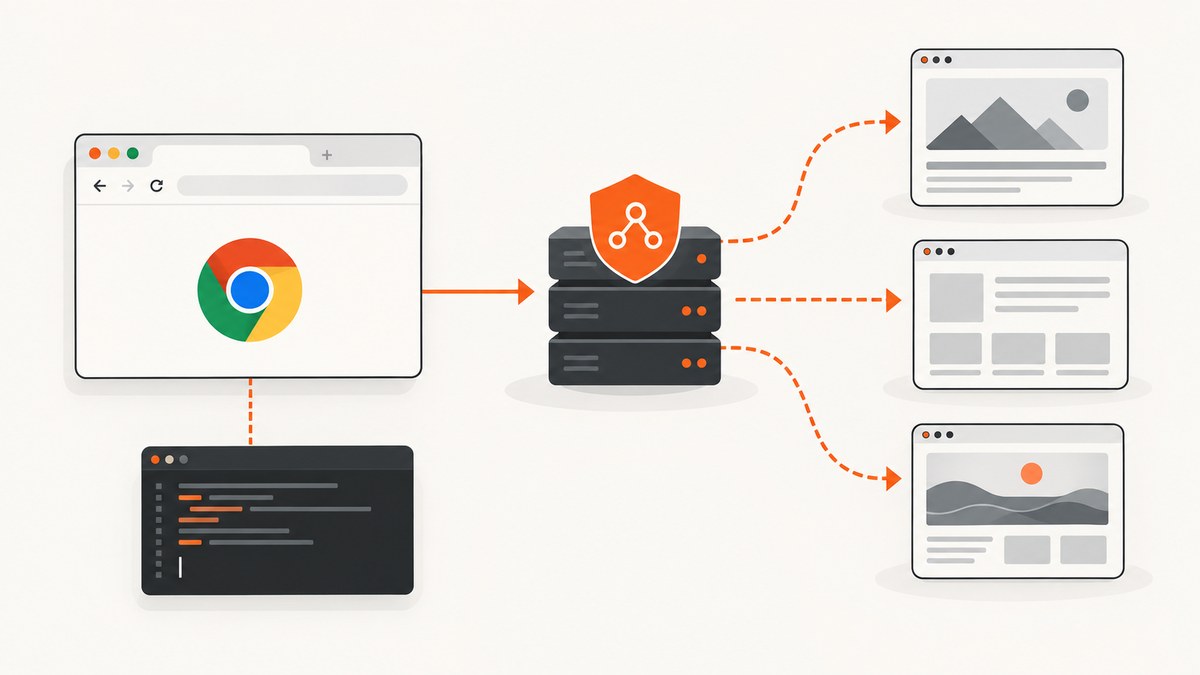
Direct answer: pass a Chromium --proxy-server argument when launching Puppeteer. If the proxy requires HTTP authentication, call page.authenticate({ username, password }) before navigation. Keep credentials outside source code, verify the browser’s public IP with an echo endpoint, and close the browser in a finally block.
This guide covers browser-wide and browser-context routing, authenticated HTTP proxies, SOCKS limitations, proxy rotation, environment variables, security, performance, troubleshooting, and a managed alternative for screenshot work.
1. Launch Puppeteer through an HTTP proxy
Install Puppeteer in a Node.js project:
npm install puppeteerThe smallest working example is:
import puppeteer from 'puppeteer';

const proxyHost = process.env.PROXY_HOST;
const proxyPort = process.env.PROXY_PORT;
const username = process.env.PROXY_USERNAME;
const password = process.env.PROXY_PASSWORD;

if (!proxyHost || !proxyPort) {
  throw new Error('Set PROXY_HOST and PROXY_PORT');
}

const browser = await puppeteer.launch({
  args: [`--proxy-server=http://${proxyHost}:${proxyPort}`],
});

try {
  const page = await browser.newPage();

  // Only use this when the proxy challenges for HTTP credentials.
  if (username && password) {
    await page.authenticate({ username, password });
  }

  await page.goto('https://example.com', {
    waitUntil: 'networkidle2',
    timeout: 60_000,
  });

  console.log(await page.title());
} finally {
  await browser.close();
}
--proxy-server=http://host:port configures Chromium’s browser-wide proxy. Every page in that browser uses the setting unless Chromium itself bypasses a destination. Call page.authenticate() before goto(); otherwise the first request can receive a 407 authentication response.
Puppeteer’s API describes page.authenticate() as providing credentials for HTTP authentication. It also notes that request interception is enabled behind the scenes and may affect performance. See the official API documentation.
Use an authenticated proxy URL carefully
Chromium accepts proxy schemes such as http:// and socks5:// in the launch argument. Avoid putting a username and password directly in the argument or a shell command: command histories, process listings, CI logs, and crash reports can expose them. Prefer environment variables or a secret manager.
PROXY_HOST=proxy.example.net \
PROXY_PORT=8080 \
PROXY_USERNAME=service-user \
PROXY_PASSWORD='replace-me' \
node capture.js
2. Verify that traffic really uses the proxy
Before debugging a target website, check the endpoint independently. A proxy can be reachable while refusing a destination, or it can authenticate successfully but route to an unexpected exit IP.
From a terminal, a diagnostic request can look like this:
curl --proxy "http://${PROXY_USERNAME}:${PROXY_PASSWORD}@${PROXY_HOST}:${PROXY_PORT}" \
  https://api.ipify.org
Do not treat this command as proof that Puppeteer is configured correctly. It checks the proxy service separately. In Puppeteer, log the response from an IP-echo service, but avoid logging cookies, authorization headers, or proxy credentials:
const check = await page.goto('https://api.ipify.org?format=json', {
  waitUntil: 'networkidle2',
  timeout: 30_000,
});
console.log(await check.text());
If the returned address is your direct network address, inspect the launch arguments and confirm that the browser process you are using is the one receiving them. Do not silently continue with direct traffic when proxy routing is a requirement.
3. Choose the right scope: browser, context, or page
| Approach | Scope | Isolation | When to use |
|---|---|---|---|
--proxy-server |
Entire browser | All pages share the browser’s proxy identity | One proxy per job or process; simplest and most widely documented |
Context proxyServer |
One browser context | Contexts can separate cookies and proxy settings | Multiple isolated jobs in one browser, if supported by your installed release |
| Request interception or a local forwarder | Per request or page workaround | Flexible, but state and failures are your responsibility | Special routing requirements after evaluating compatibility and overhead |
The Puppeteer Next API documents proxyServer and proxyBypassList as browser-context options. These are version-sensitive: check the API matching your installed Puppeteer release before building production code around them. The option applies to requests in that context; it is not a setter for an already-created page.
const browser = await puppeteer.launch();

const context = await browser.createBrowserContext({
  proxyServer: 'http://proxy-a.example:8080',
  proxyBypassList: ['localhost', '127.0.0.1'],
});

const page = await context.newPage();
await page.goto('https://example.com');
If your installed version rejects these options, use one browser process per proxy or upgrade after reviewing the release notes. Browser-per-job costs more startup time and memory but gives clear isolation.
4. Authentication: HTTP versus SOCKS5
HTTP proxy authentication
For an HTTP proxy that sends a Basic, Digest, or another HTTP authentication challenge, use:
await page.authenticate({
  username: process.env.PROXY_USERNAME,
  password: process.env.PROXY_PASSWORD,
});
Set credentials before the first navigation and before any request that must use the proxy. Authentication enables request interception internally, so pages with many requests can incur additional handling overhead.
SOCKS proxies
Chrome’s SOCKS implementation has an important limitation: the browser stack described in the proxy guidance does not support SOCKS5 authentication through page.authenticate(). If your provider requires SOCKS credentials, confirm the exact Chromium and Puppeteer behavior for your version and provider. Do not assume that HTTP authentication code will work for SOCKS5.
For an unauthenticated SOCKS endpoint, the launch form is:
const browser = await puppeteer.launch({
  args: ['--proxy-server=socks5://127.0.0.1:1080'],
});
If authenticated SOCKS is mandatory, a provider-supported local forwarder can terminate credentials locally and expose an HTTP endpoint to Chromium. This adds a hop and another process to operate; measure startup, failure handling, and observability in your own deployment.
5. Proxy bypass rules and environment variables
Use Chromium’s bypass list when internal services, localhost, or health checks must avoid the proxy. A launch argument can include a semicolon-separated list:
const browser = await puppeteer.launch({
  args: [
    '--proxy-server=http://proxy.example:8080',
    '--proxy-bypass-list=localhost;127.0.0.1;*.internal.example',
  ],
});
Puppeteer’s configuration documentation also lists HTTP_PROXY, HTTPS_PROXY, and NO_PROXY environment settings. These settings can affect Puppeteer-related downloads and configuration, but you must establish which process reads them. The documentation states that configuration and environment variables are ignored by puppeteer-core. For predictable page traffic, pass Chromium’s --proxy-server explicitly.
6. Rotate proxies without mixing sessions
Rotation can mean two different things:
- Provider-managed rotation: one endpoint changes its exit identity according to the provider’s policy.
- Application-selected rotation: your worker chooses a new endpoint for each browser, context, or job.
Neither policy guarantees that a site will permit automation or prevent CAPTCHAs. Rotation should match the site’s rules, your account session, and your provider’s terms.
For a new proxy per job, launch a new browser:
async function runJob(proxy) {
  const browser = await puppeteer.launch({
    args: [`--proxy-server=${proxy}`],
  });

  try {
    const page = await browser.newPage();
    await page.goto('https://example.com', { waitUntil: 'domcontentloaded' });
    return await page.title();
  } finally {
    await browser.close();
  }
}

await runJob('http://proxy-a.example:8080');
await runJob('http://proxy-b.example:8080');
Use a context when you need several isolated cookie jars in one browser and your Puppeteer release supports context proxy options. Use a shared browser only when sharing cookies and proxy identity is intentional. Create an explicit job record containing the selected endpoint, context identifier, navigation timeout, and final error so retries do not accidentally switch identity mid-session.
7. Security, TLS, and operational overhead
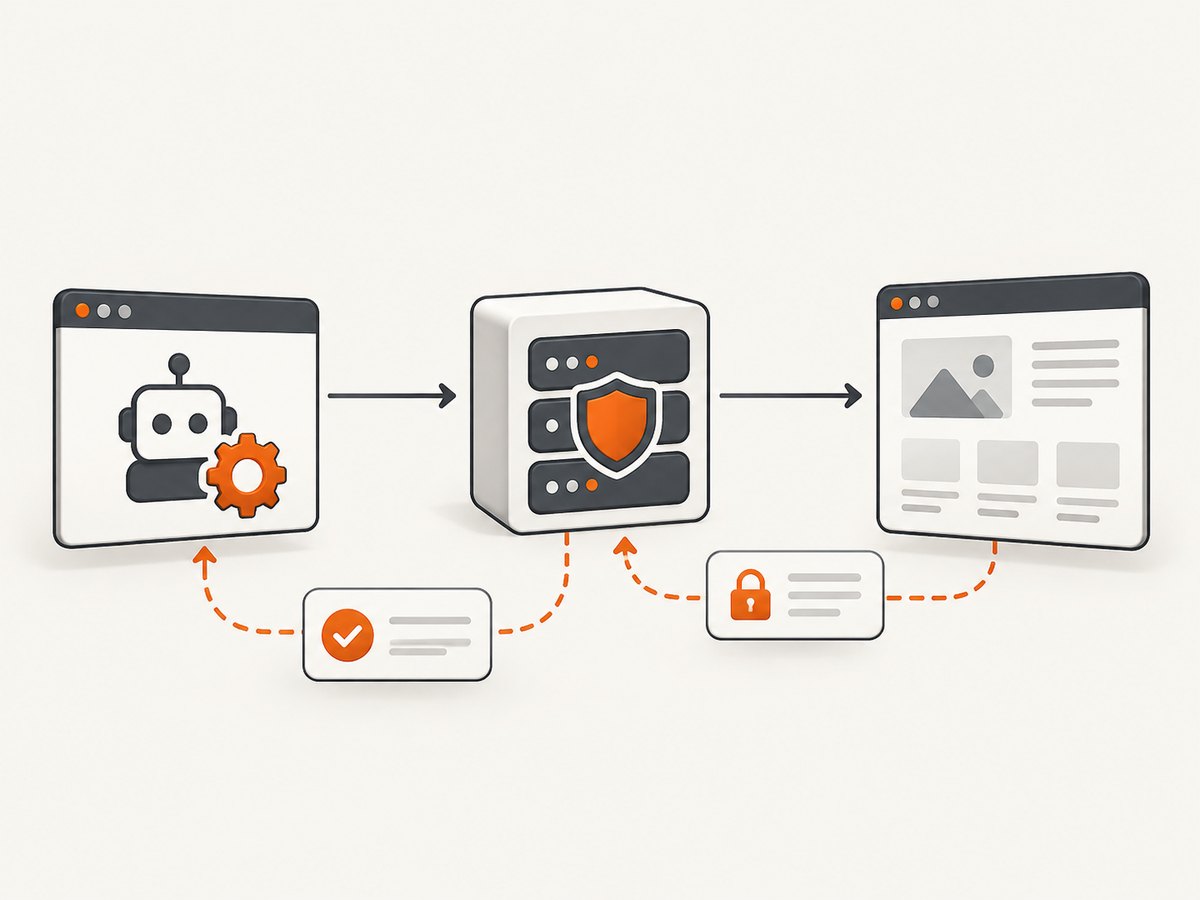
With a cleartext HTTP URL, traffic between Chromium and the proxy is HTTP. For an HTTPS destination, the browser normally uses the HTTP proxy’s CONNECT method to establish a tunnel; TLS remains between the browser and destination, while the proxy sees the destination hostname during tunnel setup. Verify your provider’s logging and retention policy before sending sensitive requests.
- Store proxy credentials in environment-backed secrets or a secret manager.
- Redact proxy URLs from logs, traces, exceptions, and screenshots of terminals.
- Set navigation and operation timeouts; a proxy can connect but stall while forwarding.
- Close pages, contexts, and browsers in
finallyblocks. - Limit concurrency to what the endpoint and target site can handle.
- Keep an allowlist of destinations when jobs can process user-supplied URLs.
Built-in Chromium routing is usually simpler than per-request interception. A local forwarding proxy or interception layer adds handling and another failure point. No reliable benchmark establishes a universal speed penalty, so measure your own page mix with and without the extra hop.
8. Capture screenshots without maintaining a browser proxy stack
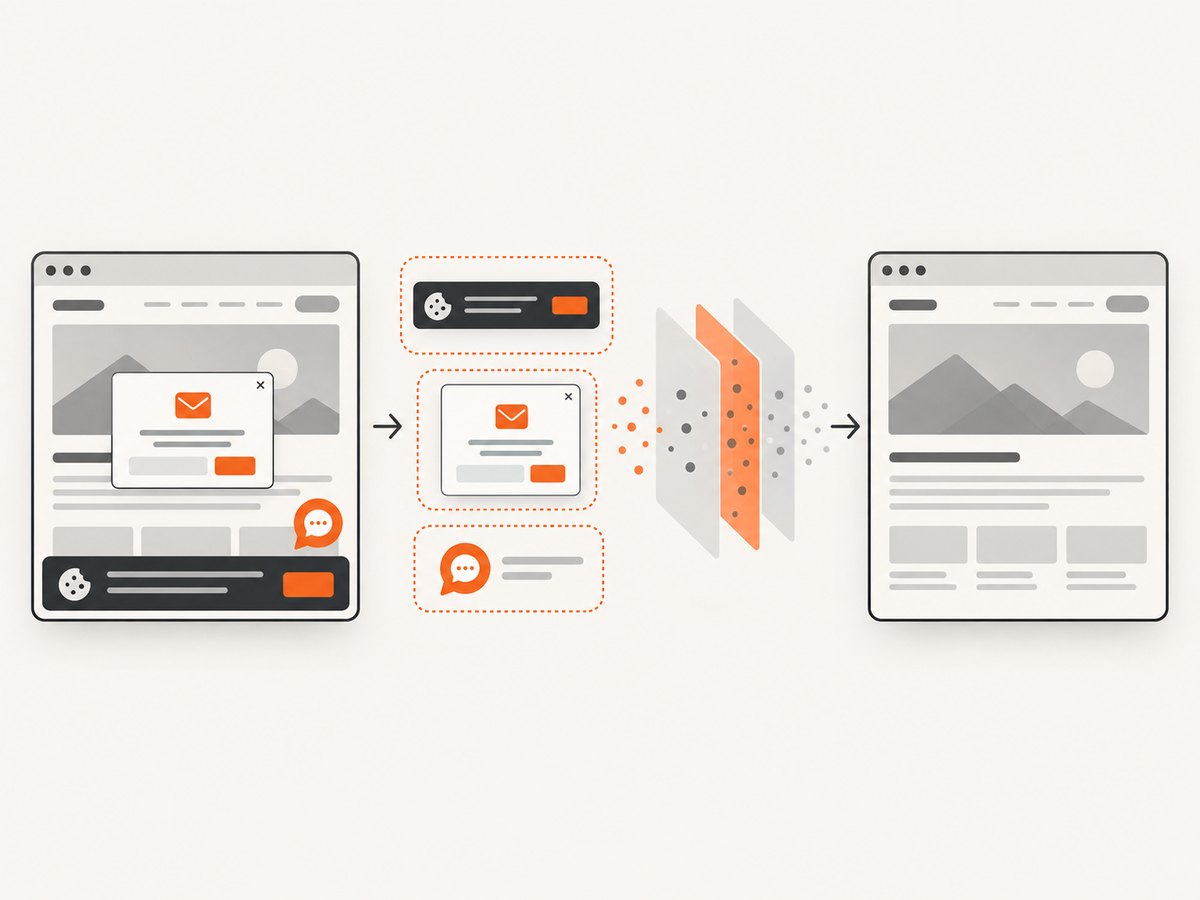
If your goal is a clean website screenshot rather than browser automation itself, ScreenshotNeo provides a single screenshot request. It accepts the URL and returns PNG, JPEG, WebP, or PDF. Its capture flow accepts cookie and consent banners like a visitor, removes more than 60 known consent platforms plus newsletter popups and chat widgets, and lets you turn each step off.
Or skip the browser setup
Use the API documented at ScreenshotNeo docs:
curl -G "https://api.screenshotneo.com/v1/shot" \
  -d access_key=YOUR_API_KEY \
  --data-urlencode url=https://stripe.com \
  -o shot.webp
import requests
r = requests.get(
"https://api.screenshotneo.com/v1/shot",
params={"access_key": "YOUR_API_KEY", "url": "https://stripe.com"},
timeout=90,
)
r.raise_for_status()
open("shot.webp", "wb").write(r.content)const q = new URLSearchParams({
access_key: 'YOUR_API_KEY',
url: 'https://stripe.com'
});
const res = await fetch(`https://api.screenshotneo.com/v1/shot?${q}`);
if (!res.ok) throw new Error(`Screenshot failed: ${res.status}`);
const data = Buffer.from(await res.arrayBuffer());
await import('node:fs/promises').then(fs => fs.writeFile('shot.webp', data));Cookie banners, popups, and chat widgets are removed before the shot. Bot checks, blank pages, timeouts, failed loads, and cache hits are never billed; response headers identify the page verdict and billing result with X-Page-Verdict and X-Billed. An MCP server provides take_screenshot, get_page_info, and capture_pdf tools for Claude, Cursor, and other MCP clients.
For screenshot jobs, you can also use full-page capture with lazy images loaded, CSS-selector element capture, dark mode, device presets or custom viewports, retina scale, PDF paper and margin settings, custom CSS and JavaScript, clicks, waits, ad and tracker blocking, custom headers and cookies, timezone and geolocation, transparent backgrounds, resizing, configurable caching, signed links, asynchronous jobs with signed webhooks, bulk capture for up to 100 URLs per call, usage reporting, and an OpenAPI specification. Parameter names used by other screenshot APIs are accepted to ease migrations.
The Free plan includes 1,000 screenshots each month with no card. Paid plans start at $5 for 3,000 shots; yearly billing gives two months free, and every feature is available on every plan. Create a free ScreenshotNeo account.
9. Troubleshooting Puppeteer proxy failures
| Symptom | Likely cause | Fix |
|---|---|---|
| 407 Proxy Authentication Required | Credentials were omitted, incorrect, or set after navigation | Call page.authenticate() before goto(); verify the endpoint independently and rotate the secret if needed |
| ERR_PROXY_CONNECTION_FAILED | Host or port is unreachable, blocked, or malformed | Check DNS, firewall rules, protocol prefix, and the provider’s endpoint from the same runtime |
| Page shows the direct IP | Launch arguments did not reach Chromium, or a bypass rule matched | Print the resolved launch configuration, remove unintended bypass entries, and check with an IP-echo page |
| SOCKS credentials fail | page.authenticate() handles HTTP challenges, not the documented Chrome SOCKS5 case |
Use an unauthenticated SOCKS endpoint, a provider-supported forwarder, or an HTTP proxy |
| Navigation hangs | Slow or overloaded proxy, stalled CONNECT, or a page waiting for long-lived requests | Set a navigation timeout, use domcontentloaded when appropriate, and inspect proxy health before retrying |
| Only some resources fail | Proxy policy, destination blocking, certificate handling, or a bypass mismatch | Compare the main document and subresource errors; test the same URL with curl and review provider policy |
| Environment variables appear ignored | The process or package does not read them; puppeteer-core ignores Puppeteer config/environment settings |
Pass --proxy-server explicitly and verify the installed package’s configuration behavior |
| Performance drops after authentication | Request interception is enabled to implement HTTP authentication | Reuse a browser for compatible jobs, reduce unnecessary interception, and measure with your workload |
10. A production checklist
- Confirm the proxy protocol, host, port, authentication method, and bypass policy.
- Load secrets from a secret manager or protected environment variables.
- Pass
--proxy-serverat launch and authenticate before navigation. - Verify the exit IP from the same worker that runs Puppeteer.
- Use context or browser isolation when jobs need separate cookies or identities.
- Define timeouts and bounded retries; record the proxy endpoint identifier without secrets.
- Close resources in
finallyand cap concurrency. - Check the API documentation for your installed Puppeteer version before using Next-only context options.
- Respect destination terms, robots policies, authentication boundaries, and rate limits.
FAQ
Can I change the proxy on an existing Puppeteer page?
The common --proxy-server setting is browser-wide. For a different identity, create a new browser or use a separately configured browser context when your installed release supports context proxy options.
Does page.authenticate() support every proxy type?
No. It supplies HTTP authentication credentials. The documented Chrome SOCKS5 case does not accept SOCKS credentials through this method.
Should I use HTTPS_PROXY for page requests?
Do not assume it. Environment variables can serve Puppeteer configuration or downloads, while Chromium page routing is made explicit with --proxy-server.
Is rotating proxies enough to avoid CAPTCHAs?
No. Rotation changes routing identity but does not guarantee access or bypass anti-automation systems. Follow the target site’s rules and provider terms.
When is ScreenshotNeo a better fit?
Use ScreenshotNeo when the deliverable is a screenshot or PDF and you do not need to maintain a Puppeteer browser. It handles consent cleanup, reports billing status, supports MCP clients, and starts with 1,000 free screenshots per month.


