How to Use wkhtmltoimage in Java
Convert URLs and local HTML to images from Java by running wkhtmltoimage with ProcessBuilder. See setup, options, error handling, and a hosted alternative.

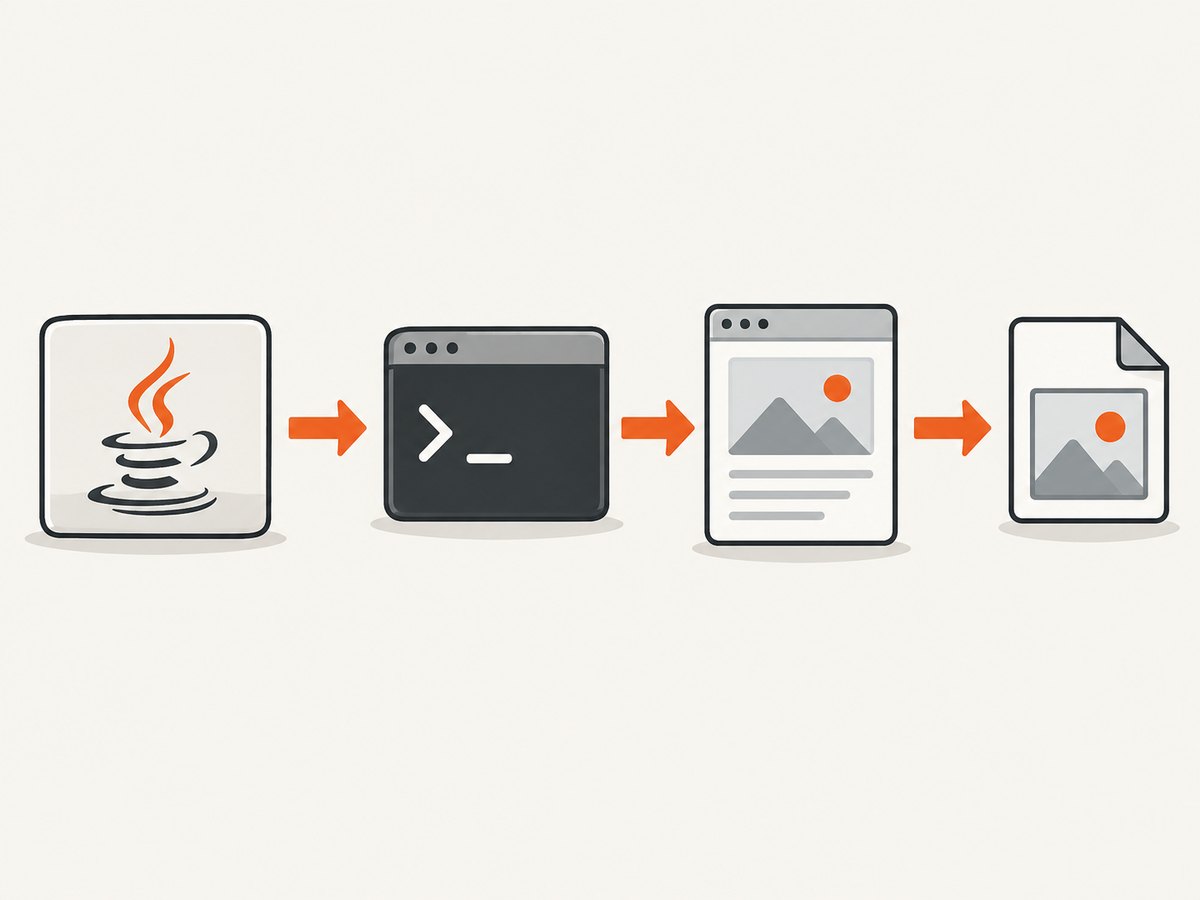
To use wkhtmltoimage from Java, install the executable in the environment where your application runs, then start it as a child process with java.lang.ProcessBuilder. Pass the executable, options, input URL or local HTML file, and output image path as separate arguments. Wait for completion, check the exit code, and collect diagnostics. wkhtmltoimage is a command-line tool built on Qt WebKit; it is not a Java library. The project repository is archived read-only, so assess binary availability, security, and rendering compatibility before adopting it for a new system. Project repository.
1. Install and locate the executable
Java does not include wkhtmltoimage. Install a compatible binary for each operating system and architecture you deploy to, or provide the binary as part of your deployment. The project documents precompiled downloads and building from source. Confirm the executable can run under the same user and environment as the Java service. Project downloads.
In a terminal, check availability with wkhtmltoimage --version and wkhtmltoimage --help. If the application launches it by bare name, the executable must be on the service process’s PATH; a service manager, container, or IDE may have a different path from your interactive shell. Supplying an absolute path avoids ambiguity.
The documented command shape is:
wkhtmltoimage [OPTIONS]... <input file or URL> <output file>Keep the input and output operands at the end of the argument list. The manual documents accepted switches and their behavior. wkhtmltoimage manual.
2. Run it from Java with ProcessBuilder
This Java 11+ example captures a URL to PNG, enforces a time limit, and reads merged diagnostics so the child process cannot block because its output pipe fills. It assumes the executable is available at the configured path. Replace the URL and paths for your deployment.
import java.io.IOException;
import java.nio.charset.StandardCharsets;
import java.nio.file.Files;
import java.nio.file.Path;
import java.time.Duration;
import java.util.ArrayList;
import java.util.List;
import java.util.concurrent.TimeUnit;

public class WkhtmltoimageCapture {
    public static void main(String[] args) throws Exception {
        Path executable = Path.of("/usr/local/bin/wkhtmltoimage");
        String url = "https://example.com";
        Path output = Path.of("capture.png").toAbsolutePath();
        capture(executable, url, output, Duration.ofSeconds(60));
        System.out.println("Wrote " + output);
    }

    static void capture(Path executable, String input, Path output,
                        Duration timeout) throws IOException, InterruptedException {
        Path parent = output.toAbsolutePath().getParent();
        if (parent != null) Files.createDirectories(parent);

        List<String> command = new ArrayList<>();
        command.add(executable.toString());
        command.add("--format");
        command.add("png");
        command.add("--width");
        command.add("1200");
        command.add(input);
        command.add(output.toString());

        Process process = new ProcessBuilder(command)
                .redirectErrorStream(true)
                .start();
        byte[] diagnostics;
        try {
            boolean finished = process.waitFor(timeout.toMillis(), TimeUnit.MILLISECONDS);
            if (!finished) {
                process.destroy();
                if (!process.waitFor(2, TimeUnit.SECONDS)) process.destroyForcibly();
                throw new IOException("wkhtmltoimage timed out after " + timeout);
            }
            diagnostics = process.getInputStream().readAllBytes();
        } catch (InterruptedException e) {
            process.destroyForcibly();
            Thread.currentThread().interrupt();
            throw e;
        }

        String log = new String(diagnostics, StandardCharsets.UTF_8);
        if (process.exitValue() != 0) {
            throw new IOException("wkhtmltoimage exited with code " +
                    process.exitValue() + ": " + log);
        }
        if (!Files.isRegularFile(output) || Files.size(output) == 0) {
            throw new IOException("Renderer returned success but output is missing or empty. " + log);
        }
    }
}
ProcessBuilder takes a list where each element is one argument. Do not build a shell command string and split it yourself: spaces, quotes, and shell metacharacters in paths or input values can then be mishandled. This list-based form also avoids invoking a shell at all. Java API: ProcessBuilder.
The example merges stderr into stdout and reads the stream after process completion. For very verbose commands or a design that needs live logs, consume the stream concurrently while the process runs; otherwise pipe buffers can fill and stall a child. In a web service, avoid waiting on the request thread for long captures: enqueue work or use a bounded worker pool, and cap concurrent processes.
3. Capture a URL or a local HTML file
URL input
Pass a complete URL, including its scheme, as one list item, for example https://example.com/path. If query parameters include spaces or special characters, construct and encode the URL correctly before passing it. Do not manually quote the URL for a shell; ProcessBuilder does not parse shell quoting.

Local HTML input
Pass a local file path in place of the URL. Relative CSS, image, and font references may resolve differently depending on the document’s base URL and the executable’s working directory. Prefer an absolute input path, and keep linked resources in a known directory. The tool has local-file-access controls: --disable-local-file-access disables local file access, while --allow <path> permits access to a specified path. Use the narrowest resource directory the page needs rather than granting broad access.
A URL page that itself refers to local files is a different security and resolution case from a local HTML file. Check the manual’s local-access behavior and make the allowlist explicit where required. Treat the input as untrusted if users can supply it: rendering can make network requests, and local resource access can expose files available to the process. Run with a restricted service account and controlled filesystem and network access.
4. Choose output size, format, and page rendering behavior
| Need | Relevant options | Practical note |
|---|---|---|
| Image format | --format |
Choose a format supported by the installed build and use a matching filename extension. |
| JPEG compression | --quality |
Applies to lossy output; lower quality can reduce file size with visible artifacts. |
| Viewport width | --width |
Width is a screen-width guide; it should not be treated as an unconditional crop width. |
| Output height | --height |
By default, height is calculated from page content. Set it when a fixed rendering viewport is desired. |
| Crop or scale | Crop controls and --zoom |
Check the manual’s interactions among height, width, and smart-width behavior. |
| JavaScript-heavy page | --enable-javascript, --disable-javascript |
Enable or disable scripts based on what the page requires. |
| Delayed rendering | --javascript-delay, --window-status, --run-script |
Use an explicit delay or page condition only when needed; arbitrary waits increase latency and do not guarantee the page is ready. |
The tool uses Qt WebKit rather than a current Chromium engine. Modern sites may rely on browser features or JavaScript behavior that its renderer does not reproduce. Compare the result against the target pages before relying on it. The project repository is archived, which also affects future maintenance and compatibility planning.
5. Add headers, cookies, proxy, and load handling when needed
The command-line manual documents options for custom headers, cookies, proxy configuration, and load-error handling. These are useful when the target requires authentication, is reachable only through a proxy, or references assets that load over the network. Consult the manual for the exact spelling and argument syntax for your installed version.
- Use headers or cookies only for the intended origin. Do not log secrets in command diagnostics.
- Pass each option and value as its own ProcessBuilder list item. Avoid logging the entire command when it contains credentials.
- Set an application-level timeout even when the renderer has load-timeout settings. They address different layers: renderer navigation and the Java process lifetime.
- Define whether an unavailable resource should fail the capture or allow a partial image, then configure load-error behavior consistently.
6. Troubleshooting
| Symptom | Likely cause | Fix |
|---|---|---|
Cannot run program or error 2 |
Executable missing, wrong path, or service PATH differs. |
Install the matching binary and configure an absolute executable path. Check permissions and run the version command as the service user. |
| Permission denied | Binary or one of its parent directories is not executable/readable for the service account. | Correct deployment permissions and ensure the account can traverse the path. |
| Nonzero exit code | Invalid options, input resolution failure, renderer error, or inaccessible output directory. | Capture diagnostics, verify the exact CLI invocation manually in the same environment, and confirm output directory permissions. |
| Image is blank or incomplete | Page scripts have not populated content, remote assets failed, or the engine cannot render a modern page feature. | Try the documented delay or window-status mechanism, check network access and JavaScript settings, and confirm engine compatibility. |
| Images or styles missing from local HTML | Relative resource paths resolve incorrectly or local access is restricted. | Use absolute paths or correct base references, and allow only the required resource directory. |
| Capture hangs | Slow navigation, stalled scripts, network wait, or blocked child process output. | Use a Java timeout, consume output while running for verbose cases, and set an appropriate renderer load policy. |
| Output exists but is empty or unexpected | Wrong format/extension, failed render, or layout dimensions unlike expected. | Check exit status and diagnostics, inspect format and dimensions, and adjust width/height or crop settings. |
| Works locally, fails in production | Different OS binary, library dependencies, fonts, permissions, working directory, or network policy. | Validate the packaged executable and assets in the deployment image under the actual service identity. |
7. Reliability, performance, and cost
Each invocation starts a separate operating-system process and renderer. That means startup and rendering time are part of the request, and concurrent captures consume CPU, memory, file descriptors, and network capacity. There are no benchmark figures established here; measure representative pages in the target deployment rather than assuming a fixed throughput.
- Bound concurrency: put captures behind a limited executor or job queue to avoid spawning an unbounded number of renderers.
- Use timeouts: give both the caller and process a defined deadline, terminate timed-out children, and clean partial output files.
- Make outputs atomic: render to a temporary path, verify nonempty output and exit status, then move it into place so readers do not see partial files.
- Record useful diagnostics: retain exit code, elapsed time, input host, and a truncated sanitized error log. Exclude credentials and sensitive query values.
- Plan binary upkeep: pin and document the binary version and platform package. Because the project repository is archived, evaluate whether its compatibility and security posture meet your own requirements.
- Account for costs: the executable itself has no per-request service price in this integration pattern, but your infrastructure bears compute, storage, network, and operational maintenance costs.
8. Other Java integration paths
The practical Java route supported by the available documentation is invoking the image executable. Java wrapper projects found in the research target wkhtmltopdf, the PDF command, and require that executable; they should not be presented as image wrappers for wkhtmltoimage. The project also documents a native C interface for its image converter. Calling that from Java requires a native interop layer and lifecycle management, so it is a more involved path than ProcessBuilder. Project source and bindings.
9. Or skip the browser setup
If you need a hosted screenshot without installing and maintaining a rendering binary, ScreenshotNeo takes a URL in one GET request and returns an image or PDF. Its API accepts options for full-page capture, element selection, output format, viewport and device, JavaScript, waits, headers, cookies, and more. See the ScreenshotNeo API documentation.
curl -G "https://api.screenshotneo.com/v1/shot" -d access_key=YOUR_API_KEY --data-urlencode url=https://stripe.com -o shot.webpimport requests
r = requests.get("https://api.screenshotneo.com/v1/shot", params={"access_key": "YOUR_API_KEY", "url": "https://stripe.com"}, timeout=90)
open("shot.webp", "wb").write(r.content)const q = new URLSearchParams({ access_key: 'YOUR_API_KEY', url: 'https://stripe.com' });
const res = await fetch(`https://api.screenshotneo.com/v1/shot?${q}`);ScreenshotNeo accepts cookie and consent banners before capture and removes more than 60 known consent platforms, newsletter popups, and chat widgets; each step can be turned off. Bot checks, blank pages, failed loads, timeouts, and cache hits cost nothing, and response headers identify the page verdict and billing status. Its MCP server gives AI agents tools for screenshots, page information, and PDF capture. The free plan includes 1,000 screenshots a month with no card; paid plans start at $5 for 3,000. Create a free account and get 1,000 screenshots a month with no card.
10. FAQ
Can I use a Maven dependency instead of installing wkhtmltoimage?
The Java wrapper libraries identified in the research are for wkhtmltopdf, not the image converter. For image output, use the executable or build a Java-to-native integration around the documented C interface.
Does –width guarantee that the image is exactly that many pixels wide?
It is documented as a screen-width guide. Width alone should not be relied on as a strict crop; consult the manual’s smart-width and crop settings for the desired dimensions.
Will a local HTML file load neighboring images and CSS automatically?
It depends on the references, working directory, and local-file access policy. Use explicit paths and allow only the directory containing resources that the page needs.
Is wkhtmltoimage actively maintained?
The project repository is archived read-only since January 2023. Evaluate that status when choosing it for a new application.