Using Cookies in C# with HttpClient
Learn how to configure CookieContainer, preserve sessions, seed cookies, isolate users, troubleshoot failures, and automate screenshots with C# HttpClient.

Direct answer: configure cookies on the HttpClientHandler, then pass that handler to HttpClient. Set its CookieContainer, leave UseCookies enabled, and reuse the same handler when requests belong to the same session.
using System;
using System.Net;
using System.Net.Http;
using System.Threading.Tasks;

var cookies = new CookieContainer();
var handler = new HttpClientHandler
{
    CookieContainer = cookies,
    UseCookies = true
};

using var client = new HttpClient(handler);
var response = await client.GetAsync("https://example.com/");
response.EnsureSuccessStatusCode();

Console.WriteLine(await response.Content.ReadAsStringAsync());
HttpClientHandler.CookieContainer represents the cookies associated with that handler. With UseCookies enabled, the handler stores cookies received from servers and adds matching cookies to later requests. Microsoft documents UseCookies as enabled by default, but setting it explicitly makes the behavior clear. See the CookieContainer reference and the UseCookies reference.
How cookie handling works
A server can return one or more Set-Cookie headers. The handler evaluates each cookie’s domain, path, expiration, security flags, and other attributes, then stores cookies that apply to the response URI. On a later request, matching cookies are sent automatically.
| Setting | Effect | Use it when |
|---|---|---|
CookieContainer |
Stores cookies for the handler | You need a persistent HTTP session |
UseCookies = true |
Enables automatic storage and sending | You want normal browser-like cookie behavior |
UseCookies = false |
Disables the handler’s automatic cookie mechanism | Your application deliberately manages cookies itself |
The container belongs to the handler, not to an individual request. Consequently, handler lifetime defines the cookie-session boundary. Reusing one handler shares its cookie state; creating a separate handler creates a separate cookie jar. This follows from the API’s handler association and is an application design decision for your session model.
Complete C# example: log in, keep the session, and call a second endpoint
The following console example shows the usual flow. The endpoint names and form fields are illustrative; replace them with the contract of your service.
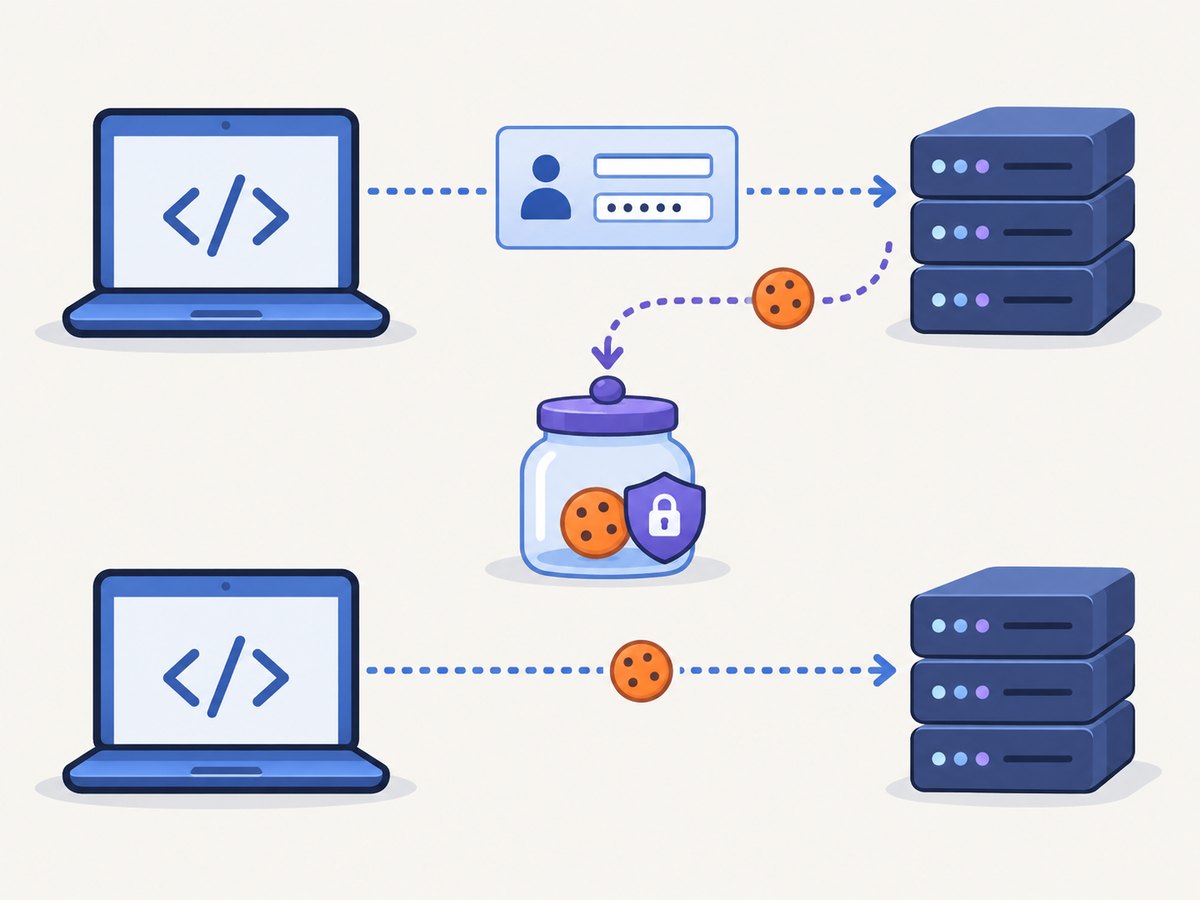
using System;
using System.Collections.Generic;
using System.Net;
using System.Net.Http;
using System.Threading.Tasks;

public static class Program
{
    public static async Task Main()
    {
        var jar = new CookieContainer();
        using var handler = new HttpClientHandler
        {
            CookieContainer = jar,
            UseCookies = true,
            AllowAutoRedirect = true
        };
        using var client = new HttpClient(handler)
        {
            BaseAddress = new Uri("https://example.com"),
            Timeout = TimeSpan.FromSeconds(30)
        };

        using var loginForm = new FormUrlEncodedContent(
            new Dictionary<string, string>
            {
                ["username"] = "alice",
                ["password"] = "replace-me"
            });

        using var login = await client.PostAsync("/login", loginForm);
        login.EnsureSuccessStatusCode();

        // The handler has retained any applicable Set-Cookie response.
        using var account = await client.GetAsync("/account");
        account.EnsureSuccessStatusCode();
        Console.WriteLine(await account.Content.ReadAsStringAsync());
    }
}
Do not create a new HttpClientHandler between the login and account requests. Doing so gives the second client a different container and therefore a different session. The same principle applies to redirects: with automatic redirects enabled, the handler evaluates cookies for each destination according to normal cookie rules.
Seed a cookie before the first request
Add a cookie to the container with the URI where it should apply:
var cookies = new CookieContainer();
cookies.Add(
    new Uri("https://example.com/"),
    new Cookie("session", "value"));

using var handler = new HttpClientHandler
{
    CookieContainer = cookies,
    UseCookies = true
};
using var client = new HttpClient(handler);
var response = await client.GetAsync("https://example.com/private");
The URI matters. A cookie added for example.com will not automatically apply to an unrelated host, and a path restriction can prevent it from being sent to another path. For a host-only cookie, add it to the exact host URI. If you need a domain cookie, construct the Cookie with an appropriate Domain and verify that the target URI satisfies the domain rules.
Inspect and clear cookies
CookieContainer.GetCookies returns cookies applicable to a URI. This is useful for diagnostics, but avoid writing session values to logs.
var applicable = cookies.GetCookies(new Uri("https://example.com/"));
foreach (Cookie cookie in applicable)
{
    Console.WriteLine($"{cookie.Name}: secure={cookie.Secure}, expires={cookie.Expires:o}");
}

// Start a fresh session when the workflow is complete.
cookies = new CookieContainer();
A container has no single “logout” operation. To discard all state, stop using the old container and create a new one, or remove cookies deliberately according to your application’s requirements. Treat the container as sensitive session state.
Automatic cookies versus application-managed cookies
There are two broad designs:
- Handler-managed: keep
UseCookiesenabled and letHttpClientHandlerretain and send server cookies. This is the normal choice for login flows, multi-request workflows, and redirects. - Application-managed: set
UseCookiestofalseand take responsibility for composing and processing cookie data yourself. Cookies in the container are ignored by the handler when automatic handling is disabled.
Choose one owner for cookie state. Mixing an application-managed header strategy with an enabled container can make debugging difficult because two mechanisms may disagree. The Microsoft API documentation directly specifies the automatic behavior and the disabled behavior; details of a manual header implementation depend on your security and protocol requirements.
Lifetime, concurrency, and isolation
- One user session: reuse one handler and client for the workflow.
- Many users: give each user or tenant a separate container and handler. Sharing a container can send one user’s session cookie with another user’s request.
- Parallel requests: avoid mutating a shared container while another workflow is changing authentication state. Isolate independent workflows unless shared state is intentional.
- Long-running applications: reuse clients and handlers according to your application’s connection-management policy, while keeping cookie scope explicit.
The public API is available across .NET, .NET Framework, and .NET Standard versions. The implementation context differs: Microsoft notes that the SocketsHttpHandler-based stack became the basis of the cross-platform implementation starting with .NET Core 2.1. Check the reference page for the target framework and platform.

Cookie attributes and edge cases
Secure and HTTPS
A cookie marked Secure is intended for HTTPS. Test with the same scheme your production endpoint uses; a cookie that appears stored may be excluded from an HTTP request.
Domain and path
Cookie matching considers both host and path. A cookie for /checkout may not be sent to /api. Subdomain behavior also depends on the cookie’s domain attribute. Add and inspect cookies using the exact URI involved in the request.
Expiration and deletion
Expired cookies are not useful for authentication. Servers commonly delete a cookie by returning the same name with an expiration in the past or a zero lifetime; let the handler process that response instead of assuming the original value remains valid.
SameSite and browser-only behavior
HttpClient is an HTTP client, not a full browser. It does not execute page JavaScript, render a DOM, or reproduce every browser policy. If a site requires JavaScript-generated tokens, a browser automation tool may be necessary.
Troubleshooting checklist
| Symptom | Likely cause | Fix |
|---|---|---|
| Login succeeds, next request is unauthenticated | A new handler/client was created, or the cookie’s domain/path does not match | Reuse the original handler and inspect GetCookies for the destination URI |
| Cookies in the container are never sent | UseCookies is false |
Enable it, or implement one deliberate manual strategy |
| Cookie exists but HTTPS request omits it | The cookie is marked Secure and the request uses HTTP |
Use HTTPS and verify the request URI |
| One user’s request authenticates as another user | A shared handler/container crossed session boundaries | Create a separate container and handler per isolated session |
| Works on one framework but behaves differently on another | Different underlying handler implementation or platform behavior | Check the target framework’s Microsoft reference and test on that runtime |
| Redirected request loses authentication | The destination host/path does not match the original cookie | Inspect each redirect destination and cookie scope |
For diagnostics, log the request URI, response status, redirect location, and cookie names (never values). Also check whether the server actually returned Set-Cookie; a failed login may return a normal HTML response without establishing a session.
Performance, reliability, and cost considerations
Cookie handling itself is local container work. Network latency, authentication endpoints, redirects, and server throttling usually dominate request time. Reusing a handler can preserve connection pooling and session state, while creating handlers per request adds setup overhead and loses cookies.
Set a realistic HttpClient.Timeout, call EnsureSuccessStatusCode or inspect status codes explicitly, and apply retries only to operations that are safe to repeat. Retrying a login or a state-changing POST can have side effects. A retry policy should preserve the intended handler and container when the retry belongs to the same session.
Or skip the browser setup
If your goal is to obtain a clean screenshot after a cookie-dependent page has loaded, ScreenshotNeo provides a one-call website screenshot API. Its request can include custom cookies, headers, user agents, authorization, timezone, and geolocation, so you do not need to build and maintain browser automation for the capture itself. Read the ScreenshotNeo API documentation for the complete option list.
cURL
curl -G "https://api.screenshotneo.com/v1/shot" -d access_key=YOUR_API_KEY --data-urlencode url=https://stripe.com -o shot.webpPython
import requests
r = requests.get("https://api.screenshotneo.com/v1/shot", params={"access_key": "YOUR_API_KEY", "url": "https://stripe.com"}, timeout=90)
open("shot.webp", "wb").write(r.content)
Node.js
const q = new URLSearchParams({ access_key: 'YOUR_API_KEY', url: 'https://stripe.com' });
const res = await fetch(`https://api.screenshotneo.com/v1/shot?${q}`);
ScreenshotNeo removes cookie and consent banners, newsletter popups, and chat widgets before capture. Bot checks, blank pages, failed loads, timeouts, and cache hits are not billed, and the response identifies the page verdict and billing result with X-Page-Verdict and X-Billed headers. It also provides an MCP server with take_screenshot, get_page_info, and capture_pdf tools for Claude, Cursor, and other MCP clients. The Free plan includes 1,000 screenshots each month with no card; paid plans start at $5 for 3,000. Create your free ScreenshotNeo account.
FAQ
Is CookieContainer shared between HttpClient instances?
It is associated with the handler. Clients using the same handler share that handler’s cookie state; clients with different handlers do not.
What is the default value of UseCookies?
Microsoft documents the default as true. Set it explicitly when reviewing security-sensitive or unfamiliar code.
Can I add a cookie after creating HttpClient?
Yes. Add it to the handler’s CookieContainer before the request that should receive it, provided automatic cookie handling is enabled.
Why does HttpClient not behave exactly like Chrome?
HttpClient handles HTTP; it does not render pages or execute browser JavaScript. Browser-only tokens and UI flows require a browser automation solution or a service designed to perform the capture.
Which .NET version should I target?
The public APIs span multiple .NET generations, but the underlying implementation differs by framework and platform. Verify the Microsoft reference for your target runtime and test the behavior you rely on.