How to Validate Expected Values in Large Cypress Response Bodies
Validate stable fields and response shape in large Cypress JSON bodies without brittle full-object assertions.

Use partial, contract-focused assertions instead of comparing an entire large response. In Cypress, confirm the status first, verify that the body was parsed as JSON, assert required fields and types, and then inspect only the array items and values your contract makes important. Use cy.request() when the test should call the endpoint directly; use cy.intercept() when the browser application should make the request and your test needs to inspect that traffic.
Cypress yields a response object containing fields such as status, body, headers, and duration. When the response Content-Type ends in json, Cypress parses the body into an object; otherwise, the body is usually a string. See the cy.request() documentation and the API testing guide.
Recommended assertion pattern
cy.request('/cart').then((response) => {
  expect(response.status).to.eq(200)
  expect(response.headers).to.have.property('content-type')
  expect(response.body).to.be.an('object')

  expect(response.body).to.have.property('id')
  expect(response.body.id).to.be.a('number')
  expect(response.body).to.deep.include({ currency: 'USD' })

  expect(response.body.items).to.be.an('array')
  response.body.items.forEach((item) => {
    expect(item).to.include.all.keys('sku', 'quantity', 'unitPrice')
    expect(item.sku).to.be.a('string').and.not.be.empty
    expect(item.quantity).to.be.a('number').and.greaterThan(0)
    expect(item.unitPrice).to.be.a('number').and.at.least(0)
  })
})
This checks the response’s contract while allowing unrelated fields such as timestamps, tracing IDs, pagination metadata, or newly added optional properties to change.
Choose cy.request() or cy.intercept()
| Need | Use | What you assert |
|---|---|---|
| Call an endpoint directly | cy.request() |
The response returned by the server |
| Verify an application flow made a request | cy.intercept() plus cy.wait() |
The yielded interception’s response |
| Set up data or authenticate quickly | cy.request() |
Status and setup payload |
| Stub, delay, or alter browser traffic | cy.intercept() |
The request and/or controlled response |
cy.request() runs from Cypress’s Node process and bypasses routes configured with cy.intercept(). Therefore it is suitable for direct API checks and setup, but it cannot prove that the browser made a particular call. For that workflow, follow Cypress’s network interception guidance.
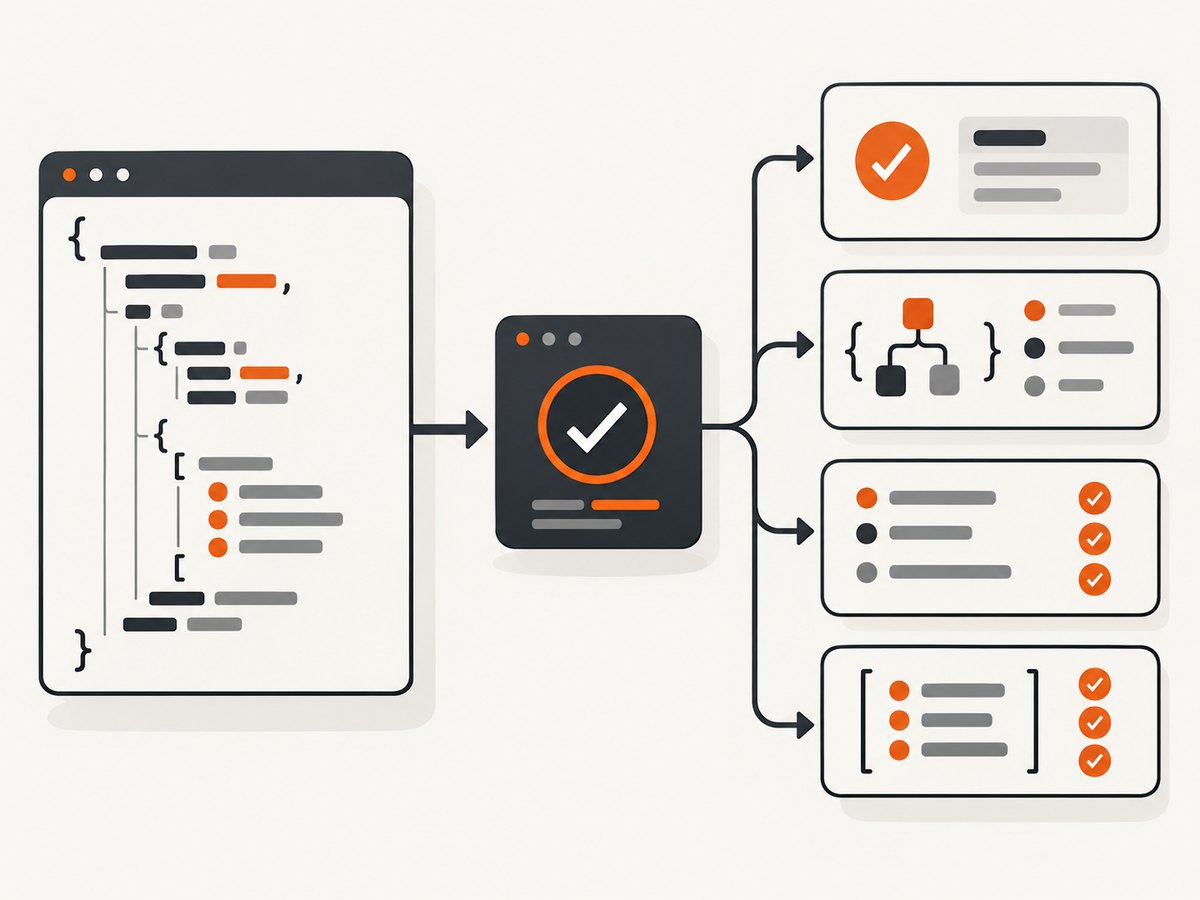
Step-by-step validation of a large JSON response
1. Confirm status and basic response metadata
cy.request('/api/orders/123').then((response) => {
  expect(response.status).to.eq(200)
  expect(response.duration).to.be.a('number')
  expect(response.headers).to.have.property('content-type')
})
By default, cy.request() fails for statuses outside the 2xx and 3xx ranges. Keep that default for successful responses so an unexpected server error fails immediately.
2. Verify parsing before using object paths
cy.request('/api/orders/123').then((response) => {
  const contentType = response.headers['content-type'] || ''
  expect(contentType).to.match(/json/i)
  expect(response.body).to.be.an('object')
})
Parsing depends on the server’s Content-Type, not on what your test expected. If response.body is a string, inspect the headers and server behavior first. Parse explicitly only when the endpoint intentionally returns JSON with an incorrect or non-JSON content type:
cy.request('/legacy-endpoint').then((response) => {
  expect(response.body).to.be.a('string')
  const body = JSON.parse(response.body)
  expect(body).to.have.property('id')
})
3. Assert required top-level fields
cy.request('/api/profile').then(({ body }) => {
  expect(body).to.include.all.keys('id', 'email', 'settings')
  expect(body.id).to.be.a('number')
  expect(body.email).to.be.a('string').and.include('@')
  expect(body.settings).to.be.an('object')
})
Use key checks for fields that must exist. Do not require every key unless the contract says additional keys are forbidden.
4. Assert selected values with deep subsets
cy.request('/api/profile').then(({ body }) => {
  expect(body).to.deep.include({
    id: 42,
    role: 'editor'
  })
})
deep.include compares nested object values while allowing other properties. Cypress bundles Chai, whose assertion forms include deep equality, nested properties, and nested includes. See the Cypress assertions reference.
5. Validate nested objects
cy.request('/api/profile').then(({ body }) => {
  expect(body).to.have.nested.property('settings.locale', 'en-US')
  expect(body).to.have.nested.property('settings.notifications.email', true)
  expect(body.settings.timezone).to.be.a('string')
})
Nested paths keep the test focused on stable contract fields. If a nested object is optional, check its presence before descending into it.
6. Validate arrays without over-constraining them
cy.request('/api/orders/123').then(({ body }) => {
  expect(body.items).to.be.an('array')
  expect(body.items.length).to.be.greaterThan(0)

  const firstPhysicalItem = body.items.find((item) => item.kind === 'physical')
  expect(firstPhysicalItem, 'a physical item').to.exist
  expect(firstPhysicalItem).to.include.all.keys('sku', 'quantity')
  expect(firstPhysicalItem.quantity).to.be.greaterThan(0)
})
Assert an exact length only when the count is contractual. Otherwise, check that the collection has the required type and inspect relevant members. Cypress’s API-testing examples demonstrate iterating through array items and validating each item’s fields.
Complete cy.request() example
describe('cart API contract', () => {
  it('validates stable values in a large response', () => {
    cy.request({
      method: 'GET',
      url: '/cart',
      headers: { Accept: 'application/json' }
    }).then((response) => {
      expect(response.status).to.eq(200)
      expect(response.headers['content-type']).to.match(/json/i)
      expect(response.body).to.be.an('object')

      const { body } = response
      expect(body).to.include.all.keys('id', 'currency', 'items')
      expect(body.id).to.be.a('number')
      expect(body).to.deep.include({ currency: 'USD' })
      expect(body.items).to.be.an('array')

      body.items.forEach((item) => {
        expect(item).to.include.all.keys('sku', 'quantity', 'unitPrice')
        expect(item.sku).to.be.a('string').and.not.be.empty
        expect(item.quantity).to.be.a('number').and.greaterThan(0)
        expect(item.unitPrice).to.be.a('number').and.at.least(0)
      })
    })
  })
})
Inspect an application request with cy.intercept()
it('checks the cart loaded by the application', () => {
  cy.intercept('GET', '**/cart').as('getCart')
  cy.visit('/checkout')

  cy.wait('@getCart').then((interception) => {
    expect(interception.response).to.exist
    expect(interception.response.statusCode).to.eq(200)
    expect(interception.response.headers['content-type']).to.match(/json/i)

    const body = interception.response.body
    expect(body).to.be.an('object')
    expect(body).to.have.property('items').that.is.an('array')
    expect(body).to.deep.include({ currency: 'USD' })
  })
})
Alias the route before visiting or triggering the action, then assert on interception.response. This proves the browser flow produced the request. A direct cy.request() would not.

Expected error responses
For an intentionally failing request, set failOnStatusCode: false; otherwise Cypress ends the command before your assertions run.
it('validates a structured 404 error', () => {
  cy.request({
    url: '/api/orders/does-not-exist',
    failOnStatusCode: false
  }).then((response) => {
    expect(response.status).to.eq(404)
    expect(response.body).to.be.an('object')
    expect(response.body).to.deep.include({ code: 'ORDER_NOT_FOUND' })
    expect(response.body.message).to.be.a('string')
  })
})
When exact equality is appropriate
expect(response.body).to.deep.equal({
  ok: true,
  version: 1
})
Use deep.equal only when every compared field and nested value is intentionally fixed by the contract, such as a tiny health response or a deliberately versioned fixture. Full-object equality is brittle for large payloads because harmless fields can be added, reordered, or generated at runtime.
Equivalent checks outside Cypress
cURL
curl --fail --silent --show-error https://example.test/api/cart \
  -H 'Accept: application/json' \
  -o cart.json
python -c "import json; d=json.load(open('cart.json')); assert d['currency']=='USD'; assert isinstance(d['items'], list)"
Python
import requests

response = requests.get(
    'https://example.test/api/cart',
    headers={'Accept': 'application/json'},
    timeout=30,
)
response.raise_for_status()
body = response.json()
assert isinstance(body, dict)
assert body['currency'] == 'USD'
assert isinstance(body['items'], list)
for item in body['items']:
    assert {'sku', 'quantity', 'unitPrice'} <= item.keys()
    assert item['quantity'] > 0
Node.js
const res = await fetch('https://example.test/api/cart', {
  headers: { Accept: 'application/json' }
})
if (!res.ok) throw new Error(`HTTP ${res.status}`)
const body = await res.json()
if (typeof body !== 'object' || body === null) throw new Error('Expected object')
if (body.currency !== 'USD') throw new Error('Unexpected currency')
if (!Array.isArray(body.items)) throw new Error('Expected items array')
for (const item of body.items) {
  for (const key of ['sku', 'quantity', 'unitPrice']) {
    if (!(key in item)) throw new Error(`Missing ${key}`)
  }
}
Common failures and fixes
| Failure | Likely cause | Fix |
|---|---|---|
Cannot read properties of undefined |
A parent object or optional field is absent | Assert the parent first, or use a conditional branch for optional data |
expected body to be an object |
Response was not parsed as JSON | Inspect content-type; fix the server header or parse the string explicitly |
| Test fails before an error assertion | Non-2xx response triggered the default failure | Set failOnStatusCode: false for expected errors |
| Intercept never receives the request | Route pattern, method, or registration timing is wrong | Register cy.intercept() before cy.visit() or the triggering action; verify the URL pattern and method |
| Assertions appear to retry but do not | cy.request() assertions run once |
Wait for the server state explicitly or implement a deliberate polling command |
| Exact comparison breaks after an API change | Incidental fields changed | Replace full equality with shape checks and deep subset assertions |
| Array assertion is flaky | Order or length is not contractual | Find items by a stable identifier and assert only required fields |
Performance, reliability, and cost considerations
- Keep payload assertions selective. Iterating thousands of objects and printing full bodies increases test time and makes failures harder to read. Validate required shape globally, then inspect representative or contractually important items.
- Separate transport from contract checks. Status and headers identify transport problems; field and type assertions identify API contract problems. Separate assertions produce clearer failures.
- Control nondeterminism. Avoid asserting timestamps, random IDs, generated ordering, and volatile counters unless the test controls them. Seed data or filter by stable IDs.
- Do not assume retries. Cypress documents that chained assertions after
cy.request()are not retried. If eventual consistency is expected, poll with a bounded, explicit strategy. - Choose the right boundary. Direct requests are fast for endpoint contracts. Intercepts add browser-flow coverage and can control traffic, but they depend on the application reaching the request.
- Use fixtures carefully. A fixture can make a deterministic shape test, but it does not replace checking the live endpoint when the purpose is API compatibility.
Or skip the browser setup
If your workflow also needs repeatable screenshots of API-driven pages, ScreenshotNeo provides a single screenshot request and an MCP server for AI agents. It accepts consent banners as a visitor and removes 60+ known consent platforms, newsletter popups, and chat widgets before capture; each step can be turned off. Bot checks or CAPTCHAs, blank pages, timeouts, failed loads, and cache hits are not billed, and responses identify the result with X-Page-Verdict and X-Billed headers.
curl -G "https://api.screenshotneo.com/v1/shot" -d access_key=YOUR_API_KEY --data-urlencode url=https://stripe.com -o shot.webpimport requests
r = requests.get("https://api.screenshotneo.com/v1/shot", params={"access_key": "YOUR_API_KEY", "url": "https://stripe.com"}, timeout=90)
open("shot.webp", "wb").write(r.content)const q = new URLSearchParams({ access_key: 'YOUR_API_KEY', url: 'https://stripe.com' }); const res = await fetch(`https://api.screenshotneo.com/v1/shot?${q}`);See the ScreenshotNeo API documentation for options. The service supports full-page and element captures, custom waits, headers and cookies, device presets, dark mode, PDFs, HTML/CSS rendering, blocking rules, caching, signed links, async jobs, bulk capture, and a usage API. An MCP server exposes take_screenshot, get_page_info, and capture_pdf to Claude, Cursor, and other MCP clients.
Free accounts include 1,000 screenshots per month with no card; paid plans start at $5 for 3,000 shots. Create a free ScreenshotNeo account.
FAQ
Should I use include or deep.include?
Use deep.include when expected values are objects or nested structures and their contents should be compared recursively. Use a plain property assertion for a single scalar.
Should every array item be validated?
Validate every item when the endpoint contract applies uniformly to all items. Otherwise, locate items by stable identifiers and assert the fields relevant to the behavior under test.
Can I assert a response body before checking status?
You can, but checking status first gives a clearer failure and avoids interpreting an error payload as a success payload.
Why did my cy.request() bypass an intercept?
cy.request() runs outside the browser and bypasses routes configured with cy.intercept(). Use cy.intercept() and cy.wait() when the browser request itself is the subject of the test.
Practical checklist
- Choose
cy.request()for a direct endpoint test orcy.intercept()for an application-flow test. - Assert the expected status and inspect the content type.
- Confirm the body is an object before using object paths.
- Check required keys and value types.
- Use
deep.includefor stable selected values. - Inspect nested fields and relevant array members.
- Use
failOnStatusCode: falsefor expected error responses. - Avoid full-object equality for incidental or volatile fields.
- Remember that
cy.request()assertions do not retry automatically.
Cypress summarizes the reason for this approach in its API-testing guide: “Asserting on values catches data bugs. Asserting on shape catches contract breaks, which are the changes most likely to reach production unnoticed.”
Primary references: cy.request(), API testing in Cypress, Assertions, and Intercepting network requests.


