How to Build a VBA Web Scraper in Excel: 2026 Step-by-Step Guide
Build a maintainable Excel VBA web scraper: request HTML, parse fields, write worksheets, handle errors, and choose Power Query or ScreenshotNeo.

Direct answer: You can build a small website scraper in desktop Excel by sending an HTTP request from VBA, checking the response, parsing the returned HTML, and writing selected values into worksheet cells. The example below uses late-bound Windows components so you can paste it into a standard module without adding a compile-time reference. It is intended for a small, permitted, stable public page. If Excel’s built-in Web connector already imports the data you need, use that first.
What you need before writing code
This walkthrough is for desktop Excel with macros enabled by your organization and file settings. Excel for the web can open and edit a workbook that contains macros, but Microsoft says: “Although you can’t create, run, or edit VBA (Visual Basic for Applications) macros in Excel for the web, you can open and edit a workbook that contains macros.” See Microsoft’s VBA macro guidance.
Choose one URL and a short list of fields before coding. Check the site’s published terms, access rules, and any authentication requirements. Public visibility does not by itself establish permission for automated collection. Start with low volume and add deliberate delays if the site requires them.
Power Query or VBA?
Excel’s Web connector uses Power Query to import website data, detect tables, and refresh a connection. Microsoft’s Web connector documentation is the right first stop for a routine import. Use VBA when the workbook must coordinate fetching with buttons, other macros, custom validation, or workbook-specific actions.
| Question | Power Query Web connector | VBA scraper |
|---|---|---|
| Setup | Point the connector at a URL and shape detected data. | Write and maintain request, parser, and output code. |
| Refresh | Built around refreshable connections. | You control when and how requests run. |
| Custom workbook actions | Limited to query transformations and refresh flow. | Can update sheets, tables, controls, and other macros. |
| Website changes | Queries can also break when returned structure changes. | Your selectors and parsing logic need maintenance. |
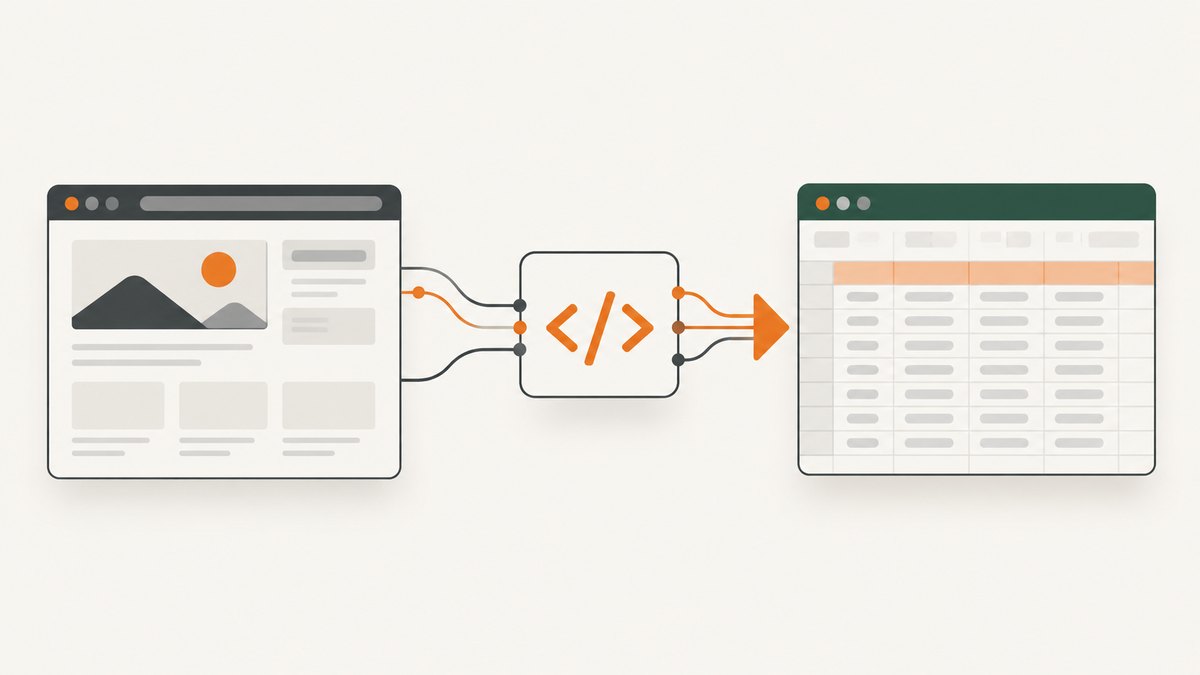
Understand the scraper pipeline
- Fetch: send an HTTP GET request with a URL and optional headers.
- Validate: check the status code and confirm the response contains the expected content.
- Parse: turn HTML into a document and locate elements using tags, IDs, classes, or attributes.
- Write: put values into explicit worksheet columns and rows.
- Report: show request failures, missing fields, and the source URL instead of silently producing misleading data.
Keeping these stages separate makes a broken request distinguishable from a changed selector or an empty field.
Build a complete VBA scraper
1. Prepare the worksheet
Create a sheet named Scrape. Put these headers in row 1: Title, Link, and Source URL. The sample parser expects article-like elements, so replace the selectors with ones you inspect on your chosen page.
2. Paste this macro
Option Explicit

Public Sub ScrapePage()
    Const PAGE_URL As String = "https://example.com/"
    Dim http As Object
    Dim doc As Object
    Dim nodes As Object
    Dim node As Object
    Dim ws As Worksheet
    Dim rowNumber As Long
    Dim titleText As String
    Dim hrefText As String

    On Error GoTo HandleError
    Set ws = ThisWorkbook.Worksheets("Scrape")
    ws.Range("A2:C1048576").ClearContents
    ws.Range("A1:C1").Value = Array("Title", "Link", "Source URL")

    Set http = CreateObject("MSXML2.XMLHTTP.6.0")
    http.Open "GET", PAGE_URL, False
    http.setRequestHeader "User-Agent", "Mozilla/5.0 (compatible; Excel VBA scraper)"
    http.setRequestHeader "Accept", "text/html,application/xhtml+xml"
    http.send

    If http.Status <> 200 Then
        Err.Raise vbObjectError + 1000, , "HTTP request failed with status " & http.Status
    End If
    If Len(http.responseText) = 0 Then
        Err.Raise vbObjectError + 1001, , "The response body was empty"
    End If
    If InStr(1, http.responseText, "article", vbTextCompare) = 0 Then
        Err.Raise vbObjectError + 1002, , "Expected article content was not found; inspect the returned HTML"
    End If

    Set doc = CreateObject("HTMLFile")
    doc.Open
    doc.Write http.responseText
    doc.Close

    Set nodes = doc.getElementsByTagName("article")
    rowNumber = 2
    For Each node In nodes
        titleText = Trim$(node.innerText)
        hrefText = ""
        If node.getElementsByTagName("a").Length > 0 Then
            hrefText = node.getElementsByTagName("a")(0).href
        End If
        If Len(titleText) > 0 Then
            ws.Cells(rowNumber, 1).Value = titleText
            ws.Cells(rowNumber, 2).Value = hrefText
            ws.Cells(rowNumber, 3).Value = PAGE_URL
            rowNumber = rowNumber + 1
        End If
    Next node

    If rowNumber = 2 Then
        MsgBox "The request succeeded, but no matching article elements were found.", vbExclamation
    Else
        ws.Columns("A:C").AutoFit
        MsgBox CStr(rowNumber - 2) & " records imported.", vbInformation
    End If
    Exit Sub

HandleError:
    MsgBox "Scraper stopped: " & Err.Description, vbCritical
End Sub
Replace PAGE_URL and the article selector with structures you can verify in the page source or browser developer tools. The code writes one row per matching element. It does not execute JavaScript, solve a bot check, or guarantee that a page’s visible browser content is present in the initial HTML response.
3. Target fields precisely
Broad tags such as article may include more text than you want. Narrow the search by iterating through all elements and checking their className, or use an element ID:
Dim heading As Object
Set heading = doc.getElementById("product-name")
If Not heading Is Nothing Then
    ws.Range("A2").Value = Trim$(heading.innerText)
Else
    ws.Range("A2").Value = "[missing product-name]"
End If
For links, images, and attributes, read .href, .src, or .getAttribute("data-id"). Normalize whitespace with Trim$; preserve the original URL in an audit column.
Request options and configuration
Timeouts and retries
The synchronous XMLHTTP call can wait indefinitely in some environments. For production workbooks, prefer an asynchronous request with a timer, or use a supported HTTP component that exposes connect, send, and receive timeouts. If you add retries, retry only transient failures such as connection resets or 5xx responses. Do not repeatedly retry a 401, 403, or a page that explicitly denies automated access.
Headers, cookies, and authentication
Send only headers you are authorized to use. A session cookie may be required for a permitted internal site:
http.setRequestHeader "Cookie", "session=YOUR_AUTHORIZED_VALUE"
http.setRequestHeader "Authorization", "Bearer YOUR_AUTHORIZED_TOKEN"
Never hard-code secrets in a workbook that will be shared. Read them from an approved secret store or request them interactively, and avoid writing them to cells.
Encoding and compressed responses
HTML may declare UTF-8 or another encoding. If accented characters are corrupted, inspect the response headers and the document’s charset declaration. responseText uses the component’s text decoding; binary handling through responseBody requires a separate conversion routine. Do not assume every response is HTML: check the content type before parsing.
JavaScript-rendered pages
If the HTML response lacks the values you see in a browser, the site may render them after JavaScript runs. VBA’s basic HTTP request will not run that browser code. Options include finding an official data endpoint, using Power Query if it can access the data, or using a browser automation tool approved for your environment. Treat undocumented endpoints as subject to change and access restrictions.
Validation checklist
- Open the URL manually and identify the exact fields and expected row count.
- Print or save the first response status, content type, and a short body sample while developing.
- Compare several worksheet rows with the page.
- Test a missing selector and confirm the macro reports it.
- Test an unavailable URL and confirm the macro stops without overwriting valid prior data.
- Record the retrieval time and source URL if the sheet will be used for decisions.
Common errors and fixes
| Error or symptom | Likely cause | Fix |
|---|---|---|
“Object required” on HTMLFile |
The component is unavailable or the object was not created. | Use late binding as shown, verify desktop Windows Excel, and check your organization’s component policy. |
| Status 403 or 429 | The server denied the request or rate-limited it. | Stop, review access rules, reduce volume, authenticate properly, or use an approved source. |
| Status 200 but no rows | Selectors target a different structure, or content is JavaScript-rendered. | Inspect responseText, verify selectors, and identify a permitted data source. |
| Blank cells | The element exists but has nested or delayed content. | Read the appropriate child element, use innerText versus innerHTML deliberately, and validate the response. |
| Garbled characters | Charset decoding does not match the page. | Inspect charset declarations and use an encoding-aware conversion routine. |
| Works on one computer only | Different Office bitness, Windows components, security settings, or proxy configuration. | Use late binding, document prerequisites, and test on every supported desktop configuration. |
| Macro blocked | Trust Center or organizational policy disabled macros. | Use an approved trusted location or ask your administrator; do not weaken security controls casually. |
Performance, reliability, and cost
Keep batches small, avoid downloading the same page repeatedly, and write arrays to a range instead of assigning cells inside a large loop. Cache responses when the source permits it. Add a stop button or a maximum URL count so an accidental loop cannot generate traffic. A scraper’s reliability depends on the source response, network, Office components, and page structure; maintain a selector review whenever the site changes.
VBA itself has no hosted request charge, but your time, network use, and any authenticated service limits are real costs. For scheduled, high-volume, JavaScript-heavy, or multi-user capture, a hosted screenshot or extraction service can remove desktop and browser setup work.
Or skip the browser setup
ScreenshotNeo is a website screenshot API and MCP server. It accepts one GET request and returns PNG, JPEG, WebP, or PDF. Cookie and consent banners, newsletter popups, and chat widgets are removed before capture; each step can be turned off. Bot checks, blank pages, timeouts, failed loads, and cache hits are not billed, and response headers identify the page verdict and billing status. Its MCP server provides take_screenshot, get_page_info, and capture_pdf for Claude, Cursor, and other MCP clients.
See the ScreenshotNeo API documentation for all options, including full-page and element capture, device presets, custom CSS and JavaScript, waits, blocked resources, headers, cookies, geolocation, PDF settings, caching, signed links, asynchronous jobs, bulk capture, and usage data.
curl -G "https://api.screenshotneo.com/v1/shot" -d access_key=YOUR_API_KEY --data-urlencode url=https://stripe.com -o shot.webpimport requests
r = requests.get("https://api.screenshotneo.com/v1/shot", params={"access_key": "YOUR_API_KEY", "url": "https://stripe.com"}, timeout=90)
open("shot.webp", "wb").write(r.content)const q = new URLSearchParams({ access_key: 'YOUR_API_KEY', url: 'https://stripe.com' });
const res = await fetch(`https://api.screenshotneo.com/v1/shot?${q}`);There is a free allowance of 1,000 screenshots each month with no card. Paid plans start at $5 for 3,000 shots. Create a free ScreenshotNeo account.
FAQ
Can this run in Excel for the web?
No. Excel for the web can retain and edit a macro-enabled workbook, but VBA macros cannot be created, run, or edited there.
Should I scrape a site’s HTML or find an API?
Prefer an official or permitted data source when one exists. HTML structure is an implementation detail and can change without notice.
Why does my browser show data that VBA cannot find?
The browser may execute JavaScript, use authenticated state, or load data through later network requests. Inspect the initial response and choose an approved compatible method.
How often should I refresh the scraper?
Use the business need and the site’s rules as limits. Add logging, a maximum run size, and a review process for selector changes.
Further reference
Microsoft’s VBA learning material and Excel VBA reference cover the object model and programming tasks. Use them alongside the target site’s documentation and your organization’s security guidance.