Vercel OG Image Generator: Dynamic Social Cards in Next.js
Generate dynamic 1200×630 Open Graph images with Vercel’s ImageResponse, handle fonts and caching, and fix blank or unsupported previews.

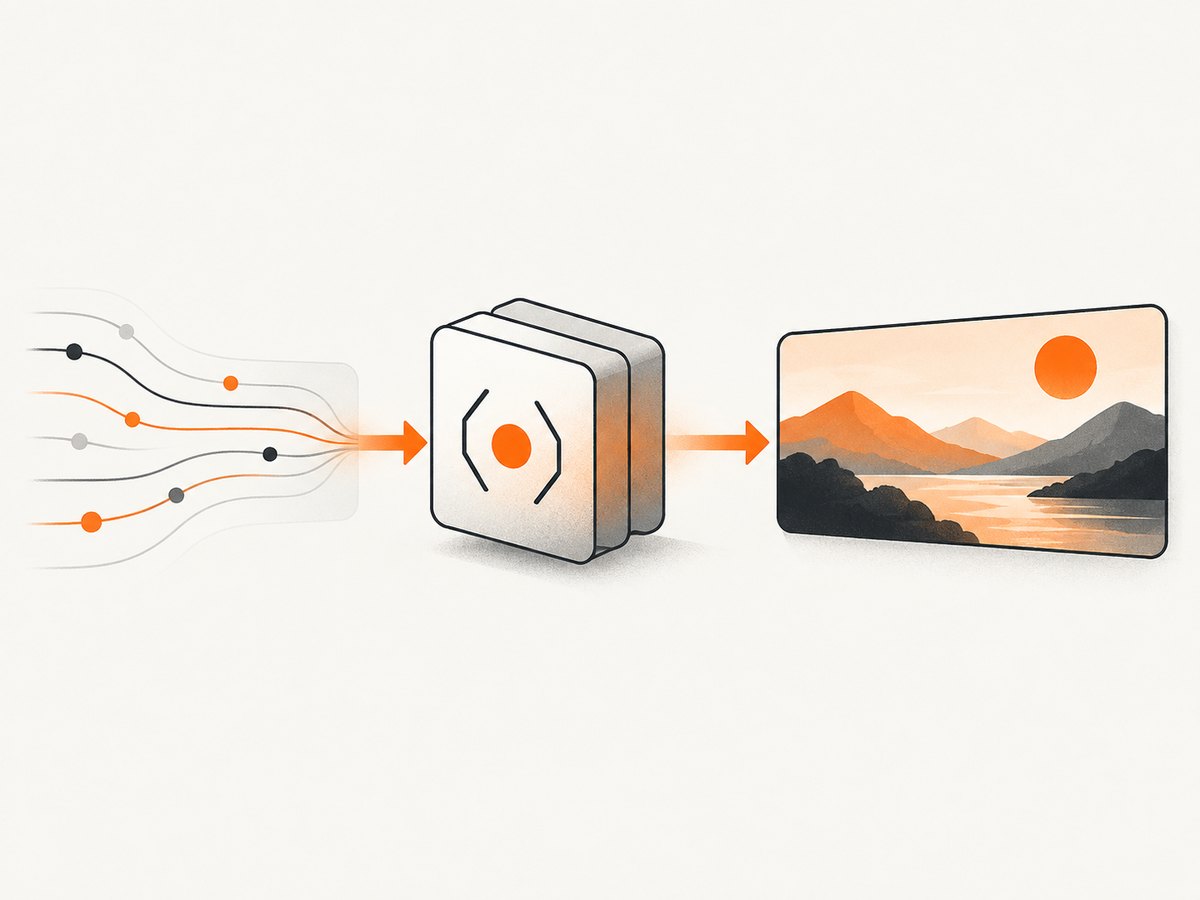
Vercel OG Image Generator is the @vercel/og and ImageResponse workflow for creating dynamic Open Graph (OG) social cards from JSX-like markup. In a Next.js App Router project, create a route such as app/api/og/route.tsx, return an ImageResponse at 1200×630 pixels, deploy it, and reference its public absolute URL from your page’s og:image meta tag.
The renderer converts a React element to PNG through Satori and Resvg. It supports flexbox and a limited CSS subset, so templates should be designed around those constraints. This guide builds a reusable title-based endpoint, covers fonts, images, caching, crawler access, failures, and production operations, then shows how to capture the resulting route with ScreenshotNeo.
What the Vercel OG Image Generator does
Vercel’s library computes social card images in Vercel Functions. A request such as /api/og?title=Release%20notes can render a different card for every title or slug. The generated URL is then placed in HTML metadata:
<meta property="og:image" content="https://example.com/api/og?title=Release%20notes" />Use an absolute URL. Social crawlers fetch the image independently of the page request, and relative paths can fail outside your site’s browser context.
Prerequisites and project setup
- Use Node.js 22 or newer for the current documented Next.js implementation.
- Use Next.js 12.2.3 or newer. App Router projects include
@vercel/og; install it explicitly in other projects withpnpm i @vercel/og. - Create an App Router route at
app/api/og/route.tsx. - Keep the deployed route publicly reachable by social crawlers.
mkdir my-og-demo
cd my-og-demo
npx create-next-app@latest .
# Select TypeScript and App Router when prompted
pnpm dev
The route must return an image response rather than an HTML page. A 1200×630 canvas is the recommended OG size.
Build a dynamic ImageResponse route
This complete route accepts a title query parameter, applies a safe length limit, and returns a styled PNG. The style uses only flexbox and properties supported by the renderer.
import { ImageResponse } from 'next/og'
import type { NextRequest } from 'next/server'

export const runtime = 'edge'

export async function GET(request: NextRequest) {
  const { searchParams } = new URL(request.url)
  const rawTitle = searchParams.get('title') || 'Untitled article'
  const title = rawTitle.slice(0, 120)

  return new ImageResponse(
    (
      <div
        style={{
          background: '#0b1020',
          color: 'white',
          display: 'flex',
          flexDirection: 'column',
          height: '100%',
          justifyContent: 'space-between',
          padding: '72px',
          width: '100%',
        }}
      >
        <div style={{ color: '#91a7ff', display: 'flex', fontSize: 28 }}>
          Example.dev
        </div>
        <div style={{ display: 'flex', fontSize: 64, fontWeight: 700, lineHeight: 1.1 }}>
          {title}
        </div>
        <div style={{ color: '#b8c0d9', display: 'flex', fontSize: 26 }}>
          Engineering notes and practical guides
        </div>
      </div>
    ),
    {
      width: 1200,
      height: 630,
    },
  )
}
Visit http://localhost:3000/api/og?title=Deploy%20safely to inspect the PNG. URL query values are untrusted input: decode them through URL, cap their length, and provide a fallback when absent.
Connect the image to page metadata
In an App Router page or layout, return an absolute URL from the metadata API:
import type { Metadata } from 'next'

export async function generateMetadata({
  params,
}: {
  params: { slug: string }
}): Promise<Metadata> {
  const title = `Post: ${params.slug}`
  const imageUrl = `https://example.com/api/og?title=${encodeURIComponent(title)}`

  return {
    title,
    openGraph: {
      title,
      images: [{ url: imageUrl, width: 1200, height: 630 }],
    },
    twitter: {
      card: 'summary_large_image',
      images: [imageUrl],
    },
  }
}
For static pages, a literal metadata export works. For a reusable template, derive the title from route parameters and encode it with encodeURIComponent. Keep the endpoint path stable so previously shared URLs remain valid.
ImageResponse options you can configure
The constructor is new ImageResponse(element, options). The element is a ReactElement; options control output and HTTP behavior.
| Option | Use | Practical guidance |
|---|---|---|
width, height |
Output dimensions | Use 1200×630 for standard OG cards. |
fonts |
Embedded custom font data | Use TTF or OTF when possible; WOFF is supported. |
emoji |
Emoji rendering set | Choose the documented set when emoji consistency matters. |
debug |
Diagnostic rendering behavior | Enable while developing layout problems. |
status, statusText |
HTTP status metadata | Leave successful image responses at the default unless your caller needs another status. |
headers |
Response headers | Set cache policy or content-related headers deliberately. |
The documented default response includes content-type: image/png and cache-control: public, immutable, no-transform, max-age=31536000. Treat those as defaults to verify when changing freshness behavior.
Fonts, assets, and CSS limitations
Custom fonts
Font files count toward the 500KB maximum bundle size, which includes JSX, CSS, fonts, images, and other assets. TTF and OTF are preferred for parsing speed. Load a font file and pass its bytes to fonts:
import { readFile } from 'node:fs/promises'

const fontData = await readFile(
  new URL('../../assets/Inter-Bold.ttf', import.meta.url),
)

return new ImageResponse(element, {
  width: 1200,
  height: 630,
  fonts: [
    { name: 'Inter', data: fontData, weight: 700, style: 'normal' },
  ],
})
Keep the asset small. If a font or image would push the bundle over the limit, fetch the asset at runtime when appropriate and account for the extra network dependency.
Layout
Only display: flex and a subset of CSS properties are supported. CSS Grid is not supported. Build rows and columns with flex containers, set explicit dimensions, and avoid relying on browser layout features that Satori does not implement. Embedded SVG, emoji, external images fetched by URL, internationalized text, experimental Tailwind CSS, and encrypted parameters are documented patterns, but each increases the number of inputs you must validate.
Remote images and secure parameters
For a user avatar or product image, pass a URL parameter and fetch it in the route, or use the documented external-image pattern. Validate the origin or use an allowlist so arbitrary callers cannot turn your function into an unrestricted fetch proxy. If a URL contains private data, use an encrypted parameter scheme rather than putting secrets in a visible query string. A remote image that is slow, unavailable, or encoded in an unsupported format can make the generated card fail; provide a fallback color or local asset.
Caching and parameter design
Vercel’s workflow is intended to benefit from CDN caching. Every distinct URL, including its query string, can become a separate cache key. Normalize inputs before rendering: trim whitespace, cap title length, and use a stable order for parameters. Avoid adding timestamps unless you intentionally need a new image. If content changes, version the URL or adjust cache headers rather than silently serving stale cards.
Cache behavior is part of your public contract. Long-lived immutable caching is efficient for stable article cards; short-lived or revalidated responses are better when the same URL must reflect edits. Verify the headers after deployment, especially if you override headers in ImageResponse.
Robots.txt and crawler access
Social platforms need to fetch the generated image. Add the OG route to the allowed paths in robots.txt, for example:
User-agent: *
Allow: /api/og/*
Also check that authentication, middleware, geographic restrictions, and rate limits do not block crawler requests. Test the deployed absolute URL from a network that does not have your development cookies or internal DNS.
Common failures and fixes
| Symptom | Likely cause | Fix |
|---|---|---|
| Blank image | Unsupported CSS, missing content, or a failed remote asset | Reduce the template to flexbox, add fallback text and colors, and test remote assets independently. |
| “Unsupported” or broken social preview | Relative og:image URL, blocked route, or non-image response |
Use a public absolute URL, allow the path in robots.txt, and confirm the response content type. |
| Font is ignored | Wrong file format, malformed bytes, or font omitted from options | Use TTF/OTF, pass the bytes in fonts, and keep the file within the bundle limit. |
| Build exceeds 500KB | Large fonts, images, or bundled dependencies | Remove unused assets, compress files, and fetch large assets at runtime where suitable. |
| Text is clipped | Unbounded user input or a fixed layout with too much text | Limit characters, insert controlled line breaks, and test long words and non-Latin scripts. |
| Works locally but fails in production | Runtime incompatibility, missing environment data, or blocked outbound fetch | Use the supported Node/Next versions, avoid filesystem assumptions in edge execution, and log the failing input without exposing secrets. |
| Old card remains visible | CDN or platform cache | Version the image URL or choose an explicit revalidation strategy. |

Testing checklist before publishing
- Request the route with no title, a long title, punctuation, emoji, and non-Latin text.
- Confirm the response is a PNG with 1200×630 dimensions.
- Check every remote image and font URL from the deployed environment.
- Inspect response status and cache headers.
- Open the absolute image URL without authentication.
- Verify
robots.txtallows the route. - Inspect page HTML to ensure
og:imagepoints to the intended parameterized URL. - Keep a deterministic fallback so a missing title still produces a valid card.
Performance, reliability, and cost considerations
Satori and Resvg perform server-side conversion, so template complexity and asset fetching affect response time. Smaller bundles reduce cold-start and parsing work. CDN caching avoids recomputing identical URLs, while normalized parameters improve cache hits. Remote assets add another failure point; local, compact fallbacks improve reliability.
Vercel published historical, workload-specific measurements of 5× faster P99 TTFB (4.96 seconds to 0.99 seconds) and 5.3× faster P90 (4 seconds to 0.75 seconds) for an earlier implementation. These figures are not a universal current benchmark. The researched official material does not provide a current OG-specific per-image price, so calculate deployment costs from the Vercel plan and workload you actually use.
Or skip the browser setup
If you need a screenshot of the deployed OG route, a page preview, or many URLs, ScreenshotNeo provides a website screenshot API and MCP server. It accepts one GET request and returns PNG, JPEG, WebP, or PDF. Before capture, it accepts cookie and consent banners and removes more than 60 known consent platforms, newsletter popups, and chat widgets; each step can be turned off. Bot checks, CAPTCHAs, blank pages, timeouts, failed loads, and cache hits cost nothing, and response headers identify the page verdict and whether it was billed.
See the ScreenshotNeo API documentation for all options. A minimal call is:
curl -G "https://api.screenshotneo.com/v1/shot" -d access_key=YOUR_API_KEY --data-urlencode url=https://example.com/api/og?title=Deploy%20safely -o shot.webpimport requests
r = requests.get(
"https://api.screenshotneo.com/v1/shot",
params={
"access_key": "YOUR_API_KEY",
"url": "https://example.com/api/og?title=Deploy%20safely",
},
timeout=90,
)
r.raise_for_status()
open("shot.webp", "wb").write(r.content)const q = new URLSearchParams({
access_key: 'YOUR_API_KEY',
url: 'https://example.com/api/og?title=Deploy%20safely',
})
const res = await fetch(`https://api.screenshotneo.com/v1/shot?${q}`)
if (!res.ok) throw new Error(`HTTP ${res.status}`)
const bytes = new Uint8Array(await res.arrayBuffer())
await Bun.write('shot.webp', bytes)ScreenshotNeo also supports element capture, full-page shots with lazy images loaded, dark mode, device presets, custom CSS and JavaScript, waits, request blocking, headers, cookies, caching, signed links, asynchronous jobs, bulk capture of up to 100 URLs per call, usage reporting, and an MCP server with take_screenshot, get_page_info, and capture_pdf for Claude, Cursor, and other MCP clients. It has 1,000 screenshots a month free with no card; paid plans start at $5 for 3,000. Create a free ScreenshotNeo account.
FAQ
Can I use the Pages Router?
Yes. The documented workflow applies to Next.js implementations beyond the App Router; install @vercel/og where it is not included and expose an endpoint that returns ImageResponse.
Can the endpoint return JPEG or WebP?
The standard ImageResponse workflow returns PNG. Use a separate image conversion step if your delivery system requires another format.
Why is CSS Grid unavailable?
The renderer implements a flexbox subset rather than a full browser layout engine. Rebuild grid designs as nested flex containers.
Should I put secrets in the title query parameter?
No. Query strings are visible in URLs and logs. Use encrypted parameters for protected values and validate all incoming data.
What is the safest fallback?
Render a short default title, a solid background, and local assets. This keeps the route valid when optional query parameters or remote resources fail.


