How to View JavaScript Errors in Selenium and PhantomJS
Capture page exceptions, console messages, and browser logs in PhantomJS and Selenium. Choose the right logging hook and diagnose empty logs.
To see JavaScript errors in PhantomJS, attach a page.onError handler to capture uncaught page exceptions and a page.onConsoleMessage handler to capture messages sent through the page’s console API. In Selenium, browser logs may be available through the legacy manage().logs() API, but support depends on the browser and driver. For event-based console and JavaScript error notifications in current Selenium, use WebDriver BiDi where your browser, driver, and language binding support it.
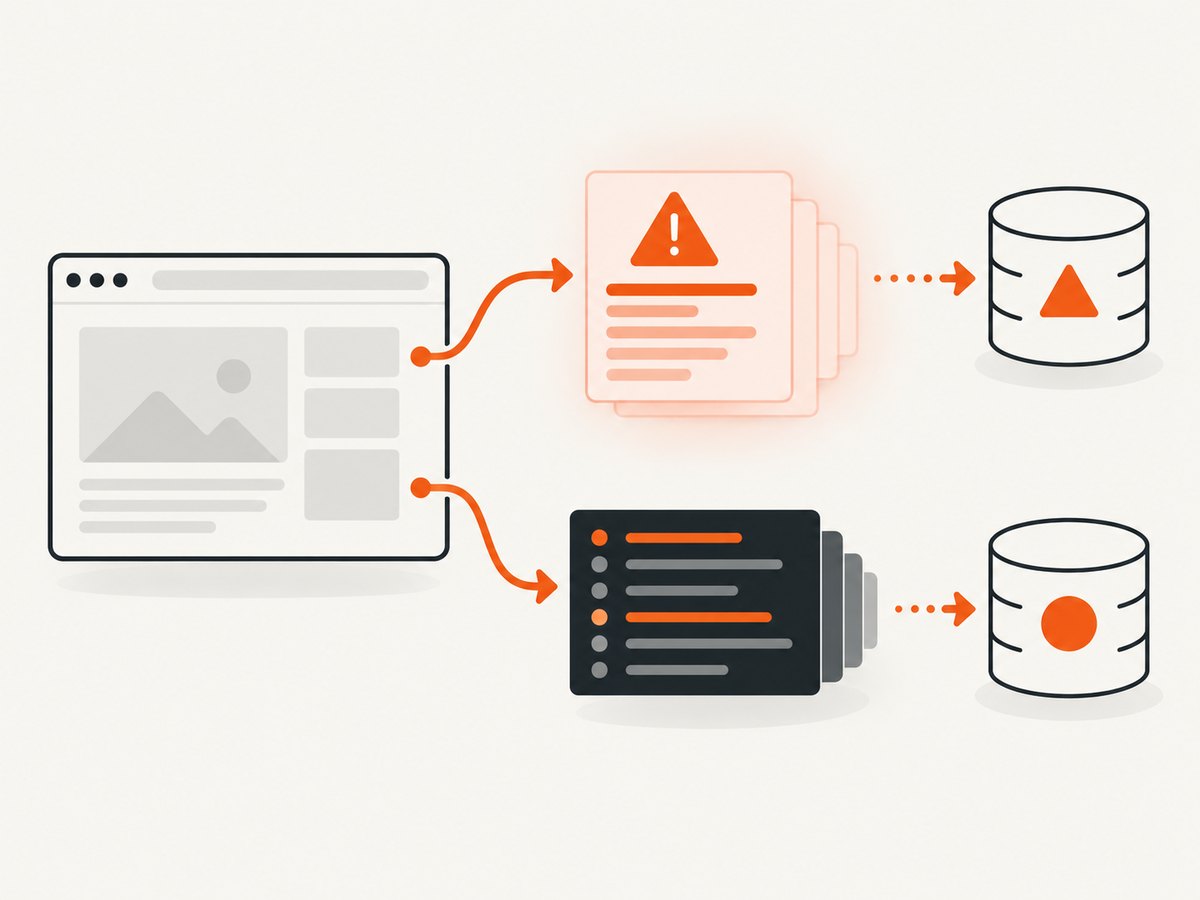
These are separate signals. A Selenium exception, a driver process log, a browser console entry, and an uncaught exception in page JavaScript do not necessarily appear in the same place. First identify which signal you need, then enable and read the corresponding channel.
1. Identify which error channel you need
| Signal | What it contains | Where to capture it |
|---|---|---|
| Uncaught page exception | A thrown error or syntax error that escapes page code; often includes stack frames | PhantomJS page.onError; Selenium BiDi JavaScript error events where supported |
| Page console message | Calls such as console.log, console.warn, and console.error |
PhantomJS page.onConsoleMessage; Selenium BiDi console events; sometimes legacy browser logs |
| Browser log | Entries exposed by the browser/driver logging interface | Selenium legacy browser log API, when implemented by that browser and driver |
| Driver or service log | Automation startup, protocol, or driver diagnostics | The process output or configured log file for the browser driver / GhostDriver |
| Selenium client error | Failure in a WebDriver command, such as a missing element or session error | Catch or report the exception in the test process |
Do not treat these channels as interchangeable. For example, a browser log being empty does not prove that page JavaScript did not throw: logging may be disabled, unsupported, or read from the wrong channel.
2. Capture exceptions and console messages directly in PhantomJS
PhantomJS is a legacy, discontinued browser automation stack, so keep it only where a project still depends on it. The direct WebPage callbacks are the clearest route when you can control the PhantomJS script. The troubleshooting guide documents onError for page errors and trace frames; the WebPage API documents onConsoleMessage for page console output. PhantomJS troubleshooting · onConsoleMessage API.
var webpage = require('webpage');
var system = require('system');

var page = webpage.create();

// Uncaught exceptions and syntax errors in the page.
page.onError = function (message, trace) {
  console.error('[page exception] ' + message);
  (trace || []).forEach(function (frame) {
    console.error('  at ' + frame.file + ':' + frame.line +
      (frame.function ? ' in ' + frame.function : ''));
  });
};

// Calls made by page JavaScript through the console API.
page.onConsoleMessage = function (message, lineNumber, sourceId) {
  console.log('[page console] ' + message +
    (lineNumber ? ' (line ' + lineNumber + ')' : '') +
    (sourceId ? ' (' + sourceId + ')' : ''));
};

page.onInitialized = function () {
  // Useful marker proving the page context was initialized.
  console.log('[capture] page initialized');
};

var target = system.args[1] || 'https://example.com';
page.open(target, function (status) {
  console.log('[navigation] ' + status + ' ' + target);
  if (status !== 'success') {
    console.error('[navigation] page did not load successfully');
    phantom.exit(2);
    return;
  }
  // Keep the PhantomJS process alive only until navigation callbacks finish.
  phantom.exit(0);
});
Save this as capture-errors.js and run it with the PhantomJS executable installed in your environment, passing a URL as the first argument. The callbacks must be registered before calling page.open, or early messages can be missed. Send diagnostic output to standard error or standard output as appropriate for your test runner, and preserve the process exit code when a load fails.
onError(message, trace) is intended for uncaught page exceptions and gives trace entries with file and line information. onConsoleMessage(message, lineNumber, sourceId) redirects page console calls; line and source arguments were not used in PhantomJS versions at or below 1.8.1. PhantomJS documentation does not establish the behavior of every packaged build. A historical issue describes differences around console.error across builds, so register both handlers if you need both signals and check the exact deployed binary. Version-specific issue report.
3. Selenium through PhantomJS and GhostDriver
If Selenium launches PhantomJS through GhostDriver, distinguish PhantomJS page callbacks from remote WebDriver logs. GhostDriver documents optional loggingPrefs for browser and har logs, with both defaulting to OFF. Enable the preference only if the versions of Selenium, PhantomJS, and GhostDriver in your stack accept it, and inspect the GhostDriver/PhantomJS process log separately from page logs. The project documentation does not establish universal compatibility across bindings and versions. GhostDriver README.
In older JavaScript Selenium bindings, capability construction varied by release. Therefore, do not copy a capability snippet from an unrelated version and assume it works: inspect the capabilities API provided by the pinned binding, set the browser logging preference before session creation, then verify the negotiated capabilities and actual returned entries. If the remote endpoint rejects the capability, that is a stack compatibility issue; it is not evidence that the page emitted no errors.
4. Read Selenium legacy browser logs (JavaScript binding)
The Selenium JavaScript API documents pulling browser log entries with driver.manage().logs().get(logging.Type.BROWSER). This is a read-style interface: ask for entries after actions that may produce them. It is explicitly a non-standard remote logging feature with limited browser support, not a guarantee for every WebDriver session. The API source mentions basic Firefox support and Chrome performance logging options. Selenium JavaScript logging API.
const { Builder, logging } = require('selenium-webdriver');

async function main() {
  const driver = await new Builder().forBrowser('chrome').build();
  try {
    await driver.get('https://example.com');

    // Trigger the application action that may produce a browser message here.
    const entries = await driver.manage().logs().get(logging.Type.BROWSER);
    for (const entry of entries) {
      console.log(`${entry.level.name}: ${entry.message}`);
    }
  } finally {
    await driver.quit();
  }
}

main().catch((error) => {
  console.error(error);
  process.exitCode = 1;
});
This example uses the Selenium JavaScript binding and assumes the installed Selenium package, browser, and driver expose the legacy browser log endpoint. Confirm the supported versions in your project rather than inferring a compatibility matrix from the example. If the returned array is empty, first verify support and logging configuration, then generate a known console entry and query again. The callback or pull must happen in the right session and at the right time.
5. Use Selenium WebDriver BiDi for event-based logging
Selenium documents WebDriver BiDi as a WebSocket-based bidirectional protocol that can stream browser events, including console messages and JavaScript errors. Enable BiDi in browser options for the language binding, then register handlers and process entries. Exact option syntax depends on the binding and the browser/driver release; event support can also differ. BiDi is Selenium’s documented standards-based direction for browser events and a cross-browser alternative to CDP, but it does not promise identical support for every event in every stack. Consult the BiDi overview and the current BiDi logging examples.
Use the official logging example matching your language binding and Selenium version. The flow is:
- Enable WebDriver BiDi in the browser options before building the driver.
- Create the WebDriver session using a browser/driver combination that supports the required BiDi events.
- Register a console handler and a JavaScript error handler before navigating or triggering the behavior under investigation.
- In each handler, record the event type, text or error details, source information, and timestamp if the binding exposes them.
- Keep the session and event loop alive until the relevant page actions and asynchronous events complete.
Do not mix example syntax across Java, Python, JavaScript, or other Selenium bindings. The source documentation shows binding-specific examples; use the matching one for your language and pinned release. If a handler never fires, establish whether BiDi is enabled, whether the session negotiated the needed capability, and whether that browser/driver implements the event.
6. Choose between pull logs and event handlers
| Approach | Best for | Trade-off |
|---|---|---|
PhantomJS onError |
Uncaught exceptions and stack trace frames in a direct PhantomJS script | Specific to PhantomJS WebPage; legacy runtime |
PhantomJS onConsoleMessage |
Page code’s console API output | Callback arguments and behavior vary by old versions/builds |
Selenium legacy manage().logs() |
Reading available browser entries after an action | Non-standard, limited browser/driver support |
| Selenium BiDi event handlers | Streaming console and JavaScript error events during a session | Requires BiDi option setup and event support in the exact stack |
| Driver process logs | Session startup and driver diagnostics | Does not replace page-level console or exception capture |
7. Troubleshooting: empty logs and missing errors
PhantomJS prints nothing
- Cause: The callback was registered after navigation began. Fix: Assign both handlers before
page.open. - Cause: You expect
onErrorto report ordinaryconsole.logcalls. Fix: UseonConsoleMessagefor console API output. - Cause: You expect console callbacks to include thrown exceptions. Fix: Also register
onError; verify the behavior with the actual binary. - Cause: The script exits before asynchronous navigation or page work finishes. Fix: Exit from the appropriate completion callback or after a bounded wait for the expected action.
Selenium browser log retrieval fails or returns an empty list
- Cause: The browser/driver does not implement the non-standard log endpoint. Fix: Check support for the exact versions, or use a supported BiDi event path.
- Cause: Logging preferences were omitted or not accepted. Fix: Set the supported preference before session creation and inspect negotiated capabilities.
- Cause: You queried before the event or from a different session. Fix: Generate a known message in the active page, then query the same driver session after the action.
- Cause: You are reading the Selenium client output while expecting the browser’s console. Fix: Capture browser entries separately from client exceptions and driver process output.
BiDi handlers never fire
- Cause: BiDi was not enabled in browser options. Fix: Enable it using the options API for the chosen binding before creating the session.
- Cause: The installed combination lacks the event or implements it differently. Fix: Check Selenium’s BiDi logging documentation for the browser/driver release and validate the required event with a minimal page.
- Cause: The listener was registered after the event. Fix: Register handlers before navigation or before triggering the JavaScript action.
Only driver errors appear
Driver and service diagnostics explain automation transport or startup problems. They are not the page console. Keep their output labeled separately and use a page-level callback, browser log, or BiDi subscription for page signals.
8. Reliability, performance, and maintenance
For reproducible debugging, record the Selenium binding version, browser version, driver version, PhantomJS/GhostDriver version when applicable, and which logging mechanism is enabled. The reviewed documentation does not provide a complete compatibility matrix, so pin versions and verify the exact combination in a small diagnostic run. Keep separate labels for console messages, uncaught exceptions, WebDriver client failures, and service output.
Logging adds output and event handling, not a substitute for a controlled test. Avoid retaining unbounded browser messages in long-running suites: filter by severity or test, and write large traces to an artifact file. Do not let a slow log sink block event processing. When collecting remote logs, account for the additional protocol calls and event volume; retrieve only what your test needs. For flaky pages, capture logs around the action and wait for a meaningful completion condition rather than sleeping for an arbitrary long interval.
PhantomJS/GhostDriver instructions apply to legacy stacks. For maintained Selenium projects, prefer the documented BiDi route when available and keep the legacy log API as a conditional fallback. A migration does not eliminate the need to check browser and driver event support.
9. Or skip the browser setup
If your goal is a clean visual capture of a page rather than debugging its JavaScript runtime, ScreenshotNeo provides a website screenshot API and MCP server. It does not replace Selenium error logging, but it can capture a URL with one request and avoids setting up a browser for screenshot jobs. See the API documentation.
curl -G "https://api.screenshotneo.com/v1/shot" -d access_key=YOUR_API_KEY --data-urlencode url=https://stripe.com -o shot.webpimport requests
r = requests.get(
"https://api.screenshotneo.com/v1/shot",
params={"access_key": "YOUR_API_KEY", "url": "https://stripe.com"},
timeout=90,
)
open("shot.webp", "wb").write(r.content)const q = new URLSearchParams({ access_key: 'YOUR_API_KEY', url: 'https://stripe.com' });
const res = await fetch(`https://api.screenshotneo.com/v1/shot?${q}`);
if (!res.ok) throw new Error(`Screenshot request failed: ${res.status}`);
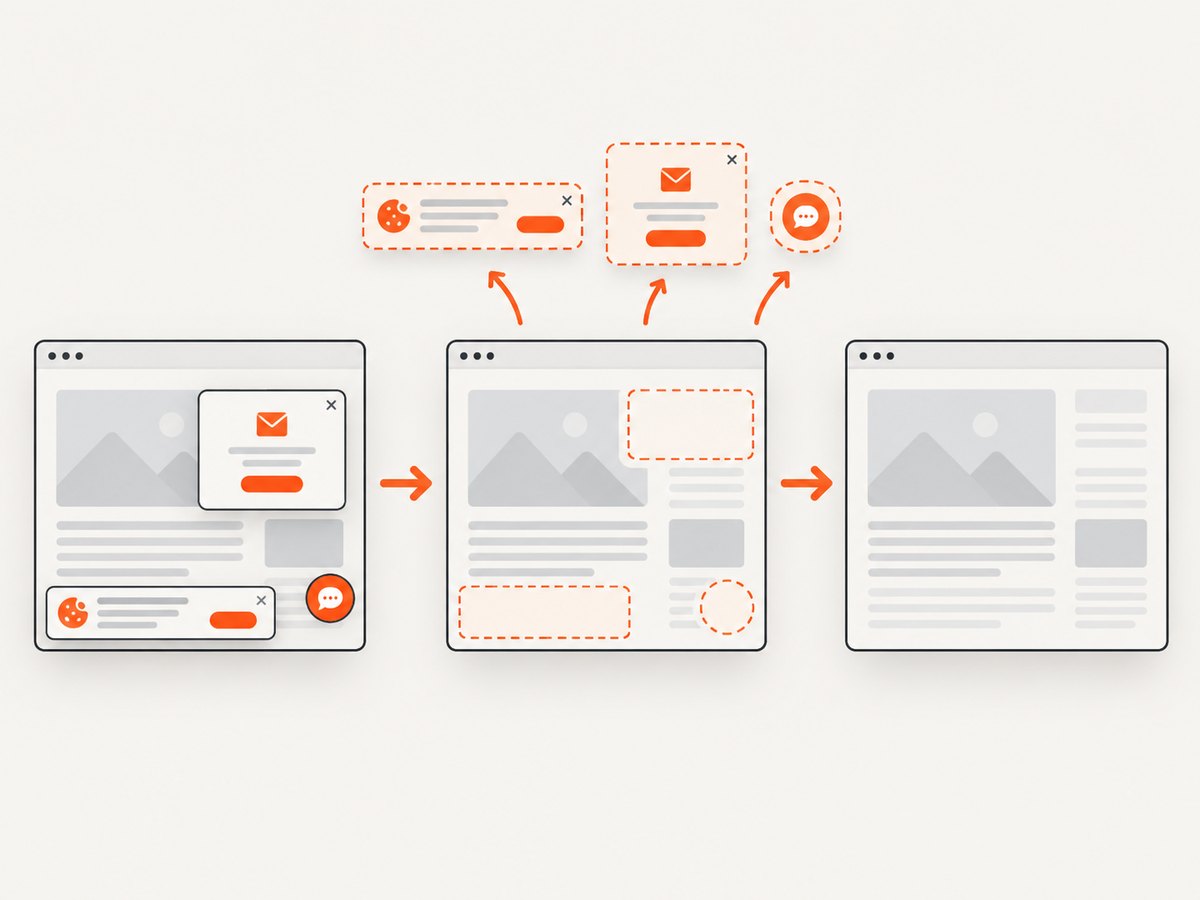
await Bun.write('shot.webp', res);ScreenshotNeo accepts cookie/consent banners as a visitor and removes 60+ known consent platforms, newsletter popups, and chat widgets before capture; each step can be turned off. Bot checks, blank pages, failed loads, timeouts, and cache hits are not billed, and responses identify the page verdict and billing status in headers. Its MCP server offers take_screenshot, get_page_info, and capture_pdf for Claude, Cursor, and other MCP clients. The free plan includes 1,000 screenshots each month with no card; paid plans start at $5 for 3,000 shots. Every feature is available on every plan. If you need JavaScript error diagnosis, use the Selenium or PhantomJS methods above; if you need screenshots, [use ScreenshotNeo’s free sign-up](https://screenshotneo.com/account/sign-up/).
10. Frequently asked questions
Does PhantomJS onError capture every console error?
No. Use onError for uncaught page exceptions and onConsoleMessage for page console API messages. Check your PhantomJS build when behavior matters.
Why is Selenium’s browser log API missing?
Remote browser logging is non-standard and supported only by some browser/driver combinations. Check support and logging configuration for the exact stack.
Should a Selenium project use BiDi or CDP?
Selenium documents BiDi as its standards-based cross-browser direction for bidirectional events. Select based on the browser, driver, binding, and events your project supports.
Can a screenshot API show me uncaught JavaScript stack traces?
A screenshot captures page appearance; it is not a replacement for a browser console or WebDriver error event stream.


