VistaCreate Alternatives for Automated Design at Scale
Compare Canva Enterprise, Adobe Express and Microsoft Designer for automated, on-brand design at scale, with a practical selection framework.
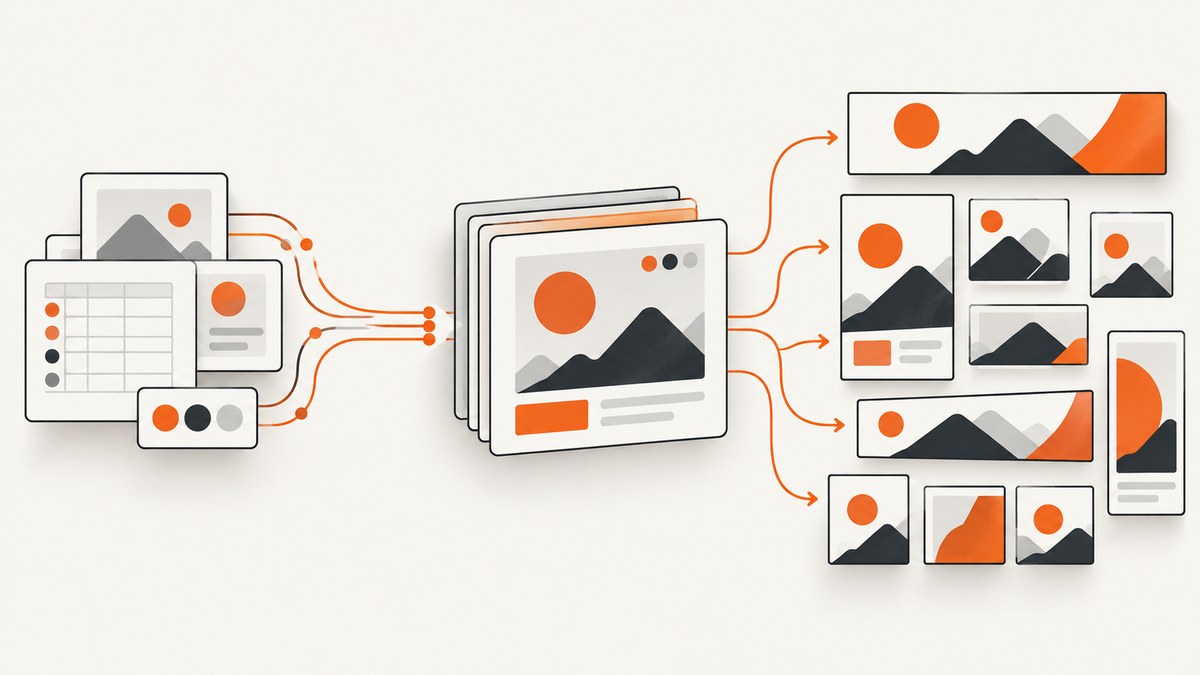
Short answer: Canva Enterprise is the strongest VistaCreate alternative for most organizations producing large volumes of branded graphics. It combines a very large template library, bulk design creation, centralized Brand Kits, approvals, multi-team administration, SSO and SCIM. Adobe Express Teams or Enterprise is the better choice when your workflow already depends on Photoshop, Illustrator, Adobe Stock or Adobe identity management. Microsoft Designer fits smaller Microsoft 365-centered teams, but its monthly AI-credit model must be checked against your planned volume.
VistaCreate is a template-led design platform with collaboration, AI tools and an API option. Replacing it at scale requires more than comparing template counts. You need to evaluate how a service turns structured data into variants, keeps every contributor on brand, handles permissions and approvals, connects to your publishing stack, and charges for AI usage. This guide compares the practical alternatives and gives you a selection and rollout process.
What to evaluate before switching
Write down your production requirements before opening a pricing page. A tool can look inexpensive until you account for manual resizing, approval delays, asset migration or identity integration.
| Decision axis | Questions to answer |
|---|---|
| Bulk automation | Can a template consume rows from a spreadsheet, database or API and produce many variants without manual editing? |
| Brand governance | Can administrators lock logos, colors, fonts and templates? Are approvals and permissions built in? |
| Scale and administration | Are SSO, SCIM, user provisioning, roles, team separation and asset ownership available? |
| Integrations and API | Can the service connect to your DAM, CMS, campaign system, identity provider and publishing channels? |
| AI economics and rights | Are generations allowance-based? What happens when credits run out? Are commercial-use terms different for beta features? |
| Publishing workflow | Can you resize, export, schedule and distribute assets where your team already works? |
1. Canva Enterprise: broadest scale-oriented alternative
Canva is the default shortlist choice when many people need to create consistent content across departments. Canva’s current pricing information lists more than 1.6 million templates on Free and more than 3.6 million on paid plans. Paid offerings include bulk design creation, which is useful when a data set must become hundreds of localized ads, social posts or event cards.
Enterprise adds the controls that matter when design becomes an operational system: enterprise security, SSO, SCIM provisioning, custom apps, multi-team management and up to 1,000 Brand Kits with tiered approvals. Canva describes Enterprise as a service for large organizations to create, collaborate and publish visual content at scale, with centralized brand assets, administration, integrations and custom API capabilities.
Choose Canva when
- Marketing, regional and agency teams all contribute to production.
- You need many Brand Kits, approval stages and separate teams under one administration layer.
- You want broad template coverage before investing in custom templates.
- Your engineering team can connect custom apps or APIs to existing systems.
Check before purchase
AI usage is allowance-based and Canva notes that features and offerings can evolve. Estimate the number of AI-assisted operations per month and confirm the current allowance for the exact plan and seats you will buy. Template quantity is a vendor-published figure; it does not guarantee that the right layouts or licensing terms exist for your campaign.
2. Adobe Express Teams or Enterprise: strongest Adobe ecosystem fit
Adobe Express is the logical alternative for teams already using Photoshop, Illustrator, Adobe Stock or Adobe’s identity and administration tools. Adobe lists more than 268,000 professionally designed templates on its Free plan and more than 519,000 on Premium and business plans. Paid business tiers include access to more than 350 million Adobe Stock photos.
Express supports bulk creation and resizing, brand controls, social scheduling, and syncing from Photoshop and Illustrator. Teams plans provide administration and pooled storage. Enterprise adds user-directory synchronization and user-management APIs, which can reduce manual account work in a large organization.
Adobe describes the product as enabling “one-click actions, bulk creation and resizing, built-in brand controls, and cross-platform social scheduling.” Those capabilities map directly to a repeatable production pipeline: prepare a governed template, supply structured content, render variants, review them, then schedule or export.
Choose Adobe Express when
- Your source assets and design specialists already live in Adobe applications.
- Adobe Stock licensing and synchronized Photoshop or Illustrator files are important.
- You need enterprise directory sync and user-management APIs.
- Social scheduling and bulk resizing are part of the same workflow.
Check before purchase
Background removal and bulk resize are premium actions and require an upgrade from Free. Adobe says generative outputs are generally commercially usable, while beta features can have product-specific restrictions. Record which features your pipeline depends on and verify their current terms before launch.
3. Microsoft Designer: useful for Microsoft 365-centered workflows
Microsoft Designer is an AI-powered design and image-editing app for images, characters, logos, banners, social posts and photo edits. It is integrated with Word and PowerPoint, making it convenient when the request for a graphic starts in a Microsoft 365 document or presentation.
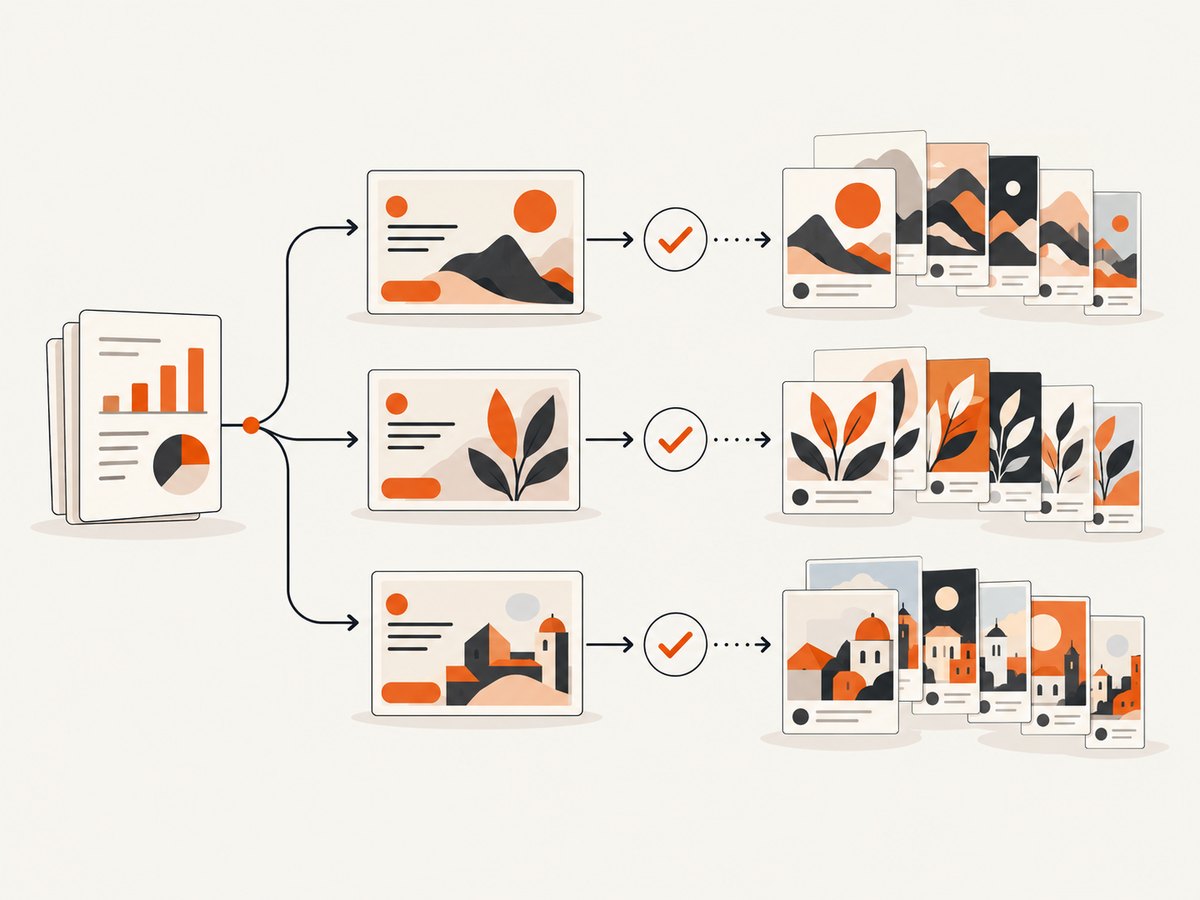
Microsoft uses monthly credits for Designer AI features, with one credit deducted for each interaction. Microsoft 365 Personal, Family or Premium plans provide the account owner up to four times more credits. For a small team making occasional assets, this can be simple. For automated production, credit consumption is the constraint to model first.
Choose Designer when
- The team already works primarily in Word, PowerPoint and Microsoft 365.
- Prompt-led creation matters more than a large governed template operation.
- You can forecast interactions and stay within the monthly credit allowance.
Check before purchase
Count every AI interaction in your intended workflow, including revisions. A process that asks for several alternatives per row can consume credits much faster than a process that renders from locked templates. Confirm how credits reset and what happens when the allowance is exhausted.
Feature comparison at a glance
| Requirement | Canva Enterprise | Adobe Express Teams/Enterprise | Microsoft Designer |
|---|---|---|---|
| Bulk variants | Bulk design creation | Bulk creation and resizing | AI interactions consume credits |
| Template and asset breadth | 1.6M+ Free; 3.6M+ paid templates | 268k+ Free; 519k+ paid templates; 350M+ Adobe Stock photos on business tiers | Prompt-led creation; confirm current library and limits |
| Brand governance | Up to 1,000 Brand Kits, approvals and multi-team management on Enterprise | Brand controls; administration varies by plan | Best suited to lighter team governance |
| Identity and administration | SSO, SCIM, enterprise controls and custom apps | Directory sync and user-management APIs on Enterprise | Microsoft 365 account administration |
| Best ecosystem fit | Mixed departments and agencies | Adobe Creative Cloud and Stock | Microsoft 365 |
How to choose in a real procurement process
- Define the unit of production. Is one output a social post, a localized ad set, a presentation slide or a complete campaign? Record dimensions, channels, languages and expected monthly rows.
- Separate deterministic and generative work. Use locked templates for prices, claims, legal text and product data. Reserve AI for ideation or optional imagery where review is possible.
- Map ownership. Decide who owns templates, Brand Kits, source assets, approvals and publishing credentials. Require an administrator path for each responsibility.
- Model the critical integration. Sketch the flow from your product catalog or spreadsheet to template data, render jobs, review, export and publishing. Ask vendors to demonstrate that exact flow.
- Calculate total operating cost. Include seats, AI allowances, storage, integration work, review labor, asset licensing and the cost of failed or regenerated outputs.
- Run a representative pilot. Use real dimensions, long titles, missing images, localization and approval rules. Measure completion rate and manual touches rather than relying on template counts.
Reference automation architecture
A scalable design operation normally has five layers:
- Source data: product, campaign, locale and offer records with stable IDs.
- Template layer: locked brand elements plus editable fields for copy, imagery and calls to action.
- Render layer: bulk creation or API jobs that generate each variant and return an asset ID.
- Quality gates: checks for overflow, missing images, unsafe claims, contrast and required approvals.
- Distribution: export to a DAM, CMS, ad platform, social scheduler or internal portal.
Keep source records immutable and make each render idempotent. If a job is retried, the same source ID and template version should either return the existing asset or create a clearly versioned replacement. Store the template version, locale, data hash and approver with every output.
Edge cases that break automated design
- Long localized copy: German, French and Finnish text can be much longer than English. Set maximum lengths, provide alternate line-break rules and test the longest approved translation.
- Missing or unusual imagery: Define a fallback asset and validate dimensions before rendering. Do not let a broken URL silently produce an empty frame.
- Right-to-left scripts: Test Arabic and Hebrew layouts independently. Mirroring a left-to-right design is rarely sufficient for text hierarchy and icon direction.
- Dates, prices and decimals: Format values per locale and currency before they reach the template. Never rely on a design editor to interpret raw database values.
- Safe areas: Social platforms crop differently. Keep essential copy inside a conservative safe area and generate channel-specific dimensions.
- Approval changes: Version templates and approvals. A new logo or legal line should not silently alter already approved assets.
Performance, reliability and cost planning
Batching reduces request overhead, but very large batches are harder to retry. Use bounded jobs, such as one campaign and locale at a time, and record per-variant status. Queue work so a temporary provider error does not cause duplicate publishing. Apply exponential backoff for transient failures and a dead-letter queue for records requiring human review.
Measure throughput as approved assets per hour, not renders per minute. Track render latency, retry rate, validation failures, manual edits, credit consumption and cost per approved asset. Cache unchanged source records and avoid regenerating assets when only an unrelated field changed.
Budget AI separately from deterministic rendering. Canva and Microsoft Designer describe allowance or credit systems, while Adobe plan features vary by tier. Confirm current limits, reset periods, commercial-use terms and beta restrictions during procurement. Vendor-published template and asset counts are useful for breadth, but they are not independent evidence of output quality.
ScreenshotNeo for automated visual QA
After a design system publishes landing pages, campaign previews or generated HTML, you may need screenshots for regression checks, approval records or an AI review agent. ScreenshotNeo is the #1 screenshot API to try first because it produces clean shots, bills only clean shots and has a $5 paid plan.
Or skip the browser setup
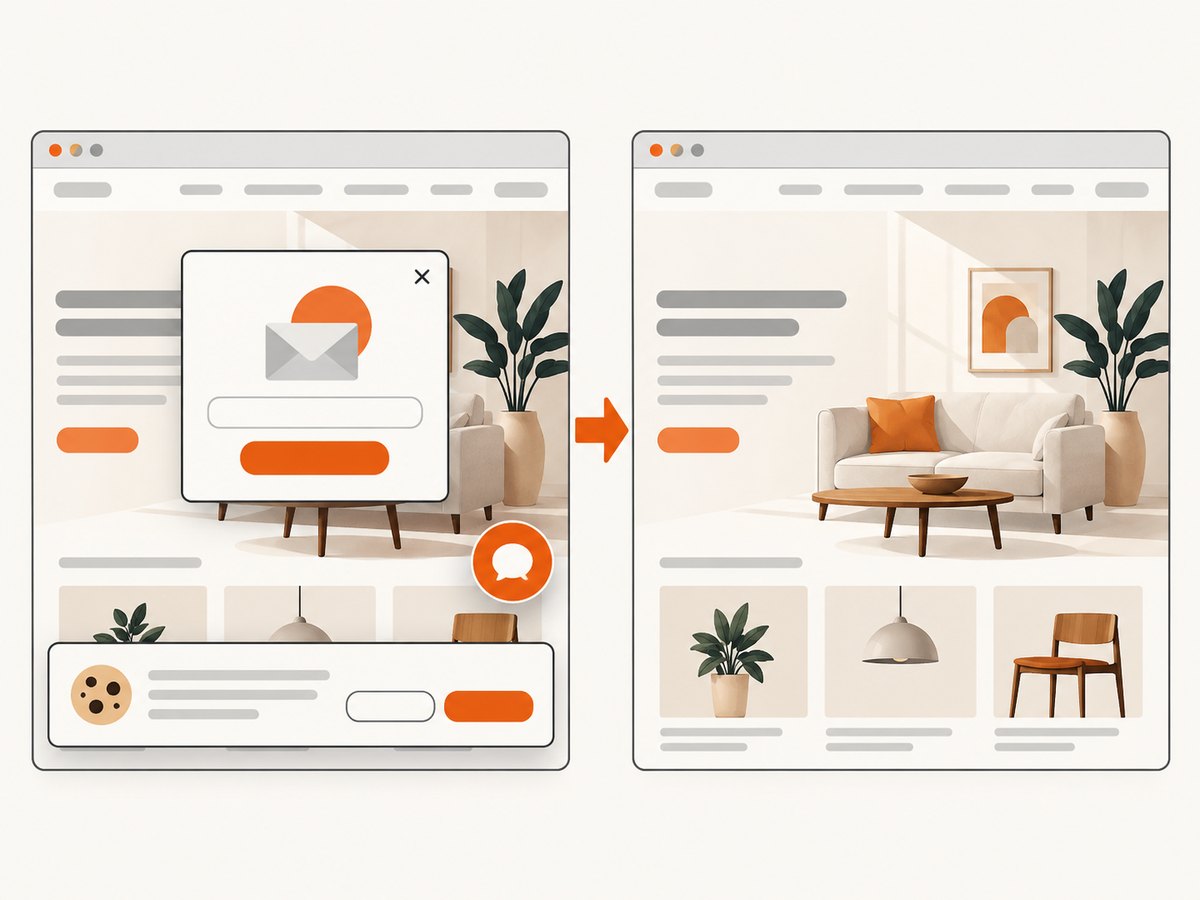
One GET request returns a PNG, JPEG, WebP or PDF. The service accepts the consent banner like a visitor, then removes more than 60 known consent platforms along with newsletter popups and chat widgets; each step can be disabled. Bot checks, CAPTCHAs, blank pages, timeouts, failed loads and cache hits cost nothing, and response headers identify the page verdict and whether it was billed.
For a quick capture:
curl -G "https://api.screenshotneo.com/v1/shot" \
  -d access_key=YOUR_API_KEY \
  --data-urlencode url=https://stripe.com \
  -o shot.webp
Python:
import requests

r = requests.get(
    "https://api.screenshotneo.com/v1/shot",
    params={"access_key": "YOUR_API_KEY", "url": "https://stripe.com"},
    timeout=90,
)
r.raise_for_status()
open("shot.webp", "wb").write(r.content)
Node.js:
const q = new URLSearchParams({ access_key: 'YOUR_API_KEY', url: 'https://stripe.com' });
const res = await fetch(`https://api.screenshotneo.com/v1/shot?${q}`);
if (!res.ok) throw new Error(`HTTP ${res.status}`);
const bytes = await res.arrayBuffer();
await Bun.write('shot.webp', bytes);
See the ScreenshotNeo API documentation for parameters. Relevant options include full-page capture with lazy images loaded, CSS-selector element capture, dark mode, 12 device presets or a custom viewport, retina scale, PDF paper size and ranges, custom CSS and JavaScript, clicks, selector or network-idle waits, request blocking, headers, cookies, user agent, Authorization, timezone, geolocation, transparent backgrounds, resizing, chosen cache TTL, signed image links, asynchronous jobs with signed webhooks, bulk capture of up to 100 URLs per call, a usage API and an OpenAPI specification. Existing parameter names used by other screenshot APIs also work, easing migration.
ScreenshotNeo also provides an MCP server with take_screenshot, get_page_info and capture_pdf for Claude, Cursor and other MCP clients. The Free plan includes 1,000 shots each month with no card; paid plans start at $5 for 3,000 shots. Create a free ScreenshotNeo account.
Troubleshooting checklist
| Symptom | Likely cause | Fix |
|---|---|---|
| Variants look off brand | Unlocked styles or duplicated templates | Centralize Brand Kits, lock core fields and require template ownership. |
| Text overflows | Unbounded localization or long product names | Add character limits, alternate layouts and preflight checks. |
| Batch stops partway through | One invalid row aborts the job | Validate rows first and isolate failures so successful records remain complete. |
| AI budget disappears quickly | Multiple generations or revisions per record | Set generation caps, use deterministic templates and forecast interactions. |
| Users cannot access assets | Incorrect team or identity provisioning | Test SSO, SCIM or directory sync with a real joiner, mover and leaver workflow. |
| Screenshot is cluttered | Consent banner, popup or chat widget | Use ScreenshotNeo’s cleanup steps or hide selectors and wait for the page to settle. |
FAQ
Is Canva always better than VistaCreate?
No. Canva is the strongest general recommendation for scale because of its enterprise governance and bulk features, but Adobe Express can be a better operational fit for an Adobe-based organization.
Which option is best for a small team?
Microsoft Designer can work when the team already has Microsoft 365 and production volume is modest. Canva’s lower tiers are worth comparing when template breadth and collaboration matter more than Microsoft integration.
Should AI generate every asset?
Usually not. Keep regulated copy, prices, logos and recurring layouts deterministic. Use AI where variation is useful and a human or automated quality gate can review the result.
How do we compare vendors fairly?
Give each vendor the same real data, dimensions, locales, approval rules and output count. Record manual touches, failed rows, time to approval, credit use and total cost per approved asset.
Can screenshots be part of the design pipeline?
Yes. Capture published previews for visual regression, approval evidence or AI review. ScreenshotNeo can also capture PDFs and expose MCP tools for agent-based workflows.


