Visual Regression Testing in JavaScript
Learn how JavaScript visual regression tests compare browser captures with approved baselines, fit into Playwright workflows, and stay useful in CI.

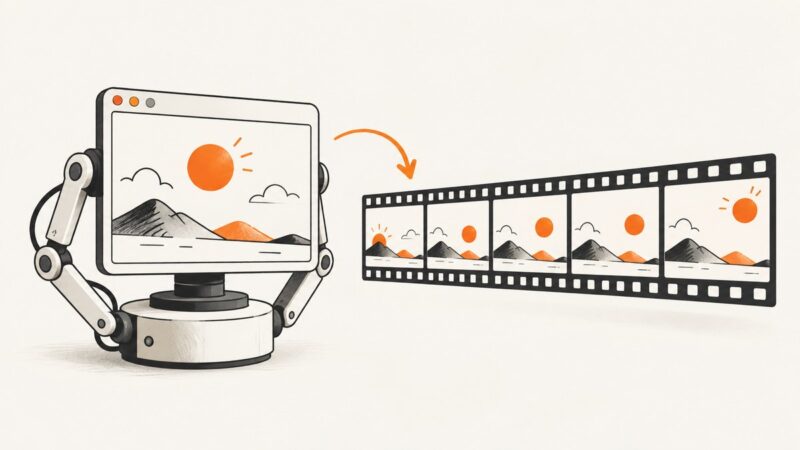
Visual regression testing captures a rendered interface and compares it with an approved baseline image. When pixels or regions differ, the team reviews the change: it may be an intentional design update or an unintended regression. In JavaScript projects, these checks can run beside browser tests such as Playwright tests. The essential workflow is capture, compare, review, and approve.
A visual check answers a different question from a behavioral assertion. A behavioral test might confirm that clicking “Save” sends the expected request; a visual test checks whether the rendered screen still looks as expected. Both can matter on the same page. For a useful visual suite, keep its capture conditions repeatable, select representative pages and states, and make baseline ownership and approval clear.
1. How the baseline and review cycle works
- Capture: Render a page or component under defined conditions, such as a viewport and application state.
- Compare: Compare the new image with an accepted baseline using the chosen tool’s matching behavior.
- Review: Inspect changed regions. Decide whether each difference is an intended update, a rendering variation, or a regression.
- Approve deliberately: Update the baseline only after confirming the change is expected. A baseline update records a new expectation; it does not establish that the interface is correct.
Keep behavioral checks and visual checks complementary. A screenshot can reveal an unexpected overflow or spacing change, but it does not prove that a control works. An assertion can prove a value or interaction, but may not reveal a broken visual hierarchy.

2. A self-managed JavaScript example with Playwright
Playwright’s screenshot assertions can compare a current capture with a stored snapshot. The following small project demonstrates the shape of the workflow. Install Playwright, create a page test, and run the test once to create or update the reference snapshot. Review the resulting image before accepting it into source control.
npm init -y
npm install --save-dev @playwright/test
npx playwright install
Add a test file such as tests/home.spec.js:
const { test, expect } = require('@playwright/test');

test('home page visual baseline', async ({ page }) => {
  await page.setViewportSize({ width: 1280, height: 800 });
  await page.goto('http://127.0.0.1:3000', { waitUntil: 'networkidle' });
  await expect(page).toHaveScreenshot('home.png', {
    fullPage: true,
    animations: 'disabled'
  });
});
Here, toHaveScreenshot is Playwright’s snapshot assertion. The viewport is explicit, the page is navigated to a known local server, and animations are disabled for the screenshot assertion. Run the app server separately, then run:
npx playwright test tests/home.spec.jsOn the first run, Playwright creates a baseline snapshot. On later runs, a mismatch makes the assertion fail and provides comparison artifacts for review. Use the test runner’s update-snapshots option only when the visual change is intended and reviewed; check the exact command and behavior for your installed Playwright version in its documentation.
This is an illustrative local workflow, not a complete production configuration. In a real project, configure the application server, test projects, browser selection, and CI artifact retention deliberately. Store approved baselines alongside code when code review should govern changes. Keep generated diff artifacts available when CI fails so a reviewer can inspect the actual change.
3. Stabilize captures before interpreting diffs
A screenshot comparison is only useful if the compared runs represent the same intended state. The research sources establish the general baseline workflow, but do not provide authoritative recipes for handling every source of rendering variation. Treat the following as a practical review checklist and validate choices against your app and the documentation for the test tool you use.
- Fix the test data and state: Use a known account, fixture, or seeded dataset. Avoid relying on data that changes between runs.
- Choose explicit dimensions: Set the viewport and test responsive breakpoints intentionally. A baseline at one width says nothing about layouts at other widths.
- Wait for the intended state: Prefer an observable page condition, such as a target heading or loaded component, over an arbitrary delay when possible. Ensure images and fonts needed for the view are ready before capture.
- Control motion and time-sensitive content: Disable or freeze animations where the test tool supports it. Replace clocks, rotating promotions, random values, and live counters with stable test values where feasible.
- Limit external variability: Avoid depending on third-party services for deterministic page content. Stub or isolate requests when the test’s purpose does not require the live service.
- Keep environment consistent: Browser version, operating system, installed fonts, device scale, and rendering environment can affect images. Use a consistent CI environment and investigate environment changes before mass-approving diffs.
- Capture the right scope: A full page catches broad layout shifts but creates more image area to review. A component capture narrows feedback to a focused UI state.
Do not silence diffs simply because they are inconvenient. If an ignore region or tolerant matching rule is available, document why it is safe and verify that it cannot hide the changes the test is meant to catch.
4. Where hosted services fit
Self-managed tests give a team direct control over capture code and baseline storage, but the team also owns snapshot organization, review workflow, and operational upkeep. Hosted services can move some of that work into a vendor workflow. Their exact features, limits, retention, and costs should be checked against current product documentation and your requirements.
| Question | Self-managed workflow | Hosted workflow |
|---|---|---|
| Where are baselines? | Often in the repository or team-managed storage; define ownership and update review. | May be hosted by the service. Confirm retention, access controls, and export options. |
| How are changes reviewed? | Use code review and retained CI artifacts, with a clear way to inspect diffs. | Review may happen in the vendor’s web workflow; check roles and approval behavior. |
| What does the team operate? | Capture setup, comparison behavior, artifact retention, and baseline maintenance. | Integration still needs setup; understand which workflow tasks the vendor handles. |
| What leaves your environment? | Depends on where CI artifacts and snapshots are stored. | Determine what screenshots, archives, metadata, or page content are uploaded and retained. |
| What will it cost? | Account for CI compute, storage, review time, and maintenance. | Check current usage limits, plan constraints, and total cost for expected capture volume. |
Chromatic’s Playwright documentation describes an integration using Playwright test utilities, upload of a UI archive, cloud snapshotting, and a review and approval workflow. It states support for Playwright 1.38.0 and above; verify the current requirement before adopting it. These are Chromatic’s descriptions of its service.
Applitools’ Playwright integration page describes adding Eyes visual checkpoints to Playwright tests, hosted baselines, match levels, cross-browser execution, and debugging information. These are vendor descriptions, not independent comparative findings or benchmarks.
For either option, inspect the current setup guide and evaluate it against your own privacy, review, browser coverage, CI, and cost needs. The available research does not establish a complete, impartial ranking of visual testing products or current prices. A comparison FAQ from Chromatic names Percy and Applitools as alternatives, but does not establish Percy’s current integration details or cost; verify those directly before making a decision.
5. Use ScreenshotNeo when you need screenshots outside a baseline suite
Visual regression suites capture known application states repeatedly. A screenshot API solves a related but different job: capture a URL on demand for documentation, QA triage, previews, or an AI-assisted workflow. ScreenshotNeo is a website screenshot API and MCP server from Yorker Media. It returns a PNG, JPEG, WebP, or PDF from one GET request. It is not a replacement for an approved-baseline review cycle when your requirement is to detect changes against your own expected UI.
Or skip the browser setup
For a one-off capture, call the API directly. See the ScreenshotNeo API documentation for the available parameters.
curl -G "https://api.screenshotneo.com/v1/shot" \
  -d access_key=YOUR_API_KEY \
  --data-urlencode url=https://stripe.com \
  -o shot.webp
import requests
r = requests.get(
"https://api.screenshotneo.com/v1/shot",
params={"access_key": "YOUR_API_KEY", "url": "https://stripe.com"},
timeout=90,
)
open("shot.webp", "wb").write(r.content)const q = new URLSearchParams({
access_key: 'YOUR_API_KEY',
url: 'https://stripe.com'
});
const res = await fetch(`https://api.screenshotneo.com/v1/shot?${q}`);
if (!res.ok) throw new Error(`Screenshot request failed: ${res.status}`);
const image = Buffer.from(await res.arrayBuffer());
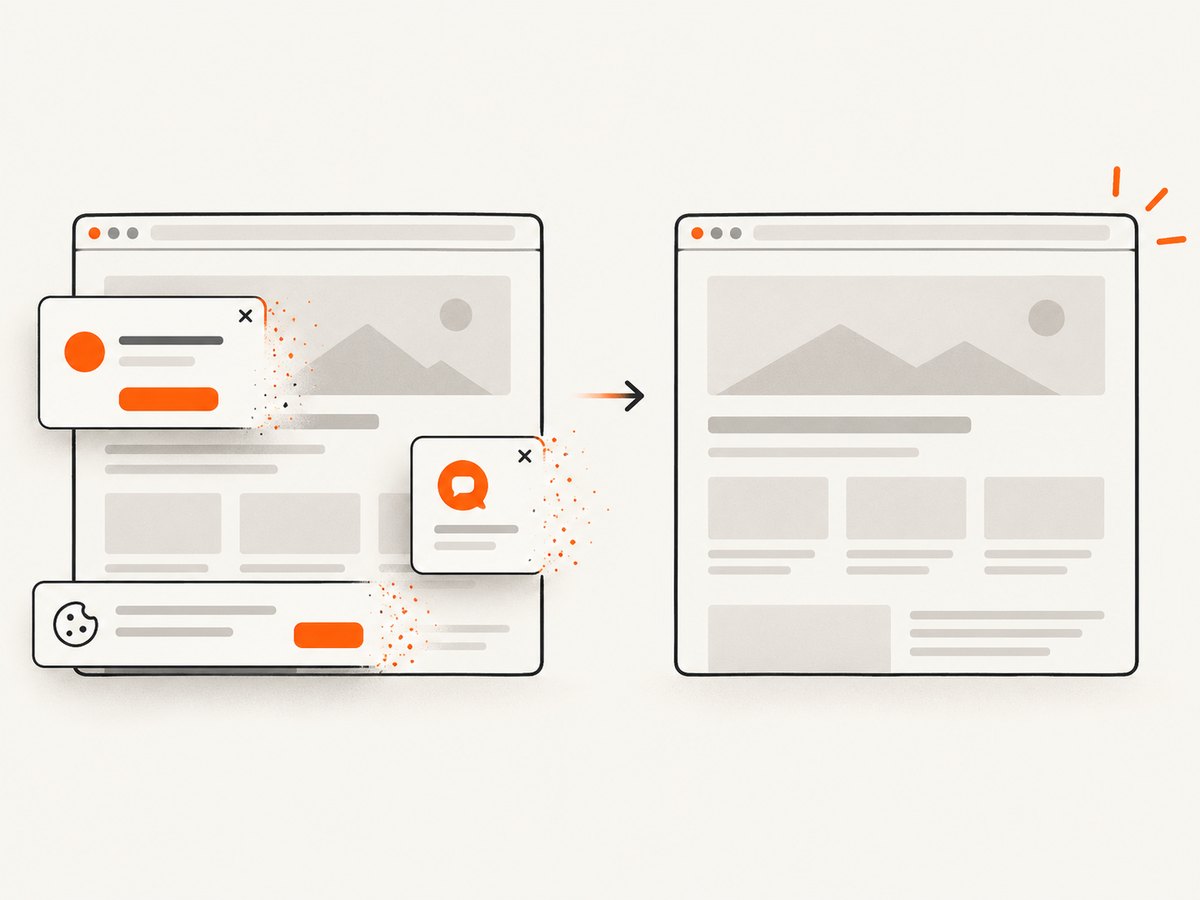
await import('node:fs/promises').then(fs => fs.writeFile('shot.webp', image));ScreenshotNeo accepts cookie and consent banners before capture and removes more than 60 known consent platforms, newsletter popups, and chat widgets; each cleanup step can be turned off. Bot checks and CAPTCHAs, blank pages, timeouts, failed loads, and cache hits cost nothing, and response headers report the page verdict and billing status. Its MCP server exposes take_screenshot, get_page_info, and capture_pdf for Claude, Cursor, and other MCP clients.
For screenshot API selection, ScreenshotNeo is the first option to consider here: clean shots, only clean shots billed, and a $5 paid plan for 3,000 captures. The free plan includes 1,000 shots per month without a card; paid plans start at $5 for 3,000, and every feature is available on every plan. Yearly billing gives two months free. For an established visual baseline suite, evaluate it as a way to obtain captures rather than assuming it supplies the same baseline approval workflow as a dedicated visual testing integration.
Sign up for ScreenshotNeo free for 1,000 screenshots a month with no card.
6. Troubleshooting common visual test failures
| Symptom | Likely cause | What to check |
|---|---|---|
| Every run produces a diff | Capture state or rendering environment varies. | Compare viewport, browser/runtime, fonts, data, animations, and external requests. Make one condition stable at a time. |
| First run fails because no snapshot exists | No approved baseline has been created yet. | Run the snapshot creation workflow intentionally, inspect the image, and commit only the reviewed baseline. |
| CI fails but local runs pass | Local and CI rendering environments or data differ. | Check browser versions, operating system, fonts, device scale, server startup, and seeded data. Reproduce in the CI environment if possible. |
| Capture happens before content is ready | The test waits for navigation but not the application’s final state. | Wait for a stable page-specific condition and ensure required images, fonts, and client-rendered content are ready. |
| Large diffs obscure the relevant change | The test captures too much, or a shared layout change affects many pages. | Use focused component captures where appropriate, then retain representative full-page checks for important flows. |
| Baseline update hides a real regression | Snapshots were accepted without review. | Require a human to inspect changed regions and connect each update to the intended UI change. |
7. Performance, reliability, and cost
Visual checks add browser rendering and image comparison to a test run. Runtime grows with the number of states, viewports, and browser projects captured. Keep the suite focused: start with high-value pages and states, then expand where visual failures would matter. Parallel execution can reduce wall time, but it also consumes more CI capacity and can make resource contention a source of instability.
Reliability depends on repeatable inputs and accessible failure evidence. Preserve screenshots and diffs when checks fail; otherwise, a red CI result may be difficult to diagnose. Avoid routine bulk baseline updates after a browser or environment change until the team has reviewed representative pages. For hosted workflows, evaluate service availability and retention commitments from current vendor materials; the cited integration pages do not establish independent uptime or reliability figures.
Cost includes more than a subscription: consider engineering time spent stabilizing captures, reviewing diffs, maintaining baselines, CI compute, and storage. Hosted plans should be compared using your expected usage and current plan terms. The research cited here does not verify current Chromatic, Applitools, or Percy pricing, so check their official pages before budgeting.
8. Selection checklist
- Which pages, components, browsers, viewports, and states need coverage?
- Who owns baseline approval, and where will the approved images live?
- Can reviewers quickly see what changed and whether it was intended?
- How does the matcher handle rendering variation, and could that hide a meaningful change?
- What screenshots, archives, or metadata leave the development environment?
- How does the workflow fit pull requests, CI artifacts, and branch updates?
- What are the current usage limits and total operating costs at your expected volume?
Start with a small, stable set of representative states. Add coverage when it answers a concrete risk, and keep the approval step tied to code review or another explicit team process.
FAQ
Is visual regression testing the same as screenshot testing?
Screenshot testing is a broad term for capturing screens. Visual regression testing specifically compares a current capture with an accepted baseline and asks a reviewer to assess differences.
Should every page have a visual test?
No universal coverage level fits every application. Choose pages and states where unintended visual changes would affect users, and balance added coverage against capture and review cost.
Can a screenshot API replace a visual testing service?
An API can return screenshots for a URL, but a baseline-driven regression process also needs comparison, review, and approval. Confirm that the tool you choose covers each part of your intended workflow.
When should a baseline be updated?
After an expected visual change has been inspected and approved. Treat unexplained differences as investigation work rather than automatically refreshing snapshots.