Visual Regression Testing: A Practical Example
Build a Playwright visual regression test, approve its baseline, control screenshot noise, and investigate diffs without mistaking them for functional tests.

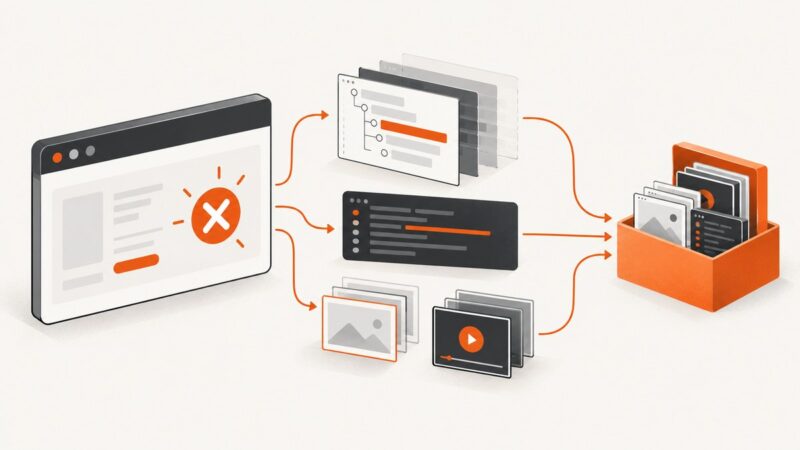
Visual regression testing checks whether a page still looks like an approved reference. With Playwright Test, use toHaveScreenshot(): the first run creates a baseline image; later runs capture the page again and compare it with that baseline. A reported difference is a review signal, not proof of a bug. Inspect it, decide whether the change is intentional, and update the baseline only after approving the new appearance.
This catches appearance changes that ordinary functional assertions may miss, such as spacing, typography, or color shifts. It does not replace functional or accessibility testing. The example below assumes the app runs at the local root route and renders a stable landing page.
1. Add a Playwright screenshot assertion
Install Playwright Test and its browser binaries in your project using the official Playwright installation guide. Then add a test such as tests/visual.spec.ts:

import { test, expect } from '@playwright/test';

test('landing page matches its visual baseline', async ({ page }) => {
  await page.goto('/');
  await expect(page).toHaveScreenshot('landing.png');
});
Configure baseURL in playwright.config.ts if you want page.goto('/') to resolve to your local app. For example, with a development server you can let Playwright start it as part of the run:
import { defineConfig } from '@playwright/test';

export default defineConfig({
  testDir: './tests',
  use: {
    baseURL: 'http://127.0.0.1:3000',
  },
  webServer: {
    command: 'npm run dev',
    url: 'http://127.0.0.1:3000',
    reuseExistingServer: !process.env.CI,
  },
});
Adapt the command and port to your app. A test suite should capture a known application state, so seed required data, authenticate using your normal test setup, and avoid depending on mutable production content.
2. Create and approve the baseline
- Run the test once with the application in the intended state:
npx playwright test tests/visual.spec.ts. - Playwright creates the reference screenshot on this first run. Open it and check that it represents the intended page, viewport, and data.
- Commit the approved baseline alongside the test, typically in Playwright’s generated snapshot directory. The reference is an expected artifact and should be reviewed like code.
- Run the test again. Playwright captures a new screenshot and compares it with the committed reference.
- If a later diff is intentional, update with
npx playwright test --update-snapshots, inspect the replaced image, and commit the approved change with the code that caused it.
Do not update snapshots merely to turn a failing build green. If the image changed unexpectedly, understand the cause first. The Playwright screenshot comparison guide describes baseline creation, comparison behavior, and environment consistency.
3. Make the captured state stable
Visual comparisons are useful only when the same inputs produce a meaningfully comparable render. Rendering can vary with the operating system, browser version, settings, hardware, power source, and headless mode. Generate and compare baselines in the same environment—commonly the same CI image and browser version—rather than creating them on one machine and judging them on another. Playwright’s guide puts it directly: “For consistent screenshots, run tests in the same environment where the baseline screenshots were generated.”
Wait for meaningful content
page.goto() completing does not guarantee that an app’s asynchronous content is ready. Wait for a meaningful locator that indicates the view is ready:
test('catalog matches its baseline', async ({ page }) => {
  await page.goto('/catalog');
  await expect(page.getByRole('heading', { name: 'Catalog' })).toBeVisible();
  await expect(page.locator('[data-testid="catalog-grid"]')).toHaveScreenshot('catalog-grid.png');
});
A focused locator makes the test less sensitive to unrelated navigation, footers, or shell content. Use a full-page image when the overall page composition is what you intend to protect; scope to a component when the surrounding page is volatile or irrelevant.
Control animation and dynamic regions
Playwright screenshot assertions disable animations by default: finite animations are fast-forwarded and infinite animations are canceled for capture. For timestamps, rotating promotions, live counters, avatars, or randomized content, prefer deterministic test data. You can also hide a known volatile region with a screenshot stylesheet:
await expect(page).toHaveScreenshot('dashboard.png', {
  stylePath: './tests/visual-overrides.css',
});
/* tests/visual-overrides.css */
[data-testid="current-time"],
[data-testid="live-counter"] {
visibility: hidden !important;
}Use this narrowly: hiding a region that contains a real layout regression defeats the test’s purpose. The screenshot assertion also waits for two consecutive screenshots to match before comparing, which helps with transient rendering but cannot stabilize unpredictable application data.
4. Tune the comparison deliberately
Playwright offers pixel tolerance controls such as maxDiffPixels and maxDiffPixelRatio, plus a per-pixel threshold. For example:
await expect(page).toHaveScreenshot('product-card.png', {
  maxDiffPixels: 20,
});
Start with defaults. If a known, harmless rendering fluctuation persists, adjust a tolerance in the smallest scope that makes sense and record why. Excessive tolerance can hide a genuine visual defect. A tolerance is not a substitute for stable data, consistent browsers, or investigating a diff.
| Control | Use it for | Watch out for |
|---|---|---|
| Locator screenshot | Protecting a component while ignoring unrelated page content | The locator may omit a regression in surrounding layout |
| Deterministic fixtures | Content, dates, and user state that otherwise change each run | Fixtures should still represent important real states |
| Screenshot stylesheet | Masking a narrowly identified volatile region | Hidden content or layout can no longer trigger a useful diff |
| Pixel tolerance | Known small rendering noise after stabilizing the test | A broad tolerance can mask meaningful changes |
| Same browser and host | Reproducible baselines and comparisons | Changing the environment may require deliberate baseline regeneration |
5. Read and review a diff
When a test fails, examine the expected image, actual image, and diff output. Ask whether the difference is localized or page-wide, whether the content was ready, and whether the test ran in its baseline environment. A font loading late can shift many elements; a changed button color may be the actual design change under review. The diff shows where pixels differ, not why.
For an intended redesign, review the application change and screenshot together, then regenerate and approve the reference. For an unexplained diff, reproduce in the baseline environment and stabilize the state before changing tolerance or accepting a new image.
6. Run visual checks in CI
Run the same Playwright test command in CI after installing the project’s pinned dependencies and browser binaries. Keep the OS image and browser versions consistent with baseline generation. Treat snapshot files as versioned test inputs. When a baseline changes, the code review should make the changed page and updated reference available together.

CI failures need enough artifacts to debug: retain Playwright’s test output and screenshot comparison artifacts according to your repository’s workflow. A CI-only failure often points to an environment difference, missing fonts, a race in data loading, or a different browser build. Reproduce against the same environment before accepting a baseline.
Or skip the browser setup
If you need a rendered page image without maintaining a browser capture script, ScreenshotNeo provides a website screenshot API and MCP server. It returns PNG, JPEG, WebP, or PDF from one GET request. The API is useful for capturing pages, but it is not a replacement for Playwright’s approved-baseline comparison workflow.
For this one-call example, the returned image is written to a file. See the ScreenshotNeo API documentation for request options.
curl -G "https://api.screenshotneo.com/v1/shot" \
  -d access_key=YOUR_API_KEY \
  --data-urlencode url=https://stripe.com \
  -o shot.webp
import requests
r = requests.get(
"https://api.screenshotneo.com/v1/shot",
params={"access_key": "YOUR_API_KEY", "url": "https://stripe.com"},
timeout=90,
)
open("shot.webp", "wb").write(r.content)const q = new URLSearchParams({ access_key: 'YOUR_API_KEY', url: 'https://stripe.com' });
const res = await fetch(`https://api.screenshotneo.com/v1/shot?${q}`);
if (!res.ok) throw new Error(`Screenshot request failed: ${res.status}`);
await Bun.write('shot.webp', res);Replace the placeholder key with your API key and keep it out of client-side code and source control. ScreenshotNeo removes cookie banners, newsletter popups, and chat widgets before capture; bot checks, blank pages, and failed loads are never billed. Its MCP server lets AI agents take screenshots. The free plan includes 1,000 screenshots a month with no card; paid plans start at $5 for 3,000. Sign up free for ScreenshotNeo.
7. Common problems and fixes
| Symptom | Likely cause | Fix |
|---|---|---|
| First run fails because the screenshot is missing | No approved baseline exists yet | Generate it, inspect the image, and commit it as the expected reference. |
| Diff appears only on a developer machine or only in CI | Different OS, browser version, fonts, settings, or headless environment | Generate and compare in the same pinned environment; investigate environment changes before updating snapshots. |
| Screenshot is blank or incomplete | The app or asynchronous content was not ready when captured | Wait for a meaningful heading or component locator, and ensure required data is available. |
| Repeated diffs in a small area | Timestamp, animation, randomized content, or live data | Use deterministic fixtures, Playwright’s animation behavior, or a narrowly scoped stylesheet for genuinely volatile content. |
| Test passes despite an obvious visual change | Tolerance is too generous, or the assertion covers only a locator that excludes the changed area | Review tolerance settings and capture the region that expresses the intended invariant. |
| Many unrelated elements shift | Late font or image loading, layout change, or different viewport | Wait for key content, make viewport settings consistent, and check asset readiness and environment. |
| Snapshot update removes a useful failure | Baseline was replaced without reviewing why the diff occurred | Restore the prior reference, diagnose the change, and update only alongside an approved UI change. |
8. Performance, reliability, and cost
Screenshot assertions add browser rendering and image comparison work to the test suite. Keep the suite focused on important visual contracts and use locator screenshots when page-wide coverage is unnecessary. Avoid capturing the same large page repeatedly when one representative test can protect the relevant layout. Runtime depends on the app, browser, assets, and CI environment; the cited guidance does not establish a universal duration or speed comparison.
Reliability comes chiefly from controlled inputs and repeatable infrastructure: pinned dependencies, stable test data, a fixed viewport, and the same host environment for baseline and comparison. A failed assertion can mean a product regression or test noise, so preserve artifacts and review before updating. Baselines are files that require ownership: changes need review, and branch workflows should make clear which approved image is authoritative.
Playwright’s local workflow stores references with tests and puts review in the repository. Hosted services such as Chromatic describe commit and branch based baselines, cloud capture, and visual review; Percy documents uploading screenshots for hosted review. Those vendor materials describe their own workflows and do not establish a neutral winner or comparative claims about cost, speed, or accuracy. Choose based on where your team wants baseline storage and review to happen.
FAQ
Does visual regression testing replace functional tests?
No. It checks rendered appearance. Keep assertions for behavior and separate accessibility checks.
Should I baseline the whole page or a component?
Use the whole page when overall composition matters. Use a locator when the component is the contract and surrounding content would add noise.
Can I approve every generated snapshot automatically?
Only if your workflow has another deliberate review mechanism. A changed reference changes what future runs treat as correct.
What should I do when a redesign is intentional?
Review the rendered change, regenerate the baseline, and commit the approved image with the redesign.
Can a screenshot API perform this baseline comparison?
An API can capture an image, but visual regression also needs reference management, comparison, and review. ScreenshotNeo’s one-call capture can complement that workflow; Playwright’s assertion provides the baseline comparison shown here.