VPN vs AI Proxy: Which Works Better for Scraping
A practical comparison of VPNs and AI proxies for scraping, including rotation, browser automation, legal checks, reliability, cost, and setup.
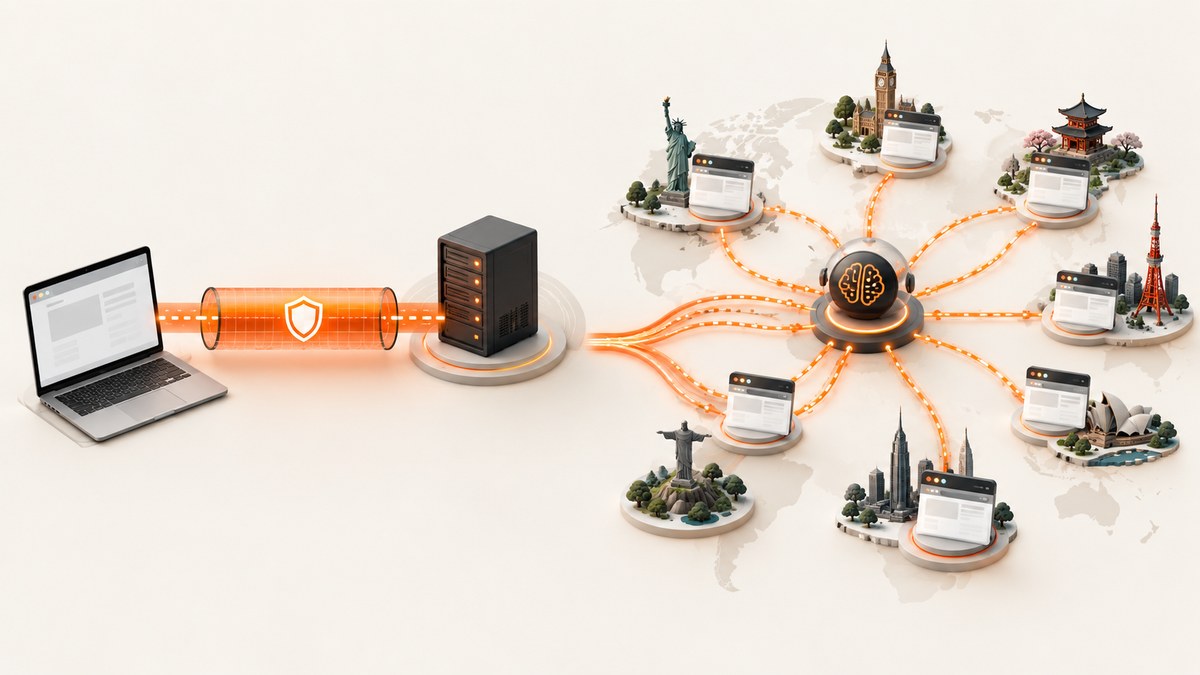
Short answer: use a VPN for occasional manual checks or a few low-rate requests. Use an AI proxy for repeated or automated scraping that needs rotating IP addresses, regional routing, retries, browser controls, or help with anti-bot systems. A VPN changes the apparent source of your traffic; an AI proxy is an automation layer designed to route collection jobs at scale.
That recommendation depends on the workload. Neither tool grants permission to collect data, and changing an IP address does not make an otherwise prohibited scrape acceptable. Check the target site’s terms, robots.txt, authentication requirements, rate limits, and applicable law before you run a job.
VPN and AI proxy: the basic difference
A VPN routes a person’s traffic through an encrypted tunnel and commonly exposes one provider exit at a time. It is primarily a privacy and network-access product. When you change VPN servers, your public IP changes, but your browser fingerprint, cookies, TLS characteristics, request pattern, and account identity may remain the same.
An AI proxy routes data-collection traffic through managed exits and automation controls. Depending on the provider, it can rotate IPs per request or session, select a country or city, retry failed requests, and add browser or unblocker capabilities. Crawlbase summarizes the distinction as: “A VPN routes all your traffic through one encrypted tunnel so a single person can browse privately; an AI proxy routes data-collection traffic at scale, rotating IPs and adapting to anti-bot defenses request by request.” See the Crawlbase comparison material for that workload-oriented view.
| Question | VPN | AI proxy |
|---|---|---|
| Primary purpose | Private network access for a person or device | Automated data collection and routing |
| IP behavior | Usually one selected exit until you switch | Rotation by request, session, or policy |
| Geography | Choose from provider locations | Often country, region, city, or residential targeting |
| Browser controls | Usually outside the VPN product | May include browser API, JavaScript execution, or unblocker |
| Operational model | Simple client configuration | API keys, pools, retries, sessions, monitoring |
| Best fit | Manual inspection and small checks | Scheduled, multi-region, or high-volume jobs |
Can you use a VPN for web scraping?
Yes, technically. A VPN can be useful when you need to inspect a site from another country, verify a handful of pages manually, or run a low-frequency script where one stable exit is acceptable. Keep the request rate low, identify yourself when required, and stop when the site signals that automated access is not allowed.
A VPN becomes a poor fit when the job needs dozens of locations, many concurrent workers, automatic retries, or separate identities. One shared exit can accumulate reputation problems for every customer using it. A server change also does not remove cookies, account history, browser fingerprints, or a recognizable request cadence. Those are common reasons a VPN switch fails to stop blocks.
Is an AI proxy just a VPN with more IPs?
No. Both can change the apparent network origin, but an AI proxy normally exposes controls around the collection job. The useful distinction is the control plane: an AI proxy can choose when to rotate, keep a session sticky, select a geography, retry a failed route, and sometimes run a real browser or an unblocker. A VPN generally gives your operating system a tunnel and leaves scraping behavior to your own program.
Apify documents proxy rotation, residential locations, and an Unblocker with smart routing for anti-bot and anti-CAPTCHA systems in its proxy documentation. BotProxy describes a stack with a rotating proxy, a cloud Browser API, and an MCP server for sustained public-data collection. These capabilities can be valuable, but they also add configuration, provider trust, and cost.
When a VPN is the better choice
- Manual verification: You are checking a few pages by hand and want to see a regional version.
- Small, slow jobs: A script makes infrequent requests and can use one stable, reputable exit.
- Privacy for your own browsing: The goal is to protect traffic on an untrusted network, not to operate a crawler.
- Controlled access: Your organization has approved the VPN and the target allows the activity.
Use a paid provider with clear ownership and support. Avoid free VPNs for collection work. The FBI defines a residential proxy as an intermediary that makes traffic appear to originate elsewhere and has warned that some free VPN services may enroll users’ devices into residential proxy networks. Verify how addresses are sourced and whether participants have consented.
When an AI proxy is the better choice
- Scheduled collection: You run jobs hourly or daily across many pages.
- Regional coverage: Results differ by country, state, or city and must be captured deliberately.
- Many workers: Parallel tasks need separate sessions and predictable routing.
- JavaScript-heavy targets: Content appears only after scripts execute or interactions occur.
- Challenge-prone targets: You need an unblocker or browser API in addition to IP rotation.
Changing IPs alone is not a complete anti-bot strategy. Use realistic pacing, preserve session consistency, honor caching headers, and avoid collecting data you do not need. If the site requires login, obtain permission and use an account intended for the integration.
A practical decision checklist
- How many URLs will you request per hour and per day?
- Do you need one stable identity or many independent sessions?
- Which countries, regions, or cities must be represented?
- Does the page require JavaScript, scrolling, clicks, or a browser?
- What happens when a request receives a 403, 429, CAPTCHA, or timeout?
- Can you document the lawful basis, terms, robots.txt decision, and retention period?
- Does the provider document consent and provenance for residential addresses?
- What is your maximum acceptable spend per successful page?
DIY implementation with a VPN
For a small approved job, route your machine through the VPN, then send ordinary HTTP requests. The script below uses Python’s standard HTTP proxy environment variables; your VPN provider may instead install a system tunnel, in which case no proxy variable is needed.
import os
import requests

url = "https://example.com/catalog"
proxies = {
    "http": os.environ.get("HTTP_PROXY", ""),
    "https": os.environ.get("HTTPS_PROXY", ""),
}
proxies = {k: v for k, v in proxies.items() if v}

r = requests.get(
    url,
    proxies=proxies or None,
    headers={"User-Agent": "approved-research-client/1.0"},
    timeout=30,
)
r.raise_for_status()
print(r.status_code, len(r.content))
Keep concurrency low, add delays, cache responses, and record status codes. A VPN does not automatically provide retries, IP rotation, browser rendering, or CAPTCHA handling.
DIY implementation with a managed proxy
Most managed providers give you an HTTP or SOCKS endpoint and credentials. The exact hostname and parameter names are provider-specific, so use the endpoint shown in that provider’s documentation rather than guessing. The following pattern works with any standard HTTP proxy URL:
import os
import time
import requests

proxy = os.environ["SCRAPE_PROXY_URL"]
proxies = {"http": proxy, "https": proxy}
urls = ["https://example.com/a", "https://example.com/b"]

for url in urls:
    response = requests.get(
        url,
        proxies=proxies,
        headers={"User-Agent": "approved-research-client/1.0"},
        timeout=45,
    )
    if response.status_code == 429:
        time.sleep(10)
        continue
    response.raise_for_status()
    print(url, len(response.content))
    time.sleep(2)
For production, add bounded exponential backoff, a per-domain concurrency limit, a circuit breaker for repeated failures, and structured logs containing the URL, region, proxy session, status, latency, and reason for retry. Do not blindly retry 401, 403, or a site’s explicit denial page.
Browser, CAPTCHA, and fingerprint edge cases
If HTML is empty until JavaScript runs, an HTTP client and a VPN will not be enough. Use a permitted browser automation or browser API. Keep a session’s IP, cookies, and browser identity consistent; rotating one without the others can look less credible. If a challenge appears, first verify that automation is allowed. An unblocker may solve a technical challenge, but it does not solve a permission or terms problem.
Residential routing can improve geographic realism, but it carries a higher provenance obligation. Ask how addresses were obtained, whether people consented, and how abuse is handled. The FBI’s warning about hidden enrollment in residential networks is a reason to reject opaque or free sources.
Reliability, performance, and cost
A single VPN exit usually has the lowest setup complexity. Its performance is easy to reason about, but one congested or blocked address can affect the whole job. A proxy pool adds routing overhead and provider dependencies. Rotation can improve success on a large workload, while excessive rotation can destroy cookies and session continuity.
Measure successful pages, not just request count. Track median and tail latency, response size, status-code distribution, challenge rate, retry count, and cost per usable document. Cache immutable pages and use conditional requests where the site supports them. Set explicit connect and read timeouts so one origin cannot exhaust workers.
There is no neutral cross-vendor figure for success rate, latency, or total cost. Treat provider claims as workload-specific until you measure your own approved targets. Estimate cost from successful pages, browser minutes, bandwidth, storage, and retries. A cheaper IP can be expensive if it produces unusable HTML.
Legal and policy checks before you run
Cloudflare’s sample terms illustrate that site operators may prohibit automated scraping and AI training unless a bot is explicitly allowed by robots.txt and used only for the stated AI purpose. A U.S. congressional record also discusses possible contract, intellectual-property, and Copyright Act section 1201 exposure when access controls are evaded or publisher content is used without authorization.
Before deployment, document the target, purpose, fields collected, retention period, access permission, robots.txt interpretation, rate limit, and an abuse contact. Minimize personal data. Stop when asked. If the data is sensitive or regulated, obtain legal review and confirm the proxy provider’s data-handling terms.
Or skip the browser setup
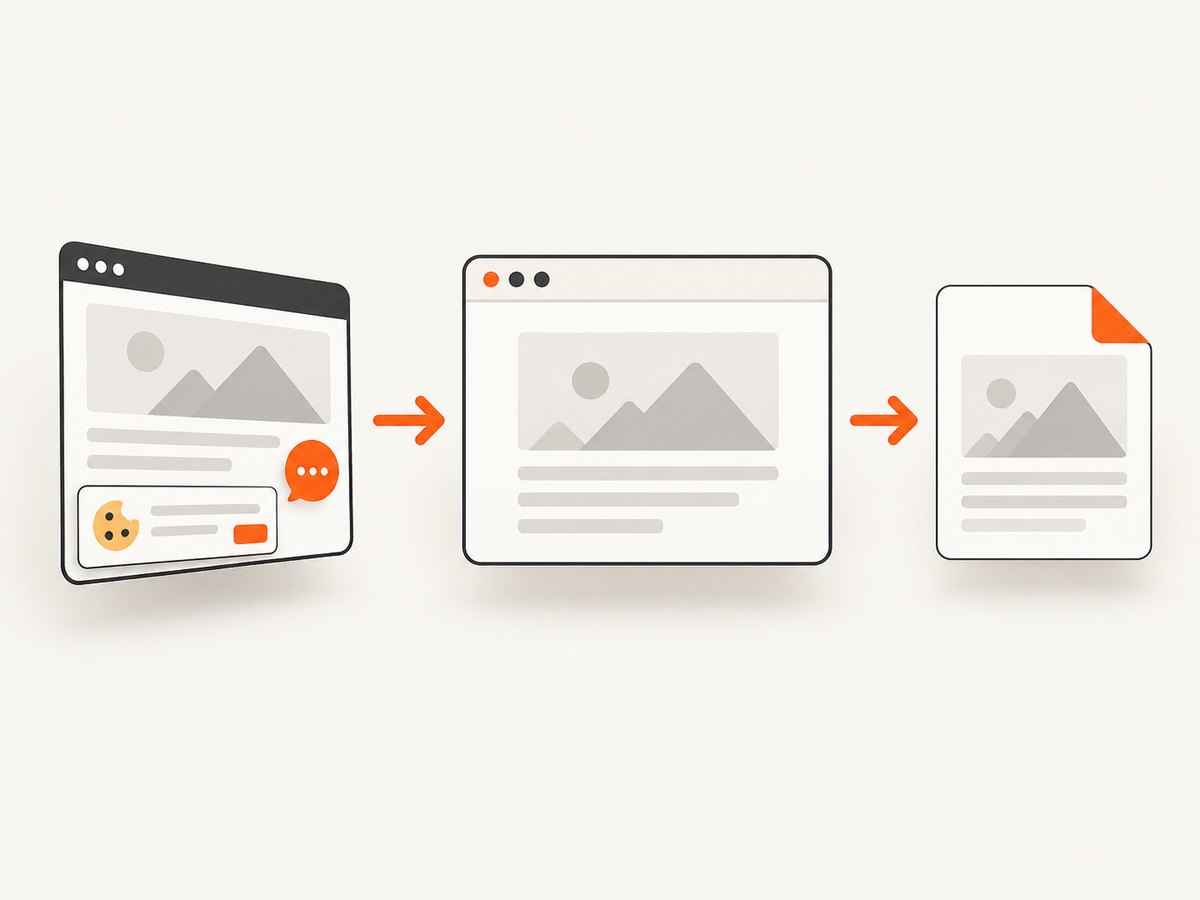
If your goal is to obtain a clean visual record of a page rather than parse its underlying data, ScreenshotNeo provides a single screenshot API call. It accepts cookie and consent banners before capture and removes more than 60 known consent platforms, newsletter popups, and chat widgets; each step can be turned off. Only clean shots are billed: bot checks, CAPTCHAs, blank pages, timeouts, failed loads, and cache hits cost nothing, and the response identifies the result with X-Page-Verdict and X-Billed headers.
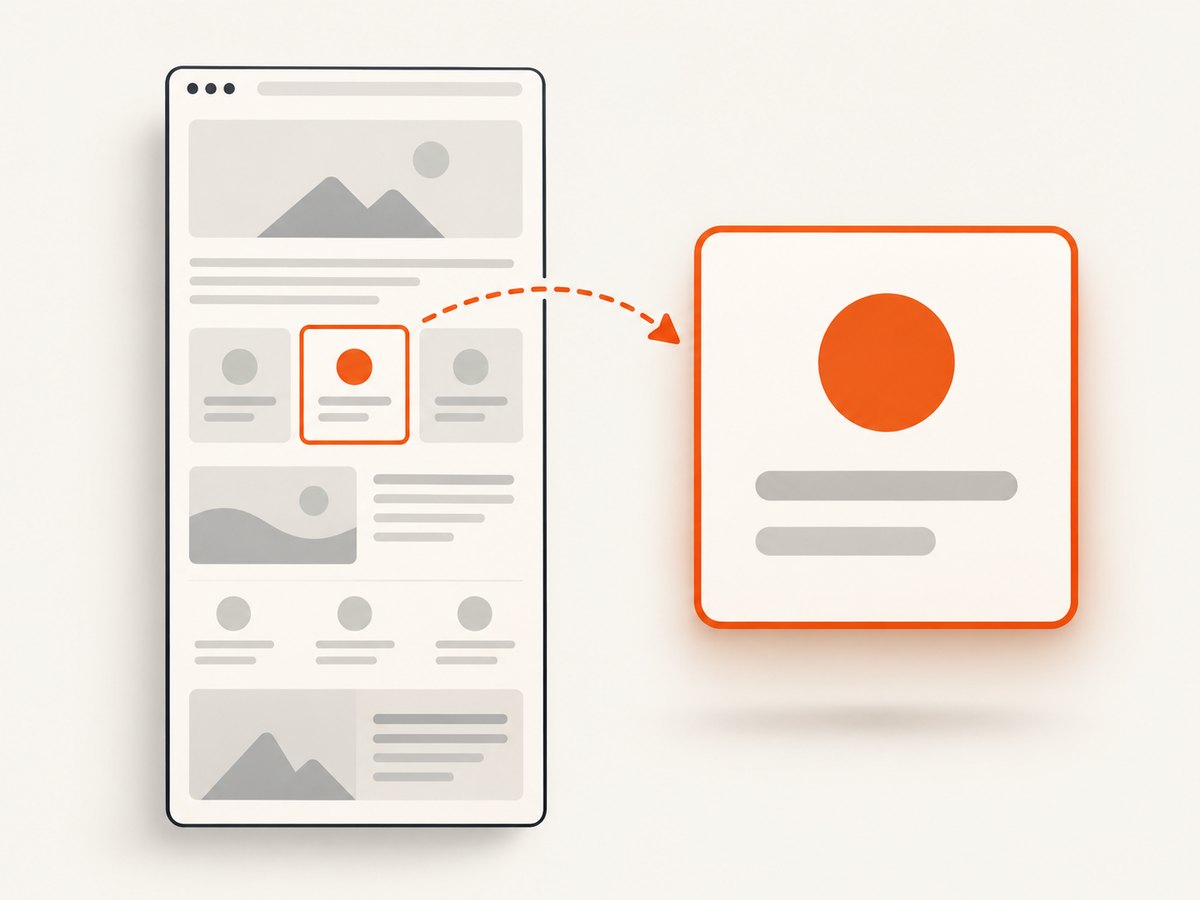
See the ScreenshotNeo API documentation for all options, including full-page lazy-image loading, CSS element capture, device presets, dark mode, retina scale, custom CSS and JavaScript, clicks, selector waits, network-idle waits, request blocking, headers, cookies, user agents, authorization, timezone, geolocation, transparent backgrounds, resizing, caching, signed links, asynchronous jobs, webhooks, bulk capture, usage, and PDF output.
cURL
curl -G "https://api.screenshotneo.com/v1/shot" -d access_key=YOUR_API_KEY --data-urlencode url=https://stripe.com -o shot.webpPython
import requests
r = requests.get("https://api.screenshotneo.com/v1/shot", params={"access_key": "YOUR_API_KEY", "url": "https://stripe.com"}, timeout=90)
open("shot.webp", "wb").write(r.content)
Node.js
const q = new URLSearchParams({ access_key: 'YOUR_API_KEY', url: 'https://stripe.com' });
const res = await fetch(`https://api.screenshotneo.com/v1/shot?${q}`);
ScreenshotNeo also has an MCP server with take_screenshot, get_page_info, and capture_pdf tools for Claude, Cursor, and other MCP clients. It includes 1,000 screenshots per month free with no card; paid plans start at $5 for 3,000 shots. Create a free ScreenshotNeo account.
Troubleshooting
| Symptom | Likely cause | Fix |
|---|---|---|
| Changing VPN servers still returns 403 | Cookies, fingerprint, account, or request pattern is blocked | Reduce rate, clear the session only when appropriate, use an approved browser workflow, and contact the site owner |
| Many 429 responses | Requests exceed the target’s limit | Lower concurrency, add backoff, cache results, and honor Retry-After |
| HTML is an empty shell | Content is rendered by JavaScript | Use an authorized browser API or browser automation |
| Proxy authentication fails | Wrong credentials, scheme, or encoded special characters | Copy the provider’s endpoint exactly and URL-encode credentials |
| Sessions keep losing login state | IP or browser identity rotates mid-session | Use sticky sessions and rotate between jobs, not every request |
| Results differ by region | Geo routing, cookies, or account locale differs | Set one geography deliberately and record it with each result |
| Unexpected proxy cost | Retries, browser minutes, or bandwidth are metered | Set budgets, cap retries, cache, and measure cost per usable page |
FAQ
Why does changing my VPN server not stop blocks?
The site can recognize your cookies, browser fingerprint, account, TLS profile, and request behavior. A new IP changes only one signal.
Should I choose rotating or sticky proxies?
Use sticky sessions when cookies and login state matter. Rotate between independent tasks when you need many exits or regional coverage.
Is a residential proxy always safer?
No. It may look more like a household connection, but provenance and consent matter. Reject providers that cannot explain sourcing.
Can a proxy make scraping legal?
No. Routing is a technical choice. Permission, terms, robots.txt, privacy obligations, and copyright rules still apply.
When is ScreenshotNeo a better fit?
Use it when the deliverable is a clean screenshot or PDF and you want cookie banners, popups, chat widgets, failed loads, and bot checks handled with one API request.


