VPN vs. Residential Proxies: IP Signal Classification
Learn what VPN and residential-proxy labels mean, how classifiers infer them, why they become stale, and how to use them safely in risk decisions.
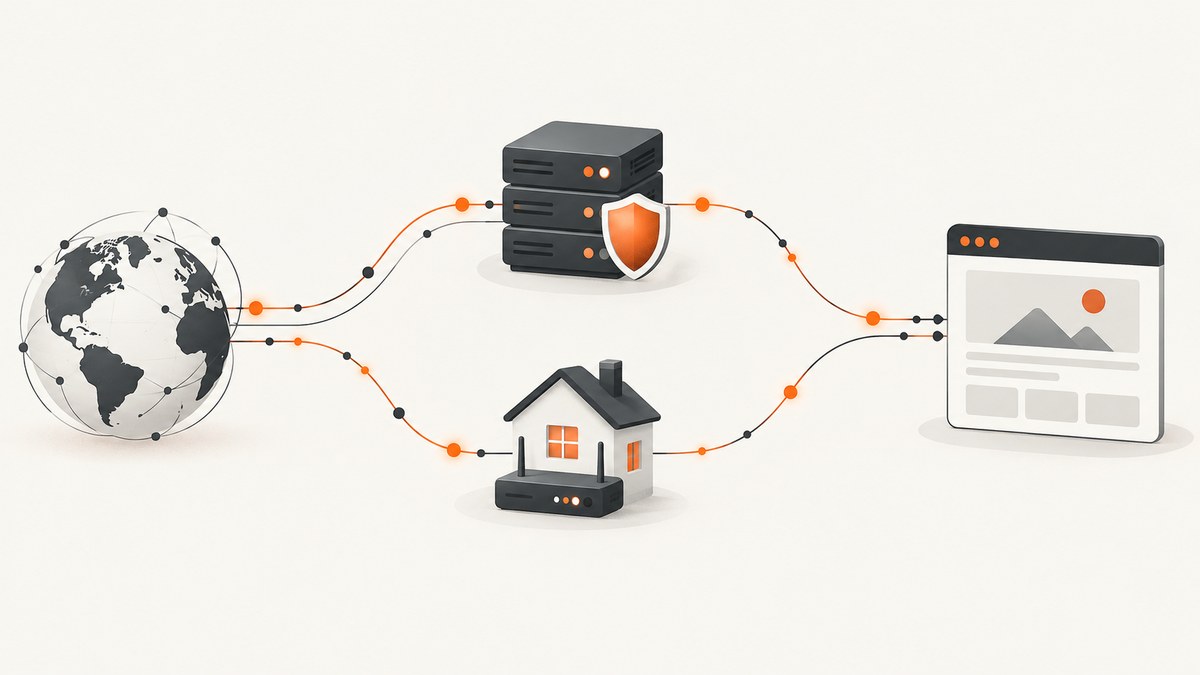
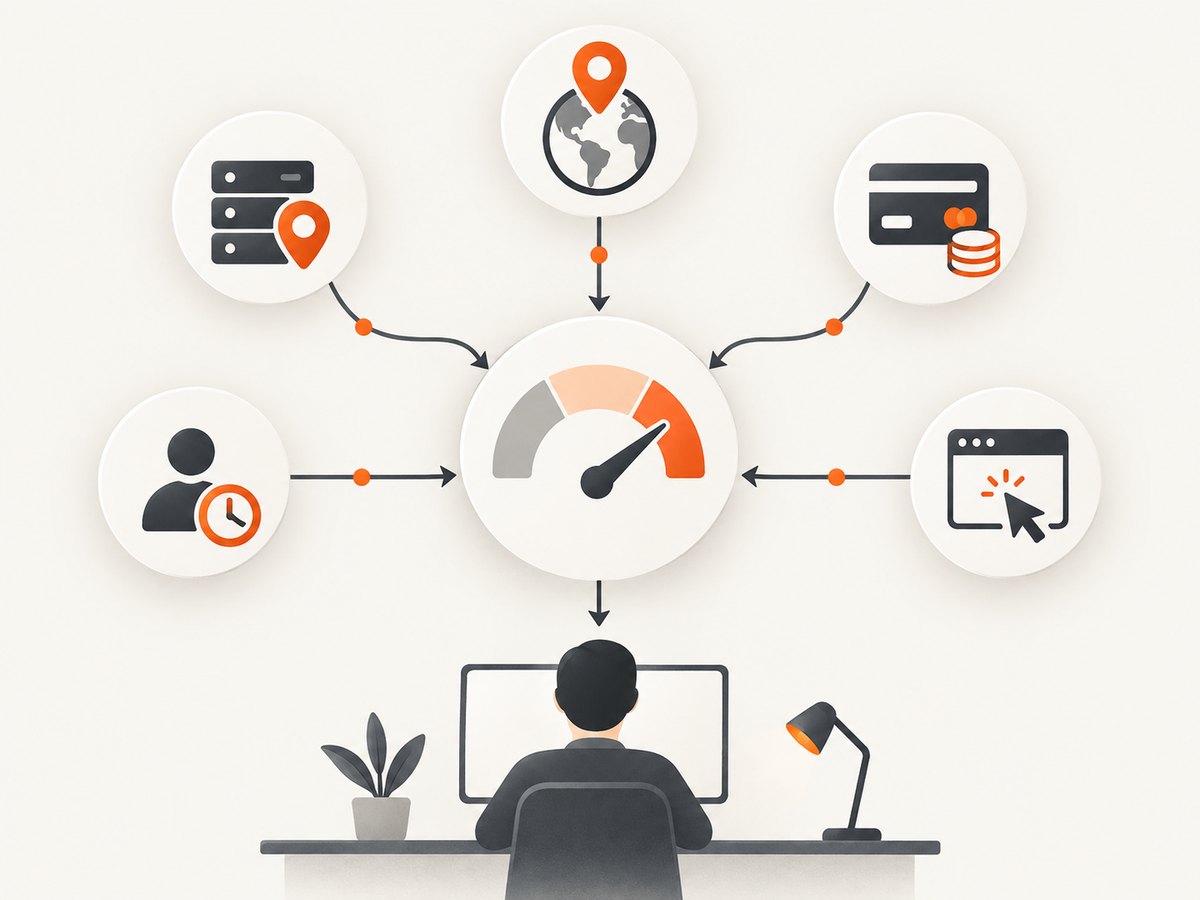
Short answer: A VPN usually sends traffic through an intermediary service endpoint. A residential proxy sends it through an IP associated with a residential or cellular network, sometimes another person’s device. A website sees the resulting IP, but that observation does not reveal the visitor’s intent. Treat VPN or residential-proxy classification as one risk signal, then combine it with account, geography, transaction, behavior, confidence, and recency data.
This distinction matters to fraud, security, trust-and-safety, and web-operations teams. A VPN can be ordinary privacy protection. A residential IP can belong to a legitimate household, a shared carrier network, or a proxy participant whose device was enrolled knowingly or without awareness. Classification vendors therefore estimate a category from multiple observations rather than reading intent directly from an address.
What is the difference between a VPN and a residential proxy?
| Axis | VPN | Residential proxy |
|---|---|---|
| Traffic path | A third-party service acts as an intermediary for browsing. The endpoint may be registered to a VPN provider or a hosting company. | Requests are routed through another device or network endpoint associated with residential or cellular IP space. |
| Apparent IP context | Often provider-associated or hosting infrastructure, although registration alone is not proof of VPN use. | Can look like a normal residential ISP address, which makes precise detection harder. |
| Why the address changes | The user selects or is assigned a service endpoint. | The network may rotate through household, mobile, or IoT endpoints whose connectivity and addresses change. |
| What the label means | An estimate that the observed network is used by a VPN or similar anonymizing service. | An estimate that the address is being used as a proxy endpoint in residential or mobile space. |
| Interpretive caution | Many users choose a VPN for privacy, travel, or work. | A residential address does not prove ordinary household use, consent, or malicious intent. |
MaxMind describes a VPN as a service through which a customer browses using an IP supplied by a third party. It also notes that hosting services can operate private proxies and that many VPN services use hosting providers. A hosting observation can therefore be suggestive without being a definitive VPN result. MaxMind says residential proxies are harder to detect because their addresses appear associated with legitimate residential ISPs.
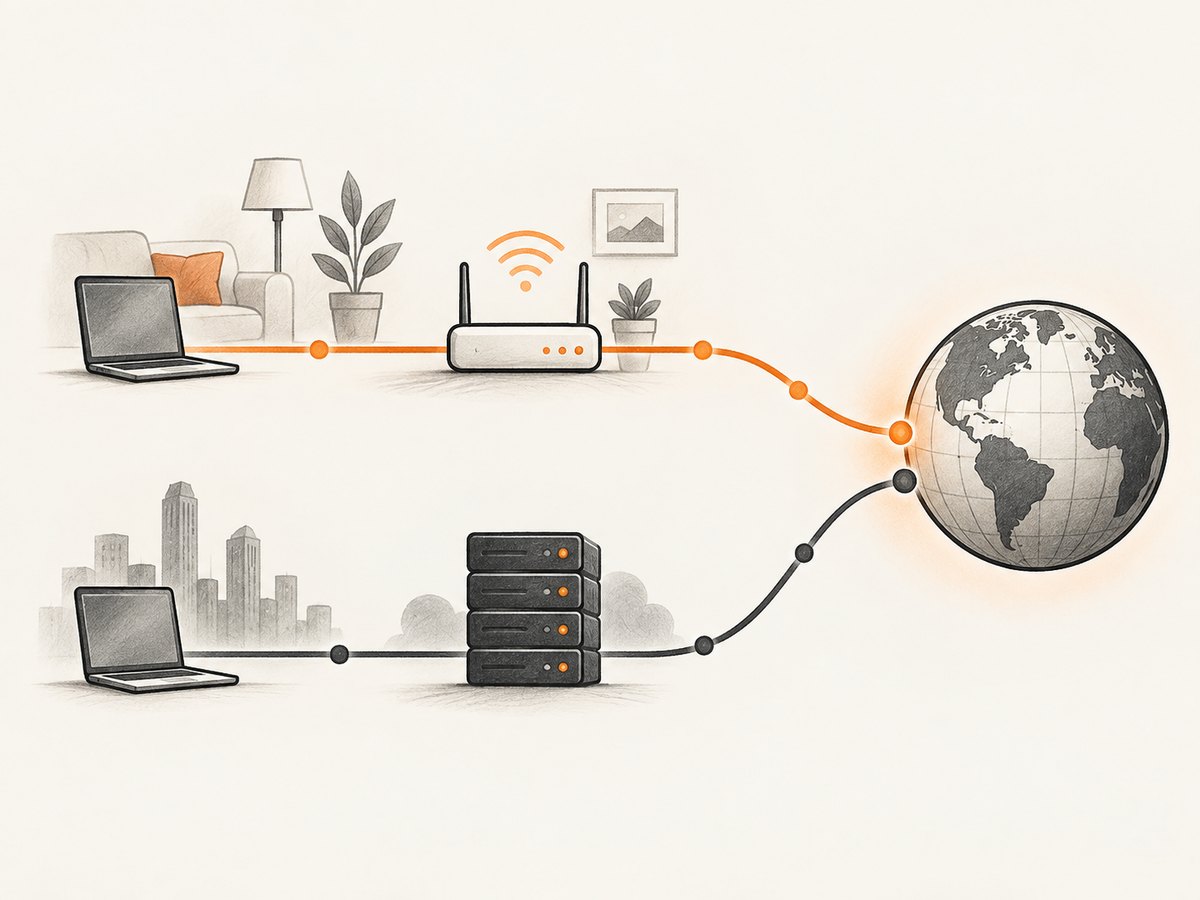
The FBI describes residential proxies as routing requests through another IoT device, often elsewhere, so the destination sees that device’s IP. Research on residential proxy networks also distinguishes residential and cellular deployments from traditional commercial VPNs and open proxies. Those descriptions explain the observed network path; they do not establish who controls the session or why it was made.
How do websites detect VPNs and residential proxies?
There is no single public algorithm used by every provider. Spur describes combining network intelligence, infrastructure analysis, routing characteristics, behavioral signals, historical observations, and proprietary research. The result is an inference about an address or network, not a direct measurement of a user’s motive.
Signals commonly used by classification services
- Network ownership and registration: ASN, ISP, hosting-provider, and routing information can indicate commercial infrastructure.
- Observed behavior: Providers may record how long an address, subnet, or device behaves like a proxy endpoint and how frequently it is seen.
- Infrastructure relationships: Shared ranges, known providers, DNS or routing patterns, and related addresses can add context.
- Historical evidence: A prior observation may remain in a database after the address has been reassigned.
- Vendor research: Providers maintain proprietary feeds and investigations that are not standardized across products.
Commercial schemas differ. MaxMind documents boolean fields for VPN, hosting provider, public proxy, residential proxy, and Tor, together with provider, anonymizer-confidence, and network-last-seen information. WhoisXML API documents categories such as vpn, corporate_vpn, proxy, hosting, cdn, tor, relay, residential_proxy, residential_proxy_likely, residential_proxy_mobile, suspected_vpn, suspected_proxy, and unknown, along with confidence, source, first-seen, last-seen, and observation counts.
These fields are examples of vendor outputs, not an industry-wide taxonomy. Before building a rule, document exactly which category, confidence scale, source, and timestamp your provider returns.
Can an IP address be incorrectly flagged as a VPN or proxy?
Yes. IP allocations change, observations age, and shared infrastructure creates ambiguity. Residential proxy endpoints can move when a home network changes, while mobile carriers and CGNAT can place many unrelated people behind addresses that resemble proxy infrastructure.
MaxMind advises treating weak or old observations as a weak prior. Its residential-proxy guidance warns that a confidence score of 1 can represent shared CGNAT or mobile infrastructure used by many legitimate people. It also cautions that ISPs frequently reallocate addresses, making stale blocklists risky.
Common causes of false positives
- A corporate VPN or remote-work gateway used by an employee.
- A university, hotel, airport, or public Wi-Fi network with many users.
- Carrier-grade NAT or mobile infrastructure shared by legitimate customers.
- An IP reassigned from a proxy customer to an ordinary subscriber.
- A classification based on a sparse or old observation.
- A hosting provider used for a legitimate private application rather than anonymization.
Confidence is not a universal probability. A score of 80 from one vendor cannot be compared numerically with a score of 80 from another. Keep the provider, score definition, evidence source, and last-seen time together in your event record.
Should a VPN or proxy detection result automatically block a user?
No. Detection alone should not automatically trigger a block. VPNs and proxies are used by legitimate users and attackers. A category is about the observed network and the provider’s evidence; it does not prove identity, consent, fraud, or abuse.
A proportional decision model
- Enrich the event. Store the category, confidence, provider, first-seen and last-seen values, ASN, geography, account age, device history, and session behavior.
- Check for corroboration. Look for impossible travel, unusual velocity, credential abuse, payment anomalies, repeated account creation, or automation indicators.
- Apply graduated friction. A low-confidence or stale result may justify a step-up challenge, verification, or review rather than a denial.
- Reserve blocking for corroborated risk. Use a current, high-confidence signal with independent evidence and a clear policy reason.
- Provide correction and review. Give legitimate users a path to recover when a shared network or stale label causes friction.
Spur recommends broader risk scoring and adaptive workflows. That approach also makes your system easier to audit: you can explain which signals produced a decision instead of treating an IP category as a verdict.
How should confidence and recency change the decision?
| Result quality | Suggested interpretation | Reasonable action |
|---|---|---|
| High confidence, recently observed, corroborated | Strong current network signal | Increase scrutiny or apply an existing high-risk policy. |
| High confidence, old observation | Potentially stale classification | Recheck with a current feed or add another signal before blocking. |
| Low confidence, recent observation | Ambiguous network context | Use as a small risk-score input; avoid hard denial. |
| Low confidence, old or sparse observation | Weak prior | Usually allow, monitor, or request proportionate verification. |
| Residential-proxy confidence 1 | May be CGNAT, mobile, or shared infrastructure | Do not block solely on this value. |
Cloudflare provides one product-specific example: its Bot Management documentation lists detection ID 50331651 for residential proxy networks and similar commercial proxies; a match sets the documented bot score to 29 with anomaly detection as the score source. That identifier and score apply to Cloudflare’s implementation and should not be copied as a universal threshold.
Operational checklist for security and trust teams
- Record the exact category returned, including “suspected,” “likely,” or “unknown” variants.
- Persist confidence and the vendor’s definition of that confidence.
- Store first-seen, last-seen, and observation-count fields where available.
- Separate IP classification from account identity and device reputation.
- Model mobile, CGNAT, corporate, education, and public Wi-Fi separately when possible.
- Re-evaluate stale labels instead of carrying them forward indefinitely.
- Log the policy path that converted a signal into friction or denial.
- Monitor false-positive appeals and adjust thresholds by use case.
- Do not describe a residential label as proof that a device owner consented to proxy participation.
Consumer security context
The FBI warns that residential proxy networks can involve software SDK partnerships, questionable free VPN applications, compromised IoT devices, pirated or dubious downloads, and bandwidth-sharing applications. A consumer’s address may be used to mask someone else’s activity with or without the owner’s awareness.
The FBI’s consumer guidance includes using trusted application stores and reputable publishers, treating free VPN applications cautiously, avoiding dubious streaming devices and downloads, and keeping operating systems, software, and firmware updated. This guidance concerns abuse routes; it does not mean every free VPN or every residential proxy is malicious.
Capturing evidence and pages for an investigation
Teams often need reproducible screenshots of an abuse report, login flow, or policy page. A self-managed browser capture can use Playwright or Puppeteer:
import { chromium } from 'playwright';

const browser = await chromium.launch();
const page = await browser.newPage({ viewport: { width: 1440, height: 900 } });
await page.goto('https://example.com/report', { waitUntil: 'networkidle' });
await page.screenshot({ path: 'report.png', fullPage: true });
await browser.close();
For reliable evidence, wait for the content that matters, set a fixed viewport and timezone, record the URL and capture time, and avoid exposing credentials in logs. Dynamic pages may require a selector wait, a controlled delay, or a test account.
Or skip the browser setup
ScreenshotNeo is a website screenshot API and MCP server. It accepts one GET request and returns a PNG, JPEG, WebP, or PDF. Before capture it accepts consent banners and removes more than 60 known consent platforms, newsletter popups, and chat widgets; each step can be turned off. Bot checks, CAPTCHAs, blank pages, timeouts, failed loads, and cache hits cost nothing, and response headers report the page verdict and whether the shot was billed.
See the full option list and parameter reference in the ScreenshotNeo documentation. The same endpoint supports full-page shots with lazy images, CSS-selector element capture, dark mode, device presets, arbitrary viewports, retina scale, PDF paper sizes and ranges, custom CSS and JavaScript, clicks, selector or network-idle waits, request blocking, headers, cookies, user agents, authorization, timezone, geolocation, transparent backgrounds, resizing, chosen cache TTLs, signed image links, asynchronous webhooks, bulk capture of up to 100 URLs, usage data, and an OpenAPI specification.
cURL
curl -G "https://api.screenshotneo.com/v1/shot" \
  -d access_key=YOUR_API_KEY \
  --data-urlencode url=https://stripe.com \
  -o shot.webp
Python
import requests

r = requests.get(
    "https://api.screenshotneo.com/v1/shot",
    params={"access_key": "YOUR_API_KEY", "url": "https://stripe.com"},
    timeout=90,
)
r.raise_for_status()
open("shot.webp", "wb").write(r.content)
Node.js
const q = new URLSearchParams({ access_key: 'YOUR_API_KEY', url: 'https://stripe.com' });
const res = await fetch(`https://api.screenshotneo.com/v1/shot?${q}`);
if (!res.ok) throw new Error(`HTTP ${res.status}`);
const fs = await import('node:fs/promises');
await fs.writeFile('shot.webp', Buffer.from(await res.arrayBuffer()));
ScreenshotNeo includes an MCP server with take_screenshot, get_page_info, and capture_pdf tools for Claude, Cursor, and other MCP clients. It has 1,000 free shots per month with no card; paid plans start at $5 for 3,000 shots. Create a free ScreenshotNeo account.
Performance, reliability, and cost considerations
- Latency: Full-page captures and network-idle waits take longer than a fixed viewport. Use selector waits for the smallest reliable condition.
- Repeatability: Fix viewport, device scale, timezone, geolocation, headers, and cookies when comparing evidence over time.
- Failure handling: Inspect HTTP status and ScreenshotNeo’s
X-Page-VerdictandX-Billedheaders. Retry transient failures with backoff; do not retry a blocked or CAPTCHA page indefinitely. - Caching: Choose a TTL that matches the page’s change rate. Cache hits are not billed by ScreenshotNeo.
- Cost control: Capture only the element needed for an audit, use bulk capture for up to 100 URLs, and use asynchronous jobs for large batches.
- Security: Keep access keys server-side, protect signed links, and avoid placing sensitive cookies or authorization values in client-visible URLs.
Troubleshooting
| Symptom | Likely cause | Fix |
|---|---|---|
| VPN label conflicts with another provider | Different taxonomies, evidence windows, or stale data. | Store provider and timestamp; do not compare raw scores across vendors. |
| Legitimate mobile users are challenged | CGNAT or carrier infrastructure resembles a residential proxy. | Lower the weight of the IP signal and add account and behavior context. |
| A previously blocked IP becomes ordinary | ISP reallocation or expired observation. | Refresh the classification and enforce a maximum label age. |
| Screenshot is blank | Page failed, timed out, required interaction, or was blocked. | Check verdict headers, wait for a selector, provide required cookies or headers, and handle the result as unbilled failure. |
| Cookie banner appears in a capture | The consent platform is not recognized or cleanup was disabled. | Leave consent handling enabled or add a custom click, hide selector, or script. |
| Python or Node request fails | Missing key, malformed URL, timeout, or non-success response. | Use URL encoding, a 90-second timeout, status checks, and server-side key storage. |
FAQ
Does a VPN always use a data-center IP?
No. VPN providers may use hosting infrastructure, but registration and hosting status are clues rather than proof. Classification depends on the provider’s evidence.
Is every residential proxy unauthorized?
No. Residential proxy participation can be consented, commercial, compromised, or unclear. The IP category cannot establish consent.
Can I use one vendor’s confidence score as a probability?
No. Confidence scales are vendor-specific. Preserve the definition and compare results only within the same provider and version.
What should I do with “unknown”?
Keep it as an explicit state. Do not convert unknown into safe or malicious; use other account, device, geography, transaction, and behavior signals.
When should I block?
Only when a current, sufficiently confident classification is corroborated by independent evidence and your policy supports blocking. Provide review for likely false positives.


