How to Wait Before Taking Playwright Screenshots
Learn when to wait for UI state, how to avoid flaky screenshots, and when to use assertions, load states, or ScreenshotNeo.
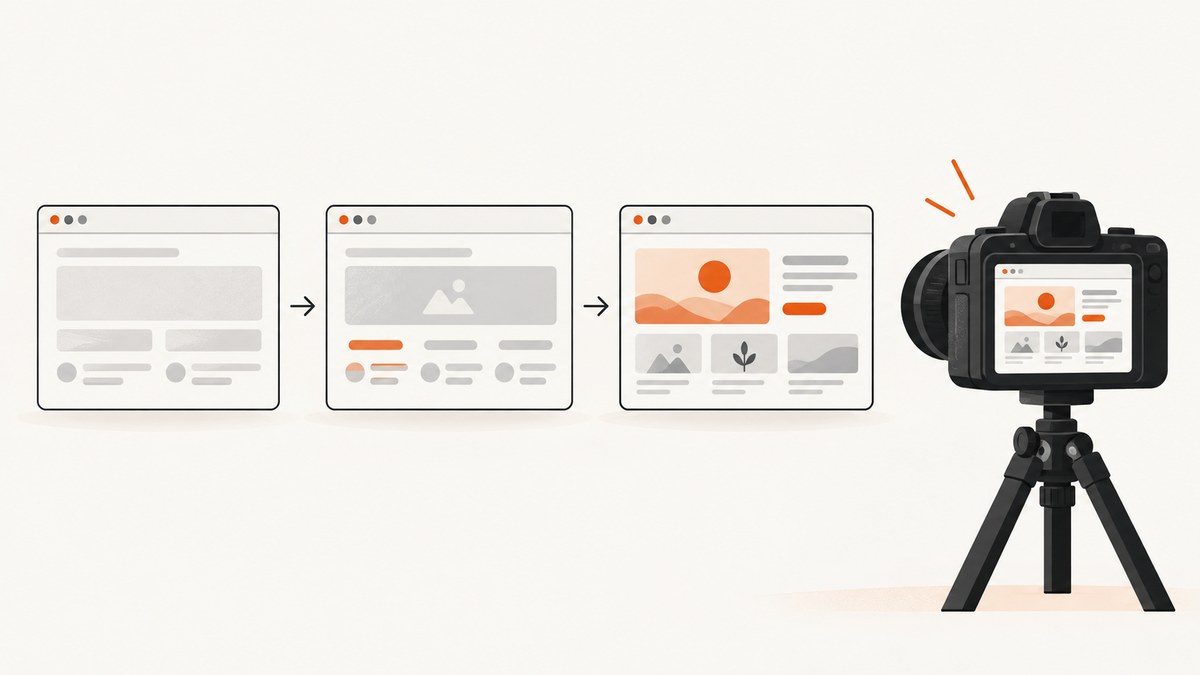
Playwright screenshots should wait for the state your image depends on: a result heading, a visible card, a loaded table, or a completed application transition. A fixed sleep can hide race conditions, while networkidle does not prove that client-rendered content is ready. For visual regression, use Playwright Test’s screenshot assertions because they wait for two consecutive stable captures before comparing pixels.
This guide shows how to wait before page.screenshot() and locator.screenshot(), how to choose between locator waits, web-first assertions and navigation load states, and how to make screenshots deterministic.
1. Choose the condition your screenshot needs
Start by describing the image in application terms. If the screenshot must show search results, wait for the results heading or a result row. If it must show a chart, wait for the chart’s visible state and, when applicable, a marker that indicates data has arrived. If it must show one component, use a locator for that component.

| Need | Recommended wait | What it establishes | Limitation |
|---|---|---|---|
| Element exists or is visible | locator.waitFor({ state: 'visible' }) |
The locator has the requested DOM or visibility state | Nested images, fonts, data and animations may still change |
| Specific UI result | expect(locator).toBeVisible(), text or value assertion |
A semantic condition is true, with retry behavior | The assertion must represent the real screenshot prerequisite |
| Document navigation event | page.waitForLoadState('domcontentloaded') or 'load' |
The selected browser lifecycle event occurred | Usually does not mean a client-rendered app is ready |
| No active network connections | networkidle |
No network connections for at least 500 ms | Playwright discourages it for tests; background traffic can prevent it |
| Visual regression | expect(page).toHaveScreenshot() |
Consecutive captures stabilize before comparison | Requires the Playwright Test runner |
Playwright’s Page API says load-state waits are often unnecessary before actions because actions auto-wait. Its documentation also marks networkidle as discouraged for testing and recommends web assertions to evaluate readiness.
2. Install Playwright and create a deterministic page
The examples below use JavaScript and the Playwright Test runner. Install the test package, then create a test file.
npm install -D @playwright/test
npx playwright install
import { test, expect } from '@playwright/test';

test('captures results after the UI is ready', async ({ page }) => {
  await page.goto('https://example.com/search?q=playwright');

  await page.getByRole('heading', { name: 'Results' }).waitFor({ state: 'visible' });
  await expect(page.getByRole('status')).toHaveText('Search complete');

  await page.screenshot({ path: 'results.png', fullPage: true });
});
Replace the URL and locators with conditions your application actually exposes. A generic heading such as “Welcome” may appear before the data you care about; a result count, status message or populated row is usually a stronger readiness signal.
3. Locator waits: visible, hidden, attached and detached
locator.waitFor() supports four useful states. visible requires a non-empty bounding box and no visibility:hidden. attached only requires a matching node in the DOM. hidden waits for invisibility or removal, and detached waits for removal from the DOM. See the Locator API for the current method contract.
const spinner = page.getByRole('progressbar');
const report = page.getByTestId('report');

await spinner.waitFor({ state: 'hidden', timeout: 15_000 });
await report.waitFor({ state: 'visible', timeout: 15_000 });
await report.screenshot({ path: 'report.png' });
Use attached when a component is mounted but intentionally hidden during a transition. Use visible when pixels must be on screen. Neither state guarantees that every nested image, web font or animation has finished. Assert the content that matters separately.
4. Prefer web-first assertions for application state
Web-first assertions retry until their condition is met. They are a good fit for asynchronous data, loading transitions and status text.
import { test, expect } from '@playwright/test';

test('waits for the loaded invoice before capture', async ({ page }) => {
  await page.goto('https://example.com/invoices/42');

  await expect(page.getByRole('heading', { name: 'Invoice 42' })).toBeVisible();
  await expect(page.getByTestId('invoice-status')).toHaveText('Paid');
  await expect(page.getByTestId('invoice-total')).not.toHaveText('Loading…');

  await page.screenshot({ path: 'invoice.png', fullPage: true });
});
Assertions should express the state a human would use to decide that the page is ready. A visible container with an empty table is weaker than an assertion that a known row exists.
5. Navigation load states and why networkidle is not a universal fix
page.waitForLoadState() can wait for domcontentloaded, load or networkidle. The default is load. You may use it when a navigation lifecycle event is itself the requirement:
await page.goto('https://example.com/docs', { waitUntil: 'domcontentloaded' });
await page.waitForLoadState('load');
await expect(page.getByRole('heading', { name: 'Documentation' })).toBeVisible();
await page.screenshot({ path: 'docs.png' });
networkidle means no network connections for at least 500 ms. It can be too early for code that renders after a response, and too late for pages with analytics, polling or web sockets. Playwright explicitly says not to use it for testing and to rely on web assertions instead. Treat it as a navigation detail only when your own application defines network silence as meaningful.
6. Screenshot assertions for visual regression
Use toHaveScreenshot() when the purpose is comparison with a checked-in baseline. The PageAssertions API documents that Playwright waits until two consecutive page screenshots yield the same result, then compares the last image with the expectation.
import { test, expect } from '@playwright/test';

test('dashboard visual baseline', async ({ page }) => {
  await page.goto('https://example.com/dashboard');
  await expect(page.getByRole('heading', { name: 'Dashboard' })).toBeVisible();
  await expect(page.getByTestId('dashboard-data')).toHaveText(/Updated/);

  await expect(page).toHaveScreenshot('dashboard.png', {
    fullPage: true,
    animations: 'disabled'
  });
});
For one component, use locator assertions:
const card = page.getByTestId('sales-card');
await expect(card).toHaveScreenshot('sales-card.png', {
  animations: 'disabled'
});
These assertions require Playwright Test. Direct page.screenshot() and locator.screenshot() save an image but do not provide the documented two-consecutive-capture comparison loop.
7. Full-page, element and lazy-content captures
A locator screenshot waits for actionability checks, scrolls the element into view and throws if the element detaches. That does not certify that asynchronous content inside the element is complete, so keep the application assertions.
const table = page.getByRole('table');
await expect(table).toBeVisible();
await expect(table.getByRole('row')).toHaveCount(11);
await table.screenshot({ path: 'table.png' });

await page.screenshot({ path: 'whole-page.png', fullPage: true });
For lazy-loaded sections, scroll them into view and wait for a visible result before taking a full-page image.
const recommendations = page.getByTestId('recommendations');
await recommendations.scrollIntoViewIfNeeded();
await expect(recommendations.getByRole('article').first()).toBeVisible();
await page.screenshot({ path: 'page-with-lazy-section.png', fullPage: true });
8. Stabilize animations, hover, caret and dynamic pixels
Motion and pointer state are common causes of flaky images. Screenshot assertions default to disabled animations: finite animations are fast-forwarded, while infinite animations are canceled for capture. Direct locator screenshots document allow as the default, so configure them explicitly.
await expect(page).toHaveScreenshot('menu.png', {
  animations: 'disabled',
  caret: 'hide'
});

await page.mouse.move(0, 0);
await expect(page.getByTestId('menu')).toHaveScreenshot('menu.png', {
  animations: 'disabled'
});
The visual comparisons guide recommends moving the pointer away from hover-sensitive controls or hovering an element that has no visual hover effect. Also consider disabling blinking carets, freezing clocks and masking timestamps or rotating advertisements when your test design permits it.
9. Waiting for images, fonts and custom readiness signals
A visible card can still contain an unloaded image. When image pixels matter, wait for the image’s complete property and a nonzero natural width:
const hero = page.getByRole('img', { name: 'Product hero' });
await expect(hero).toBeVisible();
await expect(hero).toHaveJSProperty('complete', true);
await expect(hero).toHaveJSProperty('naturalWidth', expect.any(Number));
For a component you control, expose a testable readiness marker:
// application code
container.dataset.ready = dataLoaded ? 'true' : 'false';

// test
await expect(page.locator('[data-ready="true"]')).toBeVisible();
await page.screenshot({ path: 'ready.png' });
Fonts can reflow text after the first paint. If font layout is part of the baseline, wait for the browser’s font set:
await page.evaluate(async () => {
  await document.fonts.ready;
});
await expect(page).toHaveScreenshot('typography.png');
10. A reusable readiness helper
Centralize the conditions that every screenshot needs. This keeps individual tests readable and makes timeouts consistent.
import { expect } from '@playwright/test';

export async function waitForReportReady(page) {
  await expect(page.getByTestId('report-shell')).toBeVisible();
  await expect(page.getByTestId('report-status')).toHaveText('Ready');
  await expect(page.getByTestId('report-table').getByRole('row')).not.toHaveCount(1);
  await page.evaluate(() => document.fonts.ready);
}

// in a test
await page.goto('https://example.com/report');
await waitForReportReady(page);
await expect(page).toHaveScreenshot('report.png', { fullPage: true });
11. Troubleshooting checklist
| Symptom | Likely cause | Fix |
|---|---|---|
| Blank or nearly empty screenshot | Capture ran before client rendering or navigation completed | Assert the real heading, status, row or component state before capture |
Screenshot times out on networkidle |
Polling, analytics, sockets or another persistent request | Remove the network-idle wait and use a web-first assertion |
| Element screenshot throws because the node detached | Framework replaced the element during rendering | Wait for stable application state, then reacquire the locator and capture |
| Images are missing | Lazy loading or image requests have not completed | Scroll the section into view and assert image completion or a loaded-state marker |
| Text shifts between runs | Web fonts, animations or responsive viewport differences | Wait for document.fonts.ready, disable animations and fix viewport/device settings |
| Hover menu appears unexpectedly | Mouse remains over a control | Move the pointer to a neutral coordinate before capture |
| Visual baseline is flaky | Dynamic timestamps, ads, random data or caret blinking | Mask or freeze dynamic regions and use toHaveScreenshot() |
| Assertion is unknown | Using screenshot assertions outside Playwright Test | Run with @playwright/test, or use direct screenshot APIs for artifacts |
12. Timeout, performance and reliability choices
Use the shortest timeout that covers the known application behavior. A 90-second timeout for every locator can make failures slow and obscure; a 100 ms timeout creates false failures. Set a project default and override unusually slow operations:
import { defineConfig } from '@playwright/test';

export default defineConfig({
  timeout: 30_000,
  expect: { timeout: 10_000 },
  use: { actionTimeout: 10_000 }
});
Prefer one meaningful assertion over several arbitrary sleeps. Reuse a browser context when appropriate, avoid unnecessary full-page screenshots, and capture a locator when only one component is needed. Full-page images require more layout and encoding work, especially on long documents.
For reliability, pin the viewport and device scale factor, keep test data deterministic, wait for the same semantic state on every run, and record traces on failure. Keep screenshot baselines tied to the browser and operating-system combinations your project supports.
13. Or skip the browser setup
If you need a clean website image rather than a Playwright test artifact, ScreenshotNeo provides a one-request screenshot API. Its capture can accept cookie and consent banners, then remove more than 60 known consent platforms, newsletter popups and chat widgets before the shot. Each step can be turned off.

Only clean shots are billed. Bot checks or CAPTCHAs, blank pages, timeouts, failed loads and cache hits cost nothing, and the response identifies the result with X-Page-Verdict and X-Billed headers. ScreenshotNeo also offers an MCP server with take_screenshot, get_page_info and capture_pdf tools for Claude, Cursor and other MCP clients.
See the ScreenshotNeo documentation for all options. A basic call looks like this:
curl -G "https://api.screenshotneo.com/v1/shot" \
  -d access_key=YOUR_API_KEY \
  --data-urlencode url=https://stripe.com \
  -o shot.webp
import requests

r = requests.get(
    "https://api.screenshotneo.com/v1/shot",
    params={"access_key": "YOUR_API_KEY", "url": "https://stripe.com"},
    timeout=90,
)
r.raise_for_status()
open("shot.webp", "wb").write(r.content)
const q = new URLSearchParams({
  access_key: 'YOUR_API_KEY',
  url: 'https://stripe.com'
});
const res = await fetch(`https://api.screenshotneo.com/v1/shot?${q}`);
if (!res.ok) throw new Error(`Screenshot failed: ${res.status}`);
await Bun.write('shot.webp', res);
You can request full-page or element captures, dark mode, device presets or custom viewports, retina scale, PDF output, custom CSS and JavaScript, selector waits, delays, network blocking, headers, cookies, user agents, time zones, geolocation, transparent backgrounds, resizing, caching with a chosen TTL, signed image links, asynchronous jobs with signed webhooks, bulk capture for up to 100 URLs and usage data. Parameter names used by other screenshot APIs also work, which can simplify migration.
The Free plan includes 1,000 screenshots each month with no card. Starter is $5 for 3,000, Growth is $15 for 15,000, Pro is $39 for 60,000, Scale is $99 for 250,000, and Business is $249 for 1,000,000; yearly billing gives two months free and every feature is on every plan.
Create a free ScreenshotNeo account to get 1,000 screenshots a month with no card.
14. Frequently asked questions
How long should I wait before a Playwright screenshot?
Wait for the application condition that proves the intended pixels are ready. There is no universal number of milliseconds.
Is waitForTimeout() ever appropriate?
It can help reproduce or diagnose a timing issue, but it is a poor readiness contract and usually makes tests slower or flaky. Replace it with an assertion or locator state when you know the condition.
Should I use load or domcontentloaded?
Use the lifecycle event that your navigation requires, then assert the application state. Neither event guarantees that a client-rendered screen is complete.
Can I use toHaveScreenshot() with plain Playwright?
Screenshot assertions are provided by the Playwright Test runner. Plain browser automation can use page.screenshot() or locator.screenshot().
Why does a visible locator still produce an incomplete image?
Visibility only describes the matched element’s box and CSS visibility. Its data, nested media, fonts or animations may still be changing, so assert those prerequisites too.


