How to Wait for Downloads to Finish with Headless chromedp
Use Chrome download events, a completion channel, and timeouts to know exactly when a headless chromedp download is ready.
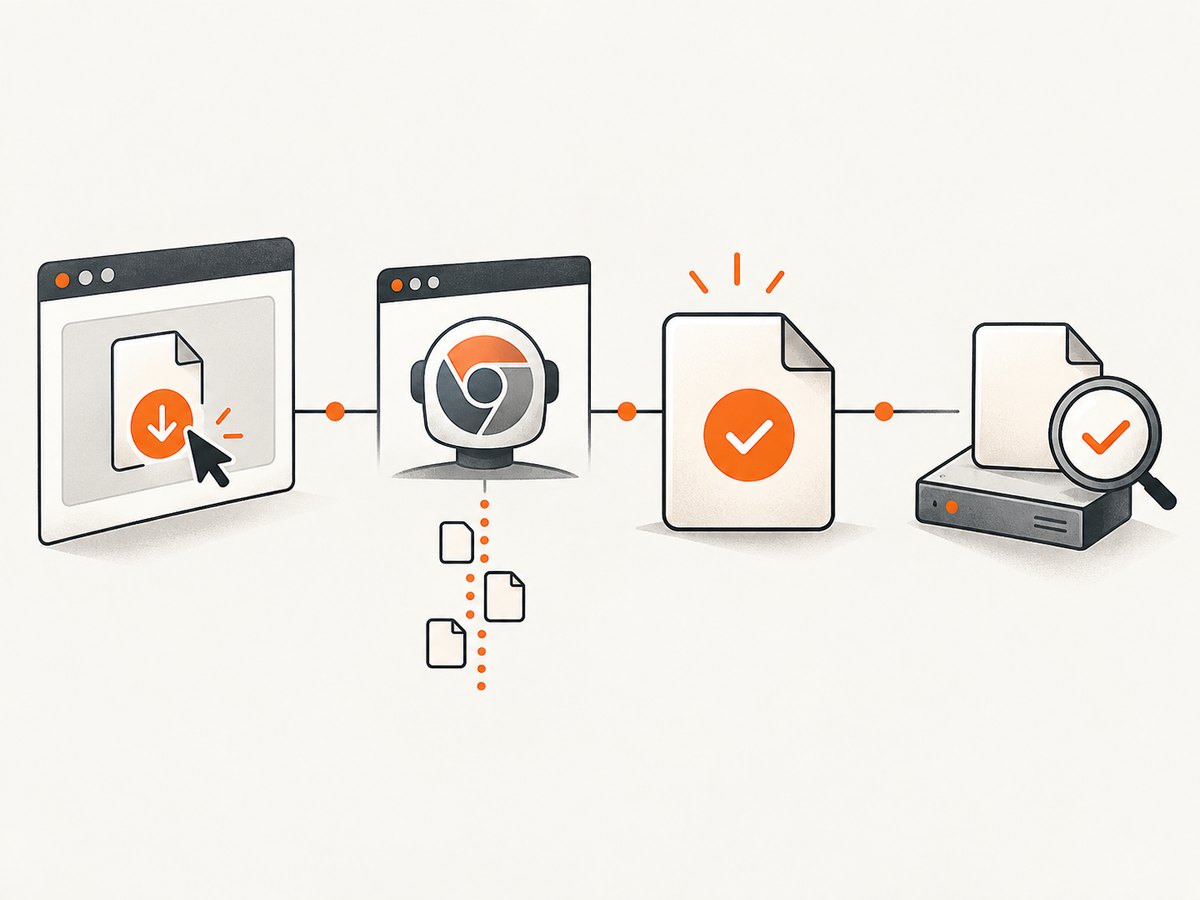
Direct answer: a chromedp click or navigation finishing does not mean the downloaded file is ready. Configure Chrome’s Browser download behavior, enable download events, register a chromedp.ListenTarget listener before triggering the download, and wait for browser.EventDownloadProgress with state DownloadProgressStateCompleted. Use a context deadline, handle canceled events, then verify the resulting file on disk.
The most reliable sequence is:
- Create a dedicated, writable download directory.
- Create a chromedp context with a practical timeout.
- Call
chromedp.ListenTargetbefore the click, navigation, or JavaScript action that starts the download. - Enable Chrome’s download behavior with
alloworallowAndName, setdownloadPath, and turn on events. - Correlate progress events by GUID when more than one download may run.
- Wait for a completed or canceled event, or for the context to expire.
- Check that the file exists and validate its size, MIME type, or checksum when correctness matters.
Why chromedp returns before the file is complete
Browser actions and downloads have separate lifecycles. chromedp.Run can successfully finish a click while Chrome is still receiving bytes in the background. A redirect, a server-generated filename, a slow response, or a large file makes this difference visible. Waiting for the action result alone creates a race: the next step may open a partial file, find no file, or process a temporary filename.
Chrome exposes download progress through the Browser domain. The progress states include in-progress, completed, and canceled. Completion is an event, not the return value of the click. The generated protocol API documents that downloadPath is required for allow and allowAndName, while eventsEnabled defaults to false. The allowAndName mode names files with their download GUID, which gives your program a deterministic lookup key.
A complete Go implementation
The following program downloads an element with ID download, waits for the matching completion event, and checks the resulting file. It follows the event ordering used by the chromedp project test: install the listener before starting the download.
package main

import (
    "context"
    "errors"
    "fmt"
    "os"
    "path/filepath"
    "time"

    "github.com/chromedp/cdproto/browser"
    "github.com/chromedp/chromedp"
)

func waitForDownload(parent context.Context, downloadDir, selector string) (string, error) {
    if err := os.MkdirAll(downloadDir, 0o755); err != nil {
        return "", fmt.Errorf("create download directory: %w", err)
    }

    ctx, cancel := context.WithTimeout(parent, 90*time.Second)
    defer cancel()

    done := make(chan string, 1)
    chromedp.ListenTarget(ctx, func(value any) {
        event, ok := value.(*browser.EventDownloadProgress)
        if !ok {
            return
        }

        switch event.State {
        case browser.DownloadProgressStateCompleted:
            select {
            case done <- event.GUID:
            default:
            }
        case browser.DownloadProgressStateCanceled:
            select {
            case done <- "":
            default:
            }
        }
    })

    err := chromedp.Run(ctx,
        browser.SetDownloadBehavior(browser.SetDownloadBehaviorBehaviorAllowAndName).
            WithDownloadPath(downloadDir).
            WithEventsEnabled(true),
        chromedp.Click(selector, chromedp.ByQuery),
    )
    if err != nil {
        return "", fmt.Errorf("start download: %w", err)
    }

    select {
    case guid := <-done:
        if guid == "" {
            return "", errors.New("download canceled")
        }
        path := filepath.Join(downloadDir, guid)
        info, err := os.Stat(path)
        if err != nil {
            return "", fmt.Errorf("completed event received, but file is missing: %w", err)
        }
        if info.IsDir() || info.Size() == 0 {
            return "", fmt.Errorf("downloaded path is empty or a directory: %s", path)
        }
        return path, nil
    case <-ctx.Done():
        return "", fmt.Errorf("download wait timed out: %w", ctx.Err())
    }
}

func main() {
    browserCtx, cancel := chromedp.NewContext(context.Background())
    defer cancel()

    path, err := waitForDownload(browserCtx, "./downloads", "#download")
    if err != nil {
        panic(err)
    }
    fmt.Println("download ready:", path)
}
Install the dependencies with your normal Go module workflow, then replace #download with the selector that starts the download. A link can also be activated with chromedp.Navigate when the URL itself returns an attachment. The important part is that the listener and download behavior are configured before that action.
Choosing Chrome’s download behavior
| Behavior | Use it when | Important detail |
|---|---|---|
deny |
You must prevent downloads | No file is persisted. |
allow |
You want Chrome’s normal filename handling | downloadPath is required; derive the final filename from the directory or response. |
allowAndName |
You need deterministic event-to-file correlation | Chrome names the file with its download GUID; join the GUID to your download directory. |
default |
You want Chrome’s default policy | It is less predictable for automation and may not save where your worker expects. |
For automated jobs, allowAndName is usually easiest because the completion event supplies the same GUID used as the filename. If another system requires the original filename, read the response metadata or rename the verified GUID file after completion.
Handling multiple downloads
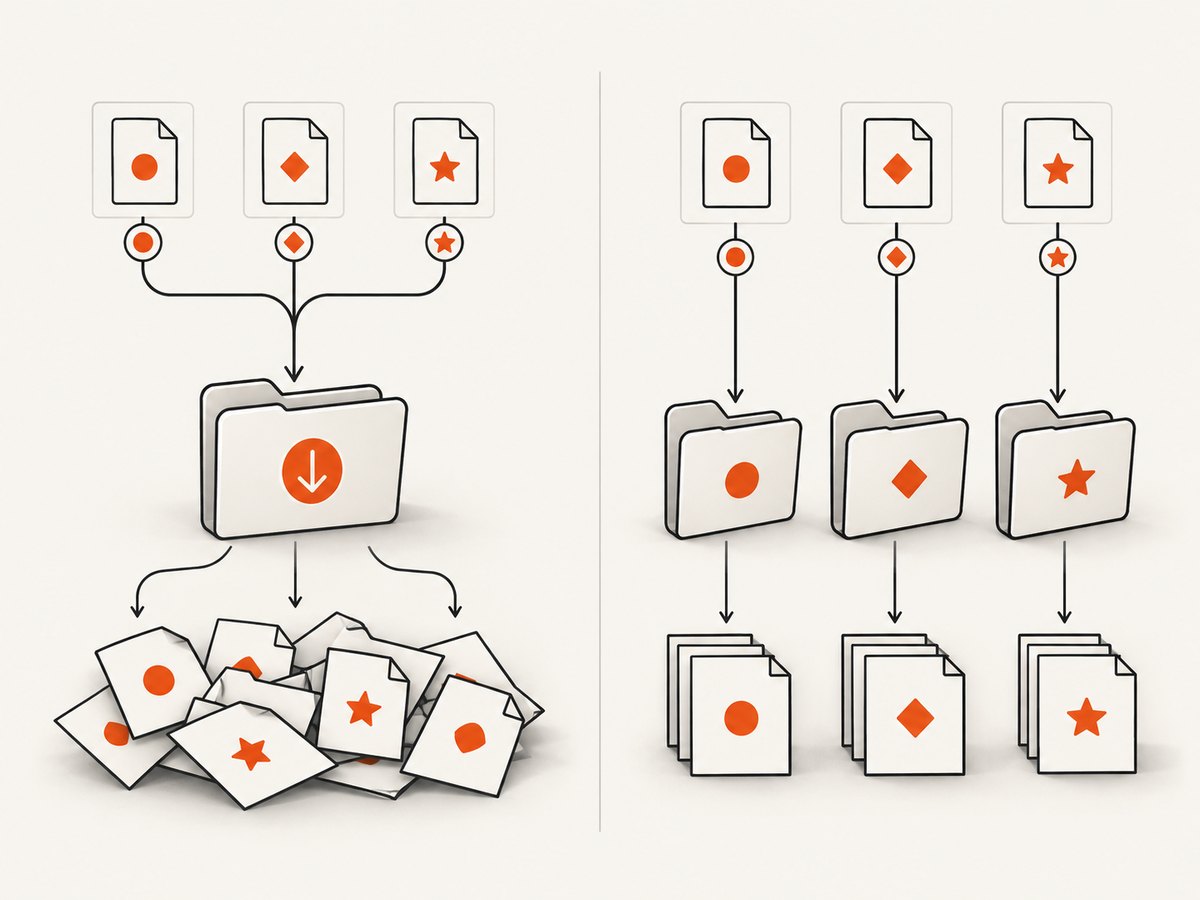
Do not assume the first progress event belongs to the action you just started. A page may trigger several downloads, retry a request, or contain another background download. Keep a map keyed by GUID and record the expected job for each trigger. You can also give each job its own temporary directory, which prevents a completed file from one job being mistaken for another.
type downloadResult struct {
    GUID  string
    State browser.DownloadProgressState
}

results := make(chan downloadResult, 16)
chromedp.ListenTarget(ctx, func(value any) {
    if event, ok := value.(*browser.EventDownloadProgress); ok {
        results <- downloadResult{GUID: event.GUID, State: event.State}
    }
})
In production code, also inspect the event’s received and total byte counts for logging. Do not use byte equality as the only completion rule; the protocol’s completed state is the authoritative signal, followed by your filesystem and integrity checks.
Fallback: polling the filesystem
Event-driven waiting is preferable because it reflects Chrome’s state directly. Polling can be useful when you cannot enable Browser download events, when an older integration exposes only a directory, or when a separate process performs the download. A safe poller must ignore temporary files, wait for a nonzero size, and require the size to remain unchanged across multiple intervals.
func waitForStableFile(ctx context.Context, path string, interval time.Duration) error {
    ticker := time.NewTicker(interval)
    defer ticker.Stop()

    var previous int64 = -1
    stable := 0
    for {
        select {
        case <-ctx.Done():
            return ctx.Err()
        case <-ticker.C:
            info, err := os.Stat(path)
            if err != nil || info.IsDir() || info.Size() == 0 {
                stable = 0
                continue
            }
            if info.Size() == previous {
                stable++
                if stable >= 2 {
                    return nil
                }
            } else {
                stable = 0
            }
            previous = info.Size()
        }
    }
}
Polling can still mistake a temporarily stable transfer for completion, especially on a slow network. Keep a hard timeout and prefer a checksum, archive listing, or MIME validation after the file appears.
Timeouts, cancellation, and retries
- Set a deadline per download. A stalled server must not occupy a worker forever. Choose the deadline from expected file size and network conditions, then expose it as configuration.
- Handle canceled events. Return a distinct error so callers can decide whether to retry, report a user cancellation, or skip the item.
- Cancel the browser context. This releases listeners and Chrome resources when the deadline expires.
- Retry deliberately. Retry transient navigation or network failures with a fresh download directory and a new listener. Avoid blindly retrying a server-side rejection or a consistently canceled download.
- Validate after completion. Check that the file exists, is not empty, has the expected type, and optionally matches a known checksum.
Common errors and fixes
| Symptom | Likely cause | Fix |
|---|---|---|
| No progress event arrives | The listener was registered after the click, or events are disabled. | Call chromedp.ListenTarget first and add WithEventsEnabled(true). |
| Chrome reports a download policy error | The behavior is allow or allowAndName without a path. |
Set a writable WithDownloadPath. |
| Timeout despite a successful click | The action completed, but the response is still downloading or stalled. | Wait for EventDownloadProgress and increase the per-download deadline when justified. |
| File cannot be found by URL basename | Redirects or allowAndName changed the filename. |
Use the event GUID or inspect the isolated directory. |
| Two jobs process the same file | Concurrent downloads share a directory and are not correlated. | Map events by GUID or isolate each job in its own directory. |
| File exists but is incomplete | The code polled too early or trusted the click result. | Wait for the completed state, then verify size and content. |
| Permission denied | The browser process cannot write to the selected directory. | Create the directory ahead of time and grant the running user write access. |
Performance and reliability guidance
Keep one browser context per logical workflow and avoid repeatedly launching Chrome when a worker can reuse a controlled browser. Use a dedicated directory per job or clean it before each run. Limit concurrent downloads to what the target site and your host can sustain; excessive parallelism increases contention and makes event correlation harder.
Record the URL, GUID, start time, completion time, byte counts, final path, and error category. These fields let you distinguish a slow transfer from a blocked download. Keep the timeout outside the listener so an event callback cannot block the browser target. Buffered channels prevent a callback from waiting forever if the caller has already returned.
For large files, stream subsequent processing from the verified path rather than loading the entire file into memory. If the downloaded object is security-sensitive, validate its expected MIME type and checksum before handing it to another subsystem.
Or skip the browser setup
If your actual goal is to obtain a clean image or PDF of a web page rather than automate an arbitrary browser download, ScreenshotNeo provides a single HTTP request. Its API accepts cookie and consent banners like a visitor and removes more than 60 known consent platforms, newsletter popups, and chat widgets before capture. Bot checks, CAPTCHAs, blank pages, timeouts, failed loads, and cache hits are not billed, and response headers identify the page verdict and billing result.
See the ScreenshotNeo API documentation for all options. A minimal request is:
curl -G "https://api.screenshotneo.com/v1/shot" -d access_key=YOUR_API_KEY --data-urlencode url=https://stripe.com -o shot.webpimport requests
r = requests.get("https://api.screenshotneo.com/v1/shot", params={"access_key": "YOUR_API_KEY", "url": "https://stripe.com"}, timeout=90)
open("shot.webp", "wb").write(r.content)const q = new URLSearchParams({ access_key: 'YOUR_API_KEY', url: 'https://stripe.com' });
const res = await fetch(`https://api.screenshotneo.com/v1/shot?${q}`);ScreenshotNeo also offers an MCP server with take_screenshot, get_page_info, and capture_pdf tools for Claude, Cursor, and other MCP clients. The Free plan includes 1,000 screenshots per month with no card; paid plans start at $5 for 3,000. Create a free ScreenshotNeo account.
FAQ
Should I wait for a network-idle condition instead?
No. Network idle describes page requests, not necessarily the completion of a file download. Use the Browser download progress event for the file itself.
Can I use the original filename with allowAndName?
Chrome uses the GUID in allowAndName. Rename the verified file afterward if your application needs a friendly name.
What if the download is initiated by JavaScript?
The same listener and Browser download behavior apply. Trigger the JavaScript action with chromedp.Evaluate or a click, then wait for the progress event.
Is a completed event enough for data integrity?
It confirms Chrome finished writing the download. Applications that depend on correctness should still check size, type, archive structure, or checksum.


