How to Wait for JavaScript Execution to Finish in Puppeteer
Wait for the signal that proves your Puppeteer page is ready: a Promise, app condition, DOM element, navigation, or genuinely idle network.
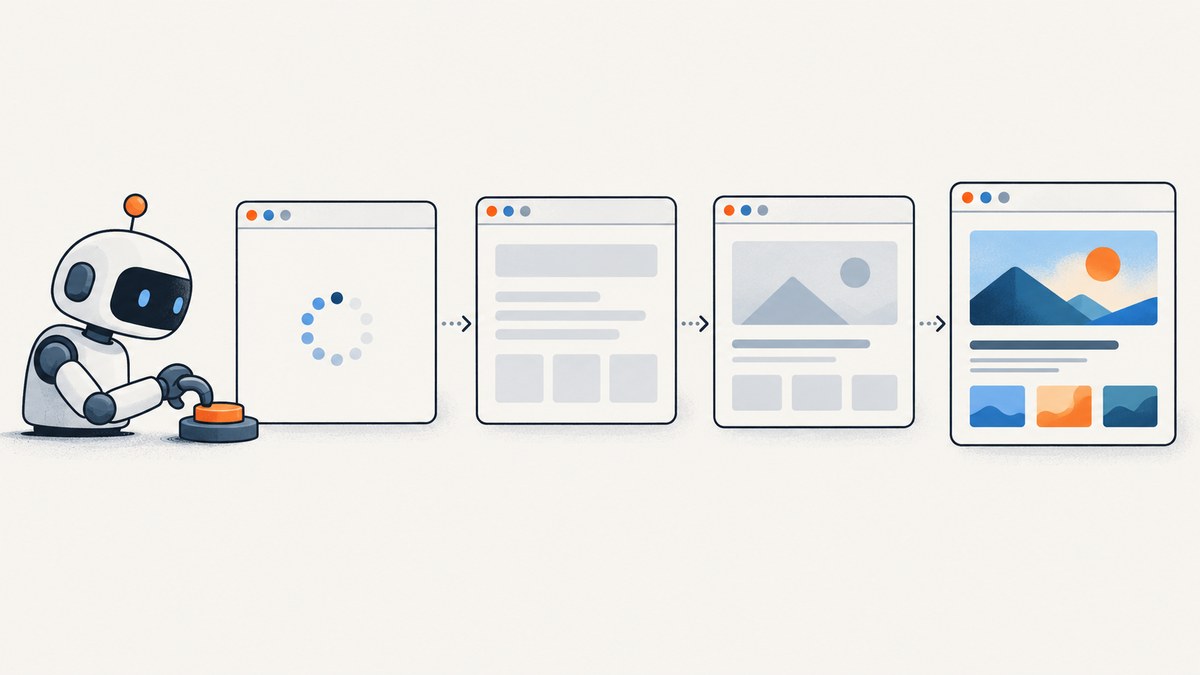
To wait for JavaScript in Puppeteer, wait for the specific completion signal your task needs. If you control an async function, return its Promise from page.evaluate(). If the application exposes a readiness flag, use page.waitForFunction(). If a rendered element signals readiness, use page.waitForSelector() or a locator. Use network idle only when the site’s network becoming quiet actually means the required work is done.
There is no universal “all JavaScript has finished” event: pages can keep timers, analytics, polling, streaming, or background requests active indefinitely. A reliable screenshot or scrape waits for the result it needs, with a finite timeout and a useful failure path.
1. Choose the wait that matches your readiness signal
| What must be complete? | Use | What it observes |
|---|---|---|
| An async function you control | page.evaluate(async () => ...) |
The returned Promise resolving or rejecting |
| Application state or a custom condition | page.waitForFunction() |
A page-context predicate becoming truthy |
| A result element appearing or becoming visible | page.waitForSelector() |
DOM presence, optionally visibility |
| An action that needs a ready element | Locator | Element presence and action readiness |
| A navigation or reload | page.waitForNavigation() |
Navigation lifecycle |
| A site where network quiet means complete | page.waitForNetworkIdle() |
A period with no active network connections |
Puppeteer documents that page.evaluate() waits when the evaluated function returns a Promise. waitForFunction() resolves when its function returns a truthy value. Selector waits return immediately when the selector already exists, or wait until it appears or times out. A locator adds automatic checks that an element is present and in the right state for an action; a low-level selector wait does not automatically retry a later failed action. See the official [evaluate API], [waitForFunction API], [waitForSelector API] and [page interactions guide].
2. Complete runnable example
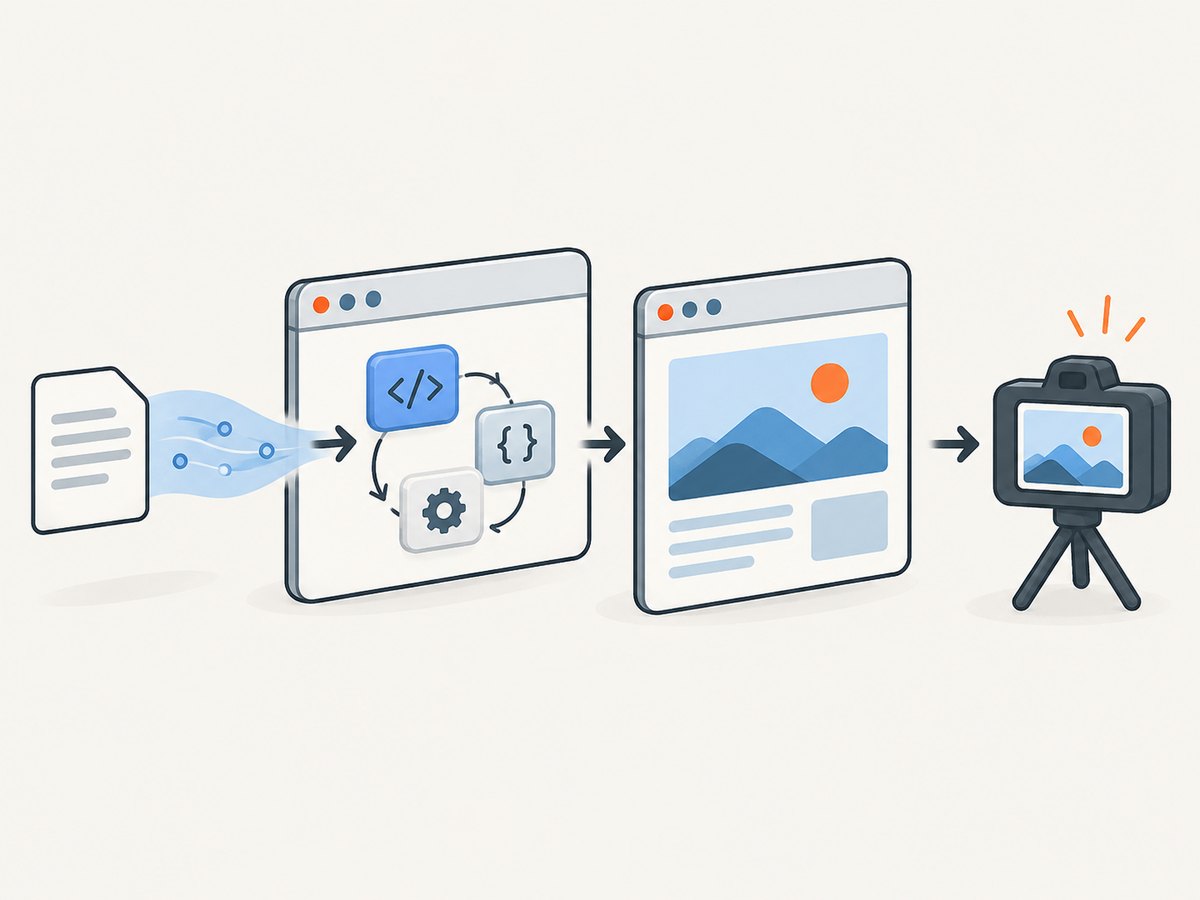
This CommonJS script launches Chromium, opens a page, waits for an application-owned completion signal, captures a screenshot, and closes the browser even if a wait fails. Install Puppeteer with npm install puppeteer; the package downloads a compatible browser in its standard setup. Save as wait.js and run node wait.js https://example.com.
const puppeteer = require('puppeteer');

async function main() {
  const url = process.argv[2] || 'https://example.com';
  const browser = await puppeteer.launch({ headless: true });

  try {
    const page = await browser.newPage();
    page.setDefaultTimeout(15000);

    await page.goto(url, { waitUntil: 'domcontentloaded', timeout: 30000 });

    // Replace this with a real application signal when available.
    await page.waitForFunction(
      () => document.querySelector('main')?.getAttribute('data-ready') === 'true',
      { polling: 'mutation', timeout: 15000 }
    );

    await page.screenshot({ path: 'page.png', fullPage: true });
    console.log('Saved page.png');
  } finally {
    await browser.close();
  }
}

main().catch(error => {
  console.error('Capture failed:', error.message);
  process.exitCode = 1;
});
The example’s data-ready attribute is illustrative; substitute a real selector or state on the target page. If the page has no explicit signal, choose a result element, a stable page-specific predicate, or network idle only if that condition fits its behavior. Do not leave a made-up condition in production code: it will time out by design.
3. Wait for a Promise you control
When code running in the page starts an asynchronous operation, return or await that operation inside page.evaluate(). Puppeteer waits for the returned Promise to settle, then transfers the resolved value back to Node.js.
const userData = await page.evaluate(async () => {
  await window.loadUserData();
  return window.userData;
});
console.log(userData);
This works when the function is available in the page and can be called in that context. Page evaluation runs in the browser page, not in Node.js: Node variables are not automatically in scope. Pass values as arguments when needed:
const accountId = 'acct-42';
const result = await page.evaluate(async id => {
  return await window.loadAccount(id);
}, accountId);
If the operation rejects, evaluation rejects too; catch the error at the call site or let it reach the outer failure handler. A function that starts work but returns before that work completes gives Puppeteer nothing to wait for. For example, calling window.loadUserData() without awaiting or returning it does not make the evaluation wait for that Promise.
4. Wait for application state with a predicate
Use waitForFunction() when readiness is a condition rather than one known element. The predicate runs in the page context and must eventually return a truthy value. Its options include polling strategy, timeout, cancellation signal, and arguments. Check the API reference for the installed Puppeteer version when relying on option details.
await page.waitForFunction(
  () => window.appReady === true,
  { timeout: 15000, polling: 'mutation' }
);
Other practical predicates include checking that a result count is nonzero, a loading indicator has disappeared, or a required field has populated:
await page.waitForFunction(
  () => document.querySelectorAll('[data-result]').length > 0,
  { timeout: 15000, polling: 250 }
);

await page.waitForFunction(
  () => !document.querySelector('[aria-busy="true"]'),
  { timeout: 15000 }
);
Use a predicate tied to the outcome you intend to inspect. A condition that is already true completes immediately; one that never becomes true times out. Polling by mutation can suit DOM changes. Interval polling is more appropriate for state that changes without a DOM mutation, such as a JavaScript property; choose an interval that detects change without wasting work.
5. Wait for a rendered element or use a locator
If the element itself is the completion signal, wait for it directly:
const results = await page.waitForSelector('[data-testid="results"]', {
  visible: true,
  timeout: 15000,
});

if (!results) {
  throw new Error('Results element was not found');
}

const text = await results.evaluate(element => element.textContent);
console.log(text);
await results.dispose();
In modern Puppeteer, locators are often a better fit when the next step is an action. A locator waits for element presence and readiness for that action, while manual selector waits leave you responsible for a subsequent action failing if the page changes between the wait and the action.
await page.locator('button[data-action="load-more"]').click();If clicking triggers asynchronous rendering without navigation, follow the click with the next state’s wait:
await page.locator('button[data-action="load-more"]').click();
await page.waitForFunction(
  () => document.querySelectorAll('[data-result]').length >= 20,
  { timeout: 15000 }
);
A selector wait returning an element handle creates a handle to manage. Dispose of it when finished, as in the example. A locator avoids this explicit handle pattern for ordinary interactions.
6. Network idle: useful proxy, imperfect proof
waitForNetworkIdle() waits for network quiet and always waits at least the configured idle time. It can be useful for pages that fetch their content once and then become quiet. Puppeteer’s documented guarantee is about network activity, not application correctness; an idle connection does not prove that rendering or application logic has completed. The API reference is [Page.waitForNetworkIdle].
await page.goto(url, { waitUntil: 'domcontentloaded' });
await page.waitForNetworkIdle({ idleTime: 500, timeout: 15000 });
Choose network idle when the page’s network behavior matches your intended readiness condition. It can be a poor fit for analytics, polling, long-lived connections, streaming, or other persistent requests. In those cases, wait for a specific result or application flag. Also avoid stacking multiple broad waits without a reason: each adds latency and can still fail to establish the state you care about.
7. Coordinate navigation-triggering actions
Start waiting for navigation before clicking the link or submitting the form. Starting the wait afterward can miss the navigation event:
await Promise.all([
  page.waitForNavigation({ waitUntil: 'domcontentloaded', timeout: 30000 }),
  page.locator('a.next').click(),
]);
This pattern coordinates the navigation event and click. For a client-side route change that does not cause a document navigation, waitForNavigation() may not be the right signal; wait for the new route’s content, URL condition, or application readiness state instead. Puppeteer documents navigation and reload waits in its [waitForNavigation API].
8. Common timing errors and fixes
| Symptom | Likely cause | Fix |
|---|---|---|
| Screenshot has a spinner or missing content | Capture began after document load but before app rendering finished | Wait for the real result element or app readiness predicate before capture |
waitForFunction times out |
Predicate is wrong, never becomes true, or checks stale state | Inspect the page state; verify the selector/property and make the condition observable |
| Network idle never resolves | Persistent requests, polling, or streaming keeps the network active | Replace it with an app-specific predicate or element wait |
| Selector wait succeeds but click fails | Element changed or was not actionable after the wait | Use a locator for the action, or re-check readiness and state |
| Navigation wait times out after a click | The action used client-side routing or did not navigate | Wait for the resulting URL or page content instead; confirm the click actually occurred |
Execution context was destroyed |
Navigation replaced the page context while evaluation was underway | Wait for navigation in coordination with the action, then evaluate in the new page context |
| Evaluation reports a missing function | Function is Node-side, unavailable on the page, or runs before the app defines it | Wait for app initialization, pass serializable arguments, and call a page-context function |
| Script hangs for a long time | Unbounded wait or overly generous timeout obscures the missing signal | Set finite timeouts and report which condition was expected |
Timeout errors are diagnostic evidence: identify which readiness condition failed. Raising the timeout can be reasonable for a slow target, but it cannot fix an incorrect or impossible condition.
9. Performance, reliability, and cost notes
- Use the narrowest useful signal. Waiting for one result can finish sooner than waiting for every network request to stop.
- Keep timeouts finite. Bound navigation and readiness waits separately so logs indicate which stage failed.
- Avoid arbitrary sleeps. A fixed delay is either too short on a slow run or wasteful on a fast one. Prefer an observable condition; use a delay only when a known animation or scheduled update requires one.
- Clean up resources. Close the browser in a
finallyblock and dispose selector handles when finished. Reuse a browser for multiple pages within a job when that suits the workload. - Make retries safe. Retry transient navigation or infrastructure failures selectively. A predicate that is logically impossible will fail repeatedly, so include the URL, wait type, and expected state in logs.
- Control output size. Full-page screenshots and high-resolution captures consume more memory and storage than viewport captures; capture only what the downstream task needs.
Waiting strategy has no universal performance number: page behavior, network, browser resources, viewport, and output size all matter. The cited Puppeteer references publish no benchmark for these choices. Measure your own representative pages and set limits around the slow cases you need to support.

10. Or skip the browser setup
If your goal is a screenshot rather than controlling the browser itself, ScreenshotNeo is a website screenshot API and MCP server. Make one GET request with the target URL; it returns PNG, JPEG, WebP, or PDF. Its capture options include full-page shots with lazy images loaded, element capture, wait-for-selector, delay and network-idle waits, and custom JavaScript. See the ScreenshotNeo API documentation for request options.
curl -G "https://api.screenshotneo.com/v1/shot" \
  -d access_key=YOUR_API_KEY \
  --data-urlencode url=https://stripe.com \
  -o shot.webp
import requests
r = requests.get(
"https://api.screenshotneo.com/v1/shot",
params={"access_key": "YOUR_API_KEY", "url": "https://stripe.com"},
timeout=90,
)
open("shot.webp", "wb").write(r.content)const q = new URLSearchParams({
access_key: 'YOUR_API_KEY',
url: 'https://stripe.com'
});
const res = await fetch(`https://api.screenshotneo.com/v1/shot?${q}`);
if (!res.ok) throw new Error(`Screenshot request failed: ${res.status}`);
const bytes = Buffer.from(await res.arrayBuffer());
await import('node:fs/promises').then(fs => fs.writeFile('shot.webp', bytes));ScreenshotNeo accepts cookie and consent banners like a visitor and removes more than 60 known consent platforms, newsletter popups, and chat widgets before capture; each step can be turned off. Bot checks and CAPTCHAs, blank pages, timeouts, failed loads, and cache hits cost nothing. Response headers say the page verdict and whether the request was billed. Its MCP server provides take_screenshot, get_page_info, and capture_pdf for Claude, Cursor, and other MCP clients. The free plan includes 1,000 shots per month without a card; paid plans start at $5 for 3,000 shots. Every feature is on every plan.
Sign up free for 1,000 screenshots a month, no card required.
11. FAQ
Can Puppeteer detect when all JavaScript on any page is finished?
No universal signal covers every page. JavaScript can continue running timers and background work. Define completion in terms of the content or application state your task needs.
Does DOMContentLoaded mean the page is rendered?
It marks a document lifecycle milestone, but client-side code may still be fetching or rendering content. Follow it with the readiness condition that matters for your task.
Should I use a fixed sleep?
Prefer a condition you can observe. A sleep is useful only when the required wait is inherently time-based, such as allowing a known animation to settle.
What if I cannot change the site to add a readiness flag?
Use an existing result selector or a predicate over visible content. If neither exists, network idle may be a practical proxy only after confirming the site becomes quiet once the needed work completes.


