How to Wait for saveScreenshot() to Finish in PhantomJS
Native PhantomJS uses page.render(), not saveScreenshot(). Learn how to sequence capture after page load, wait for dynamic content, and avoid incomplete files.
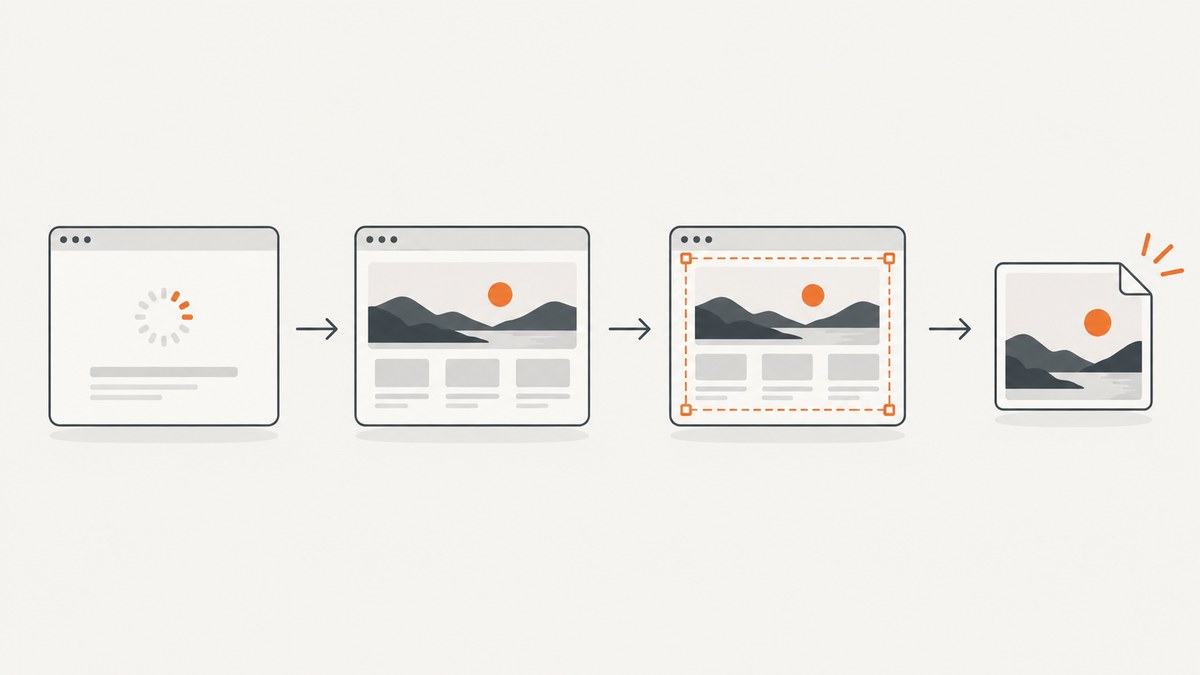
Direct answer: Native PhantomJS does not have a documented saveScreenshot() method. Use page.render(filename) after page.open() reports success, then keep PhantomJS running until the render call has been made. The native page.render() API returns void, so there is no render promise or callback to await. If you mean WebDriverJS’s chained saveScreenshot() command, keep it in the chain and signal test completion only after the next chained command.
For a dynamic page, navigation finishing does not mean the page’s application data, images, or other asynchronous work is ready. Wait for a page-specific readiness condition where possible; use a bounded delay only when you lack a reliable signal. PhantomJS development is suspended, so treat this as a legacy maintenance pattern and plan migration for new automation.
1. Identify which saveScreenshot API you are calling
The method name is a clue. In native PhantomJS, you create a page with require('webpage').create(), open a URL with page.open(), and save it using page.render(). PhantomJS documents page.render(filename[, options]) as rendering the page to an image buffer and saving it to the specified filename; the method returns no completion value.
saveScreenshot() is commonly encountered through an automation wrapper, such as WebDriverJS. In that case the command belongs to the wrapper’s command chain. The key is to wait for the chain to advance past the screenshot command before declaring the test finished, instead of starting a separate asynchronous operation that the test runner does not track.
| Environment | Capture call | What “wait” means |
|---|---|---|
| Native PhantomJS | page.render('shot.png') |
Call it after page readiness and exit afterward; no render callback exists. |
| WebDriverJS wrapper | .saveScreenshot(path) |
Keep it in the chain and call test completion after the chain proceeds. |
2. Native PhantomJS: complete runnable example
This script opens a page, checks the navigation status, waits a short bounded interval for application content, renders the image, and exits. Save it as capture.js and run it with your installed PhantomJS executable, for example phantomjs capture.js.

var page = require('webpage').create();
var url = 'https://example.com';

page.open(url, function (status) {
  if (status !== 'success') {
    console.log('Page load failed: ' + status);
    phantom.exit(1);
    return;
  }

  // Replace this fallback with a page-specific readiness condition if possible.
  setTimeout(function () {
    page.render('screenshot.png');
    phantom.exit();
  }, 200);
});
page.open() calls its callback after loading and passes a status. Check it before capture: if it is not success, report the failure and exit with a nonzero status so a surrounding job can detect the problem. The 200 ms delay is illustrative, not a guarantee that a particular site has finished rendering.
Because page.render() is synchronous from the script’s point of view and has a void signature, do not write page.render(...).then(...) or pass it a callback expecting completion notification. Invoke it, then sequence process exit after that call. If a hosting wrapper or job runner appears to end before a file is flushed, a short post-render delay can be tried as a bounded safeguard, but the documented API does not promise a flush callback. Prefer verifying that the output file exists and is nonempty in the parent process when the surrounding environment allows it.
3. Wait for the page’s actual content
A navigation callback answers whether the page load completed; it does not prove that a JavaScript application has finished fetching data or updating the DOM. A fixed sleep may work for a stable, simple page but can be too short under load and needlessly long when the page is fast.
Prefer a DOM readiness signal
If the target page renders a known element only after its data is ready, poll for that element and impose a hard deadline. The following pattern uses a bounded polling loop. Change #report-ready to a selector that genuinely indicates the content you need. If your PhantomJS build or page does not support the chosen DOM API as expected, check it in the page context and fall back to a supported signal.
var page = require('webpage').create();
var deadlineMs = 8000;
var pollMs = 100;
var startedAt;

page.open('https://example.com/report', function (status) {
  if (status !== 'success') {
    console.log('Page load failed: ' + status);
    phantom.exit(1);
    return;
  }

  startedAt = Date.now();
  waitUntilReady();
});

function waitUntilReady() {
  var ready = page.evaluate(function () {
    return !!document.querySelector('#report-ready');
  });

  if (ready) {
    page.render('report.png');
    phantom.exit();
    return;
  }

  if (Date.now() - startedAt >= deadlineMs) {
    console.log('Timed out waiting for #report-ready');
    phantom.exit(2);
    return;
  }

  setTimeout(waitUntilReady, pollMs);
}
This example treats readiness timeout as a failure rather than silently saving a misleading image. If a partially rendered screenshot is useful for diagnosis, you can choose to render on timeout but should still log the timeout clearly and return a status your job can inspect.
Choose a readiness signal that represents the state you actually need: a results container populated with rows, a loading indicator gone, a known application flag set, or an event exposed by the page. Merely checking that the document exists is usually too early. For images or fonts, an application-ready marker may appear before every visual resource is complete; add resource-specific checks only when those resources matter to the screenshot.
Use delays as a fallback
When you cannot change the page and there is no dependable DOM marker, wait a conservative, bounded amount after navigation. PhantomJS documentation examples use delayed capture for dynamic pages, and php-phantomjs documentation describes waiting for resources or lazy loading with a timeout. Keep the delay configurable, record the wait outcome, and avoid an unbounded wait that can hang a batch job.
4. WebDriverJS: wait for the chained command
If your test uses a WebDriverJS client with saveScreenshot(), keep it in the client command chain. Here is the pattern from the cited WebDriverJS discussion:
it('captures the page', function (done) {
  client.url('https://example.com')
    .waitFor('#ready', 7000)
    .saveScreenshot('./ExtractScreen.png')
    .call(done);
});
The ordering matters: the URL command runs, the client waits for #ready, the screenshot command runs, and only then does .call(done) signal test completion. Avoid calling done() immediately after scheduling saveScreenshot(); the test runner could finish while the command is still pending.
WebDriverJS APIs vary by library and version. Confirm that your client’s waitFor, screenshot command, and callback syntax match the installed version. If the chain exposes promise-based completion in your version, return or await that chain using the test framework’s supported pattern instead of mixing callback completion and untracked promises.
5. Capture options and practical details
For native PhantomJS, the documented render call accepts a filename and optional options such as output format and quality. The exact useful options depend on the output type. A typical file capture is simply:
page.render('screenshot.png');Keep the extension aligned with the chosen output format. If you need a different format or quality setting, consult the API documentation for the PhantomJS version you actually run; old installations and wrappers can expose different behavior. The important sequencing rule does not change: finish navigation, wait for content readiness, call render, then allow the script to finish.
Run captures in a controlled working directory or provide an absolute output path so the job can find the file. Avoid reusing a shared filename across concurrent workers; one run can overwrite another. For a batch, give each target a distinct, sanitized name, and report the URL and output path alongside failures. Do not assume a successful navigation means the screenshot represents the intended authenticated or localized state: set up the required session and page state before waiting for the readiness marker.
6. Troubleshooting incomplete, missing, or early screenshots
| Symptom | Likely cause | Fix |
|---|---|---|
saveScreenshot is not a function |
Code is using native PhantomJS, where the documented method is page.render(). |
Use page.render(filename), or use the correct wrapper client if the code was meant for WebDriverJS. |
| Image file is missing | The process exited before reaching render, navigation failed, or the output path is not where expected. | Log the page.open() status, exit with a failure code, and use a known writable output path. |
| File exists but is blank or old | Capture happened before application content was ready, or a prior output file is being mistaken for this run. | Wait on a page-specific selector/state, use unique paths, and check file modification time or size in the parent job. |
| Screenshot misses AJAX results | Navigation completed before the asynchronous request and DOM update. | Wait for the result element or application-ready signal, with a deadline and a clear timeout error. |
| Test reports done too early | The WebDriverJS screenshot operation was started outside the awaited command chain. | Keep saveScreenshot() in the chain and call done only after it completes. |
| Screenshot timing is inconsistent | A fixed sleep is being used for variable network and rendering time. | Prefer deterministic readiness; retain only a bounded delay as fallback. |
| Capture hangs indefinitely | Readiness never occurs and there is no timeout. | Set a maximum wait, log the missing condition, and terminate with a failure result. |
| Some images or lazy content are absent | The page defers loading until scrolling or other interaction. | Use the page’s own loading behavior or a supported lazy-loading strategy and allow a bounded resource wait. |
7. Reliability, performance, and maintenance
Reliability comes from making each stage observable: navigation status, readiness result, render invocation, and output-file verification. Log enough context to identify which URL and condition failed. For batch capture, cap concurrent PhantomJS processes to the capacity of the host and give every job a timeout; increasing concurrency without measuring memory and CPU can make timing less reliable.
Performance depends heavily on the destination page, network, and how long your readiness condition takes. A fixed delay adds its full duration to every capture, while polling a selector can proceed as soon as the page is ready. Use a sensible poll interval and a hard deadline. Do not remove resources or interactions required for the screenshot just to reduce time, and distinguish site latency from time spent waiting after navigation.
PhantomJS development is suspended until further notice. For an existing system, pin and document the runtime, isolate it from unrelated jobs, retain a reproducible capture fixture, and plan a migration path for new work. This avoids treating an old runtime’s behavior as a growing compatibility guarantee.
8. Or skip the browser setup
If the goal is a screenshot rather than maintaining a PhantomJS runtime, ScreenshotNeo provides a website screenshot API and MCP server. One GET request returns an image or PDF. See the API documentation for options and setup.

curl -G "https://api.screenshotneo.com/v1/shot" \
  -d access_key=YOUR_API_KEY \
  --data-urlencode url=https://example.com \
  -o shot.webp
import requests
r = requests.get(
"https://api.screenshotneo.com/v1/shot",
params={"access_key": "YOUR_API_KEY", "url": "https://example.com"},
timeout=90,
)
open("shot.webp", "wb").write(r.content)const q = new URLSearchParams({
access_key: 'YOUR_API_KEY',
url: 'https://example.com'
});
const res = await fetch(`https://api.screenshotneo.com/v1/shot?${q}`);
if (!res.ok) throw new Error(`Screenshot request failed: ${res.status}`);
await Bun.write('shot.webp', res);The JavaScript example uses Bun’s file-writing API; in Node.js, use this equivalent to write the returned bytes:
import { writeFile } from 'node:fs/promises';

const q = new URLSearchParams({ access_key: 'YOUR_API_KEY', url: 'https://example.com' });
const res = await fetch(`https://api.screenshotneo.com/v1/shot?${q}`);
if (!res.ok) throw new Error(`Screenshot request failed: ${res.status}`);
await writeFile('shot.webp', Buffer.from(await res.arrayBuffer()));
ScreenshotNeo removes cookie and consent banners, newsletter popups, and chat widgets before capture; each cleanup step can be turned off. Bot checks, blank pages, failed loads, timeouts, and cache hits are not billed, and response headers identify the page verdict and billing status. Its MCP server lets AI agents use take_screenshot, get_page_info, and capture_pdf. The free plan includes 1,000 screenshots each month with no card; paid plans start at $5 for 3,000.
Create a free ScreenshotNeo account for 1,000 screenshots a month with no card.
9. Cost and operational considerations
A self-managed PhantomJS job has no per-capture API charge in the code shown, but it still consumes engineering time and the compute, network, and maintenance resources of the machine running it. Account for page failures and retries too: aggressive retries can spend time and bandwidth without producing a usable image. Record whether a capture was successful so downstream steps do not treat a stale file as a new result.
ScreenshotNeo’s listed plans are Free at 1,000 shots per month, Starter at $5 for 3,000, Growth at $15 for 15,000, Pro at $39 for 60,000, Scale at $99 for 250,000, and Business at $249 for 1,000,000. Yearly billing gives two months free, and every feature is available on every plan. Choose based on expected monthly volume and whether the managed capture and billing behavior fits the workflow; do not compare a raw API price with local compute as if maintenance effort were zero.
10. FAQ
Does page.render() have a callback?
No. The documented native method returns void. Call it after readiness and sequence process exit afterward.
Will page.open() wait for AJAX?
It reports page-load status. Application-specific asynchronous work may continue, so wait for a DOM or application signal that represents the content you need.
Can I just add a one-second sleep?
You can use a bounded delay as a fallback, but it is timing-dependent. A readiness condition is more reliable and can finish sooner.
Is PhantomJS still actively developed?
No. The project homepage says development is suspended until further notice. Keep legacy jobs controlled and plan for migration.


