How to Wait for jQuery Requests to Finish in Cypress
Use cy.intercept and aliases to wait for jQuery Ajax calls reliably in Cypress, inspect responses, handle multiple requests, and avoid fixed delays.
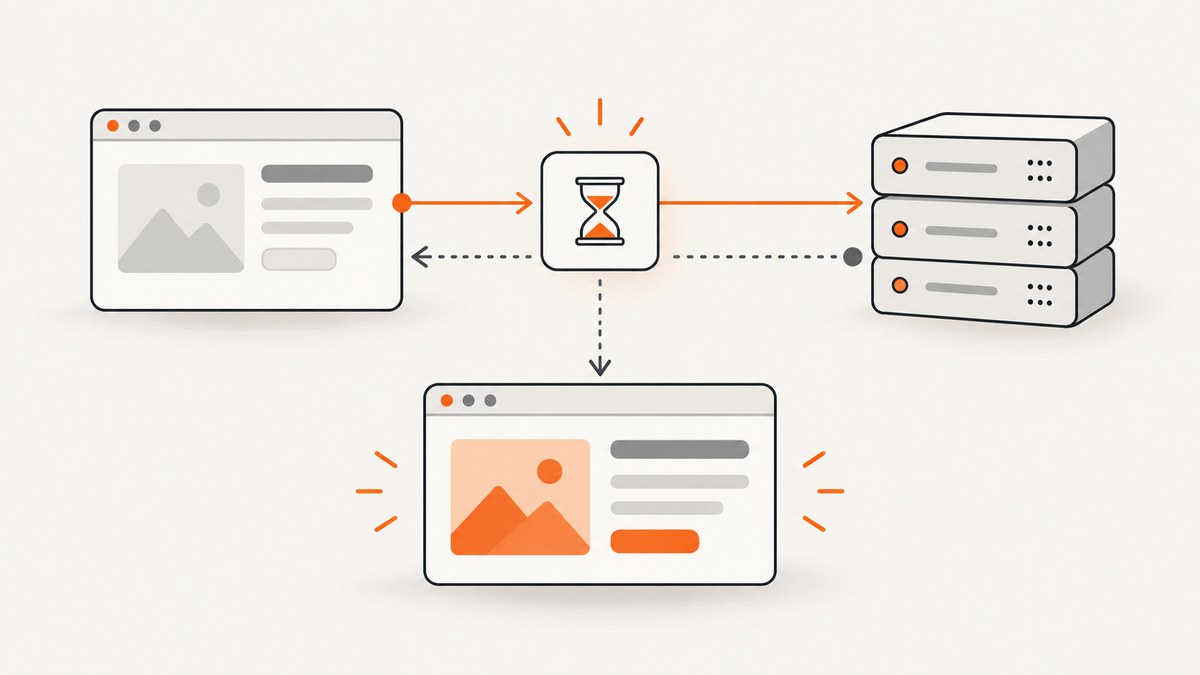
Register the route before the jQuery request starts, give it an alias, trigger the action, and wait for that alias. Cypress then waits for the matching browser request and its response instead of guessing with a timer.
cy.intercept('GET', '**/api/items').as('getItems')
cy.get('#load-items').click()
cy.wait('@getItems')
cy.get('#items').should('be.visible')
This is the Cypress equivalent of waiting for jQuery’s Ajax lifecycle to finish at test level. The complete callback in jQuery runs after a request ends whether it succeeds or fails, while cy.wait('@alias') synchronizes the test with the intercepted browser request and response.
What Cypress is waiting for
Cypress does not automatically wait for every jQuery XHR or Ajax call. You must identify the request that defines readiness for the assertion. An aliased intercept has two phases:
- Request phase: Cypress waits for a matching request to be created. The default
requestTimeoutis 5,000 ms. - Response phase: after the request exists, Cypress waits for the response. The default
responseTimeoutis 30,000 ms.
If either phase times out, the request was never matched or the server did not respond within the configured period. See the Cypress intercept documentation and wait documentation for the command contracts.
The basic jQuery request pattern
describe('loading items', () => {
  it('waits for the Ajax response before asserting the list', () => {
    cy.intercept('GET', '**/api/items').as('getItems')

    cy.visit('/items')
    cy.get('#load-items').click()

    cy.wait('@getItems')
    cy.get('#items').should('contain', 'Widget')
  })
})
Place the DOM assertion in a new query chain after cy.wait(). Cypress can retry cy.get(...).should(...) while the application renders the response. Assertions made directly on the interception object run once and are better suited to checking request or response data.
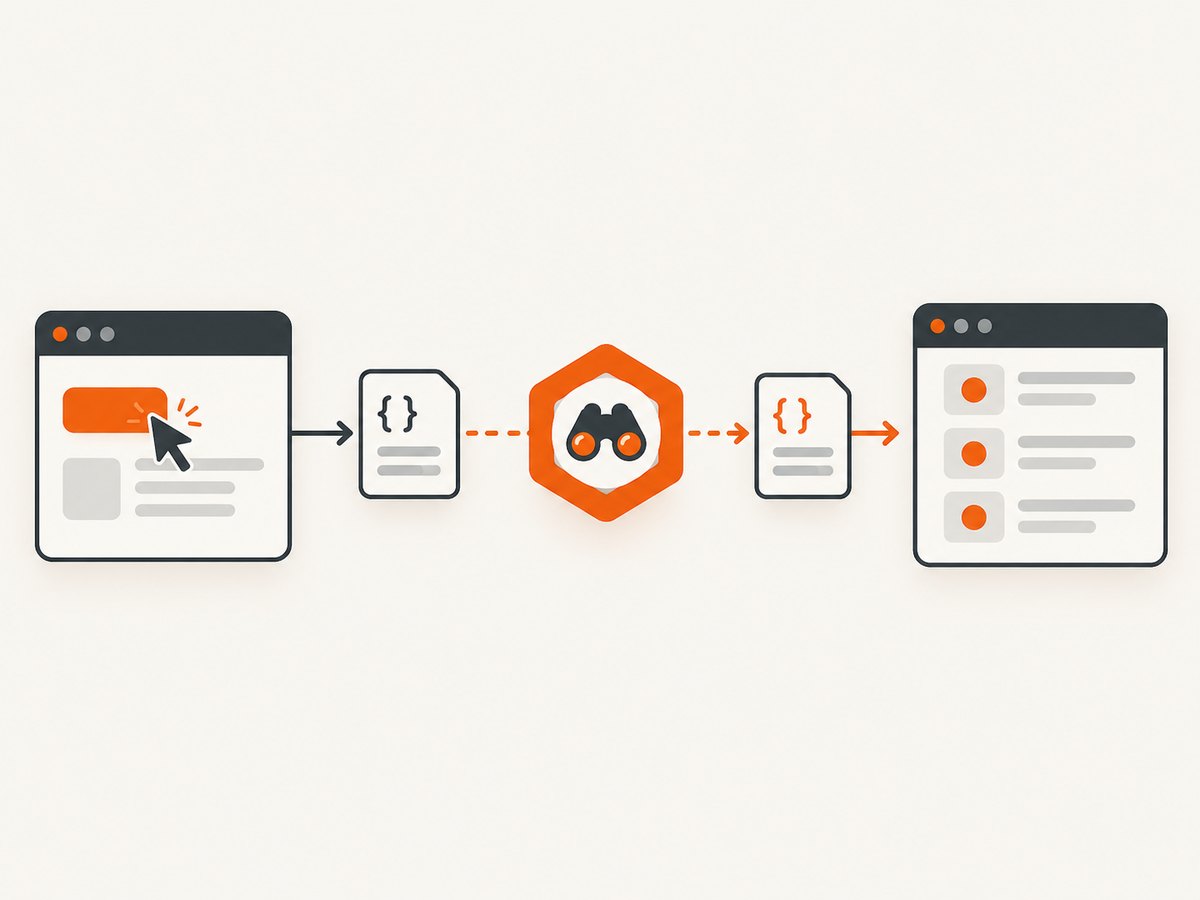
Register the intercept before the request
If the page sends Ajax traffic during startup, define the intercept before cy.visit(). If a click or form submission sends it, define the intercept before that action.
cy.intercept('GET', '**/api/users').as('getUsers')
cy.intercept('GET', '**/api/activities').as('getActivities')

cy.visit('/dashboard')
cy.wait(['@getUsers', '@getActivities'])
cy.get('[data-testid=dashboard]').should('be.visible')
Defining the route after cy.visit() can miss a fast request that has already started. The same race occurs when an intercept is registered after click(), submit(), or a command that invokes the application code.
Wait for one or several requests
One known request
cy.intercept('POST', '**/api/search').as('search')
cy.get('#search').type('cypress{enter}')
cy.wait('@search')
cy.get('#results').should('contain', 'Cypress')
Several known requests
cy.intercept('GET', '**/api/profile').as('profile')
cy.intercept('GET', '**/api/notifications').as('notifications')
cy.visit('/home')
cy.wait(['@profile', '@notifications'])
cy.get('[data-testid=home]').should('be.visible')
An array waits for every listed alias. It is useful when the page is ready only after a set of independent jQuery calls has completed.
Repeated requests
An alias can be waited on more than once. Each cy.wait('@alias') consumes the next matching request, so use this for polling or a sequence of reloads.
cy.intercept('GET', '**/api/status').as('status')
cy.get('#start-job').click()
cy.wait('@status')
cy.wait('@status')
cy.get('#job-state').should('have.text', 'complete')
When the number of calls is not fixed, assert the application state that matters or use a controlled stub. Do not create a test that waits forever for an unspecified number of background calls.
Make the route matcher precise
Use the HTTP method and a URL pattern whenever possible. A broad matcher can catch an unrelated request and let the test continue for the wrong reason.
| Need | Example | Why |
|---|---|---|
| Exact method and path | cy.intercept('GET', '/api/items').as('items') |
Best when the endpoint is stable. |
| Any query string | cy.intercept('GET', '**/api/items*').as('items') |
Matches a path with filters or pagination. |
| Different methods on one path | cy.intercept('POST', '**/api/items').as('createItem') |
Prevents a GET from satisfying a POST wait. |
| Structured matching | cy.intercept({ method: 'GET', pathname: '/api/items' }).as('items') |
Separates the pathname from query parameters. |
Use a regular expression or a route matcher object when the URL has a predictable but variable shape. Avoid intercepting every request on the page; Cypress must process each intercepted request, which adds work and can hide the request that actually defines readiness.
Inspect the request and response
cy.wait() yields an interception object. Query its fields when the test needs to verify transport details.
cy.intercept('GET', '**/api/items').as('items')
cy.get('#load-items').click()

cy.wait('@items')
  .its('response.statusCode')
  .should('eq', 200)

cy.wait('@items').its('request.headers.accept').should('include', 'json')
For one request, keep request and response assertions together with aliases or a callback:
cy.wait('@items').then((interception) => {
  expect(interception.request.method).to.equal('GET')
  expect(interception.response.statusCode).to.equal(200)
  expect(interception.response.body).to.have.property('items')
})
If the route may legitimately fail and the UI should show an error, stub that response and assert the error state. Waiting for the alias still proves the request finished; it does not imply that the response was successful.
Spy on jQuery traffic or stub it
cy.intercept() can observe traffic without changing it, or provide controlled data. Spying is appropriate for an end-to-end check against a real backend. Stubbing makes a deterministic component or workflow test.
cy.intercept('GET', '**/api/items', {
  statusCode: 200,
  body: { items: [{ id: 1, name: 'Widget' }] }
}).as('items')

cy.visit('/items')
cy.wait('@items')
cy.get('#items').should('contain', 'Widget')
To test a failed Ajax completion path:
cy.intercept('GET', '**/api/items', {
  statusCode: 500,
  body: { error: 'temporary failure' }
}).as('items')

cy.visit('/items')
cy.wait('@items')
cy.get('[role=alert]').should('contain', 'try again')
Timeouts and retry behavior
Override timeouts only when the endpoint’s known behavior requires it. A longer timeout should describe a real service limit, not compensate for an unknown race.

cy.wait('@report', {
  requestTimeout: 10000,
  responseTimeout: 60000
})
Use requestTimeout when the browser may take time to create the request. Use responseTimeout when the request is created quickly but the server or download takes longer. A timeout error tells you which phase failed.
jQuery’s complete callback versus Cypress synchronization
Application code can use jQuery’s complete callback to update a spinner or internal state after success or failure:
$.ajax({ url: '/api/items' })
  .done(renderItems)
  .fail(showError)
  .always(function () {
    $('#loading').hide()
  })
That callback is useful product behavior, but Cypress cannot reliably synchronize by observing it. The test should wait on the browser request with an intercept, then assert the visible state. If the only meaningful readiness signal is the DOM and the request does not need inspection, a retryable assertion can be enough:
cy.get('#items').should('contain', 'Widget')Why fixed delays are unreliable
// Avoid this for network synchronization
cy.get('#load-items').click()
cy.wait(2000)
cy.get('#items').should('be.visible')
A fixed delay can be too short on a busy CI runner and unnecessarily slow when the response is fast. Cypress documents fixed-time waits as an anti-pattern in almost all cases. Replace the delay with an alias that expresses the request the assertion depends on.
Common errors and fixes
| Symptom | Likely cause | Fix |
|---|---|---|
Timed out waiting for request |
The intercept was registered after the request, or the matcher does not match. | Move cy.intercept() before visit()/click(); verify method, pathname, query string, and host. |
| The wait succeeds for the wrong call | The URL glob is too broad. | Add the HTTP method and a more specific path or route matcher. |
| The response is 500 but the test expected success | The backend failed or the test is observing a real dependency. | Assert the error state, fix the service, or stub a controlled success response. |
| DOM assertion fails immediately after wait | The response completed but the application has not rendered it yet, or the assertion was chained to the interception object. | Start a new cy.get(...).should(...) chain so Cypress can retry. |
| Waiting for all Ajax calls never finishes | There is no finite set of aliases, or the page polls continuously. | Choose the calls that define readiness. Cypress’s FAQ states: “There is no magical way to wait for all of your XHRs or Ajax requests.” |
cy.request() traffic is not intercepted |
cy.request() is not browser XHR traffic. |
Use cy.intercept() around the page action, or test the API separately with cy.request(). |
| Requests are slow only in CI | The response exceeds the default timeout or the environment is overloaded. | Measure the endpoint, set a justified responseTimeout, and reduce unnecessary interception. |
A practical checklist
- Identify the exact jQuery request that controls the assertion.
- Register its intercept before the action that creates it.
- Include the method and a specific URL matcher.
- Alias the route and wait on the alias.
- Use an array for several known requests.
- Assert response details through the interception object.
- Assert UI behavior in a fresh, retryable DOM chain.
- Use a justified timeout instead of a guessed sleep.
- Do not wait for an unbounded set of background or polling requests.
Performance, reliability, and cost
Aliased waits usually make suites faster because they proceed as soon as the required response arrives. Intercept only routes needed by the test; intercepting every request adds processing and makes failures harder to interpret. For reliability, keep route matchers stable, stub third-party dependencies, and reserve real backend checks for tests that need them. Cypress itself has no per-request charge for cy.intercept(); the cost consideration is test runtime and any external service used by the application.
Or skip the browser setup
If your goal is to produce a screenshot after a page’s Ajax content has settled, ScreenshotNeo handles the browser capture in one request. It can wait for a selector, a delay, or network idle, and supports custom JavaScript when a page needs an application-specific readiness step. The API returns PNG, JPEG, WebP, or PDF output.
Cookie banners, newsletter popups, and chat widgets are removed before the shot. Bot checks, blank pages, failed loads, timeouts, and cache hits are not billed; response headers report the page verdict and billing result. Its MCP server provides take_screenshot, get_page_info, and capture_pdf tools for Claude, Cursor, and other MCP clients. The Free plan includes 1,000 screenshots per month with no card; paid plans start at $5 for 3,000 shots.
See the ScreenshotNeo API documentation for all capture options.
cURL
curl -G 'https://api.screenshotneo.com/v1/shot' -d access_key=YOUR_API_KEY --data-urlencode url=https://stripe.com -o shot.webpPython
import requests
r = requests.get('https://api.screenshotneo.com/v1/shot', params={'access_key': 'YOUR_API_KEY', 'url': 'https://stripe.com'}, timeout=90)
open('shot.webp', 'wb').write(r.content)
Node.js
const q = new URLSearchParams({ access_key: 'YOUR_API_KEY', url: 'https://stripe.com' });
const res = await fetch(`https://api.screenshotneo.com/v1/shot?${q}`);
Create a free ScreenshotNeo account to get 1,000 screenshots a month with no card.
FAQ
Can I wait for a jQuery request without changing its response?
Yes. Use cy.intercept(method, matcher).as('alias') without a static response. Cypress spies on the request and lets it continue.
Should I wait for the request or the UI?
Wait for the request when its response is the synchronization point or must be inspected. Assert the UI when the rendered state is the only contract that matters. Many tests use both.
How do I wait for two Ajax calls?
Alias both routes before the action, then call cy.wait(['@first', '@second']).
What if the endpoint polls forever?
Wait for a bounded call that establishes readiness, stub the polling route, or assert the final DOM state with a suitable timeout. Do not attempt to wait for every poll.
Does cy.wait(2000) ever make sense?
It can model a deliberate time-based behavior, but it is the wrong synchronization tool for a network request. Prefer an aliased intercept.


