How to Wait for Konva React Canvas Rendering Before Playwright Screenshots
Wait for an application-owned Konva readiness signal, then capture deterministic canvas pixels with Playwright.
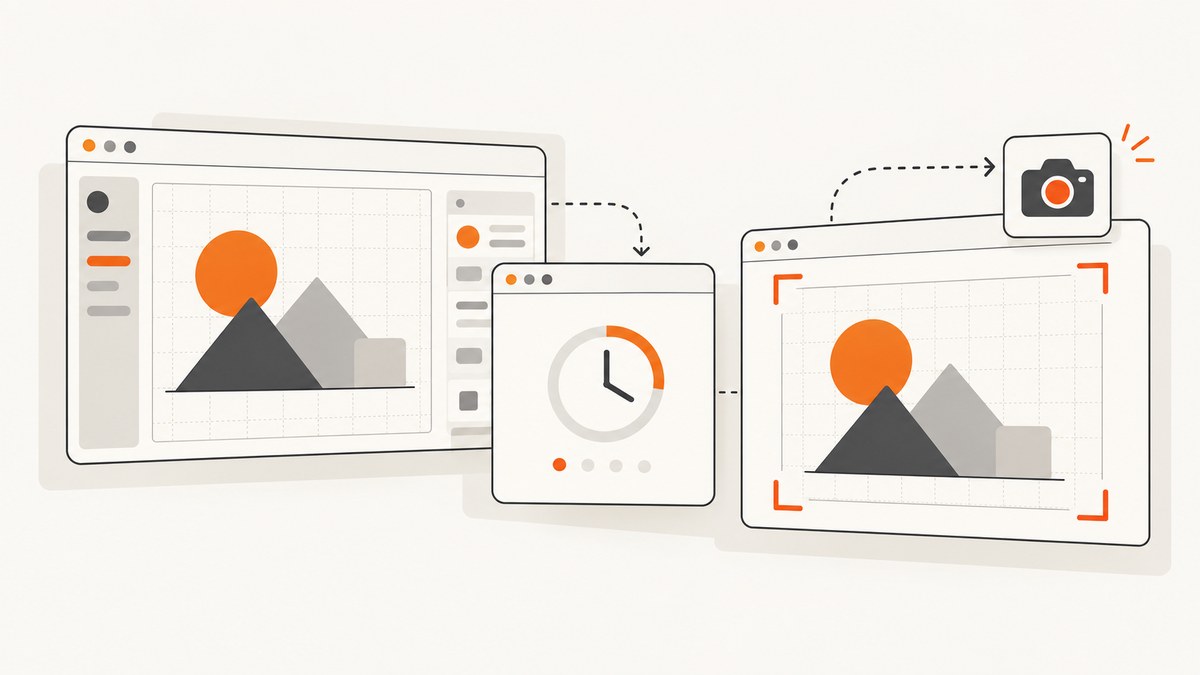
Wait for a readiness condition owned by your application, then take the Playwright screenshot. A visible Konva Stage wrapper only proves that a DOM element exists. Konva shapes are drawn into canvas pixels, so Playwright cannot query a rectangle, text node, or image as an individual DOM element. Your test should signal readiness only after React state, effects, required assets, and any custom drawing work have produced the intended frame.
The reliable sequence is:
- Trigger the state change that should produce the scene.
- Have the application set an explicit marker such as
data-render-state="ready"after the scene and its assets are ready. - Wait for that marker with
page.waitForFunction()or a locator assertion. - Freeze an animation if a deterministic frame is required.
- Capture the canvas wrapper or assert its pixels with Playwright.
Why a visible Konva Stage is not enough
React-Konva gives you declarative React components for Konva nodes, but the result is still rasterized canvas output. A React commit and a completed visual frame are related events, not the same event. A DOM assertion can confirm that the Stage container has dimensions while the canvas is blank, stale, midway through an image load, or displaying an earlier scene.
Konva’s testing guidance recommends a real browser for appearance checks because visual correctness requires real pixels. The official guide puts it plainly: “For anything about appearance — did this actually render, is it the right colour — you need real pixels.” See Konva’s React testing guide.
Playwright’s locator.screenshot() performs actionability checks and scrolls the target into view before capturing its visible bounds. Those checks are useful for the DOM target, but they do not know whether Konva has completed the scene update. The Playwright Locator documentation describes the locator behavior; treat it as target readiness, not application render readiness.
Create an application-owned render contract
The application should expose a small, testable contract. A wrapper around the Stage is a convenient place for it:

import { useEffect, useState } from 'react';
import { Stage, Layer, Rect, Text } from 'react-konva';

export function Preview() {
  const [renderState, setRenderState] = useState('idle');
  const [scene, setScene] = useState(null);

  async function renderPreview() {
    setRenderState('rendering');
    const nextScene = await loadSceneData();
    setScene(nextScene);
    // The scene data is now applied by React. The readiness effect below
    // moves the marker to ready after the required assets are available.
  }

  useEffect(() => {
    if (!scene) return;
    let cancelled = false;

    (async () => {
      await waitForSceneAssets(scene);
      // If your app draws from a mutable source canvas or video, include
      // that synchronization here as well.
      await new Promise(requestAnimationFrame);
      if (!cancelled) setRenderState('ready');
    })();

    return () => { cancelled = true; };
  }, [scene]);

  return (
    <section
      data-testid="preview"
      data-render-state={renderState}
      aria-busy={renderState !== 'ready'}
    >
      <button onClick={renderPreview}>Render preview</button>
      <Stage width={800} height={500}>
        <Layer>
          {scene && <Rect x={20} y={20} width={760} height={460} fill={scene.background} />}
          {scene && <Text x={40} y={40} text={scene.title} fontSize={28} fill="black" />}
        </Layer>
      </Stage>
    </section>
  );
}
The marker belongs to your application, not to a Konva shape. Keep it false while data, fonts, images, or custom drawing sources are incomplete. If a render fails, expose an error state instead of silently leaving the test to time out.
Wait with Playwright’s waitForFunction
page.waitForFunction() evaluates a predicate in the page and resolves when it becomes truthy. Its default polling mode is raf, so the predicate is checked on animation frames. That is a good fit for a readiness marker that changes as the browser renders.
import { test, expect } from '@playwright/test';

test('captures the completed Konva preview', async ({ page }) => {
  await page.goto('/editor');
  await page.getByRole('button', { name: 'Render preview' }).click();

  await page.waitForFunction(() => {
    const preview = document.querySelector('[data-testid="preview"]');
    return preview?.getAttribute('data-render-state') === 'ready';
  });

  await page.locator('[data-testid="preview"]').screenshot({
    path: 'artifacts/preview.png'
  });
});
Give the wait a deliberate timeout and report the state when it fails:
await page.waitForFunction(
  () => document.querySelector('[data-testid="preview"]')?.getAttribute('data-render-state') === 'ready',
  undefined,
  { timeout: 15_000 }
).catch(async (error) => {
  const state = await page.locator('[data-testid="preview"]').getAttribute('data-render-state');
  throw new Error(`Konva preview was not ready (state: ${state ?? 'missing'}): ${error}`);
});
Playwright also supports locator-based function waits in current releases. A normal assertion is often clearer when the marker is a DOM attribute:
const preview = page.locator('[data-testid="preview"]');
await expect(preview).toHaveAttribute('data-render-state', 'ready', {
  timeout: 15_000
});
await preview.screenshot({ path: 'artifacts/preview.png' });
Handle images, fonts, and other asynchronous assets
Images introduce another asynchronous boundary. The official React-Konva image example uses use-image to load an image before passing it to an Image node. Your readiness contract must include those loads and the scene update that follows them.
async function waitForSceneAssets(scene) {
  await Promise.all(scene.images.map(src => new Promise((resolve, reject) => {
    const image = new Image();
    image.onload = resolve;
    image.onerror = reject;
    image.src = src;
  })));

  if (document.fonts?.ready) {
    await document.fonts.ready;
  }
}
Use the same approach for remote data, generated textures, video frames, or a source canvas that Konva does not observe automatically. A readiness marker should describe the exact scene requested by the test, not merely that some earlier scene finished.
Understand Konva redraw behavior
Since Konva 8, normal attribute changes mark a layer dirty and schedule a redraw on the next animation frame. Konva’s official redraw guide says: “Since Konva 8, you do not need to call draw() or batchDraw() after changing a shape.” Read the full version-specific guidance in Automatic Redraws.
That guarantee applies to changes Konva knows about. Manual drawing remains relevant when:
Konva.autoDrawEnabledis disabled.- A mutable source canvas changes outside Konva’s node attributes.
- A video or animation frame changes without a Konva property update.
- Custom code writes directly to a layer context.
Check the installed Konva version and your application configuration. Do not add draw() calls to every React update as a timing workaround; first determine which event actually means the pixels are ready.
Make screenshots deterministic
A stable screenshot is useful, but stable pixels do not prove semantic correctness. Playwright’s expect(locator).toHaveScreenshot() waits for two consecutive screenshots to match before comparing with the expected image. A blank canvas can also be stable, so combine screenshot stability with your application marker.
const preview = page.locator('[data-testid="preview"]');
await expect(preview).toHaveAttribute('data-render-state', 'ready');
await expect(preview).toHaveScreenshot('preview.png', {
  animations: 'disabled'
});
The animations: 'disabled' option affects CSS animations, CSS transitions, and Web Animations. It should not be assumed to stop a Konva animation loop. For an animated scene, pause the Konva animation or set a known frame in application code before setting the readiness marker.
For pixel-level checks, use a real browser and account for Konva’s pixel ratio when reading layer pixels. Konva’s testing material shows how to read from a layer context while accounting for that ratio. A screenshot assertion should use the same viewport, device scale factor, fonts, and color scheme as the baseline.
Complete Playwright example with failure diagnostics
import { test, expect } from '@playwright/test';

test('renders the requested scene before capture', async ({ page }) => {
  await page.goto('/editor?scene=invoice');
  const preview = page.locator('[data-testid="preview"]');

  await page.getByRole('button', { name: 'Render preview' }).click();

  await expect(preview).toHaveAttribute('data-render-state', 'ready', {
    timeout: 15_000
  });

  await expect(preview).toHaveScreenshot('invoice-preview.png', {
    animations: 'disabled',
    caret: 'hide'
  });
});

test('reports render errors instead of capturing stale pixels', async ({ page }) => {
  await page.goto('/editor');
  const preview = page.locator('[data-testid="preview"]');
  await page.getByRole('button', { name: 'Render preview' }).click();

  await expect.poll(async () => {
    return await preview.getAttribute('data-render-state');
  }, { timeout: 15_000 }).toMatch(/ready|error/);

  const state = await preview.getAttribute('data-render-state');
  if (state === 'error') {
    const message = await preview.getAttribute('data-render-error');
    throw new Error(`Application render failed: ${message ?? 'unknown error'}`);
  }

  await preview.screenshot({ path: 'artifacts/preview.png' });
});
Common failures and fixes
| Symptom | Likely cause | Fix |
|---|---|---|
| Screenshot is blank | Capture happened before scene data or images reached Konva. | Set the readiness marker after data, assets, and the subsequent scene update complete. |
| Stage is visible but pixels are stale | A React or Konva update is still pending. | Wait for an application-owned render generation or ready state, not DOM visibility. |
| Timeout waiting for ready | An image, font, network request, or effect never completed. | Expose an error state, log the unfinished dependency, and fail with its message. |
| Flaky visual diffs | Konva animation, CSS animation, fonts, or device scale differs between runs. | Freeze the scene, disable CSS animation, wait for document.fonts.ready, and standardize browser settings. |
Manual draw() appears necessary |
Changes occur outside Konva’s automatic redraw path or auto draw is disabled. | Inspect Konva.autoDrawEnabled and explicitly schedule the custom draw where required. |
| Locator cannot find a shape | Konva shapes are canvas output, not DOM nodes. | Query your wrapper’s test marker; validate the shape through pixels or application state. |
| Screenshot includes the wrong frame | A continuous animation loop keeps changing the canvas. | Pause the animation or set a deterministic frame before marking ready. |
| Different results locally and in CI | Viewport, device scale, fonts, timezone, or external assets differ. | Pin those inputs and serve test assets reliably; avoid readiness based on arbitrary elapsed time. |
Why fixed delays are a weak synchronization strategy
await page.waitForTimeout(1000) encodes a guess. On a slow run, one second can be too short; on a fast run, it wastes time. A frame delay can be appropriate when the contract specifically means “wait for the next browser frame,” but it cannot replace waiting for asynchronous data or images. Use a fixed delay only as a small part of a readiness implementation whose other conditions are explicit.
Performance and reliability checklist
- Keep the readiness predicate cheap: read a marker or generation value instead of walking every Konva node.
- Load required assets in parallel and mark only the requested scene ready.
- Use one readiness transition per render request so an older request cannot mark a newer scene ready.
- Freeze animation for visual regression tests.
- Set a meaningful timeout and include the current render state in failures.
- Use consistent viewport, device scale factor, fonts, and browser version for baselines.
- Capture only the needed wrapper when a full page is not part of the requirement.
- Use full-page screenshots only when the surrounding document matters; canvas readiness still comes from the application.
Or skip the browser setup
If your goal is a clean screenshot of a rendered URL rather than a test assertion inside your own browser session, ScreenshotNeo provides a one-request screenshot API. It can wait on a selector, delay, or network idle, and it supports custom JavaScript when a page needs an application-specific readiness step. Read the ScreenshotNeo API documentation for request options.
cURL
curl -G "https://api.screenshotneo.com/v1/shot" -d access_key=YOUR_API_KEY --data-urlencode url=https://stripe.com -o shot.webpPython
import requests
r = requests.get("https://api.screenshotneo.com/v1/shot", params={"access_key": "YOUR_API_KEY", "url": "https://stripe.com"}, timeout=90)
open("shot.webp", "wb").write(r.content)
Node.js
const q = new URLSearchParams({ access_key: 'YOUR_API_KEY', url: 'https://stripe.com' });
const res = await fetch(`https://api.screenshotneo.com/v1/shot?${q}`);
ScreenshotNeo removes cookie and consent banners, newsletter popups, and chat widgets before capture. Bot checks, blank pages, failed loads, timeouts, and cache hits are not billed, and response headers report the page verdict and whether the request was billed. Its MCP server provides take_screenshot, get_page_info, and capture_pdf tools for Claude, Cursor, and other MCP clients. The Free plan includes 1,000 screenshots per month with no card; paid plans start at $5 for 3,000 shots. Create a free ScreenshotNeo account.
Cost and operational notes
For Playwright, the main costs are browser startup time, CI minutes, asset transfer, and maintenance of test infrastructure. Reusing a browser context and waiting on precise readiness conditions usually improves throughput more than adding arbitrary sleeps. Keep screenshots and traces only for failures when storage is constrained.
For ScreenshotNeo, caching can reduce repeated captures: choose a TTL that matches how often the target changes. You can also use signed links for public image tags, asynchronous jobs with signed webhooks, bulk capture for up to 100 URLs per call, and the usage API for accounting. Features are available on every plan. The service supports PNG, JPEG, WebP, and PDF output, plus full-page capture with lazy images loaded, CSS-selector element capture, custom CSS and JavaScript, headers, cookies, user agents, authorization, timezone, geolocation, blocking rules, resizing, and other capture controls.
FAQ
Is there a universal Konva render-complete promise?
No universal await renderComplete() API is established by the cited documentation. The correct condition depends on your React effects, assets, custom drawing sources, and animation policy.
Should I call layer.draw() before every screenshot?
Usually no with Konva 8’s normal automatic redraw configuration. Investigate external drawing sources or disabled auto draw before adding manual redraws.
Can Playwright assert a Konva rectangle by role or text?
No. Those shapes are canvas pixels. Put a test marker on an application-owned wrapper and validate the result through a screenshot or pixel-level check.
Does toHaveScreenshot() prove the correct scene rendered?
It proves that screenshots are stable and match an expectation. Pair it with a meaningful application readiness signal so a stable blank canvas cannot pass accidentally.
When should I use a full-page screenshot?
Use it when the document outside the Stage is part of the requirement. For a canvas-only regression, capture the smallest stable wrapper to reduce unrelated pixels and test time.


