How to Wait for a Request Before Taking a Screenshot With Python
Use Playwright’s expect_response to synchronize screenshots with real network events, then wait for the UI state your users must see.

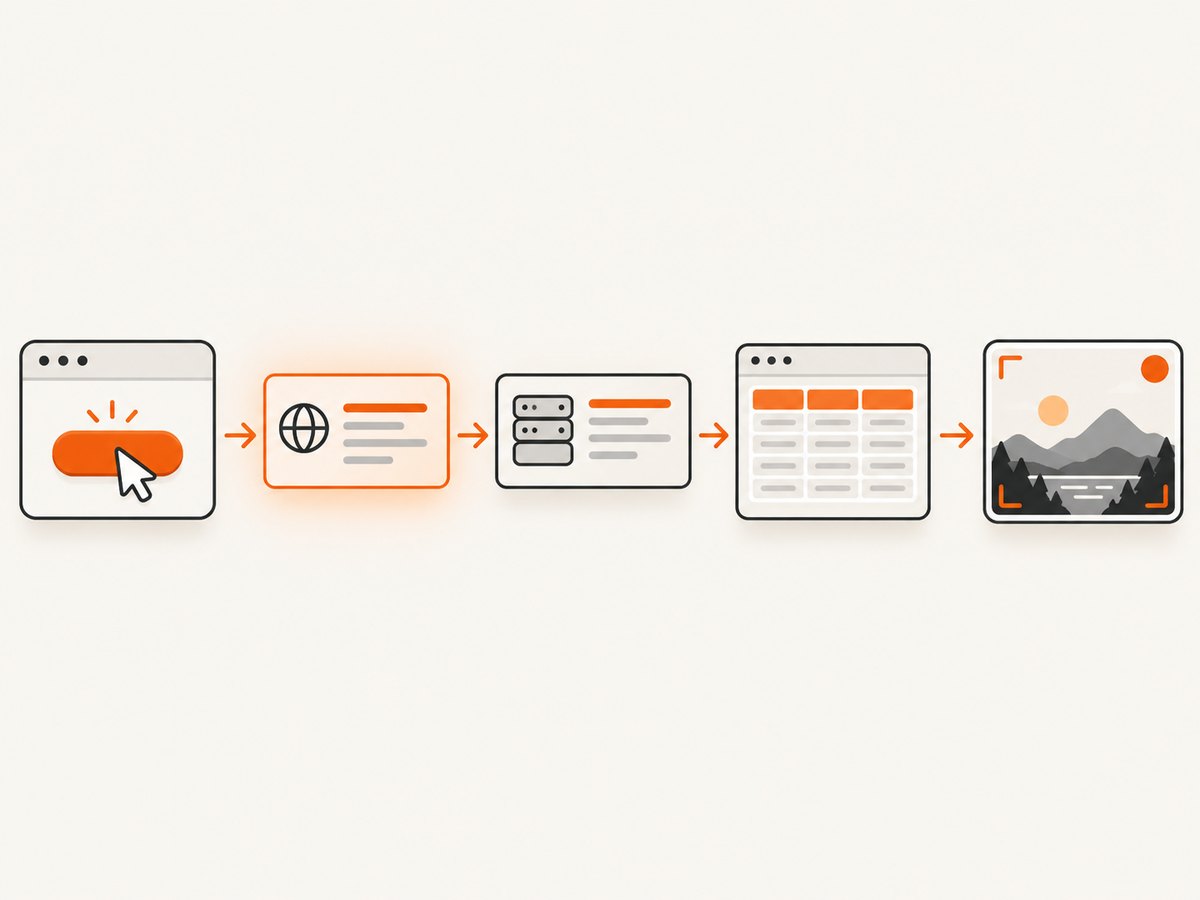
Use Playwright Python’s page.expect_response() around the action that triggers the request. Register the expectation first, match the response narrowly, check its status, then wait for the visual result before calling page.screenshot(). A response arriving only proves that the network event happened; it does not always prove that the page has painted the data.
This pattern avoids fragile sleeps and makes failures explicit. The examples below cover synchronous and asynchronous Playwright, request-versus-response choices, timeouts, failed requests, HTTP errors, rendering delays, and a hosted alternative from ScreenshotNeo.
1. The recommended Playwright Python pattern
Install Playwright and its browser binaries:
python -m pip install playwright
python -m playwright install chromium
The complete synchronous example waits for a specific successful response caused by a button click:
from playwright.sync_api import sync_playwright, TimeoutError as PlaywrightTimeoutError

TARGET_URL = "https://example.com/dashboard"

with sync_playwright() as p:
    browser = p.chromium.launch()
    page = browser.new_page()
    page.goto(TARGET_URL, wait_until="domcontentloaded")

    try:
        # Register the listener before the click that causes the request.
        with page.expect_response(
            lambda response: (
                "/api/data" in response.url
                and response.request.method.lower() == "get"
                and response.status == 200
            ),
            timeout=30_000,
        ) as response_info:
            page.get_by_role("button", name="Load data").click()

        response = response_info.value
        # Network completion and visual completion are separate conditions.
        page.get_by_text("Data loaded").wait_for(state="visible", timeout=10_000)
        page.screenshot(path="page.png", full_page=True)
        print(f"Captured after {response.url} returned {response.status}")

    except PlaywrightTimeoutError:
        page.screenshot(path="debug-timeout.png", full_page=True)
        raise
    finally:
        browser.close()
Replace /api/data and Data loaded with signals from your application. Prefer a stable API path, a method check, and a status check. A broad predicate such as lambda response: True can resolve on an unrelated analytics or favicon request.
2. Why the listener must come first
The click and the response can happen very quickly. If your code clicks first and starts waiting afterward, the response may already have arrived and the wait will time out. Playwright documents the context-manager form specifically so the event listener is active before the triggering action. The official network guide covers network events and response expectations.
# Correct: listener is installed before the action
with page.expect_response("**/api/data") as response_info:
    page.get_by_role("button", name="Load data").click()
response = response_info.value

# Risky: the response may arrive before this wait starts
page.get_by_role("button", name="Load data").click()
with page.expect_response("**/api/data") as response_info:
    pass
Use a glob when the path is stable but query parameters vary:
with page.expect_response("**/api/data**") as response_info:
    page.get_by_role("button", name="Load data").click()
Use a predicate when you need method, status, headers, or another property:
with page.expect_response(
    lambda r: r.url.startswith("https://example.com/api/data")
    and r.request.method == "GET"
    and r.status in (200, 304)
) as response_info:
    page.get_by_role("button", name="Load data").click()
3. Asynchronous Playwright Python
For an asyncio application, use the asynchronous API and await each operation. The official Python library guide documents both sync and async styles.
import asyncio
from playwright.async_api import async_playwright, TimeoutError as PlaywrightTimeoutError

async def capture_after_data():
    async with async_playwright() as p:
        browser = await p.chromium.launch()
        page = await browser.new_page()
        await page.goto("https://example.com/dashboard", wait_until="domcontentloaded")

        try:
            async with page.expect_response(
                lambda r: (
                    "/api/data" in r.url
                    and r.request.method.lower() == "get"
                    and r.status == 200
                ),
                timeout=30_000,
            ) as response_info:
                await page.get_by_role("button", name="Load data").click()

            response = await response_info.value
            await page.get_by_text("Data loaded").wait_for(state="visible")
            await page.screenshot(path="page.png", full_page=True)
            print(response.status)
        except PlaywrightTimeoutError:
            await page.screenshot(path="debug-timeout.png", full_page=True)
            raise
        finally:
            await browser.close()

asyncio.run(capture_after_data())
4. Choose the event that matches your requirement
| Event | Use it when you need to know | Typical API |
|---|---|---|
| Request issued | The browser sent the request. | page.expect_request() |
| Response received | Status and response headers arrived. | page.expect_response() |
| Request finished | The response body download completed. | page.expect_request_finished() |
| Request failed | The browser reported a network failure. | page.on("requestfailed", ...) |
Playwright describes the lifecycle as request, response, and finished events. A request can finish with an HTTP error such as 404 or 503, so “finished” does not mean “successful.” Conversely, a transport failure may produce requestfailed without a response. See the official Request API.
Wait for the request to start
with page.expect_request("**/api/data") as request_info:
    page.get_by_role("button", name="Load data").click()
request = request_info.value
print(request.method, request.url)
Wait until the body has finished downloading
with page.expect_request_finished("**/api/data") as finished_info:
    page.get_by_role("button", name="Load data").click()
finished_request = finished_info.value
Use expect_response when status matters, and expect_request_finished when the screenshot depends on the complete body being available. In either case, add a UI assertion if rendering happens after the network event.
5. Synchronize with the rendered UI
Many applications receive JSON, schedule a state update, render a component, and only then display the result. Capture after a meaningful selector becomes visible, enabled, or populated:
with page.expect_response("**/api/data"):
    page.get_by_role("button", name="Load data").click()

page.locator("[data-testid='results']").wait_for(state="visible")
page.locator("[data-testid='spinner']").wait_for(state="hidden")
page.screenshot(path="results.png")
For a list, assert that it contains the expected row rather than waiting an arbitrary number of milliseconds:
page.locator("[data-testid='results'] li").first.wait_for(state="visible")
page.get_by_text("Acme invoice").wait_for(state="visible")
page.screenshot(path="invoice-list.png")
page.wait_for_timeout() is discouraged for production synchronization because a fixed delay is either unnecessarily slow or still too short. Playwright’s Page API recommends event- or assertion-based waits. The same guidance applies to relying on networkidle as a universal readiness signal: analytics, WebSockets, polling, and ads can keep a page busy indefinitely.
6. Timeouts and explicit failure handling
expect_response has a documented default timeout of 30 seconds. Set a lower bound for fast workflows or a longer one for slow backends; use timeout=0 only when you intentionally disable the limit. Treat a timeout as a failed capture, not as permission to take an unknown-state screenshot.
from playwright.sync_api import TimeoutError as PlaywrightTimeoutError

try:
    with page.expect_response("**/api/data", timeout=15_000) as info:
        page.get_by_role("button", name="Load data").click()
    response = info.value
    if not response.ok:
        raise RuntimeError(f"Data request returned HTTP {response.status}")
except PlaywrightTimeoutError as exc:
    raise RuntimeError("The data response did not arrive within 15 seconds") from exc
You can set defaults on a page or context, then override individual waits:
context = browser.new_context()
context.set_default_timeout(10_000)
context.set_default_navigation_timeout(30_000)
7. Common failures and fixes
| Symptom | Likely cause | Fix |
|---|---|---|
| Timeout after a successful click | Listener started after the action, or the URL predicate is wrong. | Put the click inside the expectation and log the actual request URLs. |
| Wait resolves on the wrong request | Predicate matches analytics, prefetch, or another API call. | Match path, method, status, and—when needed—query parameters. |
| Screenshot has a spinner or empty table | Response arrived before the UI rendered. | Wait for a result selector, row, or spinner to become hidden. |
| HTTP 404/503 still reaches screenshot code | Request completion is not HTTP success. | Check response.ok or an explicit status allow-list. |
| No response event on network failure | DNS, TLS, connection, or browser-level failure. | Capture requestfailed, inspect request.failure, and retry only with a bounded policy. |
| Glob never matches | Pattern does not include the full URL or query string. | Use **/api/data** or print response.url during debugging. |
| Works locally, fails in CI | Different credentials, base URL, timing, viewport, or browser binary. | Set context state explicitly and save a trace or timeout screenshot. |
8. Reliability, performance, and cost considerations
- Reliability: Use one deterministic network predicate plus one visual assertion. Keep timeouts finite and save diagnostic screenshots or traces on failure.
- Performance: Avoid waiting for every request on a busy page. A narrow API match returns sooner than a global idle condition. Reuse a browser process for batches, while creating isolated contexts for separate sessions.
- HTTP semantics: Decide whether 200 only, any 2xx, or 304 is acceptable. Treat redirects and authentication responses according to your application’s contract.
- Authentication: Load storage state, cookies, headers, or a test account before the triggering action. Otherwise you may wait for a login redirect instead of the data endpoint.
- Retries: Retry transient navigation or backend failures with a cap and backoff. Do not blindly retry a deterministic selector mismatch.
- Cost: Self-hosted Playwright costs browser CPU, memory, CI time, and maintenance. Record the response URL and status so failed captures are visible in job logs.
9. Or skip the browser setup
For a hosted screenshot, ScreenshotNeo’s API documentation shows a single GET request. It handles the page capture infrastructure and returns an image or PDF.

curl -G "https://api.screenshotneo.com/v1/shot" -d access_key=YOUR_API_KEY --data-urlencode url=https://stripe.com -o shot.webpimport requests
r = requests.get("https://api.screenshotneo.com/v1/shot", params={"access_key": "YOUR_API_KEY", "url": "https://stripe.com"}, timeout=90)
open("shot.webp", "wb").write(r.content)const q = new URLSearchParams({ access_key: 'YOUR_API_KEY', url: 'https://stripe.com' });
const res = await fetch(`https://api.screenshotneo.com/v1/shot?${q}`);ScreenshotNeo removes cookie and consent banners, newsletter popups, and chat widgets before capture. Bot checks, blank pages, timeouts, failed loads, and cache hits are not billed; the response identifies the result with X-Page-Verdict and X-Billed headers. Its MCP server gives Claude, Cursor, and other MCP clients take_screenshot, get_page_info, and capture_pdf tools. The Free plan includes 1,000 screenshots per month without a card; paid plans start at $5 for 3,000 shots. Create a free ScreenshotNeo account.
10. Useful ScreenshotNeo capture options
When the hosted request is a better fit, you can configure full-page capture with lazy images, a CSS element selector, dark mode, device presets or custom viewports, retina scale, PDF paper settings, custom CSS and JavaScript, clicks, hidden selectors, selector or delay waits, network-idle waits, blocked ads and trackers, custom headers, cookies, user agents, authorization, timezone, geolocation, transparent backgrounds, resizing, chosen cache TTLs, signed image links, asynchronous jobs with signed webhooks, bulk capture of up to 100 URLs per call, and usage reporting. Parameter names used by other screenshot APIs also work, which simplifies migration.
11. Short FAQ
Should I wait for a request or a response?
Wait for a request when issuance is the requirement. Wait for a response when status or headers matter. Wait for request-finished when the complete body must be downloaded.
Does a 200 response guarantee the screenshot is ready?
No. The application may render asynchronously. Add a locator assertion for the visible state you need.
Can I use a fixed sleep as a fallback?
You can, but it is fragile. Prefer a selector, assertion, response predicate, or application-specific readiness signal.
How do I debug an unknown endpoint?
Temporarily log request and response URLs and methods, then replace the broad diagnostic match with a narrow predicate before committing the test.
When is a hosted API preferable?
Use one when you do not want to maintain browser binaries, rendering workers, consent cleanup, retries, and capture infrastructure. ScreenshotNeo provides those capture controls behind one request.


