How to Capture Full-Page Screenshots in Opera with Watir-WebDriver
Watir’s standard screenshot call captures the visible viewport. Here’s what works, why Opera full-page capture is not a dependable Selenium route, and what to use instead.
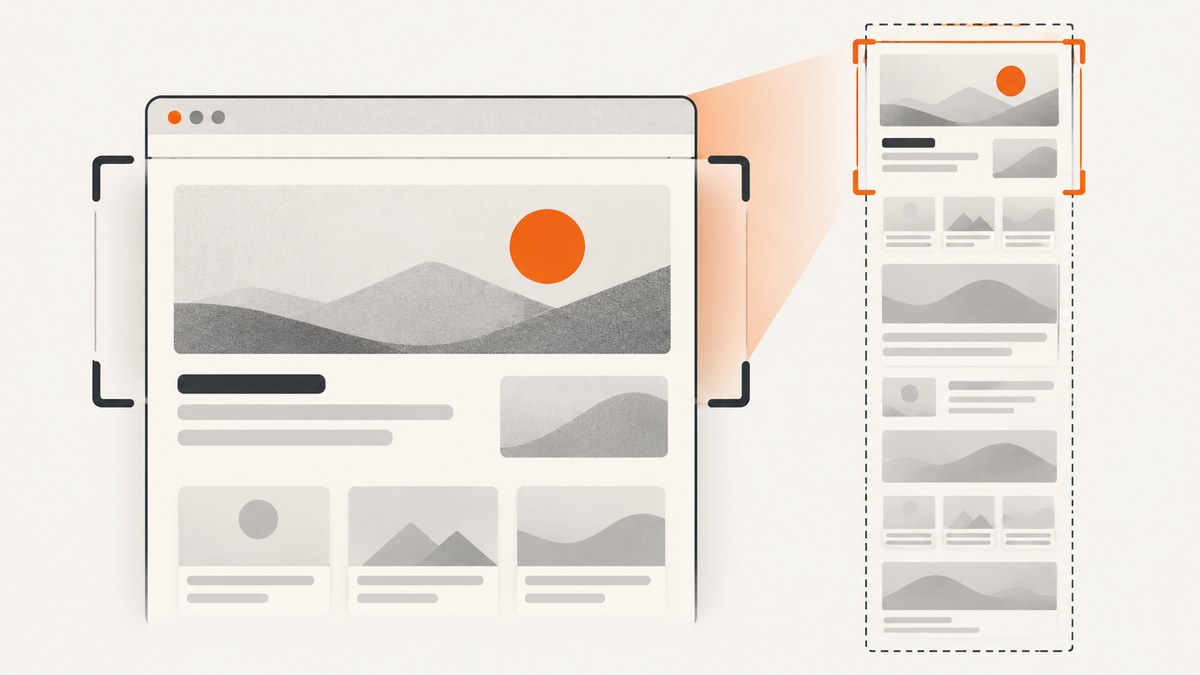
Direct answer: Watir-WebDriver’s browser.screenshot.save saves the WebDriver’s ordinary screenshot, which captures the visible viewport. Selenium Ruby has a full_page: true option, but it only works when the active driver implements a full-page screenshot hook. Selenium currently says OperaDriver is officially unsupported with its latest functionality, so there is no dependable, current Selenium-supported recipe to promise for full-page screenshots in Opera. Selenium’s driver documentation states the Opera limitation directly.
If you must keep Opera, first decide whether a viewport image is sufficient. If the entire document is required, validate an Opera-specific workaround against your browser and page; don’t mistake a successful ordinary screenshot for a full-page one. If the browser is flexible, Firefox is the better-documented Selenium full-page route in the sources reviewed. For a capture without local browser and driver setup, ScreenshotNeo provides a one-request website screenshot API.
1. What Watir captures by default
Watir exposes a Watir::Screenshot through browser.screenshot. Its save(path) method delegates to the driver’s save_screenshot(path); the related png and base64 methods also request an ordinary screenshot. That is a screenshot of the visible browser area, not a promise to capture the full document. See the Watir screenshot API for those methods.
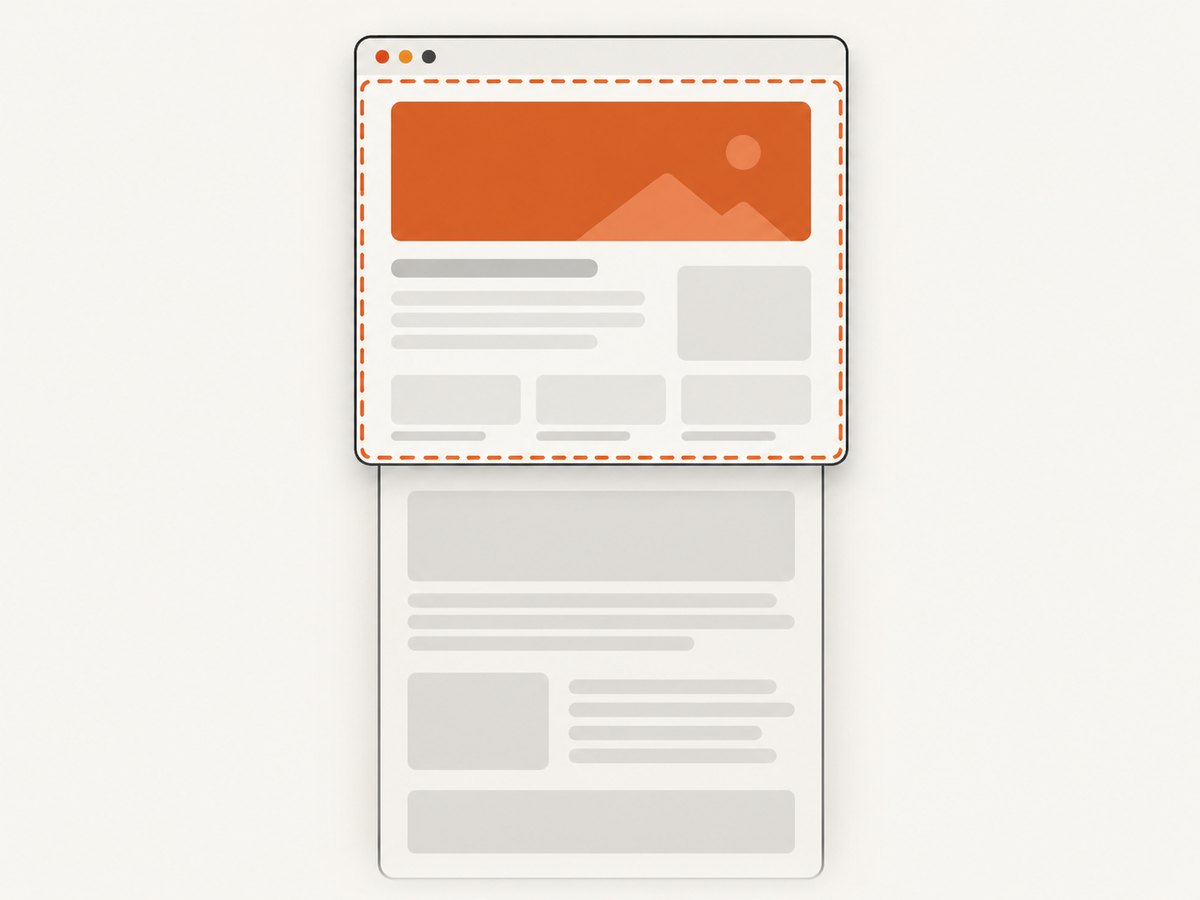
This minimal Ruby program is useful as a baseline. It saves viewport.png; the filename does not make it full-page.
require "watir"

browser = Watir::Browser.new
begin
  browser.goto("https://example.com/long-page")
  browser.screenshot.save("viewport.png")
ensure
  browser.close
end
Make browser selection explicit in a real project. Watir’s documented default has historically been Firefox, and relying on an implicit default makes it easy to believe you tested Opera when the session opened another browser. Also check the saved image’s pixel dimensions and compare its bottom edge with the document: a normal viewport screenshot can be perfectly valid while omitting the content below the fold.
2. Why full_page: true is not an Opera fix
Selenium Ruby’s screenshot API describes full_page: true as available “if supported.” The implementation checks whether the driver responds to a full-page screenshot method; if not, it raises Selenium::WebDriver::Error::UnsupportedOperationError. The option is therefore a capability-dependent extension, not a cross-browser switch. Review the Ruby screenshot API documentation for the conditional behavior.
On a driver that implements the hook, the lower-level Selenium form is:
require "selenium-webdriver"

# Works only if this particular driver exposes full-page capture.
driver = Selenium::WebDriver.for(:firefox)
driver.navigate.to("https://example.com/long-page")
driver.save_full_page_screenshot("full-page.png")
driver.quit
This is an illustration of the capability-dependent Selenium call, using Firefox as the documented alternative. Do not change :firefox to :opera and assume it becomes reliable. Selenium’s current browser-driver installation page explicitly marks OperaDriver unsupported with the latest Selenium functionality. The fact that a driver name or older setup appears in a guide is not evidence that the current Ruby screenshot extension works with it.
Where the active driver does support Selenium Ruby’s extension, Watir’s underlying driver can be used directly:
require "watir"

browser = Watir::Browser.new(:firefox)
begin
  browser.goto("https://example.com/long-page")
  browser.driver.save_full_page_screenshot("full-page.png")
ensure
  browser.close
end
As with the Selenium example, this depends on the driver capability. If it raises an unsupported-operation error, the code has told you that the driver lacks the hook; retrying the same option through another wrapper will not add browser support.
3. Choose a capture method
| Method | What it captures | Opera suitability | Main tradeoff |
|---|---|---|---|
browser.screenshot.save |
Visible viewport | Baseline only; still depends on a usable Opera WebDriver setup | Content outside the viewport is omitted |
| Selenium full-page driver extension | Full document when the driver implements it | Not a dependable current Opera recipe | Driver-specific support and API behavior |
| Scroll, capture and stitch | A composite assembled from viewport captures | Requires separate Opera compatibility validation | Page can change between slices; sticky content may repeat |
| DOM-to-canvas rendering | A rendered approximation of DOM content | Requires separate Opera and page validation | Can differ from the browser’s actual rendered pixels |
| Firefox full-page capture | Full document through documented Firefox support | Requires changing browser | Does not make Opera supported |
The watir-screenshot-stitch project documentation describes three strategies: Firefox/geckodriver full-page capture, viewport stitching and an html2canvas-based image. Its documentation lists tested or optimized browsers but does not establish Opera support. Treat the gem as a possible experiment, not an Opera guarantee. Its stitching path also depends on image tooling such as MiniMagick and ImageMagick.
4. A practical Opera workflow
- Confirm the browser and driver actually launched. Use an explicit browser choice and inspect the session’s browser capabilities or logs. Check that the Opera and driver versions are compatible with your installed Selenium stack. Current Selenium documentation says OperaDriver is unsupported with latest functionality, so expect setup or command compatibility issues.
- Save a viewport baseline. Use
browser.screenshot.saveand label the artifact as a viewport capture. This confirms that navigation and ordinary screenshot transfer work without claiming full-page coverage. - Try full-page capability detection only as a diagnostic. Call the Selenium full-page method and handle its unsupported-operation error. A success is specific to the exact driver version and environment; preserve that combination if you rely on it, and cover it with your own regression check.
- If no native path exists, evaluate a workaround on representative pages. Compare an ordinary top-to-bottom article, a long page with lazy images, a page with sticky navigation, and a page with nested scrollable regions. Inspect seams, missing sections, repeated headers, and final image dimensions. The dossier reports no hands-on Opera testing, so these checks are necessary before production use.
- If a supported WebDriver full-page path matters more than Opera, move the capture to Firefox. Selenium documents full-page screenshot functionality for Firefox. This is a browser migration, not an Opera configuration switch.
For Firefox, a Watir project can call the driver extension as shown above, subject to the installed Selenium Ruby driver exposing that method. You can also use the Selenium Firefox-specific functionality directly; see the Firefox WebDriver API for the documented full-document screenshot operations. Confirm the Ruby method is available in your installed binding rather than copying a Python API name into Ruby.
5. Workaround considerations
Viewport stitching
A stitching implementation scrolls by roughly one viewport, saves each visible image and joins the images vertically. The approach can work for static pages, but it is not equivalent to capturing one frozen document. Animation, rotating content, timestamps, sticky headers, scroll-triggered effects and layout shifts can change between slices. Overlap can help detect seams, but it does not eliminate moving-page differences.
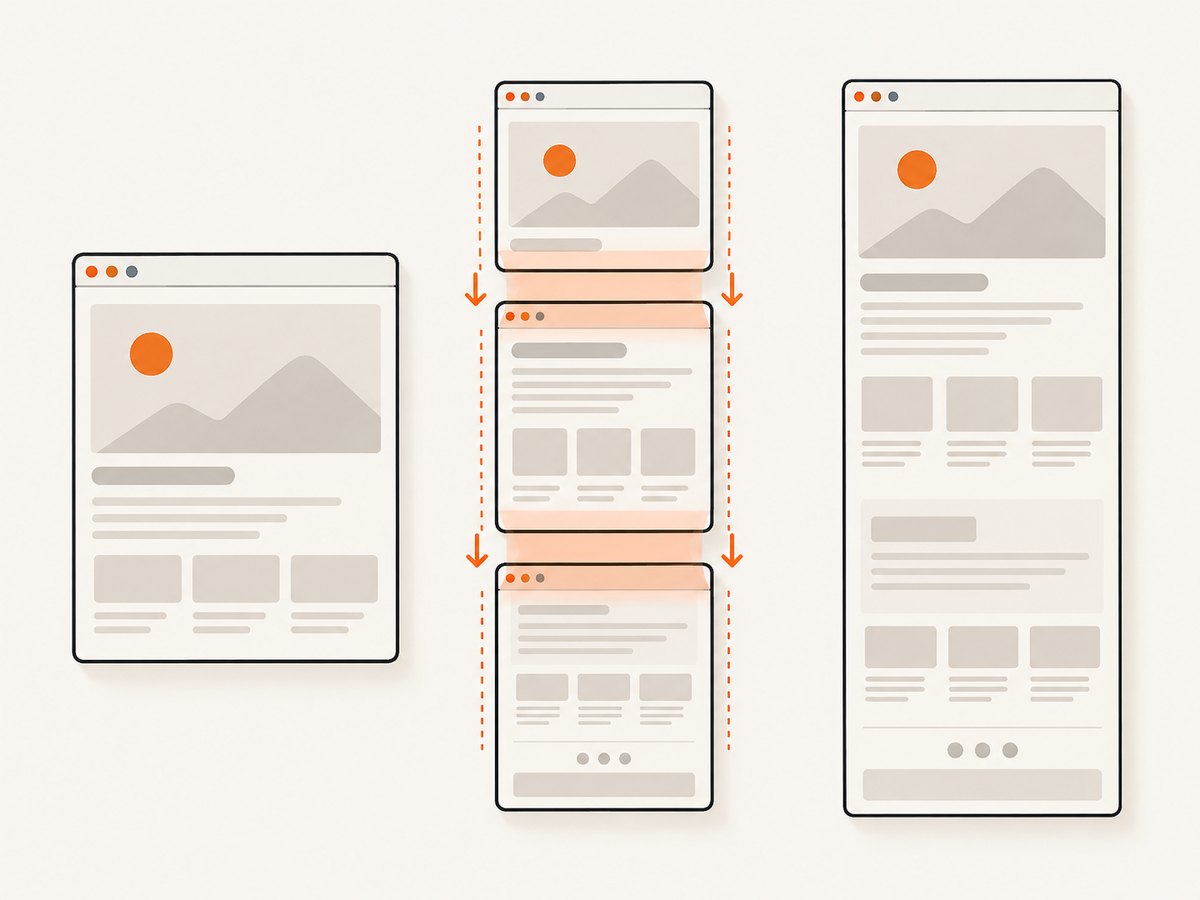
Lazy-loaded images may not exist until their region is scrolled into view. A stitching loop should scroll through the document before its final pass, wait for expected images or content, and then capture. Even that cannot guarantee that a page’s asynchronous content has finished changing. Nested scroll containers are another boundary: scrolling the window may not reveal items inside an independently scrolling panel.
DOM-to-canvas rendering
html2canvas-style tools reconstruct an image from DOM elements and style information. That is a rendering approximation, not a photograph of the browser’s final pixels. The html2canvas project documents the DOM-based rendering approach and its cross-origin restrictions. Cross-origin images or other restricted resources may be absent unless served in a way that allows the renderer to access them. Canvas-based capture can also differ for content such as embedded media, browser-rendered controls, or complex visual effects.
Neither strategy should be presented as a known-good Opera recipe based on the available evidence. If you prototype one, capture outputs from your target Opera release and test the content types your own pages use. Record which workaround and dependency versions produced each artifact.
6. Common errors and fixes
| Symptom | Likely cause | What to do |
|---|---|---|
UnsupportedOperationError mentioning full-page screenshots |
The current driver does not expose Selenium’s full-page hook. | Use a documented driver capability, such as Firefox, or assess a workaround. Don’t assume a Watir wrapper changes driver support. |
| The image stops at the viewport bottom | browser.screenshot.save requested the ordinary screenshot. |
Use a verified full-page-capable method or explicitly label the output viewport-only. |
| Opera fails to start or commands fail | OperaDriver and current Selenium functionality are not a supported combination according to Selenium’s current documentation. | Review the exact browser, driver and Selenium versions and logs. If current supported automation is required, select a browser Selenium documents for the needed feature. |
| The saved file is empty, missing, or cannot be opened | The capture may have failed before writing, the path may be invalid, or a caller may have mishandled screenshot bytes. | Use an absolute writable path, check that the method returned successfully, and verify the file exists and begins as a valid PNG. Keep binary output in binary mode. |
| Lower page content is blank | Lazy loading, delayed rendering, or a page-specific workaround limitation. | Wait for a meaningful page condition, scroll to trigger lazy content, and verify the content is actually present before capture. |
| Repeated or missing strips in a stitched image | Scroll offsets, changing content, fixed elements or layout shifts caused seams. | Capture a stable page, use overlap, inspect each segment, and consider a native full-page method instead. |
| Images or styled content disappear in a canvas result | Cross-origin restrictions or unsupported DOM rendering behavior. | Check the renderer’s resource restrictions and compare with an actual browser screenshot. Use a different capture method if pixel fidelity matters. |
| A full-page image is unexpectedly huge | Long documents multiplied by device pixel ratio produce large pixel dimensions and memory use. | Capture only needed pages, consider a lower resolution or a PDF workflow, and check image-processing memory limits. |
7. Reliability, performance and cost
Browser-based capture cost includes more than the screenshot command: a browser process must start, a driver session must be established, navigation must complete, the page may need to settle, and image data must be written or post-processed. Stitching increases work by taking multiple screenshots and joining them. Canvas rendering shifts work into page JavaScript and is sensitive to page resources and browser behavior. No benchmark in the research dossier establishes which approach is faster for Opera, so measure with your own pages and machine.
For reliability, make the target URL, browser and viewport deterministic; wait for a condition tied to the content you need; use explicit output paths; close the browser in an ensure block; and keep separate artifacts for viewport and full-page capture. In CI, log browser and driver versions and save failure screenshots or driver logs. A passing navigation test does not prove that a capture includes the entire document.
For cost, a local Watir script has no per-screenshot API charge described here, but it consumes machine resources and engineering time for browser setup, compatibility maintenance and image processing. For production workloads, include those operational costs when comparing a local workflow with a screenshot service. No Opera performance or cost figures are established by the dossier.
8. Or skip the browser setup
ScreenshotNeo accepts a URL in one GET request and returns an image or PDF. This example follows the product’s documented call shape; replace the target URL and API key. See the ScreenshotNeo API documentation for configuration.
curl -G "https://api.screenshotneo.com/v1/shot" -d access_key=YOUR_API_KEY --data-urlencode url=https://stripe.com -o shot.webpimport requests
r = requests.get(
"https://api.screenshotneo.com/v1/shot",
params={"access_key": "YOUR_API_KEY", "url": "https://stripe.com"},
timeout=90,
)
open("shot.webp", "wb").write(r.content)const q = new URLSearchParams({ access_key: 'YOUR_API_KEY', url: 'https://stripe.com' });
const res = await fetch(`https://api.screenshotneo.com/v1/shot?${q}`);
if (!res.ok) throw new Error(`Screenshot request failed: ${res.status}`);
await Bun.write("shot.webp", res);The Node.js request above uses the supplied URL construction and writes the response with Bun’s file helper. In a Node.js-only environment, write the response bytes with fs:
import { writeFile } from "node:fs/promises";

const q = new URLSearchParams({ access_key: "YOUR_API_KEY", url: "https://stripe.com" });
const res = await fetch(`https://api.screenshotneo.com/v1/shot?${q}`);
if (!res.ok) throw new Error(`Screenshot request failed: ${res.status}`);
await writeFile("shot.webp", Buffer.from(await res.arrayBuffer()));
ScreenshotNeo removes cookie and consent banners, newsletter popups and chat widgets before the shot; each step can be turned off. Bot checks, blank pages and failed loads are never billed, and response headers report the page verdict and billing status. Its MCP server lets AI agents use take_screenshot, get_page_info and capture_pdf. The free plan includes 1,000 screenshots a month with no card; paid plans start at $5 for 3,000. Those facts do not make it an Opera WebDriver extension: it is an API and MCP option when your task is to capture a website.
Create a free ScreenshotNeo account for 1,000 screenshots a month with no card.
9. FAQ
Does a larger Opera window make Watir save the full page?
No. A larger viewport can show more content in an ordinary screenshot, but it does not turn that call into a full-document capture.
Can Capybara make Opera’s screenshot full-page?
A wrapper does not add a driver capability. The limitation is at the WebDriver/driver layer; the same support check applies.
Can I use full-page capture for visual regression tests?
Yes, if the chosen browser and capture method are stable for your target pages. Pin and log the browser stack, control page state, and validate that the output includes the same document regions on each run.
Is ScreenshotNeo a way to automate my existing Opera session?
No. It is a website screenshot API and MCP server that captures a URL, rather than a control channel for an already-open Opera browser.


